Explore the tasks shown by these actual Hailuo 2.3 results. Copy a prompt to try in the generator, or open the linked case for its saved setup. Supply your own images or clips when the request uses references.
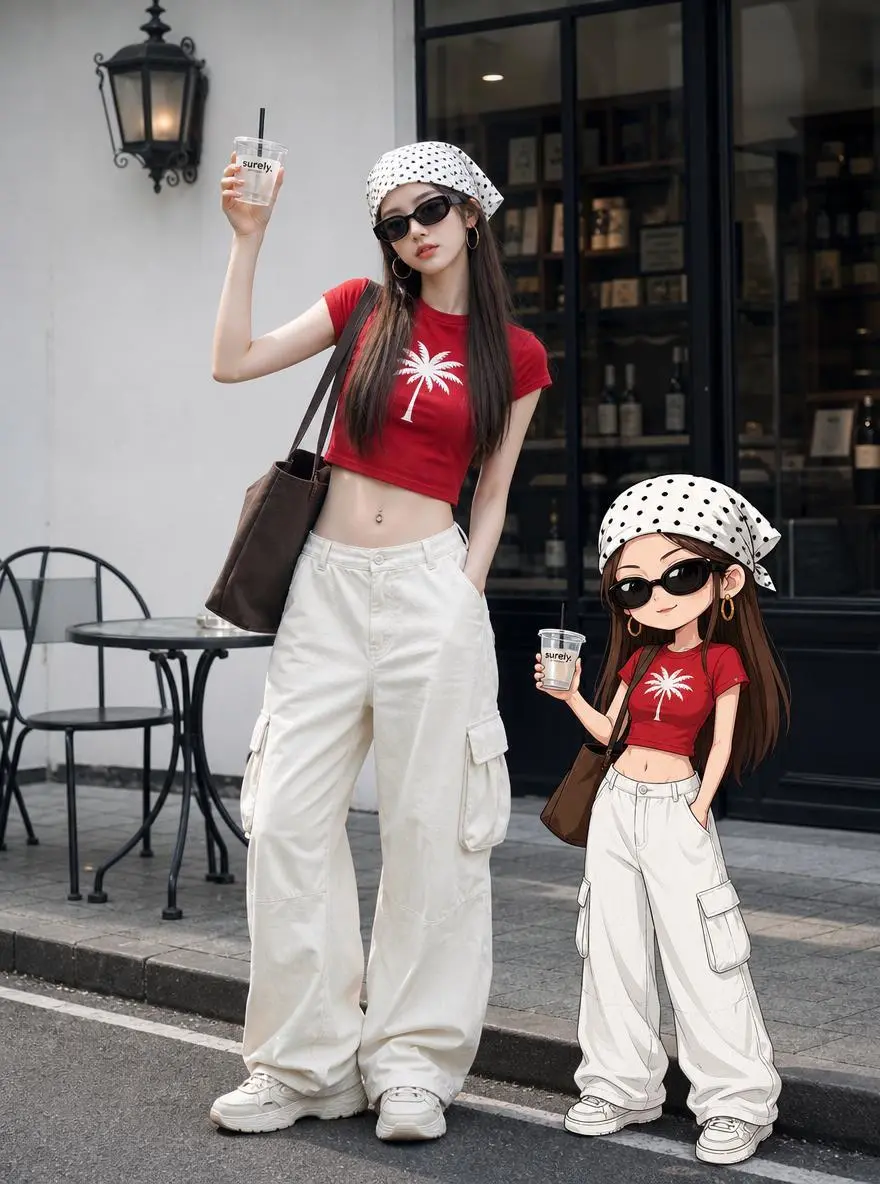
Coordinated Family Outfits
Use a family-fashion scene as the visual starting point for a character clip, with the people and clothing establishing its subject.
The main character winks at the camera, smiles, clinks glasses, while the cartoon character stands in the opposite direction to the main character, pretending to be angry. The scene transitions, and they engage in a happy interaction, walking together towards the left side of the frame.
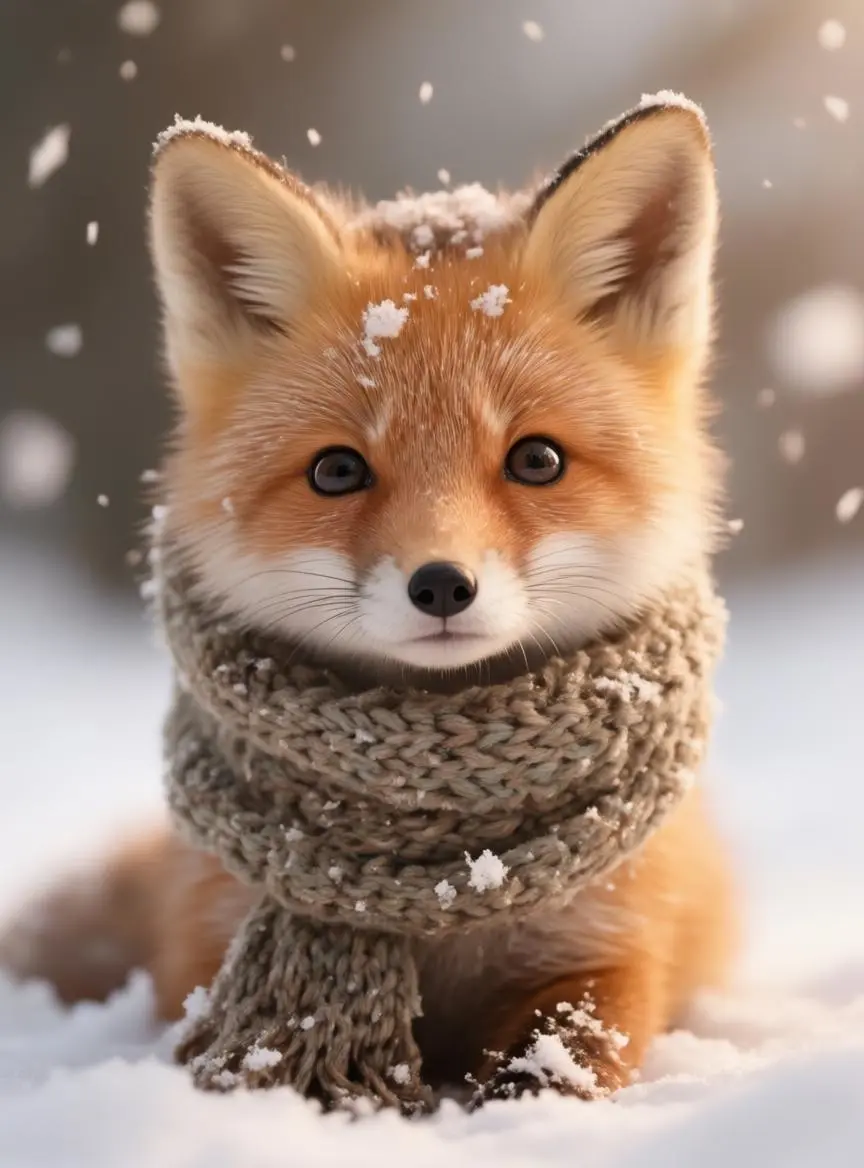
Give a fox a small performance through falling snow, a sniff, and a nuzzle into its scarf.
Snowflakes gently fall around the fox, it sniffs the air, then nuzzles deeper into the scarf with a content expression. Cinematic realistic style, gentle natural movement.
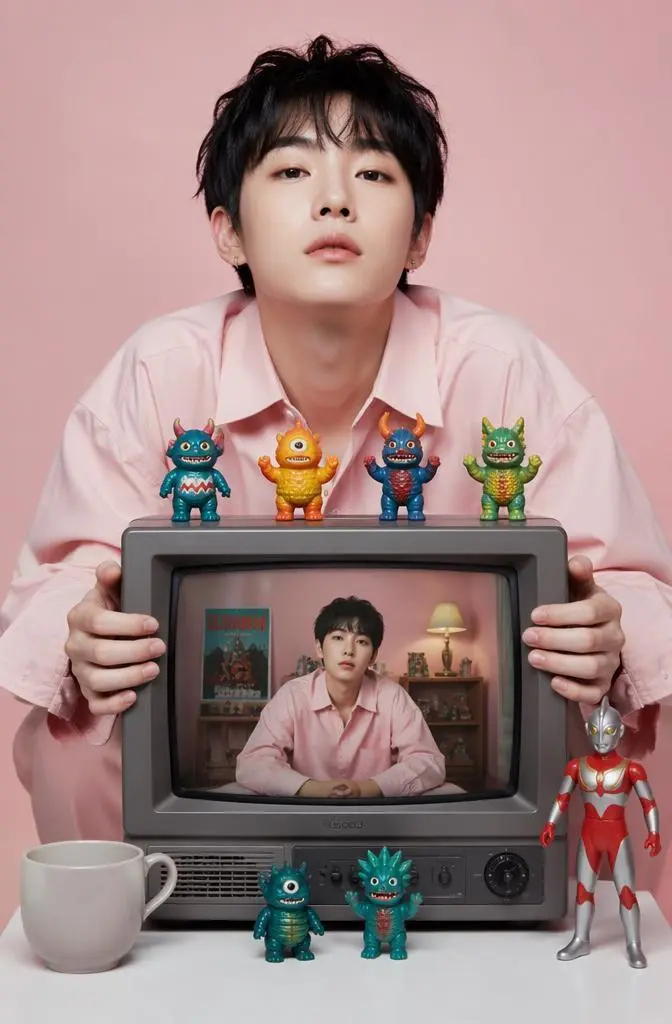
Build a character scene around a person holding a screen, using the starting image to establish the unusual composition.
A retro television displaying an alternate reality. The camera zooms directly into the TV screen. Suddenly all the toy monsters come alive and begin dancing chaotically. The Ultraman figure grows into a giant mechanical guardian. The screen glitches violently as multiple versions of the character emerge from different dimensions. Toys leap into the air and orbit around the floating television. The room transforms into a neon cyber-toy city. Reality folds and repeats recursively, creating an infinite screen-within-screen effect. Hyper dynamic camera movement, playful chaos, retro-futuristic aesthetics, cinematic toy universe, surreal storytelling, highly detailed animation.camera movement highly dynamic, cinematic motion blur, volumetric lighting, depth of field, realistic physics, ultra detailed, luxury fashion commercial, dramatic visual storytelling, 4K, 8K, blockbuster VFX, seamless animation
Hailuo 2.3 is MiniMax’s video model update for physical actions, stylization, and character micro-expressions.
Character Performance
The 2.3 release emphasizes physical actions and small expression changes. An opening image supplies the character while the prompt gives it a performance.
Photographic or Stylized Motion
MiniMax highlights stylization as well as realistic movement. The visual treatment can come from a photographic, illustrated, or animated starting image.
WORKFLOWS
Choose Your Starting Input
Use the Hailuo 2.3 input mode that matches the material you have.
Animate an Opening Image
Upload the frame that establishes the subject and scene. Describe the action, environmental movement, or camera direction that follows it.
PROMPT GUIDE
How to Direct Hailuo 2.3 with a Prompt
Learn from the actual instructions behind these results. Each example keeps its complete original prompt and available inputs. For a new request, replace its subject and reference assignments with your own.
Establish the Visual Starting Point
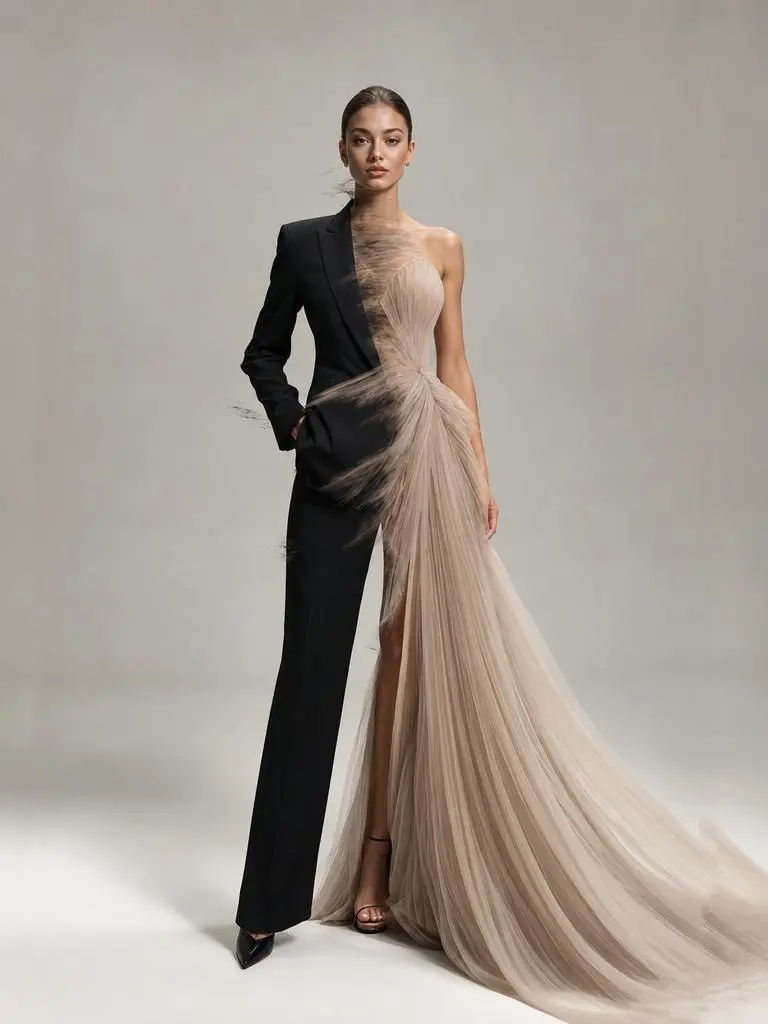
The request defines the subject and setting. Use it to study scene description rather than treating it as evidence of a particular motion or sound control. In this case: “same fashion model standing still, outfit rapidly transforming between luxury suit, streetwear, couture dress, sportswear, seamless fashion transition, premium editorial photography, clean studio back”
same fashion model standing still, outfit rapidly transforming between luxury suit, streetwear, couture dress, sportswear, seamless fashion transition, premium editorial photography, clean studio background, luxury fashion campaign, ultra realistic, vogue style, dramatic fashion transformation
Add Motion to the Environment
Identify the environmental element that moves while the composition remains recognizable. In this case: “A circular energy pulse expands from the center of the frame.”
A circular energy pulse expands from the center of the frame. Where the pulse touches, the character's appearance upgrades to sci-fi style — clothing gains luminous circuit lines, lighting becomes cooler and sharper. The pulse fades outward leaving the transformed portrait. No facial changes, only texture and lighting shift.
Give the Sequence a Shot Order
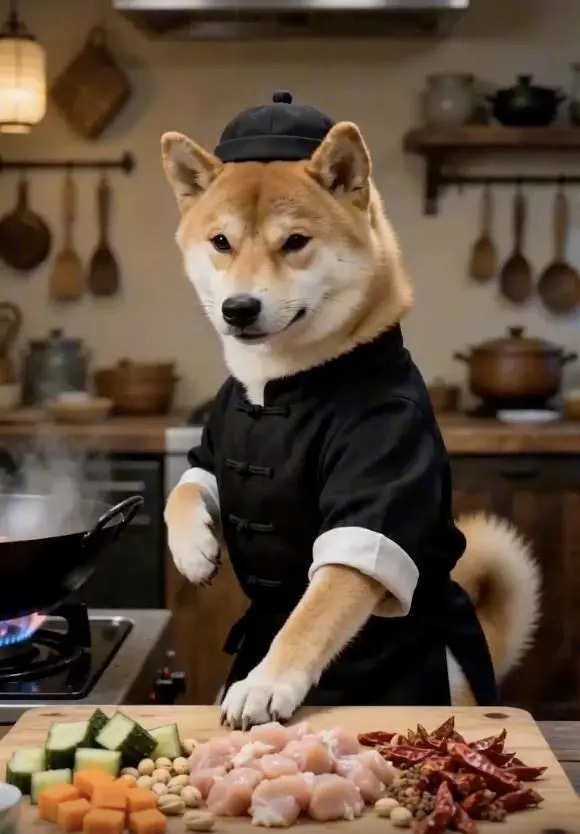
The prompt separates its sequence into shots or time ranges, with actions assigned to those stages. In this case: “0-2 seconds (Opening): Close-up quick push-in, wearing Chinese-style clothing standing in front of the stove, sinking qi to the dantian pressing the table with one hand, knuckles exerting force to sha”
0-2 seconds (Opening): Close-up quick push-in, wearing Chinese-style clothing standing in front of the stove, sinking qi to the dantian pressing the table with one hand, knuckles exerting force to shake the diced chicken, peanuts, and dried chili peppers in the bowl to fly into the air simultaneously, ingredients suspended in mid-air.
2-4 seconds (Starting stance): Spinning body to initiate the stance, right hand like a sword finger quickly pointing at the diced chicken in the air, finger wind accurately slicing through the meat fibers, diced chicken instantly cut into uniform small pieces, falling into the hot oil iron wok in an arc in mid-air.
4-6 seconds (Palm wind stir-frying): Sinking waist into a horse stance, both palms exerting energy quickly towards the iron wok from a distance, palm wind enveloping the diced chicken to rotate at high speed in the wok, stir-frying until it changes color, the meat is tender and not dry, evenly coated with glossy oil.
6-8 seconds (Flying cutting ingredients): Side kick, toes lightly picking up cucumbers and carrots on the chopping board, fruits and vegetables flying in the air, raising hand with a fast knife slashing like lightning, instantly cut into cubes, accurately falling into the wok to join the diced chicken.
8-10 seconds (Stir-frying kung fu): Holding the wok handle with one hand, exerting force with the wrist to perform the ultimate wok-tossing skill, the iron wok flying up and down, diced chicken, peanuts, and chili peppers intertwining and flying in the air, not spilling a single drop of broth, the movement is as chic as sword dancing, full of wok hei.The final large-arc spinning wok, drawing an afterimage in the air, ingredients steadily fall into the wok, accurately plating the bright red, fragrant and crispy Kung Pao Chicken into a white porcelain plate, the finished dish steaming, the camera freezes on a delicious close-up with a blurred background of a fist-clasping figure, the picture should be smooth, following the plot, must have close-ups.
HOW TO USE
Create Your First Hailuo 2.3 Video
Start in the generator on this page. To reuse an example, click Copy Prompt, return to the description field, and adapt the prompt to your own inputs.
Provide the Scene and Inputs
Upload the opening image that establishes the scene, then describe its movement.
Choose the Output Options
Choose an offered duration, aspect ratio, and other available output options. Check the form’s displayed points before submitting.
Generate and Review
Click Generate and review the resulting video. Check movement, framing, continuity, and any delivered audio. Adjust your prompt or references for the next attempt.
Compare the documented model roles and the inputs and options currently listed in WeShop. Model names or matching settings do not by themselves establish equal output quality or a fixed generation-time difference.
Dimension
Hailuo 02
Hailuo 2.3
Hailuo 2.3 Fast
Model role
Physical movement and instruction-led scenes
Character expressions, physical actions, and stylization
Efficiency-oriented image-to-video variant
Inputs listed for the page
Animate an Opening Image; Guide the Opening and Ending Frames
Animate an Opening Image
Animate an Opening Image
Current WeShop options
Duration: 6s, 10s
Duration: 6s, 10s
Duration: 6s, 10s
Model role
Hailuo 02
Physical movement and instruction-led scenes
Hailuo 2.3
Character expressions, physical actions, and stylization
Hailuo 2.3 Fast
Efficiency-oriented image-to-video variant
Inputs listed for the page
Hailuo 02
Animate an Opening Image; Guide the Opening and Ending Frames
Hailuo 2.3
Animate an Opening Image
Hailuo 2.3 Fast
Animate an Opening Image
Current WeShop options
Hailuo 02
Duration: 6s, 10s
Hailuo 2.3
Duration: 6s, 10s
Hailuo 2.3 Fast
Duration: 6s, 10s
When to Consider Hailuo 2.3
Match the Model to Your Task
Consider standard 2.3 for image-led character actions and expressions. Compare Fast when efficient iteration matters, using the same representative inputs.
MORE VIDEO MODELS
Explore More Video Models
Open a related model page to review its capabilities, examples, and current generation options.
Answers about this version, its inputs, and how to get started.
What is Hailuo 2.3?
Hailuo 2.3 is MiniMax’s video model update for physical actions, stylization, and character micro-expressions.
What is a good task to consider it for?
Consider standard 2.3 for image-led character actions and expressions. Compare Fast when efficient iteration matters, using the same representative inputs.
What do I need to provide?
Animate an Opening Image. Upload the frame that establishes the subject and scene. Describe the action, environmental movement, or camera direction that follows it.
Which output settings are offered here?
Duration: 6s, 10s
How do I try an example prompt?
Click Copy Prompt, return to the generator, and paste it into the description field. Add your own required references and update their roles. Linked case previews and Use This Prompt open the saved case; they do not automatically fill this page’s form.
What should I know about this version?
This WeShop entry uses an opening image. Reference-video editing and native dialogue are not established by the 2.3 label alone.