

On Xiaohongshu, visuals do a lot of the heavy lifting. Before people read your caption, check your outfit details, or save your post, they see your cover first. That is why a polished Xiaohongshu cover image can make a real difference.
This is especially true for OOTD and fashion content. A simple mirror selfie may show the outfit, but a well-designed cover can do more. It can highlight the full look, break down individual fashion items, and create a clean, stylish layout that feels ready to click.
In the past, making this type of Instagram-chic fashion cover often meant opening Photoshop, cutting out the subject, arranging items one by one, choosing fonts, and spending far too much time adjusting tiny details.
Now, the process is much easier.
With WeShop AI, you can turn one outfit photo into a trendy Xiaohongshu cover image in just a few steps. All you need is a clear photo and a simple prompt. Whether you are a new creator or a fashion blogger who wants to save time, this tutorial will walk you through the full process.
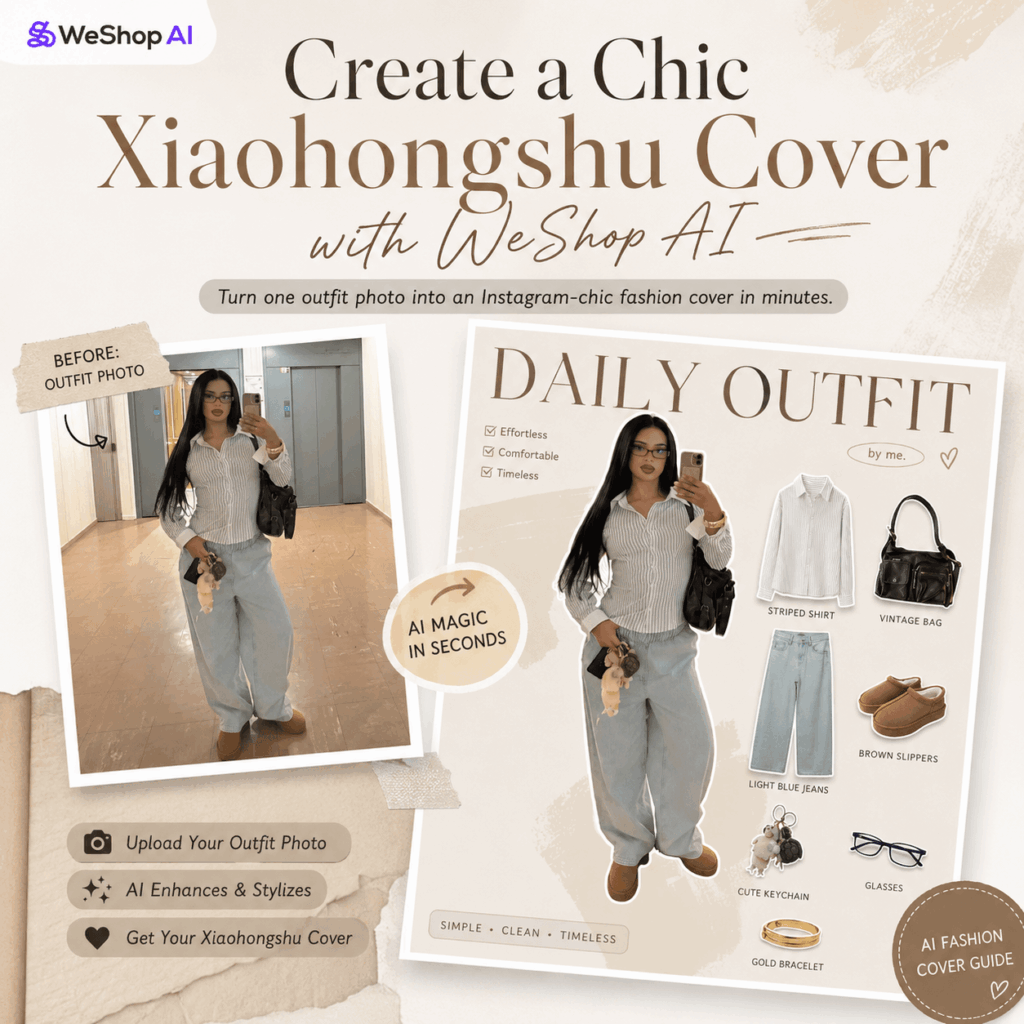
Preparation / Tools You Need
Before you start, prepare the following:
- Main AI tool: WeShop AI image generation tool
Visit:https://www.weshop.ai/apps/gpt-image - Original outfit photo: Choose one photo you want to redesign
For better results, use a clear photo with good lighting, a visible outfit, and a relatively clean background. - Style reference image, optional: Upload a layout you like
This helps WeShop AI understand the visual direction you want. For example, you can use an Instagram-style collage, a clean magazine layout, or a fashion item breakdown cover.
Step-by-Step Guide
Step 1: Open the WeShop AI Workspace
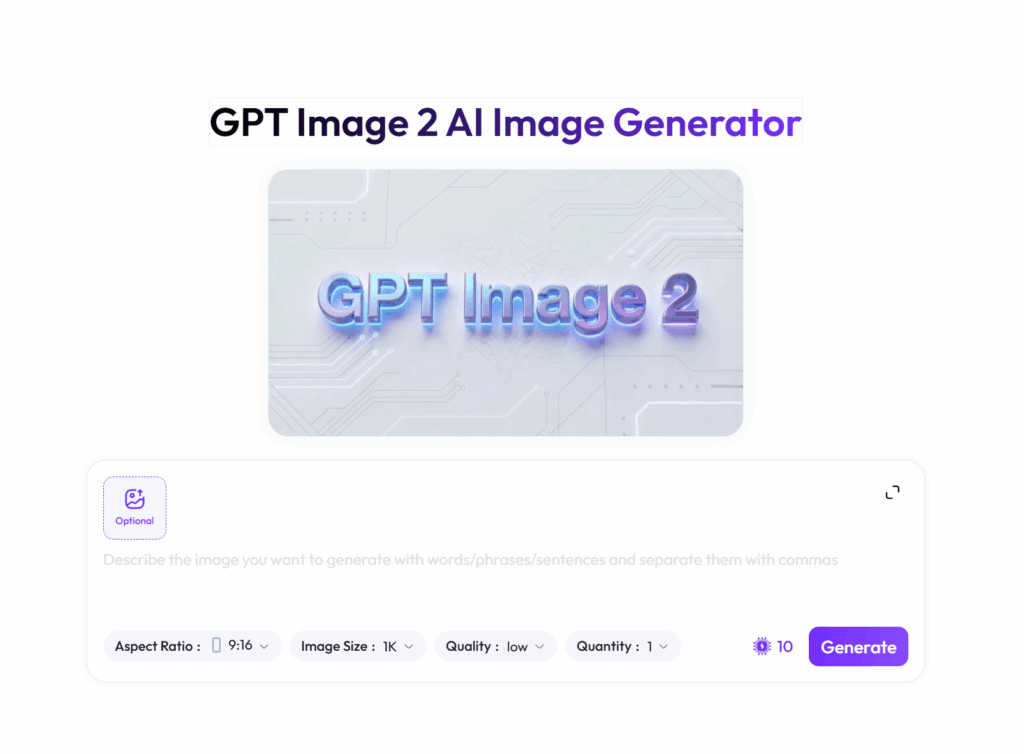
First, open the WeShop GPT-Image tool page in your browser.
After that, sign up or log in to your account. Once you enter the workspace, you will see a simple image generation interface. This is where you can upload your outfit photo, enter your prompt, and create your Xiaohongshu cover image.
Image suggestion: Add a full screenshot of the WeShop GPT-Image workspace here. Use a red box to highlight the upload button and prompt input area.
Step 2: Upload Your Outfit Photo and Reference Image
Next, upload your outfit photo through the attachment button in the chat box or image upload area.
If you already have a specific layout style in mind, upload a reference image as well. This step is optional, but it can make the final result much closer to your taste.
For example, you can upload a reference image with a minimal magazine look, an Instagram collage style, a soft French vintage mood, or a trendy OOTD item breakdown layout.
Quick tip:
Try to use a full-body or half-body outfit photo. If your original photo includes accessories such as a bag, necklace, shoes, glasses, or keychain, WeShop AI will have more details to work with. As a result, the item breakdown in your Xiaohongshu cover image will look more accurate and complete.
Image suggestion: Add a screenshot showing the uploaded outfit photo and style reference image inside the WeShop AI workspace.
Step 3: Enter the Main Prompt
This is the most important step.
Although Xiaohongshu content is usually written in Chinese, an English prompt often gives AI image tools clearer direction. It can help the model better understand the layout, visual style, item breakdown, and overall design requirements.
Copy and paste the prompt below into WeShop AI:
“Generate a Xiaohongshu cover image based on the provided photo. Feature a fashion blogger outfit with individual fashion items and accessories displayed separately. Include minimal text, avoiding clutter. The design should match the style of the reference image, enhancing a trendy, Instagram-chic aesthetic.”
This prompt tells WeShop AI to create a Xiaohongshu cover image based on your outfit photo. It asks the AI to feature the fashion blogger, display the clothing items and accessories separately, keep the text minimal, and follow the style of your reference image.
In other words, the AI will not simply edit your photo. It will turn your outfit into a more polished cover layout that feels trendy, clean, and social-media ready.
Image suggestion: Add a screenshot of the prompt pasted into the input box, with the send or generate button highlighted.
Step 4: Wait for the Result and Save Your Image
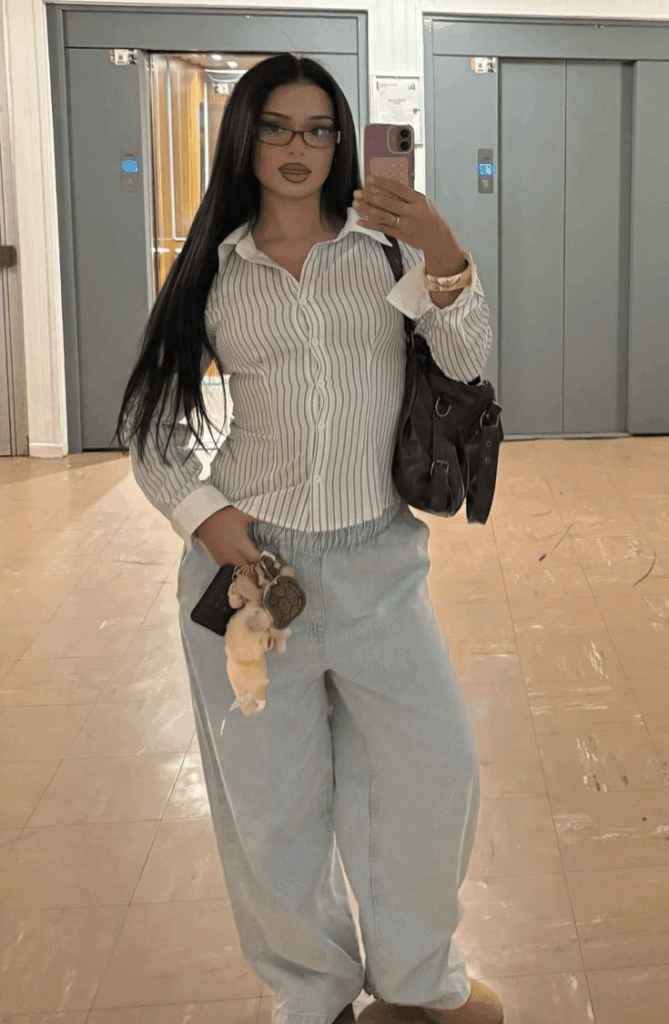
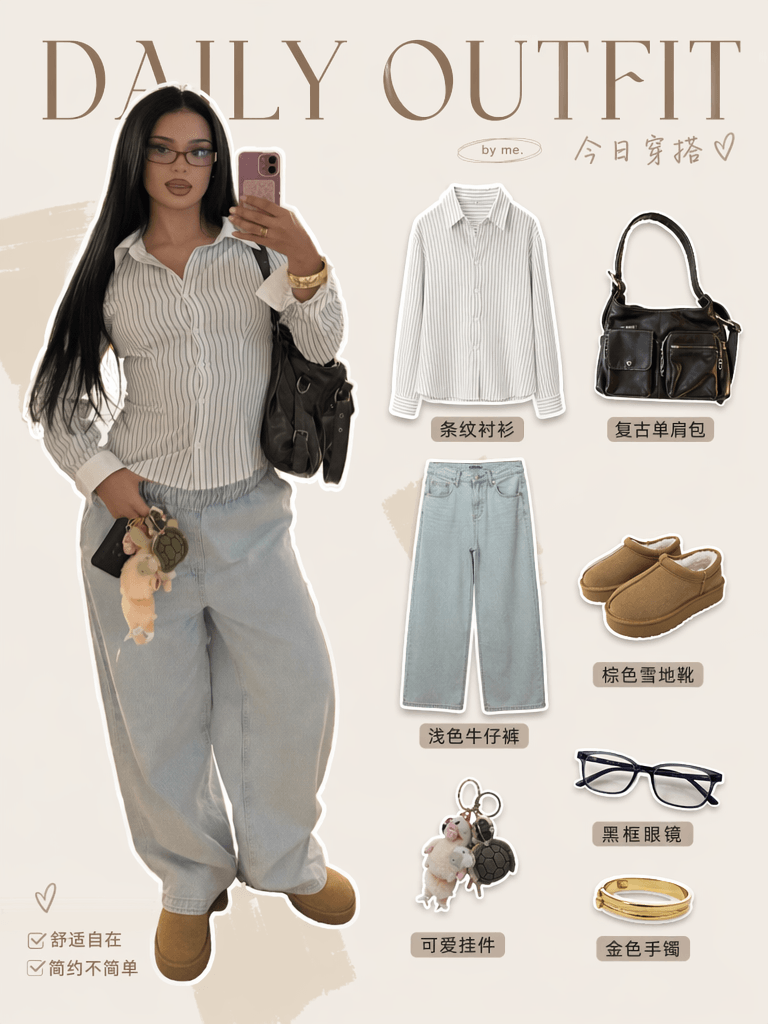
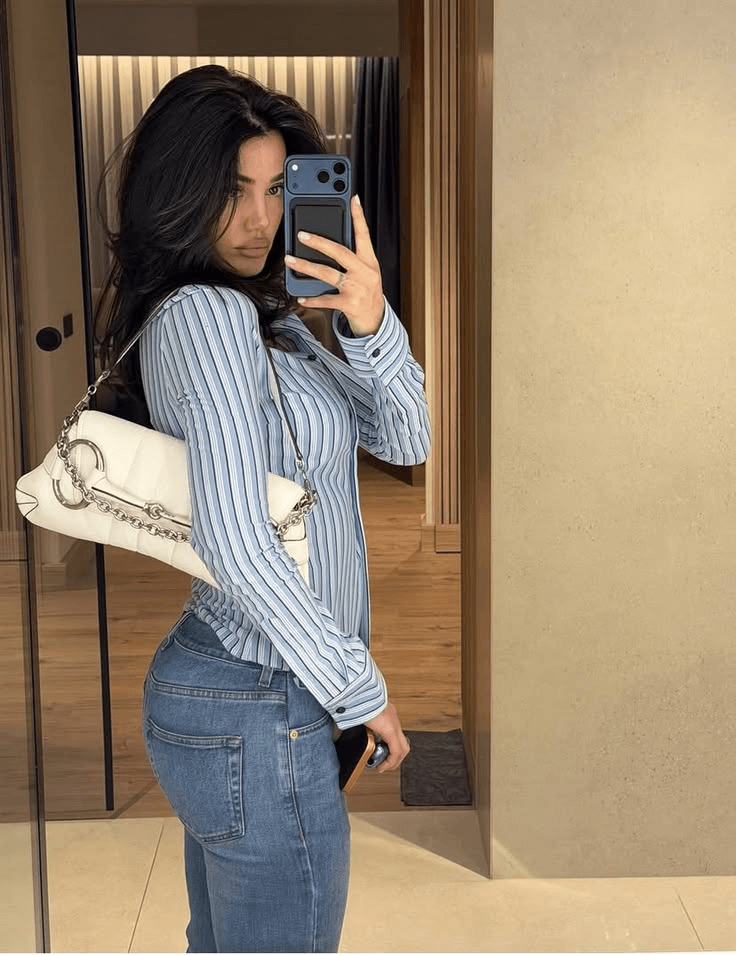
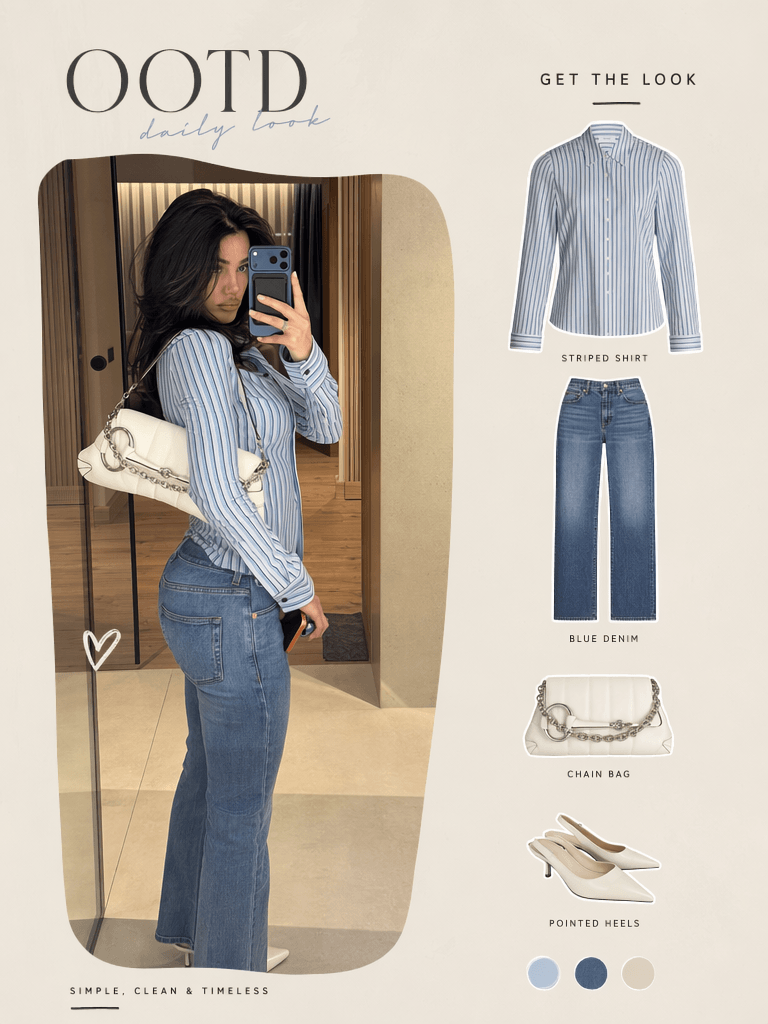
After you send the prompt, WeShop AI will start analyzing your outfit photo.
It will recognize the clothing, pick up visible accessories, separate key fashion items, and arrange everything into a stylish cover layout. You do not need to cut out the person manually. You also do not need to place every item by hand.
After a short wait, you should get a polished Xiaohongshu cover image with a clear fashion layout, separated items, and a more editorial feel.
If you like the result, click the download or save button near the generated image. Then you can upload it directly to Xiaohongshu or continue editing it in another design app.
Image suggestion: Add a before-and-after comparison here. Show the original outfit photo on one side and the final Instagram-style Xiaohongshu cover on the other side.
Advanced Tips / FAQ
1. Why does the text in AI-generated images sometimes look strange?
Most AI image tools are still not perfect at generating readable text, especially Chinese text. Sometimes the design looks great, but the words may look like fake letters or random characters.
How to fix it:
In the prompt, we already use minimal text to reduce this issue. This tells the AI to focus more on the fashion layout and less on complex text.
For the best final result, you can export the AI-generated image first. Then open it in Meitu Xiuxiu, Xingtu, Canva, or another editing tool. Add your real title manually in the blank space.
For example:
“OOTD | Lazy Weekend Outfit”
“Daily Outfit | Simple But Chic”
“Minimal Look | Easy Everyday Styling”
This gives you the best of both worlds: a stylish AI-generated layout and clean, readable text.
2. What is the best size for a Xiaohongshu cover image?
A vertical 3:4 ratio usually works very well for Xiaohongshu. It takes up more space in the feed and gives your outfit more room to stand out.
If your generated image does not match the ideal ratio, you can crop it later. However, you can also add a size instruction directly to your prompt.
Try adding this line at the end:
“Use a vertical 3:4 aspect ratio.”
This makes it easier to generate a Xiaohongshu cover image that is ready for posting.
3. How can I create different cover styles?
You can change the visual style by replacing a few keywords in the prompt.
For example, replace:
Instagram-chic aesthetic
with one of the following:
Vintage French style
This works well for soft, elegant, neutral, or romantic outfits.
Y2K aesthetic
This is a great choice for bold colors, denim, crop tops, statement accessories, and playful styling.
Minimal magazine layout
This is perfect for clean outfits, office looks, capsule wardrobes, and high-end basics.
Korean clean girl aesthetic
This works well for soft colors, natural makeup, simple styling, and a fresh everyday look.
Small prompt changes can lead to very different results. So, do not be afraid to experiment.
Final Thoughts
A strong cover is not just decoration. It can improve the first impression of your post, make your outfit easier to understand, and help your content feel more professional.
Before, creating a high-quality Xiaohongshu cover image required design skills, editing software, and a lot of time. Now, with WeShop AI, you can create a stylish fashion cover with one outfit photo and one simple prompt.
Instead of spending hours on layout work, you can focus on styling, content planning, and building your personal fashion identity.
Try the prompt in WeShop GPT-Image and see how your next OOTD photo can become a polished, scroll-stopping Xiaohongshu cover image.
Go to WeShop AI For Exploration:





