

What would your Instagram profile look like if AI designed it based on your style, interests, and everyday life?
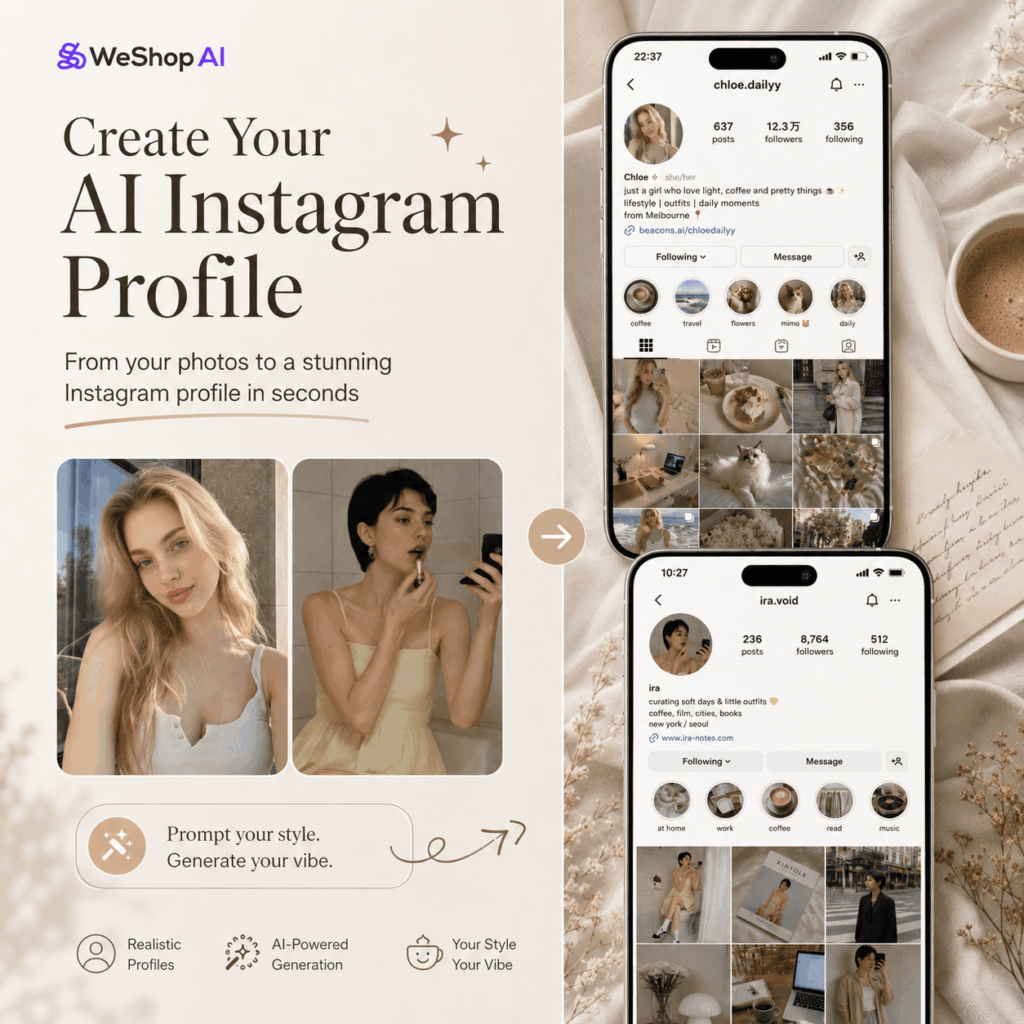
That is exactly why the GPT Image Instagram profile trend has been getting so much attention. Instead of creating a simple portrait or a random social media mockup, this idea lets AI generate a full Instagram profile screenshot that looks surprisingly real.
It can include a profile photo, username, bio, story highlights, follower count, following count, and even a complete 9-grid feed. More importantly, the whole profile can feel like it belongs to a real person who has been posting for months.
The best part is that you do not need a full folder of content to try it. You can upload one to three personal photos, or you can simply describe a style you want. Then, AI will infer your lifestyle, visual taste, hobbies, daily habits, and content direction.
In this guide, you will learn how to create your own GPT Image Instagram profile step by step. You will also get ready-to-use prompts that you can copy, edit, and test right away.
What You Need to Create a GPT Image Instagram Profile
Before you start, prepare a few simple things.
1. WeShop AI GPT Image
Open the tool:
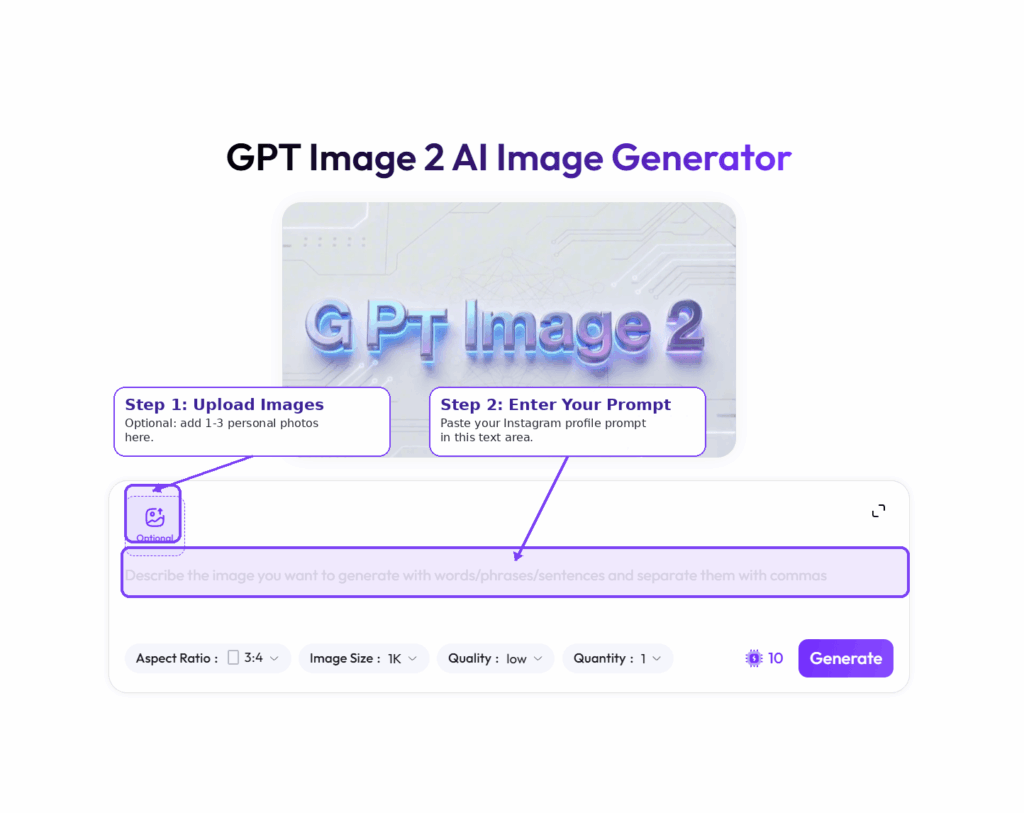
This is where you can generate the Instagram profile screenshot. You only need to enter a prompt. If you want the result to feel more personal, you can also upload a few photos.
2. Optional: 1–3 Personal Photos
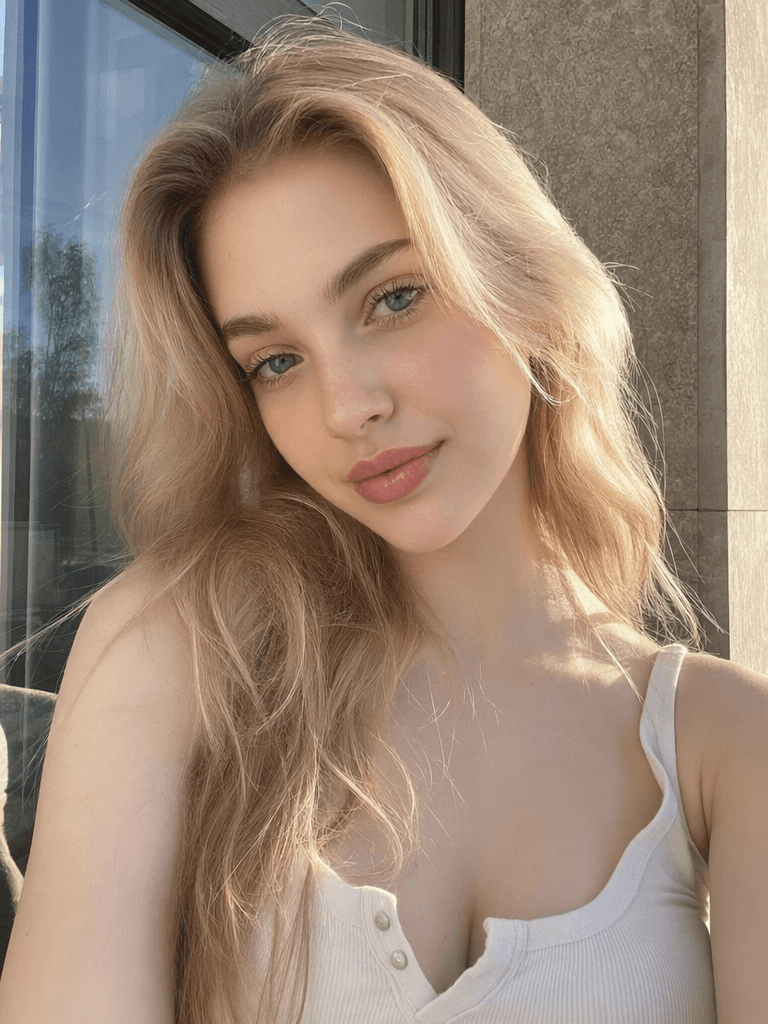
Photos are optional, but they usually make the result feel more accurate and personal.
For better results, you can upload:
- A selfie
- A half-body photo
- A travel photo
- A daily life photo
- A work setup photo
- An outfit photo
- A coffee shop, bookstore, or city walk photo
AI can use these visual clues to understand your appearance, outfit style, environment, mood, and lifestyle. As a result, the generated profile often feels more like a real version of you.
3. A GPT Image Instagram Profile Prompt
You can use the core prompt in this article. You can also add your own style direction, such as minimalist lifestyle, coffee blogger, AI creator, fashion blogger, or travel creator.
4. A Clear Account Style
Before generating your image, think about what kind of Instagram account you want AI to create.
For example, your GPT Image Instagram profile could look like:
- A lifestyle creator
- A fashion blogger
- A digital nomad
- A coffee lover
- A travel creator
- A photography enthusiast
- An AI creator
- A minimalist lifestyle blogger
- A designer
- A personal brand account
Here is a useful tip: even if you do not upload photos, AI can still create a full account based on your prompt. However, if you upload photos, the result will usually feel more personal, especially in the avatar, visual tone, outfit direction, and 9-grid content.
Step-by-Step Guide to Creating a GPT Image Instagram Profile
Step 1: Open GPT Image
Once you open the page, choose the GPT Image generation feature.
If this is your first time trying the trend, start simple. Do not add too many details at once. Let AI make some creative guesses first. Often, the most interesting results come from letting AI interpret your visual style on its own.
You can test the prompt without uploading any image. Or, if you want a more personalized result, prepare a few photos before generating the profile.
Step 2: Upload Your Photos
This step is optional, but it can make your GPT Image Instagram profile feel much more realistic.
For the best results, upload photos that show more than just your face. A pure selfie can help AI create the avatar, but lifestyle photos give AI much more context.
You can upload:
- A selfie for the profile photo
- A half-body photo for outfit and personal style
- A travel photo for lifestyle clues
- A daily life photo for a more natural account vibe
- A workspace photo for creator, designer, or digital nomad accounts
- A coffee shop or city street photo for lifestyle and aesthetic direction
AI may refer to your:
- Appearance
- Outfit style
- Facial expression
- Photo background
- Color preference
- Lifestyle clues
- Overall mood
Then, it will use those clues to design the full Instagram account.
If you do not upload photos, that is completely fine. AI can still invent a realistic account persona based on your prompt, including the profile image, username, bio, highlights, and 9-grid feed.
Step 3: Enter the GPT Image Instagram Profile Prompt
Here is the core prompt you can copy and use directly.
Create a realistic Instagram profile screenshot.

Based on the uploaded photos and your visual interpretation of this person, infer their lifestyle, interests, aesthetic preferences, and daily habits.

Design a complete Instagram account, including:

- Username
- Profile photo
- Bio
- Story highlight covers
- Follower count and following count
- The latest 9 posts in the profile grid

All content should have a consistent style and look like a real account that has been active for a long time.

The bio should sound natural and conversational. You may include 1–2 emojis.

The 9-grid feed should reflect the account owner’s real life, including:

- Daily moments
- Hobbies
- Favorite objects
- Travel
- Coffee shops
- Work scenes
- Outfits
- Pets, if suitable
- Inspiration sharing

Do not make it look like a generic influencer template.

Every image in the grid should look like something this person could have actually posted.

Use the latest iOS Instagram interface style.

High-resolution screenshot style.
This prompt works because it does not simply ask AI to “make a pretty Instagram page.” Instead, it asks AI to create a realistic account that looks like it has been built over time.
That difference matters.
A basic prompt often leads to a polished but generic profile. A stronger prompt creates more believable details, such as coffee cups, travel shots, desk setups, outfit mirrors, city streets, books, pets, or casual lifestyle moments.
These small details make the profile feel lived-in.
Step 4: Let AI Guess Your Account Persona
This is the most fun part of the GPT Image Instagram profile trend.
Do not give AI too much information at first. Let it guess.
You can add this short prompt after the core prompt:
Do not ask for more details.

Based on the person’s appearance, outfit, environment, and overall visual style in the uploaded photos, make a reasonable interpretation.

Create a realistic and believable Instagram account persona.
This gives AI more room to surprise you.
For example, it might interpret you as someone who loves city walks, coffee shops, design, travel, or slow living. It may turn you into a minimalist creator, a fashion blogger, a digital nomad, a photographer, or a small lifestyle account with a very specific mood.
You can also use this slightly stronger version:
Do not ask for more details.

Based on the person’s appearance, outfit, environment, lifestyle clues, and overall mood in the uploaded photos, make a reasonable interpretation.

Create a realistic and believable Instagram account persona.

The account should look like it has been run by a real person for a long time, not like a one-time template.
This step is what makes the trend feel like an AI personality mirror. AI looks at the clues in your photos and turns them into a social media identity.
Sometimes it gets your taste surprisingly right. Sometimes it invents a version of you that feels new, but still believable.
Step 5: Check the 9-Grid Feed Logic
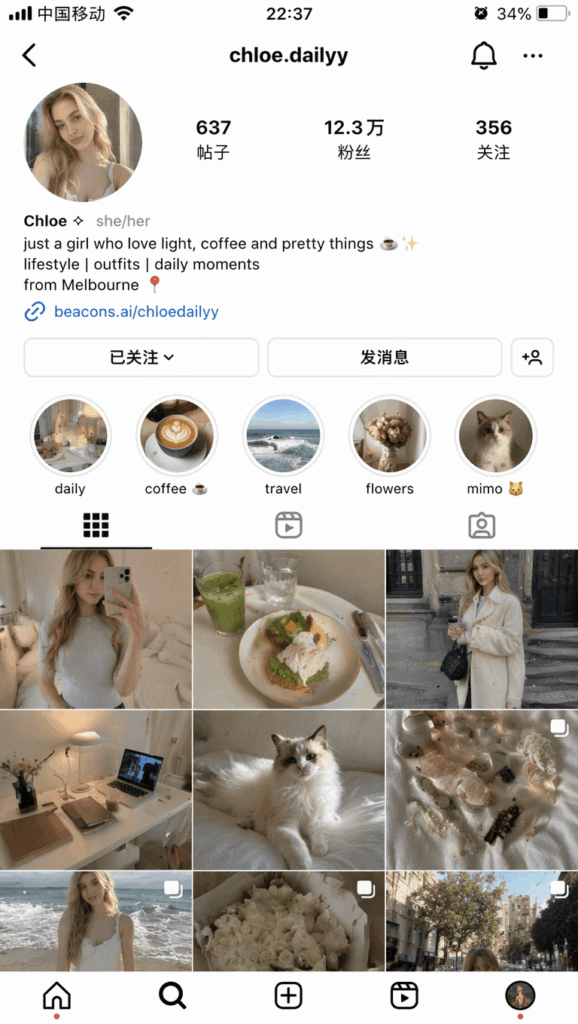
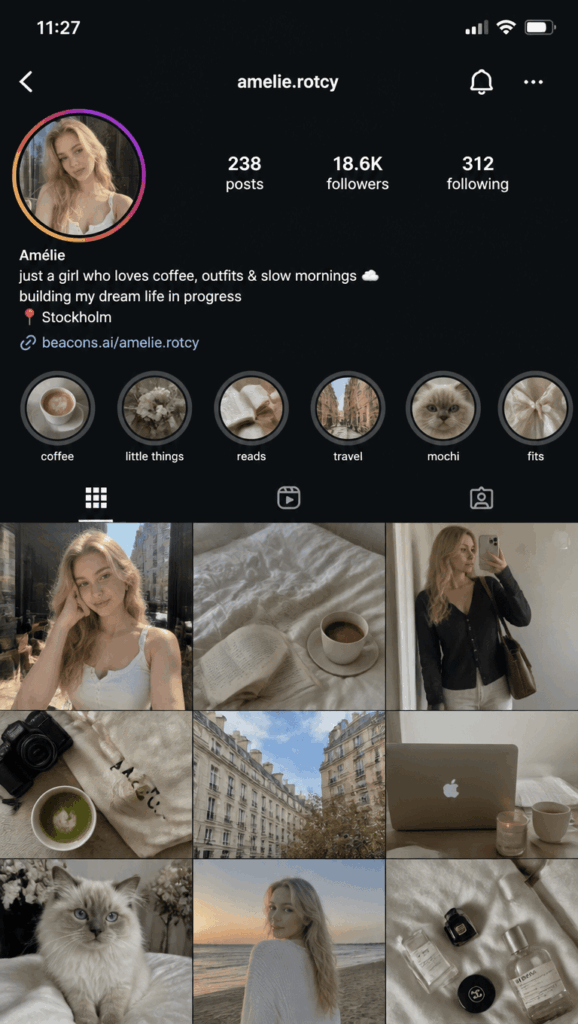
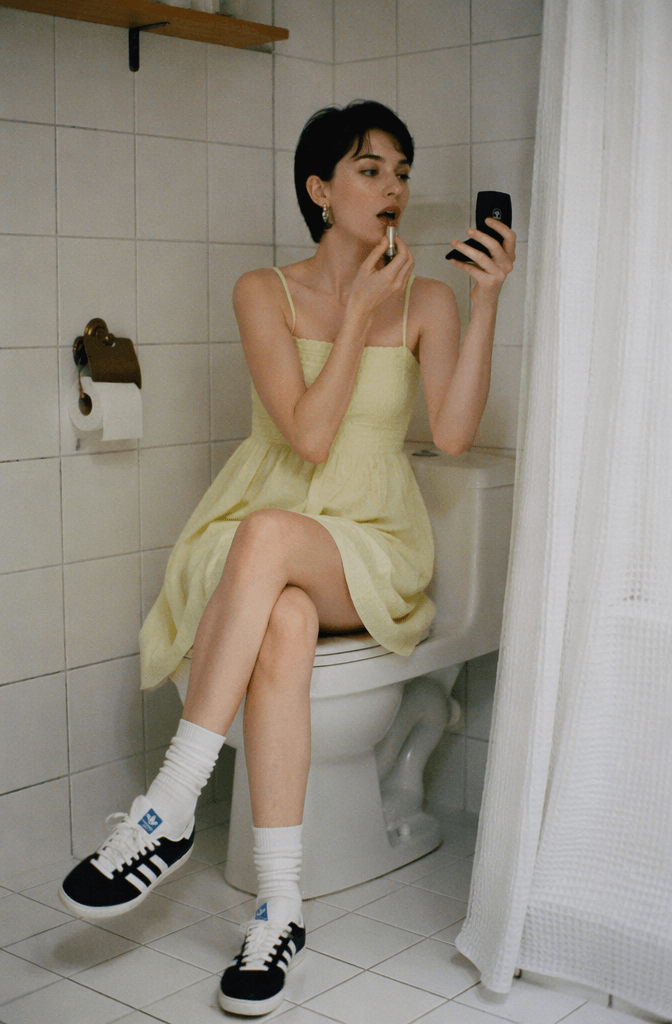
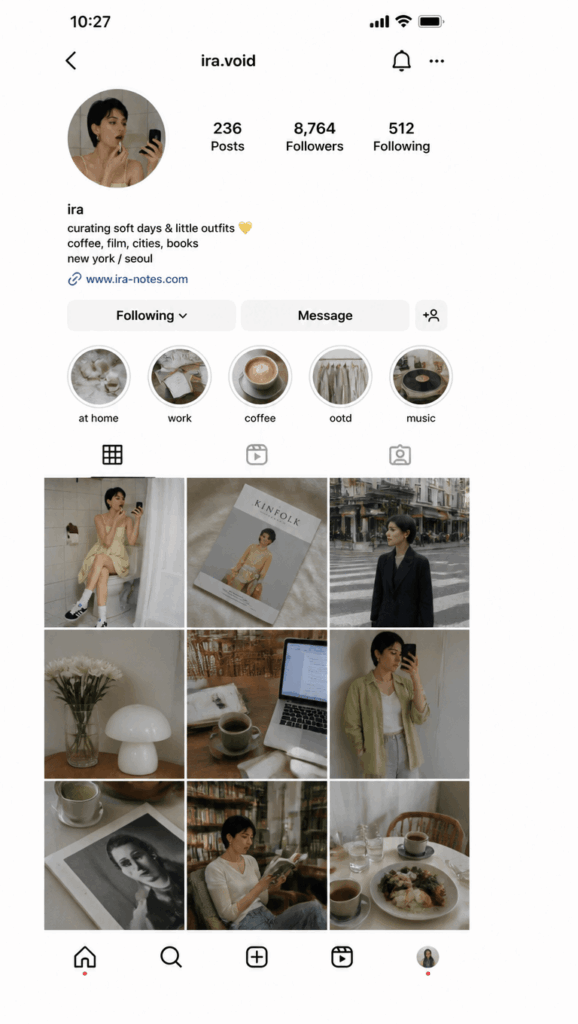
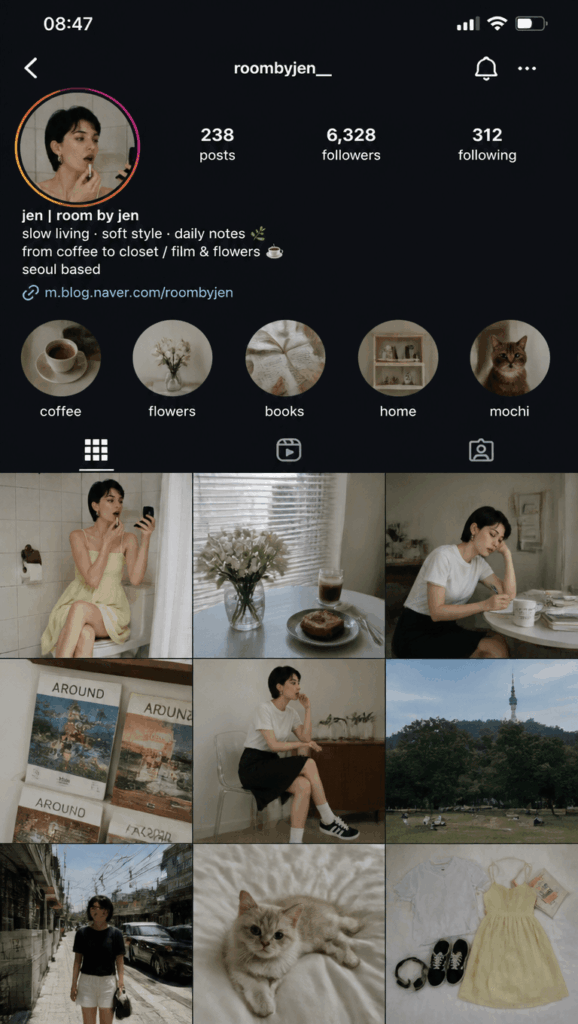
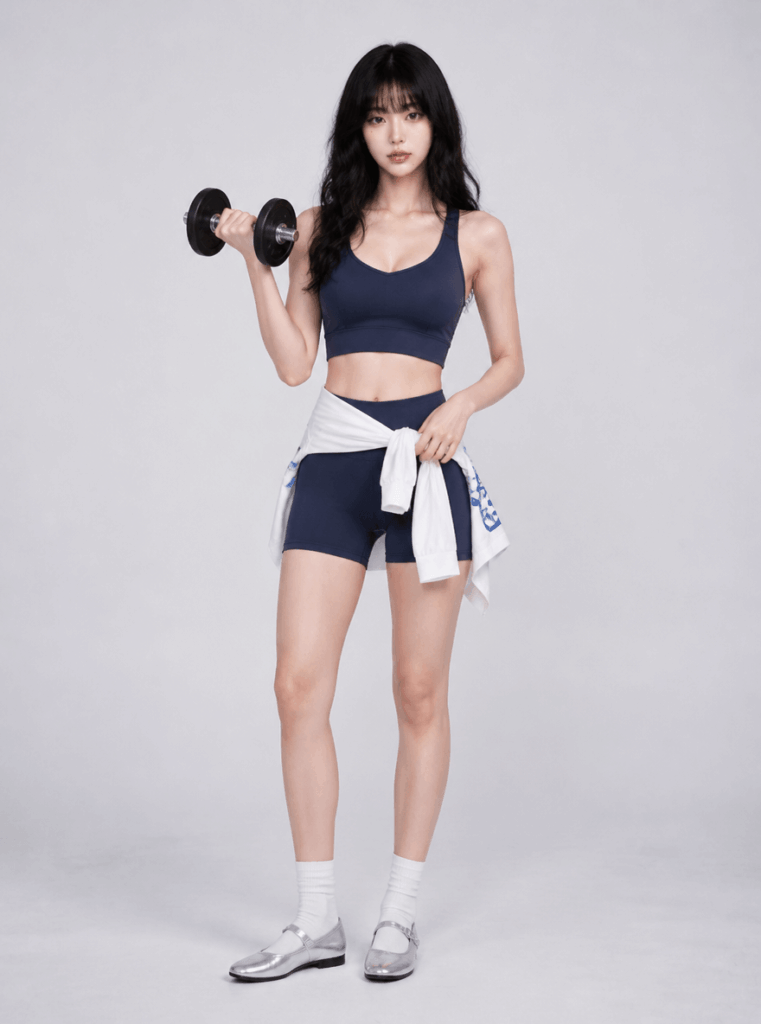
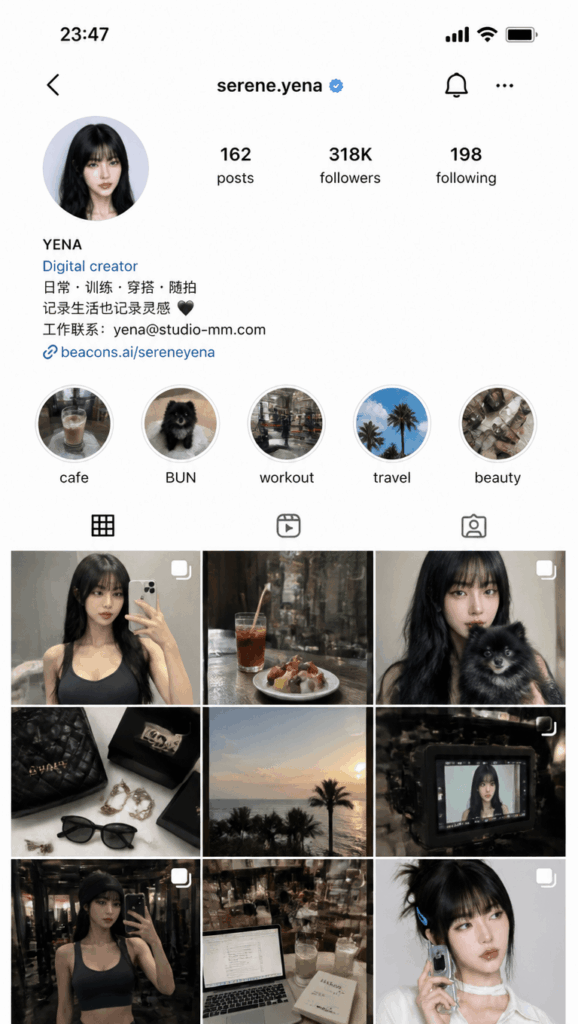
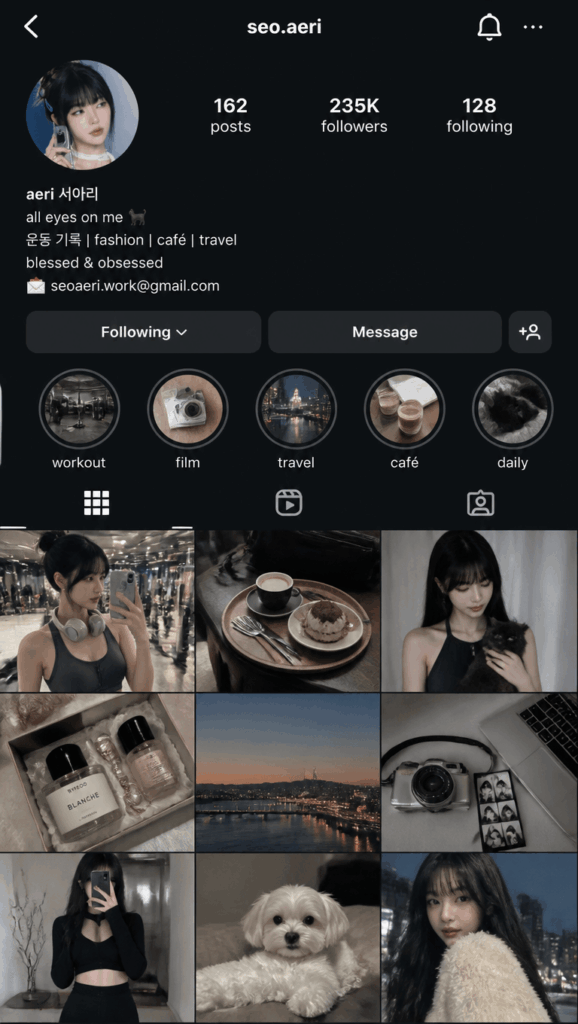
After the image is generated, do not only check whether the profile looks beautiful. Look at whether the whole account makes sense.
A realistic Instagram profile should not feel like a random collage. The grid should show a consistent lifestyle and visual direction.
Here are a few things to check.
1. Is the Account Persona Consistent?
The avatar, username, bio, highlights, and 9-grid feed should feel like they belong to the same person.
For example, if the bio says “coffee, slow mornings, and city walks,” but the feed is full of gym selfies, the account will feel less believable.
2. Does the 9-Grid Feel Lived-In?
A real Instagram profile usually includes different types of content.
For example:
- Portraits
- Coffee
- Food
- Travel moments
- Desk setups
- Outfit details
- City streets
- Home corners
- Books
- Pets
- Daily snapshots
If all nine images look too similar, the result may feel like a template. A good GPT Image Instagram profile should have a unified style, but the content should still be varied.
3. Does It Look Like a Real Instagram Screenshot?
Check the interface details:
- Is the top navigation close to iOS Instagram?
- Is the username placement natural?
- Do the profile photo and stats look realistic?
- Is the grid ratio correct?
- Does the layout feel like a real phone screenshot?
- Are the spacing and text size believable?
4. Is It Too “Influencer-Like”?
If the result looks too perfect, too commercial, or too much like a brand campaign, it may feel less real.
A more natural result often includes:
- Slightly casual photos
- Real-life scenes
- Small imperfections
- Different angles
- Everyday objects
- Personal details
The goal is not to create a flawless influencer page. The goal is to create a profile that feels real, stylish, and personal.
Step 6: Optimize the Account Style
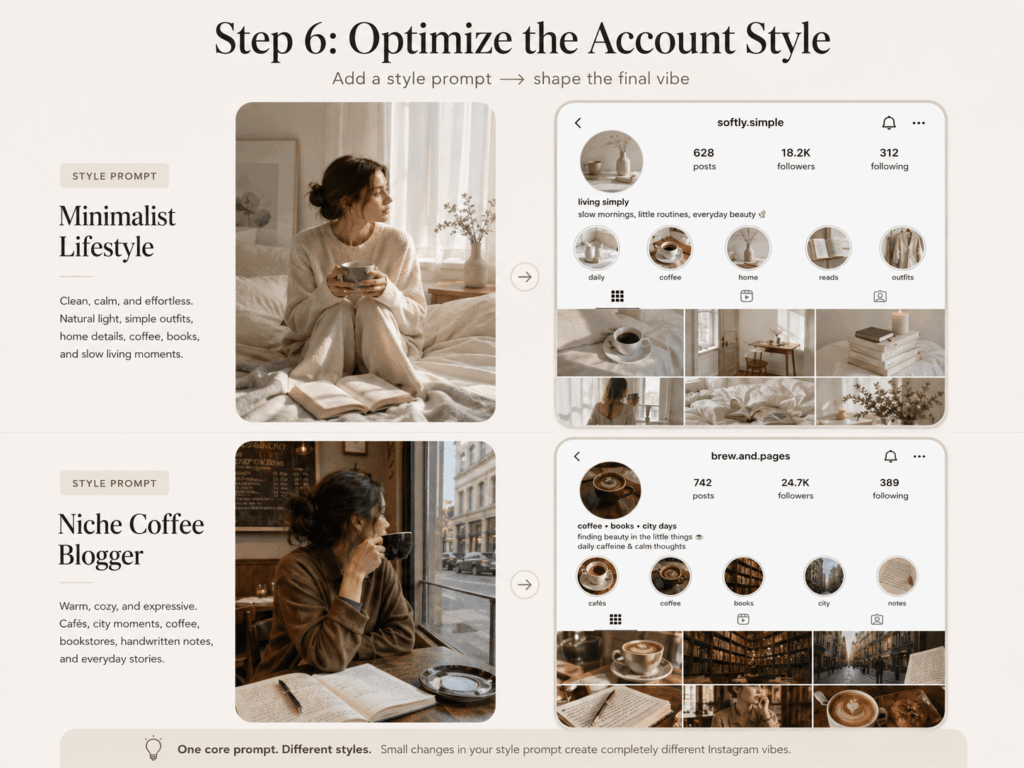
If you want a specific type of GPT Image Instagram profile, add a style prompt after the core prompt.
Below are a few ready-to-use directions.
Minimalist Lifestyle Style
This style works well for clean visuals, calm colors, simple outfits, natural light, and slow living content.
Use a Scandinavian minimalist lifestyle style.

The overall look should be clean, calm, and low-saturation.

The 9-grid feed should include daily life, home details, coffee, reading, simple outfits, and natural light.

The images should feel naturally captured, not overly staged.
This usually creates a profile with soft colors, clean rooms, coffee cups, books, sunlight, simple outfits, and quiet daily moments.
Niche Coffee Blogger
This style is great for coffee lovers, city walks, bookstores, independent shops, and warm lifestyle content.
Build the account around coffee, independent bookstores, city walks, small local shops, and daily life.

The overall mood should feel warm, quiet, slightly niche, and artistic.

The 9-grid feed should include coffee shops, handwritten notes, city streets, bookstore corners, desk details, and everyday portraits.
This usually creates a cozy profile with cafés, latte cups, street corners, notebooks, bookshelves, and a slow city-life atmosphere.
AI Creator
This style works well for personal brands, AI content, design inspiration, digital products, and creative workflows.
The account focuses on AI creation, design inspiration, digital products, and creative workflows.

The visual style should feel modern, clean, and slightly tech-forward, but not overly cyberpunk.

The 9-grid feed should include a workspace, computer screens, design drafts, AI-generated images, inspiration notes, product screenshots, and creator lifestyle moments.
This usually creates a profile with desk setups, screens, design files, AI visuals, notes, and a modern creator vibe.
Fashion Blogger
This style is useful for OOTD, mirror selfies, street outfits, accessories, and lifestyle fashion content.
The 9-grid feed should focus on outfits, OOTD, and lifestyle content.

The style should feel natural, realistic, and personal, not like a commercial fashion shoot.

Include mirror selfies, street outfits, coffee shop moments, accessory details, wardrobe corners, city walks, and photos taken from a friend’s perspective.
This usually creates a feed with outfit shots, street style, bags, shoes, accessories, mirror selfies, and casual lifestyle photos.
Travel Creator
This style is ideal for travel, city exploration, nature, hotels, food, and life on the road.
The account focuses on travel, city exploration, nature, and lifestyle.

The 9-grid feed should include travel destinations, street views, hotel rooms, local food, back-view portraits, transportation, and small moments from the journey.

The overall style should feel real and natural, not like a travel agency advertisement.
This usually creates a profile with scenic views, hotel windows, luggage, local restaurants, train stations, airports, and travel snapshots.
Photography Enthusiast
This style works well for film-like visuals, street photography, architecture, light, shadows, and everyday observation.
The account focuses on photography, street observations, light and shadow, and daily life moments.

The overall style should have a film-like, candid, and realistic feeling.

The 9-grid feed should include street portraits, architecture details, light and shadow, night streets, still life, travel photos, and a few casual self-portraits.
This usually creates a quieter and more artistic profile with film grain, city light, street scenes, buildings, and candid moments.
Advanced Tips and FAQ
Q1: Why does my GPT Image Instagram profile not look real?
This usually happens when the prompt is too simple.
If you only write “create an Instagram profile,” AI may generate something pretty but generic.
Try adding these phrases:
Realistic iOS Instagram UI

Real user behavior

Realistic 9-grid content

Non-template account

Looks like a long-running Instagram creator account

Each post should look like something the person actually posted
These details help AI move away from a flat mockup and toward a more believable profile.
The phrases “real user behavior” and “long-running account” are especially useful. They encourage AI to think about content logic, not just visual design.
Q2: How can AI guess my style more accurately?
Upload photos with lifestyle context.
Instead of using only selfies, try uploading:
- Daily life photos
- Travel photos
- Work environment photos
- Outfit photos
- Coffee shop photos
- Home photos
- City walk photos
AI does not only look at your face. It also looks at your setting, colors, outfits, objects, lighting, and the kind of places you appear in.
That is why a photo in a café, bookstore, studio, hotel room, or city street can be more useful than a close-up selfie.
The more lifestyle clues you provide, the more accurate your GPT Image Instagram profile will feel.
Q3: Why does the 9-grid content repeat too much?
This usually means the prompt did not clearly ask for content variety.
Add this:
The 9-grid content must not be repetitive.

Each image should show a different scene or lifestyle moment.

The nine images should share a consistent visual style, but the content should not be identical.

Avoid repeated portrait angles, repeated coffee shots, and repeated travel scenes.
A good Instagram grid should be consistent, but not boring.
For example, a coffee lifestyle account could include:
- A portrait in a café
- A close-up of a latte
- A bookstore corner
- A city street
- A handwritten note
- A home breakfast
- A desk setup
- A friend’s point-of-view photo
- A night street scene
This feels much more realistic than nine similar coffee cup photos.
Q4: How can I make the profile look more like a creator account?
Add this:
Use a consistent visual aesthetic.

Keep a fixed color palette and content theme.

Make it look like a long-running Instagram creator account.

The 9-grid feed should show a clear content niche.

The account should have a personal brand feeling, but it should not look overly commercial.
A creator account usually has a clear theme, a stable visual style, and a stronger sense of direction.
However, do not make it too polished. The best result is not a perfect brand page. It is a real person with taste, habits, and a recognizable way of seeing the world.
Enhanced GPT Image Instagram Profile Prompt
If you want a stronger and more stable result, copy this full prompt.
Create a realistic iOS Instagram profile screenshot.

Based on the uploaded photos, or based on the person described in the prompt, make a reasonable interpretation of the account owner’s lifestyle, interests, aesthetic preferences, outfit style, and daily habits.

Design a complete, realistic, and believable Instagram account, including:

- Username
- Profile photo
- Bio
- Story highlight covers
- Number of posts
- Follower count
- Following count
- The latest 9 posts in the profile grid

Requirements:

1. The account should look like a real Instagram profile that has been active for a long time, not a one-time template.
2. The overall visual style should be consistent, with a clear aesthetic and content theme.
3. The bio should sound natural and conversational. You may include 1–2 emojis.
4. The 9-grid feed should reflect the account owner’s real lifestyle.
5. Each image should look like something the person could have actually posted, not like an advertisement or stock image.
6. The 9-grid content must not be repetitive. Each image should show a different lifestyle moment.
7. Use the latest iOS Instagram UI style.
8. The screenshot should be high-resolution, realistic, and natural, like a real phone screenshot.

The 9-grid feed may include:

- Daily moments
- Hobbies
- Outfits
- Coffee shops
- Travel
- Work scenes
- Favorite objects
- City walks
- Home life
- Pets, if suitable
- Inspiration sharing
- Photos taken from a friend’s perspective
- Casual lifestyle snapshots

Do not make it look like a generic influencer template.

Do not make it look like an overly polished commercial account.

Make the account feel real, natural, personal, and lived-in, as if it belongs to a real person who has been posting on Instagram for a long time.
Prompt Template Without Uploading Photos
If you do not want to upload photos, you can create a profile based on an account persona.
Create a realistic iOS Instagram profile screenshot.

The account owner is a young creator who loves coffee, city walks, independent bookstores, and documenting everyday life.

Based on this persona, design a complete Instagram account, including username, profile photo, bio, story highlights, follower count, following count, and the latest 9 posts in the profile grid.

The overall style should feel warm, natural, niche, and lived-in.

The 9-grid feed should include coffee shops, bookstores, city walks, workspace details, outfit details, handwritten notes, city views, and daily lifestyle moments.

Use a realistic iOS Instagram UI and high-resolution screenshot style.

The account should look like it has been run by a real person for a long time, not like a template account.
You can replace the account persona with:
- Minimalist lifestyle blogger
- AI creator
- Fashion blogger
- Photography enthusiast
- Travel creator
- Coffee lover
- Designer
- Digital nomad
- Home lifestyle creator
- Niche aesthetic account
Final Thoughts
The GPT Image Instagram profile trend is more than a fun image-generation prompt. In a way, it is an AI personality mirror.
AI looks at your photos, style, and limited clues. Then, it imagines what kind of life you might share online, what content you might post, and what kind of Instagram account you might build.
Sometimes, the result feels surprisingly accurate. Other times, it creates a version of you that you never expected, but still somehow makes sense.
You can use this trend as a visual experiment, a personal branding exercise, or a quick way to explore social media content ideas.
Upload a few photos, paste the prompt, and let AI design your Instagram profile.
You may discover a new version of yourself waiting inside the 9-grid.
Go to WeShop AI For Exploration:





