

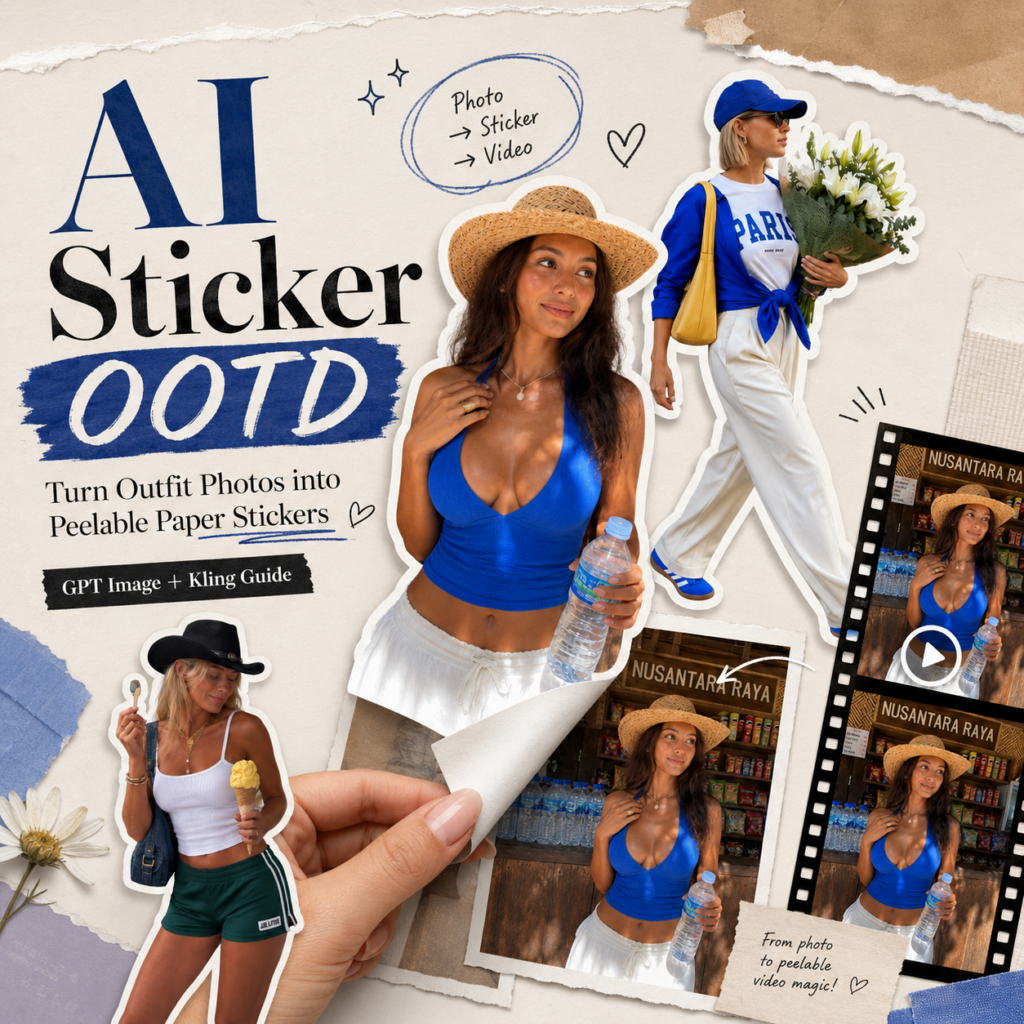
If you have been scrolling through Instagram, Pinterest, or TikTok lately, you may have noticed a new outfit content format that feels strangely satisfying. At first, it looks like a normal OOTD photo. Then, a hand enters the frame and slowly peels the person out of the image, as if the whole outfit were printed on a real paper sticker. The figure bends slightly, the white border catches the eye, and the final result feels like a moving page from a fashion scrapbook. That is exactly why the AI sticker OOTD trend works so well.
It takes a simple outfit photo and turns it into something people want to watch, save, and replay. Instead of posting another static look, you create a short visual moment with texture, motion, and a clear hook.
The core formula is simple:
Static outfit image + paper sticker effect + peeling animation + Live Photo feeling.
This style is especially useful for:
- Fashion bloggers
- OOTD content creators
- Instagram outfit accounts
- Pinterest fashion boards
- Lookbook campaigns
- AI outfit content
- Brand styling posts
- Travel outfit recaps
- New collection teasers
In this guide, we will walk through how to create an AI sticker OOTD using WeShop AI GPT Image for the sticker-style portrait and Kling for the peel-off animation.
Preparation / Tools You Need
Before getting started, prepare three things.
WeShop AI GPT Image
Use it to:
- Generate a sticker-style portrait
- Keep outfit details clear
- Create a high-quality first frame
- Add a clean white sticker border
- Build the paper cutout look before animation
The goal here is not just to remove the background. Instead, you want the person to look like a real die-cut paper sticker that can be peeled from the scene.
So, details matter. The outline, paper texture, white edge, and overall scrapbook feel should be designed from the beginning.
Kling
Use Kling for:
- Image to Video
- Live Photo style motion
- Paper sticker peeling animation
- Hand movement
- Paper tearing and flipping effects
- Final short-form video output
Think of the workflow this way:
GPT Image creates the perfect sticker-style first frame. Kling brings that sticker to life.
One Outfit Photo
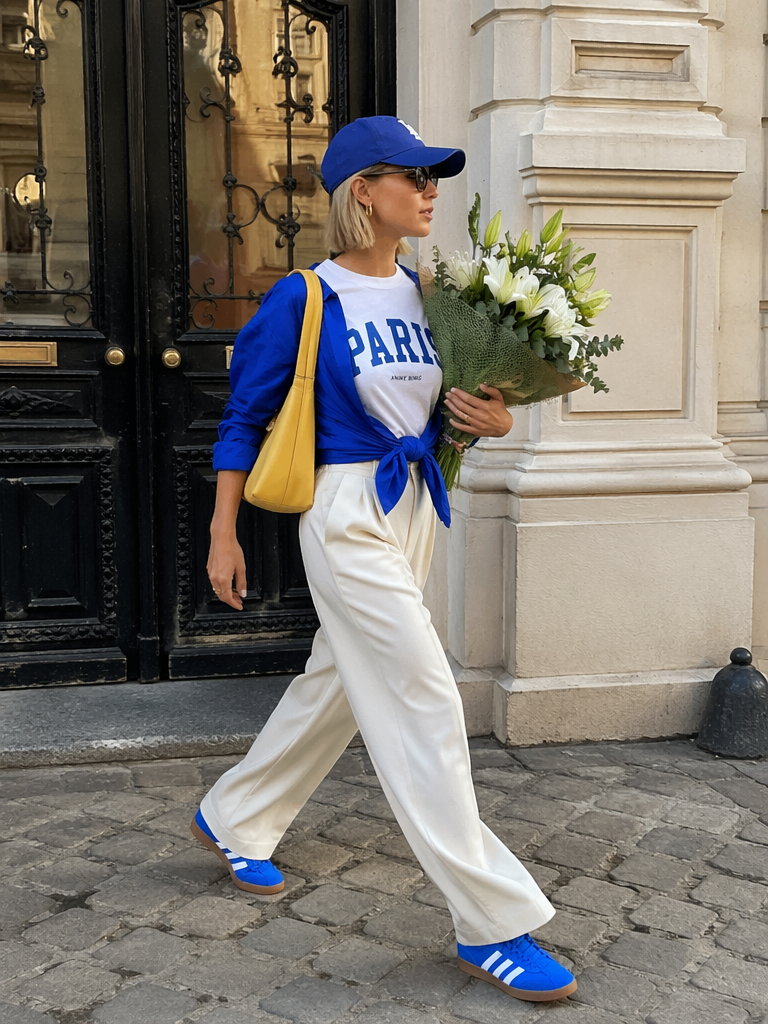
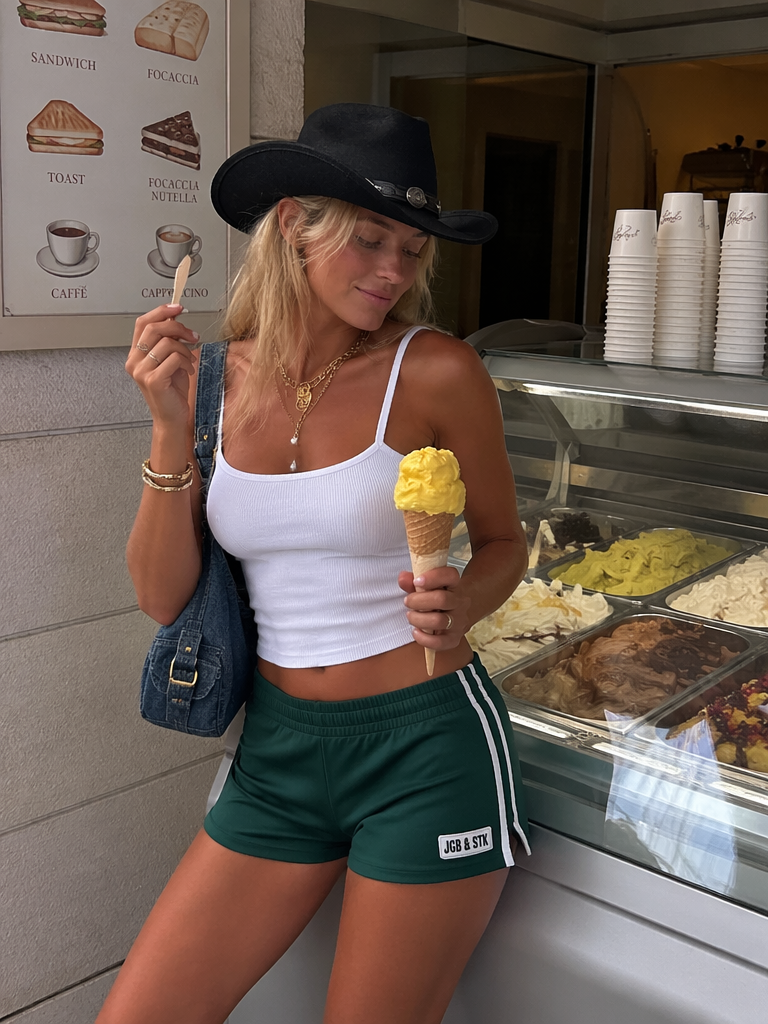
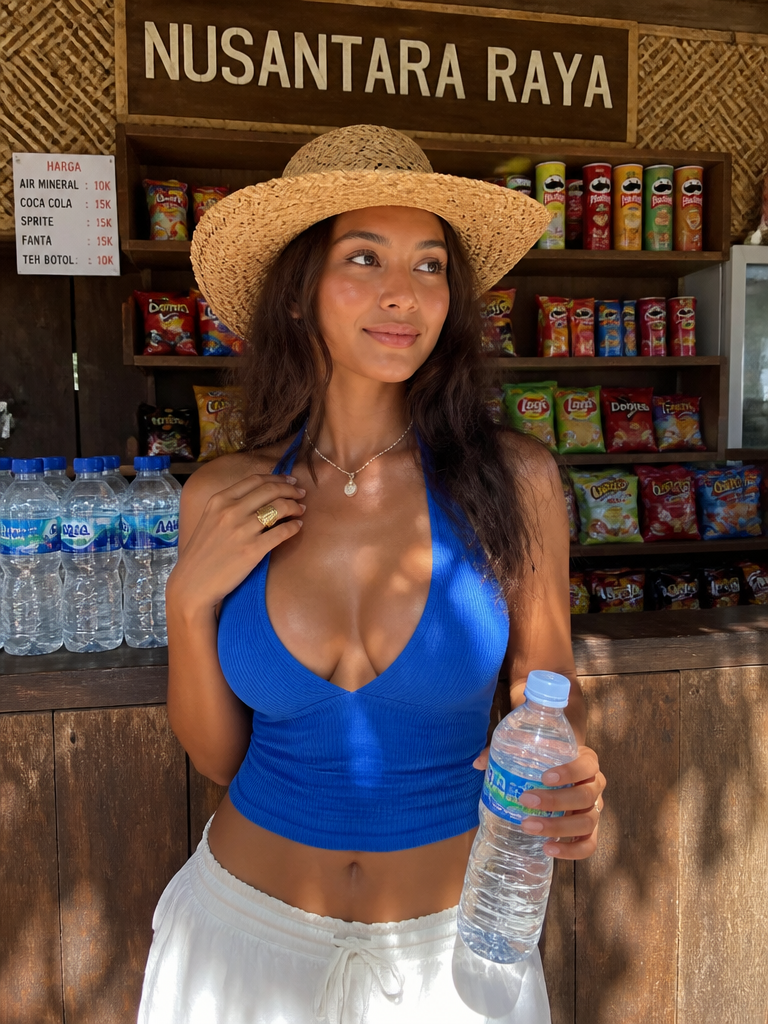
For the best result, choose a photo with:
- A full-body OOTD
- A clear half-body outfit shot
- A complete visible subject
- A clean background
- Sharp outfit details
- Natural lighting
- Good separation between the person and the background
The stronger your original photo is, the better your final AI sticker OOTD will look.
Avoid photos where the outfit blends into the background, the body is heavily cropped, or the pose is too complicated. These can make the sticker edge look messy during animation.
Step-by-Step Guide
Step 1: Generate a Portrait That Works as a Sticker
Start with GPT Image.
Upload your outfit photo. A full-body photo usually works best, but a clean half-body image can also create a strong result.
Then, make sure your prompt clearly asks for:
complete person

clear silhouette

clean background

suitable for sticker-style animation
This step is important because the video animation depends heavily on the first frame. If the person’s outline is unclear, the peeling effect may look broken, blurry, or too much like a basic cutout.
A good first frame should do three things:
First, it should keep the outfit details. The shoes, bag, accessories, hairstyle, and clothing texture should still be visible.
Second, it should separate the person clearly from the background. A clean silhouette helps the sticker peel naturally.
Third, it should already feel like a paper object. That way, Kling can understand that the subject is not just a person in a photo, but a flat paper sticker being lifted from the image.
In other words, this is not just photo enhancement. This is the foundation of your AI sticker OOTD animation.
Step 2: Design the Sticker Look
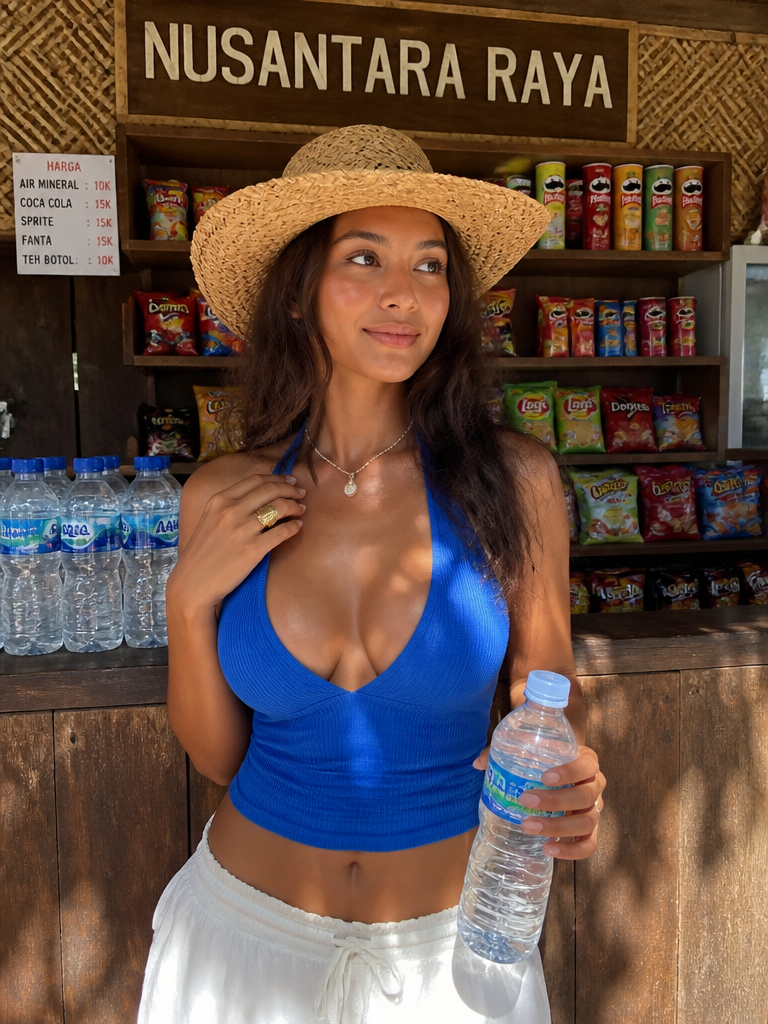
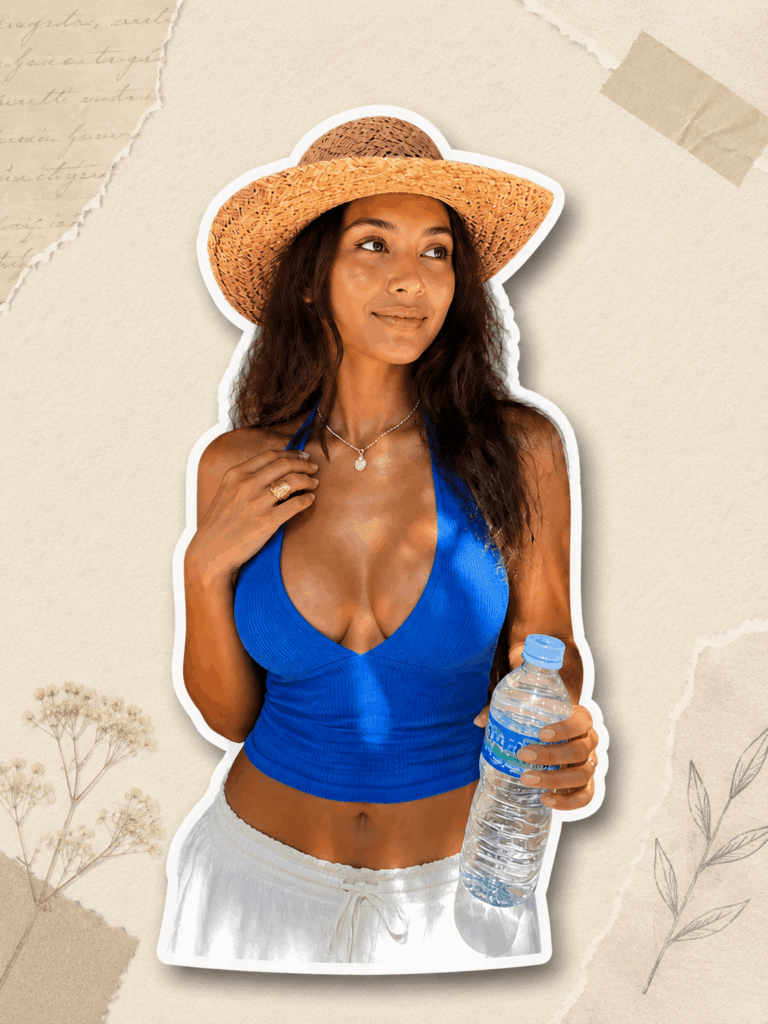
This is the most important part of the whole effect:
It should look like a sticker, not a normal cutout.
Many people miss this step. They upload a photo, generate a clean image, and then wonder why the final video does not feel like the viral Instagram examples. Usually, the problem is not the animation tool. The problem is that the first frame does not have enough sticker design.
To create a stronger sticker look, add these keywords:
white sticker border

paper cutout style

real die-cut sticker

subtle paper texture

clean silhouette

fashion scrapbook aesthetic
Here is why these phrases matter.
white sticker border gives the person that classic sticker edge. It is the fastest way to make the visual read as a sticker.
paper cutout style makes the subject feel like it has been cut from a physical sheet, rather than copied from a digital layer.
real die-cut sticker helps the edge feel more natural and less flat.
subtle paper texture adds a light handmade feel without making the image look messy.
fashion scrapbook aesthetic pushes the result closer to the Instagram and Pinterest style that works well for outfit content.
You can use a full GPT Image prompt like this:
Create a fashionable die-cut sticker style portrait based on the uploaded outfit photo. Keep the person complete and preserve all outfit details. Add a clean white sticker border around the figure, with a subtle paper cutout texture and realistic paper edge. The silhouette should be clean and suitable for an image-to-video peeling animation. The overall style should feel like a fashion scrapbook, Pinterest style, Instagram editorial, clean and stylish.
This prompt tells GPT Image to keep the fashion details while turning the person into a real sticker-like object.
For better results, keep the style clean. Do not overdo the paper texture. The best AI sticker OOTD examples usually look simple, bright, and polished.
Step 3: Create the Paper Peeling Animation
Next, open Kling and upload the image generated by GPT Image.
The goal is to make the person peel off the original photo like a thin 2D paper sticker.
Use this Kling video prompt:
The opening scene features a panoramic fixed-shot with a realistic photographic texture; a boy's hand enters the frame from the right side, his fingertip grasping the upper right corner of the figure in the picture, treating the figure as a 2D flat paper sticker. His fingertip lifts the portrait, and the portrait resembles a thin sheet of paper, slowly being torn and peeled off diagonally from the upper right corner to the lower left corner. After the entire figure is completely detached, the picture is left with the original background; then the hand holds the removed sticker and places it in front of the camera for display. The size and outline of the sticker are exactly the same as the original figure, and it is gently and slightly shaken when held. The audio description:

Accompanied by realistic hand flipping and cutting paper friction sound effects and paper tearing sound effects, the entire scene is filled with ambient white noise.
The logic of this prompt is very clear.
First, the camera stays still. Then, a hand enters the frame and pinches the upper-right corner of the sticker. Next, the person is slowly peeled away from the original image. After that, the background remains in place. Finally, the hand brings the sticker closer to the camera for display.
This simple sequence creates a strong visual payoff.
Here are the most important action phrases:
2D flat paper sticker

slowly being torn and peeled off

diagonally from the upper right corner to the lower left corner

original background

holds the removed sticker

places it in front of the camera

gently and slightly shaken
These phrases help Kling understand that the person should not walk, fly, or float out of the image. The subject should behave like a thin paper sticker.
That detail is what makes the AI sticker OOTD effect feel believable.
Also, try to keep the motion subtle. A small bend in the paper, a gentle hand movement, and a short pause in front of the camera usually feel more premium than a dramatic animation.
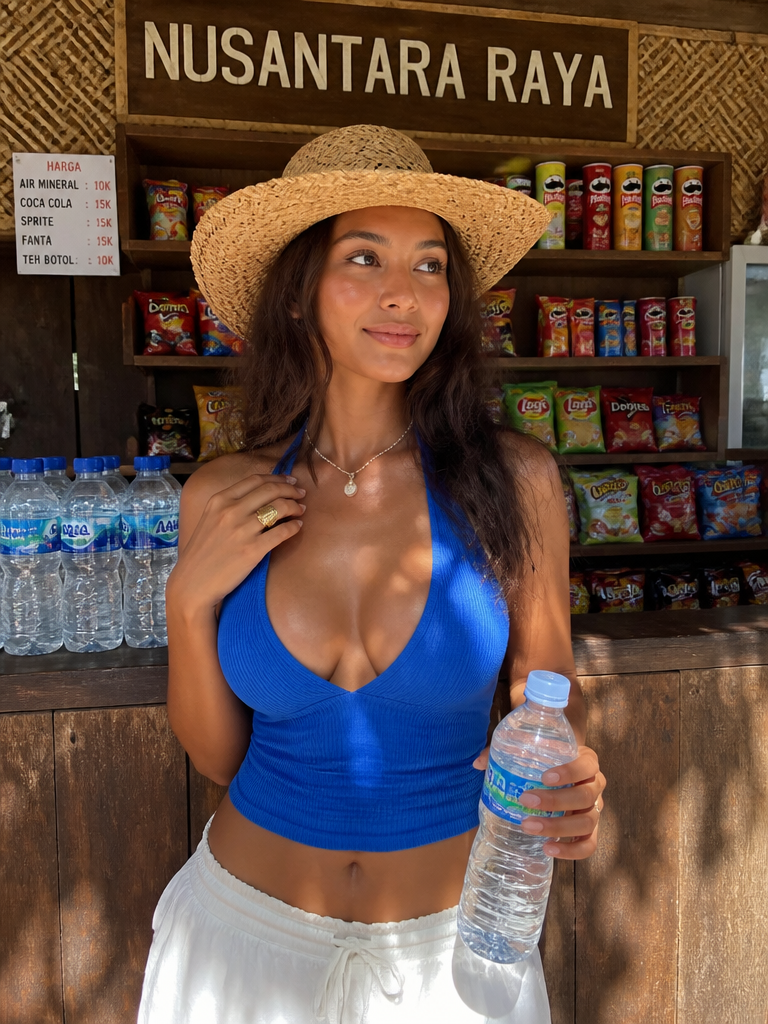
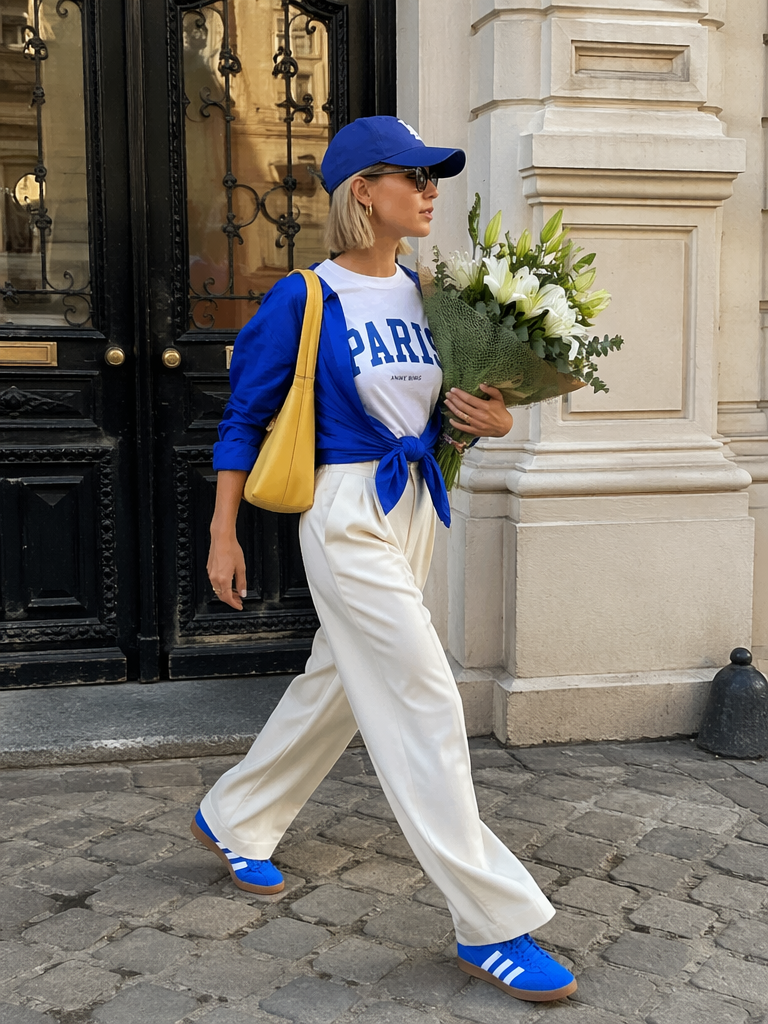
Step 3: Add Sound Design and Check the Final Effect
Sound is easy to ignore, but it can make or break this type of video.
Without sound, the animation may feel like a simple AI effect. With the right paper sounds, the whole scene feels much more physical and satisfying.
Here are a few sound prompts you can add.
Paper Peeling Sound
paper peeling sound
Use this when the sticker first starts lifting from the image. It adds realism to the moment when the edge separates from the background.
Scrapbook Page Flip
scrapbook page flip
This works well at the beginning or the end. It gives the video a fashion scrapbook feeling, which fits the visual style perfectly.
Paper Handling Sound
paper handling sound
Use this when the hand holds, moves, or lightly shakes the sticker. It helps the viewer believe the sticker is a real paper object.
Soft Ambient Room Noise
soft ambient room noise
This adds a quiet real-world layer to the video. It prevents the clip from feeling too silent or too artificial.
For a more natural Live Photo effect, avoid making the sound too loud. The best result is usually soft, clean, and realistic.
The same rule applies to the motion. Do not make the sticker bend too much. Do not let the hand move too fast. The charm of the AI sticker OOTD trend comes from its small, satisfying details.
Advanced Tips / FAQ
Q1: Why does my subject not look like a sticker?
Most of the time, the prompt is missing clear sticker-related words.
Add:
die-cut sticker

white outline

paper cutout

sticker border
These words make the sticker style much clearer.
If the result still looks like a basic cutout, make the prompt more specific:
The person should look like a real die-cut sticker with a thick clean white outline, subtle paper texture, and slightly raised paper edge.
Also, check the original photo. If the background is too busy or the person is not fully visible, the sticker outline may not look clean.
Q2: Why does the peeling animation look fake?
This usually happens when the prompt does not describe paper physics.
Add:
paper bending

paper flexibility

natural folding
These phrases help the sticker bend more naturally when it is pulled.
You can also add:
thin paper sheet

slight paper curl

realistic paper edge
This makes the sticker look less like a flat digital layer and more like a real paper object.
A believable AI sticker OOTD should have a bit of paper movement, but not too much. If the sticker stretches, melts, or moves like fabric, reduce the motion and emphasize “thin paper sheet” again.
Q3: Why does it not look like an Instagram fashion creator’s video?
The visual style may be too generic.
Add style keywords like:
fashion scrapbook aesthetic

Pinterest style

Instagram editorial

lifestyle collage
These phrases help the image feel more current and more aligned with social media fashion content.
For brand content or lookbook posts, you can also add:
minimal fashion layout

clean editorial composition

premium lookbook style
This makes the final video feel more suitable for fashion brands, online stores, designer collections, and campaign visuals.
Q4: What type of content works best with this effect?
The AI sticker OOTD format works especially well for:
- OOTD collections
- Fashion creator posts
- Outfit accounts
- Lookbooks
- AI outfit transformations
- Brand clothing displays
- New arrival previews
- Travel outfits
- Instagram Reels
- Pinterest Idea Pins
- Short-form fashion videos
It is also a great format for series content.
For example, you can create:
- 7 days of outfit stickers
- Summer travel outfit stickers
- Blue outfit sticker collection
- Office lookbook stickers
- New collection scrapbook
- Before-and-after AI outfit videos
The most interesting part of this trend is not simply turning a person into a sticker.
It is about turning a static outfit photo into a small fashion object that feels collectible, touchable, and easy to remember.
When the subject is slowly peeled from the image, the viewer naturally pauses for a few more seconds. And on social platforms, those extra seconds matter.
So, if you are creating outfit content, try this workflow:
GPT Image + Kling for an AI sticker OOTD.
Your next viral fashion post might already be sitting in your camera roll.
Go to WeShop AI For Exploration:





