

Travel photos are great, but let’s be honest: not every travel shot looks ready for Instagram, Pinterest, or a polished blog cover right away. That is why creating an AI travel photo poster is such a useful way to give an ordinary trip photo a cleaner, more eye-catching look.
Sometimes, a photo has a beautiful location, a memorable landmark, or a great moment. However, it may still need a stronger visual hook to stand out in a busy social feed. That is where this AI editing idea becomes useful.
In this tutorial, you will learn how to turn a real travel photo into a clean, modern travel poster using GPT image prompts and WeShop.ai. The final result looks like a stylish city postcard: the top half features a minimal solid-color background with a small fridge magnet style icon, while the bottom half keeps the original travel photo.
As a result, the image still feels personal, but it also looks more designed, polished, and shareable. This style works especially well for Instagram covers, travel blog visuals, Pinterest pins, Xiaohongshu-style travel posts, city guides, and personal travel journals.
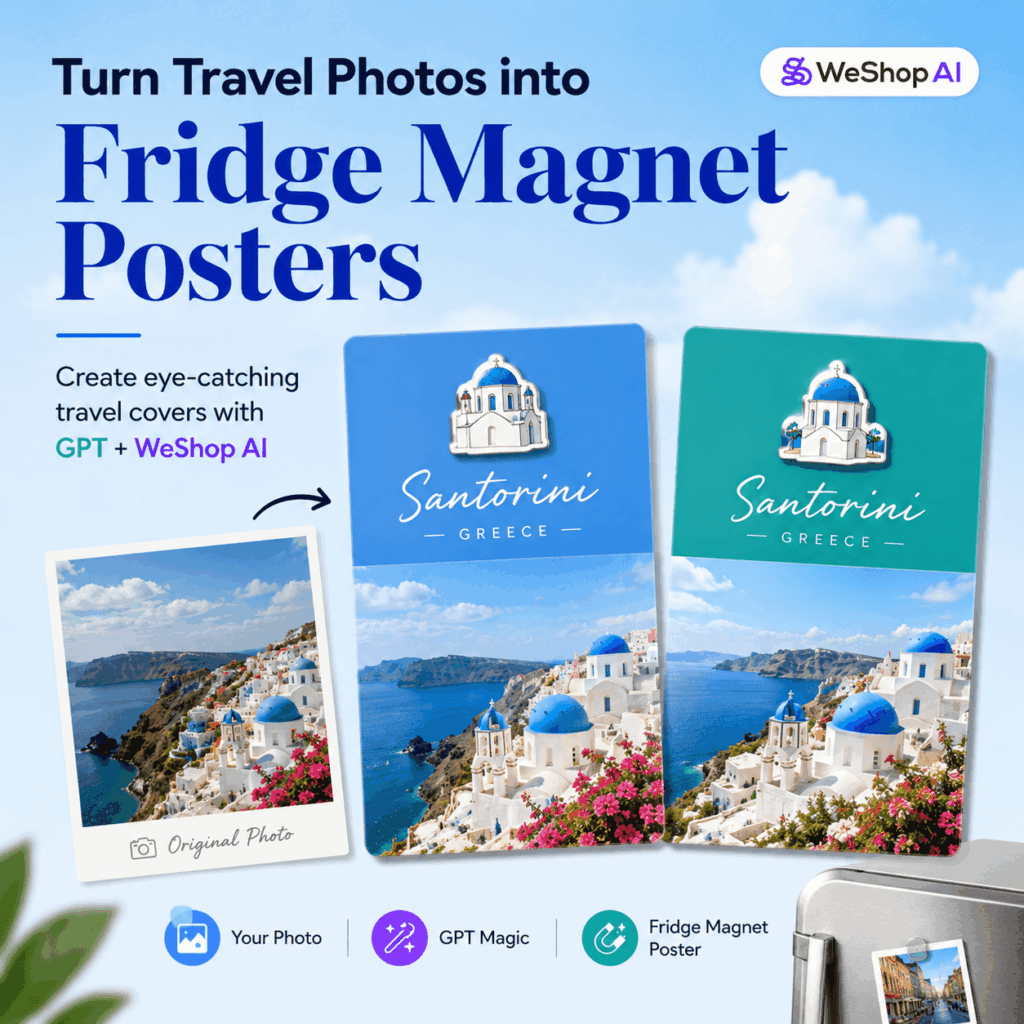
What Is a Fridge Magnet Style Travel Poster?
A fridge magnet style travel poster is a simple visual format that combines a real travel photo with a small illustrated icon. The icon usually comes from the most recognizable part of the photo, such as a landmark, building, person, statue, or scenic detail.
Instead of turning the whole image into a cartoon, this style keeps the original photo in the lower section. Then, it adds a clean poster-like design on top. Because of this, the final image feels like a mix of a travel postcard, a city souvenir, and a modern social media cover.
In other words, it is not just a filter. It is a more structured way to redesign your travel photo while keeping the memory real.
Why This Style Works So Well
This layout works because it is simple, clear, and easy to understand at a glance.
First, the real photo keeps the travel memory authentic. Then, the fridge magnet icon adds a fun and collectible feeling. Finally, the solid-color background gives the image a cleaner and more editorial look.
Together, these elements make the poster feel more intentional than a normal travel photo. At the same time, it does not look overly edited or artificial.
For creators, this is especially useful. A strong cover image can make a blog post, Instagram carousel, or travel guide feel more polished before people even read the content.
What You Need Before You Start
Before creating your poster, prepare the following:
- A clear travel photo
- A GPT image generation prompt
- The WeShop.ai GPT image tool (see the button above).
- A vertical photo, preferably in portrait format
- A photo with a clear person, landmark, building, or scenic subject
- A desktop or mobile browser
For the best result, choose a photo with one strong visual focus. For example, it could be a famous landmark, a colorful building, a person in front of a view, a snowy mountain, a beach scene, or a city street corner.
In short, the more recognizable your photo is, the easier it is for AI to turn it into a clean fridge magnet style poster.
Step-by-Step Guide
Step 1: Choose the Right Travel Photo
Start with a real travel photo that has a clear subject.
Good options include:
- A portrait taken at a landmark
- A city skyline or famous building
- A colorful street or local architecture
- A mountain, coast, desert, or snow scene
- A travel photo with a strong cultural or location-based detail
This step matters more than most people think. The fridge magnet icon in the final image will be based on the most recognizable element in your photo. Therefore, if the original photo feels too busy, too dark, or too far away, the icon may not look clean enough.
What Makes a Photo Suitable?
Ideally, your photo should have:
- A clear main subject
- Good lighting
- Simple composition
- Strong color contrast
- A location or object that feels memorable
For example, a photo of the Statue of Liberty, a lighthouse by the sea, a colorful house in Greenland, or a person wearing a bright jacket in the snow can all work very well.
In addition, try to avoid photos with messy backgrounds, tiny subjects, heavy shadows, or too many competing elements. A cleaner photo usually leads to a more polished poster.
Step 2: Open the WeShop.ai GPT Image Tool
Go to the WeShop.ai GPT image generation page.
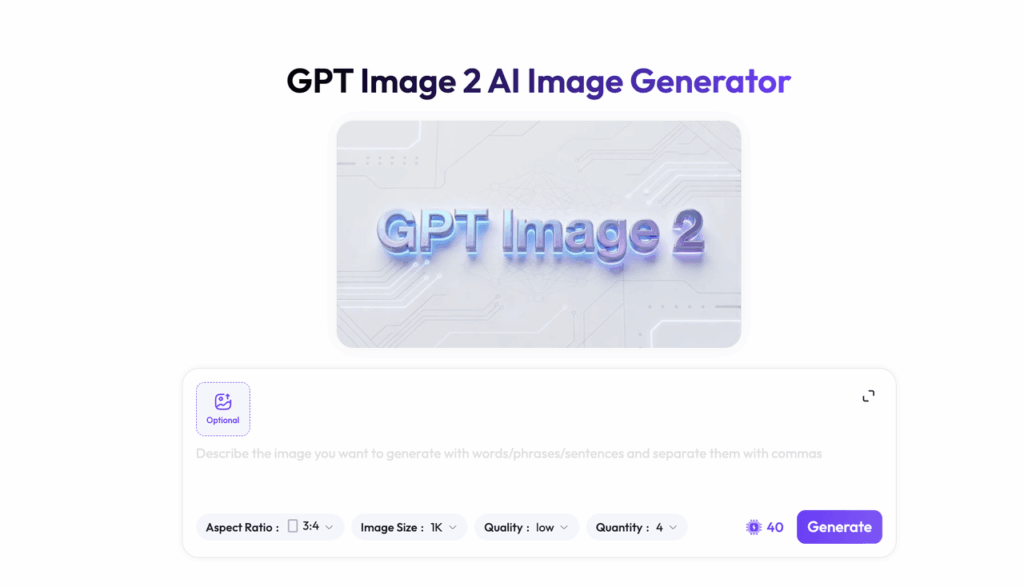
Then upload your travel photo and wait for the tool to read the image.
The tool uses your real photo and your written prompt to generate a new AI travel poster. Instead of simply applying a filter, it rebuilds the image with a clearer visual structure.
For this specific style, we want the image to include:
- A vertical poster layout
- A clean top section
- A preserved original photo at the bottom
- A small fridge magnet style icon
- A solid background color taken from the photo
- Light, elegant travel text
Because the layout is already defined in the prompt, you do not need to manually design the poster from scratch. This saves time and makes the result easier to repeat for different destinations.
Why Use a Structured Prompt?
A structured prompt gives the AI a clear direction. It tells the tool what to keep, what to change, and what to avoid.
For example, the prompt below clearly explains the layout, the icon style, the background color, and the text placement. As a result, the AI is more likely to create a clean travel poster instead of a random collage.
This is especially helpful if you want a consistent visual style across multiple travel posts.
Step 3: Copy and Paste the Fridge Magnet Poster Prompt
Copy the prompt below and paste it into the input box.
You can replace the location text with your own destination.
Based on the real photo I provide, create a travel photography poster with a top-and-bottom split layout. The overall style should be inspired by Xiaohongshu city check-in posts, fridge magnets, and minimal collage design.

The image should be vertical, with a 3:4 aspect ratio. Divide the full image into two sections.

The top half should take up about 50% of the image and use a clean solid-color background. The bottom half should take up about 50% of the image and keep the original photo unchanged.

From the real photo in the bottom section, extract the most recognizable subject or landmark. Turn this element into a simple fridge magnet style icon. Keep the core outline and signature details of the person, building, or landmark. The icon should look clean, minimal, and refined, like a travel souvenir magnet. Add a subtle 3D effect, a soft shadow, clear edges, and a white or light-colored outline.

Place the fridge magnet icon in the upper section, slightly above the center. Keep it small, delicate, and refined, with plenty of empty space around it.

For the top background color, extract one main memorable color from the photo, such as the color of the clothing, the sky, the sea, or the strongest environmental color. The background should be solid, clean, saturated, and postcard-like. Do not use gradients. Do not add complex patterns.

Below the fridge magnet icon, add one line of elegant handwritten English text: “Ilulissat, Greenland”.

The whole image should look like a high-end travel photography card: real photo + minimal fridge magnet icon + main color background + light text layout. The style should feel fresh, clean, bright, and perfect for a modern travel check-in post.

Do not make it look like a basic collage. Do not make the top section too complicated. Do not add unnecessary decorative elements. Do not change the bottom photo. Do not generate garbled text. Do not make it overly cartoonish. Do not make the fridge magnet icon too large. Do not let the text cover the main subject.
How to Customize the Prompt
This prompt works because it gives the AI a very clear structure.
First, it defines the format: vertical, 3:4, and split into two parts. Next, it explains what should happen in each section. After that, it describes the fridge magnet icon in detail. Finally, it adds style rules and negative instructions to avoid messy results.
So, instead of simply saying “make it pretty,” the prompt explains the exact layout, visual hierarchy, color logic, and final mood.
To use this prompt for another destination, replace this line:
“Ilulissat, Greenland”
with your own location, such as:
“Paris, France”
“Kyoto, Japan”
“Santorini, Greece”
“New York City”
For cleaner results, English text is usually the safer choice. AI image tools can sometimes struggle with Chinese characters or other non-Latin text. Therefore, short English destination names often look more polished and more postcard-like.
Step 4: Check the Generated Result
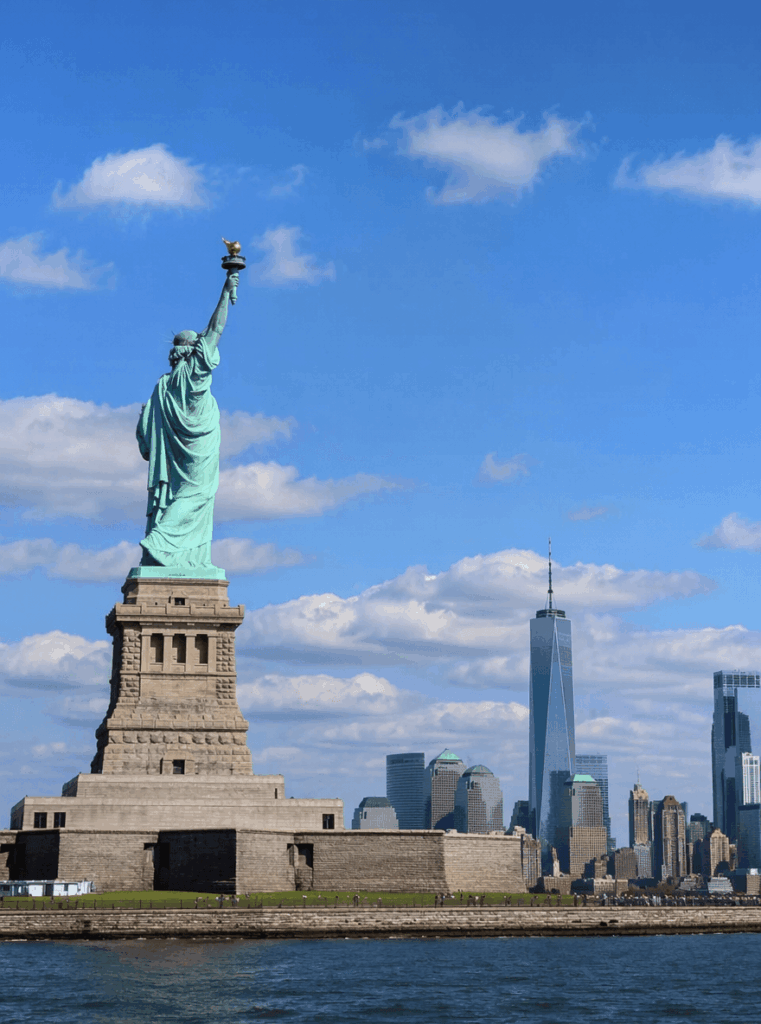
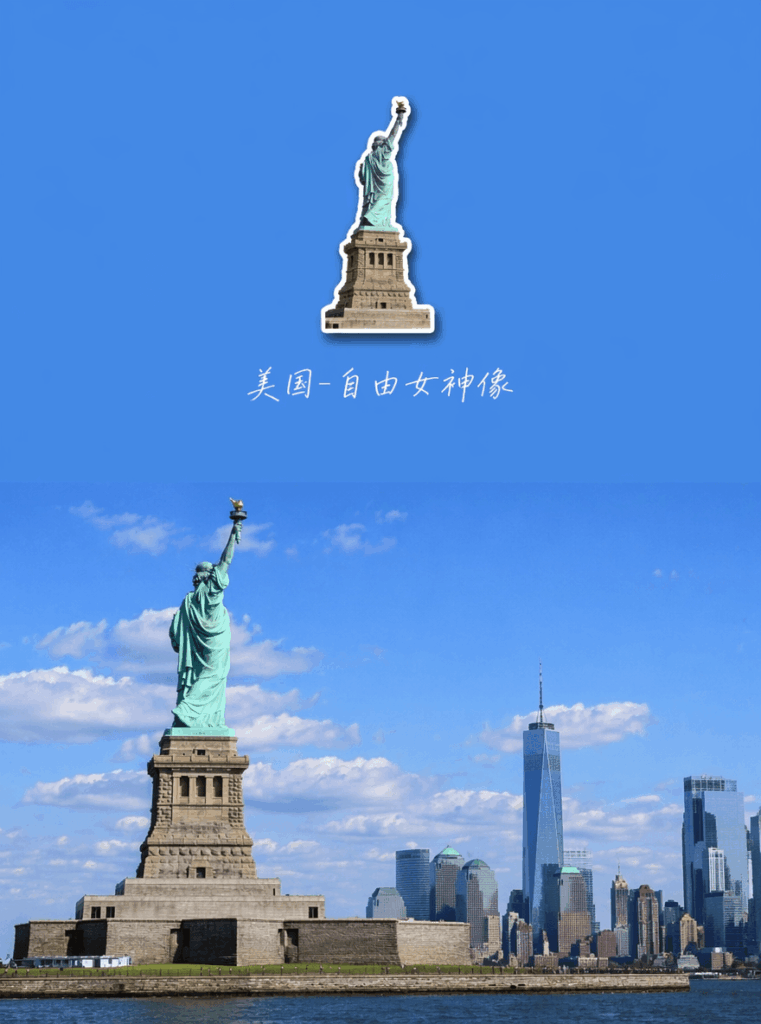
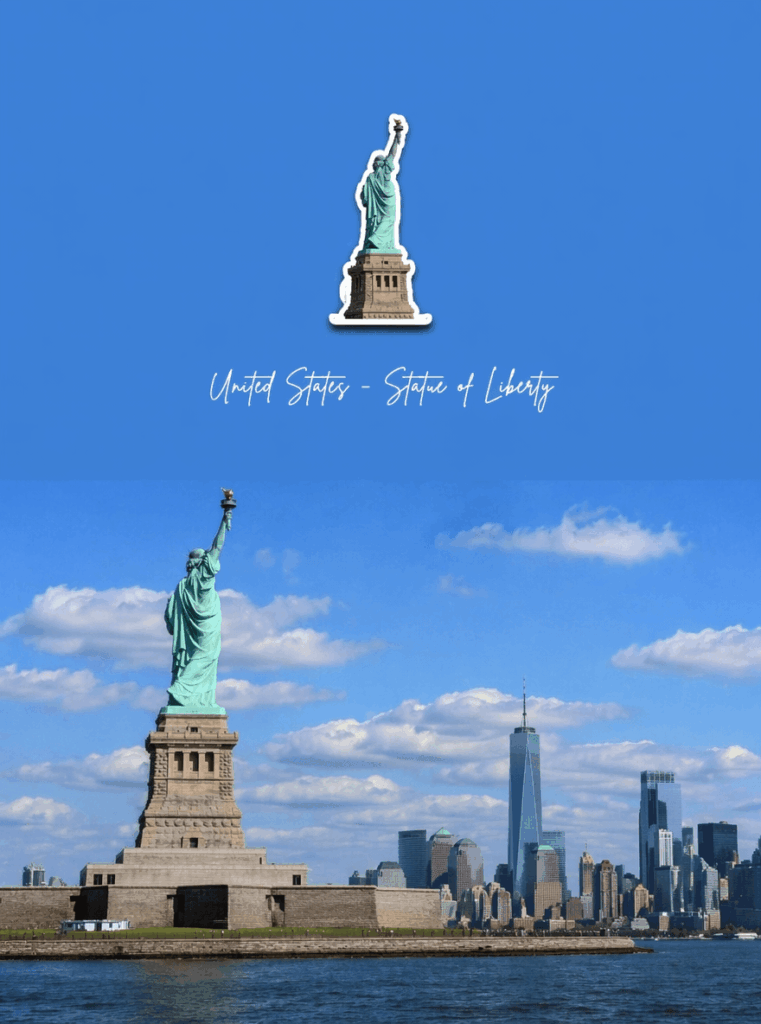
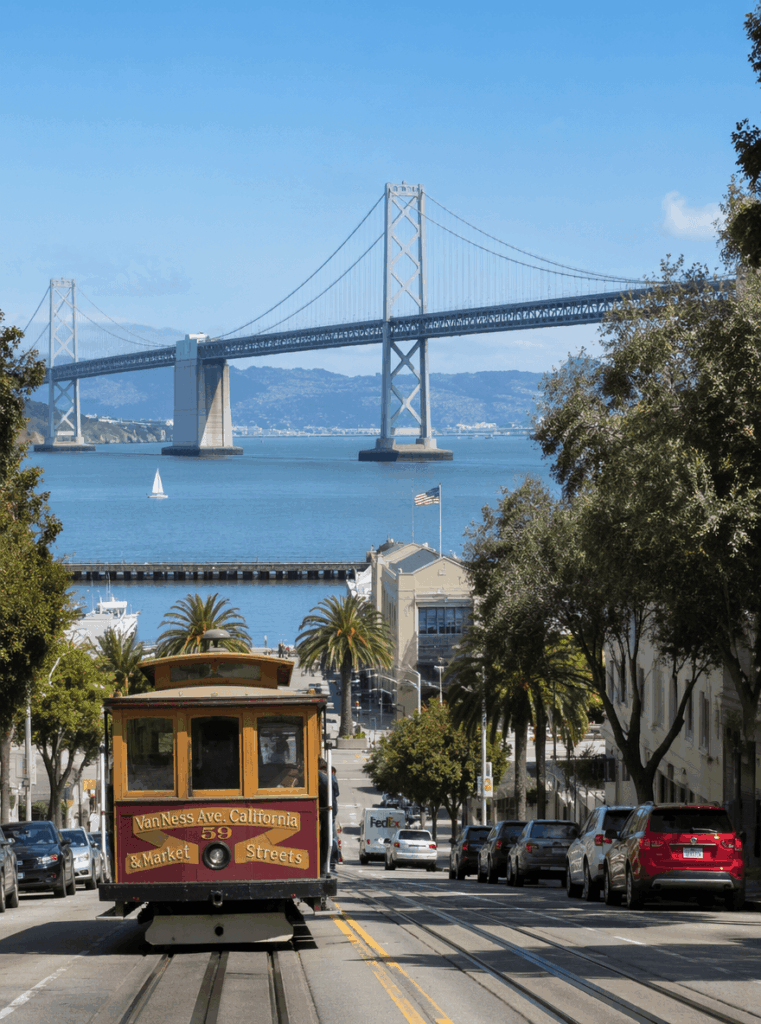
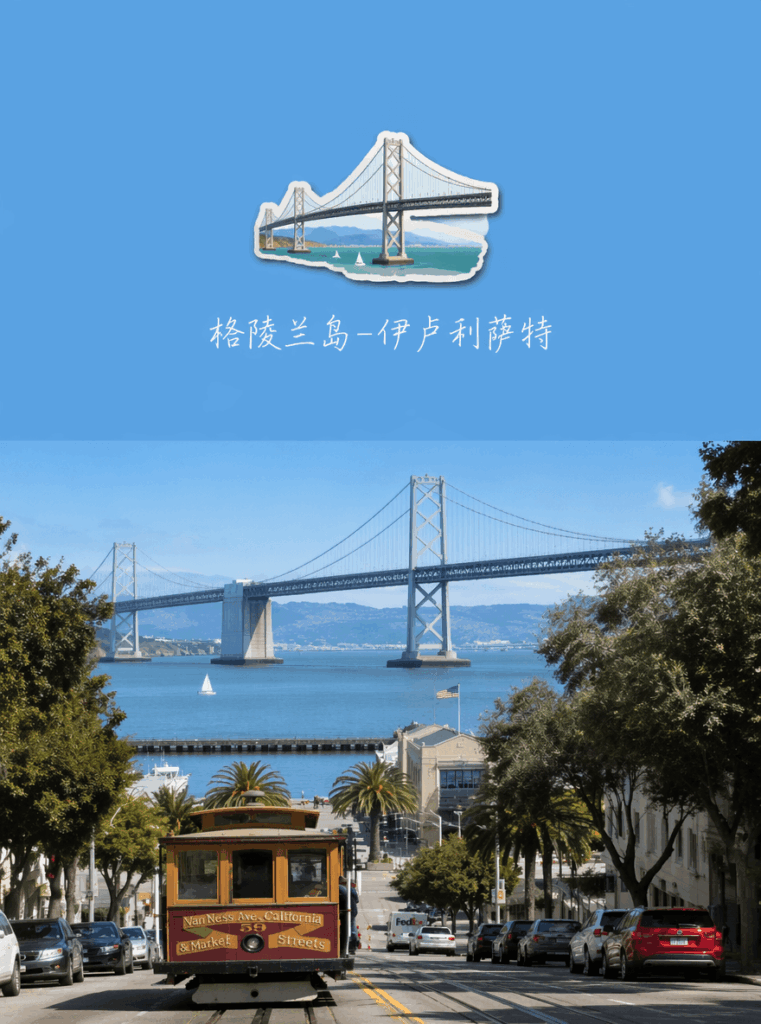
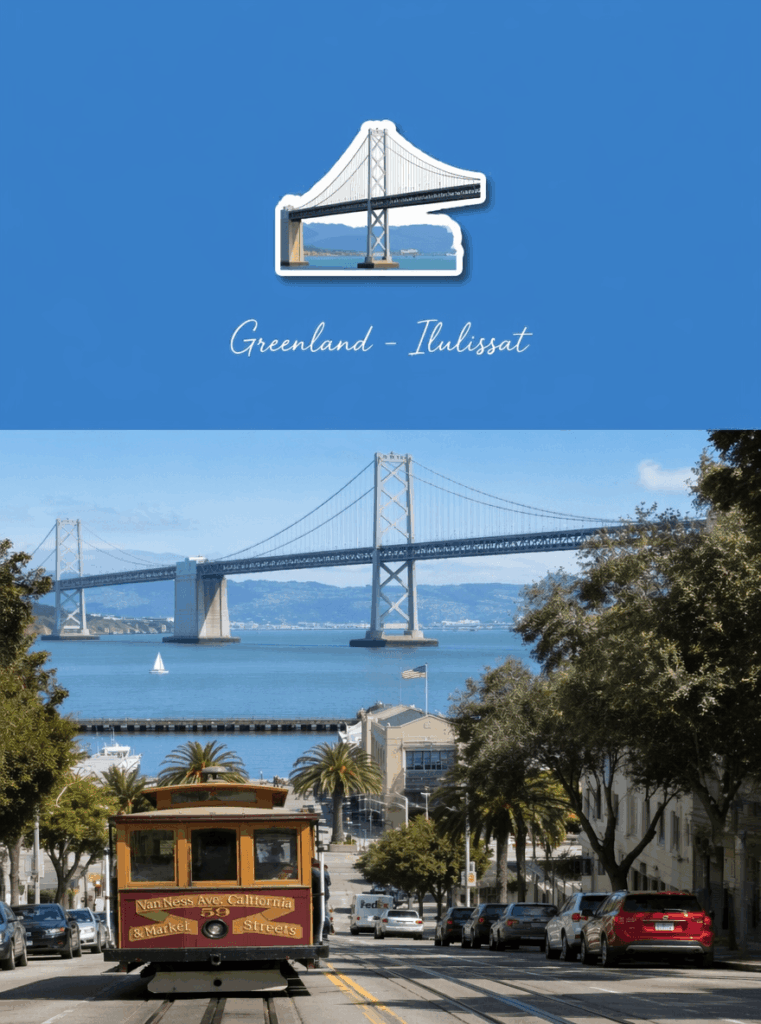
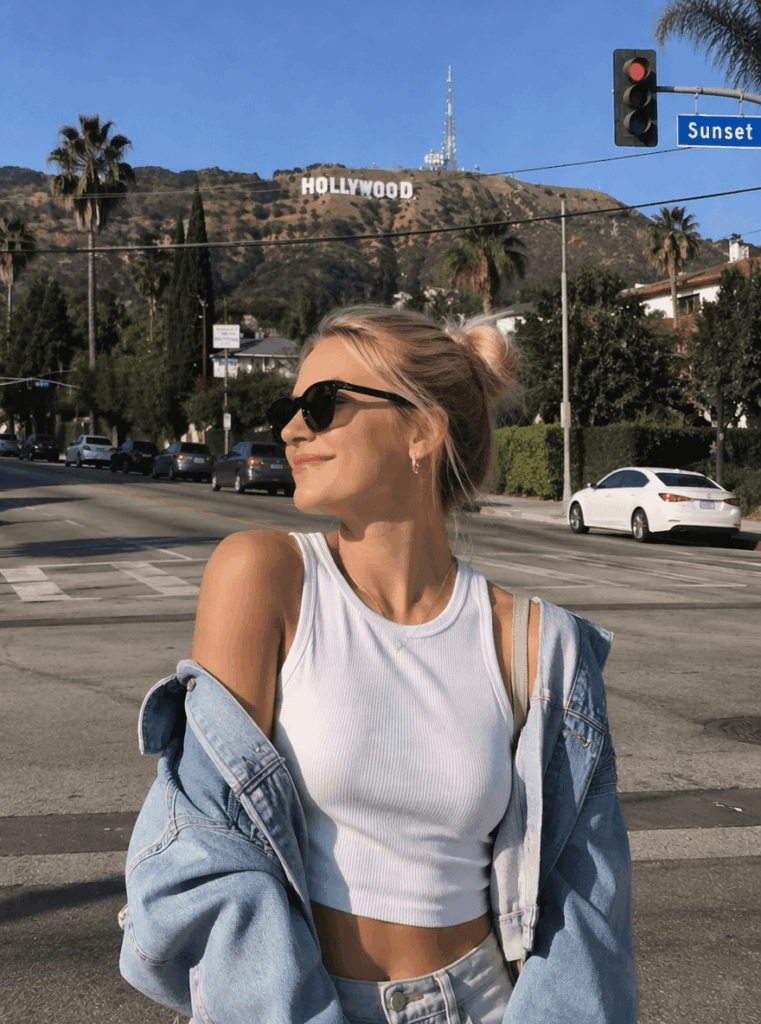
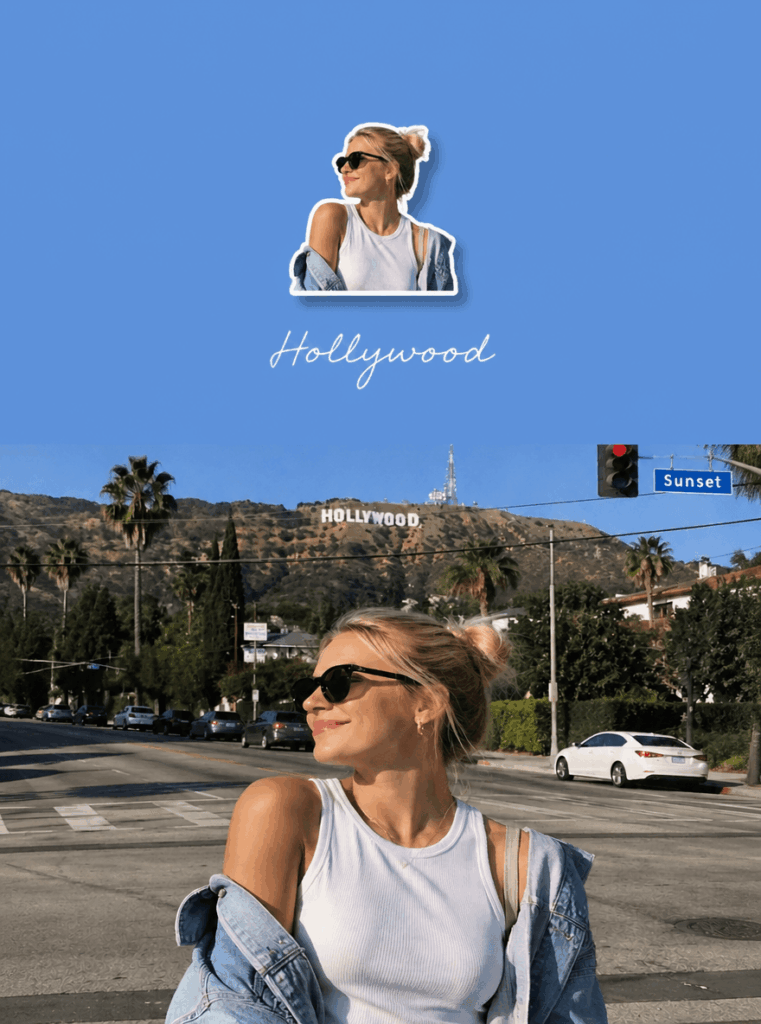
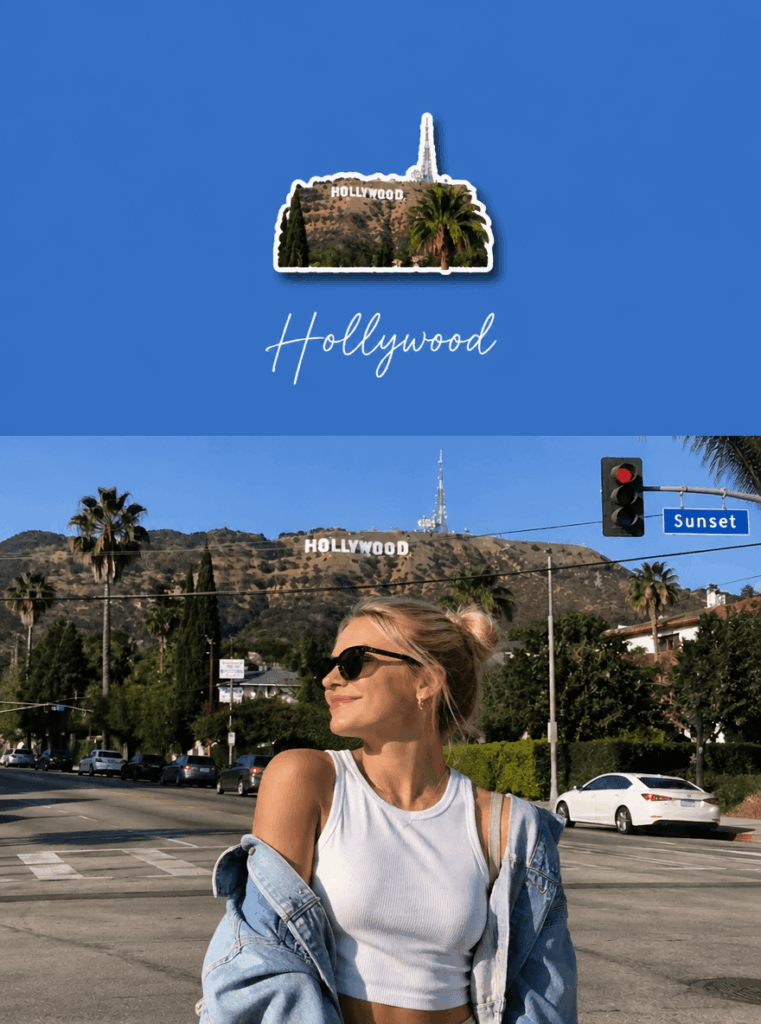
Once the image is generated, do not save it immediately. Instead, take a moment to check the details.
Focus on these points:
- Is the bottom half still the original photo?
- Is the top half a clean solid-color background?
- Is the fridge magnet icon small and refined?
- Does the icon have a clear outline or soft shadow?
- Is the text readable?
- Does the whole image feel like a travel poster instead of a random collage?
A good result should feel light and balanced. The top section should have enough empty space, and the icon should feel like a small souvenir rather than a large sticker.
How to Fix Common Issues
If the fridge magnet icon is too large, add this follow-up prompt:
Please make the fridge magnet icon smaller and leave more empty space in the top section.
If the text looks garbled, use this version instead:
Do not generate Chinese text. Use elegant handwritten English text only: Ilulissat Greenland.
If the top section looks too busy, try:
Make the top section cleaner and more minimal. Use only one solid background color and remove unnecessary decorations.
If the icon looks too cartoonish, try:
Make the fridge magnet icon more refined and realistic. Keep it minimal, but do not make it overly cartoon-like.
These small adjustments can make a big difference. In most cases, one or two follow-up prompts are enough to turn a decent image into a much more polished poster.
Step 5: Export the Image and Use It as a Travel Cover
Once you are happy with the result, save the image.
This type of AI travel poster works well for many kinds of content, including:
- Instagram travel covers
- Pinterest travel pins
- Travel blog thumbnails
- Xiaohongshu-style travel posts
- City guide cover images
- Travel journal pages
- Personal photo albums
- AI photo editing tutorials
The biggest advantage is that the image still feels personal because it uses your real travel photo. At the same time, the top section adds a more designed and collectible feeling.
As a result, the final image is not just another vacation photo. It looks more like a travel memory card, a postcard, or a city souvenir.
Turn It Into a Repeatable Travel Template
You can also turn this into a repeatable visual template. Use the same layout for different cities, then change the photo, background color, icon, and location text.
Over time, you can build a full travel series with a consistent style. This is useful for travel creators, bloggers, photographers, and anyone who wants their trip photos to feel more curated.
For example, you could create one poster for each city you visit. Then, you can use them as blog covers, Instagram carousel openers, or travel album dividers.
Advanced Tips and FAQ
1. What Kind of Travel Photo Works Best for a Fridge Magnet Poster?
Photos with a clear subject, strong colors, and simple composition work best.
For example:
- A person standing in front of a landmark
- A colorful jacket in a snowy landscape
- A building with a unique shape
- A beach house, lighthouse, bridge, statue, or tower
- A city street with a strong local mood
The key is recognition. If people can understand the photo at a glance, AI will also have a better chance of extracting the right visual element.
In addition, try to choose photos that already have a strong travel feeling. A clear sense of place will make the final poster more memorable.
2. Why Does the Generated Text Sometimes Look Wrong?
AI image tools may occasionally create misspelled or unreadable text, especially with Chinese characters or long phrases.
To improve the result, use short English destination names, such as:
Ilulissat Greenland
This usually looks cleaner and gives the image a stronger postcard feeling.
However, if you need perfect typography, another practical option is to generate the image without text first. Then, add the final text manually in Canva, Photoshop, Figma, or another design tool.
This extra step takes a little more time, but it gives you much more control over the final design.
3. How Can I Make the Final Image Look More Premium?
To make the result feel more polished, use clear style keywords in your prompt.
Helpful phrases include:
- AI travel photo poster
- Fridge magnet style
- Minimal collage
- City postcard
- Travel check-in cover
- Clean solid-color background
- Plenty of white space
- Bright and fresh
- High-end travel photography card
Also, remember that premium design often comes from restraint. Do not overload the top section. Do not make the icon too big. Do not add too many decorations.
Instead, aim for a small icon, a clean background, and enough empty space. This usually looks more refined than a crowded design.
4. Can I Use This Style for Different Cities?
Yes. This format is very flexible.
You can use it for:
- Paris
- Tokyo
- Kyoto
- New York
- London
- Seoul
- Bangkok
- Copenhagen
- Reykjavik
- Greenland travel photos
- Beach trips
- Mountain hikes
- Road trips
The structure stays the same, but the mood changes with the destination. For example, a blue sea photo may create a fresh summer postcard, while a snow photo may feel quiet and cinematic.
Similarly, a city landmark may look more like a collectible travel card. Because of this, the format is easy to reuse without feeling repetitive.
5. Why Does This Style Work So Well for Social Media?
This style works because it combines two things people like: real travel memories and clean visual design.
A normal travel photo can feel personal, but it may not always stand out in a busy feed. On the other hand, a fully AI-generated image can look polished, but it may feel less authentic.
This format sits in the middle. It keeps the real photo, then adds a minimal design layer on top. As a result, the image feels both personal and shareable.
It also gives your post a clearer theme. Viewers can instantly understand the destination, mood, and visual style.
Final Thoughts
Creating a fridge magnet style travel poster with GPT and WeShop.ai is not about complicated photo editing. Instead, the real key is giving AI a clear and structured prompt.
Once you understand the formula, it becomes easy to repeat:
Real travel photo + split layout + fridge magnet icon + solid color background + simple destination text.
With this method, you can turn everyday travel photos into modern poster-style visuals in just a few minutes. Whether you are making an Instagram cover, a travel blog image, a Pinterest pin, or a personal city memory card, this layout gives your photos a more polished and memorable look.
Finally, try it with your own city photos, beach photos, snow photos, or landmark shots. If the first result is not perfect, adjust the icon size, background color, or text style. After a few tries, you will have a clean visual template that you can use again and again for future trips.
Go to WeShop AI For Exploration:





