

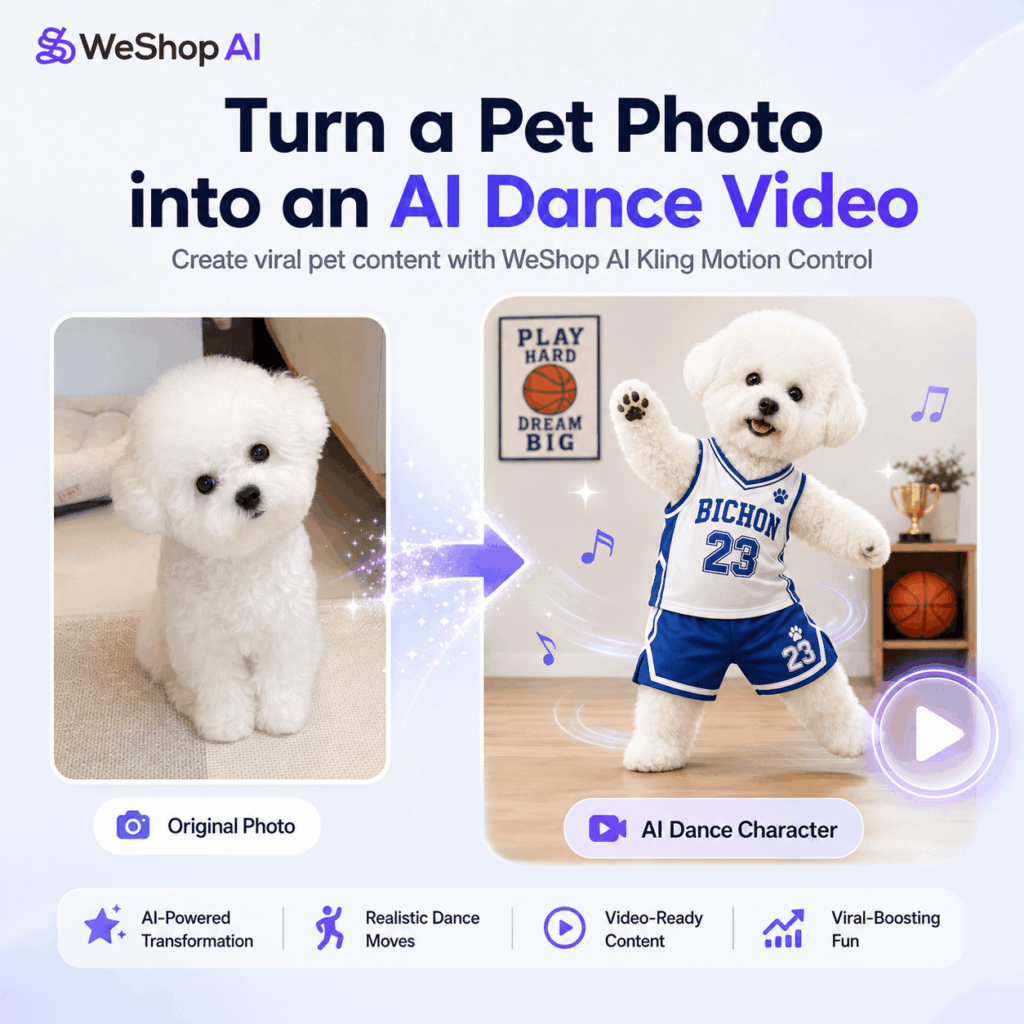
You have probably seen this kind of video on your feed lately.
A fluffy little dog shows up in a tiny basketball jersey. It stands like a mini performer, waves its paws, bounces to the beat, and somehow dances with more confidence than most people on camera.
At first, it feels cute. A few seconds later, it becomes funny. Before you know it, you are replaying it or sending it to a friend.
That is why AI pet dance videos are taking over short-form platforms. They are playful, easy to understand, and just surprising enough to stop people from scrolling. More importantly, they do not feel like a heavy AI demo. They feel like fun content made for TikTok, Instagram Reels, YouTube Shorts, and Xiaohongshu.
In the past, creating this type of video was not easy. You needed a trained pet, a lucky shooting moment, a clean setup, and plenty of editing. Even then, the final result was hard to control.
Now, however, tools like WeShop AI Kling Motion Control make the process much easier.
With Kling Motion Control, you can turn a single pet photo into a moving AI video. The workflow is simple: upload a pet image, add a motion reference video, and let the AI transfer the movement to your pet character.
As a result, a normal dog photo can become a dancing bichon, a K-Pop pet idol, a waving puppy mascot, or a short-form video character ready for social media.
In this guide, we will walk through how to use WeShop AI Kling Motion Control to create a cute, high-energy AI dog dance video from scratch.
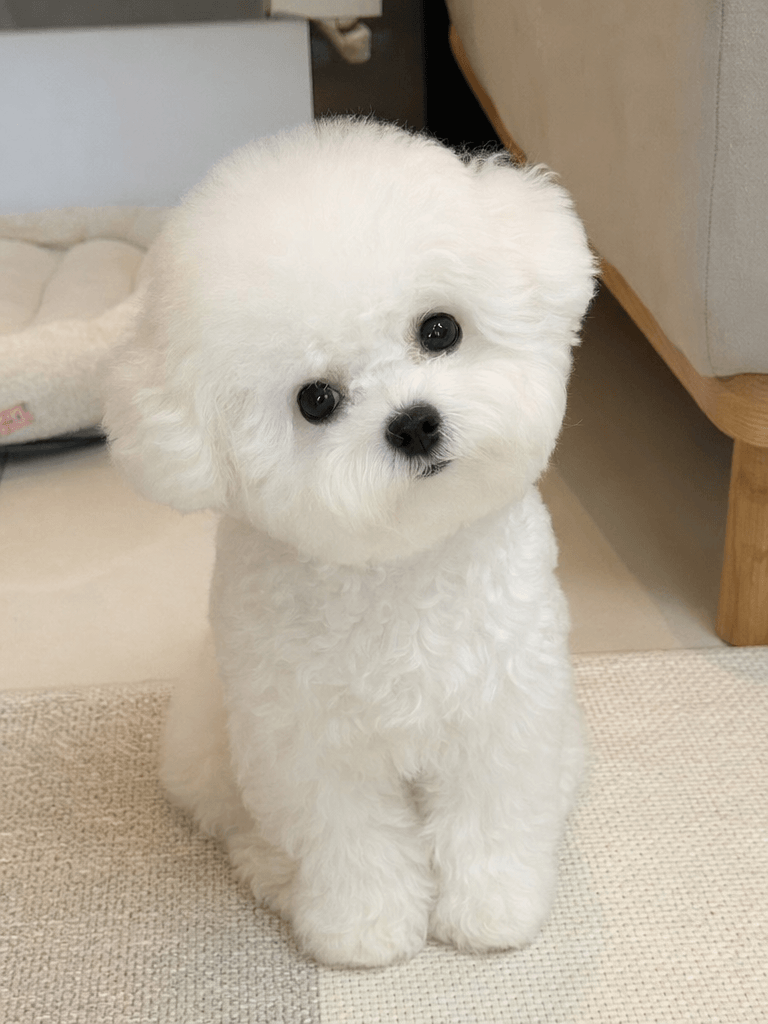
Step 1: Prepare a Clean Pet Photo
Before using Kling Motion Control, start with a strong pet photo.
This step is more important than it may seem. A clear image helps the AI understand the pet’s face, body, legs, fur, and overall shape. Because of that, the final video usually looks more stable when the input image is clean.
For best results, choose a photo with:
✅ Front-facing angle
✅ Full-body view
✅ Clear lighting
✅ Complete subject
Ideally, the pet should be visible from head to paw. The body should not be hidden behind furniture, toys, hands, blankets, or other objects. In addition, the background should be simple enough that the pet remains the main focus.
For a cuter and more viral-looking result, choose a photo where the pet has a soft expression, bright eyes, and a clear silhouette. Breeds like bichons, pomeranians, poodles, corgis, and fluffy mixed-breed dogs often work especially well. Their shapes are easy to recognize, and their natural cuteness makes the final video more engaging.
Try to avoid:
❌ Blocked body parts
❌ Blurry images
❌ Multiple pets in one photo
When several pets appear in the same image, Kling Motion Control may have trouble identifying the main subject. Similarly, if the pet is blurry or partly covered, the movement may look less natural in the final video.
In short, keep the image simple. One pet, a clear body, and a clean background will give Kling Motion Control the best chance to create a smooth AI dog dance video.
Step 2: Upload the Photo to GPT Image and Create a Dance-Ready Pet Character
Go to Weshop AI.
Once your pet photo is ready, upload it to WeShop AI GPT Image.
At this stage, the goal is not to generate the video yet. Instead, you are creating a more polished character image that will work better in a short-form video.
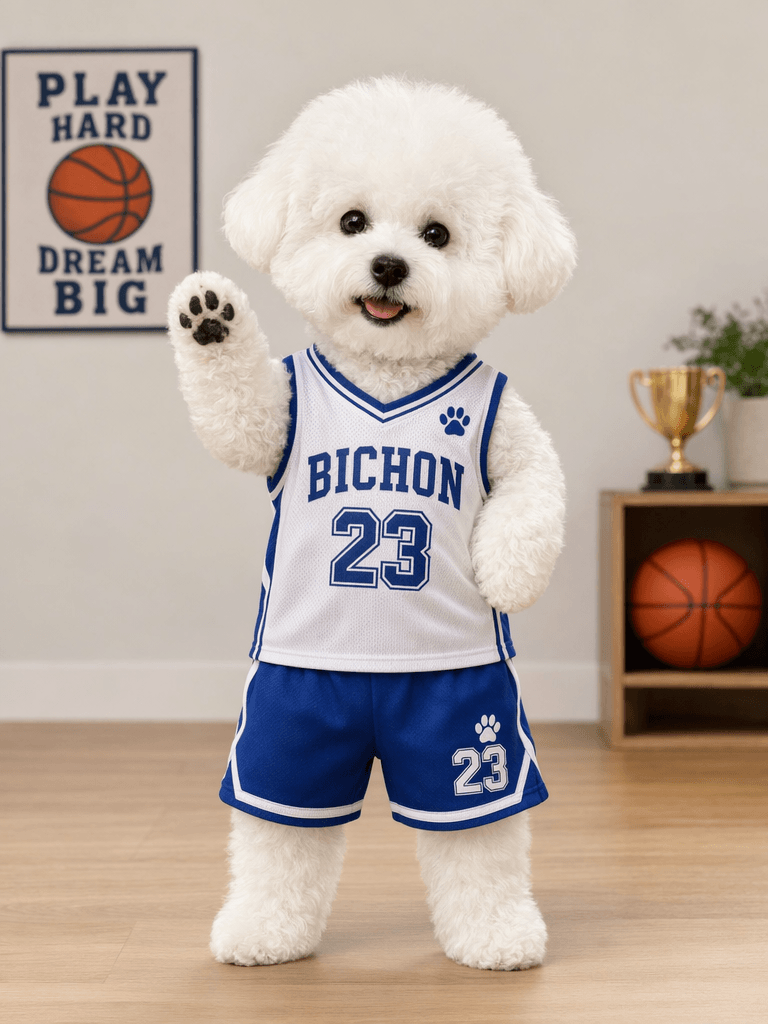
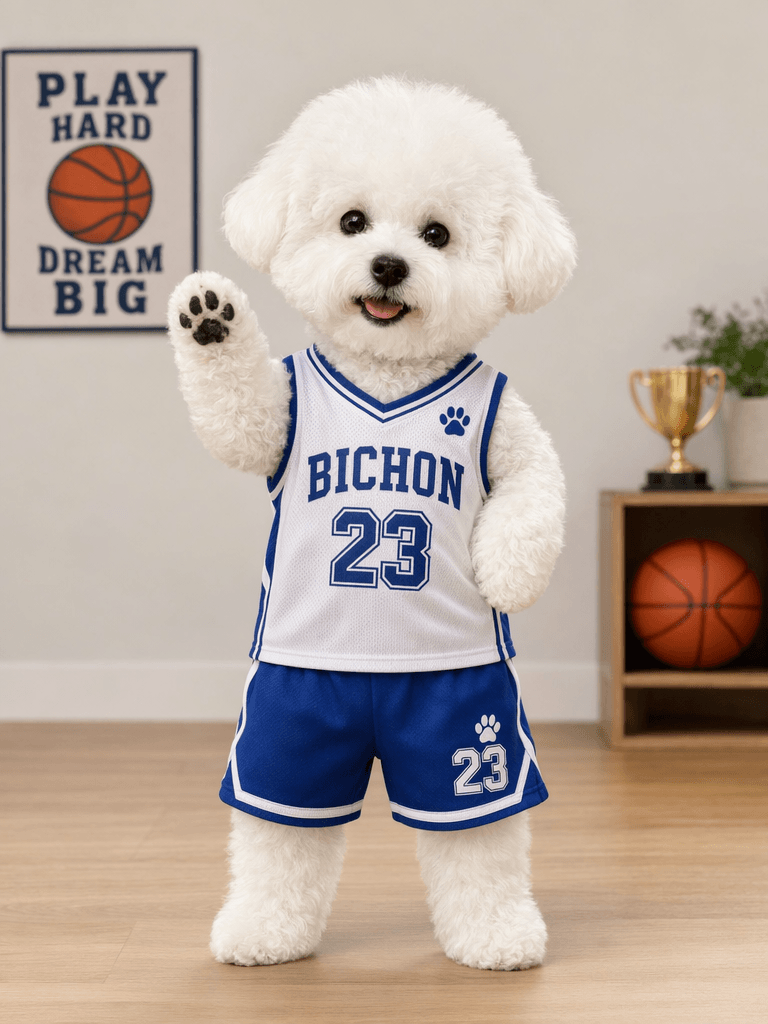
For example, a simple photo of a white bichon sitting on a rug can be transformed into a full-body pet character wearing a blue-and-white basketball uniform. The dog can stand upright, smile at the camera, and raise one paw as if greeting the audience.
That small upgrade makes the video much more watchable.
After all, the original photo may already be cute. However, a generated character image gives the content more personality, more context, and a stronger visual hook. It also makes the final video feel like a complete social media post rather than a random AI test.
You can use a prompt like this:
“Create a realistic anthropomorphic pet character based on this white bichon dog. The dog is standing upright on a wooden floor, wearing a blue-and-white basketball jersey with the text BICHON and the number 23. One paw is raised in a friendly greeting pose. The dog looks happy and cute. In the background, add a basketball poster, a trophy, and a basketball. Keep the style clean, realistic, bright, and suitable for a short-form video cover.”
With this step, you are not just making an image. Instead, you are building the main character of your AI dog dance video.
Because Kling Motion Control works with image-based motion transfer, a clean and expressive character image can make the final video more eye-catching.
Step 3: Upload the Character Image to Kling Motion Control
Go to:
Kling 3.0 on Weshop AI (see the button above).
After creating your pet character image, upload it to WeShop AI Kling Motion Control.
Next, upload a motion reference video.
This is where the main transformation happens.
The image tells Kling Motion Control who the character is. Meanwhile, the reference video tells it what movement to follow. For example, if the reference video shows someone waving, your pet can wave. If the video shows a simple dance move, your pet can dance. Likewise, if the reference shows a K-Pop-style move, your pet character can copy that energy.
For an AI dog dance video, choose a reference video with clear, simple, rhythmic movement. The motion does not need to be complicated. In fact, simpler movements often look cleaner and more believable.
A good motion reference video should have:
✅ Clear body movement
✅ Stable camera
✅ Easy-to-follow rhythm
✅ Simple background
✅ Short duration
On the other hand, try to avoid reference videos with too many people, fast camera movement, heavy motion blur, or overly complex choreography. These elements can make the result harder to control.
Once everything is uploaded, Kling Motion Control analyzes the movement from the reference video and applies it to your pet character image. Within minutes, your static image can become a moving AI video.
This is the real value of Kling Motion Control. You do not need to train a pet, shoot dozens of takes, or learn animation software. Instead, you can create a fun animated pet video with one image and one motion reference.
Step 4: Preview the Final AI Dog Dance Video
After generation, you will get a short AI pet dance video.
In this example, the white bichon wears a basketball outfit and moves like a tiny performer. It raises its paws, shifts its body, and follows the rhythm of the reference motion. The result feels cute, funny, and highly shareable.
That is exactly why this format works so well on short-form platforms.
First, pets already have strong emotional appeal. People often stop scrolling when they see something warm, funny, and instantly likable.
Second, the movement creates surprise. A dog dancing like a little human is not something people expect to see. As a result, the contrast makes the video more memorable.
Third, the format is easy to repeat. You can test different outfits, themes, dances, characters, and backgrounds without starting from zero every time.
For content creators, this opens up many creative possibilities. For instance, one pet character can become an entire video series:
A basketball dog dance
A K-Pop puppy challenge
A Christmas pet dance
A birthday party pet video
A brand mascot dance
A cute waving dog intro
Each version can be adapted for TikTok, Instagram Reels, YouTube Shorts, Xiaohongshu, or paid social ads.
With Kling Motion Control, one pet photo can turn into many different pieces of short-form content.
Who Is WeShop AI Kling Motion Control Best For?
WeShop AI Kling Motion Control is especially useful for creators and teams who want to produce visual content faster.
It is a great fit for:
✅ AI video creators
✅ TikTok operators
✅ Pet content accounts
✅ Animation content creators
✅ Brand marketing teams
✅ E-commerce short video teams
For pet account owners, Kling Motion Control can turn a pet into a repeatable video character. Instead of posting only still photos or normal pet clips, you can create scenes where the pet dances, waves, poses, or joins trending challenges.
For social media operators, this format is perfect for fast creative testing. The same pet character can appear in different styles, such as sporty, cute, idol-inspired, festive, or funny.
For e-commerce and brand marketing teams, Kling Motion Control can also make product content more engaging. For example, a pet can wear a branded outfit, stand in a product-themed scene, or perform a short dance as part of a campaign video.
In addition, this type of content works well because it feels light, fun, and easy to understand. People do not need a long explanation. They see a dancing dog, understand the idea right away, and keep watching.
Kling Motion Control is especially useful for trending content formats like:
AI dancing dog
AI dancing cat
AI pet idol debut
AI K-Pop challenge
AI character animation
These formats are popular because they combine cuteness, humor, and motion. Together, those elements create a strong hook for short-form video.
Try Kling Motion Control
Want to make a pet photo move?
Or turn your dog into a dancer?
Maybe create an AI character that copies popular motions?
With the simple combination of “image + motion reference video,” WeShop AI Kling Motion Control helps creators generate high-quality AI motion transfer videos in minutes.
Whether you want to create a happy dancing dog, an animated cat, a toy character, a brand mascot, or a virtual IP character, Kling Motion Control makes the process much easier.
Right now, short-form video rewards ideas that feel fresh, fast, and instantly watchable. AI pet dance videos fit that perfectly.
And sometimes, one dancing little dog is all it takes to turn a simple image into your next viral post.
Go to WeShop AI For Exploration:





