

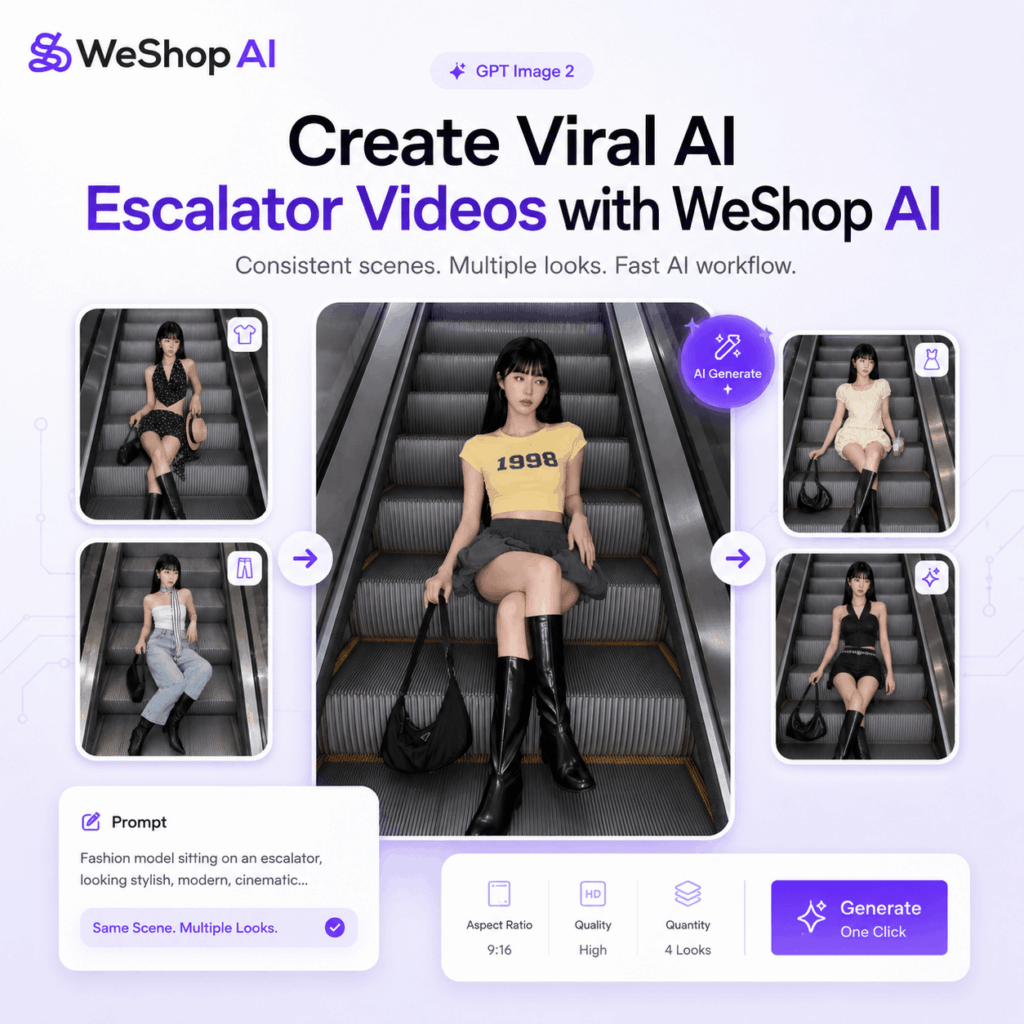
You have probably seen this video style all over Instagram lately.A model sits in the center of an escalator. From above, the camera captures the metal lines stretching into the distance. Then, as the music hits, the outfit, mood, and styling change instantly.As a result, the final video feels like a fashion campaign, an Instagram Reel, and an AI visual experiment at the same time.At first glance, it may look like something made with a real model, a film crew, and a lot of editing. However, with the right workflow, you can now create a similar AI escalator video much faster.
In this guide, you will learn how to use:
- WeShop AI to generate the AI model and escalator scene
- Kling AI to turn the image into a moving video
- Simple editing to create beat-matched outfit transitions
Instead of building a complicated animation, the goal is simple: keep the frame stable, change the outfits, and let the music guide the rhythm.
Tools You Need
Before you start, prepare these tools.
1. WeShop AI GPT Image
Use WeShop AI GPT Image to generate the AI model, outfit, and main escalator scene.
This is the most important step in the whole workflow because the base image decides whether your AI escalator video will look premium or messy.
Ideally, you want a clean, centered, and repeatable frame. Later, the same setup can be used to create multiple outfit versions without rebuilding the whole scene.
2. Kling AI
Use Kling AI to turn your static image into a dynamic video.
For this trend, Kling AI is mainly used for subtle motion. In other words, you do not need dramatic camera moves. A slight push-in, soft motion, and natural movement are already enough.
3. A Beat-Driven Background Music Track
Music plays a huge role in this type of AI escalator video.
Therefore, choose a track with:
- Clear beats
- Strong transitions
- A fashion or lifestyle mood
- A tempo that works well for quick outfit changes
The music does not need to be complicated. Still, the beat should be easy to cut to. This makes the final video feel much smoother and more satisfying to watch.
Step-by-Step Guide
Step 1: Generate the Main Escalator Scene
The most important part of this trend is not the motion.
It is the composition.
For an AI escalator video, every version should look like it came from the same camera. If the angle changes too much, the final edit will feel unstable. Likewise, if the model moves around the frame, the outfit switch will look random instead of intentional.
So, when generating your image, make sure:
- The model is placed in the exact center
- The escalator has a symmetrical structure
- The camera angle stays consistent
- The pose feels natural
- The background is clean
- The lighting looks realistic
- The image has a fashion editorial feel
A high-angle overhead shot works especially well. It makes the escalator lines look long, clean, and geometric. At the same time, it gives the image a stronger sense of depth.
In other words, the escalator is not just the background. It is the visual hook.
Recommended Prompt
You can use this prompt in WeShop AI GPT Image:
{
  "visual_hook": "The character lazily sits cross-legged on the repetitive textured metal escalator steps. The layered look of the character's upper body, especially the contrast between the sheer texture of the white see-through shirt and the lace halter top, as well as the overall relaxed and languid style it brings, all contribute to the visual appeal of the escalator's linear geometric beauty.",
  "camera_angle": "High-angle direct overhead shot, completely perpendicular to the horizontal plane, showcasing the linear geometric beauty of the escalator.",
  "framing_and_depth": "Full-body composition, the figure is placed at the center, the background is a staircase extending infinitely downward, with moderate depth of field, clearly showing the metal gear patterns of the escalator.",
  "medium_physics": "High-definition digital photography quality, high sharpness, smooth lighting and shadows, with a slight trace of mobile phone image noise, and the imaging style presents a realistic photo texture."
}
This prompt works well because it gives the AI a clear visual direction.
First, it tells the AI where the model should be placed. Then, it keeps the escalator structure clean and symmetrical. Finally, it asks for a realistic photo texture instead of an overly polished AI look.
That balance matters. A strong AI escalator video should feel stylish, but not too artificial.
When creating different outfit versions, avoid rebuilding the entire scene each time. Instead, keep these elements the same:
- Same escalator
- Same camera angle
- Same model position
- Same pose
- Same frame ratio
After that, only change the outfit, hairstyle, bag, shoes, or overall mood.
The real trick is simple:
The video looks expensive when every shot feels like it came from the same camera.
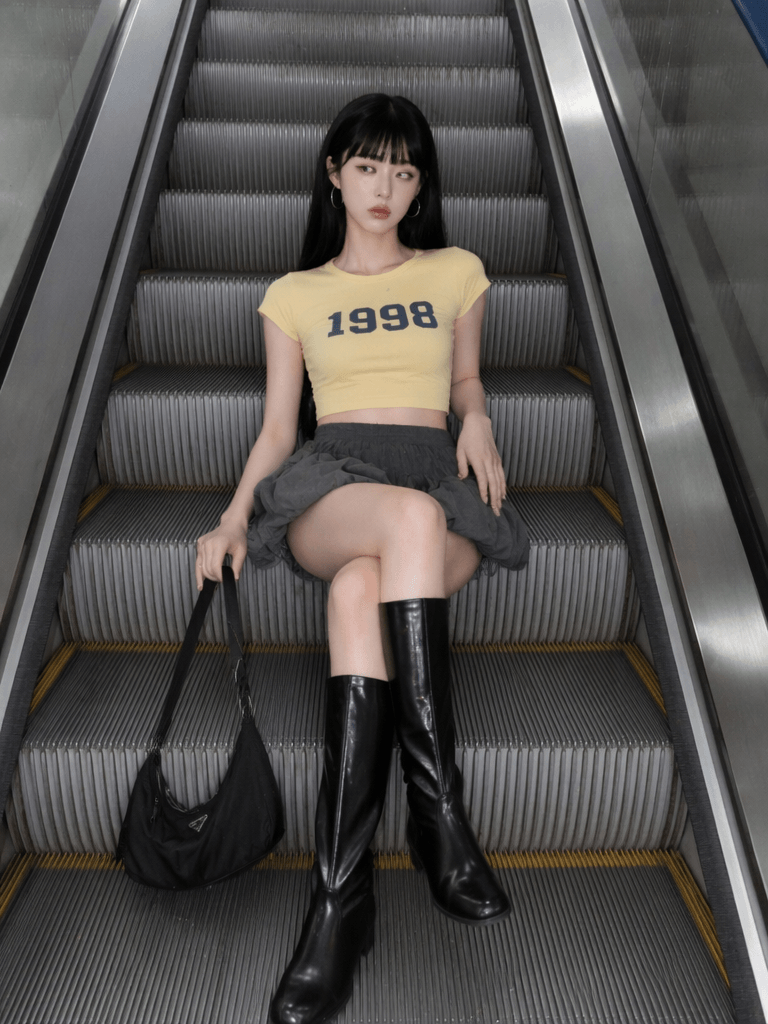
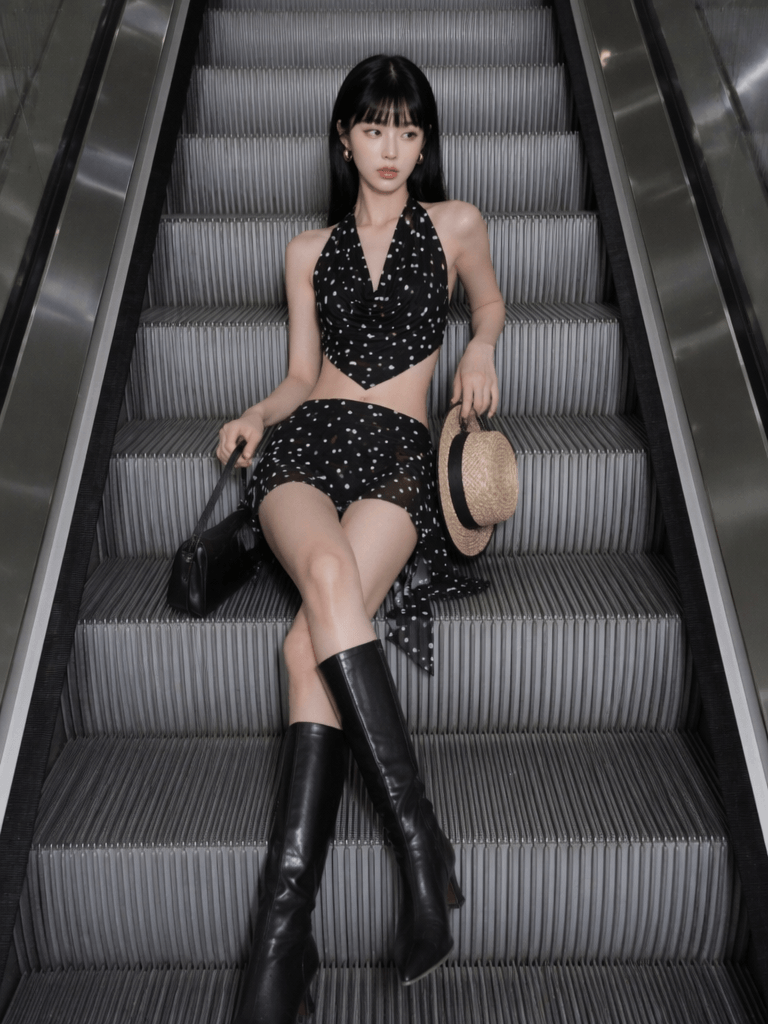
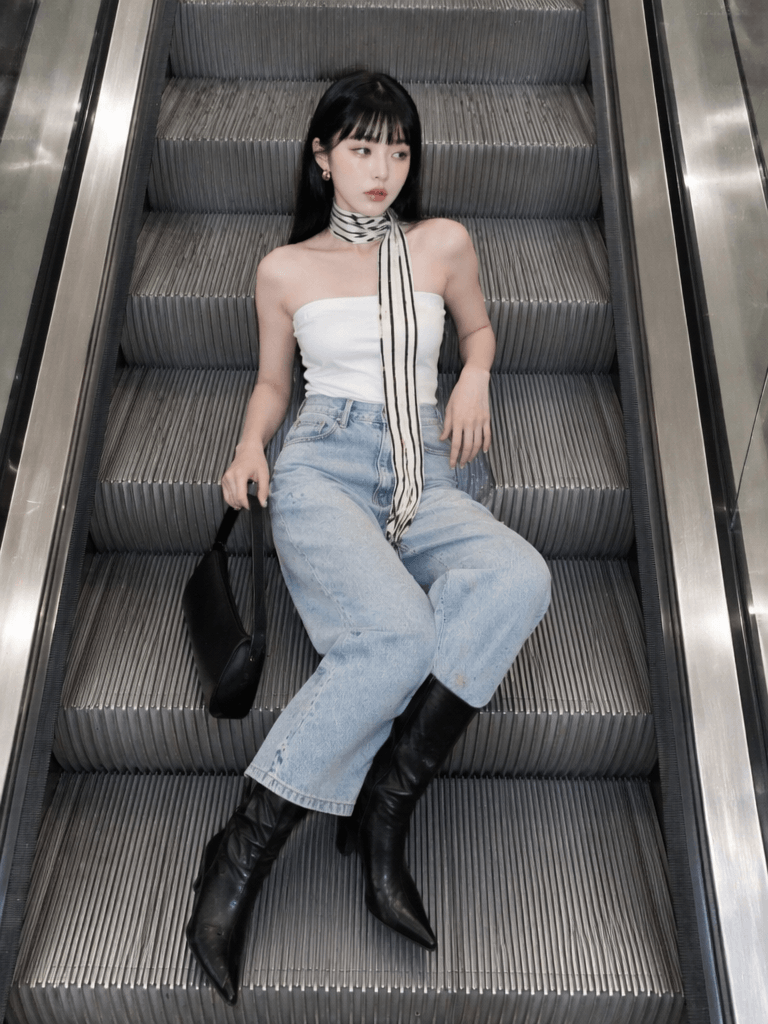
Step 2: Generate Multiple Outfit Versions
Once your base scene is ready, start creating different outfit versions.
At this stage, the most important rule is:
Keep the model position consistent.
Because the character stays in the same place, the viewer focuses on the outfit change. However, if the model moves too much, the transition will feel broken.
Many viral Instagram fashion videos follow a similar structure:
- Same camera
- Same frame
- Same pose
- Same background
- Different outfit
- Different mood
That is exactly why the AI escalator video format works so well. It gives you a stable visual world while still leaving room for creative styling.
Here are a few outfit directions you can try.
Minimal White Look
Think white shirts, soft layers, satin skirts, and clean styling. This direction works well for a calm, polished, and premium visual mood.
Black Cool-Girl Look
Leather jackets, mini skirts, boots, and sharp silhouettes can make the video feel stronger and more fashion-forward.
Y2K Street Style
Cropped tops, low-rise pants, metallic details, and bold accessories work especially well with fast-paced music.
French Chic Look
Knitwear, soft skirts, delicate makeup, and relaxed hair can create a more effortless lifestyle mood.
Editorial Fashion Look
Oversized coats, sunglasses, statement bags, and stronger poses are great for a magazine-style AI escalator video.
You can also turn this workflow into a content series. For example, try:
- 7 escalator outfit ideas
- 5 AI model fashion looks
- One escalator scene, ten outfit styles
- Instagram Reel ideas for fashion accounts
- Low-cost AI fashion campaign visuals
This makes the workflow more useful for content creators, fashion brands, and e-commerce teams. More importantly, it gives you repeatable content instead of just one single video.
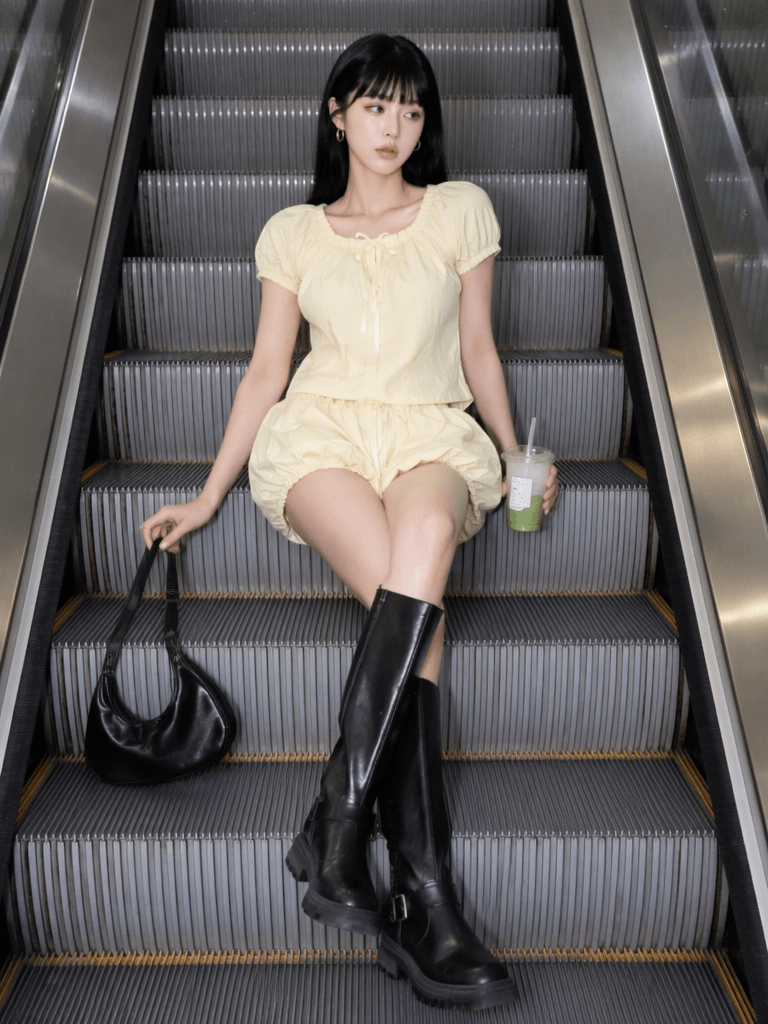
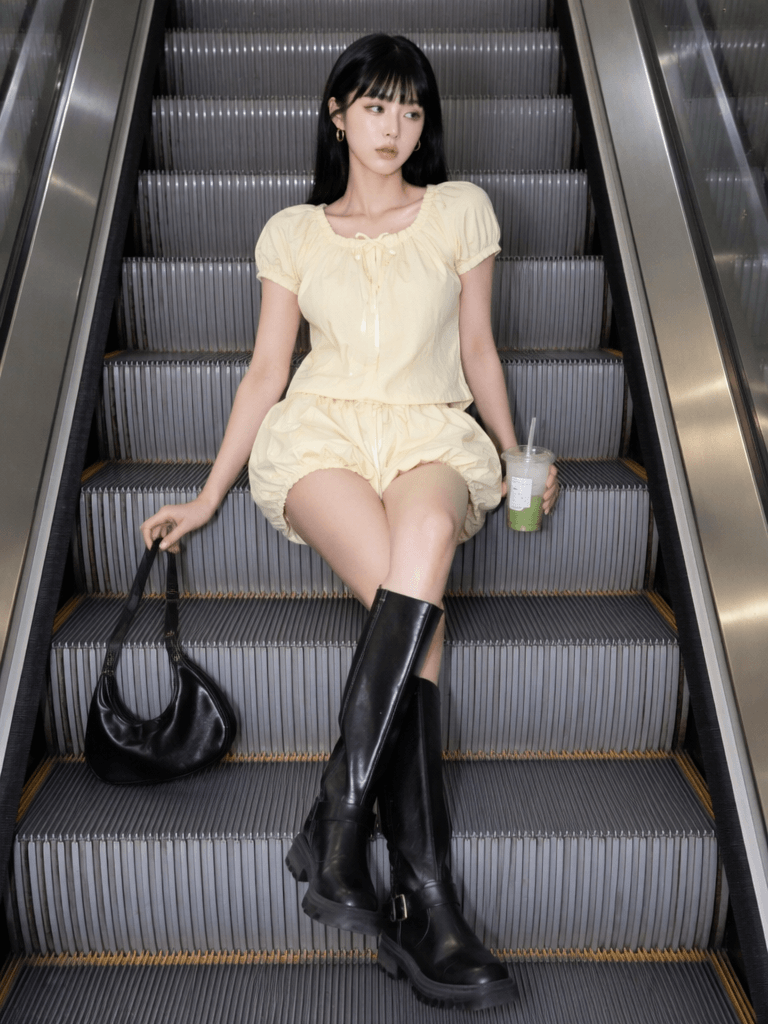
Step 3: Generate Motion in Kling AI
After you have your escalator scene images, upload them to Kling AI.
This step is about adding motion, not changing the whole image.
For this trend, avoid complex camera moves. The core of the AI escalator video is:
Subtle camera movement + stable character + outfit change.
If the camera moves too much, the escalator may warp. Also, the model may drift, and the lines may bend. As a result, the video will lose its clean fashion feel.
Use a simple motion prompt like this:
smooth cinematic camera movement, slight push in, fashion commercial style, escalator scene, realistic motion, luxury Instagram reel aestheticThis prompt keeps the motion soft and cinematic. Meanwhile, it also helps the video stay close to a fashion commercial style.
When generating the video, focus on these details:
- Slight camera push-in
- No exaggerated motion
- Stable model position
- Natural facial expression
- Clean escalator lines
- No major background distortion
- Realistic lighting and movement
For each outfit image, you can generate a short clip of around 3 to 5 seconds. However, if you only need quick beat cuts, even 1 to 2 seconds may be enough.
Finally, bring all clips into your editing software and cut them to the beat.
Advanced Tips and FAQ
Why Do Some AI Escalator Videos Look More Premium?
There are usually two reasons.
1. Stable Composition
Many beginners make the same mistake: every image looks different.
One image is shot from above. Another one is shot from the side. In one frame, the model is centered. In the next, the model shifts slightly off-frame. Sometimes, the escalator looks clean. Other times, it turns into a normal staircase.
When this happens, the final video feels messy.
A polished AI escalator video should feel like:
Different outfits inside the same visual world.
The pose can shift slightly, and the expression can change a little. However, the main frame should stay consistent.
That is what creates the “parallel universe” feeling viewers love.
2. Accurate Beat Cuts
The second key is editing.
Do not cut randomly. Also, do not switch outfits at equal time intervals unless the music supports it.
Instead, listen for:
- Drum hits
- Bass drops
- Vocal changes
- Beat accents
- Mood shifts
Then, place each outfit change on those moments.
When the cut matches the music, the whole video feels more satisfying. Because of that, people are more likely to rewatch it.
How Do You Make Outfit Changes Look Smoother?
The secret is consistency.
Ask the AI to keep:
- The same model position
- The same pose
- The same camera angle
- The same escalator background
- The same leg direction
- The same bag placement
- The same body scale
- The same image ratio
You can add this line to your prompt:
keep the same pose, same camera angle, same body position, same escalator background, only change the outfitThis helps the AI understand that the outfit is the main variable.
For an AI escalator video, the less the frame changes, the smoother the transition feels.
What Type of Account Is This Video Best For?
This format works especially well for visual-first accounts.
It is a strong fit for:
- AI model accounts
- Women’s fashion accounts
- Instagram fashion pages
- Aesthetic lifestyle accounts
- Visual design accounts
- Fashion e-commerce brands
- Styling inspiration pages
- Creative AI content accounts
It is also great for making:
High-quality content with a low production cost.
In the past, this kind of visual might require a model, location, photographer, lighting setup, and editing team. Now, with WeShop AI and Kling AI, one person can create a polished AI escalator video much faster.
That is why this trend is so useful for creators and brands. It gives you the look of a fashion shoot, but with a much lighter production process.
Final Thoughts
The viral AI escalator video trend is not just about a cool camera move.
Instead, it is a combination of:
AI scene generation + stable composition + beat-matched outfit changes.
The workflow is easy to understand. First, create a strong base image with WeShop AI. Next, use Kling AI to add smooth motion. After that, edit the clips to the music and switch outfits on the beat.
The more stable your frame is, the more premium the final result will feel.
So, remember these three rules:
Keep the scene stable.
Keep the camera consistent.
Cut the outfit changes to the beat.
Once you get these right, you can create a stylish AI escalator video that feels like a fashion Reel, an ad campaign, and a viral visual trend all in one.
Go to WeShop AI For Exploration:





