

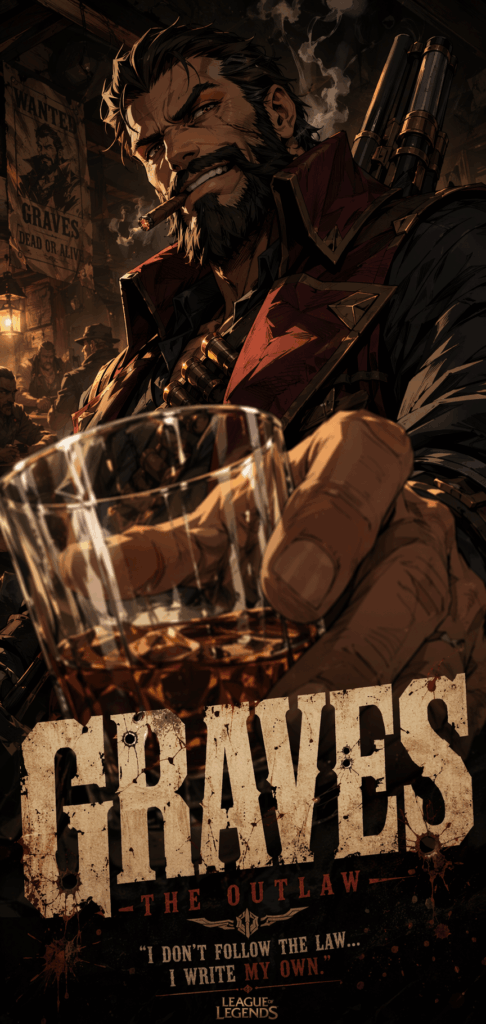
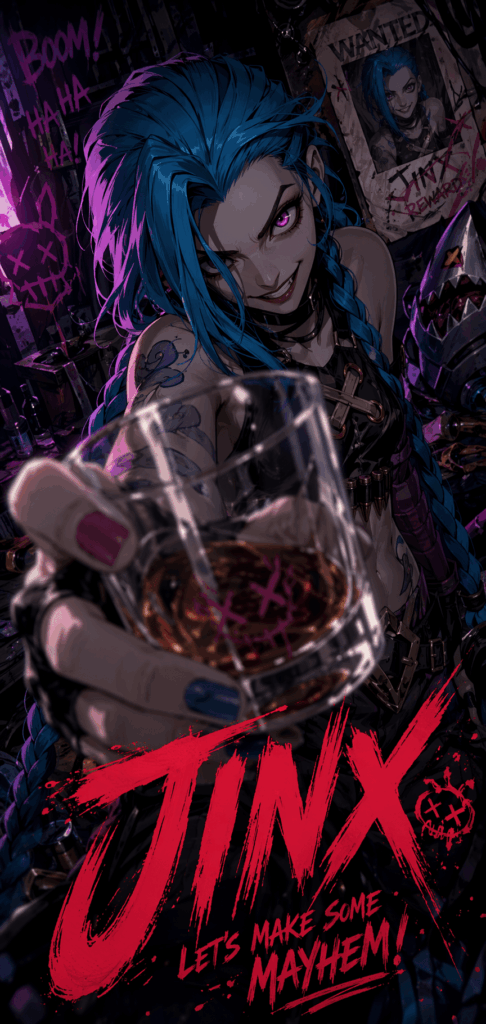
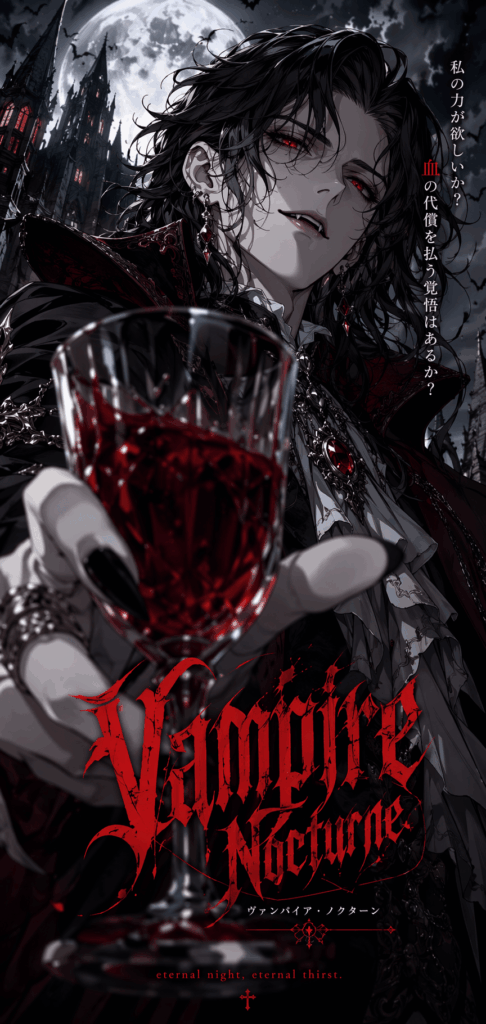
This AI art tutorial will show you how to create a cinematic anime fan poster that feels bold, dynamic, and ready for social media. If you’ve ever scrolled through Xiaohongshu, Instagram, or TikTok, you’ve probably seen those anime-style posters that make you stop for a second.
The character feels like they are jumping out of the screen. A hand, a weapon, or even a glass cup is pushed close to the camera. The background is moody and cinematic. The lighting is dramatic. And at the bottom, bold graffiti-style text makes the image feel like a real poster instead of a simple character portrait.
That is the power of foreshortening, low-angle composition, and shallow depth of field.
In this beginner-friendly guide, we’ll use Jinx from League of Legends as an example. Jinx is chaotic, rebellious, playful, and dangerous, which makes her a perfect character for this kind of high-impact social media poster.
However, many beginners run into the same problem when creating AI images. The result often looks too flat. The character stands in the center. The pose feels safe. The image looks more like a clean profile picture than a bold anime poster.
The good news is that the problem is usually not the AI tool itself.
Most of the time, the prompt simply does not explain the camera angle, perspective, lighting, depth, and poster layout clearly enough.
So in this guide, I’ll show you how to use WeShop AI GPT-Image with a carefully structured English prompt. In just a few minutes, you can generate a cinematic anime fan poster with strong perspective, dramatic depth, and real social media appeal.
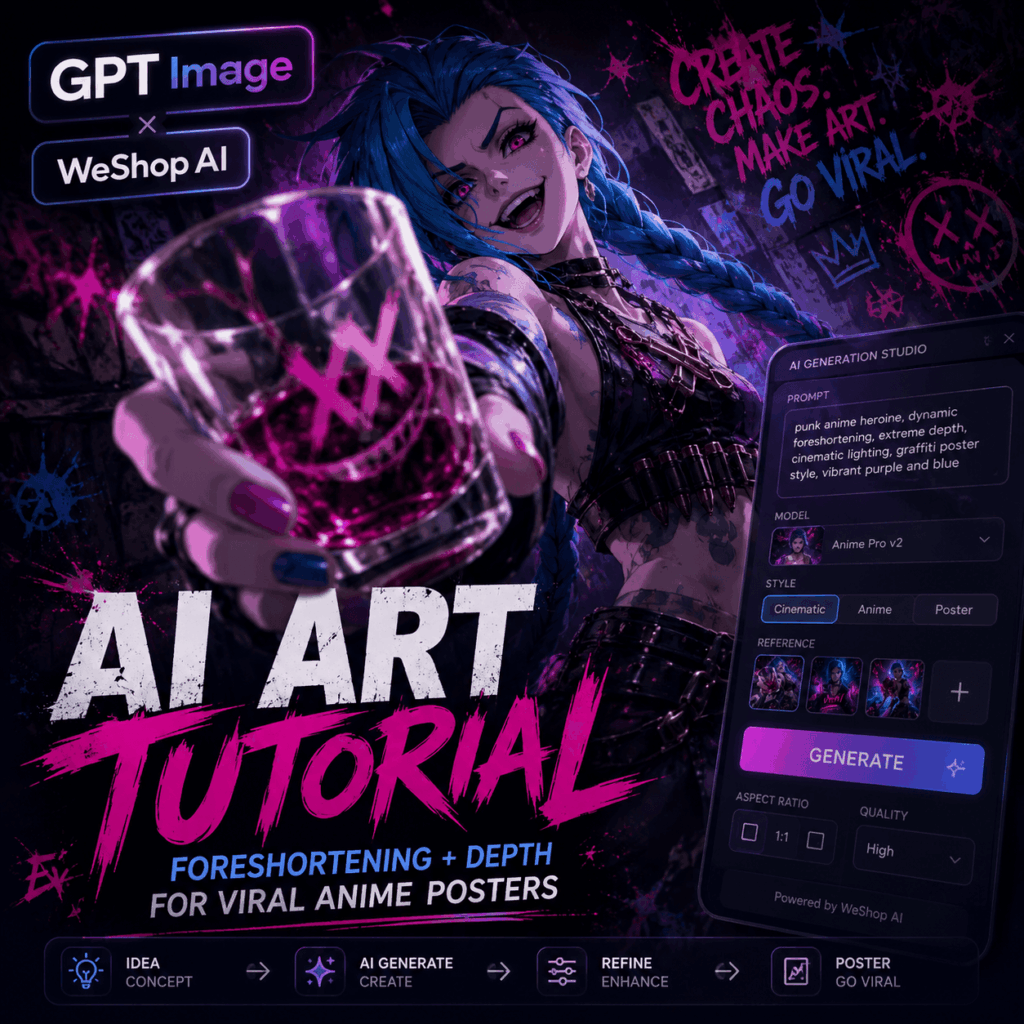
Preparation for This AI Art Tutorial / Tools You Need
Before we start, make sure you have the following ready:
- Creative platform: WeShop AI GPT-Image tool
No software download is required. You can use it directly in your browser. - Core AI prompt:
I’ve prepared a complete English prompt for you. You can copy and paste it directly. - Stable internet connection:
Make sure the image generation page loads smoothly before you start. - Character direction:
This tutorial uses Jinx as the example, but the prompt structure can also work for many other anime, game, or movie characters.
Step-by-Step AI Art Tutorial Guide
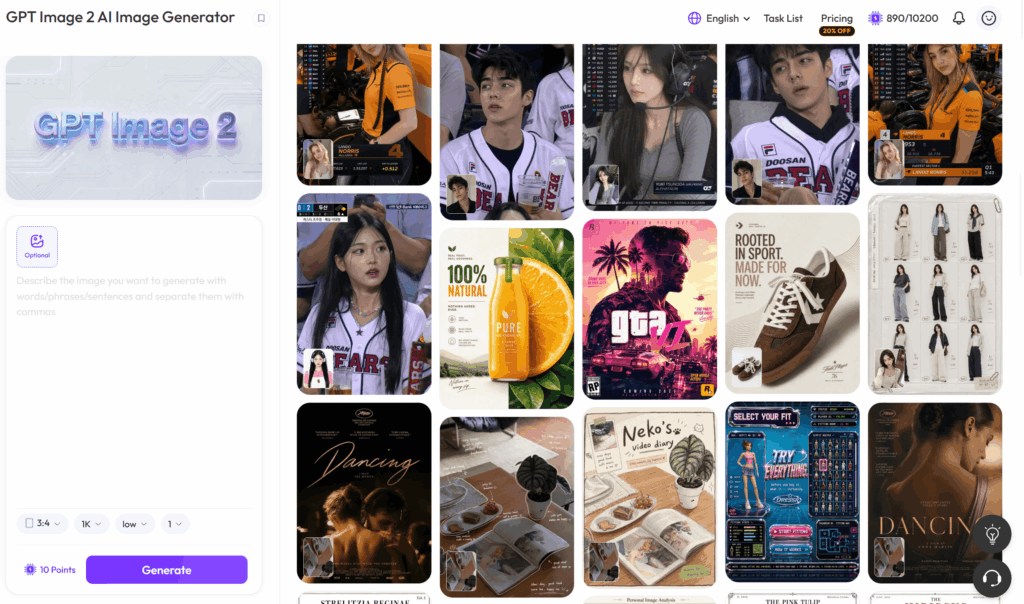
Step 1: Open the WeShop AI Creation Page
First, open the WeShop AI GPT-Image tool.
Once you enter the page, look for the text input area. This is where you will paste your image prompt.
You may see it labeled as:
Prompt Input / Text Input / Describe your image
This is the most important part of the process. The more clearly you describe the image, the easier it is for the AI to understand your creative direction.
Before clicking generate, keep one thing in mind:
We are not creating a normal character illustration.
We are creating a vertical anime action poster designed for social media. That means the image should feel bold, close, dramatic, and instantly eye-catching.
Step 2: Copy and Paste the Core AI Art Tutorial Prompt
To help the AI create a strong anime poster with cinematic depth and dramatic perspective, we need a structured prompt.
Copy the full prompt below and paste it into the WeShop AI input box:
Vertical anime action poster featuring [JINX] from [League of Legends] as the main character, dynamic low-angle close-up composition, extreme foreshortening, one hand reaching toward the camera holding a transparent glass cup, the glass cup dramatically enlarged in the foreground, strong perspective distortion, intense mischievous expression, iconic long blue twin-braid hairstyle, punk-inspired outfit, tattoos, sharp facial features, glowing eyes, chaotic and rebellious personality.

Dark cinematic anime style, high-contrast lighting, dramatic rim light, neon purple and blue atmosphere, smoky background, urban graffiti wall behind the character, explosive energy, shallow depth of field, blurred foreground glass edge, sharp focus on the character's face and hand, highly detailed fingers and glass reflections, glossy highlights, rich shadows, sharp ink outlines, detailed anime rendering.

Add a bold red graffiti-style title text at the bottom of the poster, energetic brush lettering, rebellious street-art design, social-media poster layout, vertical social-media crop, cinematic composition, powerful visual impact, dramatic depth, poster design, ultra-detailed, high quality, 4k.
If you want the final image to feel even more suitable for Xiaohongshu, TikTok, Instagram Reels, or phone wallpapers, you can add this line at the end:
Designed for vertical mobile screen, eye-catching cover image, suitable for social media feed, strong thumbnail impact.Core Prompt Breakdown: Why This Prompt Works
This prompt works because it does not only describe the character.
Instead, it gives the AI a full creative direction. It explains the subject, camera angle, pose, foreground object, depth of field, lighting, background, style, and social media layout.
Let’s break it down.
1. Subject Definition: Lock the Character and IP
featuring [JINX] from [League of Legends]This line tells the AI who the main character is.
In this case, we use Jinx from League of Legends. She already has a strong visual identity, so the AI can better understand her hairstyle, outfit, energy, and overall personality.
If you want to use another character, simply replace this part.
For example:
featuring [Gojo Satoru] from [Jujutsu Kaisen]Or:
featuring [Naruto Uzumaki] from [Naruto]The rest of the prompt can stay mostly the same.
This makes the template very flexible. Once you understand the structure, you can use it again and again for different characters.
2. Camera Language: Create a “Coming Out of the Screen” Effect
dynamic low-angle close-up composition
extreme foreshortening
one hand reaching toward the camera
These lines are the heart of the whole prompt.
A low-angle close-up makes the character feel more powerful and dramatic. It also creates a stronger sense of tension.
Extreme foreshortening is what makes the object closer to the camera look much larger. This is why a hand, cup, weapon, or magic effect can feel like it is breaking through the frame.
Meanwhile, one hand reaching toward the camera gives the image action. The character is no longer standing still. She is interacting with the viewer.
This is the difference between a flat character portrait and a poster that feels alive.
3. Foreground Object: Use a Glass Cup to Strengthen Perspective
holding a transparent glass cup
the glass cup dramatically enlarged in the foreground
The glass cup is not just a random prop.
It helps create depth.
Because glass has reflections, highlights, transparency, and distortion, it gives the image more visual layers. It also makes the foreground feel closer to the viewer.
This is especially useful for AI-generated posters, because it pushes the model to create a more cinematic scene.
You can also replace the glass cup with another object.
For example:
holding a glowing weapon toward the cameraOr:
holding a magical card dramatically enlarged in the foregroundHowever, for beginners, the glass cup is a great choice. It is simple, stylish, and easy to connect with cinematic lighting.
4. Depth of Field: Add Real Visual Layers
shallow depth of field
blurred foreground glass edge
sharp focus on the character's face and hand
These phrases make the image feel more like a camera shot.
With shallow depth of field, not every part of the image is equally sharp. The foreground glass edge can be slightly blurred. The face and hand stay clear. The background becomes softer.
As a result, the image feels more layered and more professional.
This is one of the easiest ways to avoid a flat AI image.
5. Visual Style: Dark Cinematic Anime Look
Dark cinematic anime style
high-contrast lighting
sharp ink outlines
These style words shape the final mood of the image.
Dark cinematic anime style gives the poster a moody and dramatic look.
High-contrast lighting makes the character feel more three-dimensional.
Sharp ink outlines help keep the anime illustration crisp and powerful.
Together, these words create a style that feels somewhere between anime, game key art, and a social media poster.
If you want a brighter look, replace the style line with:
vibrant colorful anime poster styleIf you want a darker gothic feeling, try:
gothic dark fantasy anime poster styleSmall changes like this can shift the entire mood of the image.
6. Poster Text: Make It Feel Like a Social Media Cover
Add a bold red graffiti-style title text at the bottom of the posterThis line tells the AI to treat the image like a finished poster.
The red graffiti-style title matches Jinx’s chaotic street-punk energy. It also gives the image stronger thumbnail value, which is important for social media.
That said, AI-generated text is not always perfect.
Sometimes the letters may look messy or unreadable. If that happens, you have two options.
First, generate the image a few more times until the title looks better.
Second, use Photoshop, Canva, Figma, or another editing tool to add the final text yourself.
For the best result, let AI handle the mood, character, pose, and lighting. Then use a design tool to polish the typography.
Step 3: Set the Aspect Ratio and Generate
Since this poster is designed for social media, the image ratio matters a lot.
In the tool settings, set the aspect ratio to:
9:16
Or:
3:4
Both ratios work well for vertical content.
Choose 9:16 if you want the image to feel like a phone wallpaper, short-video cover, or TikTok/Reels-style poster.
Choose 3:4 if you want to keep more character body details and background elements.
After that, click:
Generate
Wait a few moments. The AI will create a vertical anime poster featuring Jinx, strong foreshortening, a foreground glass cup, cinematic lighting, and graffiti-style poster energy.
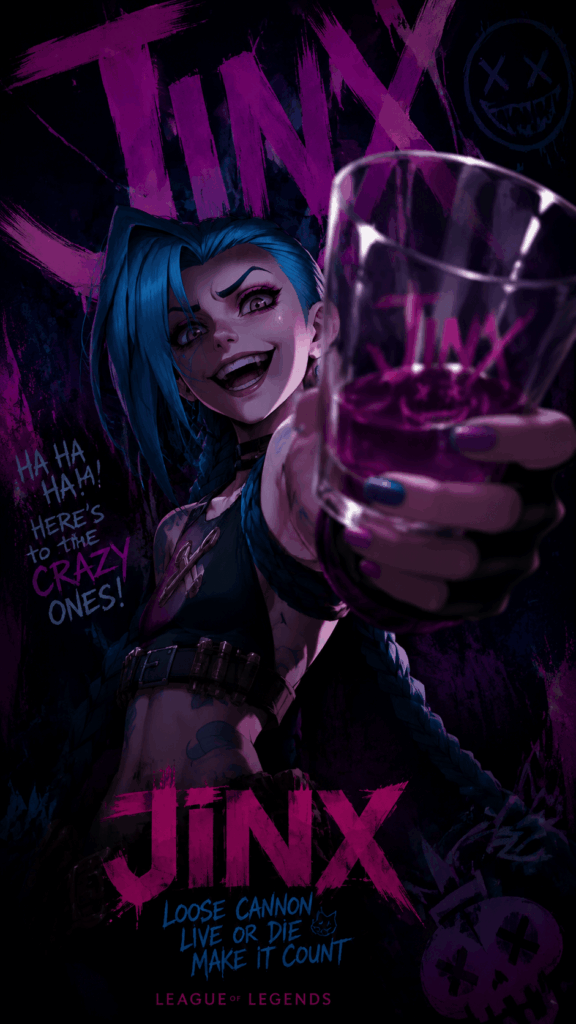
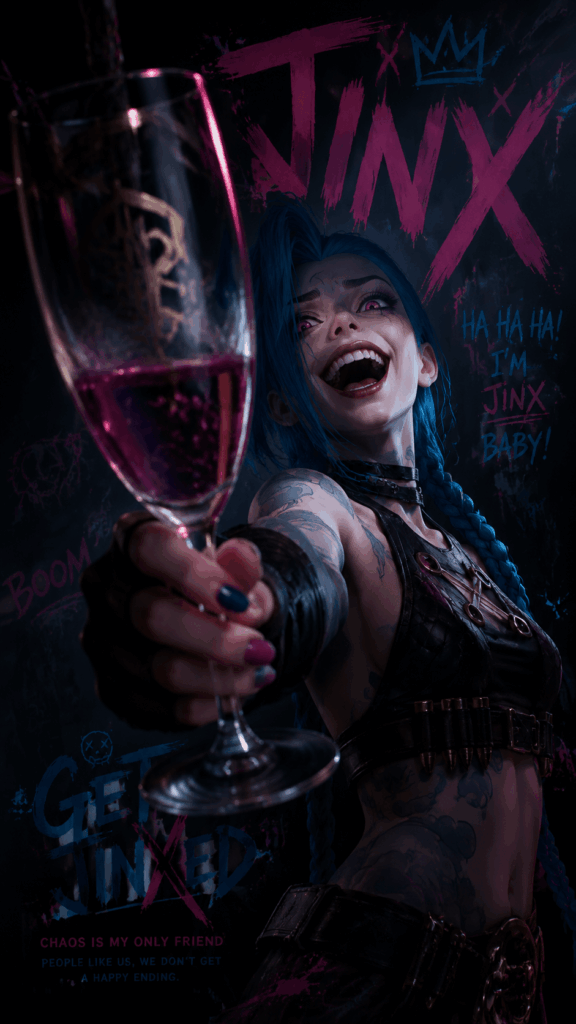
If the first result is not perfect, don’t worry.
This type of image involves hands, glass, perspective, and text, so it may take a few tries. Instead of rewriting the whole prompt, generate several versions first. Often, the best image appears after two or three attempts.
Advanced AI Art Tutorial Tips / FAQ
Want to get more control over this prompt? Here are some useful tips.
Q1: Can I Use This AI Art Tutorial for Other Anime or Game Characters?
Yes, absolutely.
This is not just a Jinx prompt. It is a reusable anime action poster template.
To use another character, replace the first line with the character and series you want.
For Gojo Satoru, use:
featuring [Gojo Satoru] from [Jujutsu Kaisen]For Naruto, use:
featuring [Naruto Uzumaki] from [Naruto]For Hatsune Miku, use:
featuring [Hatsune Miku] as the main characterThe camera angle, foreshortening, depth of field, lighting, and poster layout can stay the same.
However, if the character has an iconic weapon, object, or power, you should add it to the prompt.
For example, a sword character can hold a blade toward the camera. A magic character can hold a glowing spell circle. A sci-fi character can hold a futuristic device.
The more character-specific the detail is, the stronger the result will feel.
Q2: What If the Graffiti Text Looks Wrong or Unreadable?
This is very common.
Most AI image models can understand the idea of “bold graffiti-style text,” but they may not always spell exact words correctly.
If the title becomes messy, you can try two methods.
The first method is to generate again. Sometimes the next version will have cleaner text.
The second method is to remove or ignore the AI text, then add your own title in Canva, Photoshop, or Figma.
For social media posters, this is often the better workflow. AI gives you the illustration and atmosphere. A design tool gives you clean typography.
That way, the final poster looks much more polished.
Q3: What Does “Extreme Foreshortening” Mean?
Foreshortening is a technique used in art, photography, and film.
It happens when something is very close to the camera and appears much larger than the rest of the body or scene.
For example, if a character reaches their hand toward the viewer, the hand may look huge. The face and body behind it appear smaller. This creates a strong sense of space.
In AI prompts, adding:
extreme foreshorteningtells the model to avoid a flat pose.
Instead, it encourages a bold perspective where the foreground feels close and the character feels more dynamic.
This is one of the key tricks behind many viral anime posters.
Q4: How Can I Make the Image Look More Like a Movie Poster?
You can add these keywords to the prompt:
cinematic lighting
dramatic rim light
high contrast shadows
volumetric smoke
movie poster composition
These words help create stronger lighting and atmosphere.
If you want a darker look, add:
dark moody atmosphere
gothic lighting
deep shadows
If you want a cyberpunk look, add:
cyberpunk neon lights
rainy night city
glowing billboards
The key is to describe the mood clearly. Do not just say “cool” or “beautiful.” Tell the AI what kind of lighting, background, and atmosphere you want.
Q5: What If the Hands or Glass Cup Look Strange?
This can happen because hands, transparent glass, reflections, and perspective are all difficult details for AI image models.
If the fingers look wrong or the glass shape feels messy, add these phrases:
anatomically correct hand
detailed fingers
realistic glass reflections
clean transparent glass shape
You can also generate multiple versions and choose the best one.
For this type of poster, focus on the overall impact first. Then check the hands, face, glass, and text. If the composition is strong, small issues can often be fixed later.
Q6: How Can I Make the Poster Better for Xiaohongshu, TikTok, or Instagram?
Add this line to the end of your prompt:
eye-catching social media cover
strong thumbnail impact
vertical mobile poster
clean composition
large readable title area
This helps the AI understand that the image is meant for a fast-scrolling feed.
For social media, the goal is not to include every possible detail. The goal is to make people stop scrolling.
A strong face, a clear action, dramatic lighting, bold colors, and a readable title area usually work better than an overcrowded image.
Conclusion & CTA
With just three simple steps and one strong English prompt, this AI art tutorial gives you a practical way to create a professional-looking anime fan poster using WeShop AI.
The real secret is not only the character you choose. It is how clearly you describe the image.
A strong prompt should answer these questions:
- Who is the main character?
- What is the camera angle?
- What object is close to the camera?
- How should the foreground, subject, and background be layered?
- What kind of lighting and mood should the image have?
- Where will the final image be used?
Once these details are clear, WeShop AI can turn your idea into a cinematic poster much faster.
Now it’s your turn.
Open WeShop AI, paste the prompt, and try it with Jinx or your favorite character.
If you create a poster you love, share it in the comments. And if you run into any issues, leave a message too. Your next AI anime poster might be the one that stands out in everyone’s feed.
Go to WeShop AI For Exploration:





