

In an era where we capture thousands of moments through our smartphone lenses, most of our cherished memories end up buried deep within cloud storage, rarely to be revisited. But have you ever yearned for a more tactile, creative, and aesthetically pleasing way to preserve those fragments of life?
Recently, a viral creative trend known as the “Photo-to-3D Fridge Magnet” transformation has taken social media by storm. It’s not just a filter; it’s a way to deconstruct your digital photos and reconstruct them into delicate, virtual “objects” that look like they belong on a high-end designer’s refrigerator. By using advanced AI, you can “peel” the most recognizable subjects from your daily life—be it a corner of a sun-drenched kitchen, a quiet street-side cafe, or a vintage bus from your last road trip—and turn them into 3D-textured souvenirs.
This tutorial will take you through a step-by-step journey to transform the mundane into the extraordinary, turning your “flat” digital records into a “curated” gallery of life.
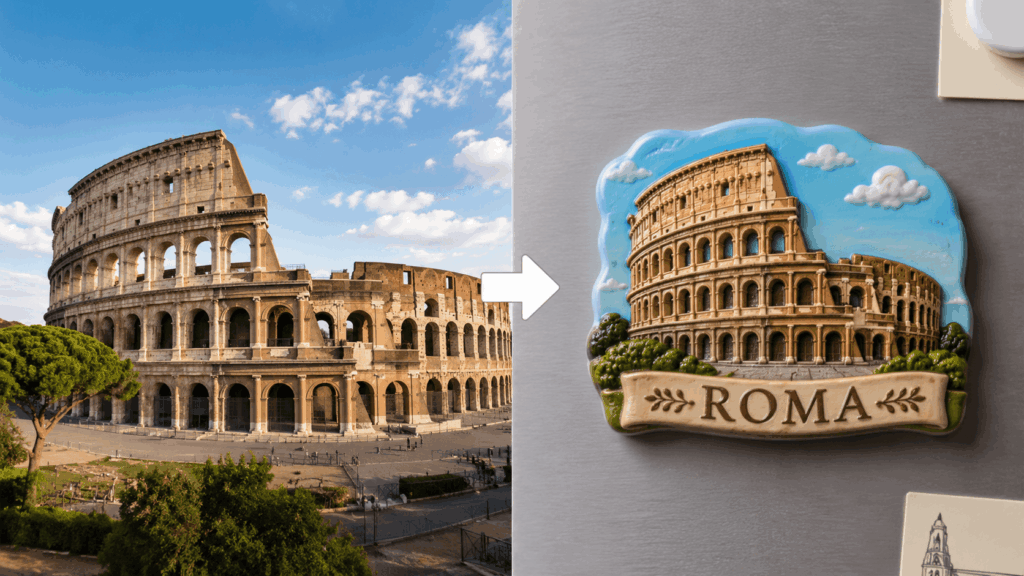
Essential Preparation: Your Creative Toolkit
Before we dive into the “magic,” ensure you have these three essential components ready. Quality preparation is the secret to a professional-looking result.
- A Clear Real-Life Photo (The Soul of the Project): Not every photo is a candidate for a fridge magnet. For the best results, choose an image with a clean composition and a singular, identifiable focal point. Think of objects with distinct silhouettes: a lonely coffee cup, a charming house facade, or a lush potted plant. The more recognizable the shape, the better the AI can “cut” it out.
- AI Image Generation Tool (The Engine): We will be using WeShop AI (specifically the GPT-Image interface) for this tutorial. Its ability to interpret complex lighting and maintain the integrity of textures makes it ideal for creating the “3D pop-up” effect we are aiming for.
- The Structured “Magic” Prompt (The Blueprint): AI requires precise instructions to understand the difference between a simple “cutout” and a “3D magnet.” We have optimized a prompt that covers everything from border thickness to background saturation.
Detailed Step-by-Step Guide: From Pixels to Art

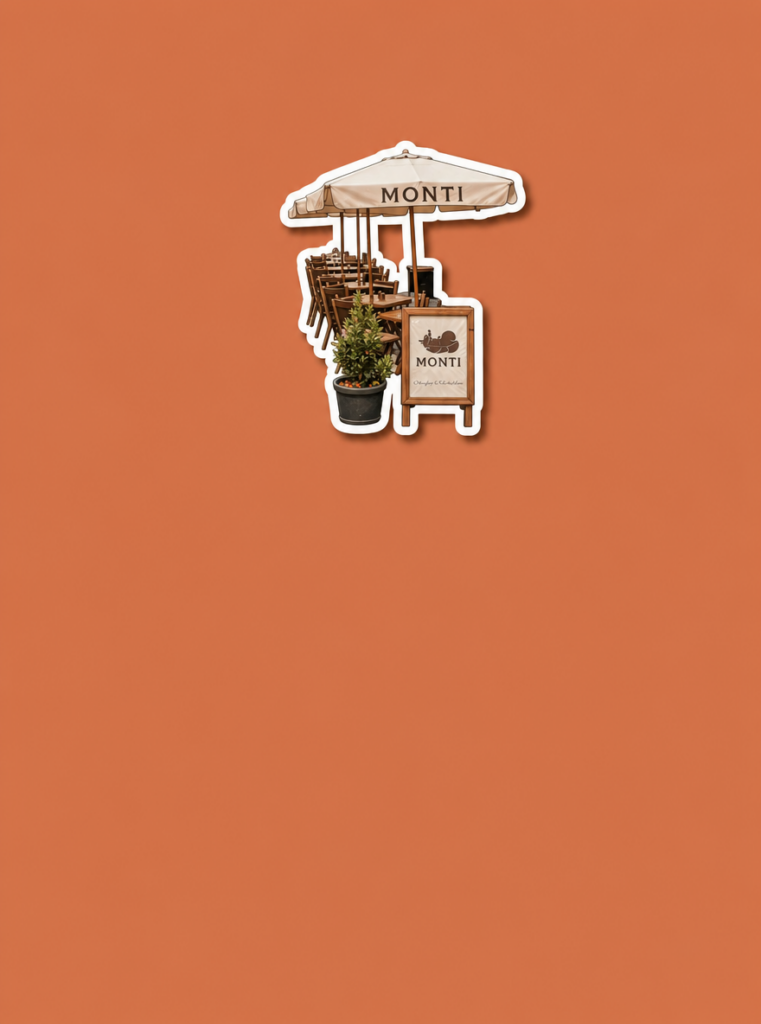




Step 1: Select and Upload Your Image
Open the photo you’ve chosen. Don’t worry if the original environment is cluttered—the AI’s core logic is designed to identify the “hero” of the shot. Even if your photo features a wide kitchen scene with cabinets and windows, the AI will prioritize the most prominent subject.
- Action: Log into the WeShop AI GPT-Image platform.
- Action: Find the upload section (look for the “+” icon or “Upload Image” button).
- Action: Select your high-resolution file and wait for the upload to complete.
Step 2: Input the “Magic” Prompt
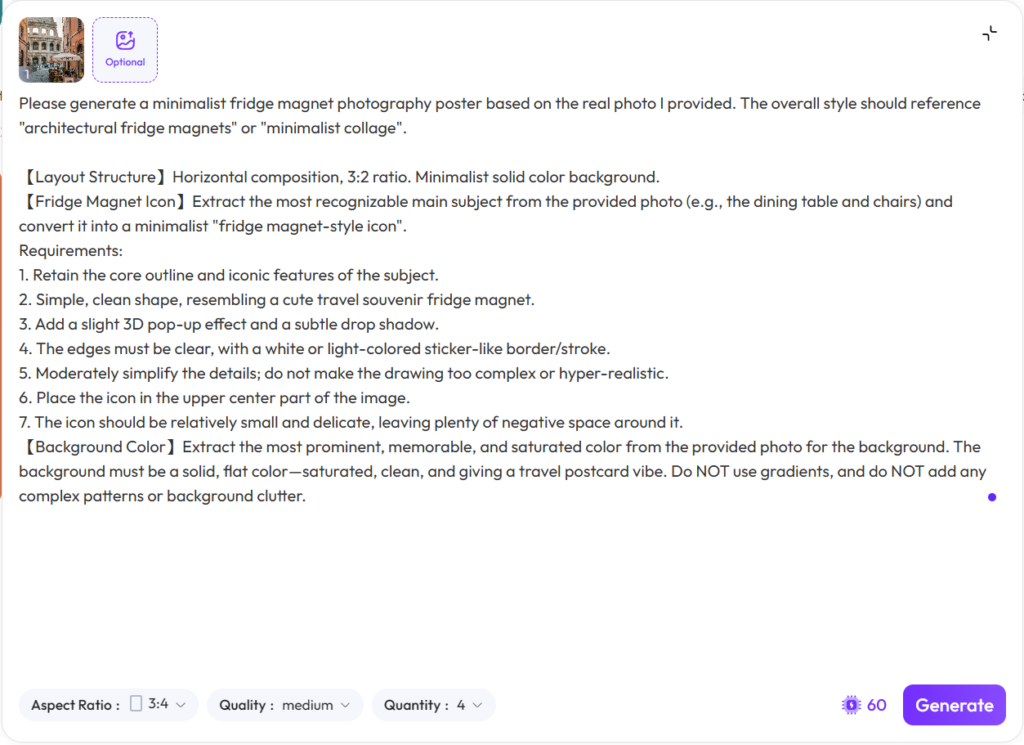
This is where the transformation happens. To ensure the AI understands specific design elements—like the 3D white border, the drop shadow, and the postcard-style background—copy and paste the following expanded instruction into the text box:
The Prompt: > “Please generate a minimalist fridge magnet photography poster based on the real photo I provided. The overall style should reference ‘architectural fridge magnets’ or ‘minimalist collage.’ For the layout, use a horizontal 3:2 composition with a minimalist solid color background. Extract the most recognizable main subject from the provided photo and convert it into a high-quality, minimalist fridge magnet-style icon.
Key Requirements:
1. Retain the core outlines and iconic features of the subject.
2. Ensure a simple, clean shape resembling a premium travel souvenir.
3. Add a distinct 3D pop-up effect and a subtle, realistic drop shadow to create depth.
4. The edges must be clear and crisp, featuring a thick white or light-colored ‘sticker-like’ border.
5. Place the icon in the upper center, leaving significant negative space around it for a minimalist vibe.
6. For the background, extract the most prominent and saturated color from the original photo to create a solid, flat background that gives a travel postcard feel. Do NOT use gradients or complex patterns.”
Step 3: Generation and Fine-Tuning
Once your image is uploaded and the prompt is in place, hit the “Generate” button. The AI will take a few moments to process the textures.
When the result appears, you’ll see your subject “floating” on a vibrant background. It will have a tangible thickness, a clean white border, and a shadow that makes it look like you could reach out and pluck it off the screen.
Pro Tips & FAQ: Troubleshooting Your Creation
Q1: Why is my background messy or inconsistent?
The Solution: AI can sometimes suffer from “hallucination” if the original photo’s background is overly complex. If the background isn’t coming out as a flat, solid color, try this: Use your smartphone’s built-in “subject cutout” feature (standard on iOS and newer Androids) to save the object on a transparent or white background first. Then, upload that version to the AI. This forces the AI to focus exclusively on the object and the solid color you requested.
Q2: How do I get a thicker, more “sticker-like” white border?
The Solution: Different AI models have different “weights” for certain words. If the white border is too thin, simply append this sentence to the end of your prompt: “CRITICAL: Make sure there is a very THICK and obvious white outline around the entire object to make it look like a physical sticker.”
Advanced Gameplay: Creating a “Series Encyclopedia”
Don’t stop at just one! To create a professional-looking “Gallery of Life,” pick a theme—such as “My Favorite Coffee Shops” or “Corners of My Home.” Generate a series of 5-10 magnets using the same prompt style. Use a collage app to arrange them in a grid. This creates a high-design visual record of your memories that is far more engaging than a standard photo album.
Conclusion: Stick Your Memories to the Fridge of Your Heart
“Peeling” a memory from a photo is more than just a technical trick; it is a therapeutic act of secondary creation. It forces us to look at the mundane objects in our lives—a chair, a lamp, a storefront—and see the inherent art within them.
Now, it’s your turn. Go through your camera roll, find that one photo that makes you smile, and follow these steps. Let’s turn your digital past into a tangible, beautiful future. Happy creating!
Go to WeShop AI For Exploration:





