

Do you want to add a unique, hand-drawn character animation to your videos? However, maybe you lack drawing skills. Or perhaps you simply do not have the time for tedious frame-by-frame sketching.
Do not worry at all! Today, AI makes this creative process as simple as typing a text prompt. In this ultimate guide, you will learn a fast, accessible method. As a result, you can instantly give your videos a fresh, unforgettable human touch without ever touching a paintbrush.
🚀 Why is Hand-Drawn Character Animation Exploding in Popularity?
If you scroll through social media today, you will notice a huge trend. Countless creators are obsessed with incorporating hand-drawn character animation into their content. This element might appear as a short intro avatar or even a consistent virtual alter-ego throughout the video.
So, why are people so obsessed with this style? The benefits are incredibly clear:
- Instant Differentiation: In a massive ocean of talking heads and generic PowerPoint slides, a vivid hand-drawn character animation instantly makes your content stand out.
- Warm Emotional Connection: Hand-drawn art naturally carries a sense of warmth. Consequently, it builds a closer bond with your audience much faster than a real face.
- Ultimate Privacy Protection: Are you feeling camera-shy? A custom hand-drawn character animation serves as your perfect digital twin.
- High Memory Retention: A unique, stylized animated character is far more memorable than a generic human face.
However, there is one major obstacle. The vast majority of video creators have absolutely no drawing skills. Luckily, AI completely removes this barrier.
🛠️ The Ultimate Toolbox for Hand-Drawn Character Animation
To get started, you only need a few simple tools. Here is the breakdown:
| Tool | Purpose | Is It Required? |
| WeShop AI (weshop.ai) | Generate your core character image using GPT Image 2 | ✅ Required |
| Kling 3.0 (weshop.ai/apps/kling) | Animate the static image via keyframes and rigging | ✅ Required |
| 1 Short Text Description | Define your character style, clothing, and expression | ✅ Required |
| Reference Image (Optional) | A quick screenshot of a drawing style you love | ⭐ Recommended |
💡 The Core Workflow: The AI handles the drawing, while advanced video models handle the movement. First, you outsource the art creation to AI. Then, you animate it seamlessly. It requires zero manual illustration talent.
📖 Step-by-Step Guide to Creating Hand-Drawn Character Animation
🖌️ Step 1: Design Your Original Figure with WeShop AI
First, open the GPT Image 2 tool on WeShop AI (weshop.ai/apps/gpt-image). Then, enter a structured prompt to shape your character.
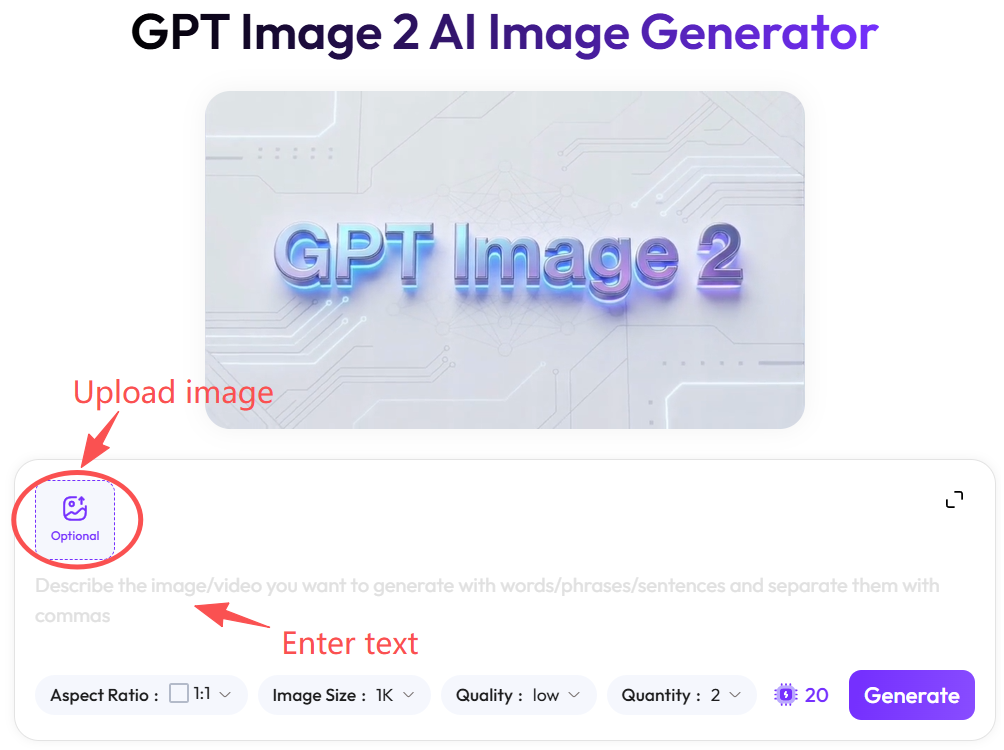
Universal Prompt Template (Copy & Customize):
Please help me generate a stunning hand-drawn character animation asset for video production.
- Identity:
[e.g., a 20-year-old female/male creator]- Hairstyle:
[e.g., short bob, messy bun, textured crop]- Outfit:
[e.g., oversized white T-shirt, hoodie, casual button-down]- Expression:
[e.g., wink, goofy smile, focused look]- Pose:
[e.g., hands on hips, finger hearts, waving]- Style Requirements: Clean 2D hand-drawn illustration style, smooth outlines, bright and vibrant colors. It should look like a trendy virtual influencer from a modern daily Vlog. The body proportions must be realistic (not an oversized chibi head). Full-body or half-body view. Plain white or transparent background.
- Aspect Ratio: 1:1 or 16:9 (depending on your final video format)
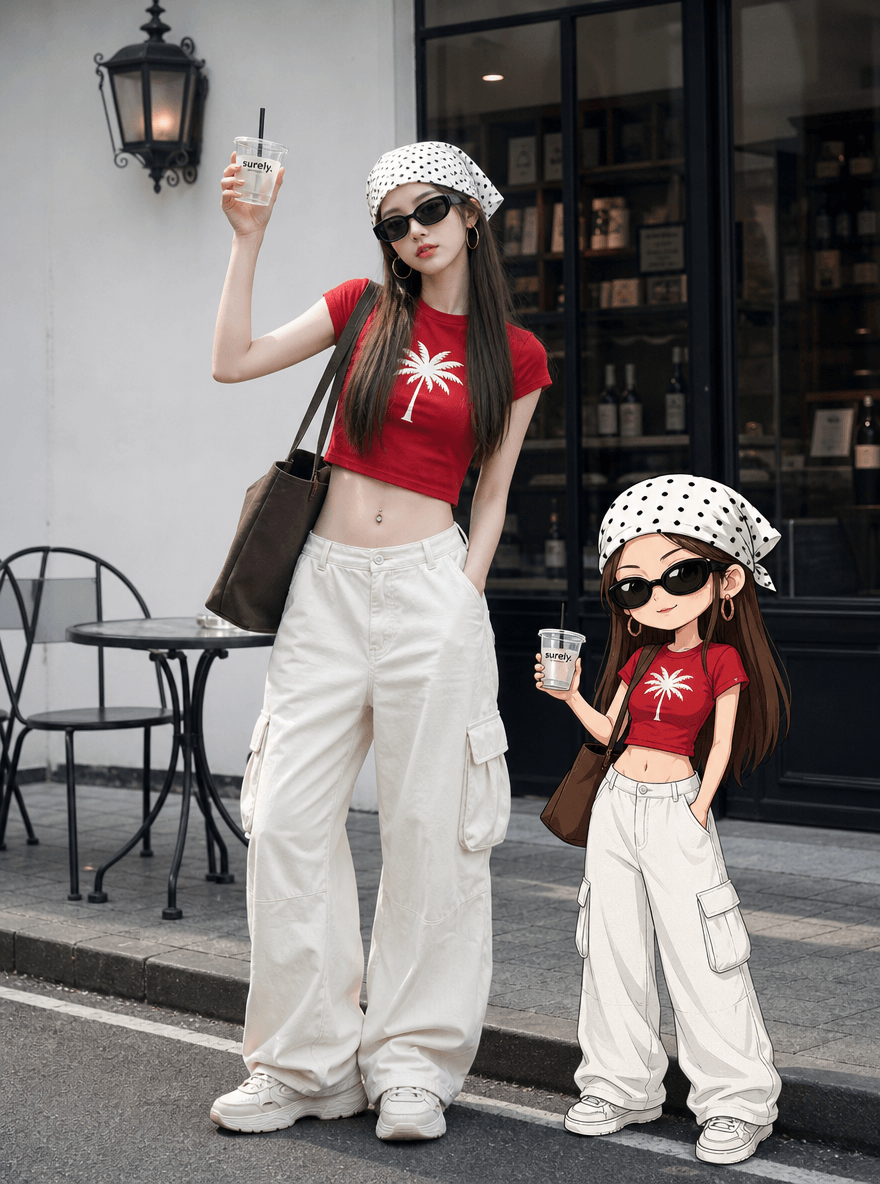
Sample prompt:
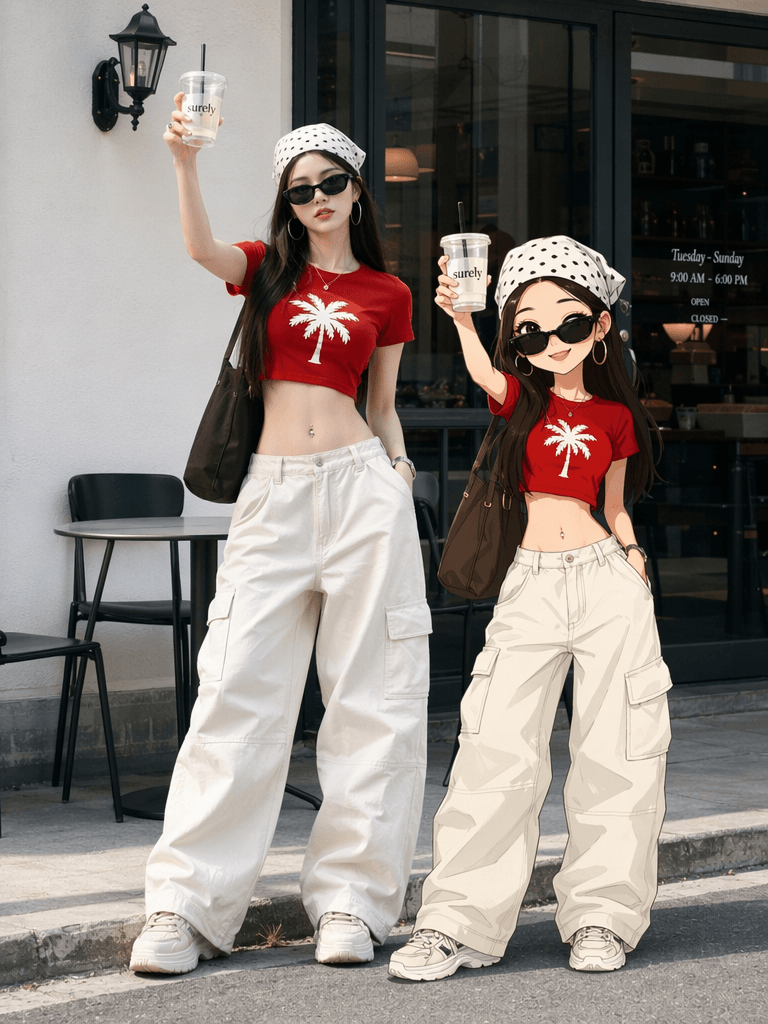
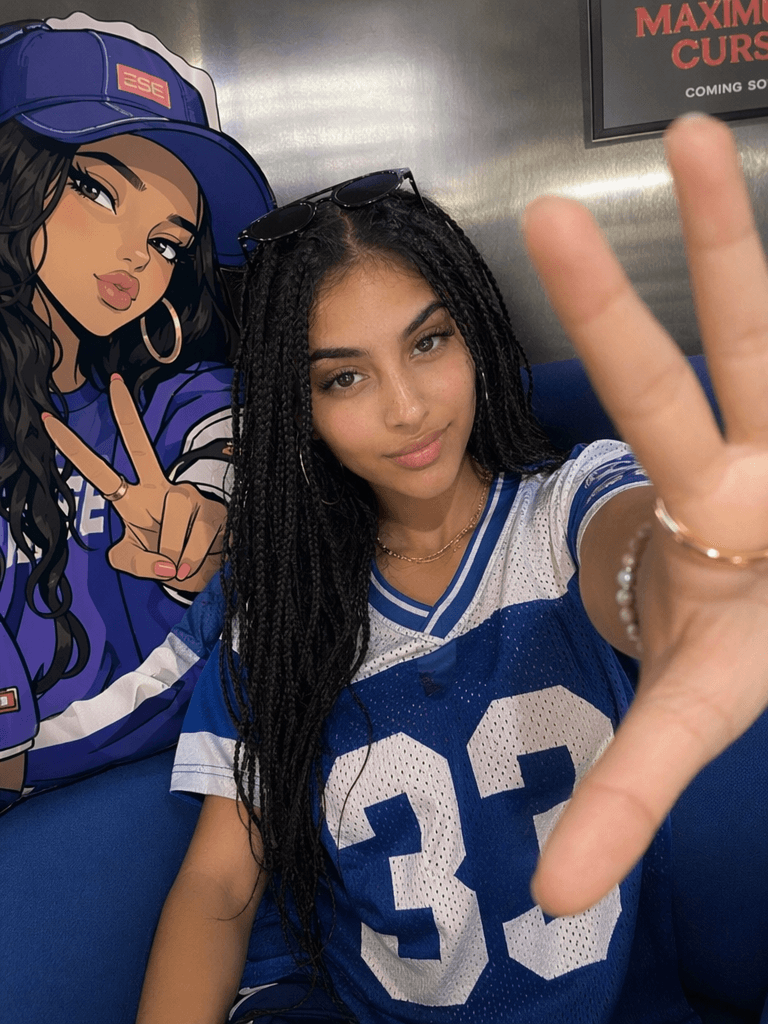
"visual_hook": "The vividly contrasting red and white outfit, the waist and abdomen curves revealed beneath the low-cut short T-shirt, the details of the navel ring, and the magical dislocation effect created by the presence of a real person alongside the same style cartoon character." ,
"camera_angle": "Full-body street photography from a level-view angle, with a stable camera position, presenting a natural proportion of the subjects." ,
"framing_and_depth": "Full-body shot, with the background being moderately blurred streets and shops. The subject and the background have a clear spatial distance, creating a sense of three-dimensionality." ,
"medium_physics": "High-definition digital photography quality, with fine and sharp image details, no obvious noise, high color saturation, and bright and uniform lighting." },
"subject_content": {
"identity_features": "Young female, Asian features, fair skin, long straight brown hair, exquisite and well-defined facial features, well-proportioned and slender figure, flat abdomen with a distinct navel ring decoration." ,
"overall_pose": "Standing posture, with the body's center of gravity slightly shifted to the right, presenting a casual and confident street style." ,
"limb_articulation": "The right arm is raised to the right upper side, holding a transparent glass cup; the left hand is naturally inserted into the pocket, with the center of gravity on the left leg." ,
"pose_dynamics": "The body lines are gracefully stretched, presenting a relaxed dynamic balance, and embodying a vibrant street fashion attitude." ,
"Interaction with Environment": "With both feet firmly planted on the flat street surface, the main figure occupies the visual center of the picture, giving a strong sense of reality." },
"environment": {
"visual_depth_stack": "Foreground: From left to right, there is a flat, dark gray asphalt road surface, with a narrow curbstone at the bottom; Middle ground: From left to right, the main figure and the cartoon-like replica on its right, with a metal round table and two black chairs arranged behind the figure; Background: From left to right, there is a white wall, with a black European-style vintage wall lamp hanging on it, and on the right side, there is a large area of floor-to-ceiling glass doors and windows, through which a dark display cabinet can be seen inside." ,
"realism_rules": [
Strictly adhere to the aesthetic standards of street fashion, emphasizing the texture and drape of the clothing. ,
"Cartoon elements and real images should have a clear visual style separation, but the composition logic should remain consistent." ,
"Prohibit excessive makeup enhancement and skin smoothing, and preserve the true texture and transparency of the skin." ,
"Maintain the verticality of the building lines in the background and avoid perspective distortion." ]
After generating, you will receive 2 to 4 distinct variations. Simply pick the one you love the most.
💡 Pro Tip: If you want your character to perform multiple actions like walking or sitting, use the change pose feature (weshop.ai/apps/ai-pose-generator). By altering the action keywords, you can generate new poses while keeping the facial features and art style perfectly consistent.
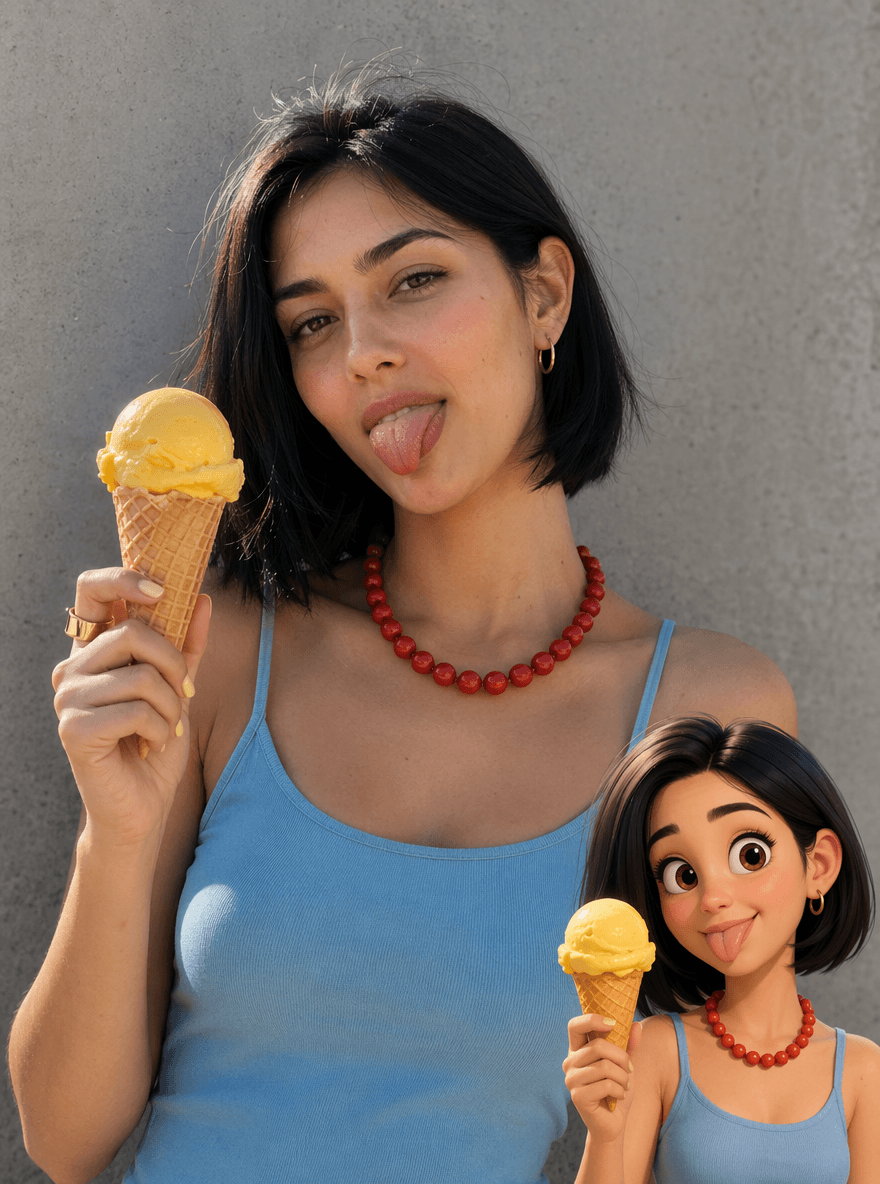
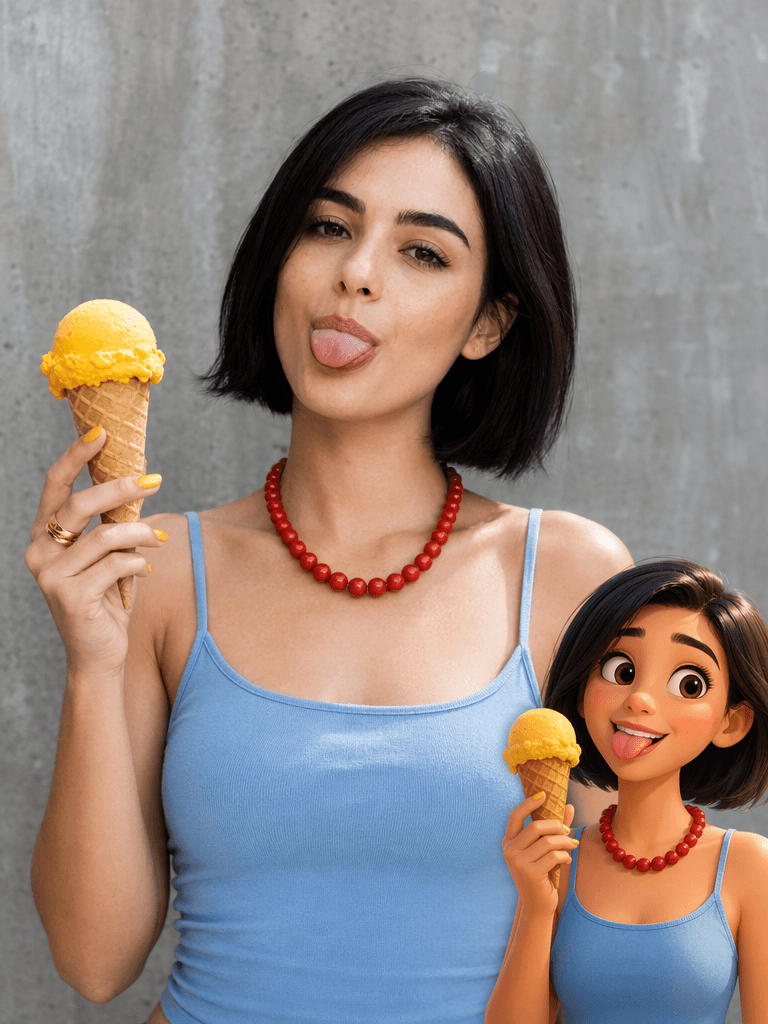
🎬 Step 2: Bring Your Hand-Drawn Character Animation to Life
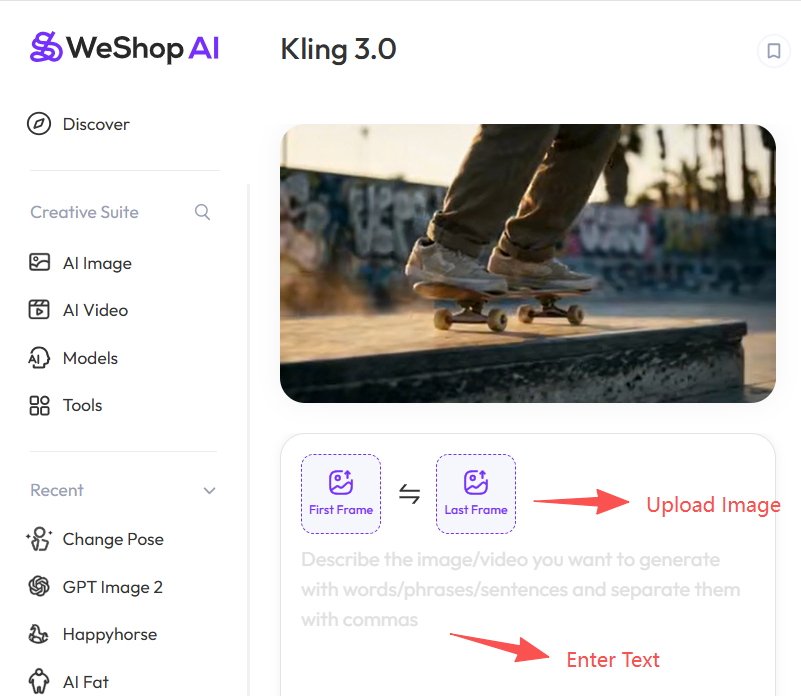
Next, head over to Kling 3.0 (weshop.ai/apps/kling). To make your new asset blend perfectly into your video timeline, you can apply it to these popular content scenarios:
- The Hook Intro: Your custom character walks in from off-screen, waves enthusiastically, and says “Welcome back!”
- The Smooth Transition: The character briefly covers the entire camera lens, then steps away to reveal the next scene smoothly.
- Vivid Emotional Reactions: At key moments in your narration, your character displays exaggerated movements like a thumbs-up, a shocked gasp, or a confused head tilt.
Final Result Preview:
🎯 Conclusion & Your Turn
In the past, a total lack of artistic skills felt like an impossible wall for creators who wanted custom graphics. Fortunately, AI has completely torn that wall down. Now, anyone can master hand-drawn character animation within minutes.
Take Action Today:
- Open weshop.ai/apps/gpt-image and use our free template to design your character.
- Open Kling 3.0 (weshop.ai/apps/kling) to animate your creation instantly!
Let’s Chat:
What kind of digital twin will you design for your next project? Are you going for a cozy, anime-style tech reviewer or a sharp, suited business professional? Drop your ideas in the comments below, and I will happily help you craft a custom prompt! ✏️
Go to WeShop AI For Exploration:




