
狗與水花動作
用狗的起始圖,請求短片中的跳躍、濺水、抖動及頭部動作。
The shiba inu jumps in the puddle splashing water, shakes off water droplets, then tilts head with a happy smile. Anime style animation, kawaii movement.

觀看穿雨衣的狗在水窪中濺水、太空人在窗邊轉身,以及水母在水下律動。每個五秒圖生影片案例都附有首幀圖片與完整原始提示詞。
用狗的起始圖,請求短片中的跳躍、濺水、抖動及頭部動作。
The shiba inu jumps in the puddle splashing water, shakes off water droplets, then tilts head with a happy smile. Anime style animation, kawaii movement.
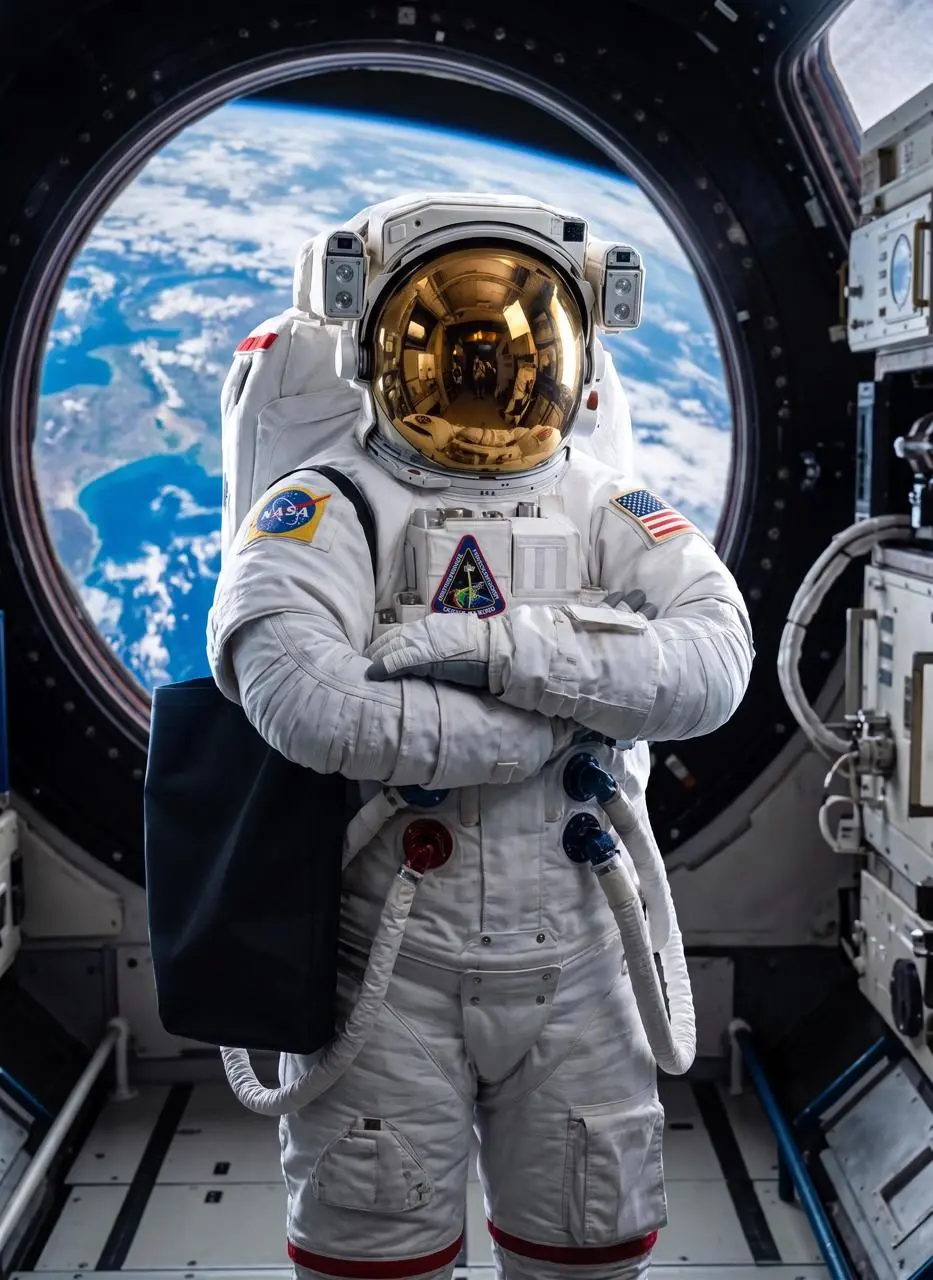
圍繞太空人稍微轉向窗戶和輕微鏡頭移動構建短鏡頭。
Use image 1 as the first frame. The astronaut turns slightly toward the window as the camera makes a gentle sideward move. Keep the face, spacesuit and spacecraft interior consistent. Reflections travel slowly over the visor. One continuous shot, no cuts and no text.
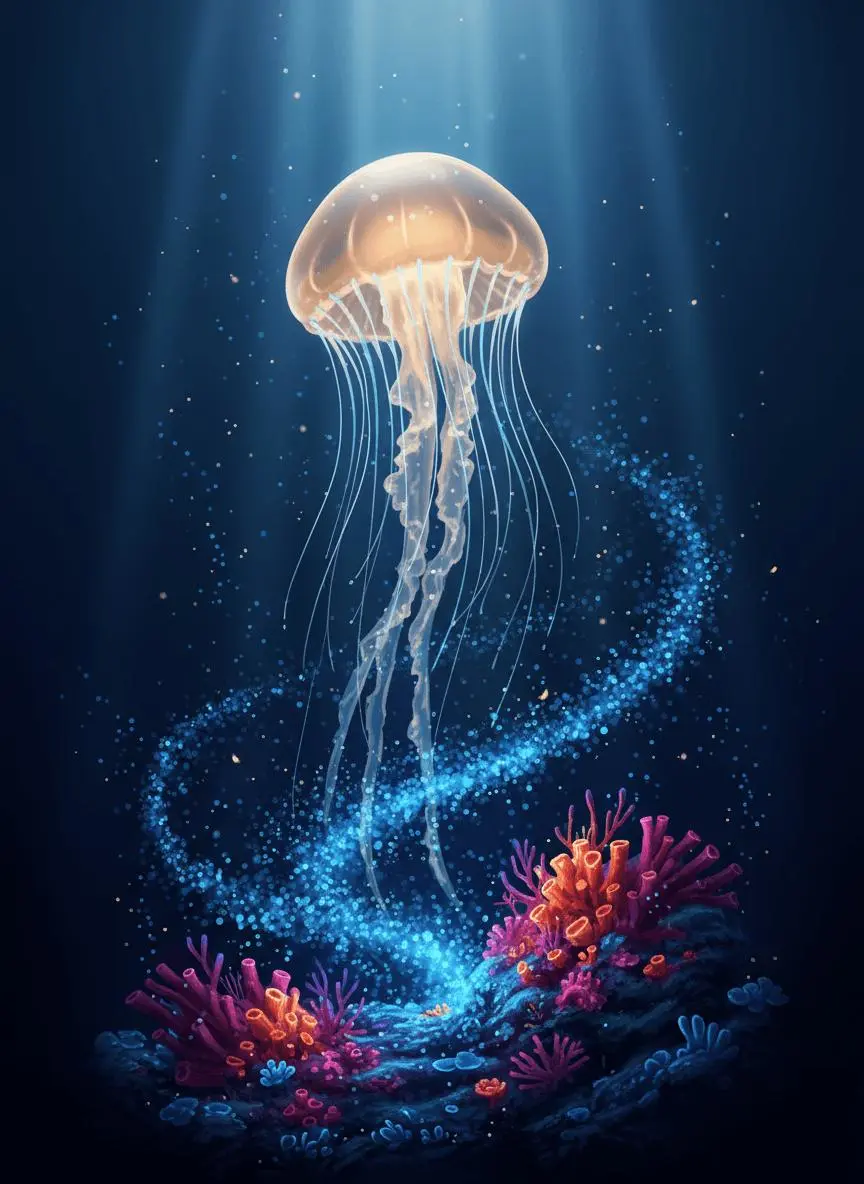
在影像建立的發光水下環境中,讓水母場景以輕柔動作變化。
Use image 1 as the first frame. The amber jellyfish pulses gently and rises slowly while its tentacles sway with the water. Tiny blue plankton drift past the reef. Keep the luminous color palette, reef arrangement and jellyfish identity consistent. One continuous underwater shot with a subtle upward camera move, no text and no scene changes.
MiniMax H3 Lite 是 WeShop 的 MiniMax H3 系列影片生成選項。可用五秒流程製作插畫動畫、短暫角色動作、商品細節鏡頭或氛圍場景。Image to Video 從單張圖片或首尾幀開始;Reference 模式使用圖片、影片與音訊提供情境。
以圖片中的主體與構圖為起點,再指示需要的變化。狗的案例加入水花與表情變化;水母案例加入輕柔律動與飄動觸手。請檢查整段影片的小細節。
將主體動作、鏡頭移動與光線變化分開描述。太空人提示詞結合輕微轉身與側向移鏡;藍色茶壺提示詞則要求移動的窗光與緩慢推近。先從聚焦的五秒構想開始。
使用首幀或首尾幀時,選擇 MiniMax H3 Image to Video(Lite)。使用圖片、影片或音訊參考時,選擇 MiniMax H3 Reference(Lite)。兩個 Lite 選項皆提供五秒時長;切換時請確認型號名稱仍帶有 Lite。
上傳建立主體與場景的起始畫面,再描述隨後發生的動作、環境運動或運鏡方向。
選擇首尾幀方式,將兩張圖片上傳至對應欄位。描述連接開場構圖與結尾構圖的動作或轉場。
在 Model 選單中選擇 MiniMax H3 Reference(Lite),再新增請求所需的參考素材。明確指出哪個輸入提供主體、場景、動作或聲音,並遵守表單的上傳限制。
描述什麼會動、鏡頭如何運作,以及哪些元素應保持可辨識。這三個圖生影片案例展示不同的指示方式。請對照每個輸入與結果閱讀完整英文原始提示詞。
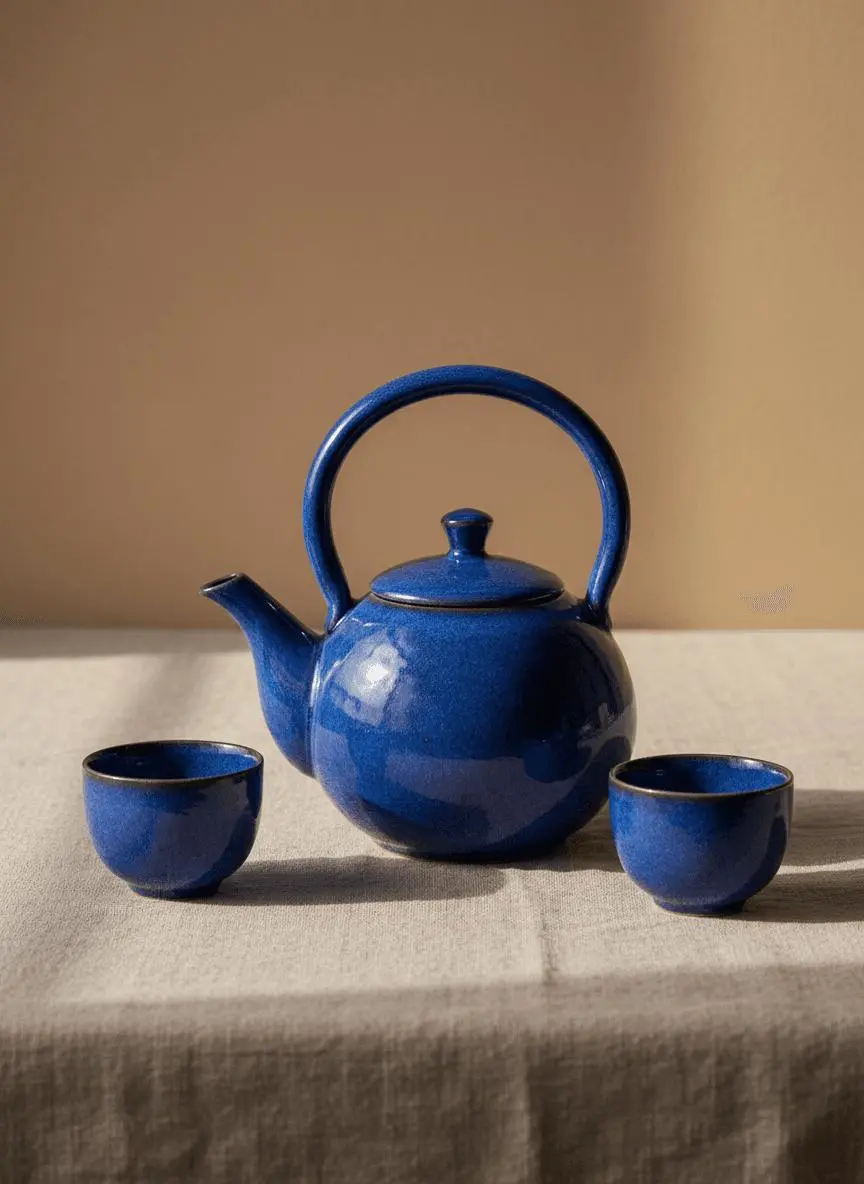
要求窗光移動與鏡頭緩慢推近,同時讓藍色茶壺與杯子留在原位。比較影片中的光線與取景變化,再檢查商品形狀。
Use image 1 as the first frame. Keep the blue teapot and two cups unchanged in shape, color and placement. A soft patch of window light moves slowly across the linen cloth while the camera makes a gentle push-in. One uninterrupted product shot, realistic shadows, no new objects, no cuts and no text.
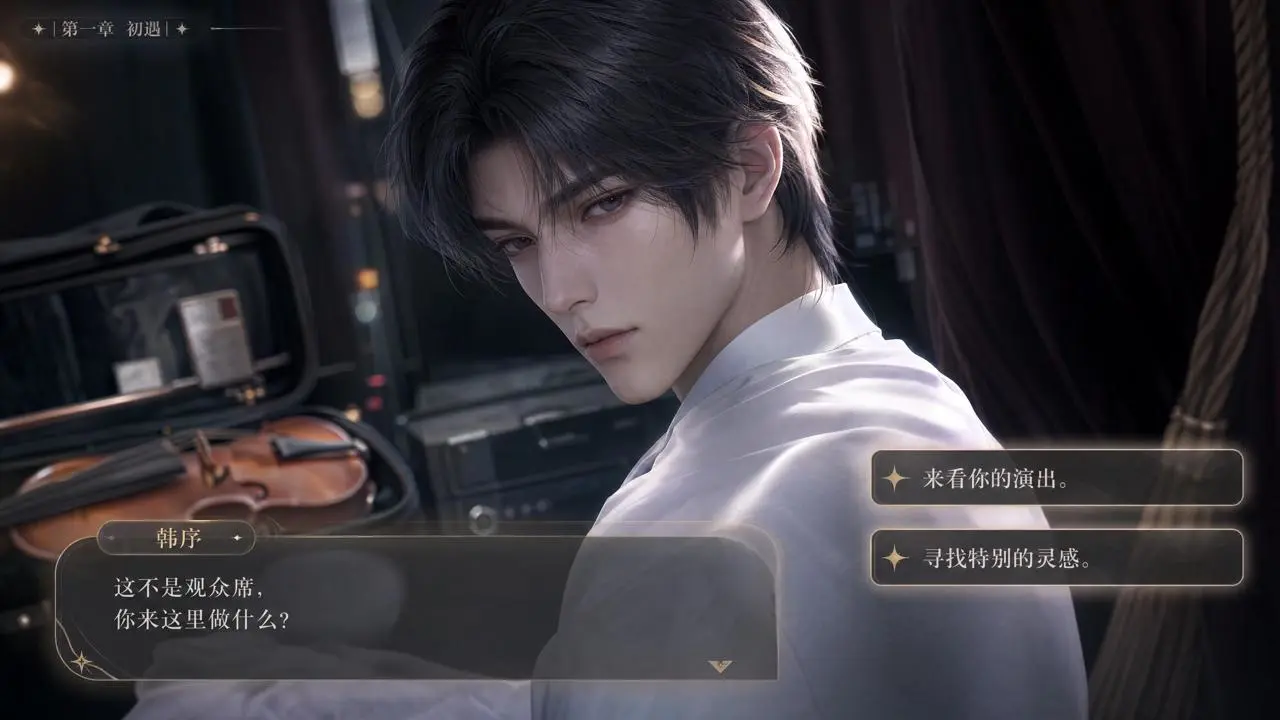
指定角色反應、介面選項與不同對話狀態間的轉換。案例在角色特寫周圍切換視覺對話面板。請檢查每個顯示文字,以及臉部與介面的連貫性。
The high-end Chinese otome game features an interactive romance interface, capturing ambiguous moments before and after performances. The transition from "choosing to watch his performance" to "Han Xu being attracted by the female lead's words and showing an interested reaction" is seamless. The UI text, options, and dialogue boxes are all presented in an exquisite otome game style, with smooth transitions and ambiguous yet restrained emotions.
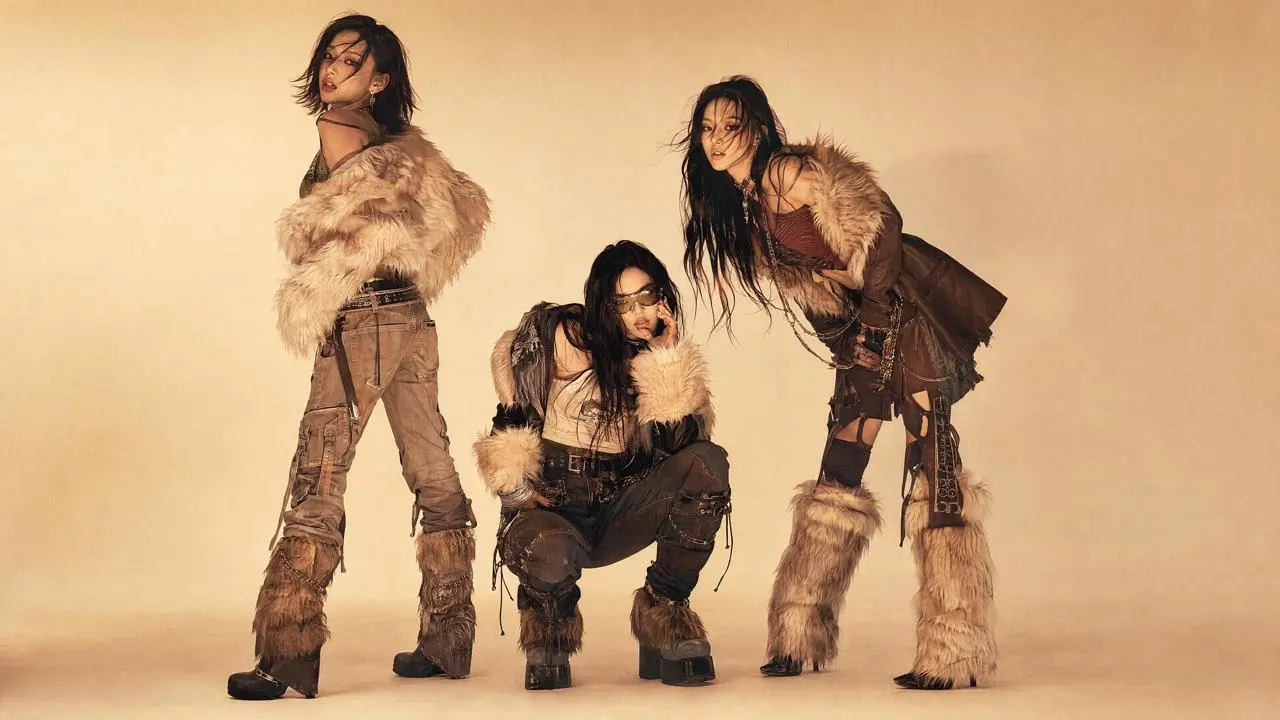
直接描述質感與剪輯節奏:顆粒、網點、掃描錯位與硬切。結果從時尚參考圖延伸至印刷風格版面與字體。用於設計前,請檢查生成文字。
Style: Dark-pop / cyber-grunge / rap music video; realistic high-fashion feel, film magazine quality, high contrast but not cheap. Overall reference to late 90s and early 2000s independent magazines, photocopied paper, film scans, underground music posters, and zine collage aesthetics. Visuals feature graininess, slight film jitter, halftone dots, printing fringes, and scanning misalignment. Fast-paced editing uses only hard cuts, avoiding fades or soft transitions. Text packaging style and texture are referenced from the images.
選擇 Lite 模式、附上必要輸入,並描述聚焦的五秒鏡頭。生成前請檢查設定與預估點數。
在 Model 選單中選擇 Image to Video 或 Reference。Image to Video 模式下,新增開場圖片,並視需要提供結束影格;Reference 模式下,新增其支援的圖片、影片或音訊並說明各自角色。請保持在 MiniMax H3 Lite 的選項範圍內。
兩個 Lite 模式皆提供 5s。Reference 模式另列出 Adaptive、21:9、16:9、4:3、1:1、3:4 與 9:16。提交前請檢查預估點數與帳戶使用權限。下載原始結果,以確認實際像素尺寸與播放時長。
完整播放結果並與輸入比較。檢查主體、動作、鏡頭路徑、小細節與要求的聲音。若短片中多個動作互相干擾,請簡化下一次指示。
插畫動效、角色小動作或商品光線鏡頭等單個五秒片段可使用 Lite。按輸入選擇其首幀、首尾幀或 Reference 模式。 當動作或場景需要超過五秒的空間時,選擇標準 H3,並在 5–15 秒間設定片長。它同樣提供圖生影片與 Reference 方式。
| 比較維度 | MiniMax H3 | MiniMax H3 Lite |
|---|---|---|
| 選項 | 標準 H3:首尾幀與參考引導影片 | H3 Lite:五秒首尾幀與參考引導影片 |
| 輸入 | I2V:首幀或首尾幀。Reference:圖片、影片、音訊。 | I2V Lite:首幀或首尾幀。Reference Lite:圖片、影片、音訊。 |
| 時長與畫面比例 | 5–15s。Reference 提供 Adaptive 與六種畫面比例。 | 5s。Reference Lite 提供 Adaptive 與六種畫面比例。 |
插畫動效、角色小動作或商品光線鏡頭等單個五秒片段可使用 Lite。按輸入選擇其首幀、首尾幀或 Reference 模式。
選擇 MiniMax H3 Lite當動作或場景需要超過五秒的空間時,選擇標準 H3,並在 5–15 秒間設定片長。它同樣提供圖生影片與 Reference 方式。
選擇 MiniMax H3若要使用其他視覺或音訊參考流程,請瀏覽這些模型頁,選擇適合場景的輸入與控制方式。
關於此版本、輸入要求與開始使用的常見問題。
在 WeShop 使用 MiniMax H3 Lite 製作五秒影片。讓首幀圖片動起來、連接首尾幀,或在 Lite Reference 模式中透過圖片、影片與音訊參考引導場景。
可從插畫動畫、短暫角色動作、商品細節鏡頭或氛圍場景開始。狗、水母、太空人與茶壺案例展示不同的五秒圖生影片指示。
使用首幀或首尾幀時,選擇 MiniMax H3 Image to Video(Lite)。使用圖片、影片或音訊參考時,選擇 MiniMax H3 Reference(Lite)。兩個 Lite 選項皆提供五秒時長;切換時請確認型號名稱仍帶有 Lite。
選擇 MiniMax H3 Reference(Lite),再加入表單接受類型的圖片、影片或音訊。說明各輸入提供主體、場景、動作或聲音的角色,並遵循上傳指引。
兩個 Lite 選項皆提供 5s。Reference Lite 列出 Adaptive、21:9、16:9、4:3、1:1、3:4 與 9:16。Image to Video 從上傳圖片開始。設定時長與實際檔案時長可能略有差異;像素尺寸請以下載的原始檔確認。
先寫主體與一個主要動作,再描述鏡頭移動、光線與要保留的細節。首尾幀需描述構圖如何銜接;參考素材則逐一指定用途。可調整案例中展示的完整原始提示詞。
插畫動效、角色小動作或商品光線鏡頭等單個五秒片段可使用 Lite。按輸入選擇其首幀、首尾幀或 Reference 模式。 當動作或場景需要超過五秒的空間時,選擇標準 H3,並在 5–15 秒間設定片長。它同樣提供圖生影片與 Reference 方式。
在目前的 WeShop 方案中確認模型使用權限與額度,再於提交前查看所選設定的預估點數。
檢查主體外觀、肢體、小字、鏡頭運動、場景連貫性與要求的聲音。首幀會引導主體與構圖,但生成過程仍可能改變細節。將複雜動作簡化為五秒鏡頭。
比較參考圖片、完整原始提示詞與結果,再換成自己的輸入與動作。狗、水母與太空人是不同任務,請依實際想呈現動態的主體調整指示。