型號影像模型Midjourney AI 影像產生器Midjourney V7 AI 圖像生成器
MIDJOURNEY V7 圖像模型

Midjourney V7 AI 圖像生成器

Midjourney V7 是紋理更豐富、細節更協調的圖像模型,在 Midjourney 自有產品中引入了 Draft Mode 和 Omni Reference。

Midjourney_7
MIDJOURNEY V7 案例

Midjourney V7 能做什麼?看真實影像案例

透過以下案例了解 Midjourney V7:柔光膠片質感人像 ; 捲髮角色插畫 ; 圓框眼鏡插畫人物。每個已存案例都保留真實提示詞與可用輸入;為自己的主體改寫要求前,先檢查結果。

WeShop 結果:人像研究

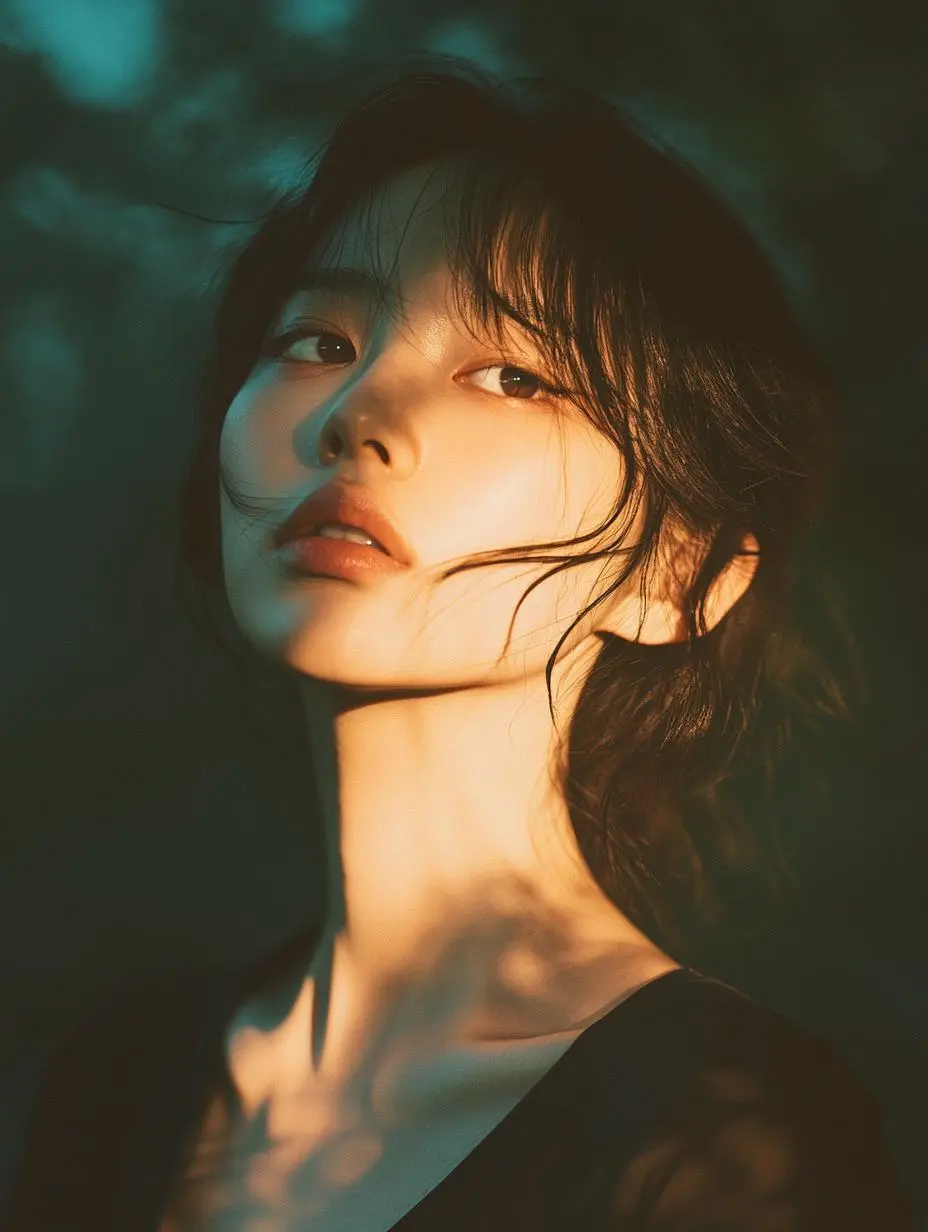
柔光膠片質感人像

用文字指定側光、黃金時刻色彩、膠片顆粒和淺景深,創作攝影人像。該結果的視覺處理不同於插畫角色案例。

Japanese dreamy portrait photography, Asian woman, soft side lighting, warm golden hour glow, film grain texture, shallow depth of field, soft focus, muted color palette, warm skin tones with subtle blue-green shadows, intimate atmosphere, professional fashion photography, high-end magazine quality, cinematic mood, soft shadows, delicate facial features, Japanese aesthetic, premium fashion editorial, 4K ultra HD
使用此提示
WeShop 結果:場景與構圖研究

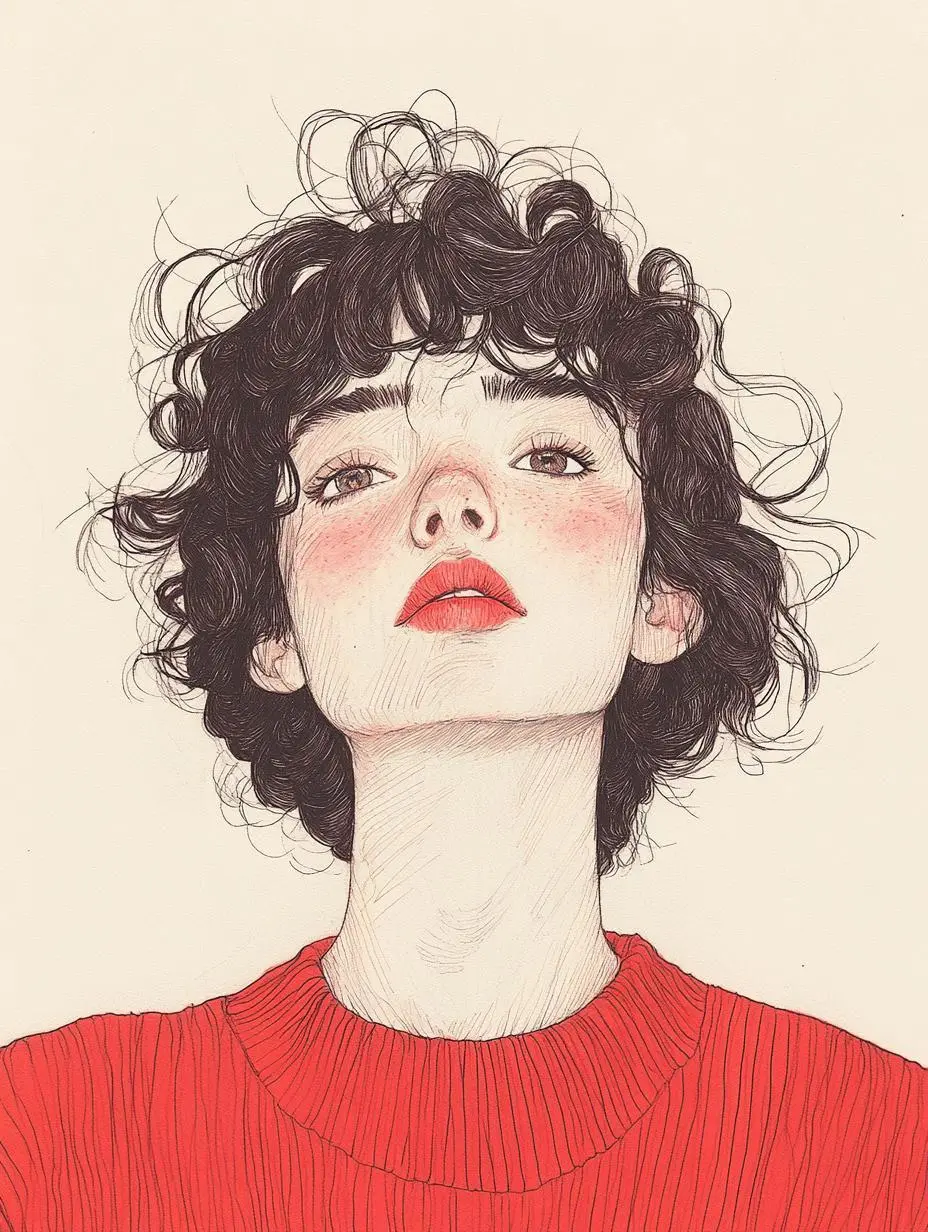
捲髮角色插畫

以紅色上衣和捲髮作為醒目視覺細節,創作角色插畫人像。

The lines are unrestrained, freely flowing, full of movement and vitality, presenting an unrestrained creative state. The lines are smooth and natural, giving a sense of ease and freedom. It does not pursue realistic depictions of objects, has a simple composition, concise brushstrokes, and expresses the richest connotations with the fewest elements, embodying a casual creative attitude, giving a fresh and natural feeling. Based on black pen lines and white paper, through the variation of line density and thickness to express light and shadow and layers, a strong black and white contrast is formed, making the picture have a simple and eye-catching visual effect. A few colors are used for embellishment, serving to highlight the key points, enhance the atmosphere or express emotions, making the picture more lively and interesting. A head of fluffy brown curly hair, casual and charming. Two lively eyes. The bright red sweater contrasts sharply with the soft background, directly creating a strong atmosphere.
使用此提示
WeShop 結果:場景與構圖研究

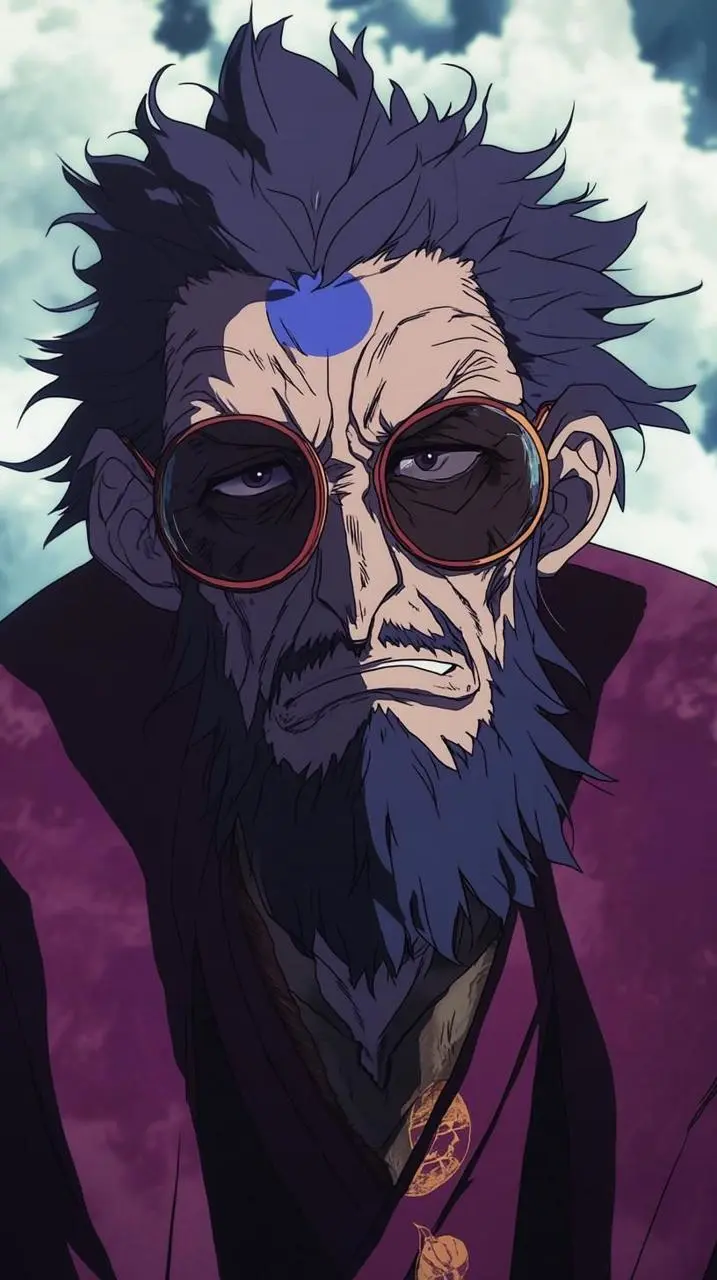
圓框眼鏡插畫人物

結果是一名戴圓框眼鏡、有鬍鬚的插畫人物。儲存的提示詞列舉多個具名角色與動作,而非單一藍色蒙面角色。這只是傳回的一種解讀,不能證明每個場景和動作都精確實現。

Captain Liweil chops the monkey, Vortex Miharu enters the divine mode, and Verlitta turns her head. 2. Wukong removed his sunglasses and his eyes were deadpan. 3. Kanjirou, the cook, had blue veins on his forehead and was suppressing a smile as he laughed. 4. Bado, the sixth flower, was playing games with an expressionless face.
使用此提示
什麼是 MIDJOURNEY V7?

Midjourney V7 是什麼,適合做什麼?

Midjourney V7 是紋理更豐富、細節更協調的圖像模型,在 Midjourney 自有產品中引入了 Draft Mode 和 Omni Reference。 V7 適合重視主體細節、紋理與所選美學的圖像創作。柔光人像和兩個插畫角色展示不同處理,並不證明局部圖像編輯工作流程。

協調的主體細節

V7 官方說明強調身體、手部、物體和更豐富的紋理。應在已存案例中檢查這些細節,不預設每次生成都正確。

理解文字與圖像提示

V7 官方產品支援文字與圖像提示;WeShop 的實際模型對應和開放選項需另行核對。

創作模式

選擇起始輸入

使用文字,也可加入 Image Prompt 提供視覺方向。設定列出文字與影像引導任務;本頁已知的純文字驗證問題是獨立的目前介面限制。Draft Mode 和 Omni Reference 屬於官方產品功能,不是已確認的 WeShop 開關。

從文字描述創作

描述新圖像所需的主體、環境、構圖以及攝影或插畫處理方式。

用參考圖引導畫面

上傳影像並描述它應引導的新構圖。Image Prompt 提供視覺方向,不是編輯某個標記區域的專用控制項。

提示詞指南

Midjourney V7 提示詞怎麼寫?

對照一個參考圖案例與兩個純文字生圖案例。每張卡保留完整英文原始提示詞與結果;參考圖案例也展示實際輸入。

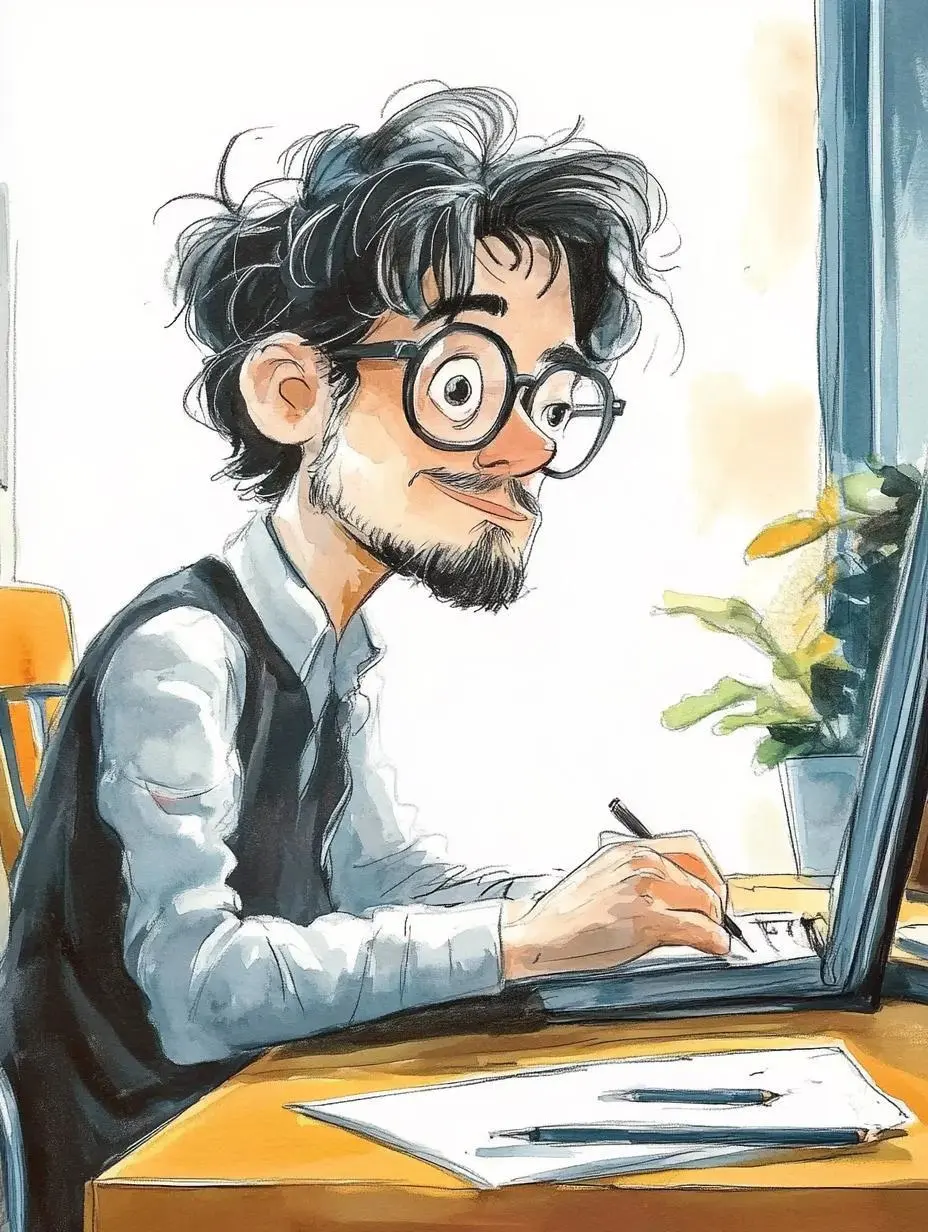
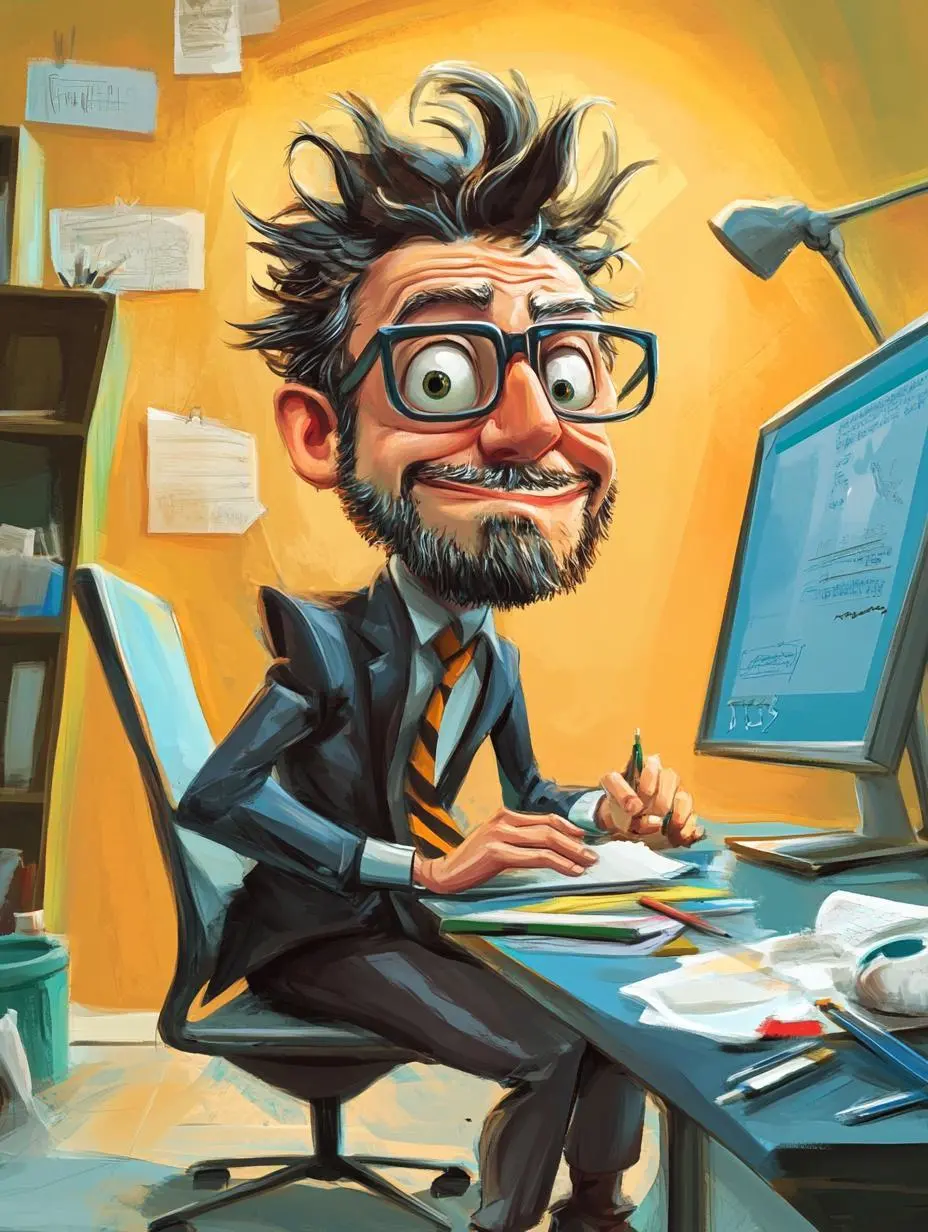
窗邊書桌前的人物墨線水彩插畫
書桌前戴眼鏡的原始插畫人物參考圖

先說明參考特徵,再描述新場景

先寫希望沿用的參考特徵,再描述新場景與媒材。本例指定眼鏡、髮型、墨線、水彩、敞開的窗戶與午後光線。請對照輸入檢查臉部和比例,不預設完全一致。

Use the illustrated person in image 1 as the character reference. Recreate the same face, glasses and hair in a restrained black-ink and watercolor illustration. Show the person seated at a tidy wooden desk beside a large open window, with warm afternoon light and a green plant. Keep the linework visible and the background uncluttered. Vertical 3:4 composition, no words or border.
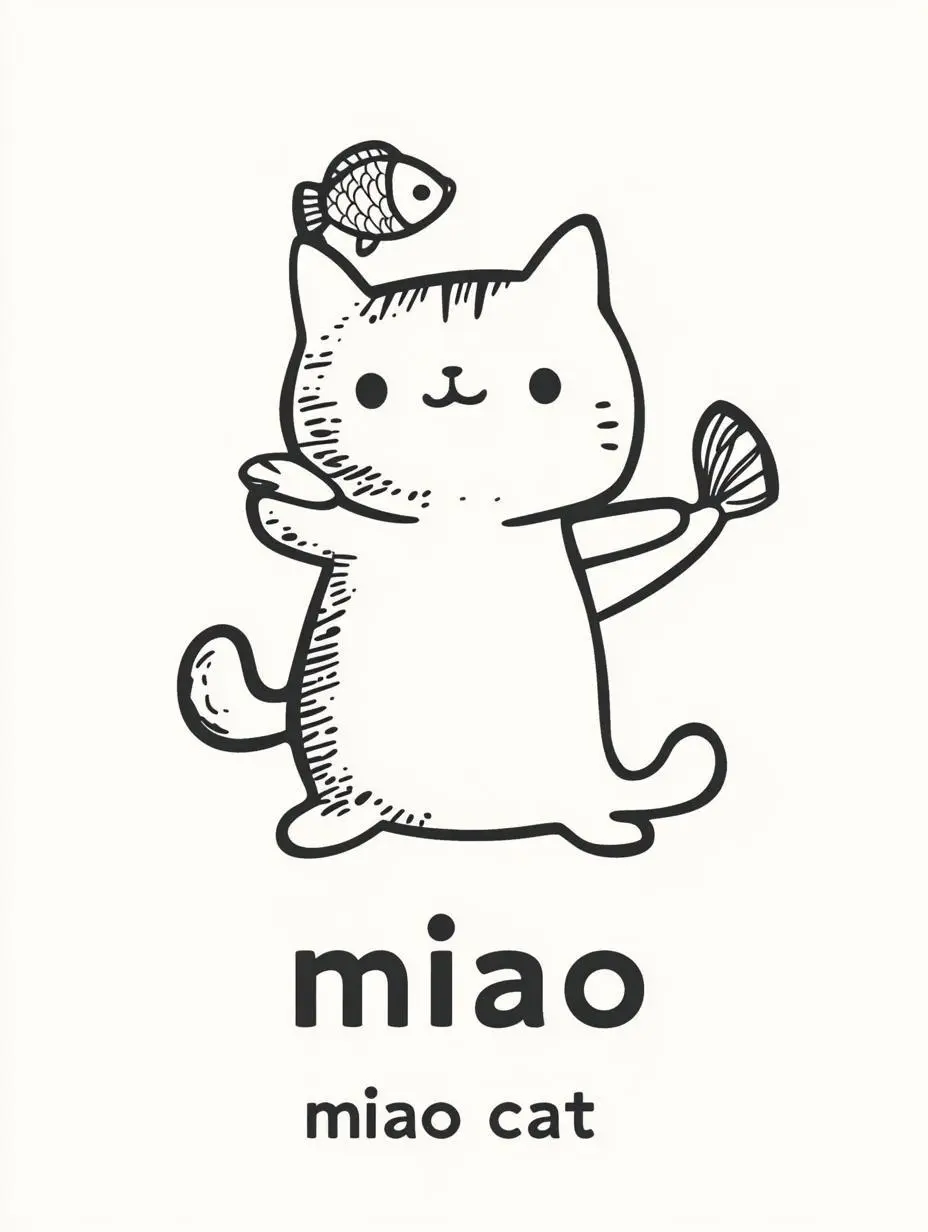
帶魚和miao、miao cat文字的黑白貓咪圖形

把短文字和畫面位置寫清楚

提示詞指定貓、魚、黑白配色,以及底部的「miao cat」標題。結果還加入較大的「miao」;用作標誌前,請檢查多餘文字和魚的位置。

Minimalist portrait poster. A minimalist style brand logo design with the title "miao cat". The background is white, and in the center is a cartoon cat image. They are raising a fish with their front paws, with lively expressions and simple, crisp lines. The color scheme is black and white contrast, creating a relaxed and fun atmosphere. The title is located at the bottom of the picture and is in bold black font.
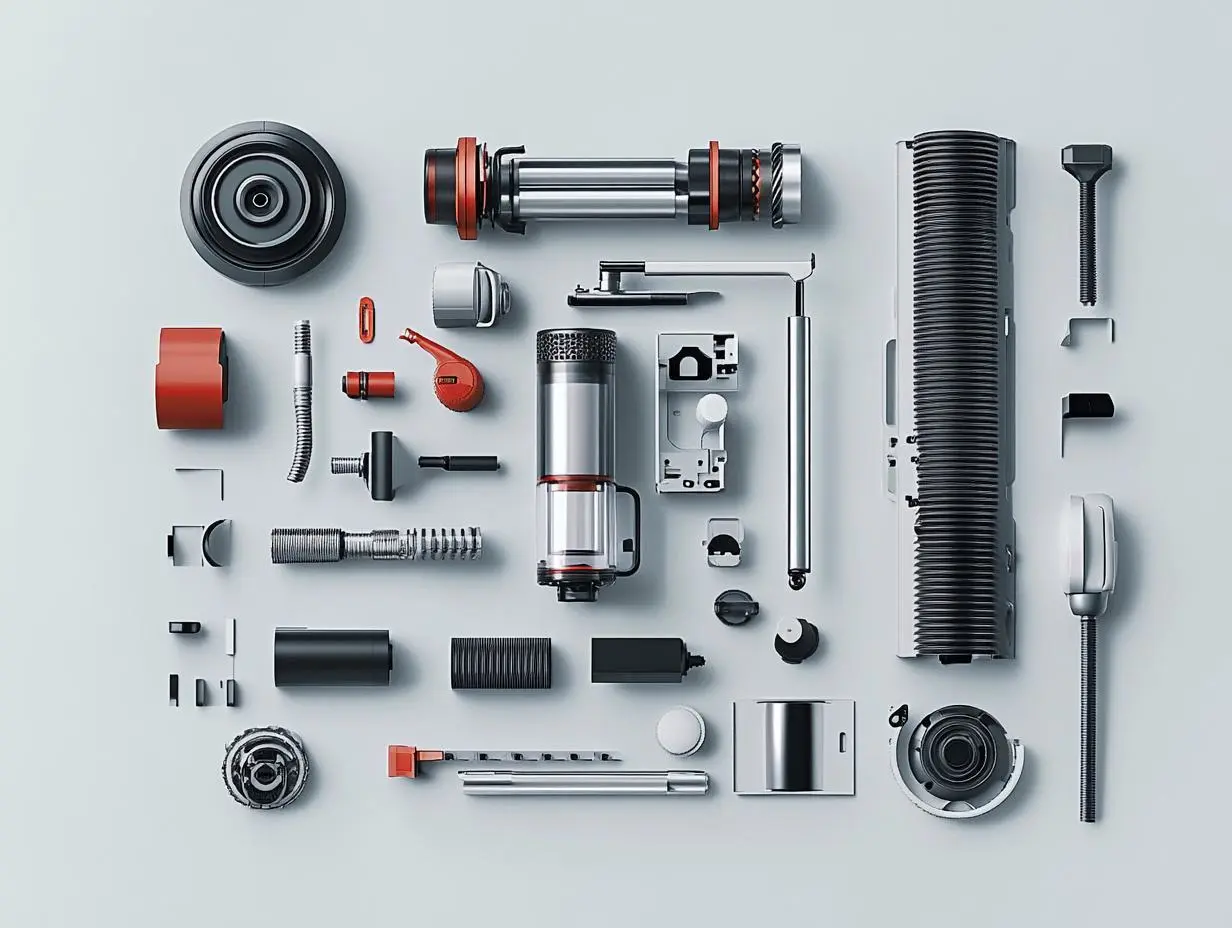
淺灰背景上黑銀紅配色的機械組件

指定物體與視覺風格

一起描述物體、風格與排版。本例要求科技廣告風格的吸塵器拆解概念與極簡布局。結果展示組件,卻沒有要求的中英文標註;需要時請補上並校對準確標註。

Generate a disassembly illustration of a Dyson vacuum cleaner for me. The style should be like an advertising tech advertisement. The description text should be in both Chinese and English. The composition and layout should be fashionable and in a minimalist style.

使用方法

用 Midjourney V7 創作第一張圖像

從 Midjourney V7 選項與下方說明的輸入路徑開始,提交前檢查可用設定和積分。

  1. 提供此模型所需的輸入

    保持選擇 V7,描述目標成圖。加入參考圖時,說明希望它啟發的構圖,不將編輯寫成必定保留像素。

  2. 檢查可用設定與積分

    長寬比:1:1、4:3、3:4、16:9、9:16。這些是可選設定,不是固定像素尺寸或檔案格式保證;應檢查原始輸出的實際尺寸。 提交前檢查顯示點數及目前方案的模型權限。

  3. 開啟並檢查結果

    檢查面部、手部、物體、紋理和構圖。技術拆解插畫只是生成概念,不是經核實的工程文件。

模型選擇

選擇適合任務的 Midjourney 型號

使用 V6.1 探索其通用圖像表現;使用 V7 嘗試後續版本對紋理與主體細節的處理;以動漫插畫為目標時,可選擇 Niji 6。

比較維度Midjourney V6.1Midjourney V7Midjourney Niji 6
模型定位側重協調性、精細特徵與紋理的通用圖像模型側重更豐富紋理與主體細節協調性的後續通用圖像模型與 Spellbrush 合作開發的動漫取向模型
WeShop 輸入文字;可加入圖片參考文字;可加入圖片參考文字;可加入圖片參考
WeShop 目前選項寬高比:1:1、4:3、3:4、16:9、9:16寬高比:1:1、4:3、3:4、16:9、9:16寬高比:1:1、4:3、3:4、16:9、9:16
模型定位
Midjourney V6.1
側重協調性、精細特徵與紋理的通用圖像模型
Midjourney V7
側重更豐富紋理與主體細節協調性的後續通用圖像模型
Midjourney Niji 6
與 Spellbrush 合作開發的動漫取向模型
WeShop 輸入
Midjourney V6.1
文字;可加入圖片參考
Midjourney V7
文字;可加入圖片參考
Midjourney Niji 6
文字;可加入圖片參考
WeShop 目前選項
Midjourney V6.1
寬高比:1:1、4:3、3:4、16:9、9:16
Midjourney V7
寬高比:1:1、4:3、3:4、16:9、9:16
Midjourney Niji 6
寬高比:1:1、4:3、3:4、16:9、9:16

選擇 Midjourney V6.1

當其插畫或繪畫表現適合你的概念,或希望繼續使用此版本探索畫面時,選擇 V6.1。可以從文字開始,也可加入圖片提供方向。

選擇 Midjourney V6.1

選擇 Midjourney V7

進行通用圖像創作,希望嘗試後續版本對紋理、身體、手部和物體的處理時,可探索 V7。先查看該頁案例,再判斷是否適合你的任務。

選擇 Midjourney V7

選擇 Midjourney Niji 6

當動漫角色、生動眼睛與插畫場景是創作核心時,選擇 Niji 6。其動漫定位不同於通用圖像模型 V6.1 和 V7。

選擇 Midjourney Niji 6
更多影像模型

探索其他文字生圖模型

想嘗試另一種插畫場景與視覺概念創作方式,可查看 Grok Imagine 的實際案例與目前文字生圖選項。

常見問題

Midjourney V7 常見問題

關於此版本、輸入要求與開始使用的常見問題。

Midjourney V7 是什麼?

Midjourney V7 是紋理更豐富、細節更協調的圖像模型,在 Midjourney 自有產品中引入了 Draft Mode 和 Omni Reference。

Midjourney V7 擅長做什麼?

V7 適合重視主體細節、紋理與所選美學的圖像創作。柔光人像和兩個插畫角色展示不同處理,並不證明局部圖像編輯工作流程。

這裡提供 Draft Mode 和 Omni Reference 嗎?

它們是 Midjourney 自有產品中有文件說明的 V7 功能。本頁可用內容由 WeShop 版本選項與上傳控制項決定,不能僅憑模型名推斷廠商工具全部開放。

Midjourney V7 需要上傳哪些輸入?

使用文字,也可加入 Image Prompt 提供視覺方向。設定列出文字與影像引導任務;本頁已知的純文字驗證問題是獨立的目前介面限制。Draft Mode 和 Omni Reference 屬於官方產品功能,不是已確認的 WeShop 開關。

有哪些尺寸與寬高比設定?

長寬比:1:1、4:3、3:4、16:9、9:16。這些是可選設定,不是固定像素尺寸或檔案格式保證;應檢查原始輸出的實際尺寸。

Midjourney V7 提示詞應包含哪些內容?

要求指定 Dyson 吸塵器拆解圖、科技廣告風格、中英文說明和極簡排版。這些是內容、語言與設計要求,沒有指定零件的精確位置;圖解和文字應分別校對。 閱讀指南中配對的完整實際提示詞和真實輸入,再依自己的任務調整。

Midjourney V7 與相關模型應該怎麼選?

V7 的文件定位著重主體細節與紋理。Niji 6 是獨立動漫取向模型,V6.1 是另一較早通用圖像選項。應比較代表性結果,不套用不受支援的版本專屬工具。

Midjourney V7 免費嗎,怎麼計費?

請在 WeShop 當前的定價頁核對套餐中的模型權限和額度,並檢視生成器按所選設定與數量顯示的積分預估。本頁不提供固定單次價格,也不將其他廠商的訂閱額度套用到 WeShop。

結果中需要注意哪些限制?

Draft Mode 和 Omni Reference 是 Midjourney 官方功能,不代表 WeShop 提供這些控制項。檢查面部、手部、物體、紋理與構圖;技術拆解插畫是生成概念,不是經核實的工程文件。

從這些案例可以學到什麼?

已存的 Midjourney V7 案例包括:柔光膠片質感人像 ; 捲髮角色插畫 ; 圓框眼鏡插畫人物。請結合真實提示詞與可用輸入逐一檢查結果。單一案例展示一次要求,不代表效果保證或成功率實測。