型號影像模型GPT Image AI 影像產生器和編輯器GPT Image 2.5 Sunburst 圖片生成與編輯
GPT IMAGE 2.5 SUNBURST 影像模型

GPT Image 2.5 Sunburst 圖片生成與編輯

GPT Image 2.5 Sunburst 是 OpenAI 面向編輯精度與高要求視覺描述的影像生成和編輯模型,接受文字指令與參考圖片。

gpt-image-2.5-sunburst
GPT IMAGE 2.5 SUNBURST 案例

GPT Image 2.5 Sunburst 圖片案例

通過復古遊戲風角色轉換、參考引導的精華液商品照、製作帶文字的服裝梗圖三個案例瞭解 GPT Image 2.5 Sunburst。各例保留實際提示詞與已有輸入,借用到自己的主體前請先檢查結果。

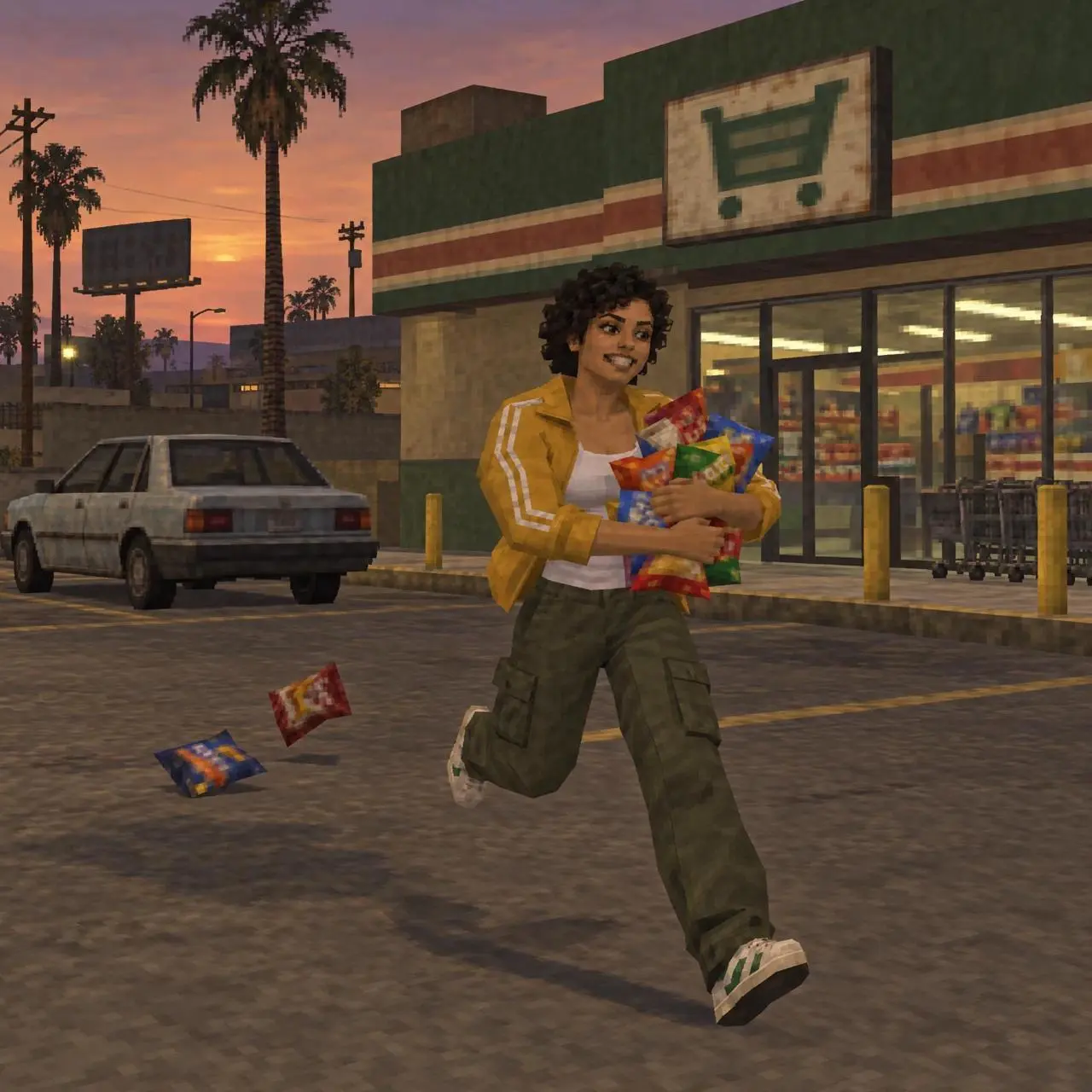
WeShop 結果:女性在日落停車場中奔跑……
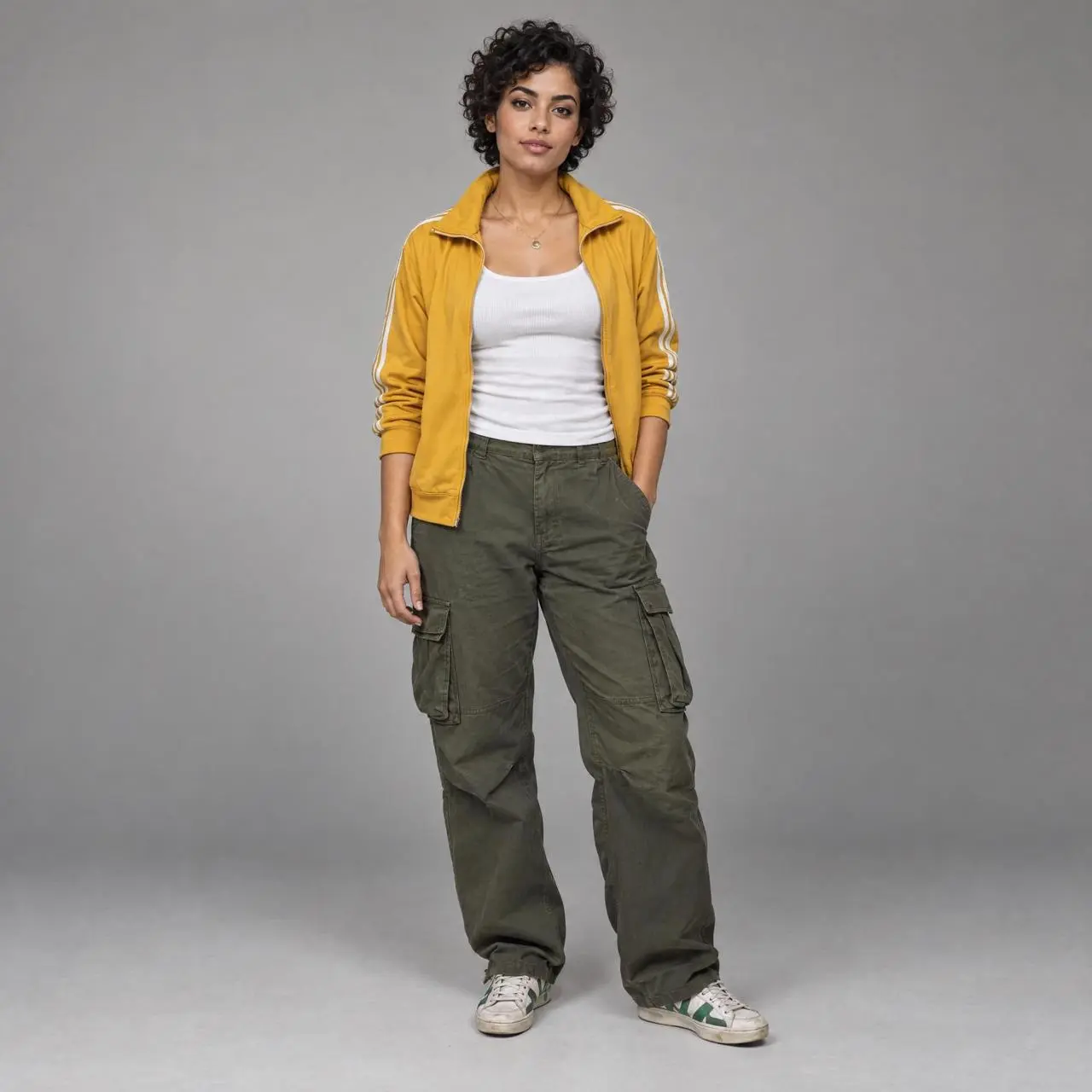
參考素材 1

復古遊戲風角色轉換

將參考肖像中的女性轉換成早期主機遊戲風格角色,置於新的超市停車場場景。提示詞指定新的渲染風格、動作與環境。

Transform the uploaded fictional woman into an early-2000s PS2-era open-world 3D game screenshot. Preserve the same short black curls, mustard track jacket, white tank, olive cargo pants and sneakers. Low-to-medium polygon model, simplified joints, angular surfaces, matte skin, blurry stretched textures, baked clothing folds, basic real-time light and shadows. Third-person wide shot outside a neighborhood supermarket at dusk. She runs awkwardly across the parking lot while hugging far too many colorful snack bags; two bags tumble behind her and an old compact car waits in the background. Her grin is exaggerated and the running pose is stiff but readable like an NPC animation. Dusty asphalt, muted green and brown storefront, a few saturated packages, large depth of field and slight compression. No logos, no readable text, no HUD, no watermark.
使用此提示
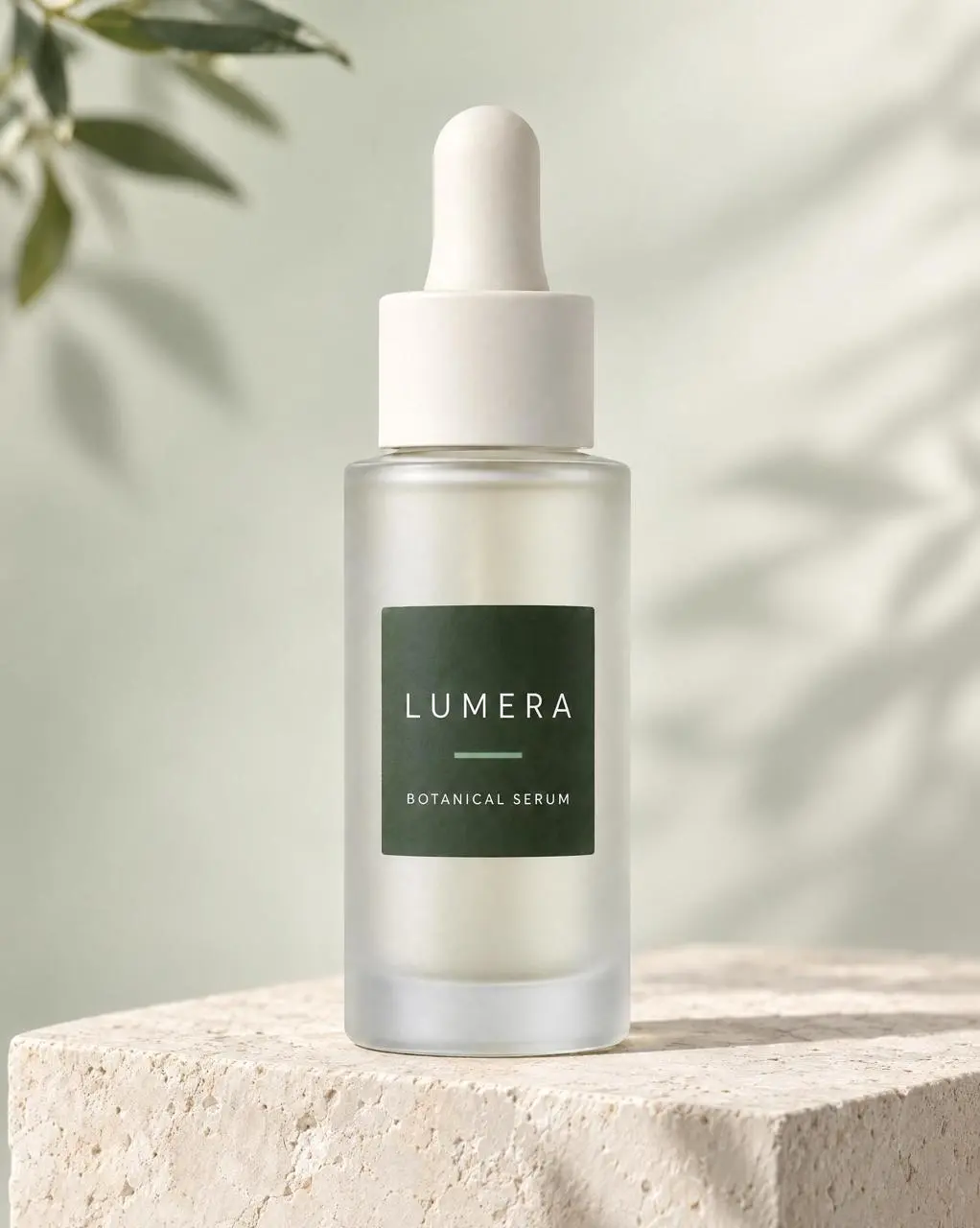
WeShop 結果:放在……上的 Lumera Botanical Serum 精華液
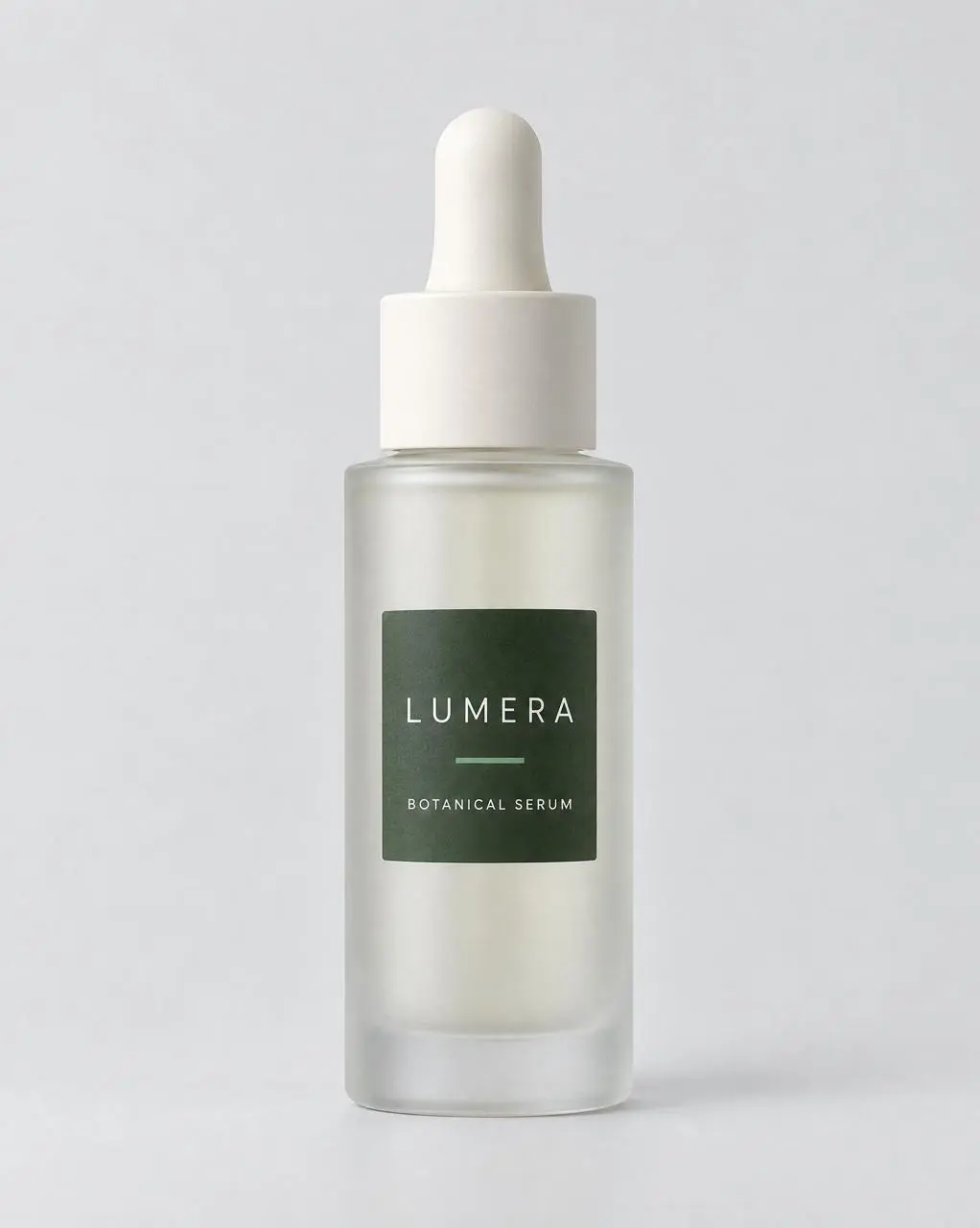
參考素材 1

參考引導的精華液商品照

圍繞已認可的商品參考圖片設計精華液照片,讓瓶身成為核心視覺要素。

Use image 1 as the only approved product reference. Create a premium ecommerce PDP hero image of the exact same LUMERA BOTANICAL SERUM bottle. Preserve the bottle geometry, frosted glass, ivory dropper, dark-green rectangular label, sage accent line, label placement, front-facing camera angle, and exact readable words LUMERA and BOTANICAL SERUM. Place it upright on a pale limestone pedestal with a very soft sage-to-ivory background, diffused daylight, realistic contact shadow, restrained botanical shadows, generous negative space, high-end skincare photography. Do not redesign the bottle, do not change the label, do not add extra products, claims, badges, logos, or text.
使用此提示
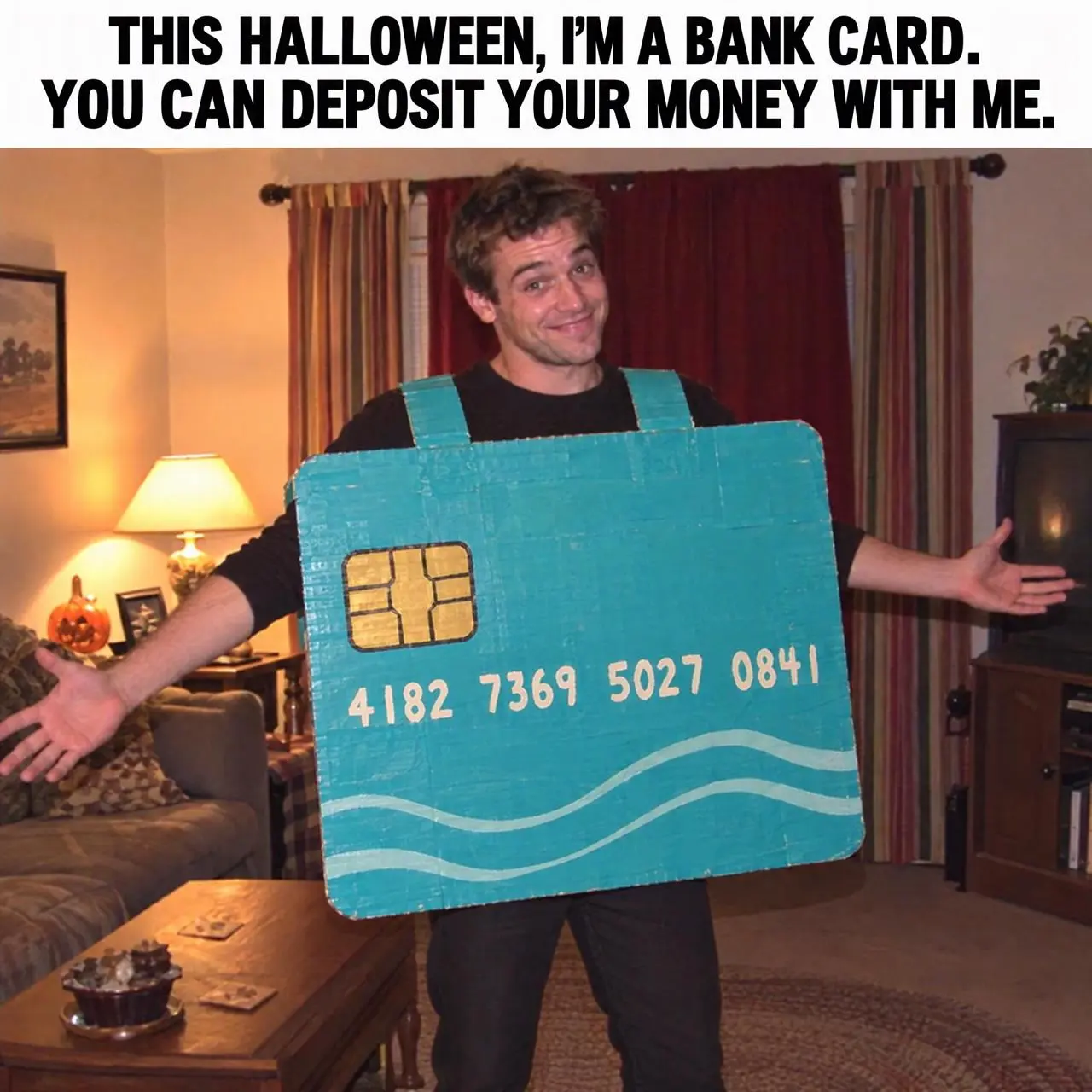
WeShop 結果:穿趣味銀行卡服裝的男性在……擺姿勢
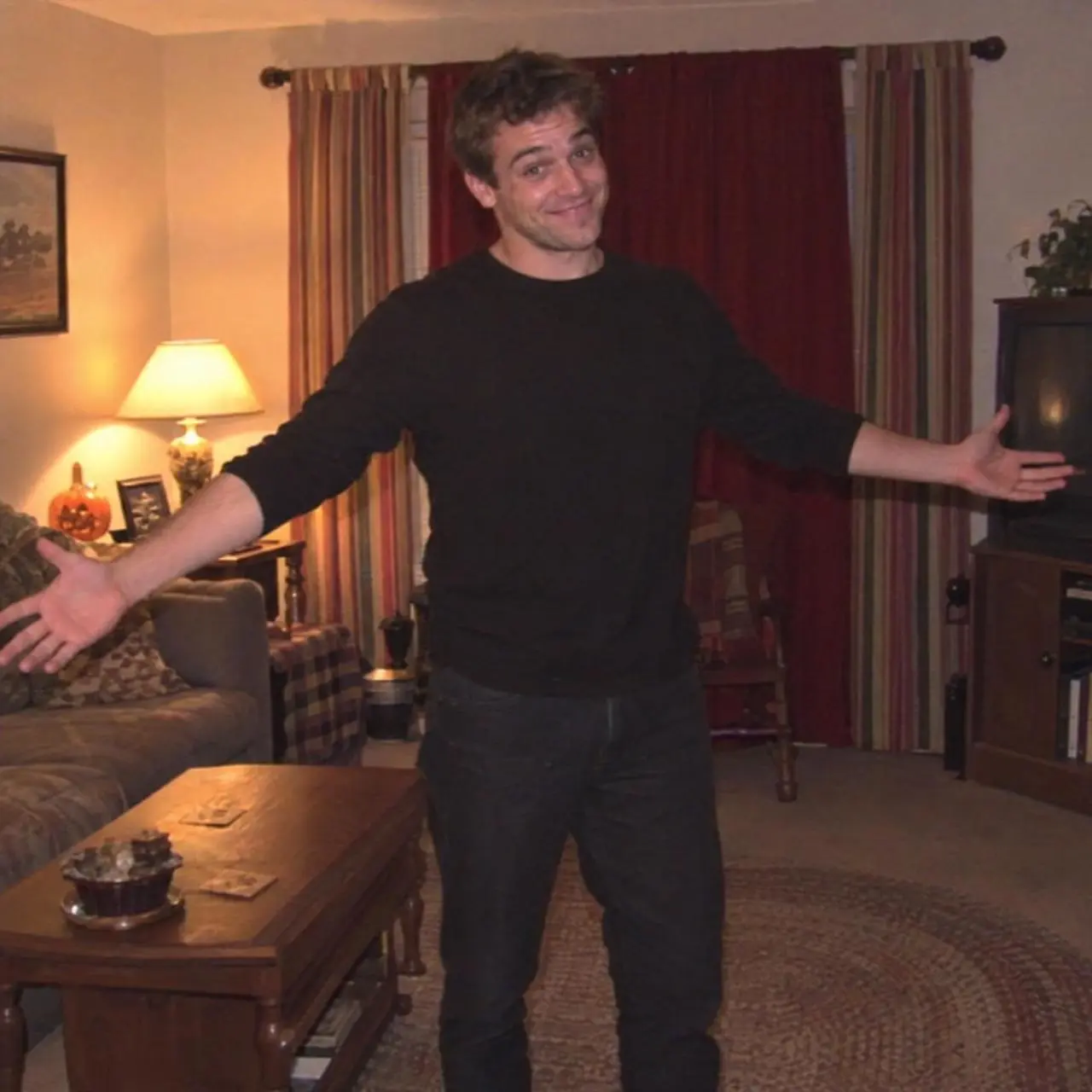
參考素材 1

製作帶文字的服裝梗圖

把人物參考、指定文字與新服裝結合。描述指定主體上方的文字及位置;結果在同一構圖中結合圖文。

Use the uploaded fictional adult man and living room as the identity and scene reference. Create a square English-language Halloween meme. He wears a deliberately handmade oversized turquoise bank-card costume made from painted cardboard, with a generic chip shape and nonsense decorative numbers only, no real bank or payment logos. Keep his smiling face visible and arms open. Add a clean white caption band at the top containing exactly this English text in bold black characters: ‘THIS HALLOWEEN, I’M A BANK CARD. YOU CAN DEPOSIT YOUR MONEY WITH ME.’ Warm camcorder lighting, slightly awkward homemade charm, mild compression. No other text, no watermark, no child.
使用此提示
認識 GPT IMAGE 2.5 SUNBURST

GPT Image 2.5 Sunburst 是什麼,適合做什麼?

GPT Image 2.5 Sunburst 是 OpenAI 面向編輯精度與高要求視覺描述的影像生成和編輯模型,接受文字指令與參考圖片。 Sunburst 可用於視覺約束重要的精細圖片生成與編輯。商品照、遊戲風轉換和帶文字服裝圖展示不同參考及文字任務,不保證像素級精確保留。

側重精度的編輯

OpenAI 將 Sunburst 定位於重視編輯精度的工作流程。安排改動時,說明需要保持一致的主體細節與區域。

商品標籤與材質細節

精華液案例將 LUMERA 標籤、磨砂玻璃與淺色滴管帶入新的石灰岩展示台場景。製作商品圖片時,寫明文字、標籤位置與材質,並逐項對照參考圖檢查。

參考引導的換景與換光

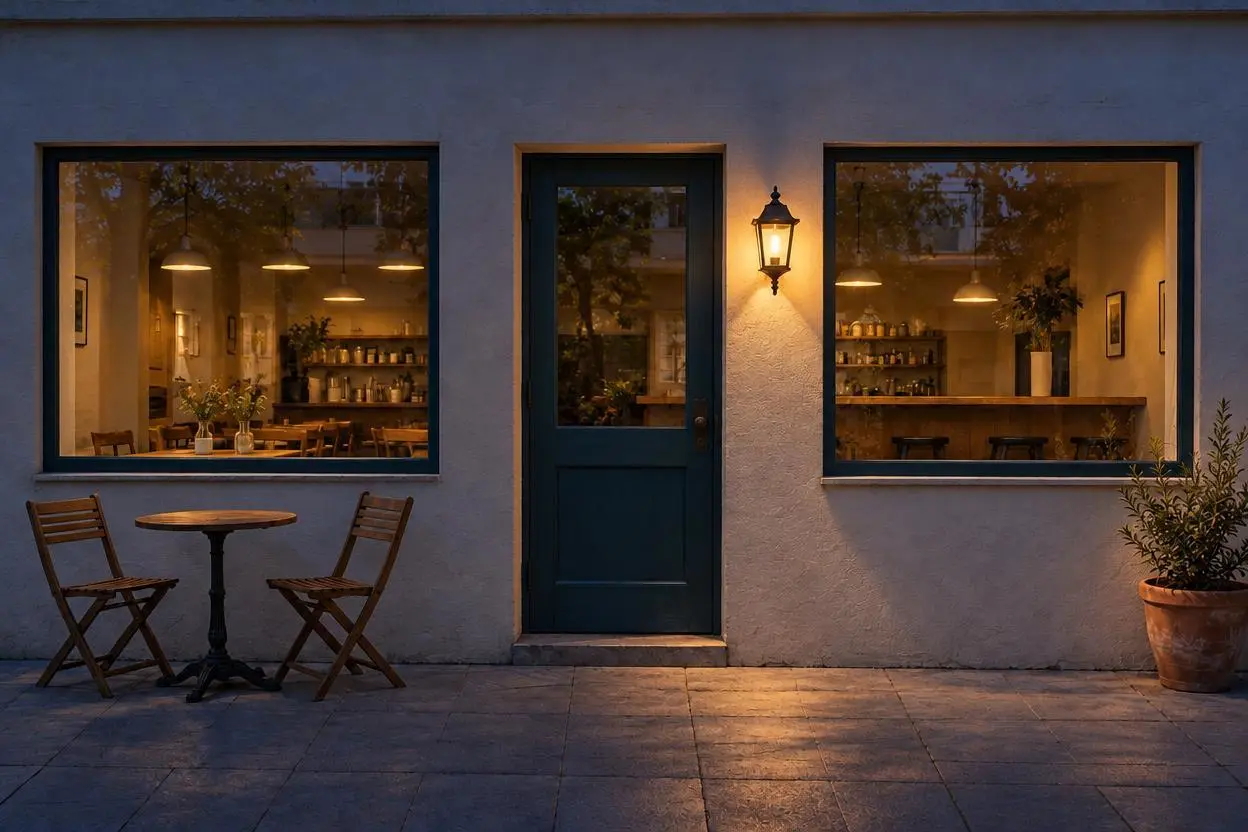
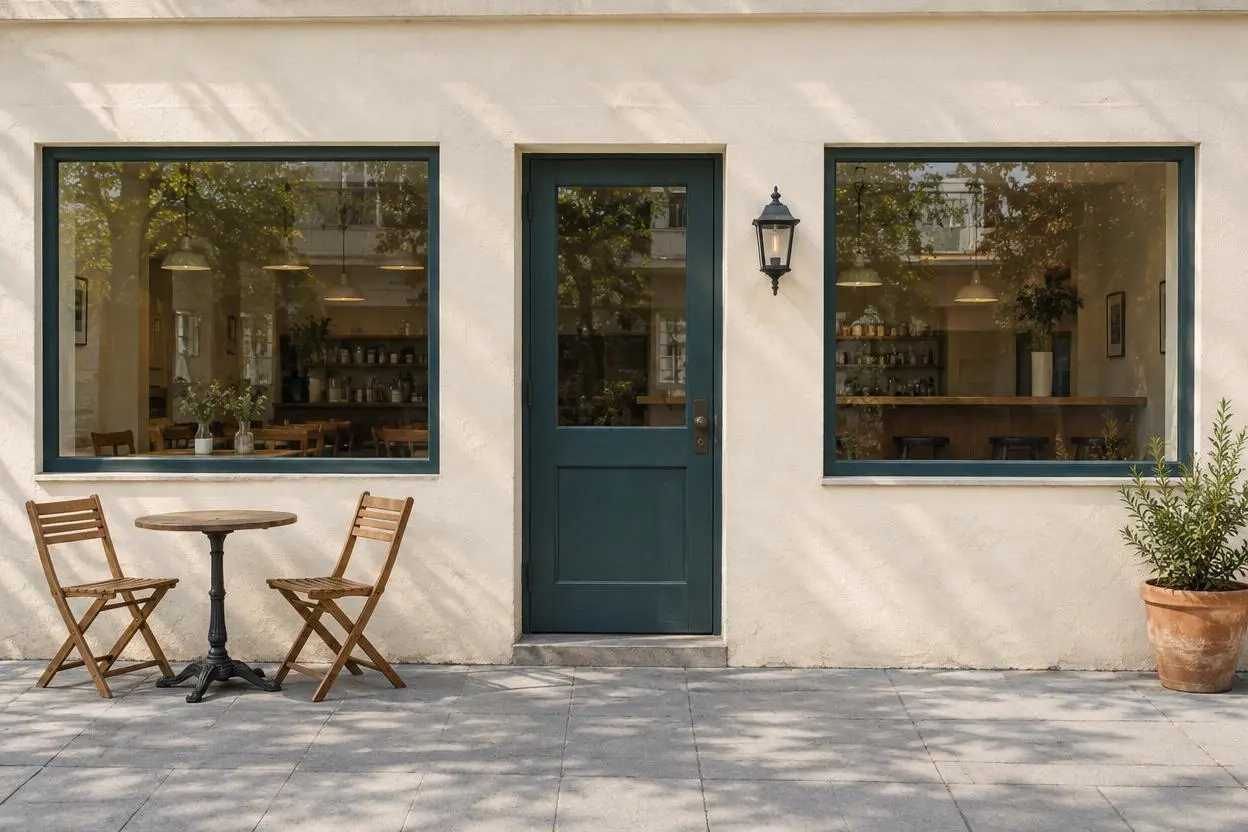
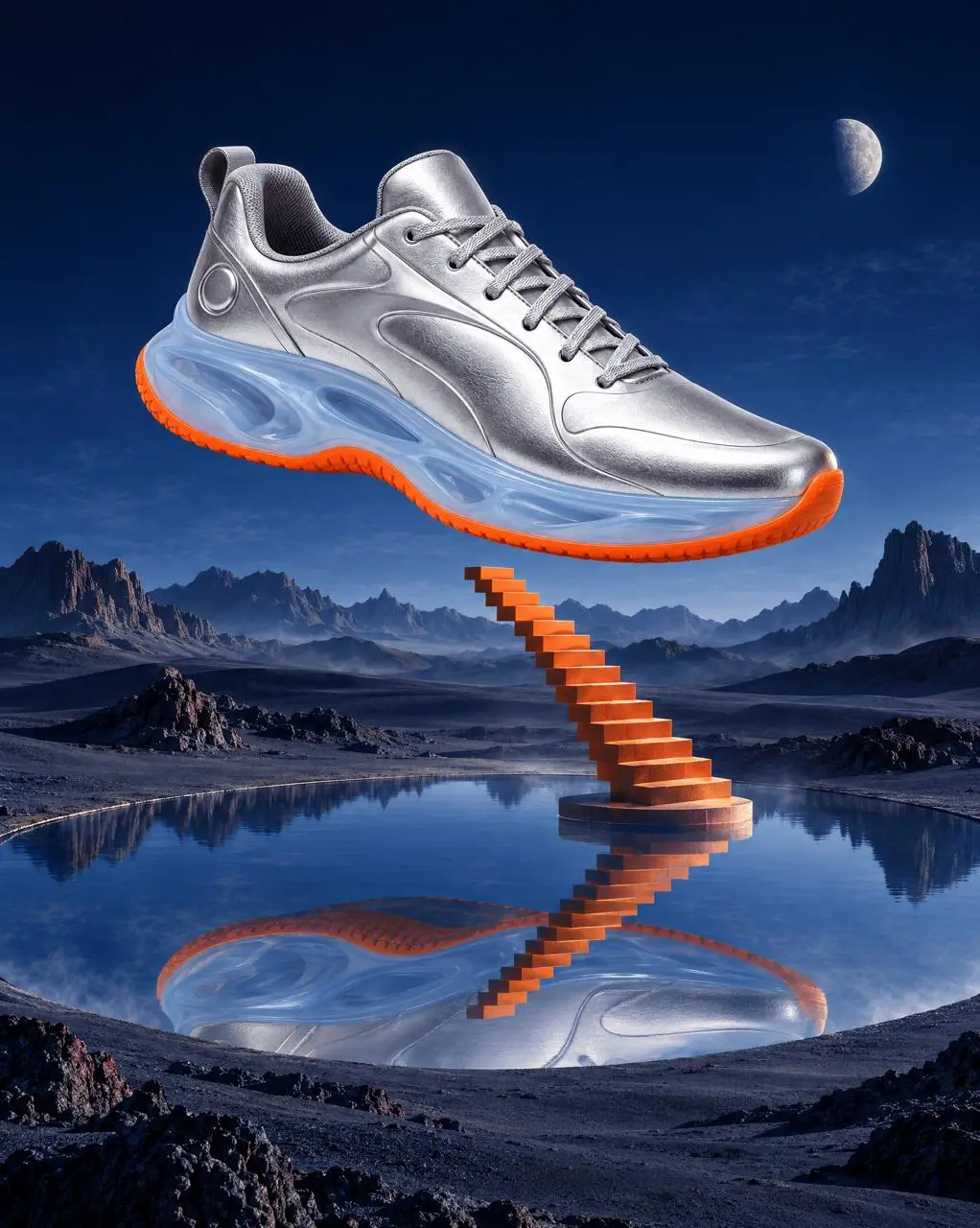
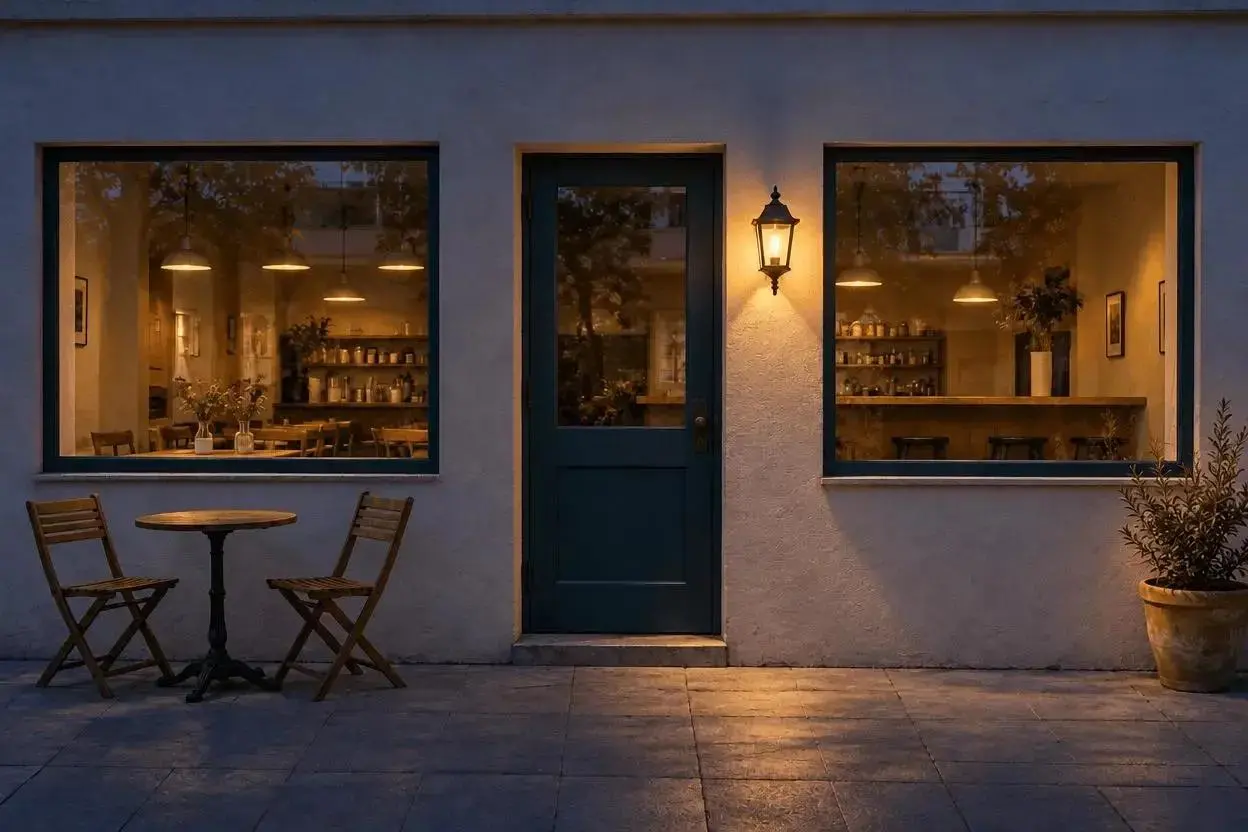
運動鞋海報保留可辨認的銀色鞋面與橘色鞋底,同時加入超現實景觀;咖啡館案例用既有壁燈和窗戶營造夜間光線。將主體細節與場景改動分別說明,並檢查需要保留的結構。

創作模式

選擇起始輸入

新圖片用文字描述,編輯用源圖。明確要保留的人物、商品或場景,再描述新風格、光線、佈局或文字。

從參考照片開始

上傳用於編輯的主體或場景。如果有多份輸入,請說明各參考素材的用途和需要的修改。

從文字描述創作

描述新的主體、場景、構圖與視覺表現,並寫明需要出現在影像裡的文字。

提示詞指南

GPT Image 2.5 Sunburst 提示詞怎麼寫?

結合實際結果與已有參考輸入,閱讀下方真實的 GPT Image 2.5 Sunburst 提示詞。每段說明指出一項具體指令供檢查;請求某種效果不保證所有生成細節都會符合。

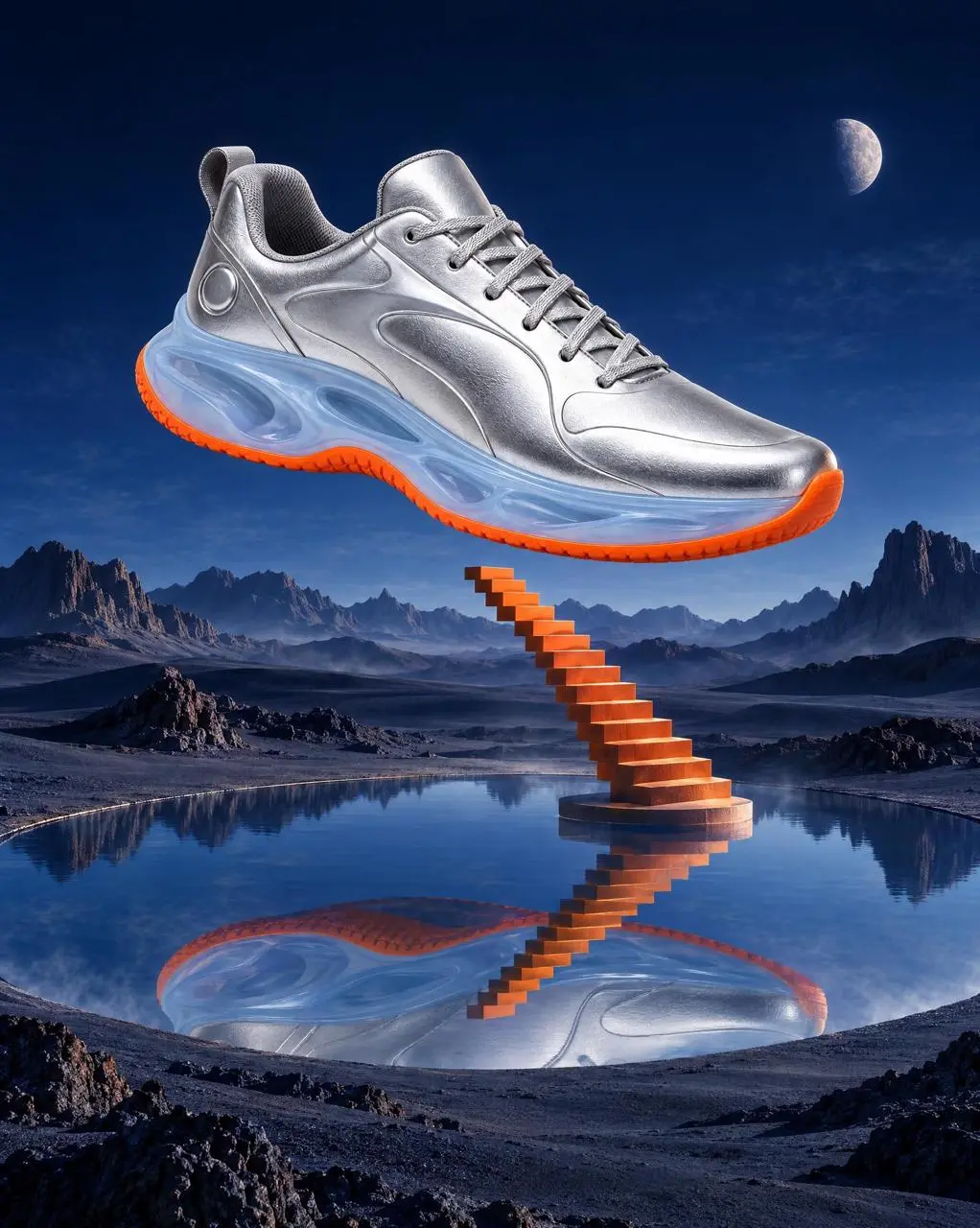
WeShop 結果:帶橙色細節的未來感銀色運動鞋懸浮展示……
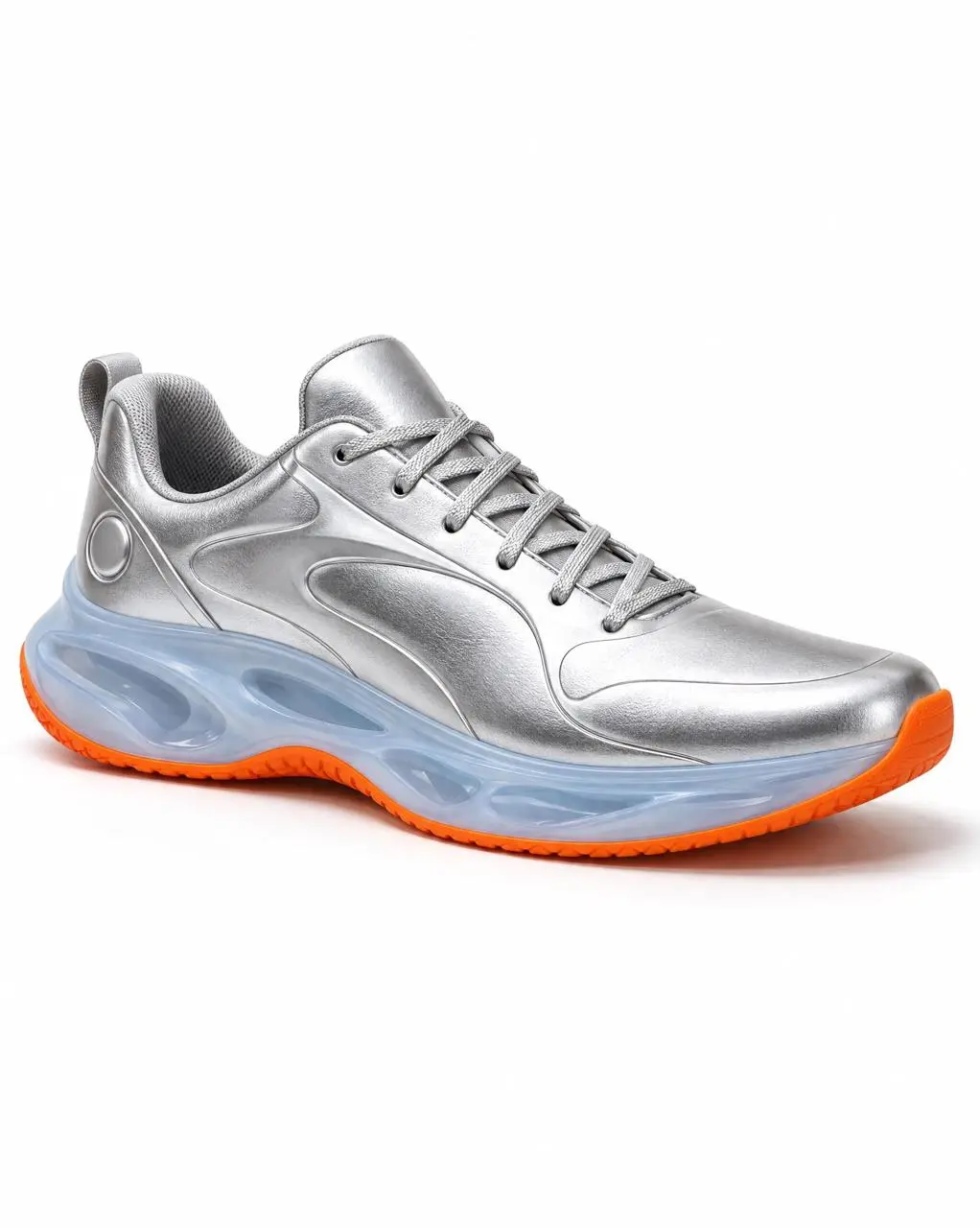
參考素材 1

寫明修改與保留內容

把請求的變化與圖片提供的主體或構圖區分開。本例:“Preserve the exact metallic-silver upper, silver laces, translucent ice-blue sculpted midsole, orange outsole, circular heel detail, proportions, and right-facing three-quarter orientation.”

Use the uploaded silver sneaker as a strict product reference and create a surreal 4:5 editorial product poster. Preserve the exact metallic-silver upper, silver laces, translucent ice-blue sculpted midsole, orange outsole, circular heel detail, proportions, and right-facing three-quarter orientation. Make the sneaker enormous and suspended above a quiet cobalt desert where a perfectly circular mirror lake reflects it. A narrow orange staircase rises from the lake toward the shoe but never touches it. Add a small pale moon, long hard-edged shadows, light atmospheric haze, and a deep ultramarine-to-black sky. Sophisticated surrealism, precise photorealistic materials, clean art-direction, dramatic negative space, museum-poster composition. No people, no extra shoes, no text, no letters, no logo, no watermark, no melting or distorted product.
WeShop 結果:有溫暖室內燈光的舒適咖啡館……
參考素材 1

保留場景,改變光線

編輯指令同時說明新的光線條件與應保留的場景細節。本例:“Edit image 1 into a believable blue-hour night photograph of the same cafe.”

Edit image 1 into a believable blue-hour night photograph of the same cafe. Keep exactly the same building geometry, single central teal door, two windows, black wall lantern, two chairs, round table, planter, pavement, camera viewpoint and crop. Darken the ambient scene with cool blue evening light, illuminate the existing wall lantern with warm light and let soft warm interior light glow through both existing windows. Add subtle warm light spill onto nearby wall and pavement consistent with those light sources. Do not add a moon, stars, neon signs, extra furniture, doors, windows, people, cars, text or logos.
WeShop 結果:穿複雜飄逸長裙的女性伸手朝向……

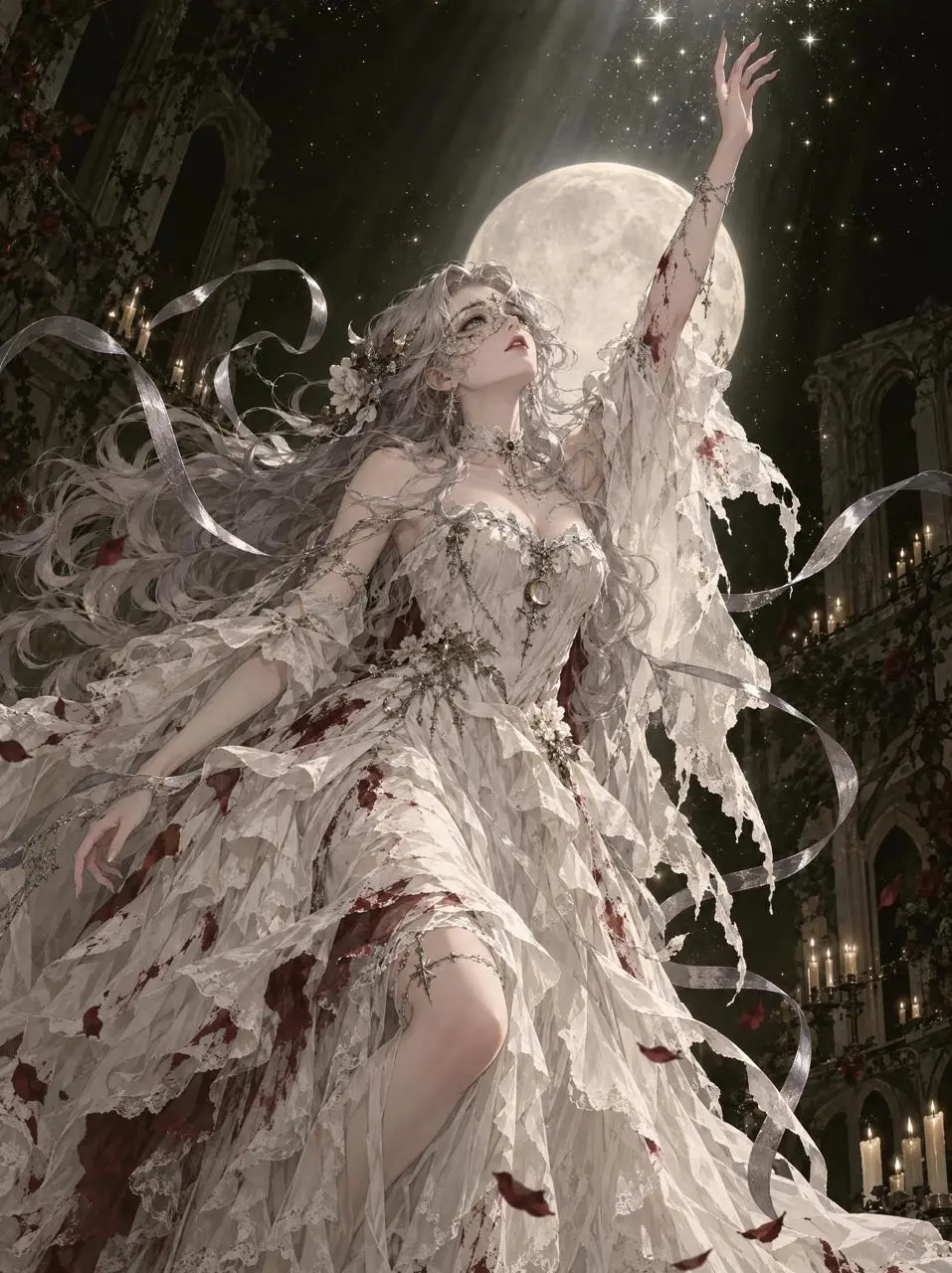
說明取景、光線與插畫處理

先說明直幅構圖與人物向上伸手的動作,再用暗色留白、月光和輪廓光引導視線。此提示詞同時指定飄動的薄紗、閃爍微塵、精細線稿與繪畫式渲染;對照完整提示詞與結果查看這些處理。

Create an original vertical anime Halloween fantasy illustration of one fictional adult woman aged 24 rising through a shaft of moonlight. She has flowing pearl-gray hair and wears an elaborate off-white spectral masquerade gown with layered torn chiffon, silver ribbon trails and small dark-crimson weathered stains that read as theatrical costume paint, not injury. One arm reaches toward a cluster of tiny stars above her. Deep olive-black negative space, sparkling dust, elegant dynamic fabric, cinematic rim light, refined line art and painterly rendering. Melancholic and magical rather than violent. New original character and garment design, no text, no watermark, no copied pose or franchise styling.

使用方法

創建第一張 GPT Image 2.5 Sunburst 圖片

從 GPT Image 2.5 Sunburst 選項與下方說明的輸入路徑開始,提交前檢查可用設置和點數。

  1. 提供此模型所需的輸入

    在本頁選擇 GPT Image 2.5 Sunburst。編輯照片時上傳原圖,分別說明要保留的細節與需要的改動;從文字建立新圖時,描述完整構圖及準確文字。

  2. 檢查可用設定與積分

    尺寸標籤:1K、2K、4K。質量:low、medium、high、xhigh、max。寬高比:auto、1:1、1:2、2:1、1:3、3:1、2:3、3:2、4:3、3:4、16:9、9:16、21:9、9:21、4:5、5:4。這些是可選設置,不保證固定像素尺寸或文件格式;實際尺寸以原始輸出為準。提交前檢查顯示的點數與方案模型權限。

  3. 開啟並檢查結果

    將商品或人物與參考圖片對照,檢查每處編輯邊界並校對文字;更高質量設置本身不能證明準確性。

GPT Image 2.5 Sunburst 教學

透過兩篇教學深入了解超現實商品海報與日轉夜打光,包含輸入、提示詞及實際結果。

模型選擇

GPT 哪個選項適合你的任務?

三款模型都可使用文字與參考圖片。按任務選擇:GPT Image 2 用於文字設計和參考編輯,Flare 的官方定位側重日常快速創作,Sunburst 側重精細編輯。下表列出 WeShop 目前可選設定,每張選擇卡可直接開啟對應型號。

比較維度GPT Image 2GPT Image 2.5 FlareGPT Image 2.5 Sunburst
模型定位文字設計與參考編輯按 OpenAI 定位進行快速日常圖片創作側重精度的編輯與高要求視覺描述
WeShop 輸入文字描述;可附參考圖片文字描述;可附參考圖片文字描述;可附參考圖片
WeShop 當前選項圖片尺寸:1K、2K、4K;質量:low、medium、high圖片尺寸:1K、2K、4K;質量:low、medium、high、xhigh、max圖片尺寸:1K、2K、4K;質量:low、medium、high、xhigh、max
模型定位
GPT Image 2
文字設計與參考編輯
GPT Image 2.5 Flare
按 OpenAI 定位進行快速日常圖片創作
GPT Image 2.5 Sunburst
側重精度的編輯與高要求視覺描述
WeShop 輸入
GPT Image 2
文字描述;可附參考圖片
GPT Image 2.5 Flare
文字描述;可附參考圖片
GPT Image 2.5 Sunburst
文字描述;可附參考圖片
WeShop 當前選項
GPT Image 2
圖片尺寸:1K、2K、4K;質量:low、medium、high
GPT Image 2.5 Flare
圖片尺寸:1K、2K、4K;質量:low、medium、high、xhigh、max
GPT Image 2.5 Sunburst
圖片尺寸:1K、2K、4K;質量:low、medium、high、xhigh、max

GPT Image 2

需要文字設計或參考照片編輯,且 low、medium、high 品質選項足以滿足需求時,可選擇 GPT Image 2。開啟對應頁面查看案例和可用設定。

GPT Image 2

GPT Image 2.5 Flare

日常圖片創作和快速反覆調整方案時,可考慮 OpenAI 定位側重速度的 Flare。用文字或參考圖片開始下一版設計。

GPT Image 2.5 Flare

GPT Image 2.5 Sunburst

當任務重視精細編輯,例如商品標籤與材質、活動場景換景或保留可辨認主體的換光,可選擇 Sunburst。上傳自己的參考圖,並檢查生成結果。

GPT Image 2.5 Sunburst
更多影像模型

探索更多影像模型

開啟相關模型頁面,檢視其能力、案例和當前生成選項。

常見問題

GPT Image 2.5 Sunburst 常見問題

關於此版本、輸入要求與開始使用的常見問題。

GPT Image 2.5 Sunburst 是什麼?

GPT Image 2.5 Sunburst 是 OpenAI 面向編輯精度與高要求視覺描述的影像生成和編輯模型,接受文字指令與參考圖片。

GPT Image 2.5 Sunburst 擅長做什麼?

Sunburst 可用於視覺約束重要的精細圖片生成與編輯。商品照、遊戲風轉換和帶文字服裝圖展示不同參考及文字任務,不保證像素級精確保留。

GPT Image 2.5 Sunburst 需要上傳哪些圖片?

新圖片用文字描述,編輯用源圖。明確要保留的人物、商品或場景,再描述新風格、光線、佈局或文字。

有哪些尺寸與寬高比設定?

尺寸標籤:1K、2K、4K。質量:low、medium、high、xhigh、max。寬高比:auto、1:1、1:2、2:1、1:3、3:1、2:3、3:2、4:3、3:4、16:9、9:16、21:9、9:21、4:5、5:4。這些是可選設置,不保證固定像素尺寸或文件格式;實際尺寸以原始輸出為準。

GPT Image 2.5 Sunburst 提示詞應包含什麼?

把請求的變化與圖片提供的主體或構圖區分開。本例:“Preserve the exact metallic-silver upper, silver laces, translucent ice-blue sculpted midsole, orange outsole, circular heel detail, proportions, and right-facing three-quarter orientation.”請結合指南中的完整實際提示詞與輸入,再改成適合自己任務的請求。

GPT Image 2.5 Sunburst 與相關模型怎麼選?

OpenAI 將 Sunburst 定位於要求更高的影像生成與編輯精度。日常迭代速度優先時可與 Flare 比較,應使用代表性輸入和真實 WeShop 選項,不憑名稱保證畫質。

在 WeShop 使用 Sunburst 如何計費?

WeShop 透過點數計費,付費方案提供全部模型的存取權限。提交前請查看生成器按目前設定與數量顯示的點數,並確認帳戶的模型權限和可用餘額。方案、額度與購買選項請見本 FAQ 下方的「查看 WeShop 方案與點數」入口。

結果中需要注意哪些限制?

影像指令是結果中待檢查的約束,不保證每個細節或文字被精確重現。將商品或人物與參考圖片對照,檢查編輯邊界並校對文字;更高質量設置本身不能證明準確性。

從這些案例可以學到什麼?

已保存的 GPT Image 2.5 Sunburst 案例展示覆古遊戲風角色轉換、參考引導的精華液商品照、製作帶文字的服裝梗圖。請對照實際提示詞與已有輸入;單個案例不保證效果,也不構成成功率基準。