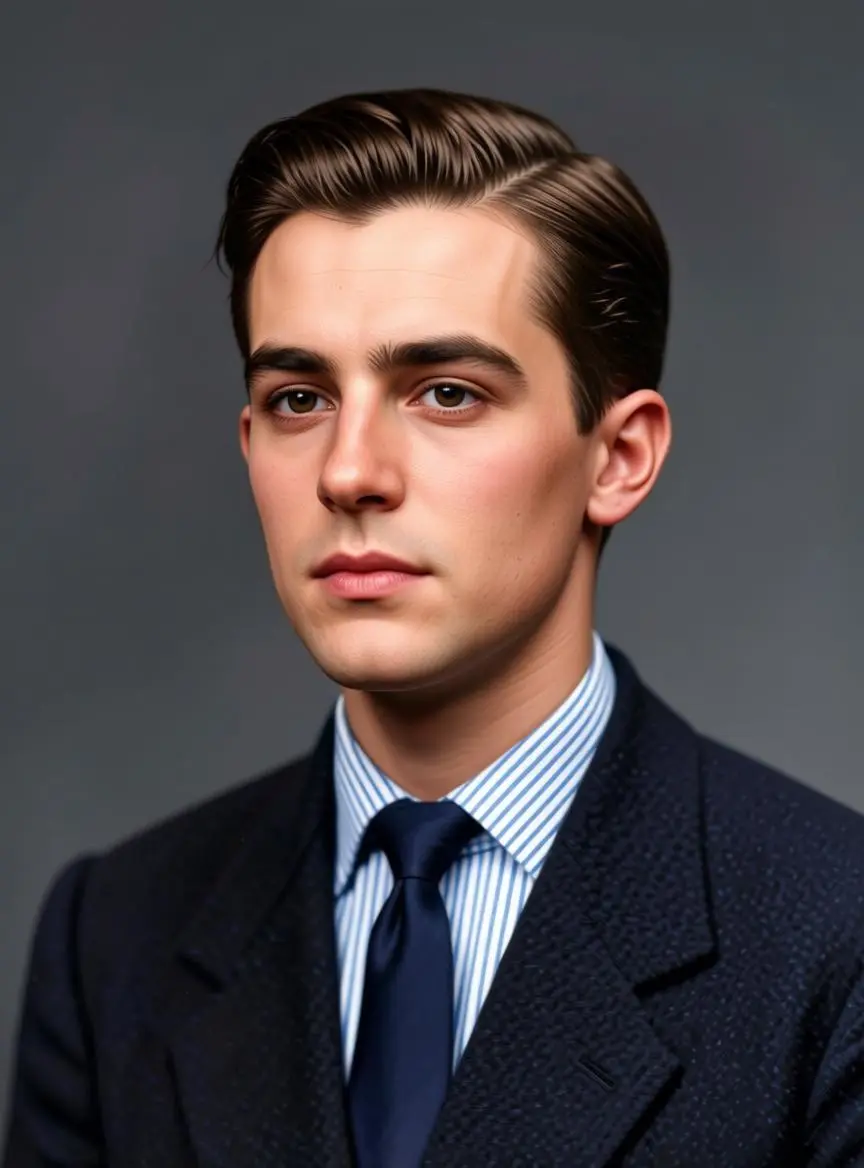
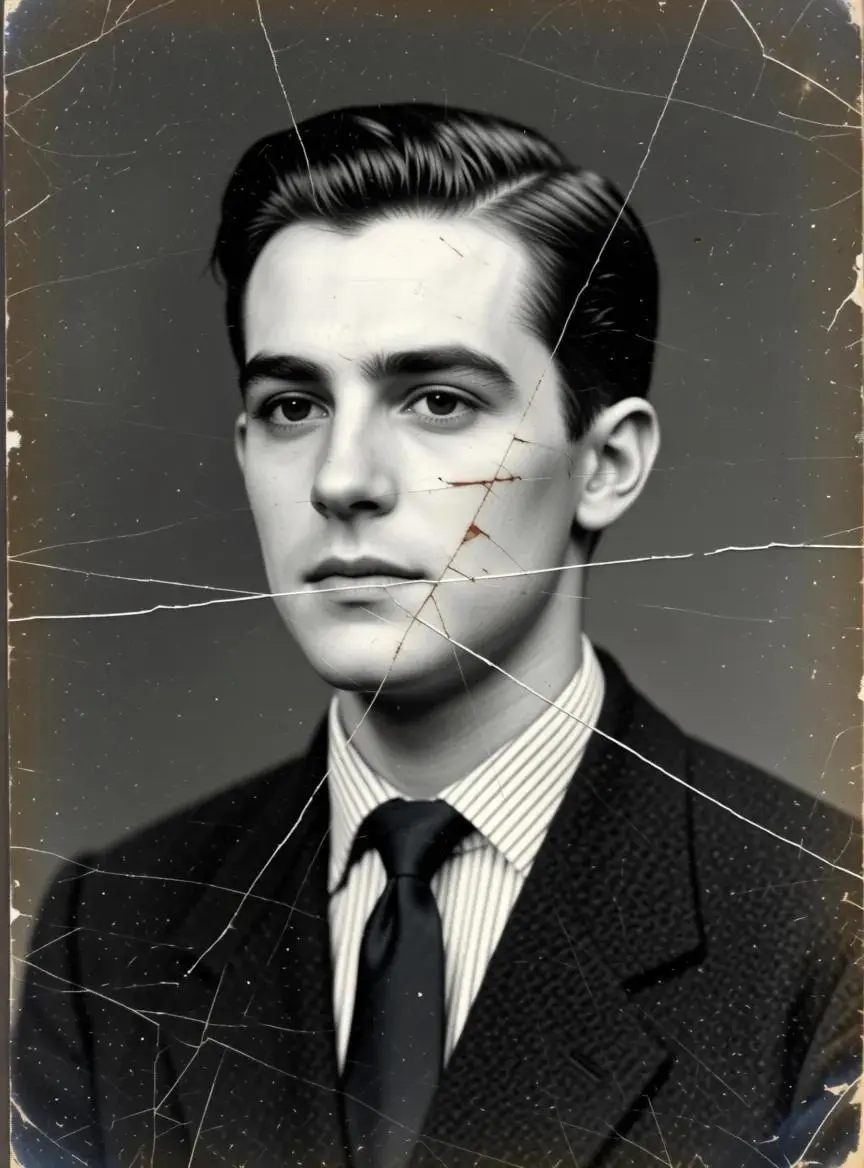
彩色人像修復
將參考人像修復為高畫質彩色照片,由原圖提供人物與取景。
Turn into a high-definition color photo

查看以參考圖製作的人像修復、微縮藝術家場景和 Y2K 拼貼。無須上傳圖片的創作範例,請見提示詞指南中的純文字人物案例。每個結果均保留實際英文提示詞及已儲存案例。
將參考人像修復為高畫質彩色照片,由原圖提供人物與取景。
Turn into a high-definition color photo
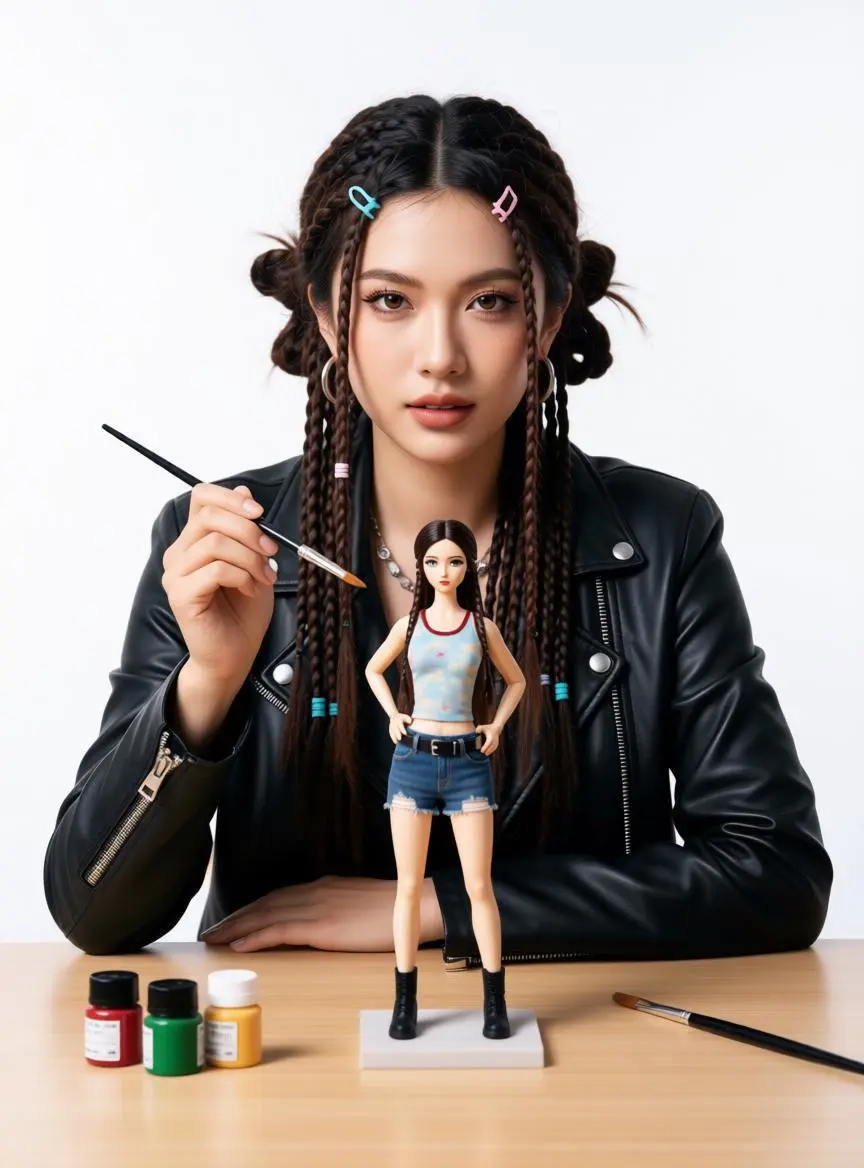
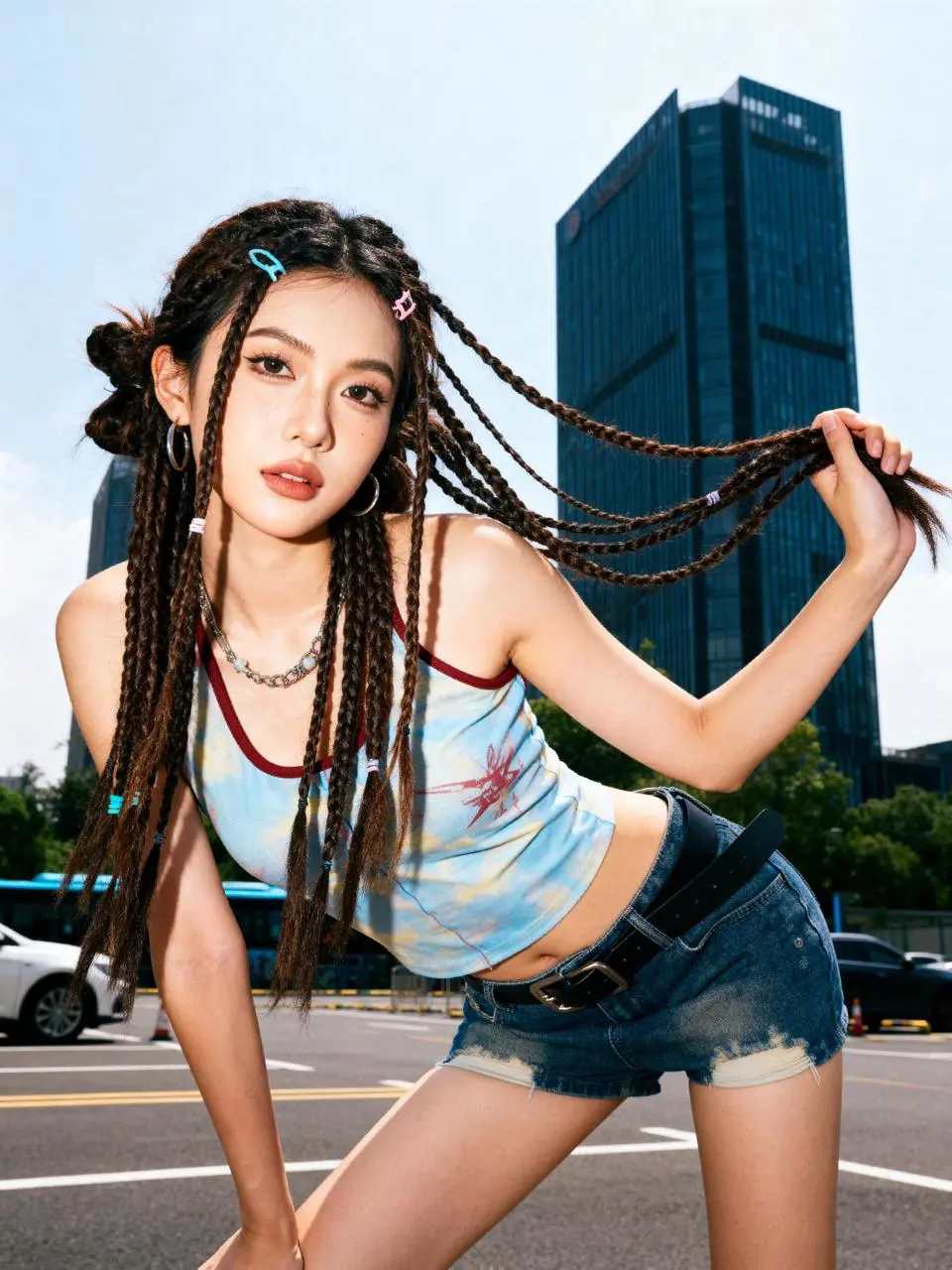
將參考人物重新表現為正在塗裝微縮模型的藝術家,以人像為輸入起點改變場景。
Create a portrait of a person, depicting this individual as an artist drawing a miniature doll. This person is dressed in their most iconic attire, confidently looking directly at the camera, holding a small paintbrush in one hand. A mini version of oneself is prominently placed on the clean workbench in front of them - enlarging the doll to make it more noticeable than its actual size, thus highlighting it even more. The doll is also wearing the same iconic clothing and is posing in a typical manner. The painting supplies on the workbench are minimal, avoiding clutter - only two or three small paint bottles and one spare brush, focusing the viewer's attention on the person and the doll. A soft neutral white background, professional studio lighting, shallow depth of field. The composition highlights the facial expression of the person looking at the camera and the doll being drawn. The style of the picture is simple and lively, aiming for a photo-realistic effect, with the details of the person and the doll needing to be highly accurate.
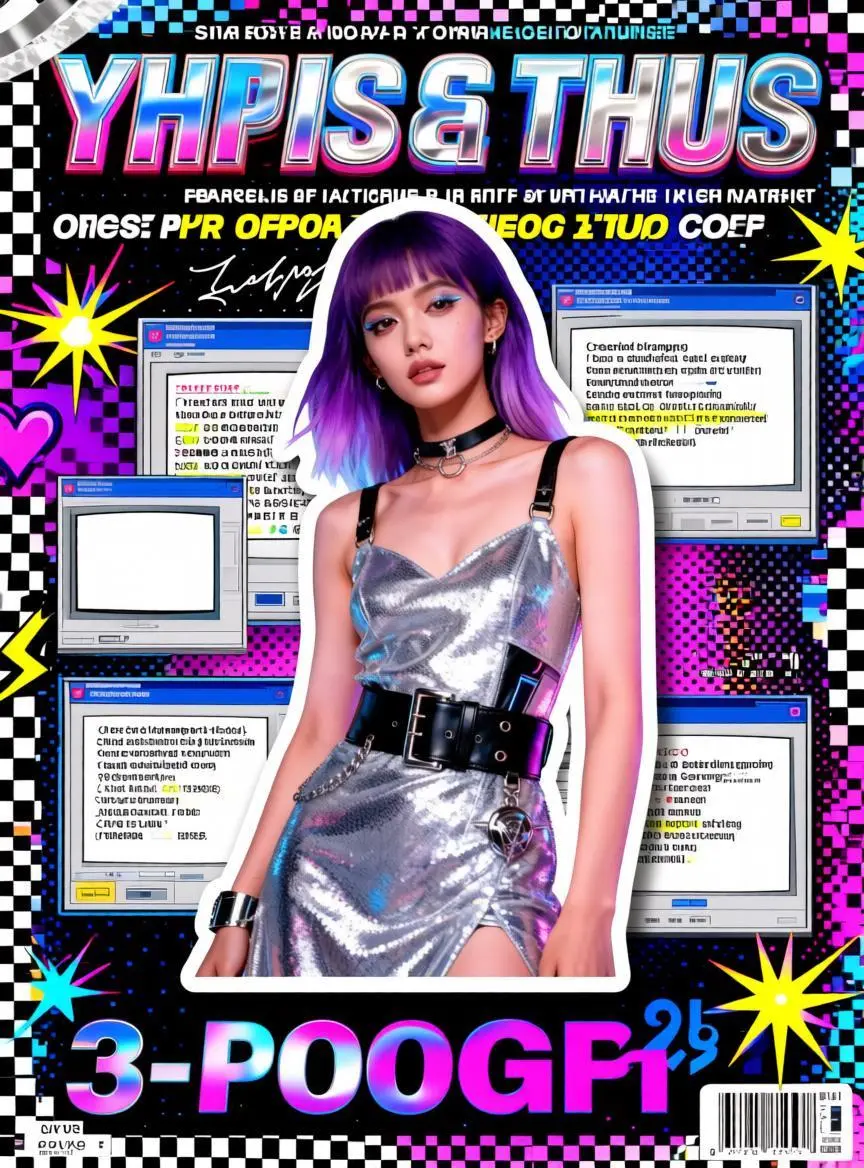
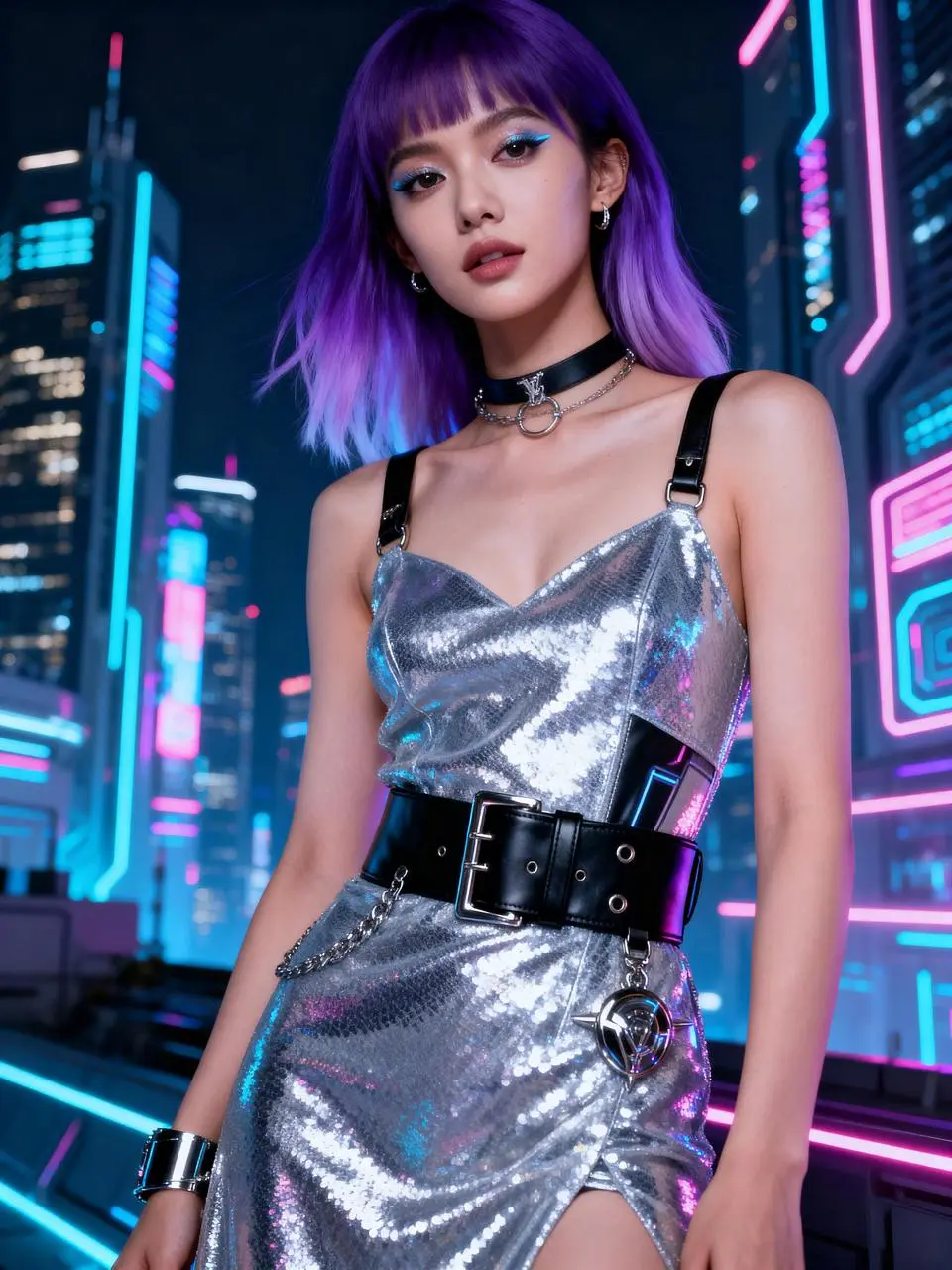
此結果展示 Y2K 拼貼風格:人物剪貼、霓虹配色、貼紙及復古視窗圖形。生成的標題和小字含無意義字母,使用前需替換並校對。本例用於風格展示,不能作為精準文字排版或成品雜誌封面的示範。
Convert the uploaded photos into a Y2K collage-style magazine cover poster. Keep the identity features and expressions of the main subject consistent, with the main subject clearly and prominently displayed, like being cut out and turned into a sticker placed in the center of the picture, with clean white borders and slight shadows, with distinct layers, with the main subject having the highest priority, and not being obscured. Color scheme rules: Extract the color from the main subject's largest proportion in the uploaded photo and enhance it to a higher saturation and brighter Y2K neon version; then automatically pair a set of strong contrasting colors / adjacent colors / complementary colors as embellishments for the title, stickers, and UI windows. Background uses common Y2K elements combinations: neon gradients, dot halftones, pixel textures, shiny plastic / chrome reflective textures; make a collage decoration around the edges but without competing with the main subject: hand-drawn graffiti lines, stars, hearts, lightning, checkered patterns, exploding star rays, tape stickers, arrows, sticker borders, etc., with high information density but in an orderly manner. Generate the publication name at the top (please design appropriate title text based on the nature of the subject, in English, bold, 3D border, candy color or metallic chrome effect). Generate several short subheadings / slogans above and on the sides of the picture (automatically randomly created, in English, please design appropriate subheading text based on the nature of the subject, short and powerful, like magazine cover copy). Generate a large main title at the bottom (please design appropriate text based on the nature of the subject, 3-6 words, in English, all in capital letters). Generate a magazine information module in the corners: issue number / date / price / small labels, and add a clear barcode area. Retro Windows elements: Overlay multiple layers of Windows 98 / Windows XP era-style window collages around the main subject. The text content and prompt information in the windows are randomly generated, but in line with the tone and layout of the system prompts from that era (in English, short sentences, prompts, percentages, paths, dialog box buttons, etc.), overall realistic and credible. Overall texture leans towards the trendy poster printing and scanning style: slight particles, a little misalignment / overlay effect, sharp edges, strong contrast, bright color grading, high-contrast highlights. The overall picture is clear, clean, and has layers, suitable for magazine covers.
FireRed-Image-Edit 是 FireRedTeam 的指令式影像編輯模型系列。專案側重遵循編輯指令,同時保留主體身份並組合視覺元素。 FireRed Image Edit 適合用指令修改原圖,包括人像修復和不同視覺表現。修復人像、微縮藝術家場景與 Y2K 拼貼是三個可檢查的參考編輯案例,不是精確保留身份的證明。
描述對原圖的具體修改,以及應保持可辨識的外觀。
場景發生變化時,用提供的影像指導人物或物體。請檢查身份及組合元素的邊界。
要求新的視覺表現,同時區分原圖細節與預期轉換。
在 WeShop AI,可透過文字描述建立新圖,也可上傳圖片並描述所需編輯。修改既有圖片時需要原圖;純文字創作則無須先提供圖片。
描述你想生成的圖片,包括主體、場景和視覺風格,無需上傳原圖。
上傳需要編輯的圖片,說明要修改的內容,以及希望保留的細節。
下方包含三個以參考圖製作的編輯案例,以及一個純文字人物創作案例。每張卡片說明實際請求,展示結果及適用的參考輸入,並保留完整原始英文提示詞。這些案例展示具體請求,不代表經過驗證的通用提示詞公式。
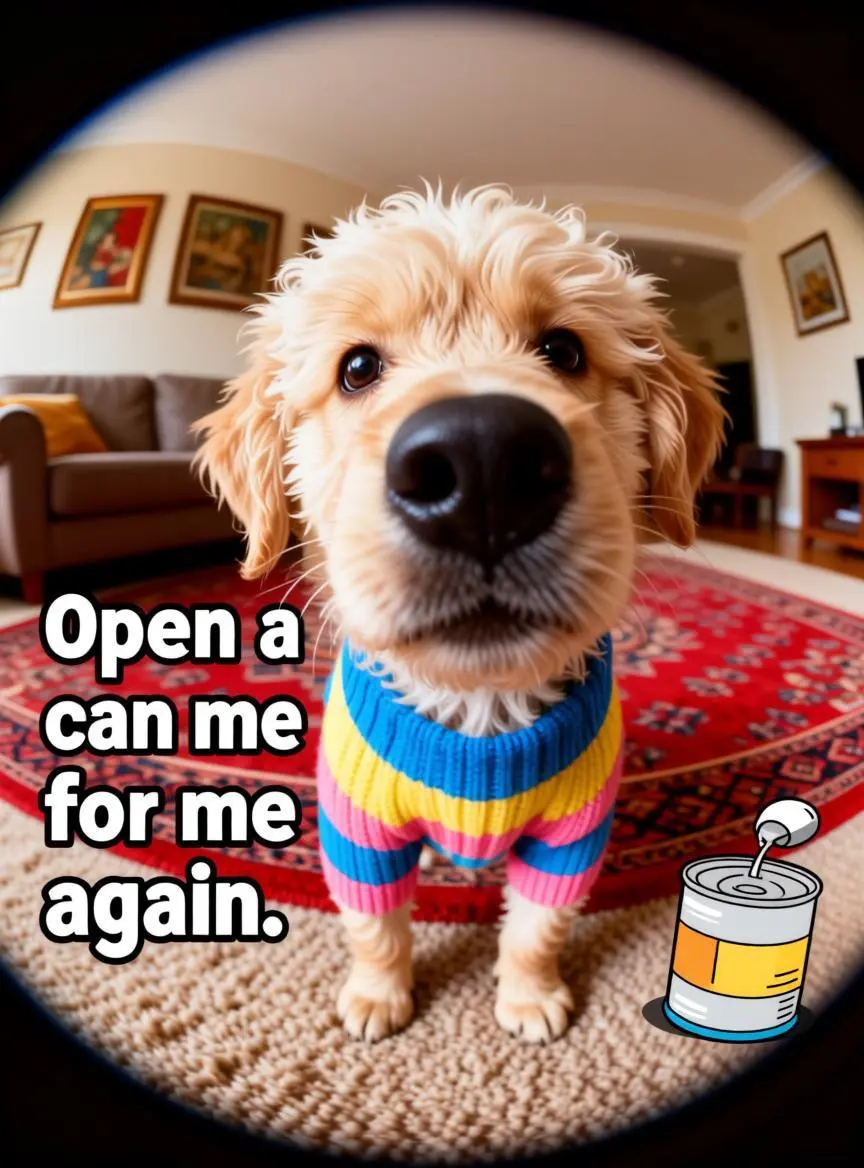
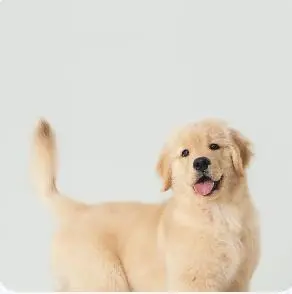
同時指定參考小狗與文字在構圖中的位置。提示詞將“Open a can for me again”放在左側,罐頭插畫放在右下角。
The puppy in Figure 1 stands in the center of the image, on an indoor carpet. The camera is very close to it, and a wide-angle lens was used, making its nose appear particularly large, almost becoming the most eye-catching part of the entire picture. The puppy's fur is off-white and light brown, with slightly fluffy and curly hair on its face. Its ears fold slightly to the sides, and its round eyes look innocent yet intelligent. It wears a colorful striped sweater in blue, yellow, and pink, making the overall image warmer and more lively. The background is a cozy living room environment. A patterned red carpet covers the floor, and behind it, you can see a sofa, decorative paintings on the wall, and indoor furniture. The overall color scheme is warm, giving a comfortable family atmosphere. There is a slight vignetting effect at the edges of the image, as if it were taken through a peephole or an ultra-wide-angle lens, enhancing the photo's whimsicality. On the left side of the image, there is a large English phrase: "Open a can for me again," which roughly translates to "Open another can (of food) for me." A cartoon image of a can is also present in the lower right corner, echoing the text. The whole image is like a pet emoji, using an exaggerated close-up and a pitiful and cute expression to express the puppy's desire for another can of food.
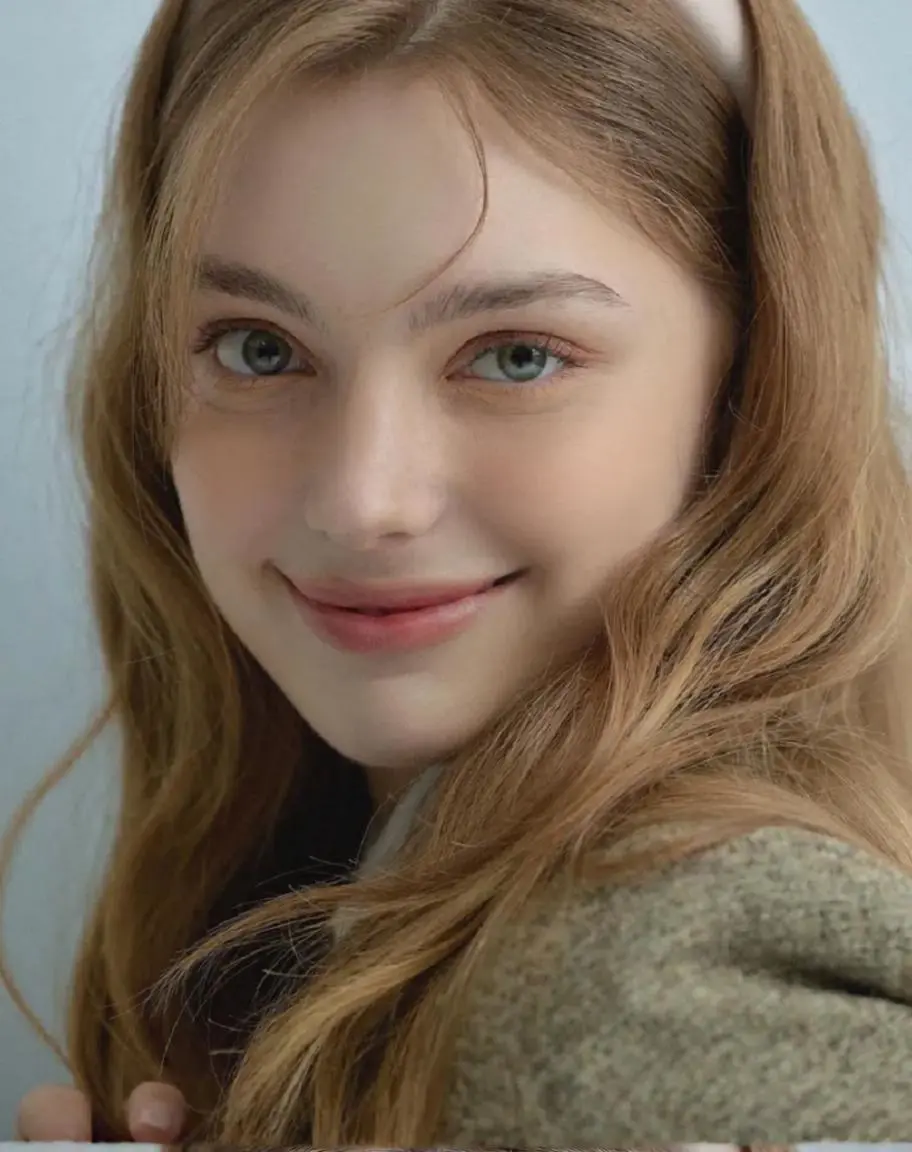
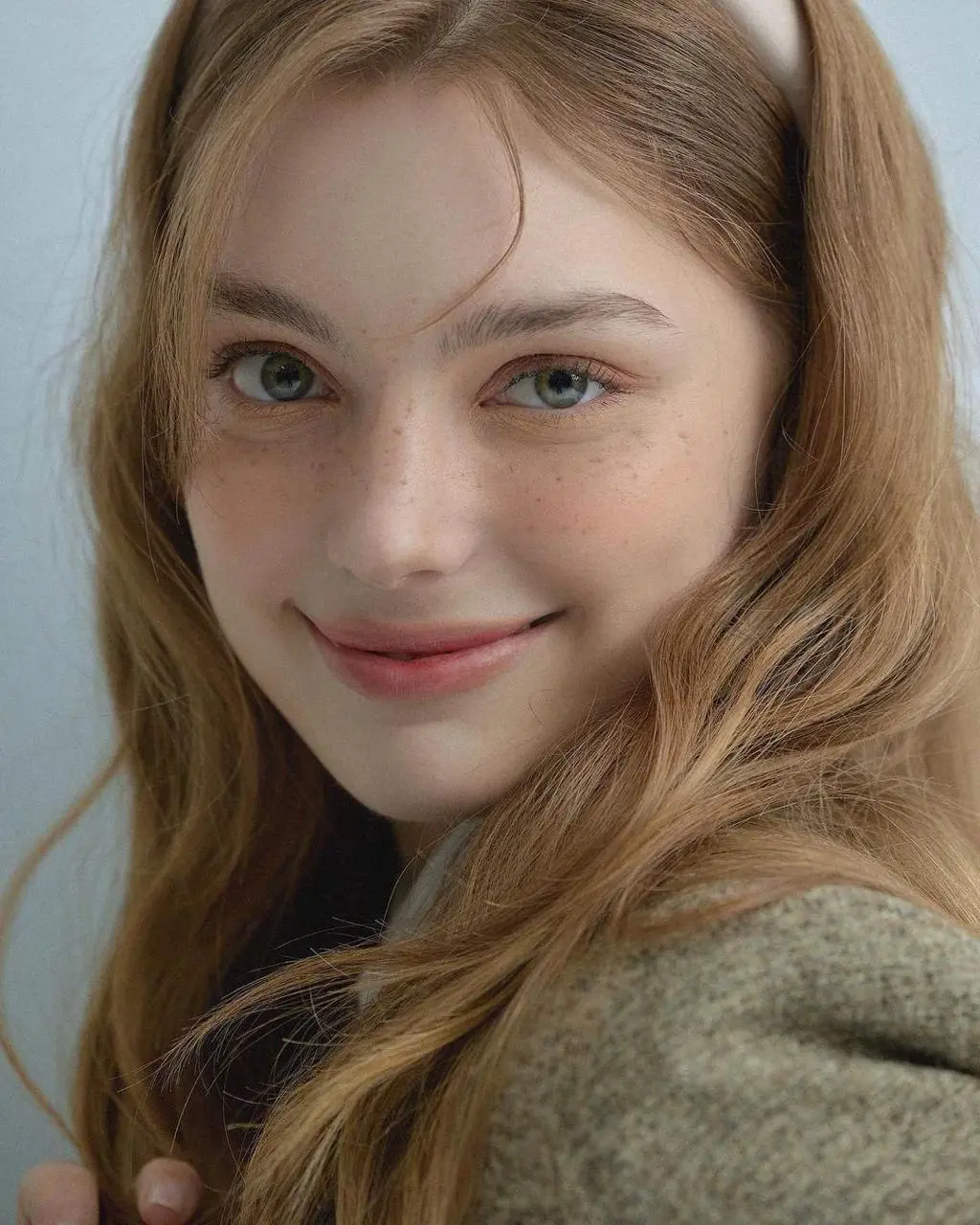
區分所需轉換與影像提供的主體或構圖。本例寫道:“remove facial imperfections and acne spots, keep natural skin texture and facial expression, preserve identity and lighting”。
remove facial imperfections and acne spots, keep natural skin texture and facial expression, preserve identity and lighting

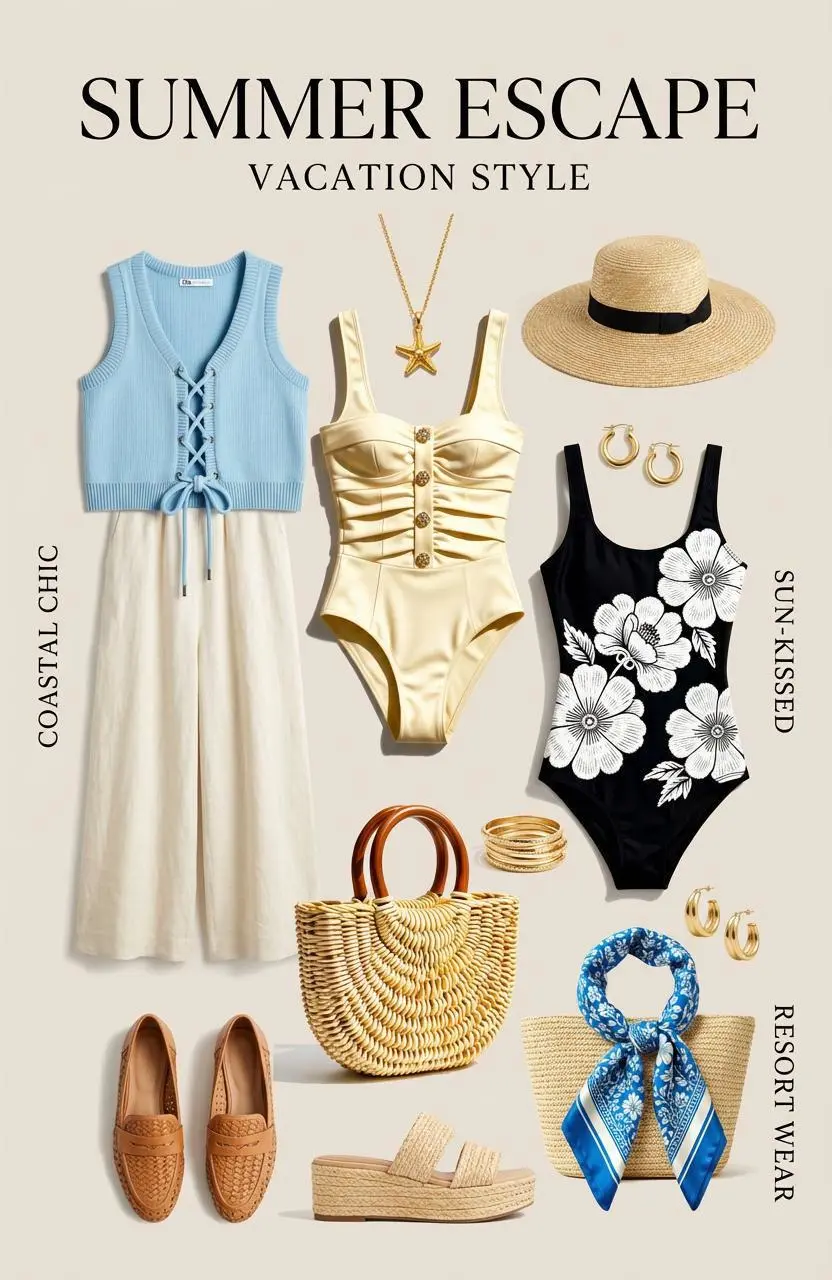
用原圖提供服裝,再寫明目標場景。此請求讓模特穿著圖 1 的服裝出現在海灘上。
The model is wearing the outfit in Figure 1 and standing on the beach.
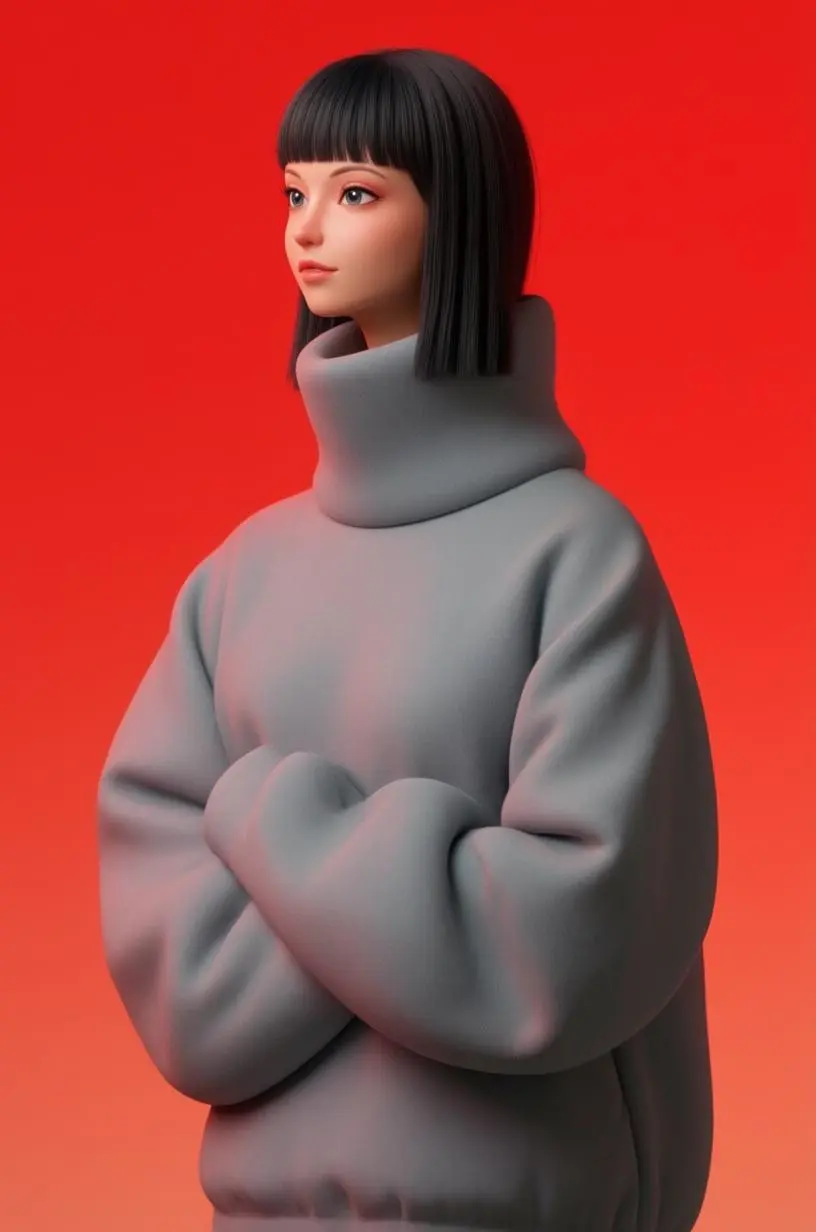
僅輸入文字提示詞;此已儲存案例未附參考圖。提示詞描述黑色短髮、寬鬆灰色高領毛衣、鮮紅背景及風格化 3D 外觀。可在結果中核對這些元素;單一案例無法證明每項比例要求皆可精準控制。
This image is a minimalist stylized character portrait of a woman against a solid bright red background. She has a very elongated neck, a small face with delicate features, and straight black hair cut into a blunt bob with bangs. She is wearing an oversized soft gray turtleneck sweater with large rounded sleeves that make her silhouette look sculptural and fashion-forward. Her pose is calm and reserved, with her head slightly turned to the side and her eyes looking off into the distance. The character design is highly simplified and elegant, with smooth surfaces, muted colors, and a refined editorial mood. Overall, it feels like a mix of modern fashion illustration and stylized 3D sculpture.
選擇 FireRed Image Edit,並按照下方輸入路徑操作。提交前檢查可用設定與積分。
建立新圖可從文字描述開始,或上傳需要編輯的圖片。編輯時,明確指出目標改動,以及人物、物體或版面中應保持可辨識的細節。
寬高比:Auto、1:1、2:3、3:2、4:3、3:4、16:9、9:16。這些是可選設定,不代表固定畫素尺寸或檔案格式保證。實際像素尺寸請查看原始輸出檔案。提交前檢查顯示的積分和套餐中的模型使用權限。
將面部及保留的原圖細節與新表現方式分別比較。對於說明文字或雜誌封面,應校對生成文字並檢查位置。
開啟相關模型頁面,檢視其能力、案例和當前生成選項。
常見問題
FireRed-Image-Edit 是 FireRedTeam 的指令式影像編輯模型系列。專案側重遵循編輯指令,同時保留主體身份並組合視覺元素。
FireRed Image Edit 適合用指令修改原圖,包括人像修復和不同視覺表現。修復人像、微縮藝術家場景與 Y2K 拼貼是三個可檢查的參考編輯案例,不是精確保留身份的證明。
官方專案強調身份保留與指令遵循。請寫明變化及需要保留的主體細節,並對照輸入檢查面部、服裝與編輯區域。
在 WeShop AI,可透過文字描述建立新圖,也可上傳圖片並描述所需編輯。修改既有圖片時需要原圖;純文字創作則無須先提供圖片。
寬高比:Auto、1:1、2:3、3:2、4:3、3:4、16:9、9:16。這些是可選設定,不代表固定畫素尺寸或檔案格式保證。實際像素尺寸請查看原始輸出檔案。
WeShop 當前定價表為此模型列出了有限免費額度。請檢查賬戶權限和剩餘額度,再檢視所選請求的積分預估。本頁不提供固定單次價格,也不將其他廠商的訂閱額度套用到 WeShop。
官方倉庫區分 1.0 與 1.1。WeShop 未標註版本的名稱不能證明採用某個具體版本或包含全部 1.1 專屬功能。請將面部及保留的原圖細節與新表現方式分別比較。對於說明文字或雜誌封面,應校對生成文字並檢查位置。 此結果展示 Y2K 拼貼風格:人物剪貼、霓虹配色、貼紙及復古視窗圖形。生成的標題和小字含無意義字母,使用前需替換並校對。本例用於風格展示,不能作為精準文字排版或成品雜誌封面的示範。
參考圖案例展示人像修復、微縮藝術家場景及 Y2K 拼貼風格;指南另含一個無參考圖的純文字人物案例。Y2K 結果含無意義文字,需替換並校對,展示的是視覺風格而非精準排版。這些單例不能衡量成功率或保證精準保留原圖細節。
目前入口未標註具體檢查點。官方倉庫區分 FireRed 1.0 與 1.1,而 WeShop 名稱未標註版本。應按實際編輯任務與已儲存結果選擇,不假定已部署所有 1.1 專屬功能。
同時指定參考小狗與文字在構圖中的位置。提示詞將“Open a can for me again”放在左側,罐頭插畫放在右下角。請閱讀指南中配對的完整提示詞和實際輸入,再按自己的任務調整。