






Build Cinematic Fashion Portraits With Seedream 5.5 Lighting Controls
Direct fashion portrait concepts by separating identity, wardrobe, camera, lighting direction, mood, texture, and final realism checks.
Fashion portraits often fail at the brief rather than the rendering stage. “Make it cinematic” does not define where the light comes from, what it should reveal, how the wardrobe should read, or which features must remain stable.
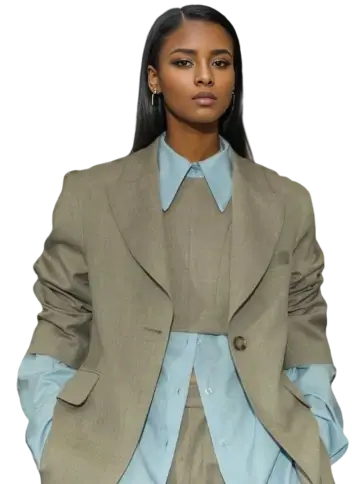
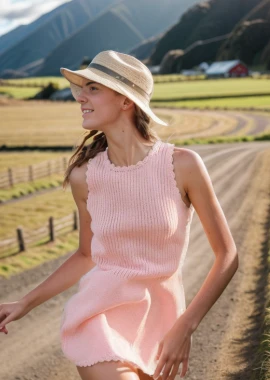
Dreamina's official Seedream 5.5 preview highlights realistic portraits, natural-looking skin, varied expressions, photographic techniques, intelligent lighting, and cinematic presets. A useful workflow turns those broad capabilities into a lighting plan that can be inspected.
| Official portrait reference |
|---|
Official Dreamina example: Realistic portrait rendering with natural textures and controlled lighting. |
Direct the portrait in six layers
- Identity: age range, face shape, hair, skin tone, and features that must remain consistent.
- Wardrobe: silhouette, material, color, styling, and accessories.
- Pose and expression: body direction, gaze, hand position, and emotional restraint.
- Camera: crop, lens character, angle, and depth of field.
- Lighting: direction, size, softness, contrast, fill, and background separation.
- Texture: skin, hair, fabric, film grain, and retouching limits.
Three lighting directions to explore
| Lighting concept | Visual behavior | Best fit |
|---|---|---|
| Large side window | Soft transition across the face, gentle shadow side | Beauty, knitwear, quiet editorial portraits |
| Hard overhead spotlight | Deep eye and cheek shadows, strong graphic silhouette | Dark fashion, performance, conceptual campaigns |
| Warm rim plus cool frontal fill | Separated outline with controlled facial detail | Music, youth fashion, cinematic campaign imagery |
| Official creative portrait prompt example |
|---|
Official Dreamina example: A surreal high-fashion portrait using bold perspective, studio color, and cinematic shadow. |
Prompt starting point
Create a vertical 4:5 editorial fashion portrait of an adult woman in a sculptural charcoal-gray wool coat with a high folded collar. She stands three-quarter to camera with relaxed shoulders, one hand lightly touching the collar, and a calm direct gaze.

Use a large soft key light from camera left at approximately 45 degrees, with minimal neutral fill from the front and a narrow warm rim light behind the right shoulder. Keep the shadow side of the face detailed but clearly darker. Use a muted warm-gray studio background, an 85 mm portrait-lens look, eye-level camera, shallow depth of field, and restrained cinematic contrast.

Preserve natural skin texture, subtle pores, fine facial hair, individual hair strands, realistic wool fibers, and accurate hands. Avoid plastic skin, excessive sharpening, beauty-filter smoothing, distorted fingers, exaggerated eye highlights, glossy synthetic fabric, text, logos, and watermarks.
This is a prompt starting point, not evidence of a completed Seedream 5.5 test.
Review the light before reviewing the style
Ask objective questions:
- Is the key light coming from the requested direction?
- Do the nose and jaw shadows agree with that direction?
- Does the rim light stay on the intended edge?
- Is the face readable without flattening all shadows?
- Does the fabric react realistically to the same light?
- Are the eyes, hands, hairline, and jewelry anatomically coherent?
Use portraits responsibly
Only upload images you have permission to process. Do not imply that a generated person endorses a brand. Preserve an adult subject's identity when the workflow is identity-based, and disclose significant AI alteration when required by the channel or campaign.
For commercial fashion work, compare the output with the approved garment reference. Check seams, fasteners, prints, logos, hem length, material behavior, and color. An attractive portrait is not usable if it silently redesigns the clothing.
When AI lighting exploration is most useful
This workflow can help teams preview campaign moods, create lighting references for photographers, test a wardrobe against multiple atmospheres, or produce early editorial concepts before booking a location. It should support creative direction—not replace product verification, model consent, or final campaign review.
Coming Soon to WeShop AI
Seedream 5.5 fashion-portrait workflows are coming soon to WeShop AI. Stay tuned.