












Turn a Studio Model Photo Into an Overhead Commuter Fashion Campaign With Seedream 5.0 Pro
Use Seedream 5.0 Pro to transform one white-background model photo into a consistent set of overhead crosswalk fashion ads while preserving identity and wardrobe.
Fashion teams often need more campaign images than a single studio shoot can provide. A white-background model photo may document the outfit clearly, but it does not communicate movement, lifestyle, or a memorable advertising idea. Turning that approved image into an overhead commuter series creates multiple story-led assets from one wardrobe reference, helping teams extend a look across social carousels, landing pages, and campaign banners without organizing a new location shoot for every pose.
In this first-party WeShop test, we used an original fictional model photo as the only identity and wardrobe reference, then generated four 3:4 street-fashion images with Seedream 5.0 Pro. The test focused on preserving the face, auburn bob, layered outfit, socks, shoes, scarf, and red tote across different actions.
| Studio source image |
|---|
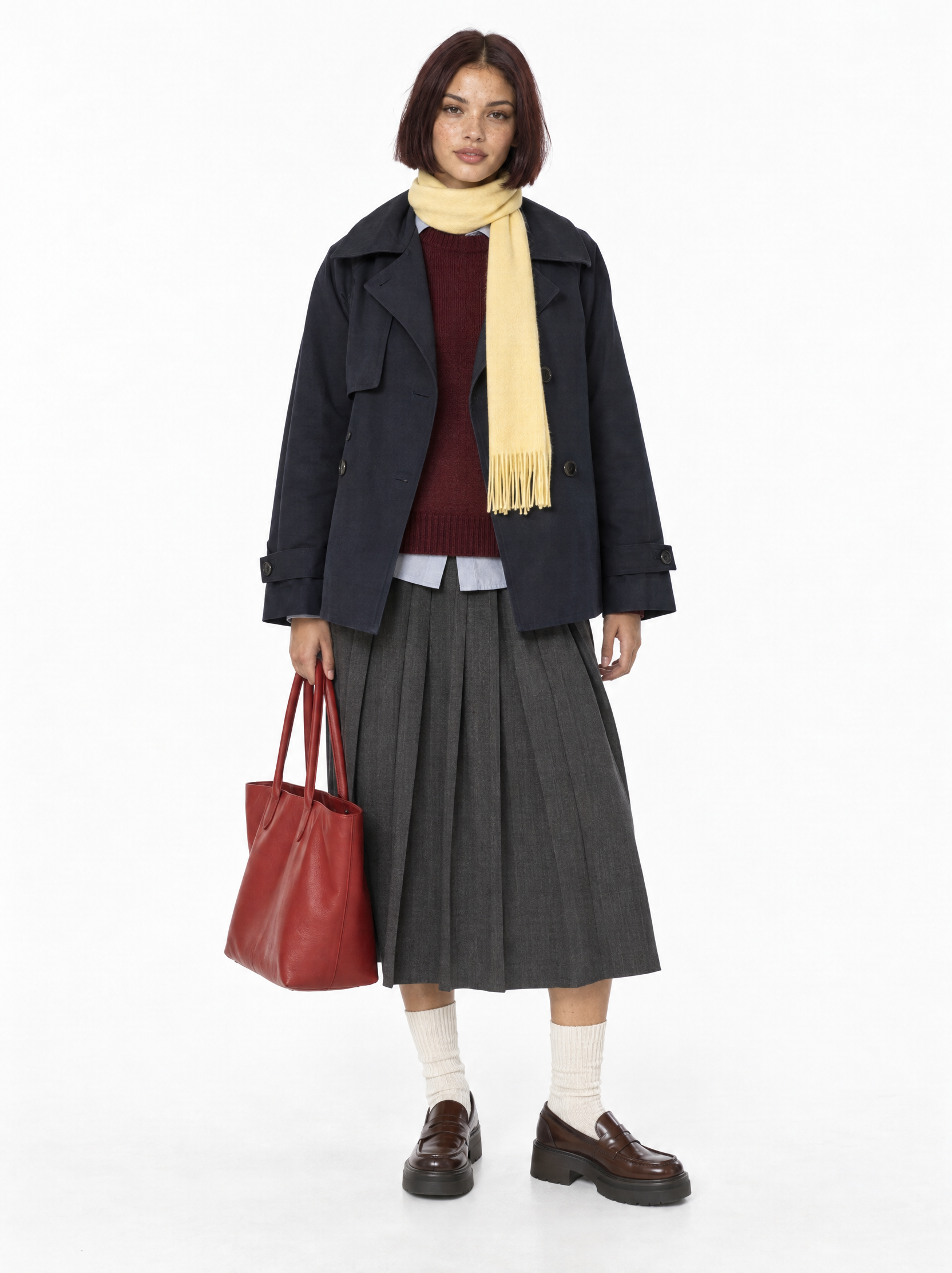 |
| The clean casting-style photo provides an unobstructed identity and wardrobe reference before the campaign setting is introduced. |
Four campaign assets from one source image
| Campaign action | Generated result |
|---|---|
| Raising an “ON MY WAY” sign | 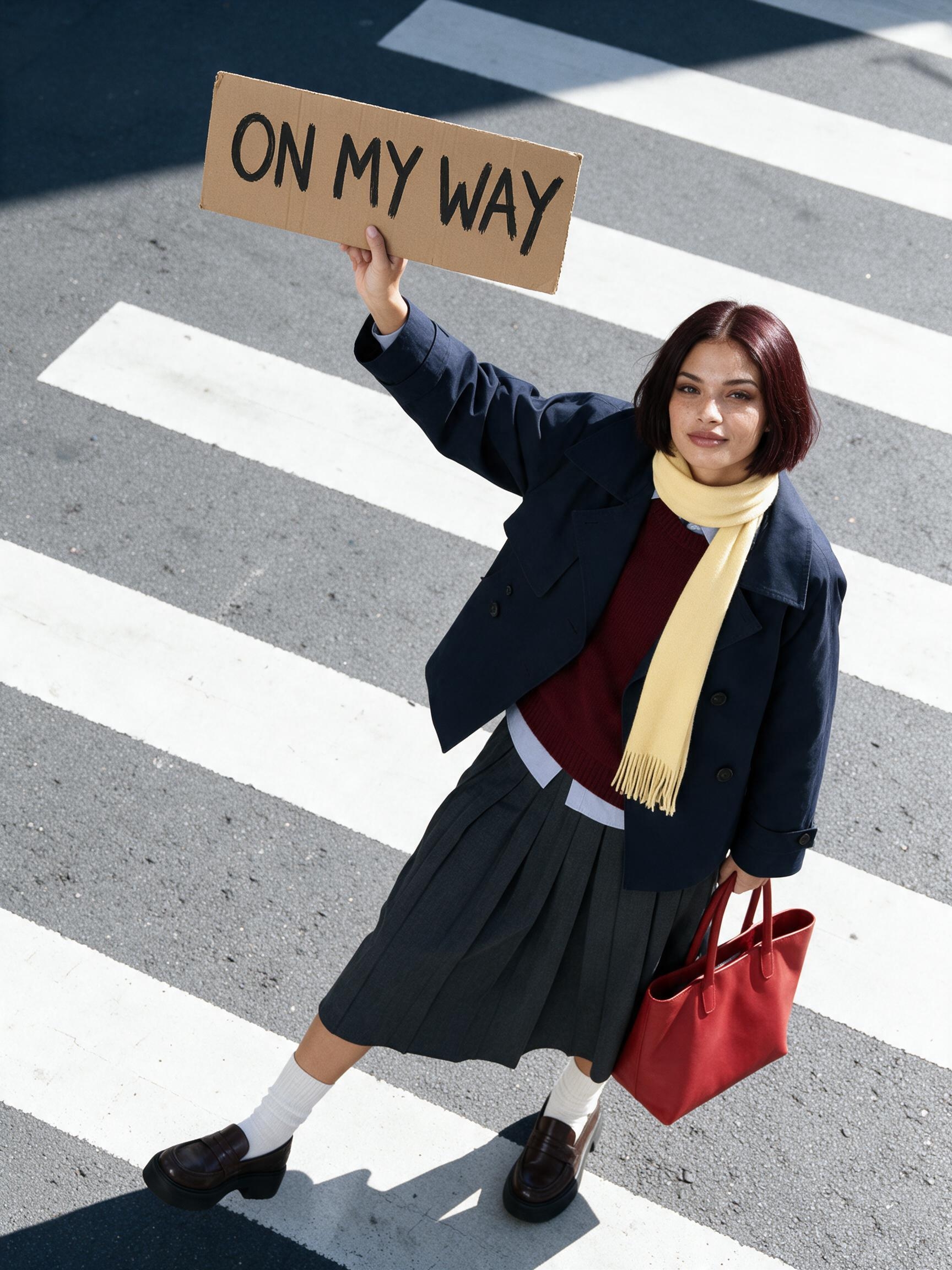 |
| Taking a call while carrying coffee | 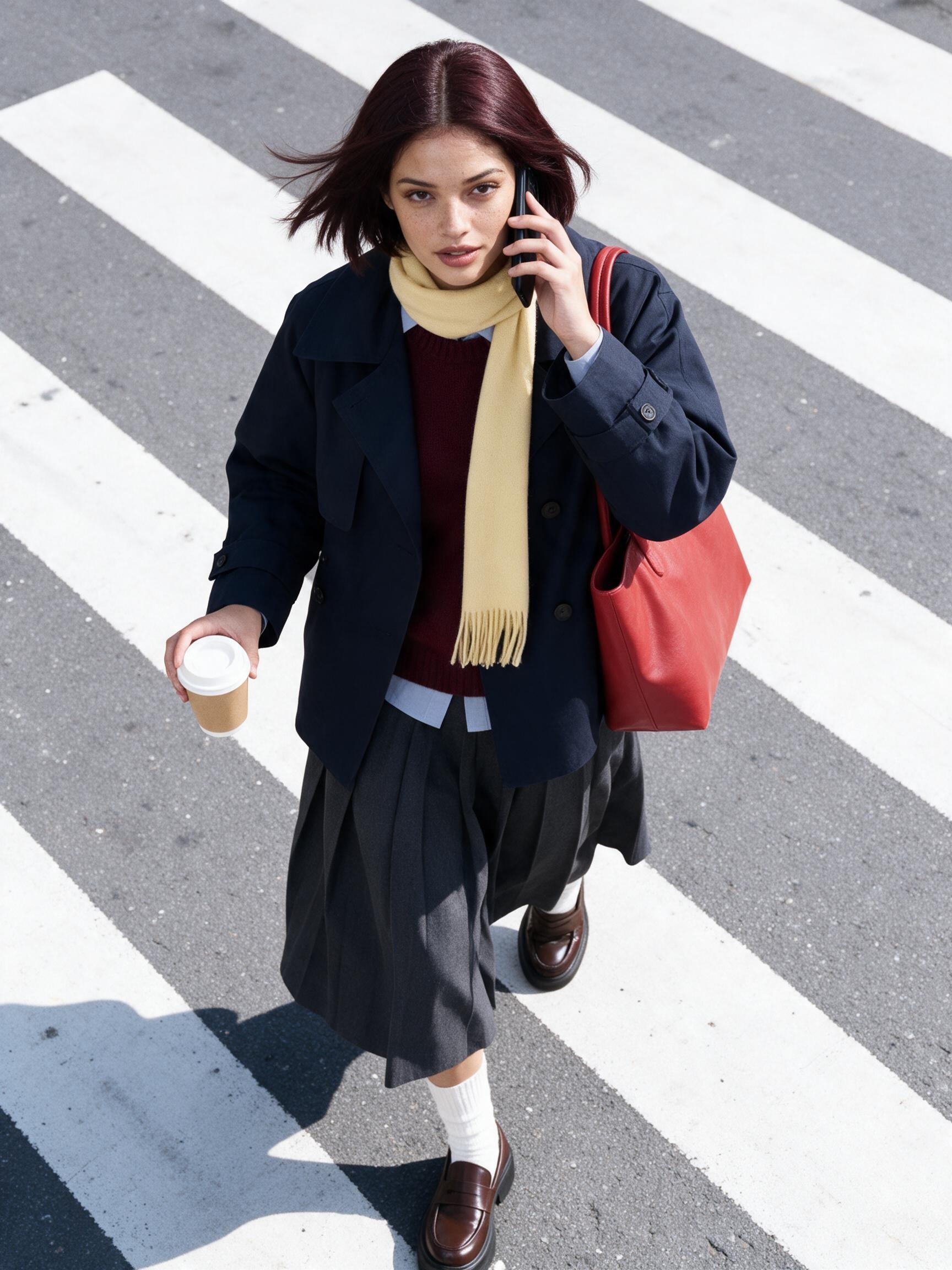 |
| Checking a watch mid-stride | 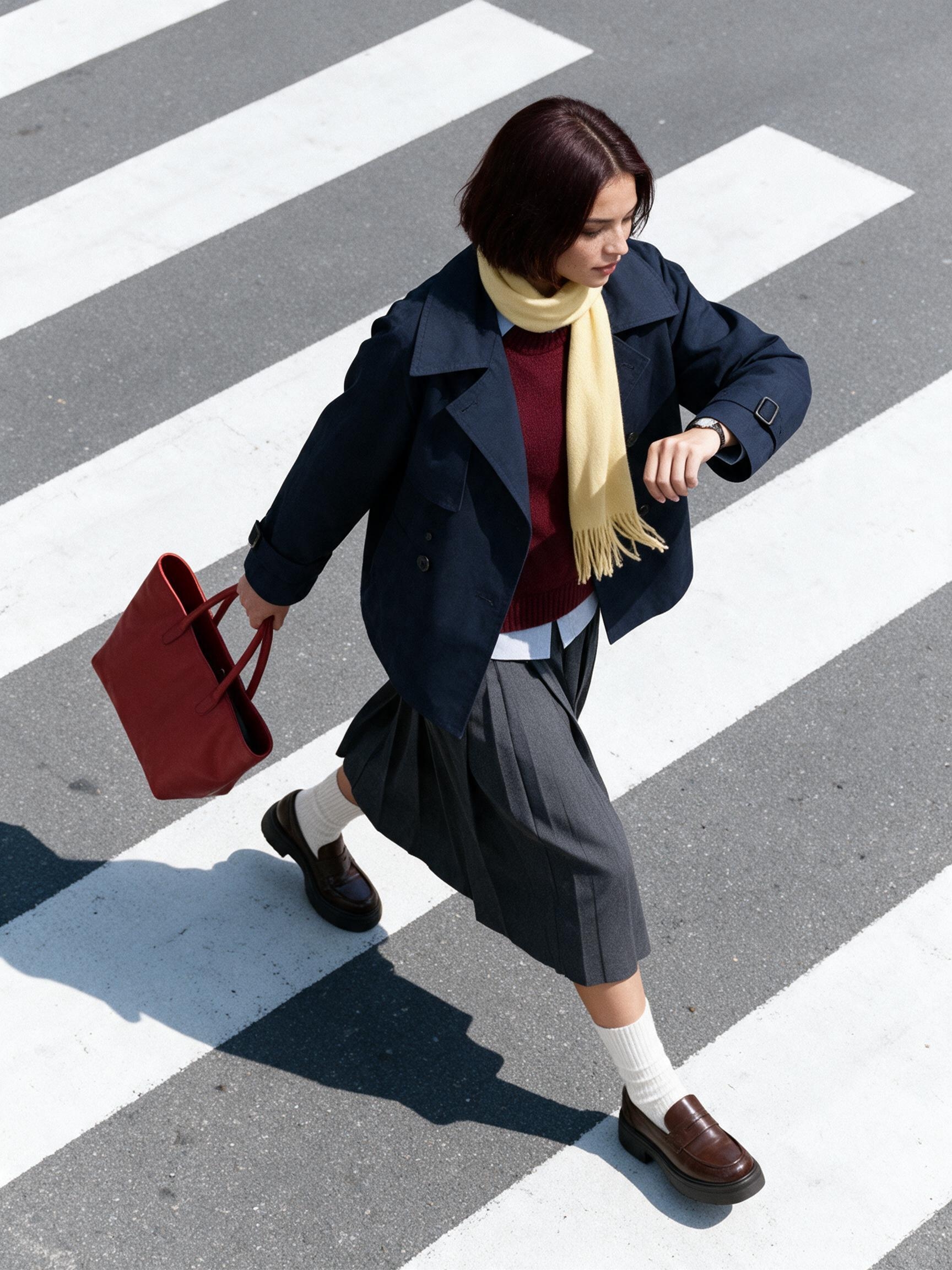 |
| Recovering papers from an open tote | 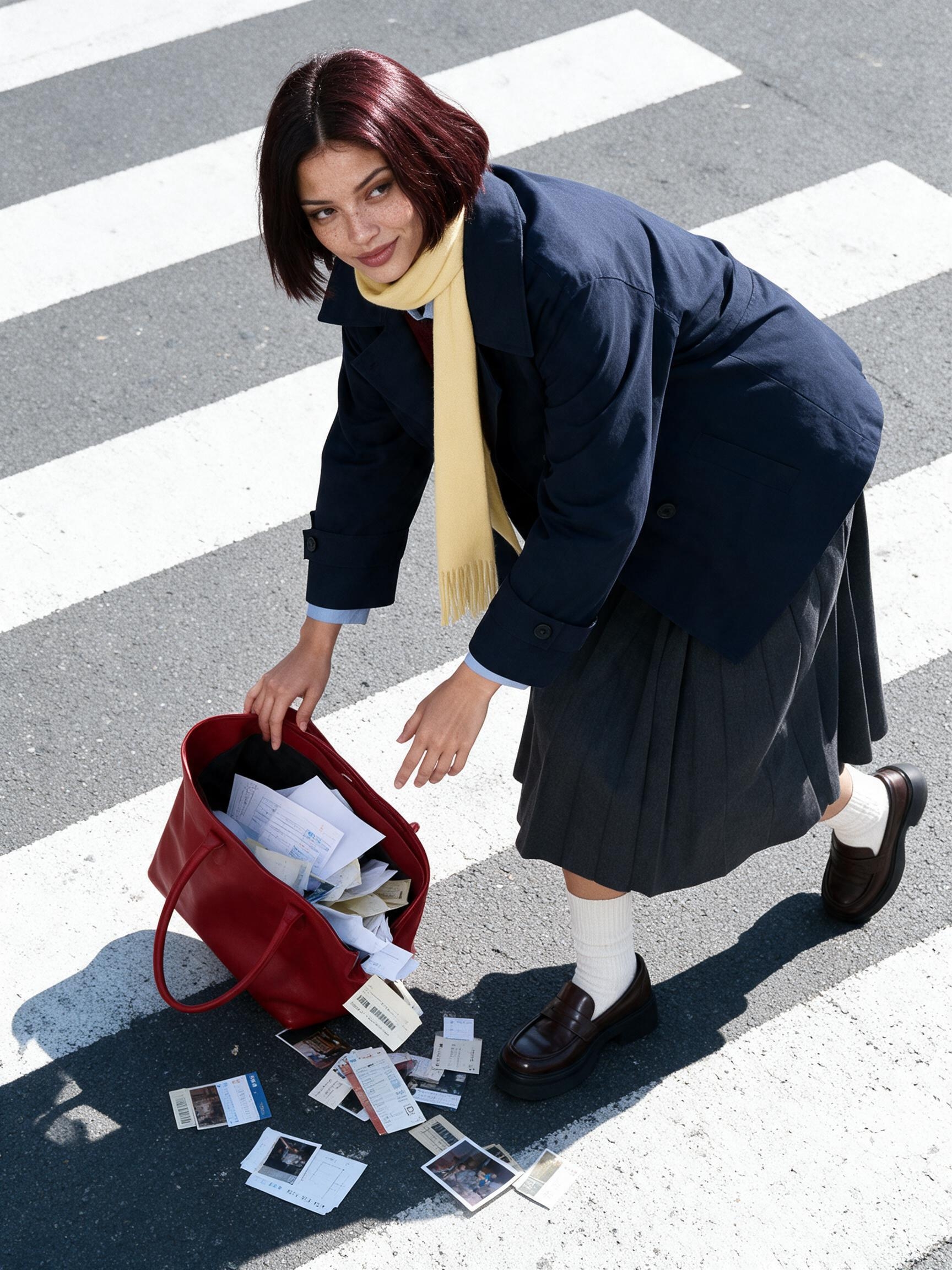 |
The same navy, burgundy, pale yellow, and tomato-red palette connects the set. Actions change, but the hairstyle, trench structure, knit layer, pleated skirt, socks, loafers, and tote remain recognizable enough to function as one campaign.
Why the overhead angle fits commuter storytelling
Crosswalk stripes provide an immediate direction of travel, while a high camera reveals the bag, hand props, and stride in one frame. Compared with an eye-level street photograph, the angle makes “busy” behavior more graphic and gives the coat hem, scarf, and hair room to show movement.
Workflow
Step 1 — Prepare the studio reference
Use a full-body image on pure white with the model facing forward and both hands, shoes, and bag fully visible.
Step 2 — Choose the generation settings
Select Seedream 5.0 Pro in WeShop, set the aspect ratio to 3:4, and choose 2K output.
Step 3 — Lock the model and wardrobe
Repeat the complete identity, hairstyle, garment layers, footwear, scarf, and bag description at the beginning of every prompt.
Step 4 — Fix the campaign composition
Keep the high angle, diagonal crosswalk, natural hard daylight, and crisp shadow unchanged; replace only the action and prop.
Step 5 — Compare every output
Review face shape, hair color, garment structure, footwear, and bag color side by side after each generation.
Hero-image prompt
Use the uploaded white-background full-body model photo as the only identity and wardrobe reference. Preserve the same adult woman, facial structure, features, center-parted chin-length dark auburn bob, and complete outfit: oversized navy short trench with structured collar and storm flap, burgundy crew-neck knit, pale blue-gray shirt hem, charcoal pleated midi skirt, cream ribbed mid-calf socks, brown platform loafers, pale yellow scarf, and tomato-red leather tote.

Create a 3:4 high-angle overhead commercial fashion photograph on a city zebra crossing running diagonally from lower left to upper right. Place the model near a rule-of-thirds point under natural hard daylight with crisp-edged shadows. She leans slightly back, raises a rough cardboard sign that reads exactly “ON MY WAY” in clear black hand lettering, and carries the red tote in the other hand.

Use dynamic editorial street style and commercial fashion photography. Contrast cool gray asphalt and white stripes with the navy, burgundy, pale yellow, and tomato-red wardrobe. Preserve realistic fabric texture, natural body proportions, subtle grain, and a street-captured finish rather than polished studio lighting. No extra person, vehicle covering the model, additional text, brand logo, duplicated limb, or wardrobe redesign.
Building the rest of the series
Keep the identity, wardrobe, camera, light, and road paragraph unchanged. Replace only the action paragraph:
- Hold a black phone to one ear and a plain takeaway coffee in the other hand while walking and looking up.
- Take a long purposeful step while checking a simple wristwatch, with the tote swinging behind.
- Let a few papers, transit tickets, and small photo prints spill from the open tote as the model bends to retrieve them with an amused expression.
Quality checks and limitations
Garment structure and color should take priority over a more dramatic pose. Compare coat length, skirt pleats, sock height, shoe shape, and tote color, then inspect hand contact with the phone, cup, and straps. If exact construction, hardware, or fabric details are commercially important, add dedicated close-ups; an overhead wide shot should not be the only product-detail evidence.