












Turn One Product Packshot Into Two Commercial Shoots with GPT Image 2.5
Use GPT Image 2.5 Sunburst in WeShop to turn one clean handbag packshot into two commercial photography campaigns while preserving product details.
A useful commercial-image workflow should change the campaign world without quietly redesigning the product. In this first-party WeShop test, one clean handbag packshot became two contrasting commercial shoots: a saturated cobalt studio set and a warm travertine location.
The solution used GPT Image 2.5 Sunburst because the task prioritized reference fidelity and polished product detail over generation speed. Across both outputs, the cherry-red leather, arched handle, shoulder strap, gold hardware, crescent clasp, and overall bag structure remained visibly consistent.
Source and Results
| White-Background Source | Cobalt Studio Campaign | Warm Stone Campaign |
|---|---|---|
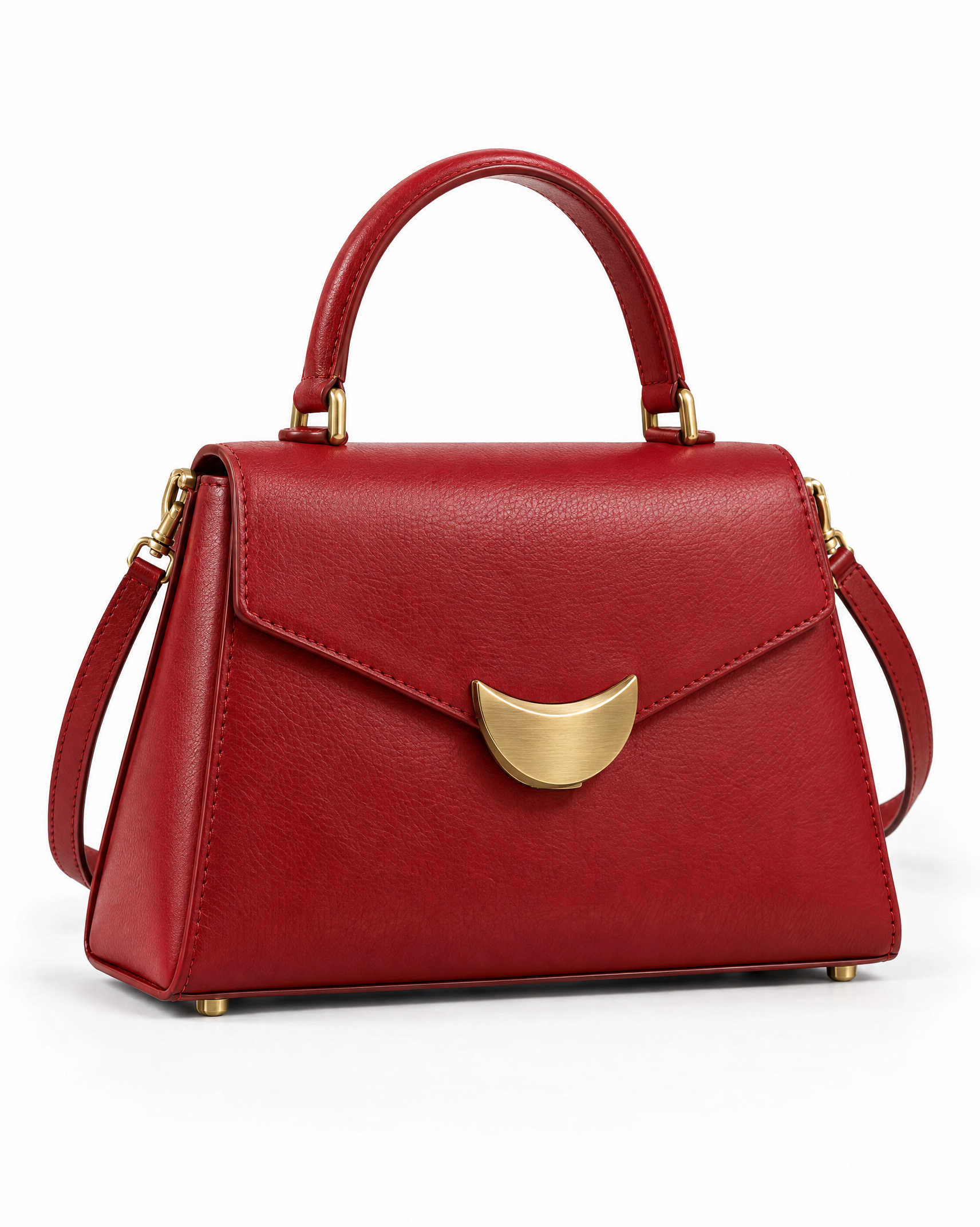 | 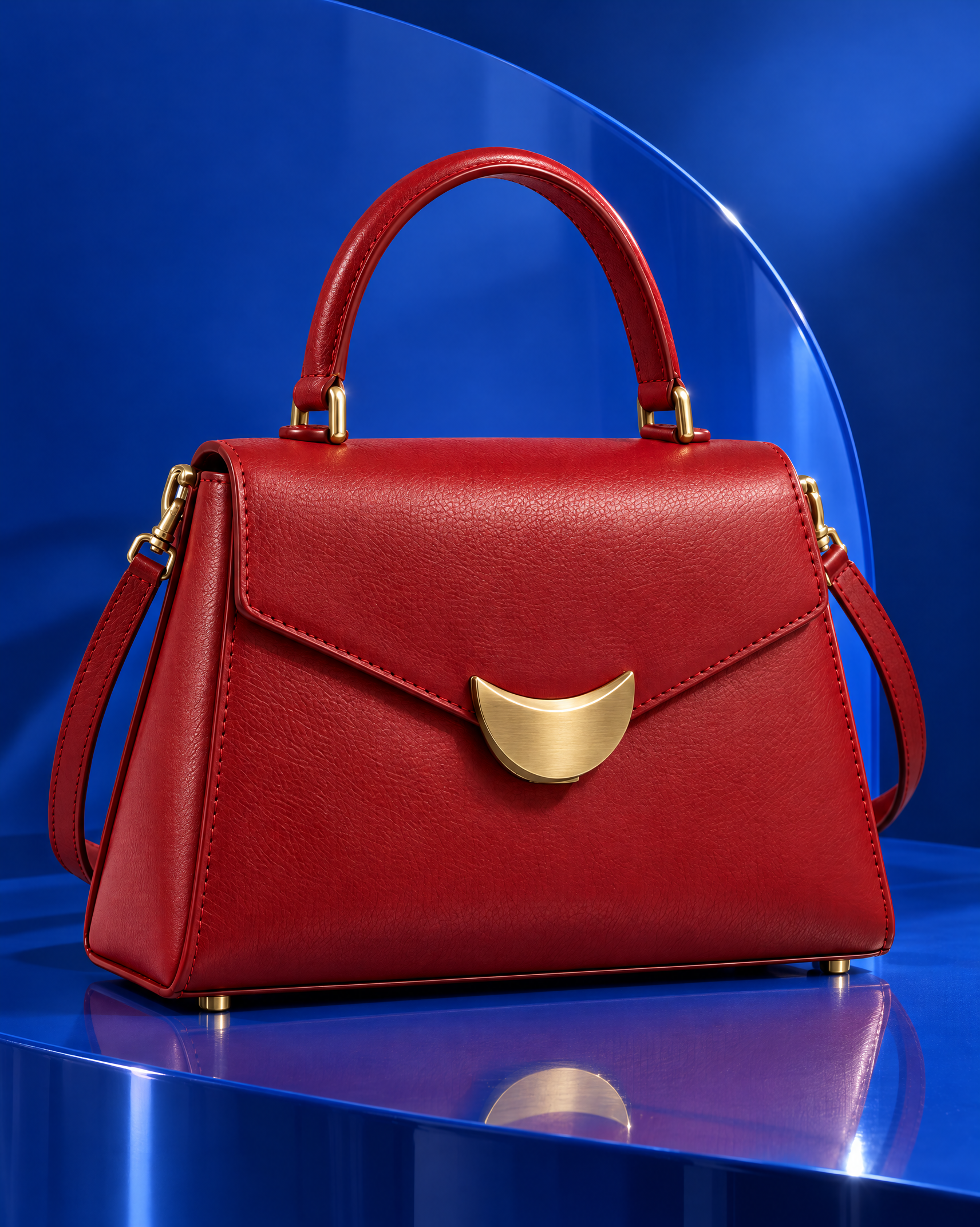 | 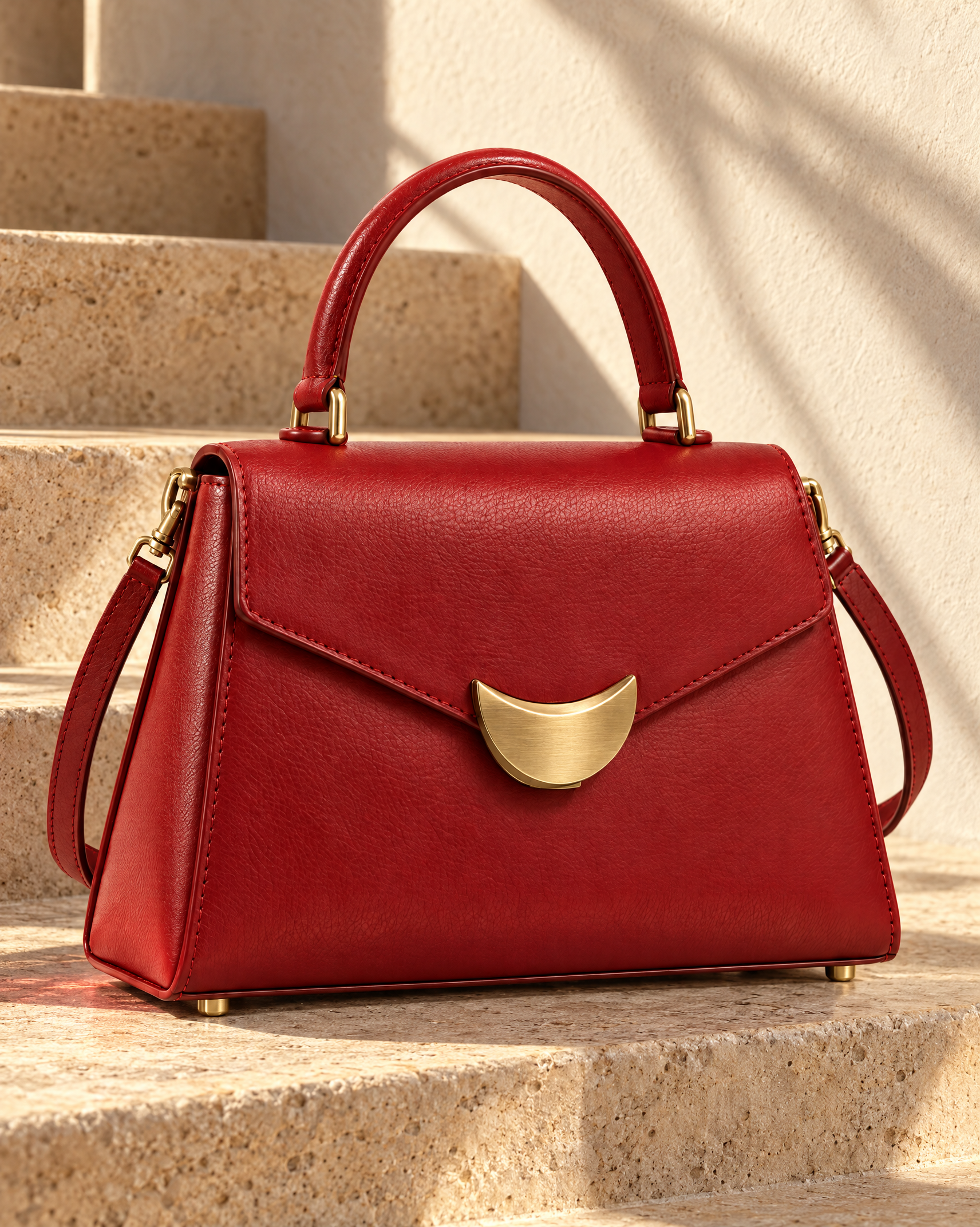 |
Step 1: Build a Reference With Memorable Product Anchors
The source is deliberately specific rather than generic. It includes a cherry-red leather body, one rigid arched handle, a detachable shoulder strap, tonal stitching, gold feet, and a crescent-shaped front clasp.
These details act as visual checkpoints. After generation, they make it easier to distinguish a successful scene change from an accidental product redesign.
Step 2: Separate Product Locks From Scene Direction
Each edit prompt has two distinct blocks:
- Product details that must remain unchanged.
- Background, light, materials, and mood that may change.
This separation prevents the art direction from competing with the product-preservation instructions.
Cobalt Studio Prompt
Use the uploaded cherry-red handbag packshot as a strict product reference. Preserve the exact trapezoid silhouette, rigid arched handle, crescent-shaped brass clasp, tonal stitching, detachable strap, leather color, proportions, and three-quarter orientation.

Place the same single bag on a glossy cobalt-blue sculptural plinth in a premium studio campaign. Add one curved blue acrylic panel behind it, precise side lighting, crisp brass highlights, a controlled reflection, and a realistic contact shadow. High-end commercial fashion product photography, clean composition, no text.

Do not redesign the bag, change the clasp, remove the strap, alter the red color, duplicate the product, add a person, logo, or watermark.
What Changed and What Stayed Stable
The background became a saturated blue set with an acrylic curve and glossy reflection. The red bag remained the single focal product, while the crescent clasp, leather grain, handle construction, side strap, and gold feet remained visible.
The strong red–blue contrast makes this version suitable for campaign headers and social creative where the product needs immediate visual separation.
Warm Stone Prompt
Use the uploaded cherry-red handbag packshot as a strict product reference. Preserve the exact trapezoid silhouette, rigid arched handle, crescent-shaped brass clasp, tonal stitching, detachable strap, leather color, proportions, and three-quarter orientation.

Place the same single bag on warm ivory travertine steps in late-afternoon sunlight. Add restrained architectural shadows, a pale plaster wall, subtle red reflected light near the base, and a realistic grounding shadow. Refined luxury commercial product photography with natural leather texture and controlled highlights.

Do not redesign the bag, change the clasp, remove the strap, alter the red color, duplicate the product, add a person, text, logo, or watermark.
What Changed and What Stayed Stable
This version replaced the saturated set with porous stone, warm sunlight, and architectural shadows. The bag kept the same red leather, central crescent clasp, top handle, side strap, stitching, and hardware family.
The quieter palette gives the image a more editorial and lifestyle-oriented commercial mood without introducing a model or extra props.
A Reusable Commercial Photography Formula
Use the uploaded product image as a strict reference.

Preserve exactly: [shape], [color], [materials], [logo or label position], [hardware], [count], [camera angle], and [distinctive construction details].

Place the same product in [new set or location]. Add [surface], [background geometry], [lighting direction], [shadow behavior], and [controlled props]. Keep the product as the single focal point.

Do not redesign, recolor, distort, crop, duplicate, relabel, or cover the product. Do not add people, extra products, unauthorized text, logos, or watermarks.
Product-Fidelity Checklist
Before approving a result, compare:
- outer silhouette and proportions;
- handle and strap attachment points;
- clasp or closure geometry;
- material grain and color;
- stitching and edge finishing;
- hardware count and placement;
- product count and camera orientation;
- contact shadow and physical grounding.
Practical Limitations
This test contains two edits of one fictional product. It demonstrates the observed results of these runs, not a universal product-fidelity rate. Small manufacturing details, exact color values, logos, legal copy, and SKU-specific packaging still require human review.
For catalog truth, keep the original packshot. Use generated scenes as campaign assets only after confirming that every sellable product detail matches the approved reference.
Final Takeaway
GPT Image 2.5 Sunburst turned one clean handbag source into two distinct commercial directions while retaining the product’s main identity markers. The most reliable prompt pattern was simple: name what cannot change before describing the new creative world.
You can try it directly using the tool on the right.
Build a Campaign From One Product Packshot
Upload an approved product image, lock its identity details, and test one scene direction at a time in WeShop GPT Image.