












GPT Image 2.5: What’s New in OpenAI’s Latest Image Model
Explore GPT Image 2.5’s sharper reference fidelity, more precise editing, improved multi-turn consistency, creative controls, and faster image generation.
GPT Image 2.5 focuses on a problem that matters more than generating one impressive image: keeping the right details intact while you continue creating. OpenAI’s new image model combines sharper rendering, faster generation, more controlled edits, and better consistency across multiple revisions.
OpenAI introduced ChatGPT Images 2.5 on September 8, 2026. The model is rolling out across ChatGPT, ChatGPT Work, and Codex, while developers can access two API variants: GPT-Image-2.5 Flare and GPT-Image-2.5 Sunburst.
The Most Important GPT Image 2.5 Upgrades
This release is not only about making images look more polished. Its most useful improvements affect the complete creative workflow—from working with references to making targeted changes without rebuilding an asset.
Better Reference Image Fidelity
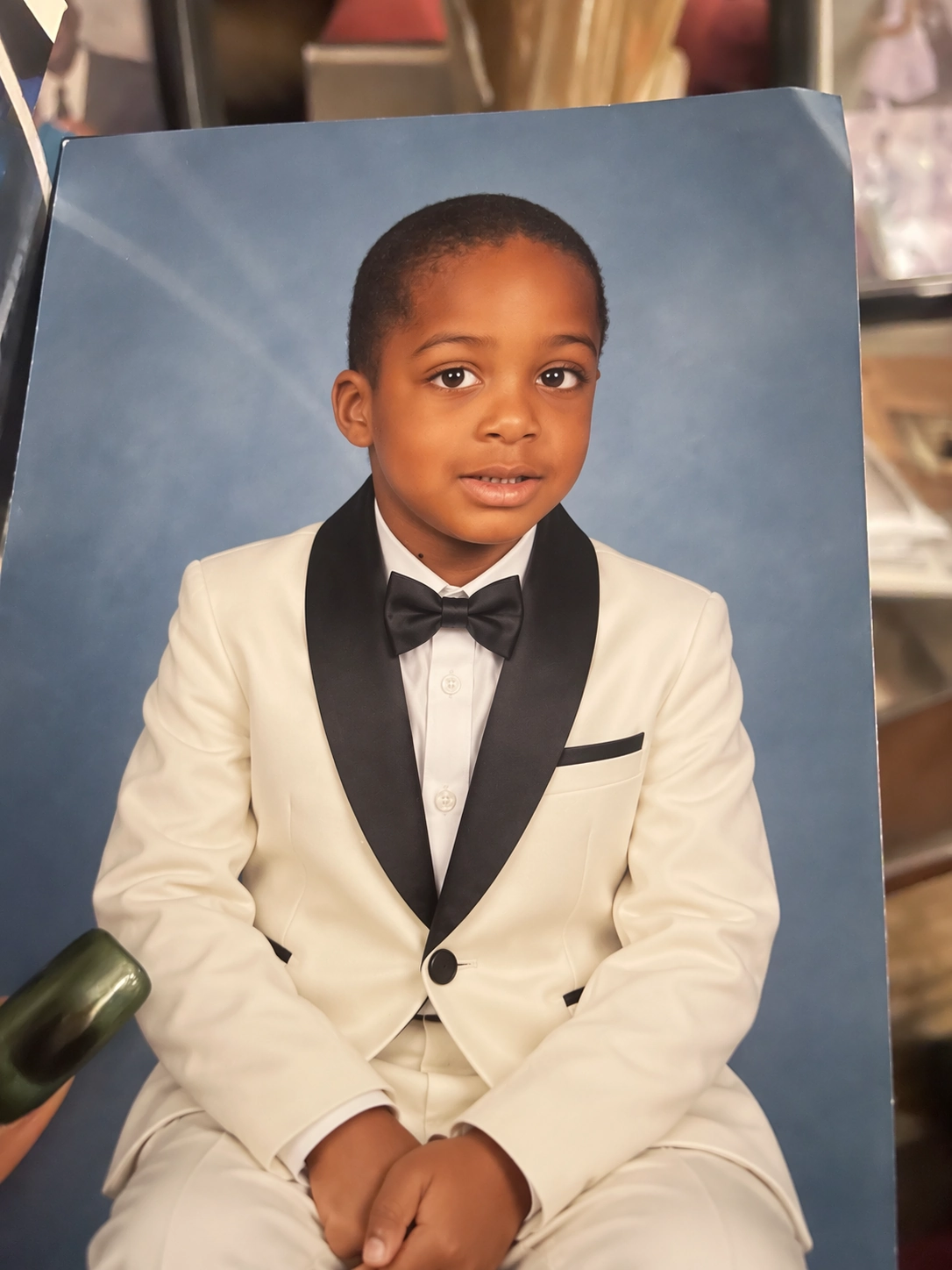
When a reference photo is used to create a new scene, style, or composition, the subject needs to remain recognizable. OpenAI says GPT Image 2.5 is better at preserving distinctive features from reference images while producing more natural lighting and richer textures.
That makes the update especially relevant to workflows involving people, products, locations, recurring characters, and other assets that must remain visually anchored to an original image.
| Input | Edited result |
|---|---|
 |  |
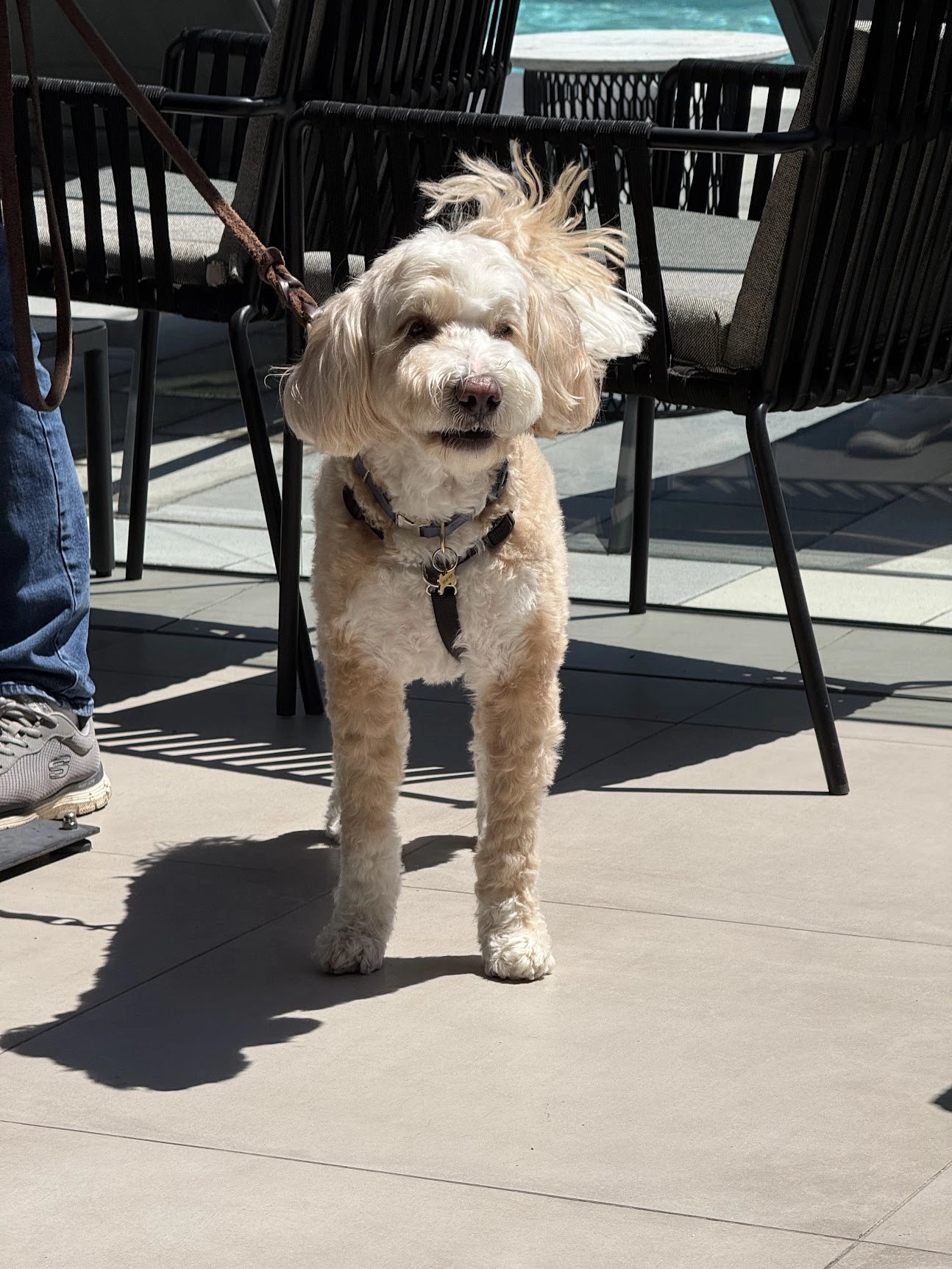
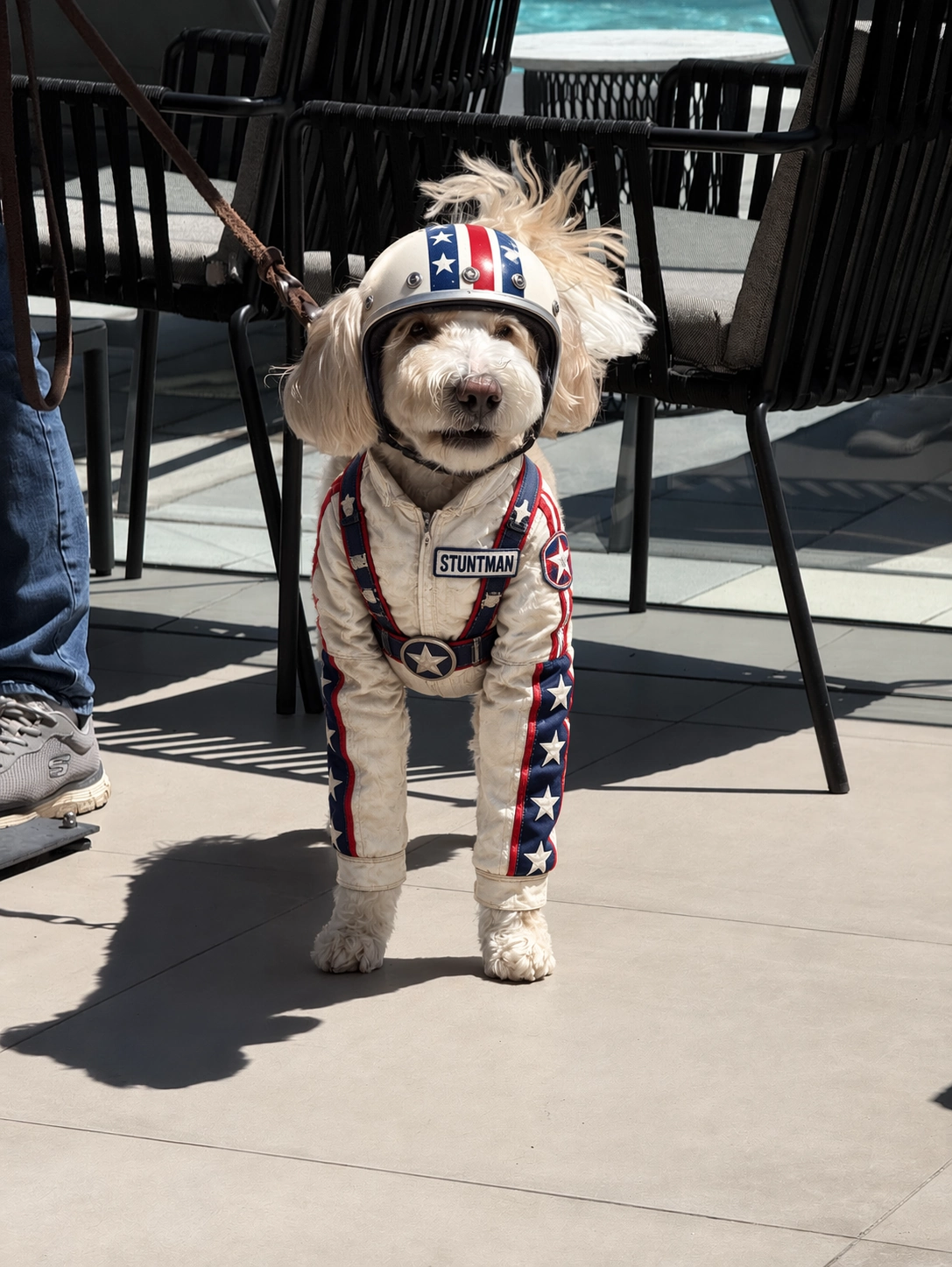
The release page also demonstrates the same reference-led idea with a pet: the dog remains recognizable while its clothing changes into a detailed stunt costume.
| Input | Edited result |
|---|---|
 |  |
More Precise Image Editing
An image edit often fails when the requested change also alters the subject, composition, background, or brand treatment. GPT Image 2.5 is designed to modify the requested element while leaving unrelated details more stable.
OpenAI highlights practical edits such as changing a product, background, or piece of copy without reconstructing the entire visual. This is useful for product imagery, marketing assets, layout revisions, and other jobs where a small change should remain a small change.
The input and edited portrait above illustrate the release page’s reference-led workflow: the requested clothing changes while the pose and blue studio background remain visually anchored.
The full-body sequence compares successive edits in GPT Image 2 and GPT Image 2.5, making the difference easier to inspect across several changes rather than a single final frame.
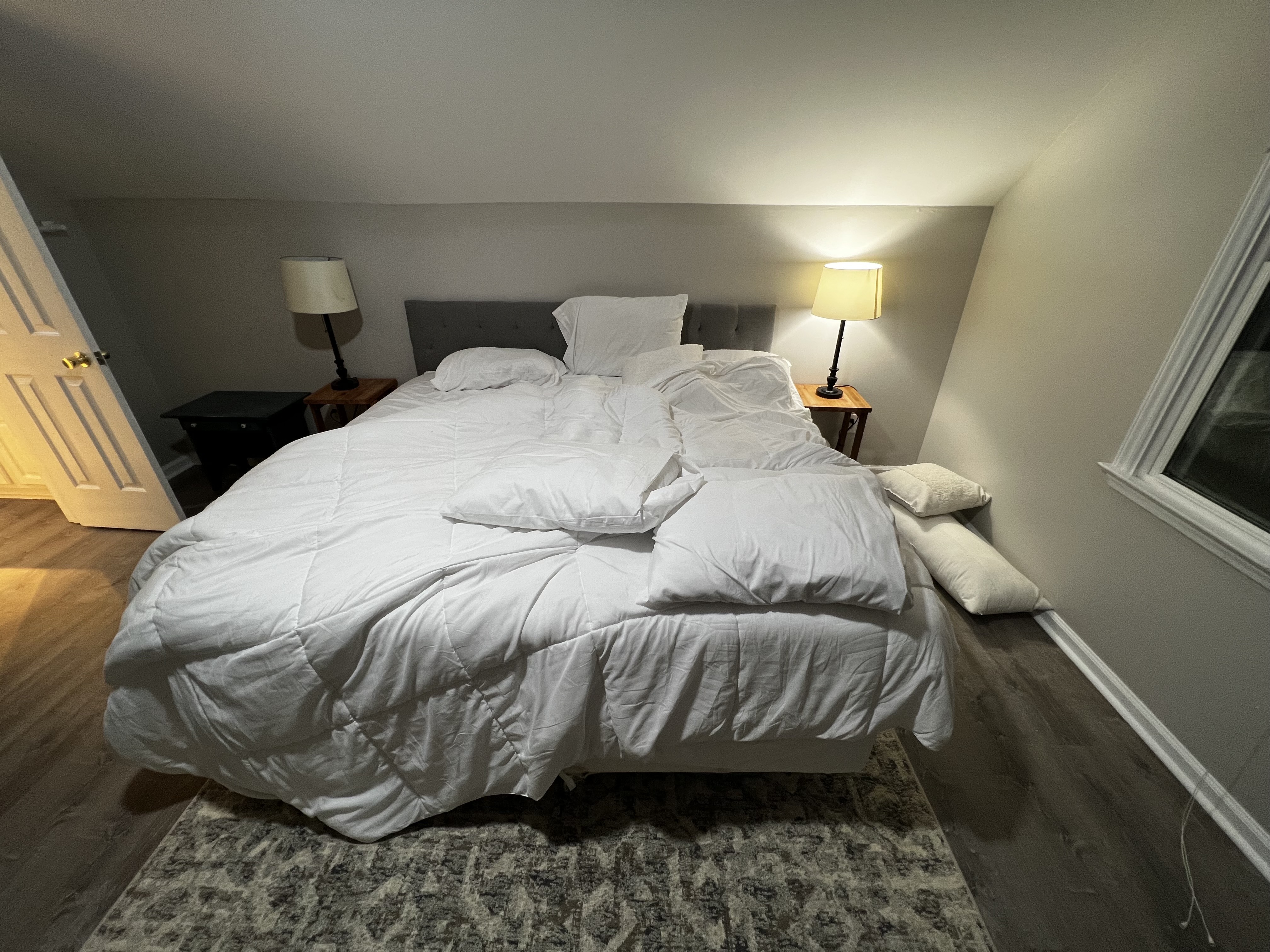
The release also uses a simple room edit to show how one requested state can change while the wider scene remains recognizable.
| Input | Edited result |
|---|---|
 |  |
Stronger Consistency Across Multiple Edits
One successful edit is not enough when an image needs several rounds of refinement. During longer conversations, GPT Image 2.5 is intended to retain earlier changes more reliably as new instructions are added.
This reduces a familiar form of creative drift: correcting one detail only to discover that an earlier improvement has disappeared. The update is therefore relevant to iterative production workflows, not just one-shot generation.
The cube-rotation sequence tests whether the object remains structurally coherent through a full turn. It is a more demanding consistency example than simply restyling one static frame.
The travel-infographic sequence shows a different challenge: photographs, itinerary details, and text must continue working as one layout while edits accumulate.
More Capable Layouts, Styles, and Transparent Images
GPT Image 2.5 also improves its handling of complex visual instructions. OpenAI specifically describes better support for real-world information, more involved layouts, transparent backgrounds, and stronger adherence to a requested visual style.
These capabilities can help with assets such as:
- product cutouts and transparent-background graphics;
- campaign variations that share one visual direction;
- UI concepts with a defined hierarchy;
- presentation graphics and structured compositions;
- images that combine several visual requirements in one brief.
These are official capability claims rather than independent benchmark results. Output quality can still vary with the input, prompt, settings, and task complexity.
Faster Image Generation
OpenAI reports that image generation latency has been reduced by up to 50% compared with Images 2.0. The company positions GPT-Image-2.5 Flare as the faster default API option for everyday creation and higher-volume workflows.
Sunburst targets a different need: more precise control for detailed creative and editing work, with longer generation times. The two versions are not simply “good” and “better”—they prioritize different production requirements.
New Creative Controls in ChatGPT
The Images 2.5 launch also introduces several ChatGPT product features around the model:
- Sketch: draw a rough visual reference directly in ChatGPT;
- Templates: begin with formats such as posters, merchandise, or product photos;
- Image comments: place feedback on a specific part of an image;
- Prompt sharing: let other people reuse an image idea with their own details.
These features belong to the ChatGPT experience and should not be assumed to exist in every API-based implementation.
Who Is GPT Image 2.5 For?
Based on its documented capabilities, GPT Image 2.5 is most relevant to creators and teams that need to refine images rather than generate once and stop. Its clearest potential value is in reference-driven creation, targeted editing, repeated campaign revisions, product imagery, visual prototyping, and structured creative assets.
This article summarizes the capabilities described in OpenAI’s GPT Image 2.5 announcement. It is not presented as an independent hands-on review.
A More Practical Kind of Image Model Upgrade
The most interesting promise of GPT Image 2.5 is not a single headline image. It is a more dependable editing loop: start from a reference, change one detail, preserve what already works, and continue refining without unnecessary drift.
Flare and Sunburst bring that workflow to the API with different priorities. If you need to decide which one fits your production process, continue with our GPT Image 2.5 Flare vs Sunburst comparison.