












Create a LinkedIn Corporate Headshot with WeShop AI GPT Image 2: Step-by-Step Guide
Transform a casual selfie or old badge photo into a premium American corporate headshot using WeShop AI's GPT Image 2. This tutorial covers photo preparation, prompt writing, generation tips, and platform-specific recommendations for LinkedIn, school profiles, and more.
On LinkedIn, Teams, or even your personal website, your profile picture often determines someone's first impression of you.
But many people's "professional photos" share the same problem: they look too much like a badge photo.
Pale skin smoothing, stiff poses, uniform blue backgrounds... While they seem "formal," they lack authenticity and warmth.
Today, I'll teach you how to use WeShop AI's GPT Image 2 AI Image Generator to turn a casual selfie or old badge photo into an "American corporate masterpiece" with one click.
No need for a reshoot or hiring a photographer. Your LinkedIn avatar can also have that high-end feel of "professional yet approachable."
Introduction: What is an American Corporate Portrait?
In recent years, the "American Corporate Portrait" that has exploded on Western internet is completely different from traditional badge photos.
It typically emphasizes:
- Natural, relaxed body language
- Healthy, realistic skin texture
- Professional but not cold aura
- A high-end visual style similar to Apple's official website or Netflix executive interviews
Now, you don't need a studio or a professional photographer.
All you need is a regular selfie. Through the GPT Image 2 image generator on the WeShop AI official website, you can create a corporate headshot that looks like a lead character from an American drama.
This tutorial will guide you from scratch, teaching you:
- How to choose the right reference photo
- How to write high-quality prompts
- How to avoid the AI-generated "fake face" effect
- How to generate high-end avatars suitable for platforms like LinkedIn, Teams, Feishu, etc.
Even if you're a complete beginner with AI, you can follow along.
Preparation
Before you start, please prepare the following:
- A WeShop AI account
- A clear portrait selfie or old badge photo
Features Used in This Tutorial
This tutorial uses WeShop AI's GPT Image 2 image generation tool:
Detailed Step-by-Step Guide
Step 1: Prepare a "High-Quality" Reference Photo
Many people fail at AI image generation not because their prompt is bad, but because:
The quality of the uploaded original photo is too poor.
For AI to preserve your facial features, it must first be able to "see your face clearly."
Recommended Photo Criteria
Before uploading, try to ensure your photo meets the following conditions:
- Face unobstructed
- No sunglasses or masks
- Bangs should not cover eyes
- Even facial lighting
- Clear facial features
- Natural shooting angle
Best Shooting Angle
We recommend the following angles:
- Straight-on face
- Slight side angle, keeping it between 15° and 30°
Recommended Shooting Method
The simplest way to take a photo is:
Stand by a window during the day and use your phone's front camera to take a selfie.
Natural light makes facial contours clearer and helps AI recognize facial structure more accurately.
Examples to Avoid
The following types of photos often lead to poor AI results, so avoid them:
- Excessive beauty filters
- Obvious face-slimming filters
- One side of the face bright, the other dark
- Low-angle selfies
- Laughing that significantly distorts facial features
- Selfies in a nightclub or dim environment
Upload Steps
- Open the WeShop AI official website
- Go to GPT Image 2 image generator
- Upload your selfie or old badge photo
Step 2: Write a "High-End" American Corporate Prompt
Many people fail at generating professional headshots with AI not because AI is weak, but because:
The prompt description is too vague.
For example:
- "Make me a professional headshot"
- "Generate a high-end photo"
These descriptions provide too little information for AI to consistently produce ideal results. The right approach is to precisely describe the following:
- Character identity and temperament
- Photography angle
- Composition method
- Lighting effects
- Character pose
- Clothing style
- Background environment
- Overall atmosphere
Ready-to-Use Prompt Template
The poised and confident professional woman smiles, with her delicate and balanced facial features and warm, approachable eyes, conveying the image of a professional, trustworthy business leader.

Camera angle:
Straight-on, eye-level perspective using a standard professional portrait photography composition. Maintain a half-body framing that clearly showcases the upper body and shoulder lines.

Framing and depth:
Central composition with a clearly defined subject and a clean, pure background. Maintain visible color and spatial separation between the subject and the background. Use a sufficiently deep depth of field to keep all facial details sharply in focus.

Image quality:
High-definition commercial photography with high pixel density, delicate and realistic skin texture, uniform soft lighting, no visible noise, and the clean visual quality of a modern corporate promotional portrait.

Subject identity:
Preserve the identity and recognizable facial features of the person in the uploaded reference image. The person faces forward, looks directly into the camera, and keeps the head naturally upright.

Overall pose:
The subject stands upright in a frontal position. The shoulders are straight but relaxed, the body remains centered, and the overall posture appears dignified and professional.

Arm position:
The arms hang naturally at both sides of the body. The shoulder lines are symmetrical, with no exaggerated or cross-body movements.

Pose dynamics:
The body remains relaxed and still, without unnecessary tension. The posture communicates confidence, professionalism, and understated authority.

Makeup:
Professional workplace makeup with subtle earth-toned eyeshadow, naturally defined eyelashes, soft and clean eyebrows, coral-toned lip color, and realistic matte skin. Avoid excessive retouching.

Emotional tone:
A professional leader who combines authority with friendliness. The gaze should feel determined yet gentle, conveying confidence, credibility, and leadership.

Apparel:
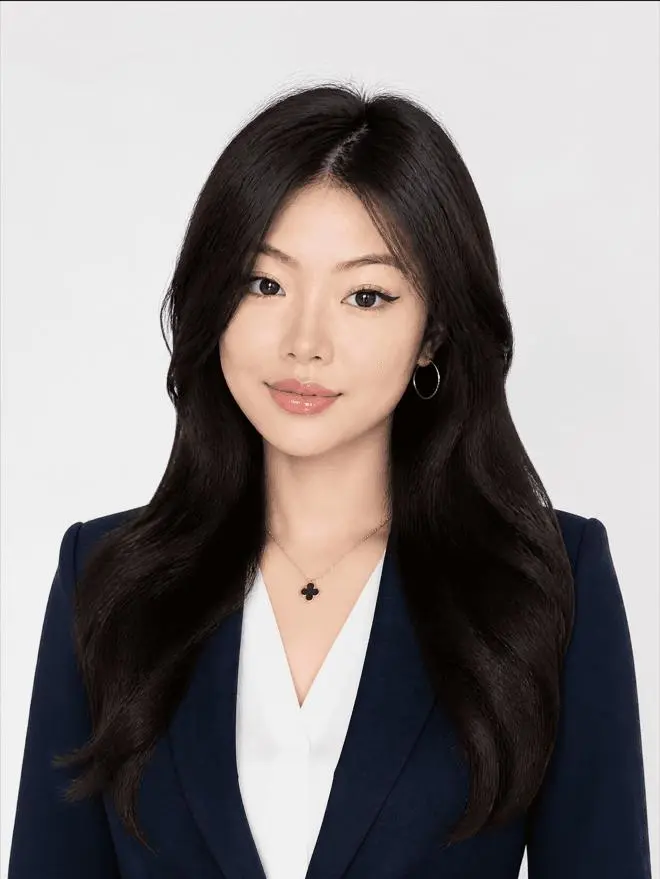
A dark navy fine-spun wool-blend suit jacket with clean tailoring and moderate shoulder structure. Underneath, a simple pure white V-neck silk blouse with a smooth and refined collar.

Hair:
Side-parted long wavy hair with smooth, glossy strands. The ends curl outward naturally. The hairstyle should look polished, voluminous, and appropriate for a professional corporate portrait.

Environment interaction:
The subject remains visually independent from the background, with no physical interaction with surrounding objects. Keep the portrait clean and focused entirely on the person.

Background:
A pure white or soft neutral corporate background with no decorations, text, furniture, or distracting objects.

Lighting:
Use a large frontal softbox as the main light source, producing even and diffused illumination across the face. Add subtle ambient fill light to maintain natural skin tones and clear colors. Keep a very soft shadow below the eyes and delicate contour lighting along the cheeks to enhance facial depth.

Realism requirements:
Maintain high-resolution commercial portrait details and realistic skin texture. Do not apply excessive skin smoothing or artificial beauty filters.

All lighting and shadows must follow the logic of professional studio portrait photography. Avoid the cheap, flat, and overly processed appearance of traditional ID photos.

Style:
Minimalist professional corporate portrait, modern personal branding photography, elegant cool tones, premium executive profile image.

Negative prompt:
3D rendering, anime, cartoon, illustration, excessive beauty filters, plastic skin, over-smoothed face, stiff pose, unnatural facial expression, distorted facial features, uneven lighting, blurry image, incorrect body proportions, messy background, complex background objects, low-resolution details, dull low-saturation appearance, cheap photo studio style
Prompt Optimization Tips
If you want the character to have more of an "American drama feel," add to the prompt:
Inspired by premium executive portraits from the Apple official website, with natural expressions, authentic skin texture, and cinematic corporate photography.
If you want a younger overall style, add:
Add a subtle sense of relaxed confidence and playful modern energy while maintaining a professional appearance.
If you want the character to look more like a company executive, add:
The subject has a mature, calm, and stable presence, resembling the founder or senior executive of a Silicon Valley technology company.
Step 3: Generate and Select the Best Photos
After uploading the photo and entering the prompt, click the [Generate] button on the page.
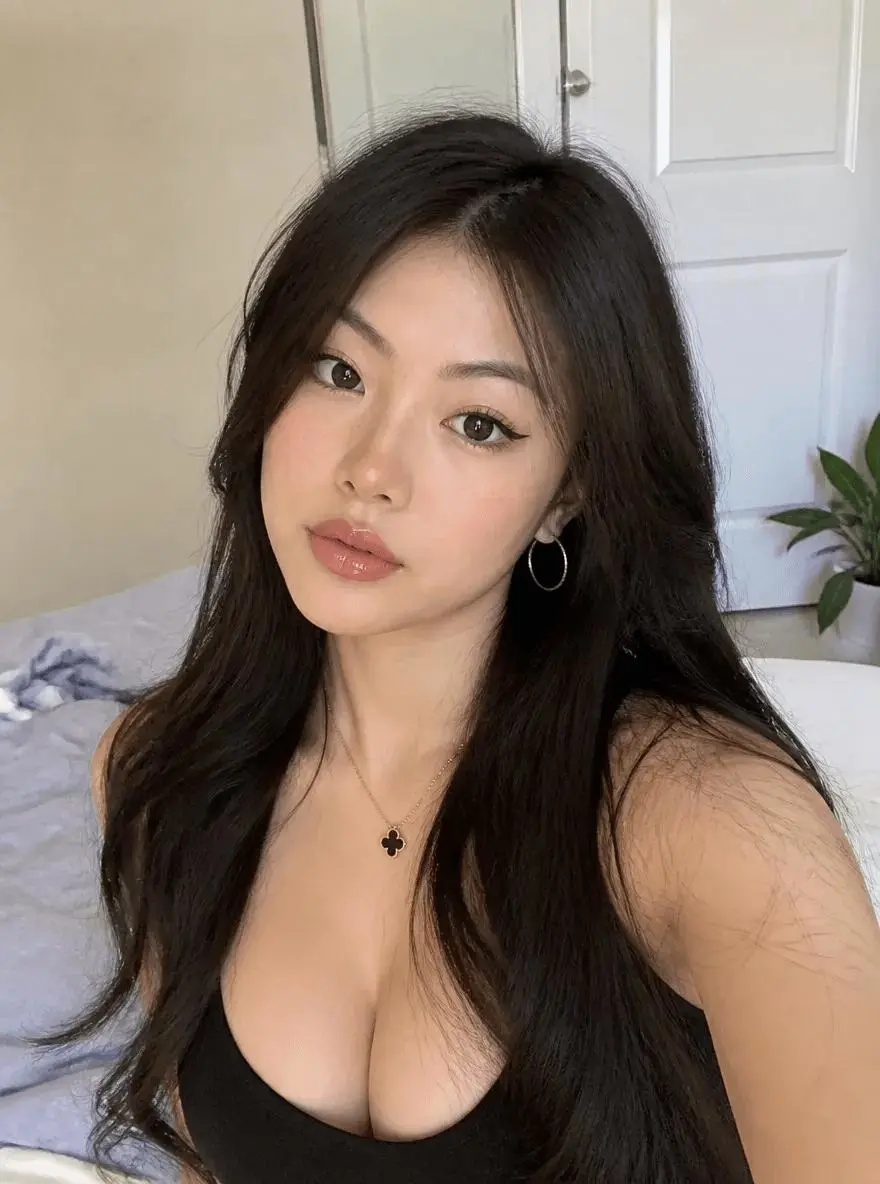
It's recommended to generate multiple images at once, then filter the best results based on the following criteria:
- Whether facial features resemble the person
- Whether the eyes look natural
- Whether skin tone is realistic
- Whether shoulder and neck proportions are normal
- Whether clothing details are complete
- Whether the background is clean
- Whether the overall vibe matches the professional position
Sample Results
|
|
Advanced Tips and FAQ
Q1: Can I use an old badge photo?
Yes.
Even if the original photo has issues like:
- Blue background
- Poor lighting
- Only a plain T-shirt
AI can still help you:
- Automatically replace the background
- Change clothing
- Rebuild lighting
- Adjust overall color tone
- Optimize the character's aura
What really matters is:
The face must be clear enough.
Q2: Why doesn't the generated photo look like me?
There are usually two reasons.
Reason 1: The original photo is not clear enough
Solution:
- Replace with a higher-resolution selfie
- Try to shoot using natural light
- Ensure key facial features like eyes, nose, and mouth are not obstructed
- Do not upload heavily beautified or severely compressed images
Reason 2: The prompt doesn't clearly require identity preservation
Add to the prompt:
Strictly preserve the person's identity, facial structure, eye shape, nose shape, mouth shape, face proportions, and recognizable personal features from the uploaded image.
You can also add:
Do not beautify the face into a different person. Do not significantly alter facial proportions or identity.
Q3: How to reduce the AI "fake face" effect?
You can explicitly emphasize the following in the prompt:
Realistic skin texture, visible natural pores, subtle facial asymmetry, natural under-eye details, realistic hair strands, and authentic photographic lighting.
Also add negative constraints:
Avoid plastic skin, excessive smoothing, artificial facial symmetry, beauty filter effects, wax-like skin, and over-retouched studio photography.
Q4: Can I generate versions suitable for different platforms?
Absolutely.
You can adjust the image ratio, composition range, and character aura according to different platforms.
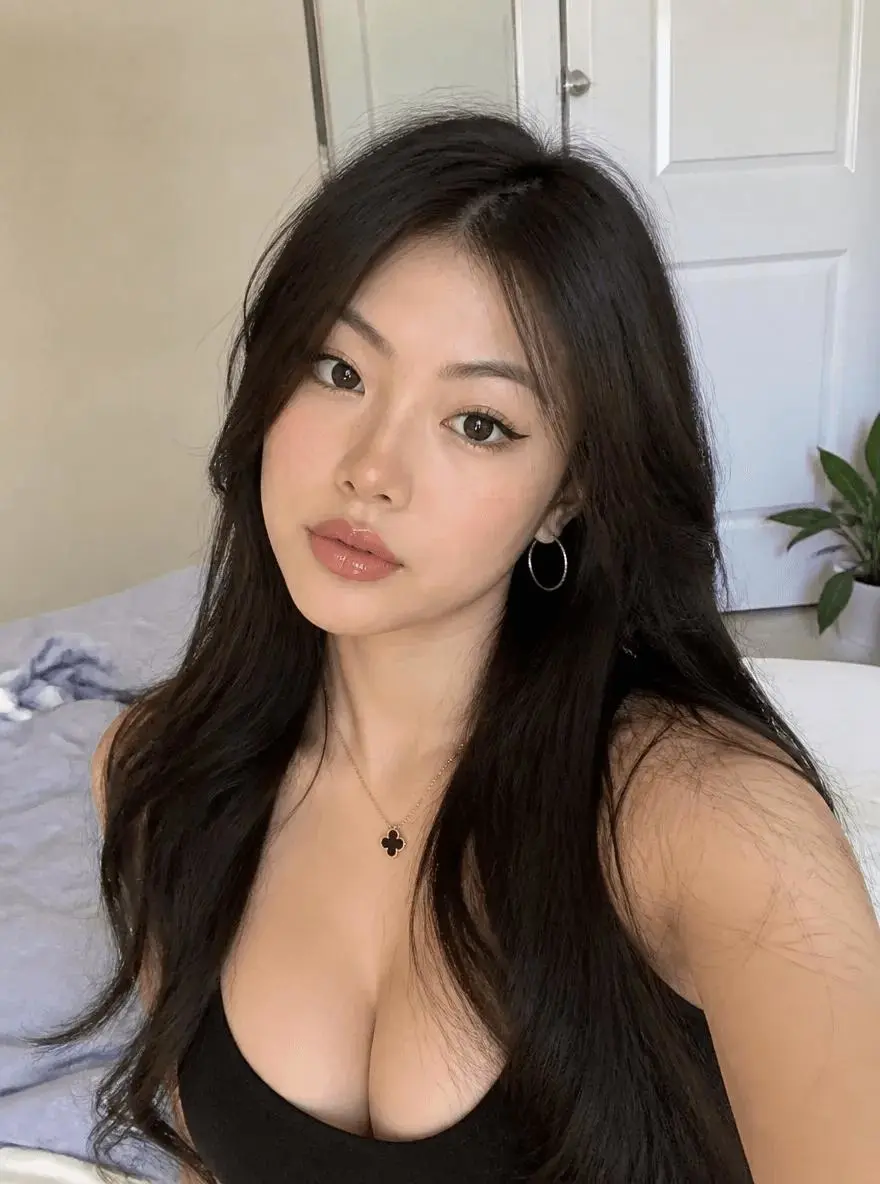
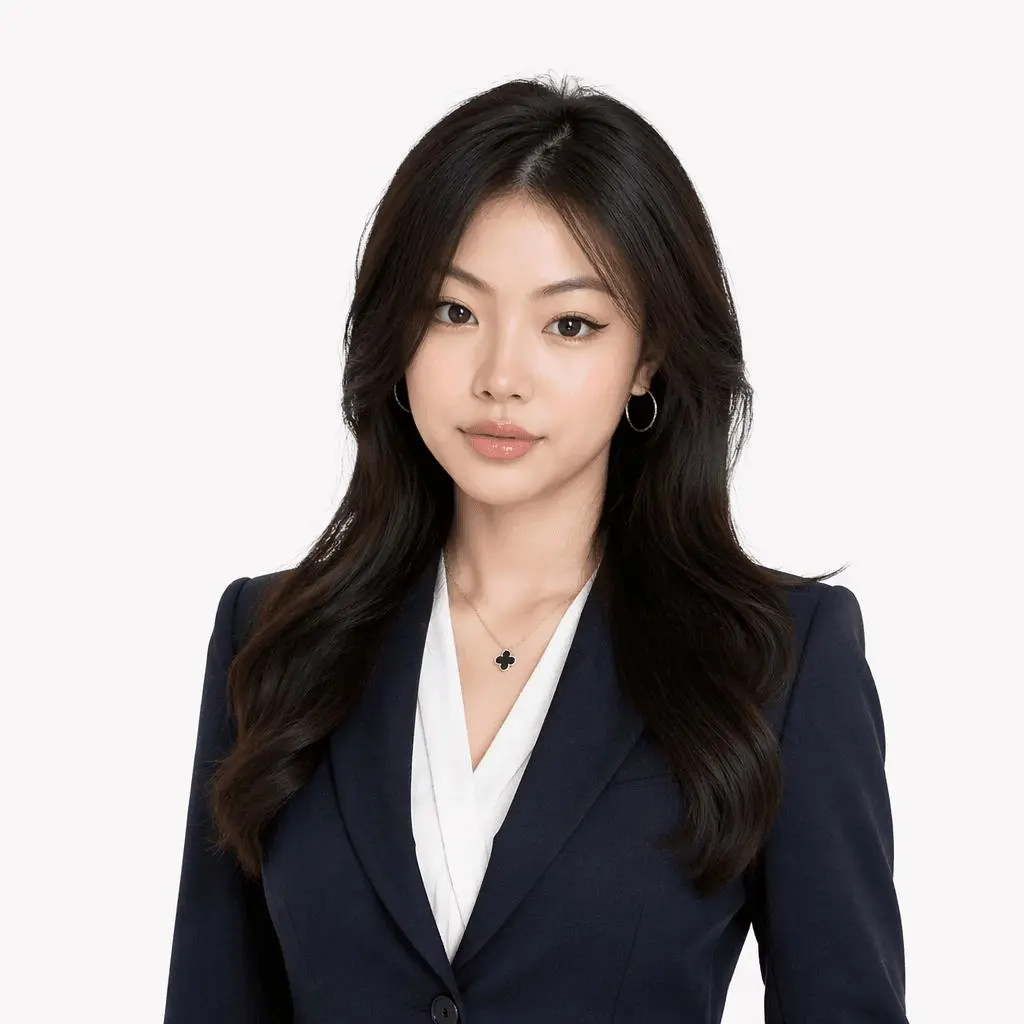
LinkedIn Headshot
Recommended Specs
- Ratio: 1:1
- Composition: Above chest or above shoulders
- Background: Solid color or light gray
- Vibe: Professional, trustworthy, approachable
- Gaze: Directly into the camera
Example Results
|
|
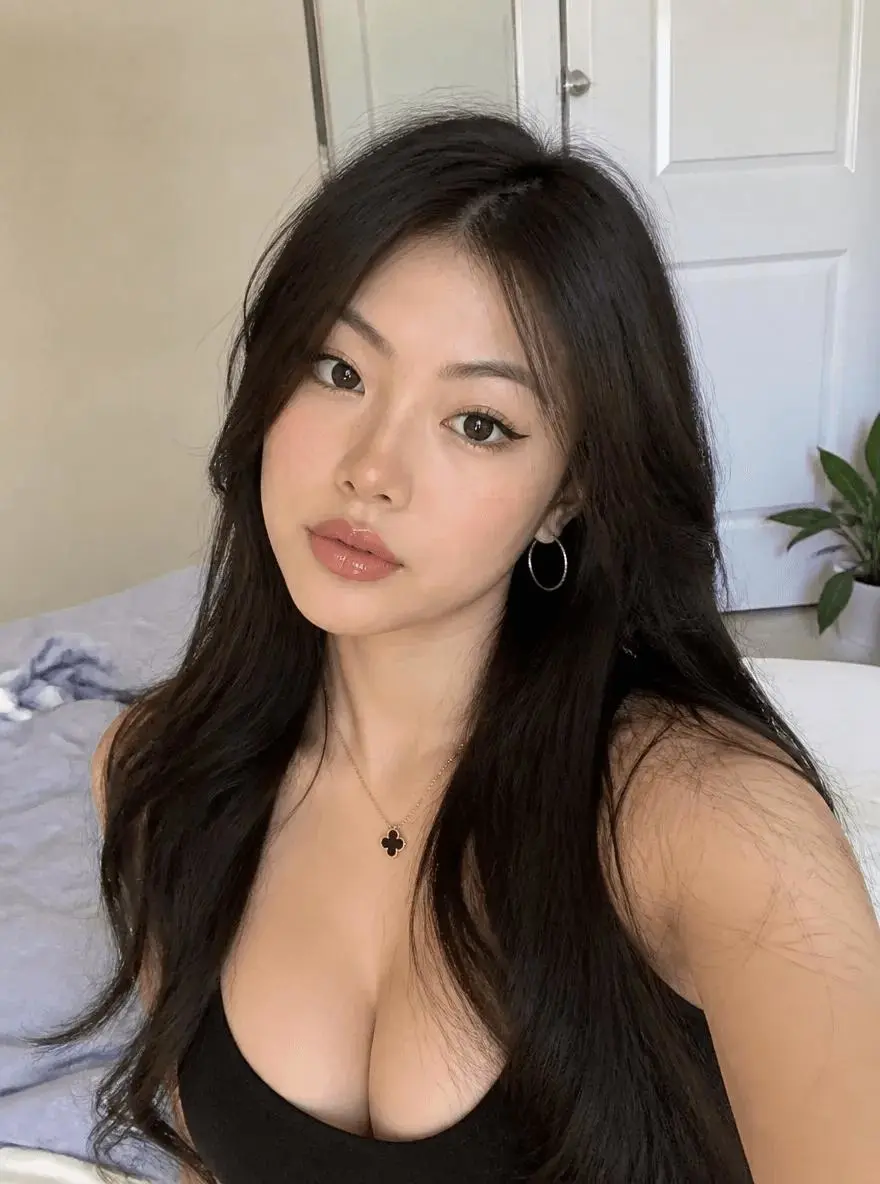
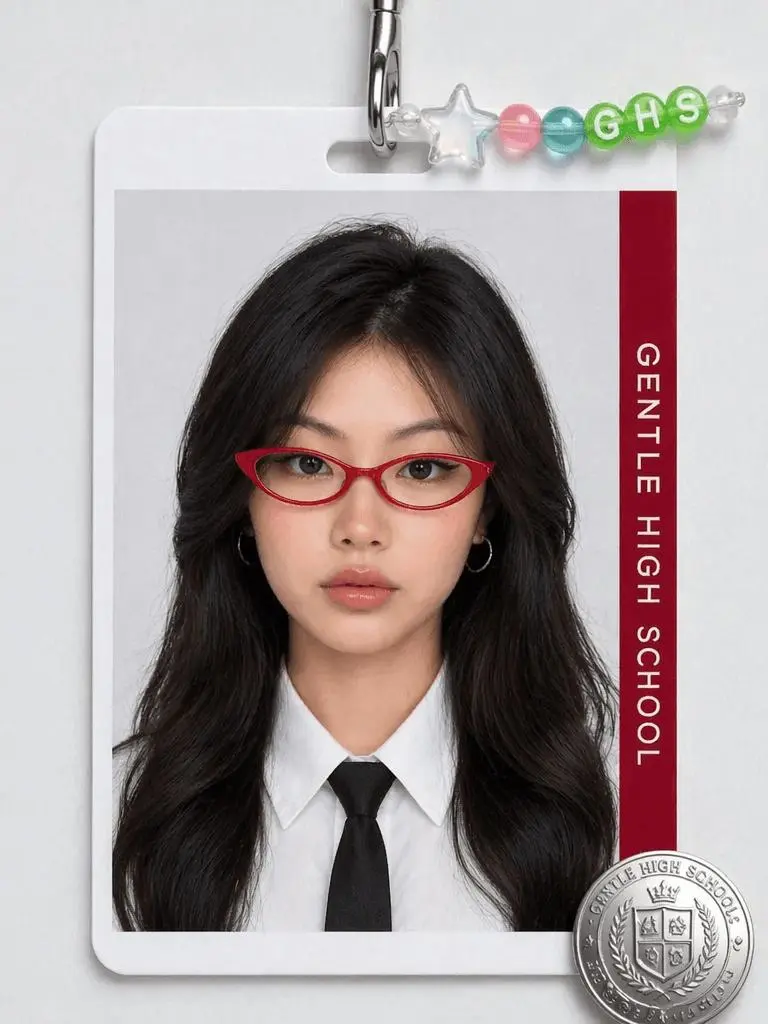
School ID or Campus Profile Photo
Recommended Specs
- Composition: Half-length or above chest
- Expression: Natural, relaxed
- Clothing: Simple, everyday
- Background: Light solid background
- Style: Casual, not overly business-like
Example Results
|
|
Conclusion
Many people underestimate the influence of a profile picture.
But in today's world of remote work, social recruiting, and online communication:
Your avatar has become your "digital business card."
A good professional headshot isn't just about looking good; it also conveys:
- Professionalism
- Confidence
- Credibility
- Aesthetic sense
- Personal brand positioning
Now, with WeShop AI GPT Image 2, you don't need:
- To go to a photography studio
- To do makeup and styling in advance
- To spend thousands on a professional photoshoot
- To learn complex retouching software
You only need:
- A selfie
- A prompt
- One AI generation
And you can have a truly high-end corporate headshot with the aura of an American drama executive.
Start Generating Now
- Register or log in to WeShop AI
- Upload a clear selfie
- Copy the prompt from this article
- Choose the appropriate image ratio
- Generate your first American corporate masterpiece
Experience it now:
Generate a Professional Headshot with WeShop AI GPT Image 2
You can further customize different styles based on your career and personal positioning:
- Executive style prompt
- Apple official website style prompt
- Investment banking elite style prompt
- Silicon Valley entrepreneur style prompt
- Female leadership style prompt
- Korean corporate style prompt
- American film-style LinkedIn prompt