












Building Educational Explainers with Seedance 2.5 | WeShop AI
Discover how to create polished, BBC-style educational videos using Seedance 2.5. This technical guide breaks down prompt structuring, reference image constraints, and spatial consistency for AI video generation.
Building Educational Explainers: A Technical Workflow with Seedance 2.5
This article breaks down the technical workflow for generating high-fidelity educational documentaries and explainer videos using WeShop AI’s Seedance 2.5. By leveraging structured prompt engineering and reference image constraints, creators can achieve spatial consistency, precise text rendering, and seamless transitions between abstract diagrams and realistic environments.
Before diving into the methodology, let's examine the final output of our primary case study: a 30-second educational sequence about Shakespeare’s Globe Theatre.
Case Study 1: Prompt Engineering & Scene Construction
Achieving documentary-grade results requires a deterministic approach to prompting. The prompt must strictly define the visual style, timeline pacing, and exact typography to prevent hallucinated elements or unstable temporal generation.
The Master Prompt Structure
The following prompt was used to generate the Shakespeare video. Notice how it is divided into global style constraints and frame-by-frame instructional blocks:
Create a 30-second, 16:9 educational explainer video titled “A Day at Shakespeare’s Globe.” The video should feel like a polished BBC-style classroom documentary for secondary-school students—not a cinematic trailer and not a sequence made entirely of historical reenactments.
Use a clear, warm, neutral British English voiceover throughout. Alternate between clean educational information boards, simple animated graphics, and realistic historical reconstructions. Keep the pacing clear and instructional. Use short visual pauses so students have enough time to read each information board.
VISUAL STYLE Historically grounded Elizabethan London around the year 1600. Realistic wooden architecture, natural daylight, period-appropriate streets, clothing, coins, food, and theatre interiors. Avoid fantasy styling, exaggerated sepia filters, modern objects, modern hairstyles, electric lighting, modern signs, or contemporary theatre seating. For the educational graphics, use a restrained parchment, dark navy, muted burgundy, and ivory color palette. Combine elegant serif headings with highly legible sans-serif supporting text. Keep all graphic layouts simple and uncluttered. Add a small, unobtrusive label reading “AI RECONSTRUCTION” in the upper-right corner whenever a reconstructed historical scene appears.
TIMELINE AND SHOT PLAN 0–3 seconds — TITLE INTRODUCTION Open on a dark navy educational title board with a subtle animated engraving of the Globe Theatre in the background. Display this exact text: “A DAY AT SHAKESPEARE’S GLOBE”. Below it, display: “London, around 1600”. The title gently separates into layers and transitions into an illustrated map of Elizabethan London. Voiceover: “What was it like to watch a play in Shakespeare’s London?”
3–8 seconds — ARRIVING AT THE GLOBE The illustrated map smoothly transforms into a realistic historical reconstruction. Follow a young London apprentice walking through a lively street in Southwark toward the Globe Theatre. Show merchants, workers, wealthy visitors, apprentices, and families moving naturally through the street. The Globe Theatre gradually becomes visible ahead. Use a smooth forward tracking shot. Voiceover: “Around 1600, the Globe welcomed people from across London society.”
8–11 seconds — FACT CARD Transition through a close-up of a period coin into a clean parchment information board. Include a simple illustration of one coin beside a standing spectator. Display this exact text: “ONE PENNY”. Below it, display: “Standing admission in the yard”. Voiceover: “For one penny, many spectators could stand in the open yard.”
11–18 seconds — INSIDE THE THEATRE Match-cut from the illustrated spectator into a realistic groundling entering the Globe’s central yard. The camera moves with him through the crowd and then rises slightly to reveal the wooden stage, the open yard, and the surrounding seated galleries. Voiceover: “These spectators stood close to the stage. They became known as the groundlings.”
18–21 seconds — VOCABULARY BOARD Freeze the reconstructed image briefly and transform it into a labeled educational diagram. Highlight the central standing area without changing the overall theatre layout. Display this exact text: “GROUNDLINGS”. Below it, display: “Standing spectators close to the stage”. Add two small labels: “YARD — standing” and “GALLERIES — seated”. Voiceover: “The yard was the cheapest and most interactive part of the theatre.”
21–27 seconds — AUDIENCE PARTICIPATION Return to the historical reconstruction. Actors perform an energetic, non-specific Shakespearean scene onstage. Show the audience actively participating. They cheer a heroic entrance, laugh at a comic gesture, and boo a clearly presented villain. Voiceover: “Unlike many modern audiences, they ate, drank, cheered the heroes, and booed the villains.”
27–30 seconds — QUICK CHECK The cheering sound fades into a clean classroom-style question board. Display this exact text: “QUICK CHECK”. Then display: “Where did one-penny spectators stand?” Below it, show: “A. The yard” “B. The galleries”. Highlight option A only during the final half-second. Voiceover: “Shakespeare’s theatre was noisy, social, and part of popular city life. Now, where did the one-penny spectators stand?”
Frame Breakdown: Spatial and Conceptual Continuity
One of Seedance 2.5's core technical strengths is maintaining spatial layout while shifting rendering styles. Let's isolate a specific transition:
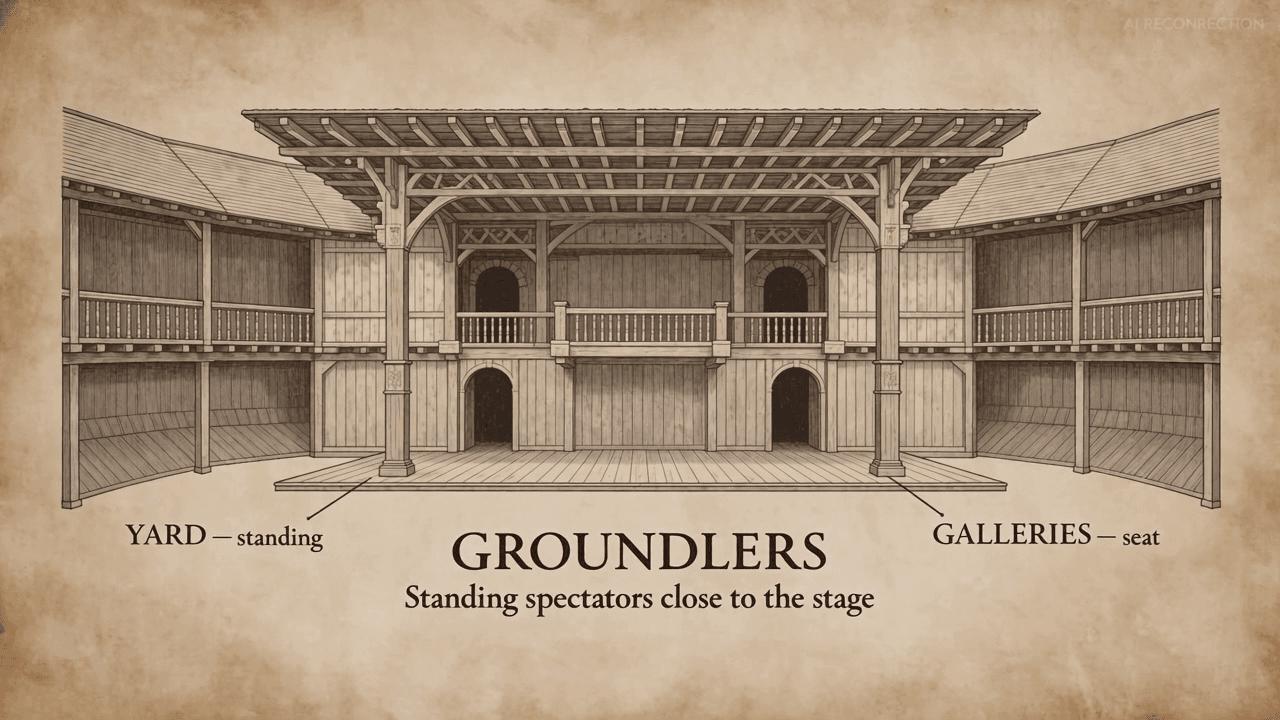
19.20s — Vocabulary Board & Concept Diagram |
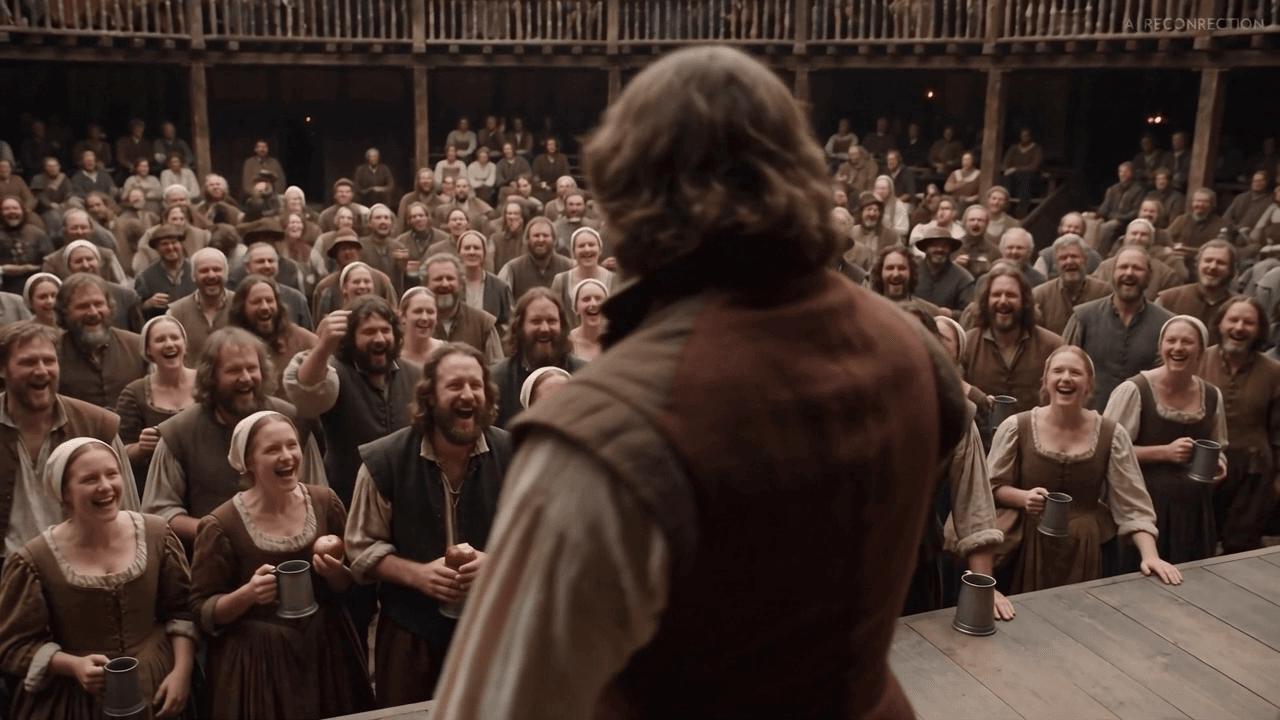
23.30s — Realistic Scene Demonstration |
Analysis: Seedance 2.5 first explains an unfamiliar concept through a labeled diagram, effectively establishing the spatial boundaries of the "Yard" versus the "Galleries". It then places the exact same idea inside a realistic historical reconstruction, utilizing match-cutting techniques to bridge the abstract UI elements with immersive 3D space.
Case Study 2: Another Brief Test With References (The Alluvial Fan)
For our second technical evaluation, we conducted a 15-second test focused on physical geography. This scenario tests the model's ability to handle image-to-video processing when provided with specific scientific reference data.
The Inputs (Reference Constraints)
To ensure topographical accuracy, the model was fed a geographical reference illustration alongside the primary prompt instructions.
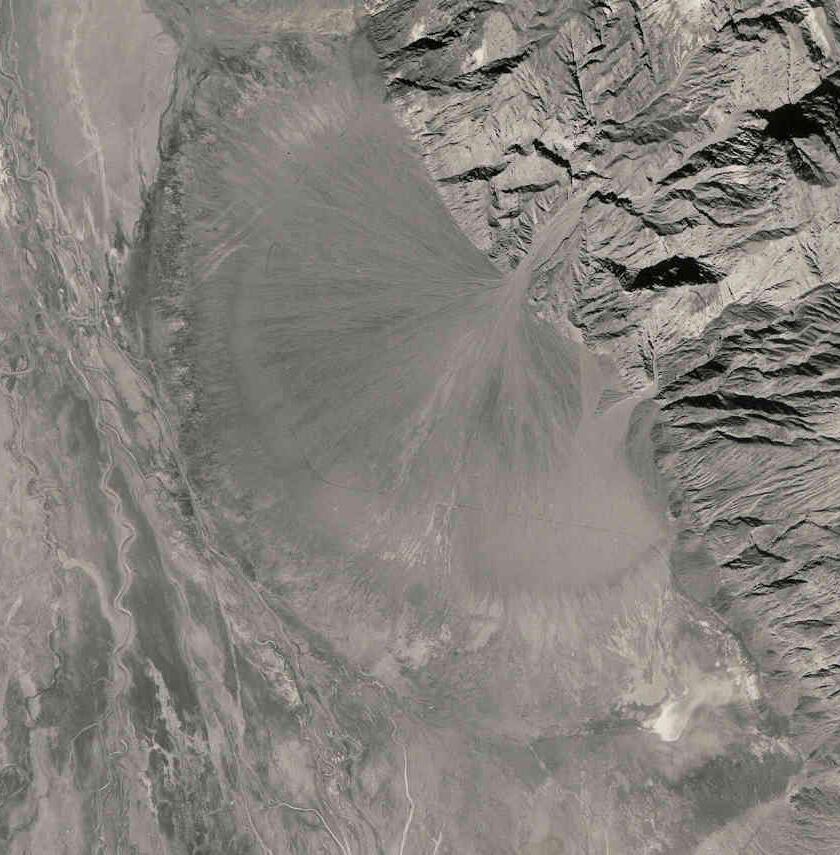
Reference Architecture |
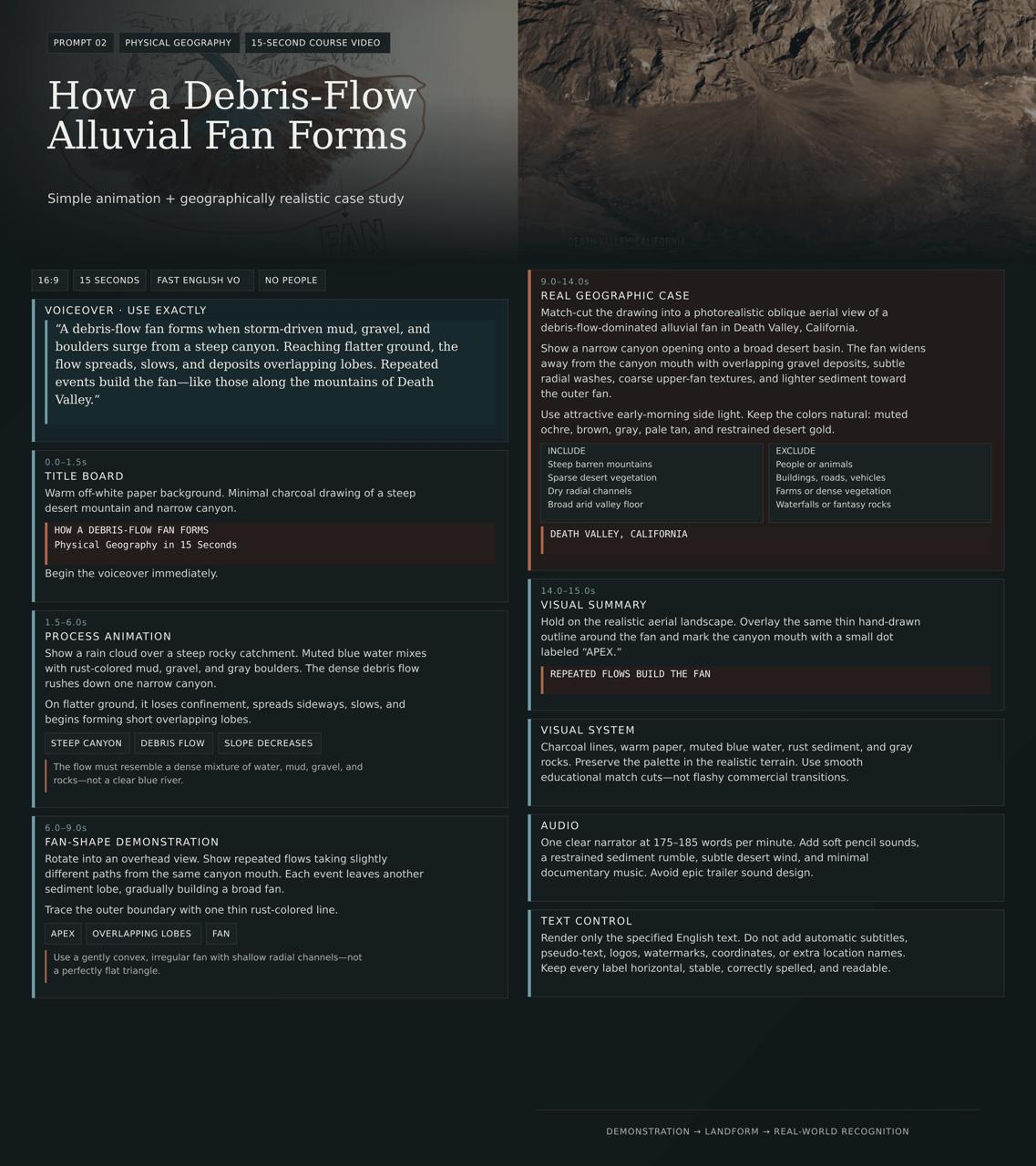
Prompt Guidelines |
The Output Generation
The resulting render demonstrates a high fidelity to the provided layout while upgrading the asset to a photorealistic sequence:
Frame Breakdown: Theory to Environment
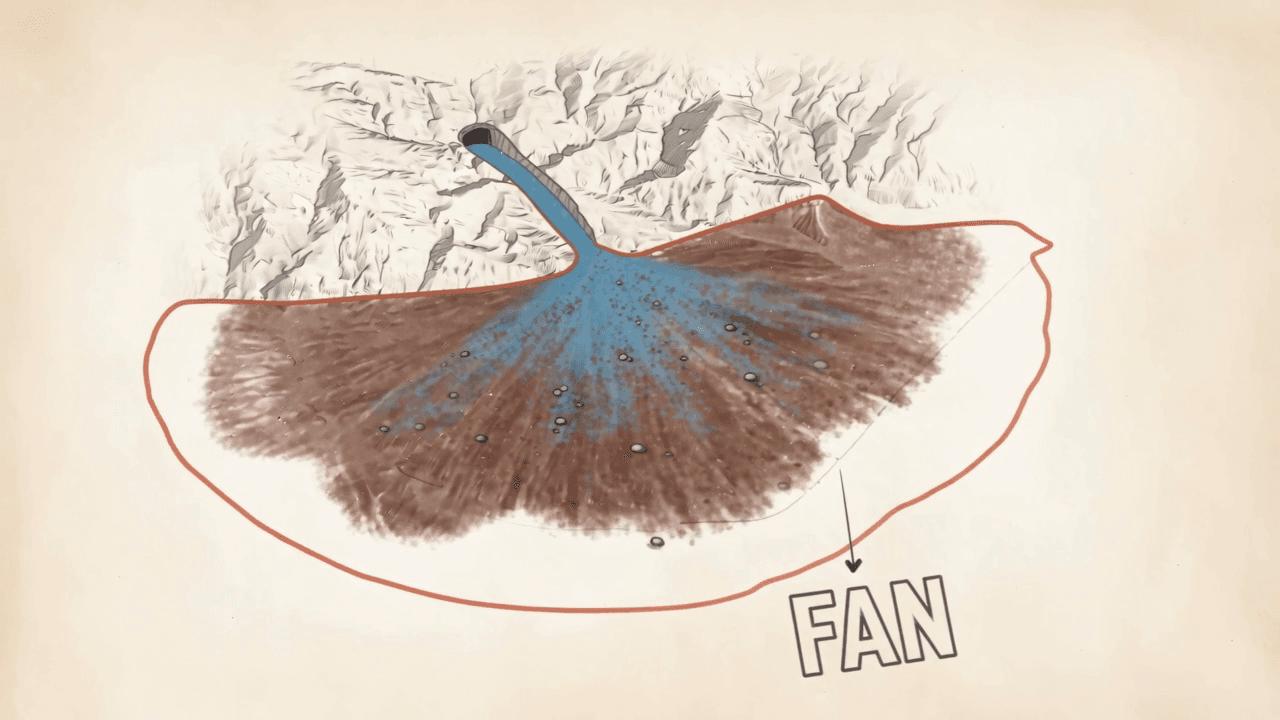
8.80s — Topographical Animation |
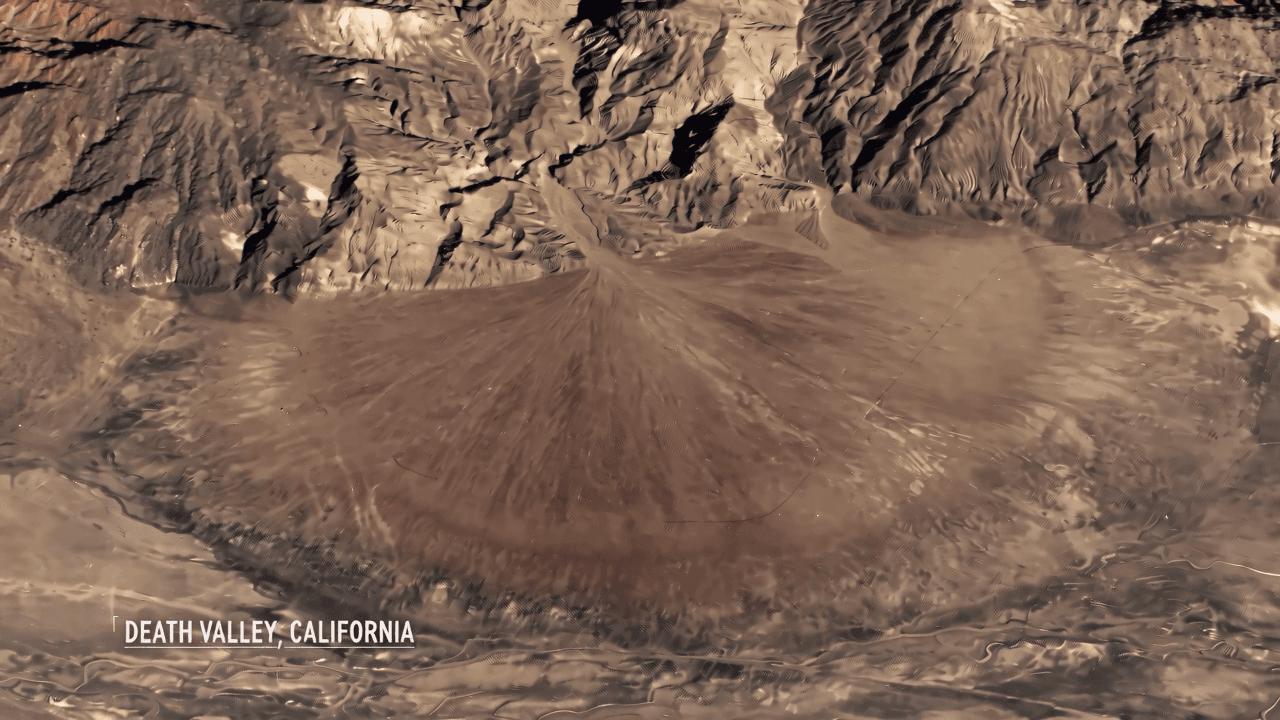
11.20s — Environmental Reconstruction |
Analysis: The hand-drawn diagram first simplifies the fan’s shape and sediment paths. The following Death Valley reconstruction then helps learners recognize the same pattern in a realistic landscape. Seedance 2.5 maintains the underlying geometry while intelligently mapping photorealistic textures and lighting to the terrain.
Technical Capabilities Overview
Through these case studies, Seedance 2.5 demonstrates significant advancements in controllable video generation:
- Prompt Adherence & Text Rendering: Successfully maps dense timeline instructions and generates legible, stable text across moving frames.
- Structural Fidelity: Preserves the core geometry of uploaded sketches and reference diagrams during image-to-video upscaling.
- Temporal Consistency: Avoids the morphological flickering common in earlier diffusion models, ensuring historical scenes and scientific models remain structurally sound throughout the shot.
Initiate Your Own Test You can directly experiment with these parameters and run your own tests. Initialize your generation process using the interactive operation panel on the right side of this interface.