












Add Y2K Rhinestone Stickers to Product Photos with Nano Banana 2.1
Learn how to add realistic Y2K acrylic rhinestones to product photos with Nano Banana 2.1 while preserving packaging, labels, lighting, and perspective.
The rhinestone trend works because the edit feels tactile. Gems vary in size and shape, sit naturally on curved packaging, catch a hard flash and cast tiny contact shadows. A convincing result should look hand-decorated—not like a flat sticker layer placed over the photograph.
This workflow uses Nano Banana 2.1 in WeShop AI to add colorful Y2K-inspired acrylic gems while preserving the original product, composition, packaging colors and readable label structure. The visual direction is inspired by a Xiaohongshu rhinestone-effect tutorial; the demonstrations below use fictional, unbranded products.
What the Model Must Preserve
| Preserve Exactly | Add Naturally |
|---|---|
| Product shape, cap, label placement, packaging color, camera angle, hand position, background and lighting direction | Acrylic rhinestones in varied sizes, realistic glass and plastic materials, refraction, highlights, tiny shadows and light adhesive traces |
The most important instruction is restraint: gems should follow the product surface and perspective without melting into the packaging or floating in front of it.
Nano Banana 2.1 Settings
- Tool: Nano Banana 2.1 in WeShop AI
- Model parameter:
nano2 - Aspect ratio:
3:4 - Image size:
1K - Quantity: one image per scene
- Reference mode: upload your own product photo, then describe only the rhinestone edit
Reusable Edit Block
Use the uploaded product photo as the exact base. Preserve the product shape, packaging construction, colors, label placement, camera angle, crop, hand position, background, shadows and every other original detail. Add naturally attached multicolored acrylic rhinestones only to the specified product surfaces. Vary gem size and spacing; include round, heart, star, flower, moon and irregular-cut gems. Create transparent glass-like facets, bright direct-flash highlights, colored refraction, tiny contact shadows, believable setting thickness and subtle adhesive traces. Gems must conform to curved surfaces and perspective. Do not float, melt, smear, cover important label information or become a printed pattern.
Scene 1 — Three Lip-Tint Tubes in Hand
Create a vertical commercial beauty photograph of a hand holding three unbranded peptide lip-tint tubes in blush pink, cocoa brown and dusty rose against a warm off-white background. Add scattered Y2K acrylic rhinestones to the tube bodies: pink hearts, clear teardrops, purple flowers, silver stars, tiny round crystals and a few pearls. Keep the caps, tube geometry, color blocks and minimal label structure crisp and unchanged. Hard direct flash, sharply defined hand shadow, glossy pale-pink manicure, realistic skin texture, premium social-commerce styling, 3:4 portrait. No watermark and no unrelated text.
Scene 2 — Honey Haircare Flat Lay
Create a dense editorial flat lay of an unbranded honey-toned haircare collection on chocolate-brown quilted fabric with large cream polka dots. Include one tall ivory styling tube, two rounded amber cream jars, one golden hair oil bottle, one square amber serum bottle and one muted rose lip-sized tube. Decorate the packages with scattered multicolored acrylic rhinestones: hearts, flowers, moons, squares and small round crystals in pink, lavender, blue, clear and pale green. Keep every product silhouette and label block readable, with gems wrapping naturally around curved surfaces. Direct flash, deep shadows, warm glossy highlights, tactile Y2K maximalism, 3:4 portrait. No real brand names, no watermark.
Scene 3 — Green Wellness Bottles in an Elevator
Create a dark direct-flash lifestyle product photograph inside a vintage elevator. A person in a black oversized leather jacket holds a molded recycled-paper drink carrier containing three unbranded pale-sage wellness bottles, plus a compact silver camera in the same hand. Add small multicolored Y2K rhinestones to the green bottle surfaces only, following the curved plastic and perspective. Include pink flowers, clear hearts, purple gems and tiny silver crystals with realistic contact shadows. Preserve the black leather texture, elevator buttons, camera, carrier and dramatic low-key composition. High-contrast flash, deep black background, 3:4 portrait. No readable brand logo, no watermark.
Scene 4 — Minimal Skincare Tube Still Life
Create a clean vertical studio photograph of two unbranded skincare tubes and one small pump bottle arranged on a pale lavender acrylic surface. Packaging colors are pearl white, translucent lilac and soft peach. Add a restrained constellation of multicolored acrylic rhinestones across the front and side surfaces: tiny clear rounds, pink hearts, blue flowers, one moon and a few irregular gems. Keep the product shapes, minimal label blocks and clean negative space intact. Hard side flash, crisp elongated shadows, subtle reflections, transparent facets, premium Y2K beauty campaign, 3:4 portrait. No real brand names, no floating gems, no watermark.
Generated Results
| Lip-Tint Tubes | Honey Haircare Flat Lay |
|---|---|
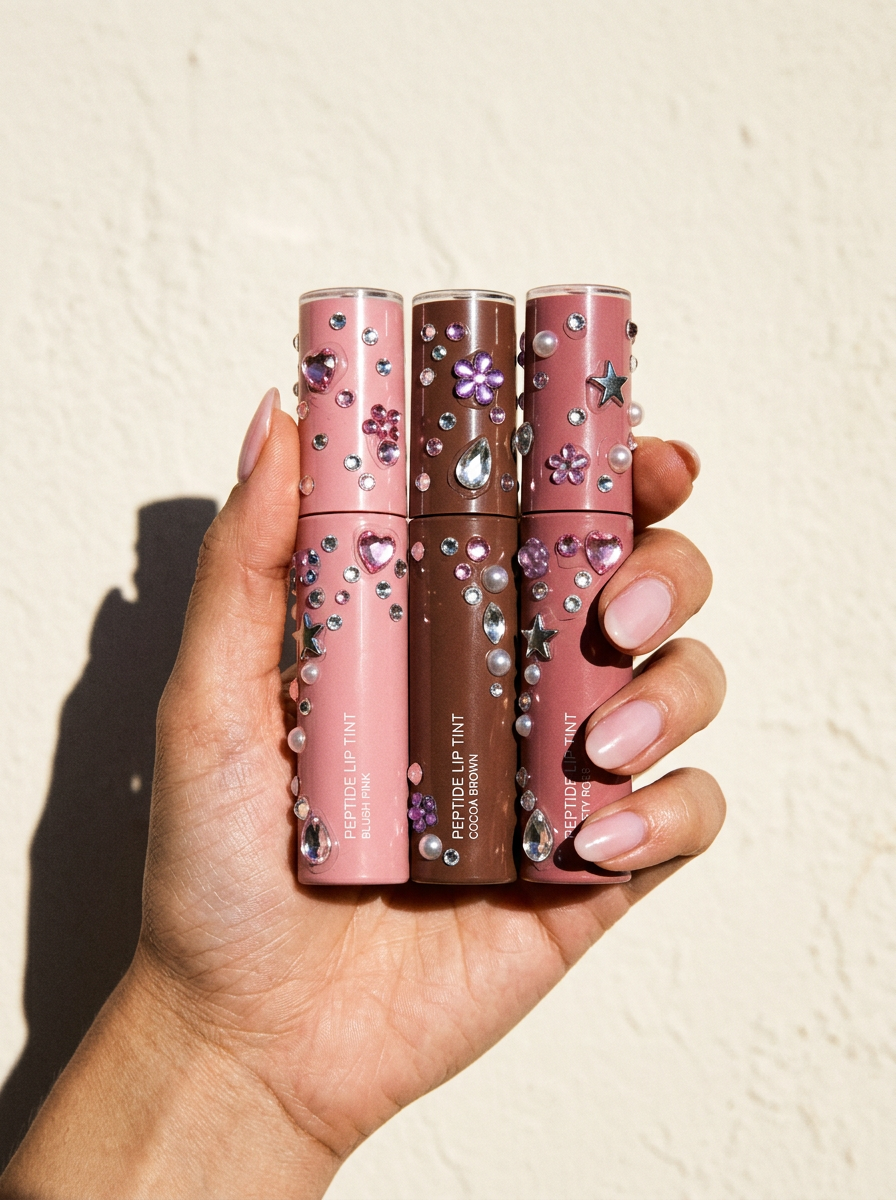 | 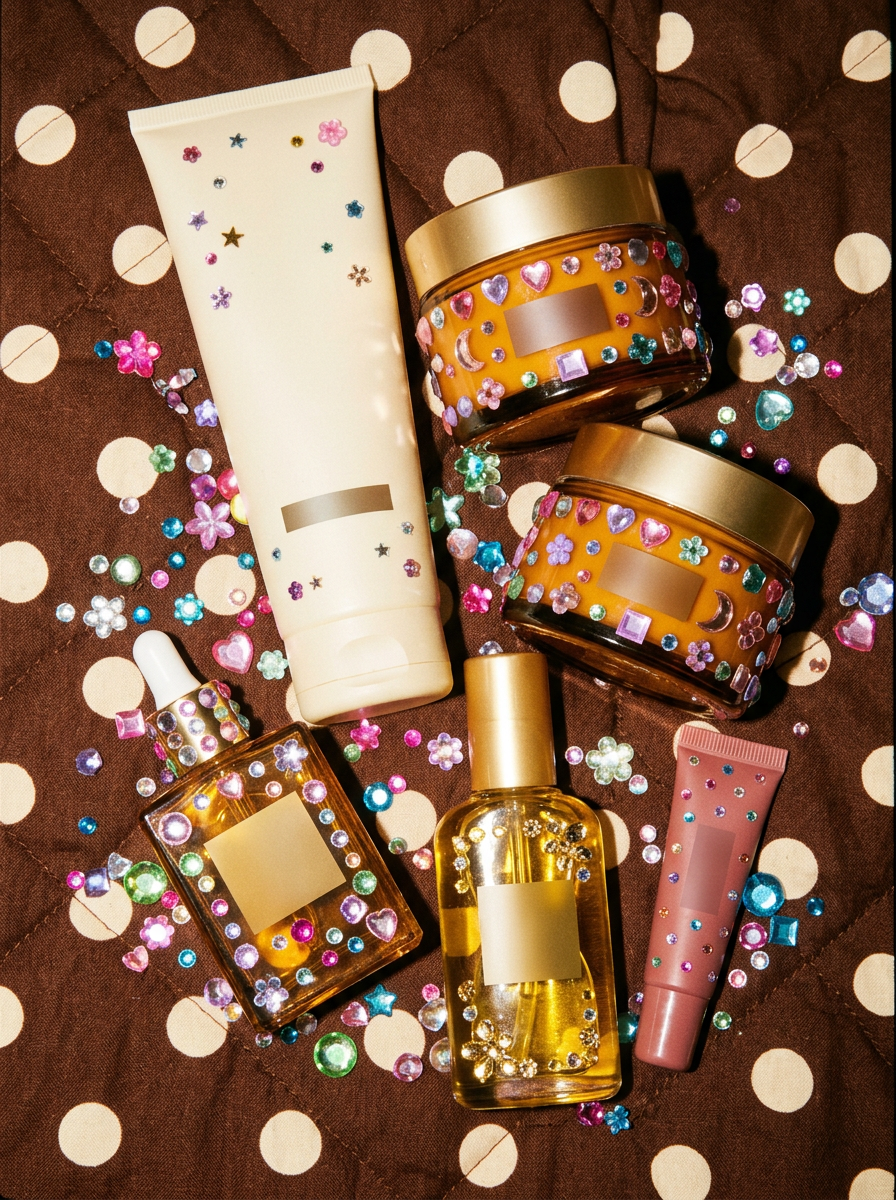 |
| Curved tubes test surface attachment and perspective. | A dense flat lay tests material separation and label preservation. |
| Wellness Bottles | Minimal Skincare Still Life |
|---|---|
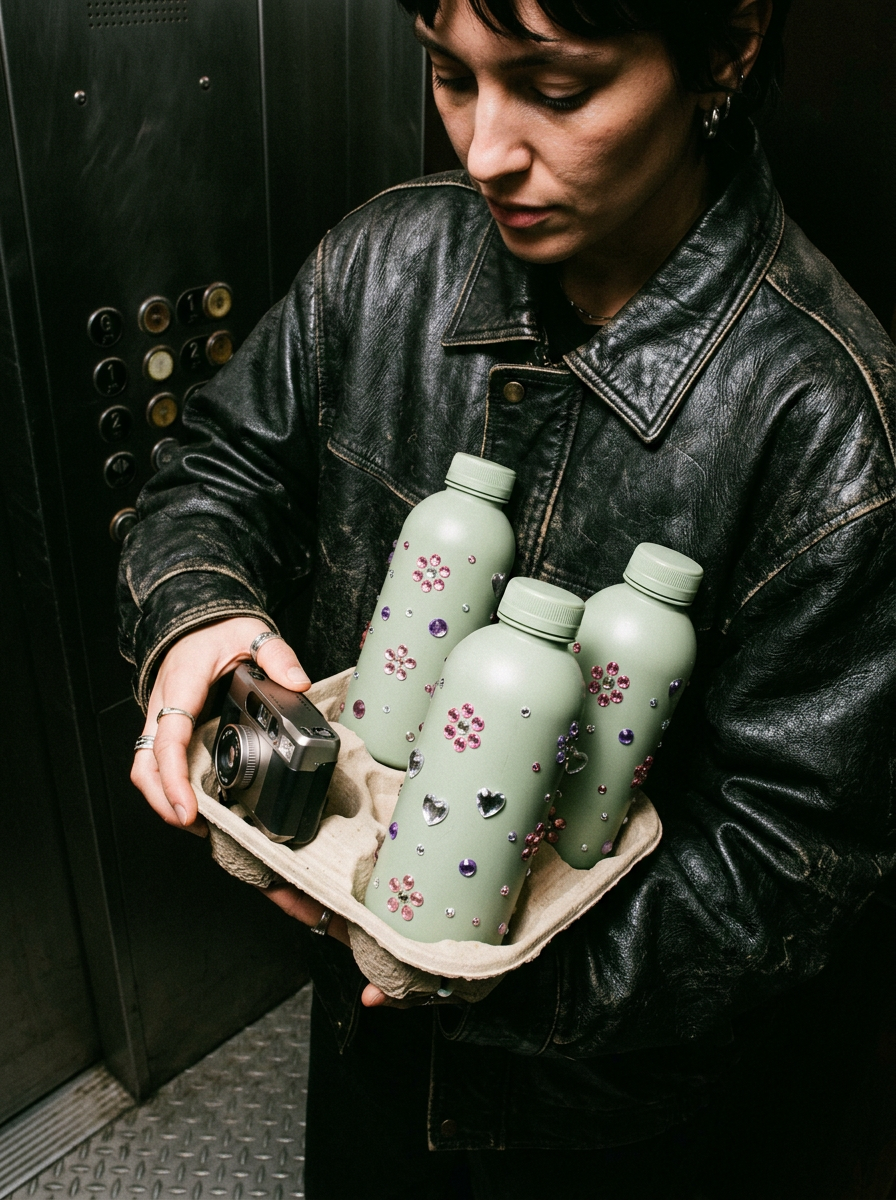 | 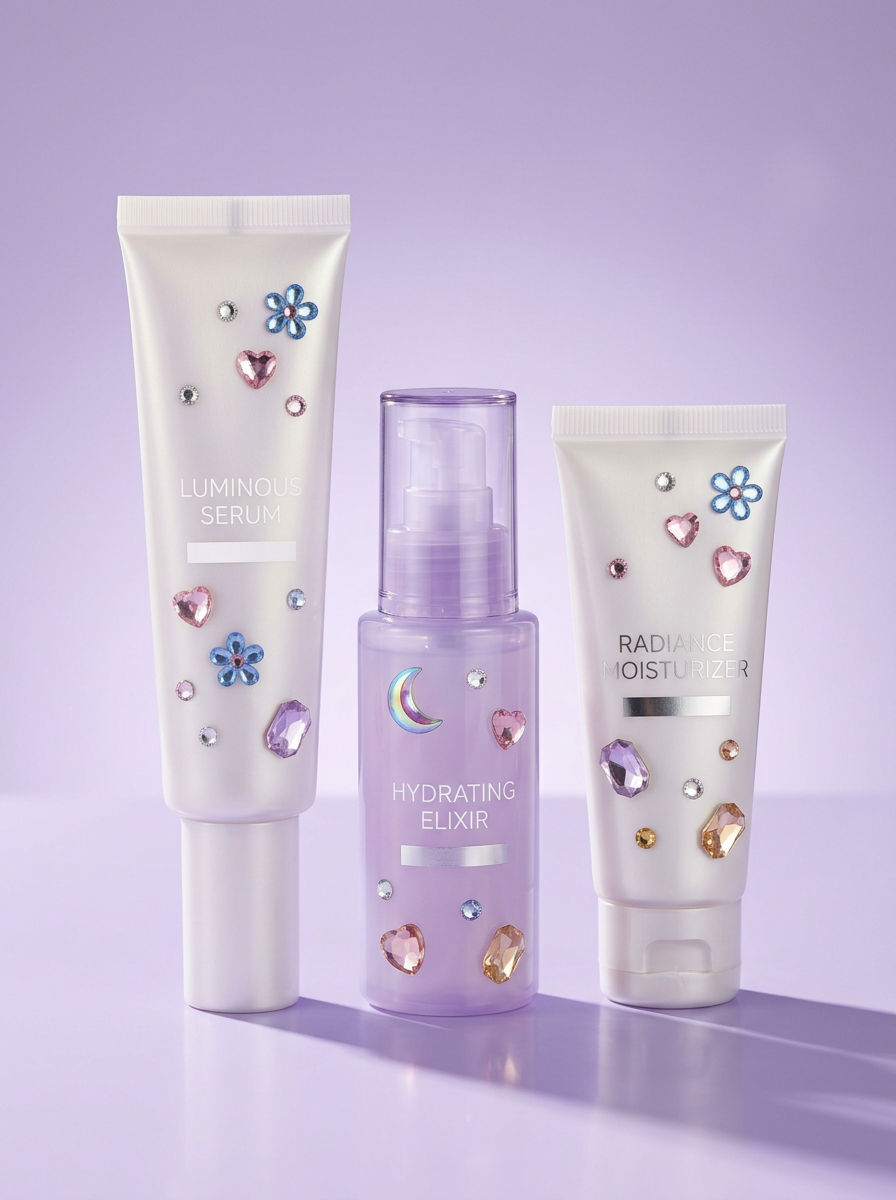 |
| Dark flash photography makes gem highlights and shadows easy to inspect. | A pale set reveals whether transparent gems remain believable. |
Quality-Control Checklist
- Product silhouettes and packaging colors are unchanged.
- Gems follow curvature, scale and perspective.
- Every gem has a highlight, facet structure and small contact shadow.
- Important label areas remain visible.
- No crystals float in front of the product.
- The edit reads as attached decoration rather than a printed motif.
Common Fixes
- If gems look flat, ask for transparent acrylic depth, facet refraction and contact shadows.
- If packaging changes, repeat the preservation block before the creative instruction.
- If the result is too busy, limit gems to one hero surface and leave one-third of the packaging clean.
- If the model hides text, define a protected label zone and forbid gems from crossing it.
Turn One Product Photo into a Y2K Campaign
Upload a clean product image, protect the packaging details and describe only the gem placement. You can try it directly using the tool on the right.