








Preview Outfit and Accessory Concepts With Seedream 5.5
Plan virtual outfit, accessory, color, and material variations while protecting adult identity, pose, garment construction, and fit cues.
Styling teams often need to answer a visual question before samples, locations, and talent are available: Does this silhouette work with the person, pose, and campaign mood? A fast concept preview can narrow the options before physical production begins.
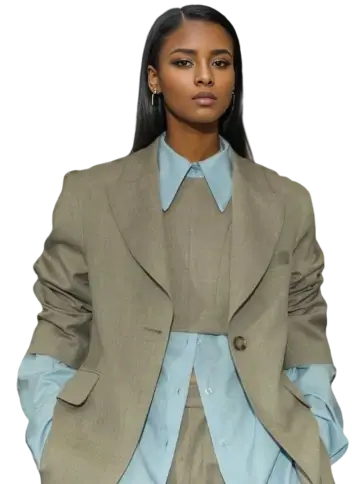
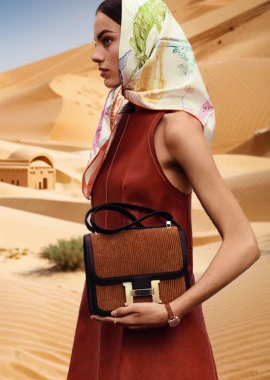
Dreamina's official Seedream 5.5 page connects realistic portraits and localized editing with virtual outfit and accessory exploration. The responsible use is concept visualization—not a promise of exact physical fit or a substitute for a real garment sample.
| Official virtual-styling reference |
|---|
Official Dreamina example: A realistic portrait and virtual styling use case for exploring outfits and accessories. |
What to prepare
| Input | Why it matters |
|---|---|
| Clear adult portrait | Establishes permitted identity, pose, body position, and lighting |
| Garment or accessory reference | Defines the design details that should be preserved |
| Preservation list | Prevents unwanted changes to face, hair, body, hands, or background |
| Styling brief | Defines what changes and what the final image should communicate |
| Usage note | Separates an internal concept from a customer-facing product claim |
Choose a source portrait with visible shoulders, arms, waist, and garment boundaries. Occluded clothing and crossed limbs make fit and edge evaluation harder.
Prompt starting point
Use the uploaded adult portrait as the identity and pose reference and the uploaded jacket image as the garment reference. Replace only the subject's current outer layer with the referenced cropped navy technical jacket.

Preserve the same adult identity, facial features, skin tone, hair, body proportions, pose, hands, camera angle, crop, background, and lighting. Preserve the jacket's short boxy silhouette, matte ripstop texture, high collar, concealed front zipper, elastic cuffs, seam placement, and exact navy color. Make the garment follow the subject's shoulders and torso naturally with realistic folds, tension, and occlusion.

Do not redesign the jacket, add logos, change the body shape, alter the face, smooth the skin, move the hands, change the background, or add accessories.
The prompt is a documentation-based starting point. It has not been validated through a first-party Seedream 5.5 or WeShop test.
Work in controlled variations
Instead of changing the entire outfit repeatedly, create a small decision set:
Variation A: Color
Keep the garment design and material fixed. Change only the approved colorway.
Variation B: Material
Keep silhouette and construction fixed. Compare matte ripstop with coated nylon or brushed cotton.
Variation C: Styling
Keep the hero garment fixed. Change only one accessory, inner layer, or shoe category.
Save the source and each approved checkpoint. If identity, garment construction, or body shape drifts, restart from the last clean version.
Separate visual plausibility from product accuracy
| Review area | What to inspect |
|---|---|
| Identity | Face, hairline, skin tone, expression, and body proportions remain consistent |
| Garment | Silhouette, length, closures, seams, print, and material match the reference |
| Fit | Folds and tension follow the pose without impossible geometry |
| Occlusion | Hair, hands, straps, and accessories overlap naturally |
| Lighting | New clothing receives the same light and shadow as the source portrait |
| Commercial truth | The image is not presented as proof of real-world fit or exact availability |
Useful applications
Virtual styling previews can support campaign concepting, merchandising discussions, lookbook planning, colorway selection, accessory pairing, and social-content previsualization. For ecommerce product pages, customers still need accurate photography, measurements, material descriptions, and fit information.
Use images with permission, label AI-generated or materially altered visuals where appropriate, and avoid changing sensitive personal traits without consent. If a generated garment differs from the product, treat it as a concept—not a product representation.
Coming Soon to WeShop AI
Seedream 5.5 virtual-styling workflows are coming soon to WeShop AI. Stay tuned.