












Kling 4.0 Multi-Subject References: Build a Car-and-Motorcycle Chase
Direct a car-and-motorcycle sequence with Kling 4.0 Reference. Turn one asset board into separate roles, ordered shots and a readable vehicle scene.
A reference board can contain several people, two vehicles and filming equipment without becoming the opening frame of the video. This Kling 4.0 Reference test assigns those assets different jobs, then directs a short sequence: a director gives a cue, a red car moves, and a blue motorcycle follows before both share the final road view.
New AI-generated result
Assign every important asset a distinct role
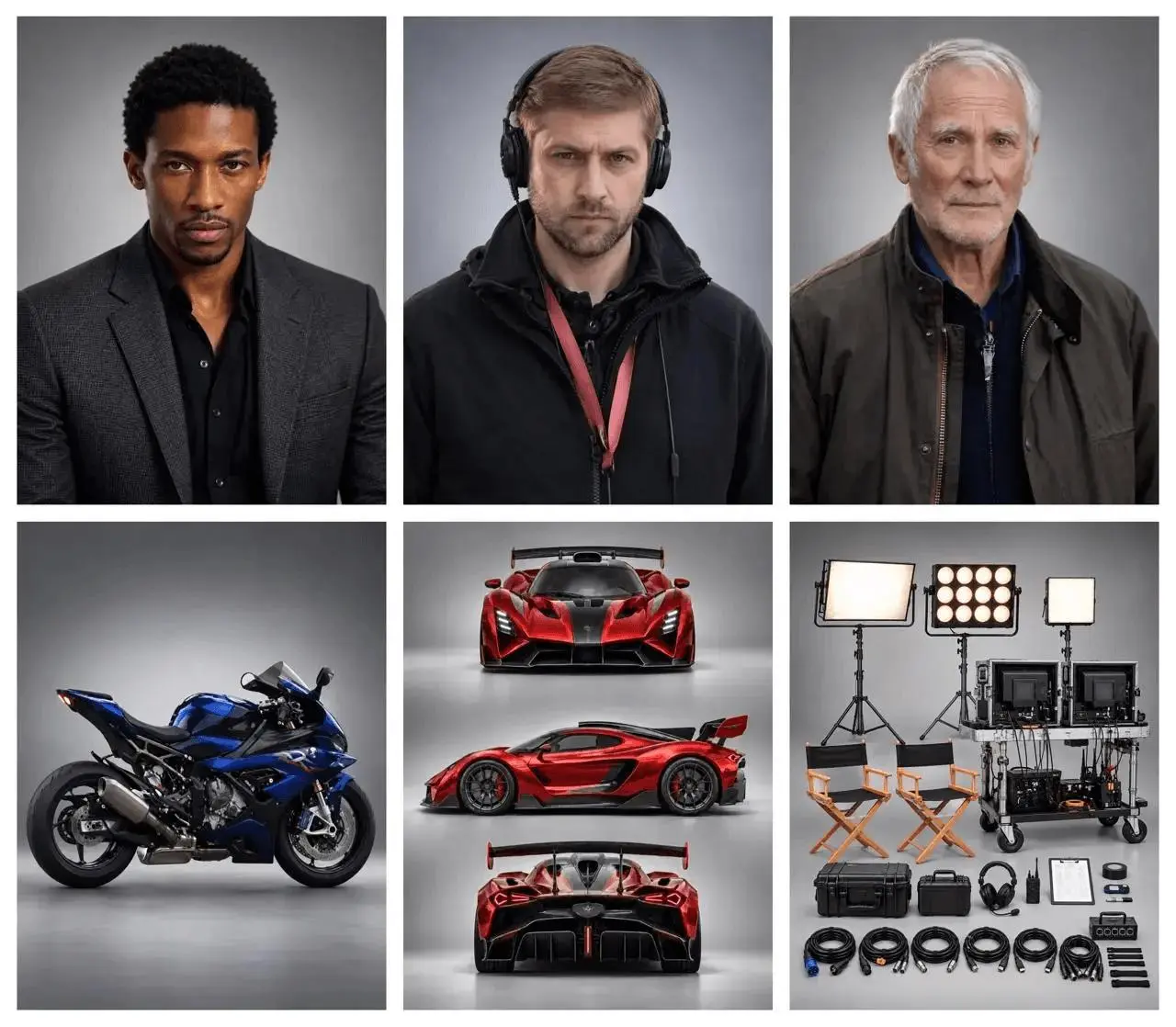
The supplied board includes three adult portraits, a red sports car, a blue motorcycle and filming equipment. Treat it as an asset sheet. The prompt gives the portraits separate crew roles and names the vehicle colors repeatedly so “the rider,” “the driver” and “the director” have different functions. The goal is a readable directed sequence rather than a collage of the source panels.
The reference materials are distributed with the WeShop Kling 4.0 examples and Kling’s official demonstrations. The result above is a new generation made for this tutorial on November 11, 2026. Use references you are authorized to use when adapting the workflow.
Write the roles and action order before generating
Write the shot order before adding camera language. Start with the director’s signal, cut to the car accelerating, show a tracking motorcycle view, and finish with both vehicles moving in the same screen direction. This creates an observable beginning and endpoint. Keeping the action on an empty fictional film set also reduces unrelated traffic and background action.
Use the supplied image board as an asset reference sheet, not a frame to display. Assign its three adult portraits to three separate film-crew roles: the director gives a clear hand signal from the safe roadside, the car driver operates the red sports car, and the rider operates the blue sport motorcycle. Use only those two vehicles. Set the shot on a closed fictional film set with a wide empty road, no real traffic and no pedestrians in danger. Start with the director signaling the take, then cut to the red car accelerating, then a parallel tracking view of the blue motorcycle following alongside at a safe distance. Finish with both vehicles traveling in the same screen direction. Preserve the red car and blue motorcycle identities and colors. Show coherent wheel contact and plausible movement, no collisions, injuries, duplicated vehicles, portrait panels, reference board, logos or text. Filming equipment from the board may remain on the roadside, never in the moving vehicles path.Load the references in Kling 4.0 Reference
Select Kling 4.0 Reference and upload the complete asset board as Image 1. Keep it in Reference mode so the board acts as visual guidance. Paste the prompt and select ten seconds, 720p, and 16:9 in the controls. Do not ask the opening frame to reproduce the entire sheet.
Open Kling on WeShop and use the tested settings:
| Setting | Recorded value |
|---|---|
| Model | Kling 4.0 Reference |
| Image references | 1 |
| Video references | 0 |
| Duration | 10s |
| Resolution | 720p |
| Aspect ratio | 16:9 |
| Quantity | 1 |
Inspect the complete generated sequence
The selected output shows:
- Director gives a hand signal before the vehicle shots
- Red sports car and blue motorcycle appear separately and together
- Final elevated shot shows both vehicles moving down the same road
- The input board is not rendered as a grid
Watch the entire clip rather than choosing it from a single attractive frame. This test used one selected output and does not measure repeatability across multiple runs.
Roadside filming equipment is duplicated or rearranged. Exact vehicle design and facial fidelity are not established. This is one selected output, not a reliability benchmark.
Refine the part that did not follow the prompt
If the board remains visible, explicitly say not to render its panels, portraits or borders. If vehicles exchange colors or merge, shorten the action and name each vehicle in its own shot. Roadside equipment was duplicated or rearranged in this output, so inspect the set dressing separately from the main vehicle action. Avoid adding extra vehicles until the two-subject sequence is readable.
Reuse the example with your own references
Adapt the asset assignments to your own board, then check the director cue, vehicle separation and final screen direction. The selected result demonstrates an ordered sequence; it does not establish exact reproduction of every vehicle design detail.
You can try it directly using the tool on the right.