












6 Tested GPT Image 2 Prompts for Photographers and Designers
Learn a reusable GPT Image 2 prompt formula with six tested examples for product photos, editorial portraits, fashion campaigns, posters, packaging, and UI.
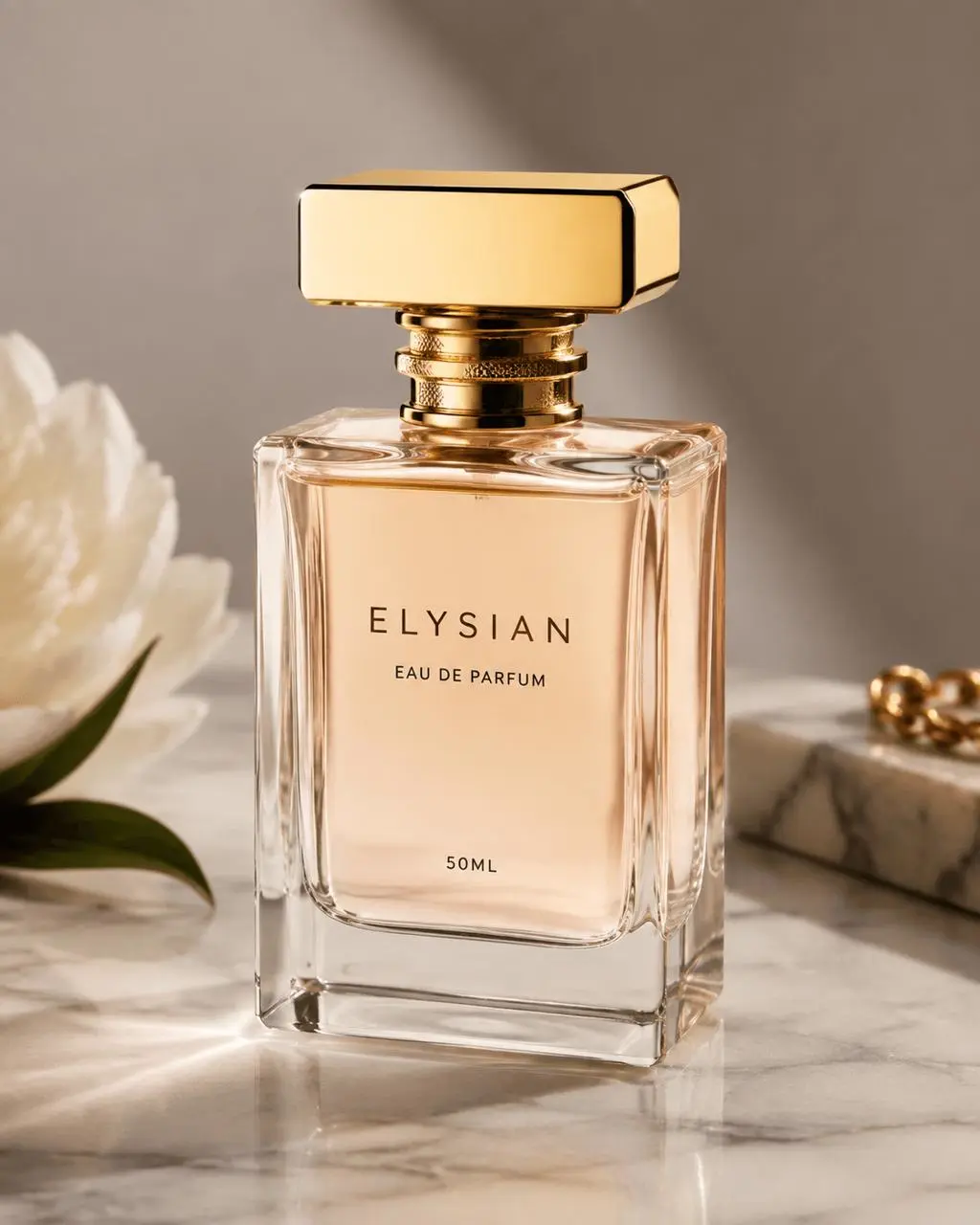
Ask for “a professional perfume product photo,” and the model can return a polished image—but it will also make creative decisions for you. In our weak-prompt test, the result invented the brand name ELYSIAN and added flowers, jewelry, and marble props. A structured prompt produced a more controlled asset: one unbranded bottle, no extra props, usable negative space, and the requested glass, stone, and lighting details.
This guide replaces random style-word lists with a prompt structure you can revise deliberately. It includes six photography and design examples generated for this guide, with complete prompts ready to run in the WeShop GPT Image tool.
Before You Start: Use Consistent Generation Settings
Open WeShop GPT Image and use these settings so you can compare prompts under similar conditions:
- Aspect Ratio:
3:4 - Image Size:
1K - Quality:
Medium - Quantity:
1
After each generation, inspect composition, text, hands, exclusions, and any elements the model added without being asked. You can try it directly using the tool on the right.
A Reusable GPT Image 2 Prompt Formula
The following structure adapts the core recommendations in the official OpenAI GPT Image prompting guide: keep information in a consistent order, state the intended use, and split complex requirements into short labeled sections.
- Use case / Asset type: Where the image will be used.
- Primary request: The core result you want.
- Scene/backdrop: The environment and background.
- Subject: The subject, action, gaze, and object interactions.
- Style/medium: Photography, poster, packaging, UI, or another medium.
- Composition/framing: Aspect ratio, viewpoint, placement, and negative space.
- Lighting/mood: Direction, softness, contrast, and atmosphere.
- Materials/textures: Surfaces that need to look physically believable.
- Text: Literal copy that must appear, placed in quotation marks.
- Constraints / Avoid: Counts, exclusions, and details that must remain unchanged.
Camera models and lens numbers are best used as broad visual cues, not promises of exact physical simulation. Subject relationships, framing, light, materials, and constraints usually give you more useful control.
1. Product Photography: Weak Prompt vs. Structured Prompt
Weak prompt:
Create a professional product photo of a perfume bottle.
The result looked polished, but it introduced a brand name, flowers, jewelry, and marble styling that were never requested. Those choices are not inherently wrong, but they make the image less useful when you need an unbranded asset or plan to add your own layout later.
Structured prompt:
Use case: product-mockup
Asset type: portrait product campaign
Primary request: a photorealistic premium product photograph of a single clear glass perfume bottle
Scene/backdrop: warm ivory limestone plinth against a soft beige studio background
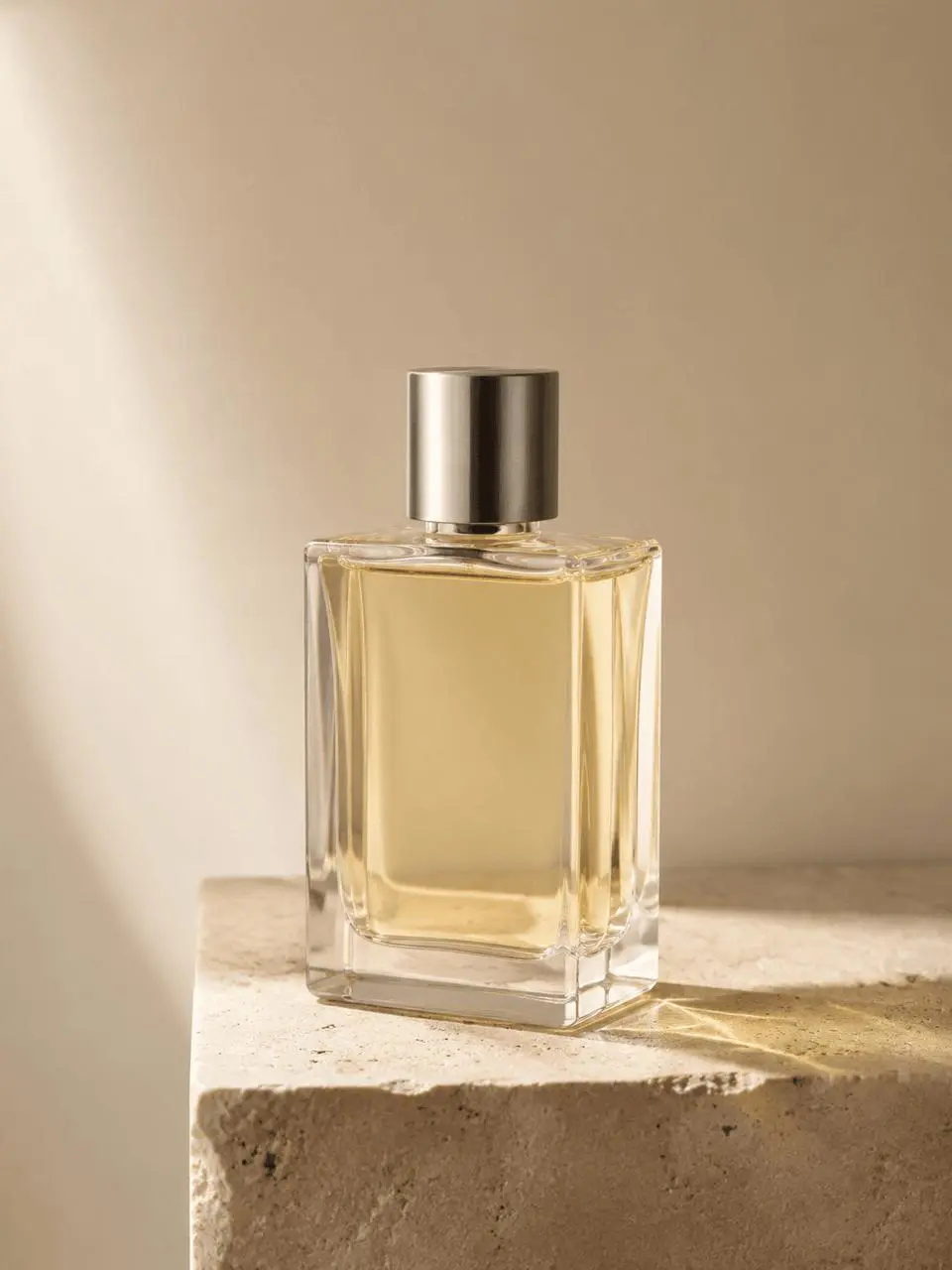
Subject: one rectangular bottle containing pale amber liquid, with a brushed silver cap and no label
Style/medium: real commercial product photography, not a 3D render
Composition/framing: 3:4 vertical composition, slight three-quarter view, bottle placed in the lower center with generous negative space above
Lighting/mood: large softbox from the upper left, subtle warm rim light, realistic glass caustics, controlled soft shadow
Materials/textures: clean glass edges, fine limestone grain, subtle dust and micro-reflections
Constraints: exactly one bottle; no flowers, props, text, logo, trademark, watermark, or decorative packaging
The structured result followed the one-bottle, no-text, no-props, and negative-space instructions. The glass caustics, stone grain, and soft shadow also reflected the material and lighting brief. The advantage was not prompt length—it was that every line created a condition you could inspect.
2. Natural Editorial Portrait: Describe the Action in Progress
Use case: photorealistic-natural
Asset type: editorial portrait
Primary request: a photorealistic candid editorial portrait of an adult woman ceramic artist working in her studio
Scene/backdrop: a real working ceramics studio with unfinished clay pieces, wooden shelves, and lightly dusty surfaces
Subject: the artist is seated at a pottery wheel, looking down at the clay rather than at the camera; hands naturally shaping a bowl; simple linen work shirt and clay-stained apron
Style/medium: natural editorial photography, honest and unstaged
Composition/framing: 3:4 vertical, medium close-up at eye level, full hands visible, shallow depth of field
Lighting/mood: soft north-window daylight, gentle shadow falloff, muted earthy colors
Materials/textures: visible skin texture, linen weave, wet clay, worn wood, small realistic imperfections
Constraints: natural proportions and hands; no beauty retouching, glamor lighting, text, logo, trademark, or watermark
Avoid: glossy commercial polish, direct eye contact, cinematic color grading
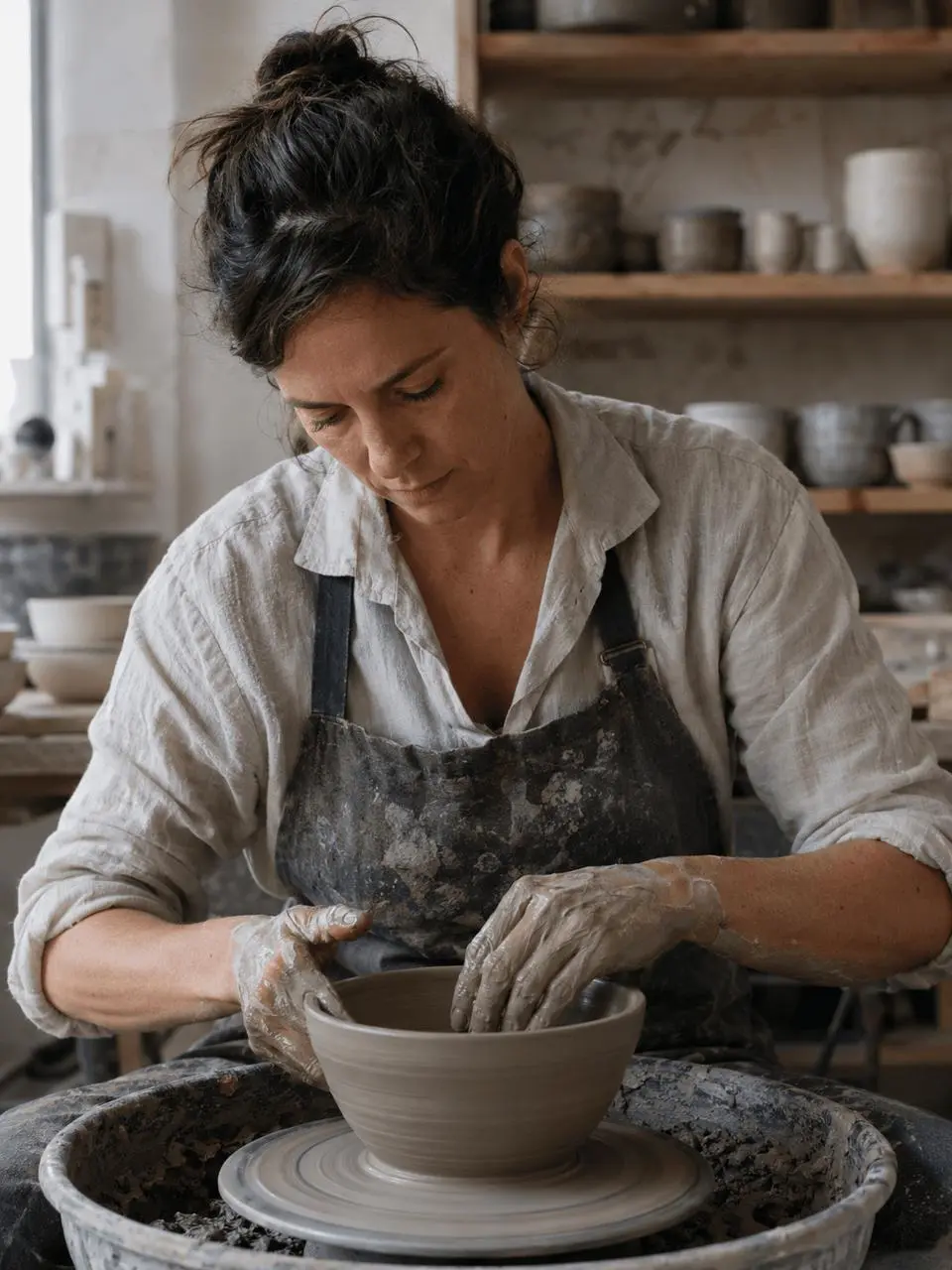
The generated portrait showed the artist looking down while shaping the clay, with both hands visible, natural skin texture, and a work-worn apron. For believable people photography, describe gaze and hand-to-object relationships instead of relying on “natural pose.”
3. Fashion Campaign Photography: Treat Negative Space as a Requirement
Use case: ads-marketing
Asset type: fashion campaign photograph
Primary request: a photorealistic campaign image for an original contemporary outerwear label
Scene/backdrop: a pale concrete architectural walkway on an overcast day
Subject: two adult models in original minimalist charcoal and sand-colored outerwear, walking naturally in opposite directions without looking at the camera
Style/medium: premium editorial fashion photography, restrained and modern
Composition/framing: 3:4 vertical, full-body framing with feet visible, balanced asymmetric composition, generous clean negative space in the upper third for later copy
Lighting/mood: soft overcast daylight, subtle contrast, cool neutral palette
Materials/textures: realistic wool, technical nylon, concrete grain, natural skin
Constraints: original clothing designs; no text, logos, trademarks, watermark, extra people, distorted hands, or cropped feet
Avoid: runway posing, heavy retouching, dramatic movie lighting
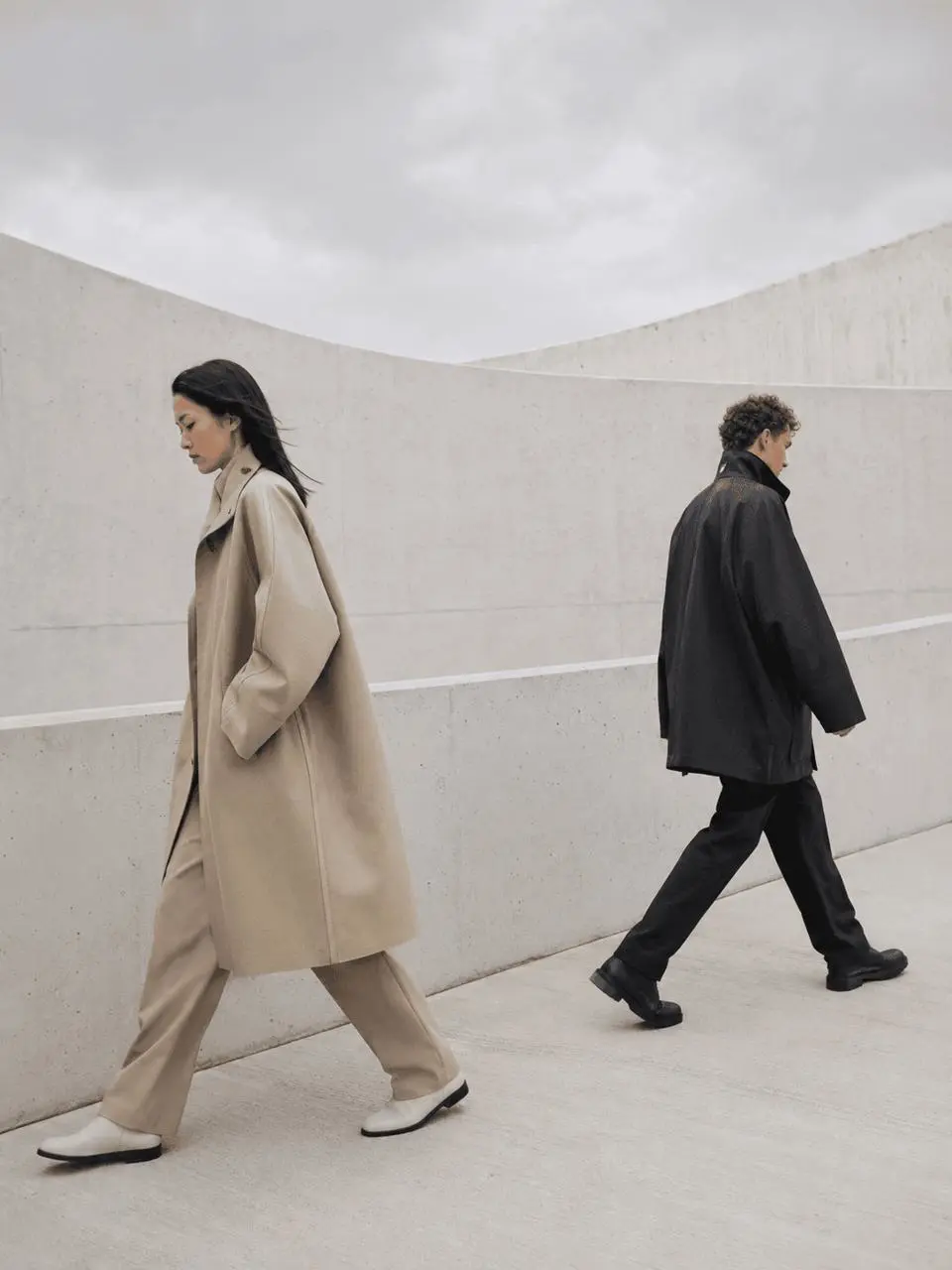
The result preserved both models’ feet, opposite walking directions, and usable space across the upper portion of the frame. If an image needs a headline later, reserve that layout space during generation instead of forcing it through a crop afterward.
4. Text-Heavy Poster Design: Lock the Copy Verbatim
Use case: ads-marketing
Asset type: cultural event poster
Primary request: a vertical poster for an experimental photography exhibition
Scene/backdrop: off-white paper background with a single abstract cobalt-blue geometric photograph occupying the center
Style/medium: refined Swiss-modernist graphic design, crisp print layout, visible paper texture
Composition/framing: 3:4 vertical poster, strong grid, large headline at top, image centered, small event details aligned at bottom
Text (verbatim, render exactly once):
"SHAPE / LIGHT"
"PHOTOGRAPHY AFTER DARK"
"NEW YORK — OCTOBER 18"
"DOORS 7 PM"
Typography: bold black grotesk sans-serif headline, smaller regular sans-serif details, clean kerning, high contrast
Color palette: off-white, black, cobalt blue only
Constraints: include only the specified text with no spelling changes or extra characters; no logos, trademarks, watermark, mockup frame, hands, or scenery
This run rendered all four required text blocks and maintained the black, off-white, and cobalt-blue palette with a clear grid hierarchy. Put literal copy in quotation marks, request verbatim rendering, and specify placement, type hierarchy, and whether extra text is allowed.
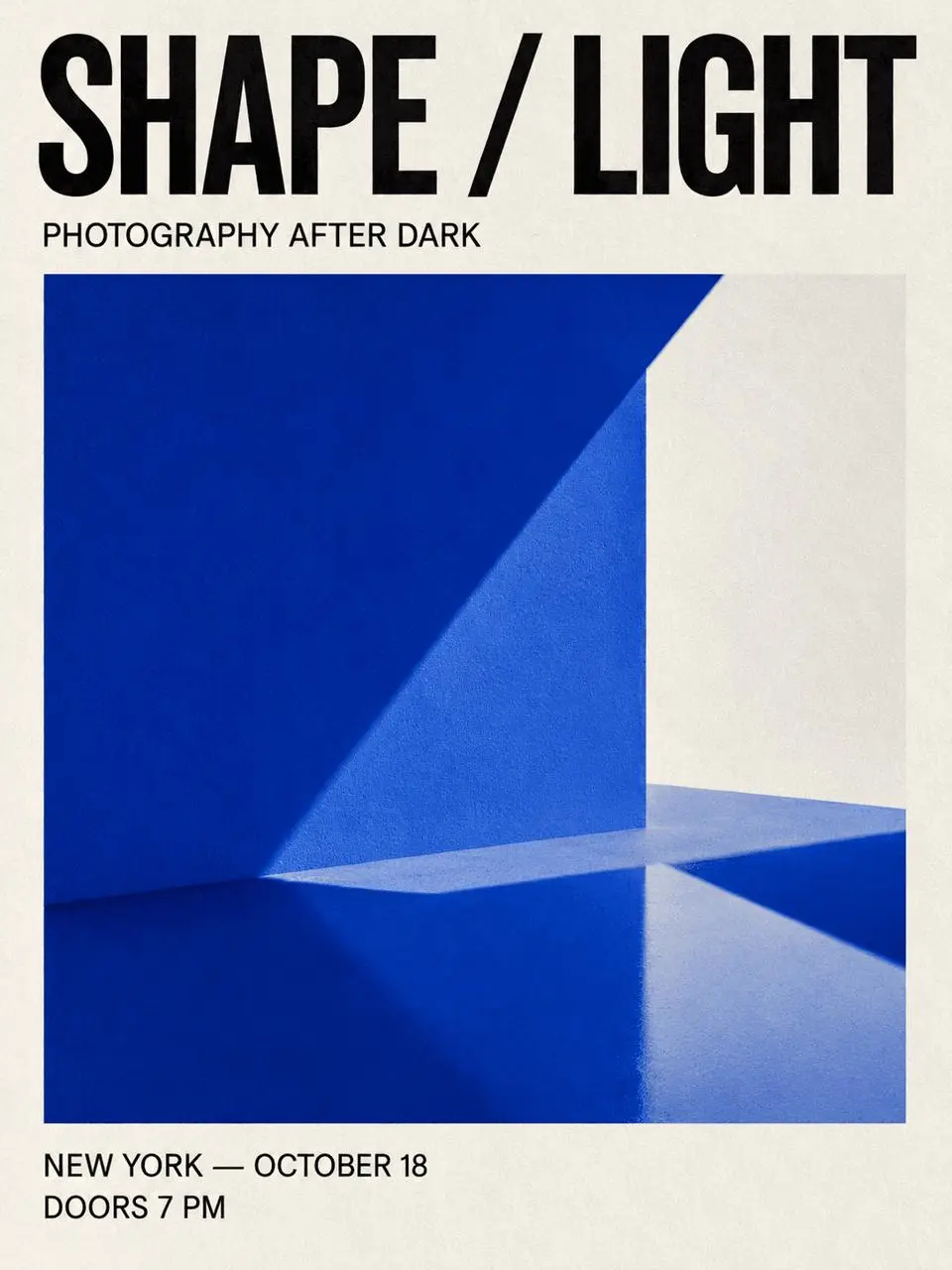
5. Packaging Design: Correct Text Does Not Guarantee Correct Placement
Use case: product-mockup
Asset type: packaging concept presentation
Primary request: a photorealistic retail packaging concept for a fictional premium jasmine green tea brand
Scene/backdrop: warm light-gray seamless studio surface
Subject: one upright matte paper tea box beside one matching sealed sachet
Style/medium: premium packaging design photographed as a real physical product
Composition/framing: 3:4 vertical, three-quarter angle, clean centered arrangement, generous margins
Lighting/mood: soft studio lighting with a controlled shadow and subtle highlight
Materials/textures: uncoated recycled paper, fine embossing, crisp printed label, realistic folds and edges
Text (verbatim, render exactly once on the box):
"MORROW"
"JASMINE GREEN TEA"
"20 SACHETS"
Typography: elegant modern serif brand name with restrained sans-serif product details
Color palette: deep forest green, warm ivory, muted gold foil accent
Constraints: original brand and packaging; no extra words, ingredient claims, badges, logos, trademarks, people, watermark, or decorative plants
The output rendered the brand and product copy clearly, along with believable paper and gold-foil textures. However, it repeated the same copy on both the box and sachet instead of placing it only once on the box. Complex packaging needs separate checks for spelling, placement, and repetition. If the count is wrong, correct that one issue rather than rewriting the whole prompt.
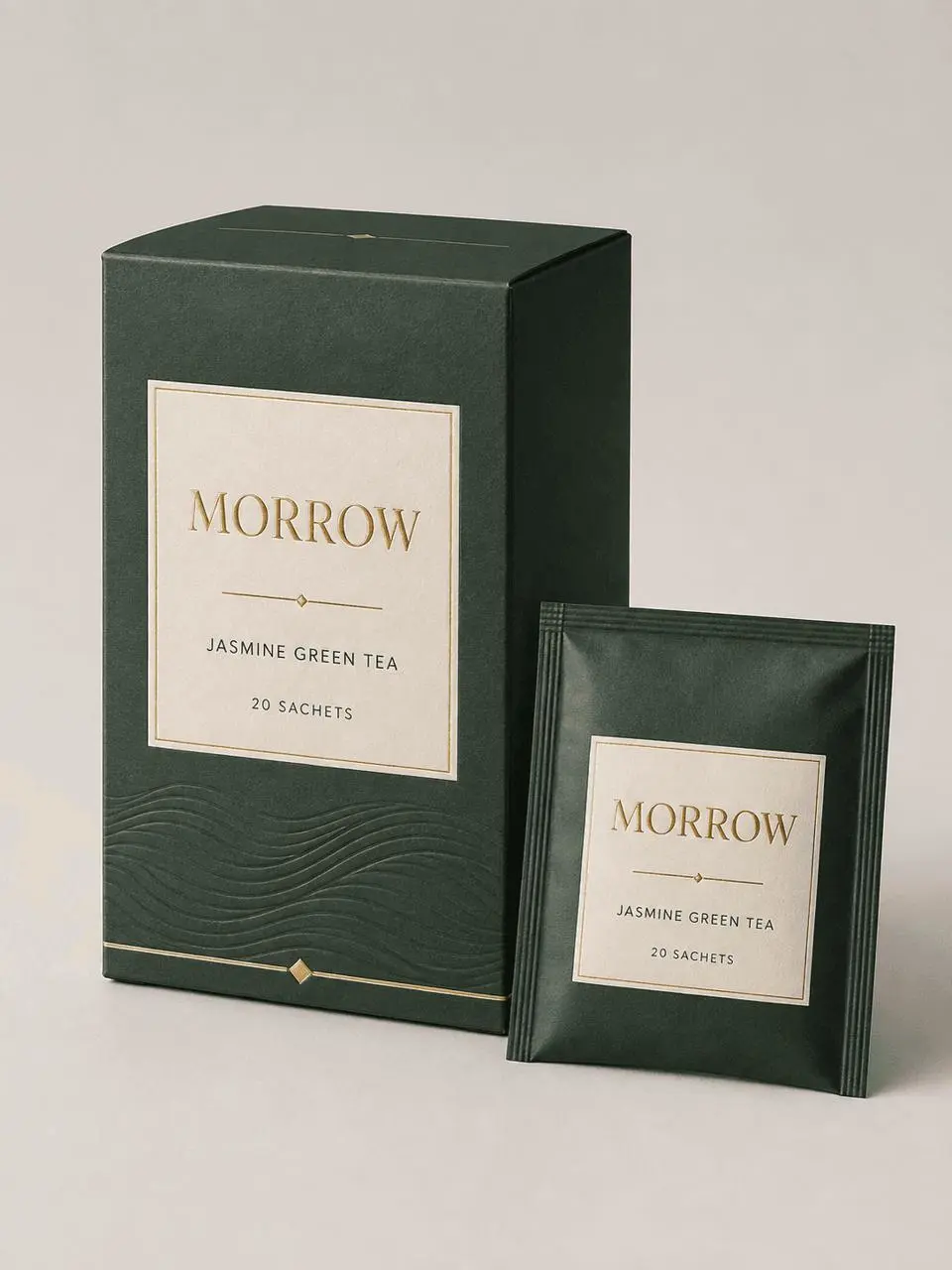
6. UI Design: Define a Usable Screen Before Its Visual Style
Use case: ui-mockup
Asset type: mobile app hero screen
Primary request: a polished, realistic mobile interface for a photographer's shoot-planning app
Style/medium: shippable product UI, not concept art
Composition/framing: 3:4 vertical presentation showing one complete smartphone screen straight-on with clear hierarchy and comfortable spacing
Subject: dark charcoal interface with a large golden-hour preview card, a compact weather row, a location card, and one primary action button
Text (verbatim, render exactly once):
"FRAME"
"Plan the light. Capture the moment."
"Golden Hour"
"6:42 PM"
"Brooklyn Bridge"
"Start a Shoot"
Typography: clean modern sans-serif with readable sizes and strong contrast
Color palette: charcoal, warm amber, soft off-white
Constraints: practical mobile layout; all specified text must be legible; no extra copy, logos, trademarks, watermark, device hands, decorative 3D objects, or surrounding desk scene
The result produced a complete single-screen hierarchy with the requested title, location, time, and button. It also added several hourly weather values, despite the “no extra copy” constraint. For UI and infographic work, inspect text accuracy and information completeness separately, then use a text-only correction prompt when needed.
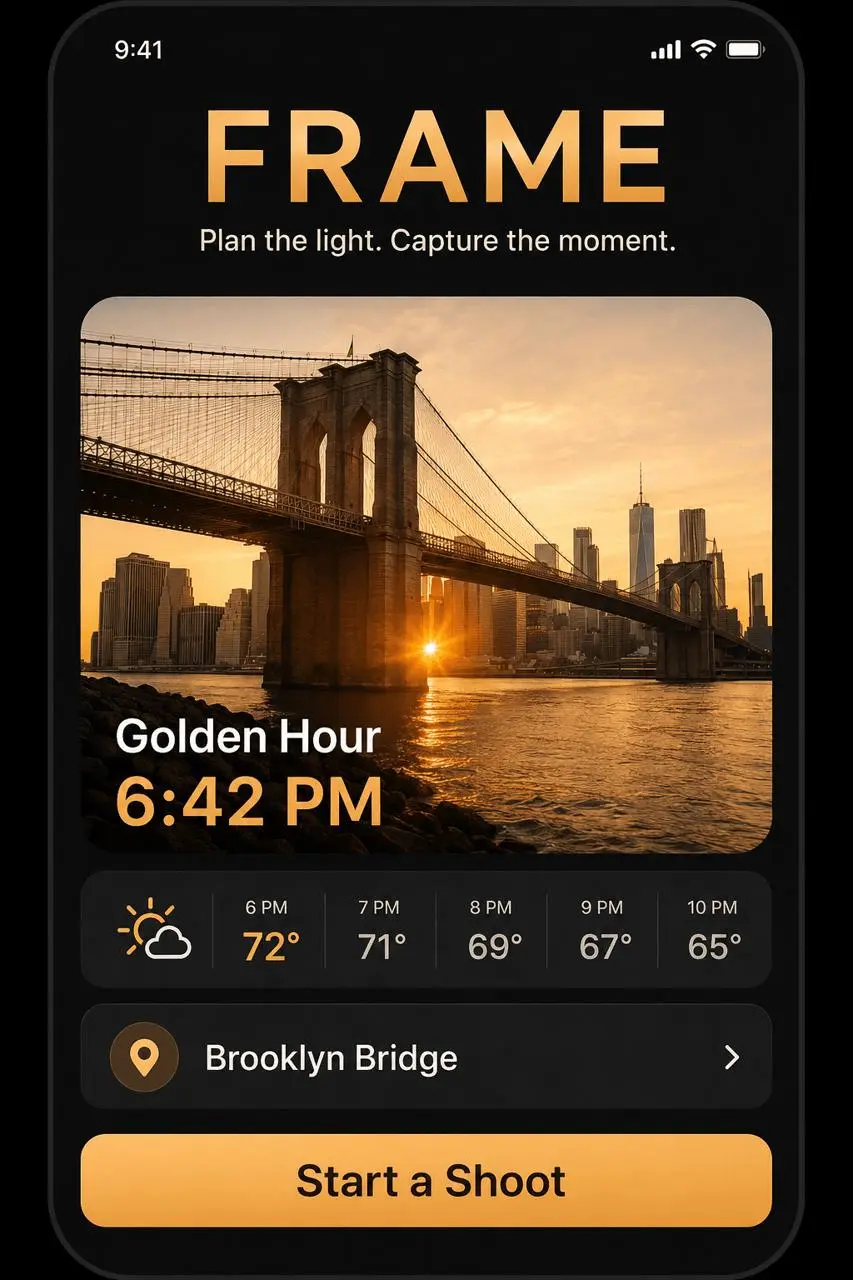
Common GPT Image Prompt Mistakes—and How to Fix Them
- Using only “professional,” “cinematic,” or “premium.” Replace taste-based adjectives with inspectable subject, composition, light, and material instructions.
- Using lens numbers instead of describing the frame. Prioritize shot size, viewpoint, placement, and negative space.
- Leaving required text unquoted. List exact copy line by line and request verbatim rendering.
- Omitting exclusions. State object counts and forbid unwanted text, logos, people, or props.
- Changing several problems at once. Preserve the current result and correct one variable per iteration.
For example:
Keep everything else unchanged. Remove the extra weather times and temperatures. Preserve the layout, colors, preview image, location card, and button exactly as they are.
Start with One Prompt, Not a Pile of Style Words
Choose the prompt closest to your task, replace its subject, environment, and literal copy, then keep the underlying composition and constraint structure. After the first result, correct only the issue that matters most to the final deliverable. That makes it much easier to identify which instruction actually improved the image.
Run Your First Structured Prompt
Copy one of the six recipes, adapt the subject and constraints, and generate your next product photo, portrait, campaign, poster, package, or UI concept.
Try GPT Image 2 in WeShop