











Create Textured Transparent Lettering with Seedream 5.5
Turn a pink ribbed-fabric reference into SOFT STUDIO lettering with Seedream 5.5. Check exact words, material transfer and transparent PNG output.
The pink ribs in a fabric swatch can become the surface of a wordmark without bringing the swatch’s rectangular background with them. This reference-guided Seedream 5.5 workflow creates two lines of SOFT STUDIO lettering as a transparent raster asset.
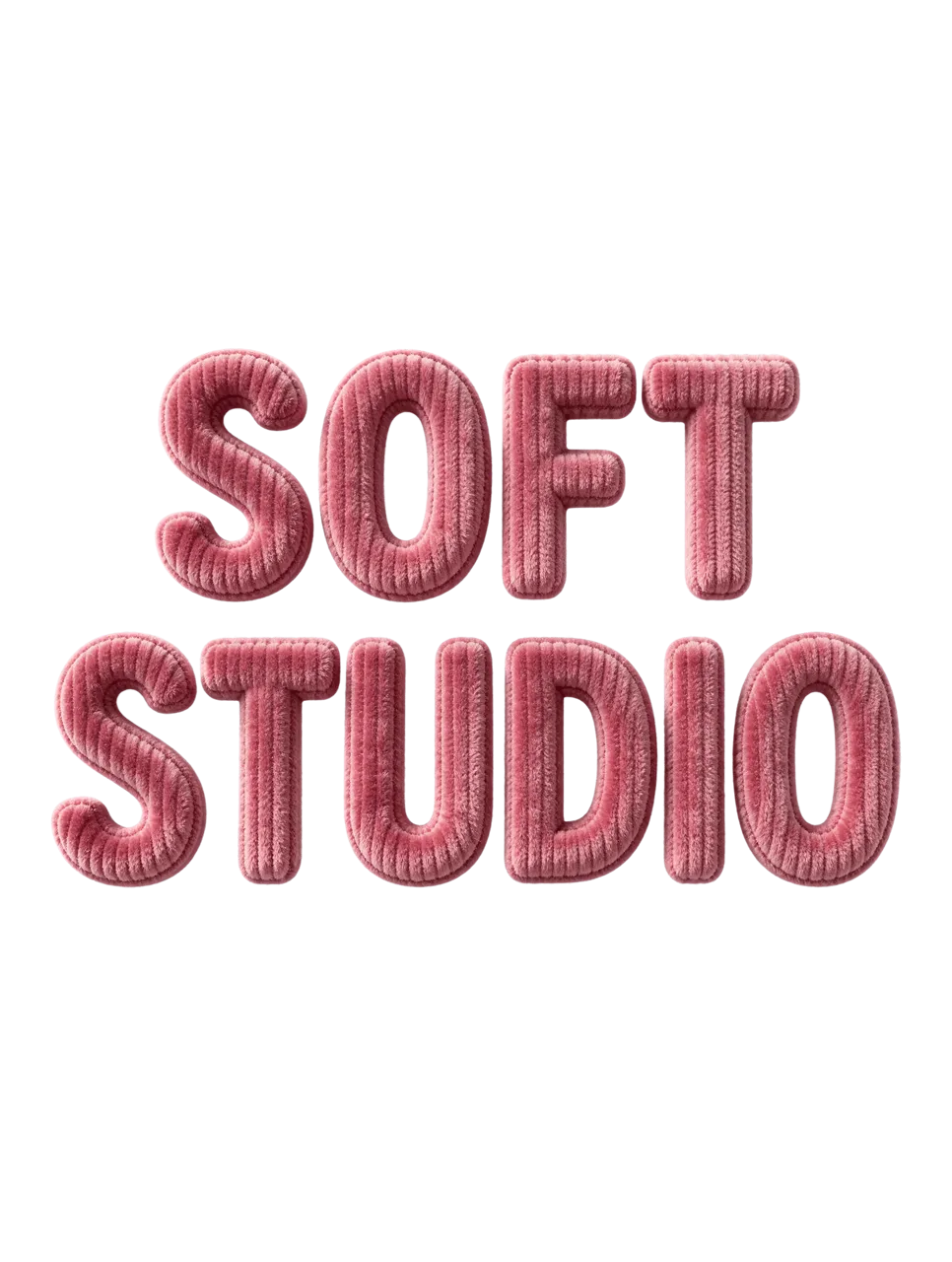
AI-generated result from the Seedream 5.5 workflow shown below.
Image-to-Image · Seedream 5.5 · PNG · 2K
Make the reference responsible for material, not wording
The Pinterest material reference is a close-up of pink ribbed fabric, saved by Caz Moor. Its color, vertical ribs and fine fibers are the relevant input traits. The requested words and arrangement are supplied separately, so the generator is not being asked to copy an existing logo.
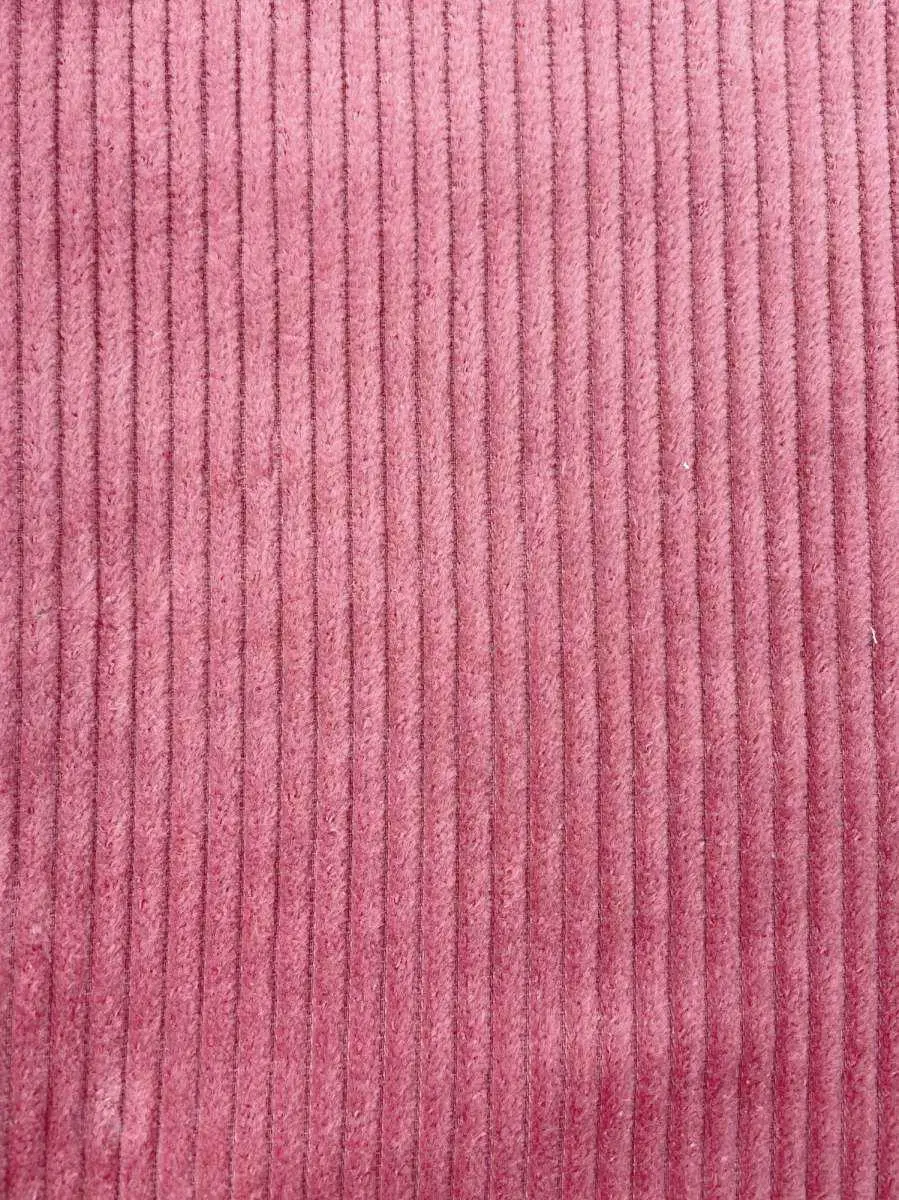
Reference input. The source link and context are provided above.
1. Upload the fabric as an image input
Add the texture file and wait for its thumbnail. State that the reference defines surface material only. This is a reference-guided image-to-image request because the actual swatch is supplied to the generation task.
2. Specify the exact words and shape constraints
Quote SOFT STUDIO, request two centered lines and rounded uppercase letters, and keep letters separate. Ask for thickness and self-shadowing on the letters themselves without a background surface, extra decoration or a checkerboard drawing.
3. Choose PNG and Transparent together
Select Seedream 5.5, 2K, PNG, Background: Transparent, Auto and one output. After generation, inspect the original file at full size. Check both O counters, the F and T strokes, and the gap between the two lines before using the lettering on a layout.
Reuse the exact generation prompt
Use the supplied texture image only as a material reference, not as a layout. Create exactly the two words "SOFT STUDIO" in large rounded uppercase sans-serif lettering on two centered lines. Reproduce the reference material texture visibly across the letter surfaces, with believable thickness, fine fibers and soft self-shadowing. Make every letter complete and legible, avoid joining adjacent letters. No extra text, no decorative objects, no background surface. Output a PNG with real transparent alpha outside the letters and no checkerboard pattern. Portrait 3:4.When reusing the template, check Background before you generate: the saved case currently opens with Opaque, so switch it to Transparent to follow this workflow. Keep PNG selected.
Inspect the result before reusing it
The selected result spells SOFT STUDIO on two lines, with rounded pink letters and clear vertical ribbing that follows the supplied fabric’s material cue. The original PNG contains a non-opaque alpha channel, including transparency outside the lettering. The example demonstrates material-guided lettering rather than editable font generation.
| Check | What to inspect |
|---|---|
| Exact wording | Read both words letter by letter; do not infer correctness from the overall shape. |
| Material | Check the rib pattern and fibers across curved and straight strokes. |
| Transparency | Inspect outer edges, spaces between letters and the internal holes in O. |
This is a raster PNG. It does not provide a font, vector paths or editable text layers. If a letter is wrong, correct the prompt and regenerate or rebuild the wording as editable type; do not present an approximate spelling as a usable wordmark.
Try this workflow with your own brief
You can try it directly using the tool on the right.
Replace the reference with an image you have permission to use, then change only the target instruction. Open the Seedream generator to select Seedream 5.5.
To build a complete composition around precise wording, see multilingual posters.