








Create Multilingual Posters with Seedream 5.5
Create an English, Chinese and French poster with Seedream 5.5. Supply exact copy, assign text hierarchy and proofread the generated layout.
A multilingual poster needs more than correct words: readers must know which line to read first. This fictional NIGHT GARDEN poster gives an English headline, a Chinese subtitle and a French supporting line distinct roles, with the event details kept together in the footer.
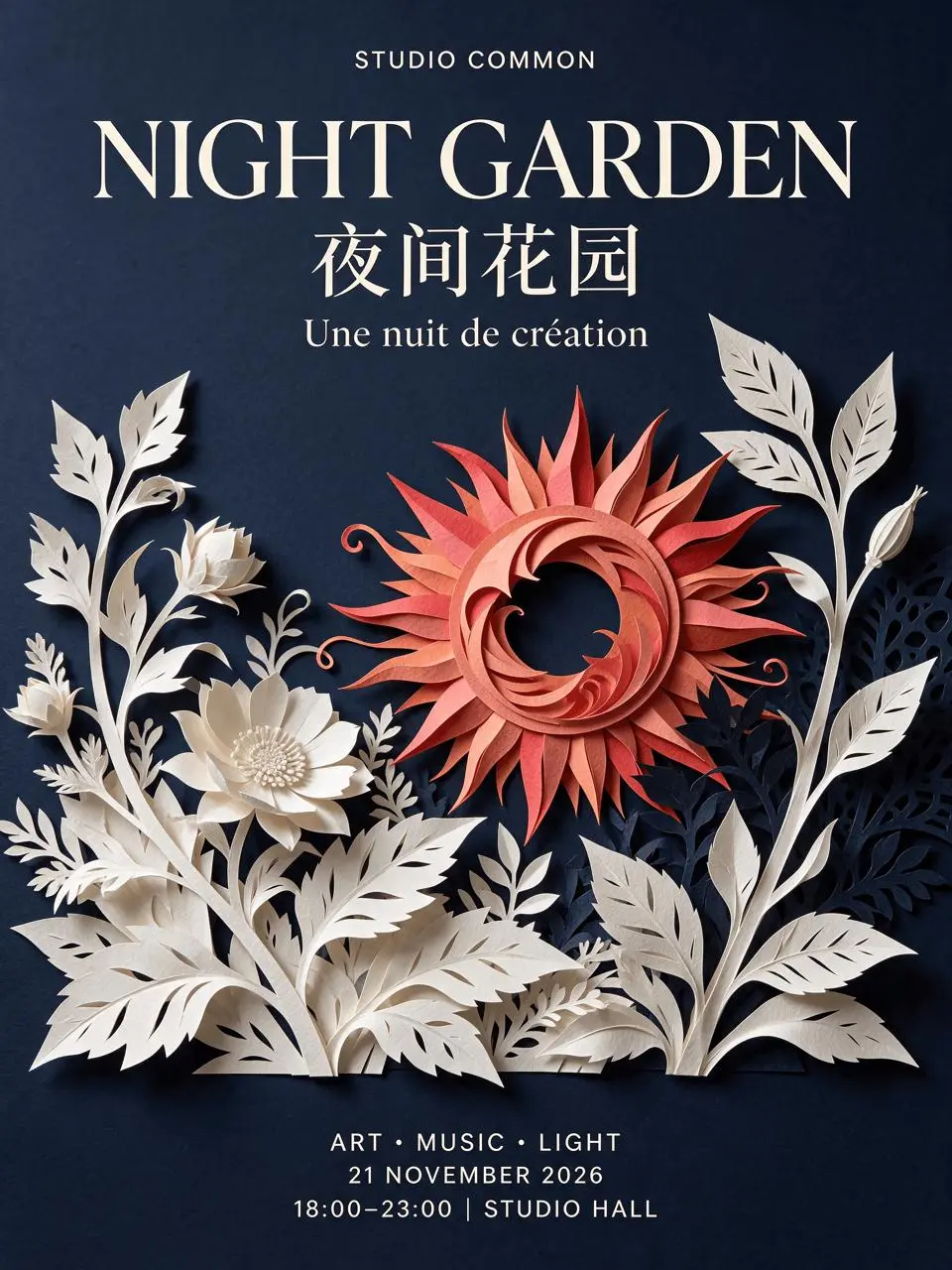
AI-generated result from the Seedream 5.5 workflow shown below.
Text-to-Image · Seedream 5.5 · PNG · 2K
Lock the copy and reading order first
Prepare the exact strings before generating. This case uses “NIGHT GARDEN,” “夜间花园” and “Une nuit de création,” plus a studio label and a compact date-and-time block. The festival, studio and venue are fictional design material. There is no reference-image upload in this example; the poster is generated from text.
1. Assign each language a visual role
Make the English title the largest line, put the Chinese subtitle directly below it, and treat French as a smaller supporting line. Give the footer its own space. Language hierarchy should follow the reader’s task rather than making every line equally prominent.
2. Describe artwork separately from wording
Specify the midnight navy background, coral paper-cut sun and ivory botanical shapes independently from the copy. Quote every required text string and ask for no additional wording. Open Seedream and select 5.5, 2K, PNG, Opaque, 3:4 and one output.
3. Proofread the full-size result
Read the studio name, headline, Chinese characters, French accent, date, time range and venue separately. Then check margins and visual hierarchy. Do not approve the image just because the headline looks attractive at thumbnail size.
Reuse the exact generation prompt
Design a polished bilingual fictional arts festival poster, portrait 3:4. Rich midnight navy background, a large sculptural coral-red paper-cut sun and ivory botanical silhouettes, restrained Swiss graphic layout. Render exactly this text, with no extra text: top small label "STUDIO COMMON"; large English title "NIGHT GARDEN"; large Chinese subtitle "夜间花园" directly below; smaller centered French line "Une nuit de création"; footer on three separate lines "ART • MUSIC • LIGHT", "21 NOVEMBER 2026", "18:00–23:00 | STUDIO HALL". Maintain generous margins, correct accented characters, clear hierarchy, and readable small print. This is a fictional design study, not a real event.Inspect the result before reusing it
The selected result presents the English headline above the Chinese line, with the French wording below and all three footer lines visible. The lettering is readable in the original output, including the accent in “création.” The model interpreted the requested Swiss layout with prominent serif lettering, so the result demonstrates the copy hierarchy rather than exact adherence to a prescribed font system.
| Check | What to inspect |
|---|---|
| Chinese | Compare each character with 夜间花园. |
| French | Keep the accented é in création and inspect spacing. |
| Footer | Verify 21 NOVEMBER 2026 and 18:00–23:00 |
Generated lettering still needs proofreading. For production work that demands exact fonts, accessibility text or editable type, recreate the approved copy as editable text in your layout editor. A generated PNG is not an editable typography file.
Try this workflow with your own brief
You can try it directly using the tool on the right.
Keep the prompt structure and replace the subject or exact wording with your own brief. Open the Seedream generator to select Seedream 5.5.
For labels tied to educational illustrations, use the different structure in detailed infographics.