












Create Detailed Infographics with Seedream 5.5
Build a six-panel sunflower infographic with Seedream 5.5. Start from verified labels, avoid ambiguous leader lines and review text and illustration separately.
Readable labels can still teach the wrong thing if their lines point to the wrong structure. Our first sunflower infographic had that problem. The revised workflow separates six structures into individual panels, making the relationship between wording and illustration easier to check.
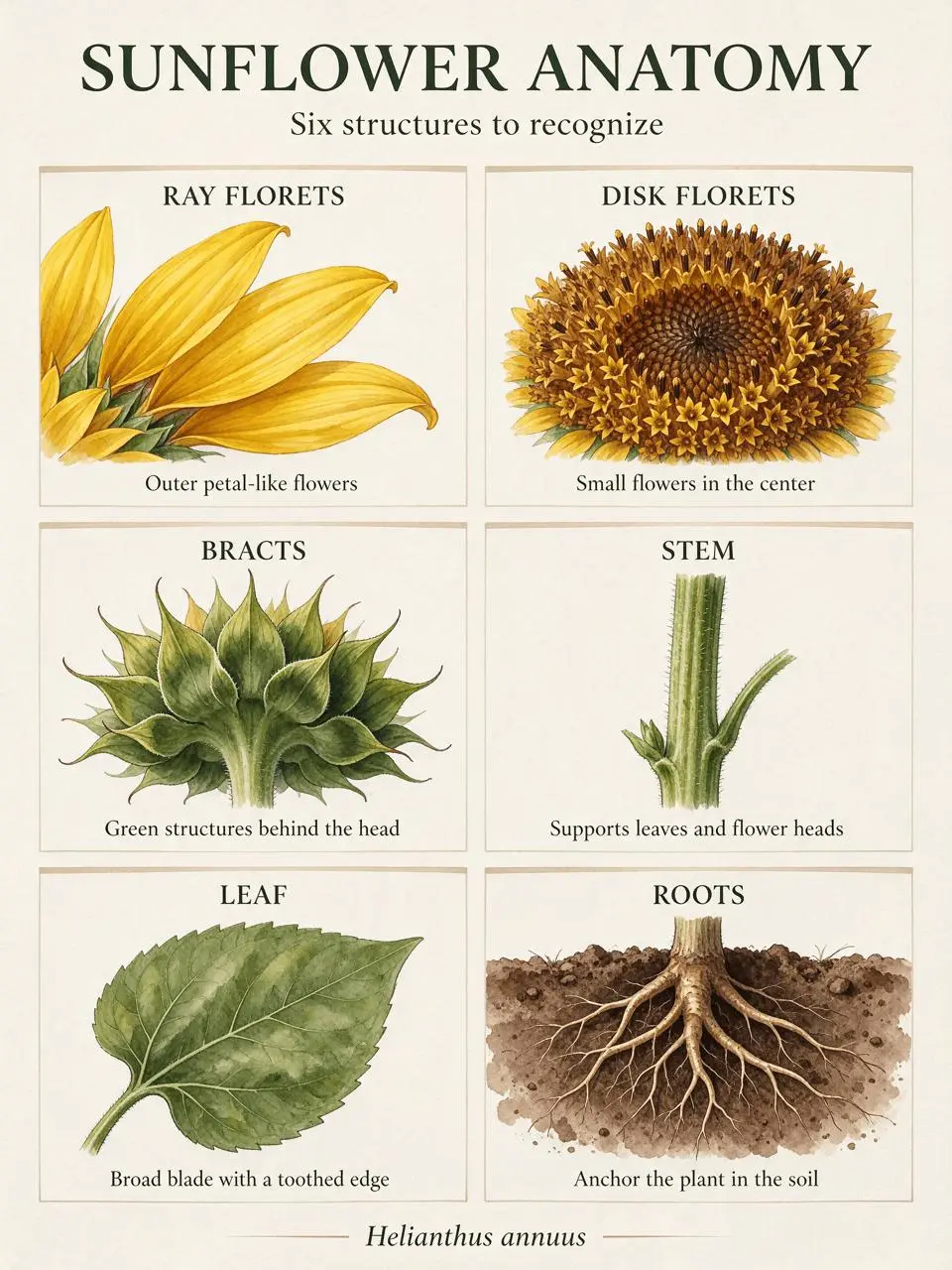
AI-generated result from the Seedream 5.5 workflow shown below.
Text-to-Image · Seedream 5.5 · PNG · 2K
Verify the facts before asking for the layout
This example uses Helianthus annuus, the common sunflower. Kew’s botanical description distinguishes the outer ray florets, central disk florets and bracts around the head. Supply the terminology and short explanatory copy yourself. A model-generated diagram should not be the source of its own factual claims.
1. Reduce the brief to six checkable units
Prepare six headings: RAY FLORETS, DISK FLORETS, BRACTS, STEM, LEAF and ROOTS. Pair each with one short caption and an illustration description. Keep the scientific name separate as a footer. The example is text-to-image generation; it does not use a reference-image upload.
2. Give each structure its own panel
Use a two-column, three-row grid with no cross-panel arrows. This removes the leader-line ambiguity found in the first pass. Describe what each panel depicts instead of asking the model to label an unrestricted central drawing. Select Seedream 5.5, 2K, PNG, Opaque, Auto and one output.
3. Review content and text as separate passes
First compare every label and caption against the prepared copy. Then check the illustration: petal-like ray florets, small central disk flowers, the green bracts behind a head, the stem, a toothed leaf and roots in soil. A neat grid is helpful, but it does not replace botanical review.
Use the revised six-panel prompt
Create a precisely organized educational sunflower infographic, portrait 3:4, ivory background, dark green readable editorial typography and small ink-and-watercolor botanical illustrations. Title exactly "SUNFLOWER ANATOMY". Subtitle exactly "Six structures to recognize". Use a spacious 2-column by 3-row grid of SIX SEPARATE PANELS, not a single plant with arrows. No leader lines, arrows, connecting lines or full central plant. Each panel contains only one isolated structure illustration, its uppercase heading, and the exact short caption given here. Top left: yellow petal-like ray flowers, heading "RAY FLORETS", caption "Outer petal-like flowers". Top right: small tubular brown disk flowers in a circular close-up, heading "DISK FLORETS", caption "Small flowers in the center". Middle left: back view of a flower head showing green bracts, heading "BRACTS", caption "Green structures behind the head". Middle right: close-up of green hairy stalk, heading "STEM", caption "Supports leaves and flower heads". Bottom left: single broad green serrated leaf, heading "LEAF", caption "Broad blade with a toothed edge". Bottom right: branching roots below soil, heading "ROOTS", caption "Anchor the plant in the soil". Footer exactly "Helianthus annuus". Spell every string exactly. Each illustration stays within its own panel. No extra labels, logo or invented statistics.What the first pass got wrong
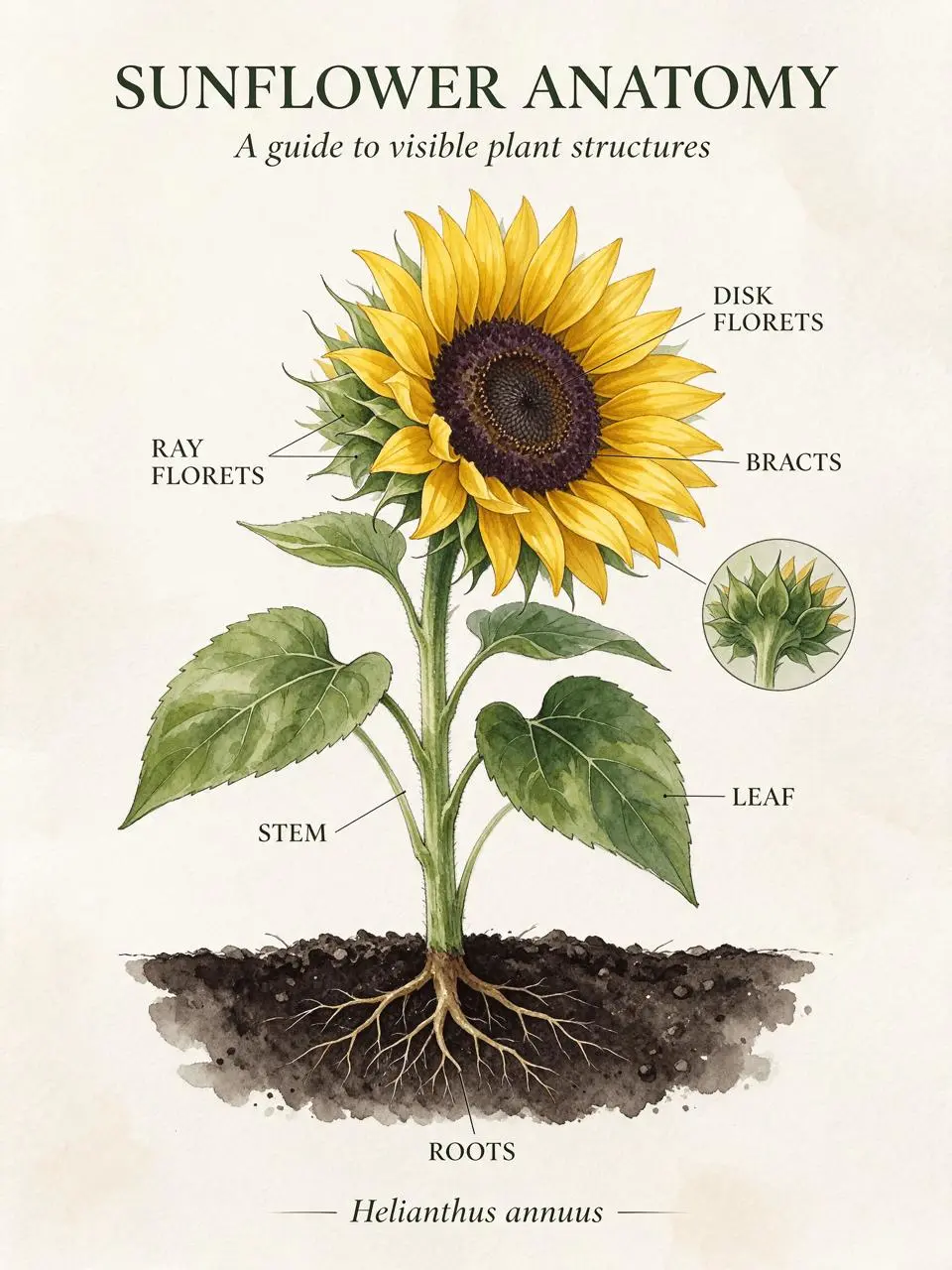
Rejected first pass: readable wording did not ensure correct label placement.
Inspect the result before reusing it
The revised output uses six distinct panels, with the requested headings, short captions and Helianthus annuus footer visible. This resolves the specific first-pass problem of misleading leader lines. The illustrations remain AI-generated educational concepts, so a subject specialist should review them before use as authoritative teaching material.
| Check | What to inspect |
|---|---|
| Terminology | Keep ray florets, disk florets and bracts distinct. |
| Text | Read captions and the scientific name at full size. |
| Illustration | Check what each panel actually depicts, independently of its label. |
The first pass demonstrates why text quality alone is not a publication gate for educational diagrams. In that image, some leader lines did not terminate on the structures named by their labels. The selected reusable template is the revised six-panel generation, not that rejected first pass.
Try this workflow with your own brief
You can try it directly using the tool on the right.
Keep the prompt structure and replace the subject or exact wording with your own brief. Open the Seedream generator to select Seedream 5.5.
For a design where the wording does not label scientific structures, see multilingual poster layouts.