












Real Estate Photo Editing Prompts That Protect the Property
Use two real estate photo editing prompts for temporary-object cleanup and a restrained sky edit. See actual results and checks for architecture and honest presentation.
Real estate photo editing prompts need a stricter boundary than “make the house look better.” A temporary bin and a sky treatment can be described without requesting a new roof, lawn or facade. These two exterior edits keep the property as the reference and make the requested change explicit.
| Original reference | Remove a temporary driveway bin |
|---|---|
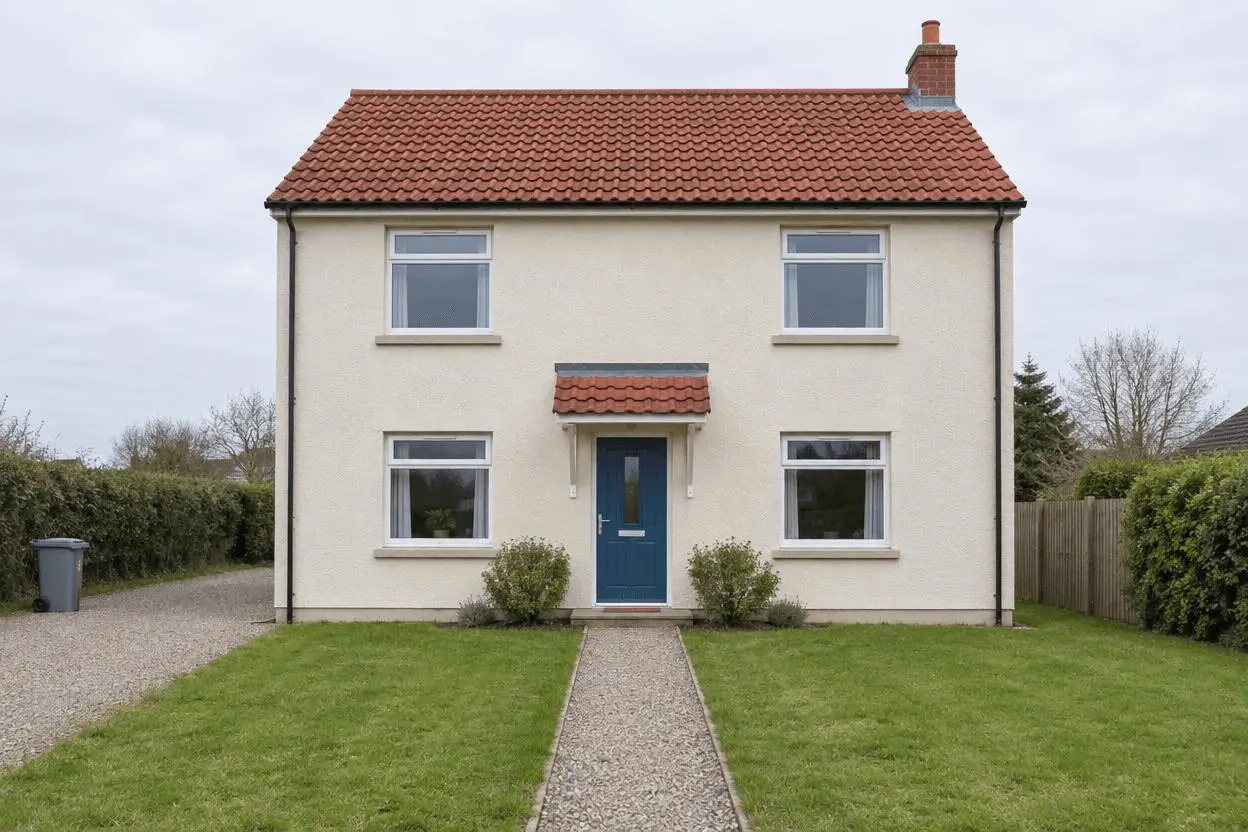 | 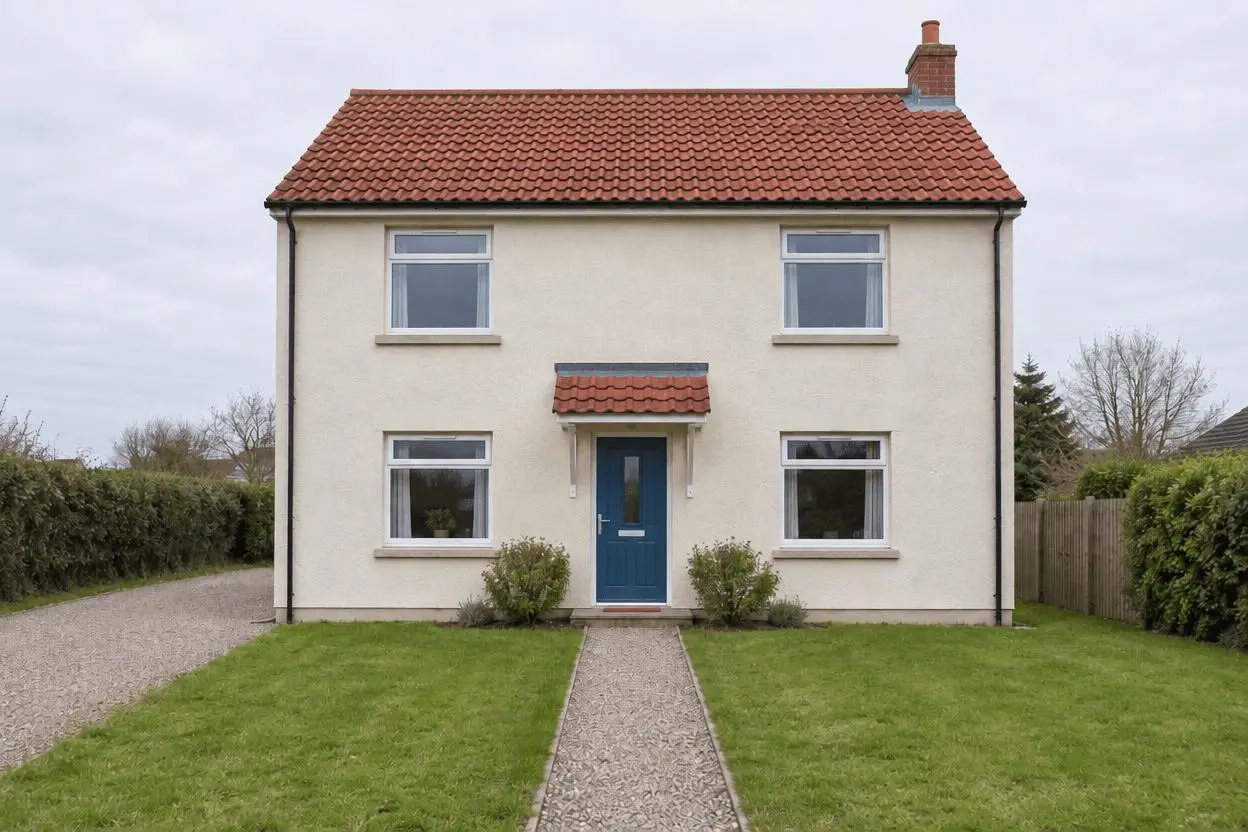 |
Exterior listing photo cleanup and sky editing. Each result below was generated independently from the original reference image.
Define temporary distractions separately from property features
The synthetic house has one blue door, four visible windows, a tile roof, a lawn, a path and a bin at the edge of the driveway. Those are the reference anchors. The examples are editing demonstrations, not a property listing or advice about a jurisdiction’s disclosure rules.
The original shown here is AI-generated for this demonstration. Both edits actually consumed that source as an attached reference. Use your own photo or another image you are authorized to edit.
Build a focused preservation brief
For cleanup, identify the temporary object precisely and exclude changes to fixed structures or defects. For sky replacement, name the sky as the target while retaining roof edges, boundaries and the original bin. Each prompt starts from the original, so the second example does not imply that the cleanup was carried forward.
A useful structure is: target change → visible subject or object → details to retain → lighting and perspective → unwanted additions → output format. Adapt the nouns to the image in front of you. A preservation instruction is something to verify afterward, not a guarantee that every source pixel will survive.
Prompt 1: Remove a temporary driveway bin
The opening comparison shows this result.
Edit image 1 by removing only the small gray wheelie bin at the far left of the driveway and its shadow. Fill that area with plausible continuation of the driveway. Keep the house architecture, blue front door, four windows, red roof, lawn, path, sky, perspective, framing and daylight. Do not improve the lawn, hide building defects, alter boundaries, add landscaping, remove fixed structures, text or people.
The gray bin at the far left is removed and the driveway continues into that area. The blue front door, four visible windows, roof silhouette and main path remain recognizable. The fill is generated and should not be treated as a factual recovery of the obscured surface.
Returned file: 1248 × 832 pixels. The selected interactive example includes its original reference and this exact prompt. You can try it directly using the tool on the right.
Prompt 2: Pale blue sky exterior edit
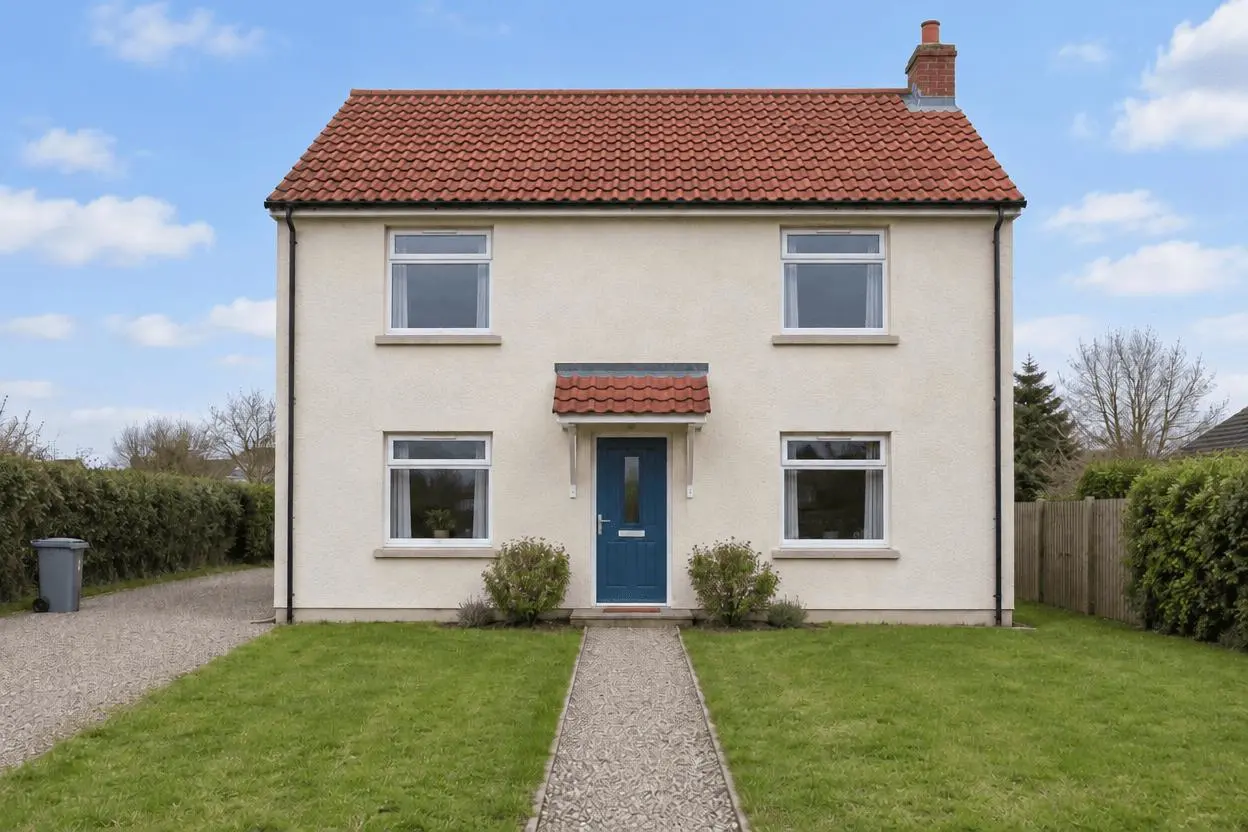
Edit image 1 by replacing only the pale overcast sky with a restrained light-blue sky and a few soft white clouds. Keep the same house, blue front door, four windows, roof edges, bin, lawn, path, boundaries, camera position and crop. Match scene exposure gently without adding a sunset, dramatic sun rays or new shadows. Do not change architecture, repair defects, add plants, text or people. This is an illustrative sky edit, not a different property.
The sky becomes blue with light clouds, while the bin remains at the left because this request starts again from the original. The facade, four windows and door remain recognizable; the lighter scene should still be checked for changes to apparent property condition.
Returned file: 1248 × 832 pixels.
Reproduce these two edits in WeShop
- Open GPT Image 2.5 Sunburst on WeShop.
- Attach the original through the reference-image upload control and confirm the thumbnail. A written description without the image would be a different task.
- Choose the tested model and settings below, then copy one prompt. Generate one image and inspect it at full size.
- For the second look, return to the same original and replace the prompt. Do not use the first output as the second input unless you intentionally want cumulative edits.
| Setting | Tested value |
|---|---|
| Model | gpt-image-2.5-sunburst |
| Input | One attached reference image |
| Requested aspect ratio | 3:2 |
| Requested image size | 1K |
| Quality | medium |
| Quantity | One result per prompt |
These examples were generated on October 29, 2026. They are two selected results, not a repeat-run reliability study or a comparison against other models. Requested settings and returned image dimensions are reported separately.
Check the details before choosing a result
- Count doors and windows and compare roof edges and wall geometry.
- Inspect the former bin area for mismatched driveway texture.
- Check whether the sky edit changes shadows, exposure or the apparent condition of the property.
Generated fills and sky edits can alter nearby fine detail. These examples are not a factual property inspection and do not establish compliance with listing or disclosure requirements.
If an important feature changes, return to the original and narrow the request. A more dramatic look is not automatically a better result when the task requires recognizable people, object detail or scene geometry.
Adapt the prompts to your own image
Use an unaltered original to check every architectural feature. Do not ask the generator to repair damage, invent amenities or hide permanent objects in a factual listing image. If an edited image will be used in a listing, follow the applicable platform and local requirements; this tutorial does not establish permission to publish a particular alteration.
Is the sky-edited image an unaltered property record?
No. The sky has been generated, and nearby fine detail may also change. Keep the original and describe the edited version accurately wherever that distinction matters.
For a wider range of editing tasks, see Top 10 Prompts for Photo Editing That Actually Work. Start with the loaded example, replace its reference with your own, and compare the requested change and retained details before using the result.