












Turn a Photo into a Coloring Page with Nano Banana 2
Turn a photo into a coloring page with Nano Banana 2. Copy the outline prompt and check closed shapes, white space, grayscale, and print sizing.
A black-and-white photo is not automatically a good coloring page. Dense fur, shadows and tiny background details can leave almost no space to color. This Nano Banana 2 workflow asks for simplified outlines, open interiors and a white page, using a dog-and-sunflowers photo as the actual reference input.
| Reference input | Generated result |
|---|---|
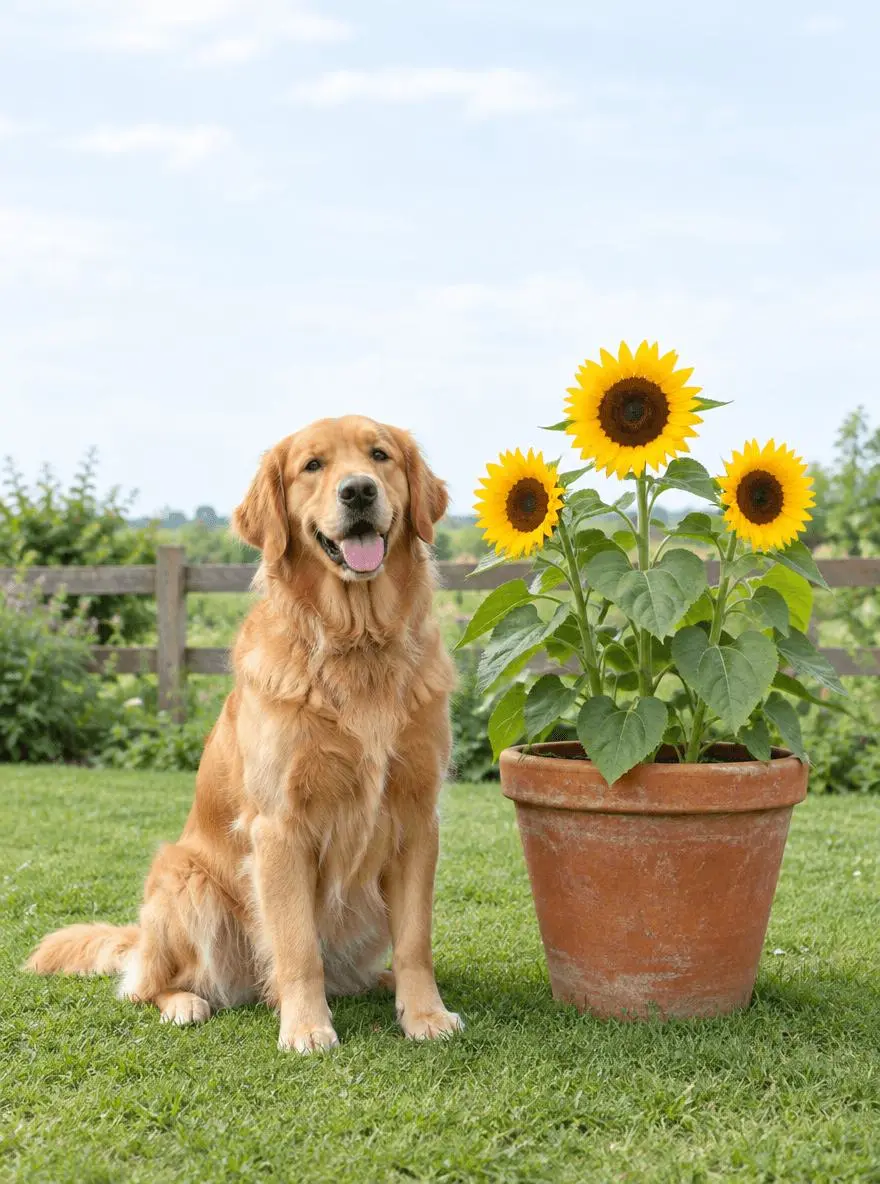 | 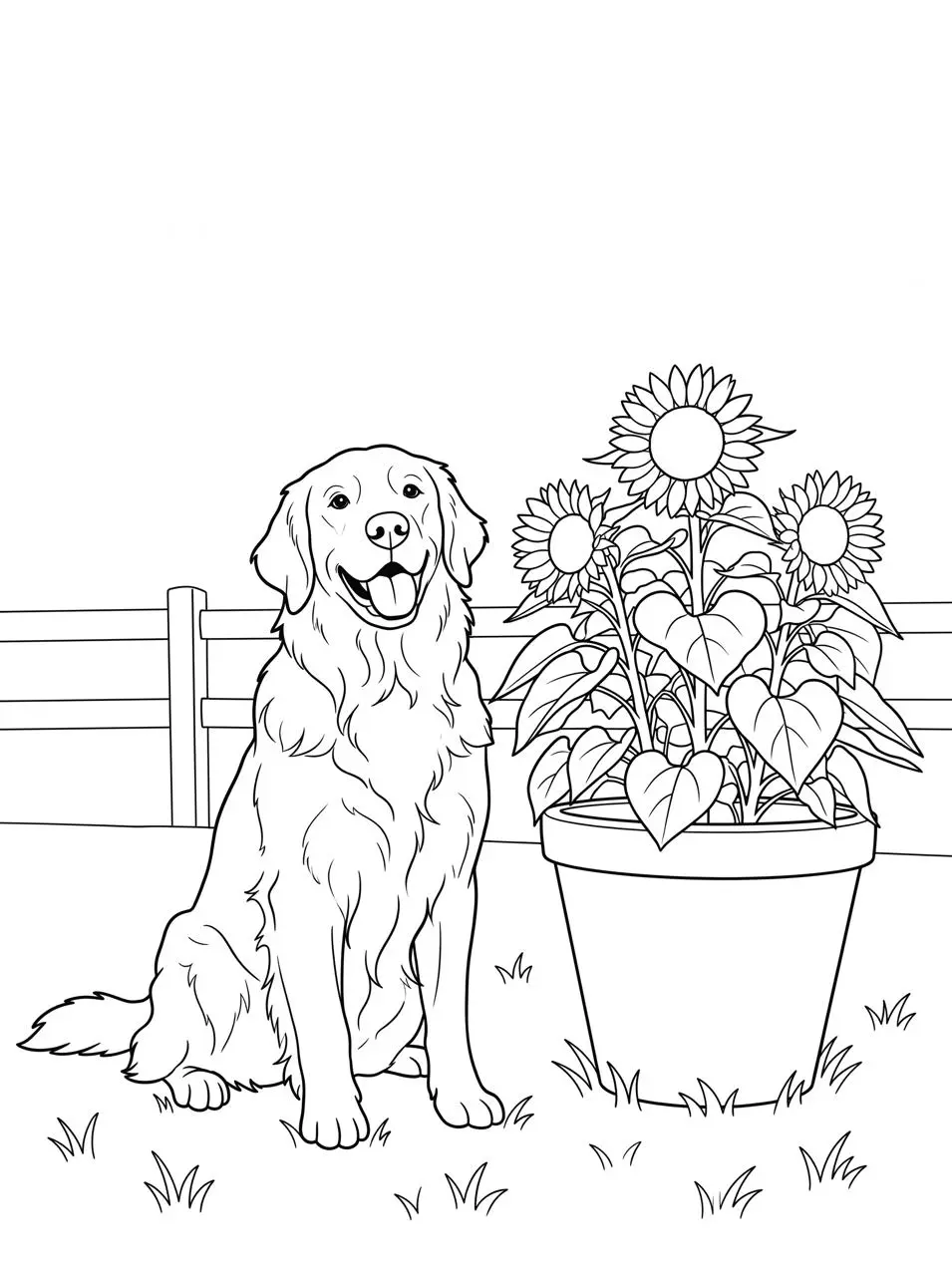 |
Printable photo-based coloring page. The displayed result was generated from the actual reference image.
Choose a subject that will remain readable in outline
The example has one sitting dog, one flowerpot and three large sunflowers. That gives the page a few recognizable shapes rather than a crowded field of texture. A simple background is useful because the goal is to simplify the scene, not trace every blade of grass. Choose an image you are authorized to use and decide which objects must remain before generating.
The source image is synthetic and was created specifically for this demonstration. Use your own suitable image or a reference you are authorized to edit.
Ask for open coloring regions rather than a pencil sketch
Name bold smooth outlines, closed shapes and large white interiors. Exclude grayscale, hatching, gradients and solid black fur. A pencil-style conversion can be attractive but still be difficult to color because it fills the image with shading.
Simplify the background without losing the main subjects
The tested prompt preserves the dog, pot and sunflowers but reduces grass and fence detail. It also asks for margins and keeps paws and petals inside the page. Those requirements give you concrete checks before printing: the key subject should be complete and the edges should not crowd the paper.
Run the reference-image edit in WeShop
- Open Nano Banana 2 on WeShop.
- Upload the original through the reference-image control. Confirm the thumbnail is attached; a description of the photo alone is not an image edit.
- Select the model and settings below, paste the prompt, and generate one image.
- Open the result at full size and compare both the requested change and the elements you wanted to retain.
| Setting | Tested value |
|---|---|
| Tool | Nano Banana 2 on WeShop |
| Exact model mode | nano2 |
| Actual reference input | One attached image |
| Requested aspect ratio | 3:4 |
| Requested image size | 2K |
| Quantity | 1 |
| Returned dimensions | 1792 × 2400 pixels |
Copy the exact tested prompt
Convert image 1 into a clean printable black-and-white coloring page. Retain the recognizable sitting golden retriever, the terracotta pot and three large sunflowers in the same basic arrangement. Use bold smooth black outlines on a pure white background, closed simple shapes, generous open coloring areas. Simplify fur into a few contour lines, grass into a few tufts and the fence into minimal outlines. No grayscale, shading, hatching, filled black fur, gradients, color, text, border or watermark. Keep all paws and petals inside the page with clear white margins.
The tool on the right loads this selected result with its original reference and generation setup. You can try it directly using the tool on the right. Replace the reference with your own and adjust the scene-specific wording.
Inspect the actual result
The generated page retains a sitting retriever beside a pot with three sunflowers, using black contour lines and white interiors rather than photographic color or shaded fur.
The fence and grass are simplified. The page retains a large blank upper area, so it may benefit from a careful layout crop if the artwork needs to fill more of the sheet.
The result is a raster outline drawing with some narrow fur and petal regions that may be fiddly to color. It is not verified vector art, and no physical print test was performed. Inspect overlaps and choose an appropriate paper layout before printing.
The example was generated on October 28, 2026. It is one selected output, not a measured success rate, an exact-preservation guarantee or a model comparison. Requested settings and returned file measurements are reported separately.
Prepare the generated page for printing
The returned asset is a raster image, not a vector drawing or a ready-sized PDF. Place it on your chosen paper size, preserve its proportions, and inspect a print preview before printing. For example, a 2,048-pixel long edge placed at 10 inches is about 205 pixels per inch; use the actual returned dimensions below for your own calculation. Do not label a 2K request “300 DPI” without defining the physical print size.
Frequently asked questions
Can I turn a family photo into a coloring page?
You can adapt the structure to an authorized photo, but faces and fine clothing details will be stylized. This example tests a dog and flowers, not likeness preservation in a group portrait.
Will every outline be perfectly closed?
Not necessarily. Inspect small details such as paws, flower centers and overlapping stems. Repair a gap or simplify a crowded area before sharing it as a finished worksheet.
For broader editing ideas, see Top 10 Prompts for Photo Editing That Actually Work. Start with the loaded example, change one part of the brief, and compare the result with the source before using it.