












Landscape Photo Editing Prompts: Mist and Autumn Color
Copy two landscape photo editing prompts for lake mist and autumn foliage. See tested results and check shore geometry, mountain shape, trees, and reflections.
Landscape photo editing prompts should identify the geography before requesting atmosphere. Mist and autumn color can transform the mood, but an invented mountain or distorted shoreline changes the place itself. These two lake edits ask for different treatments while using the ridge, trees and jetty as comparison anchors.
| Original reference | Subtle morning mist at the lake |
|---|---|
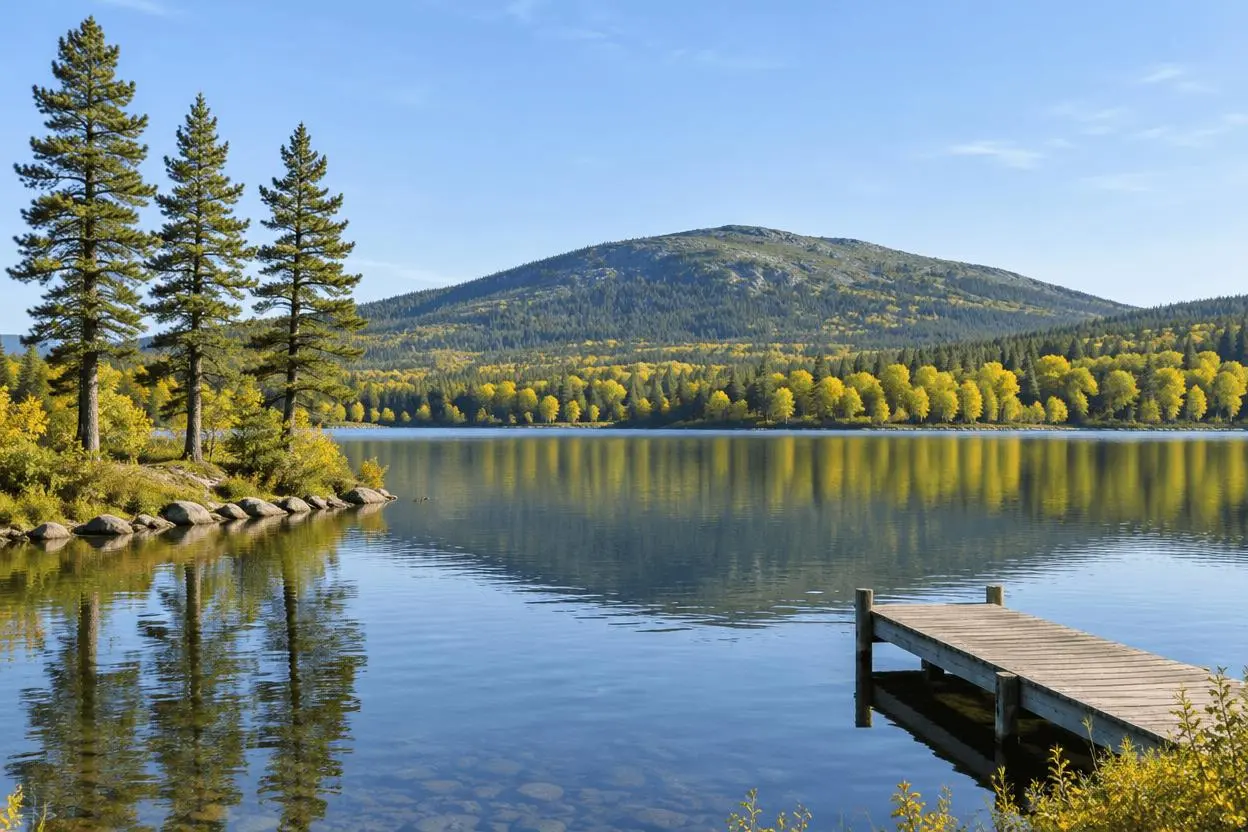 | 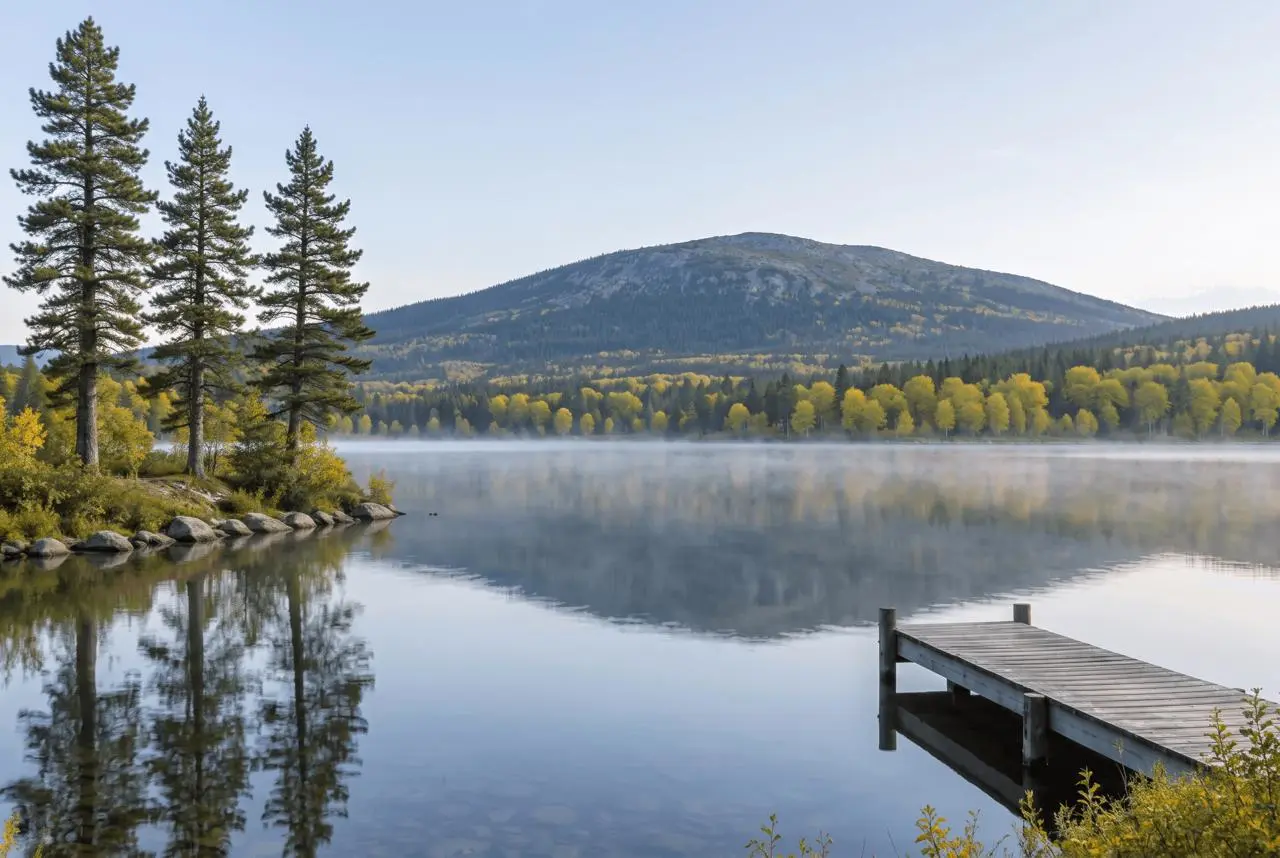 |
Landscape mood editing with geographic anchors. Each result below was generated independently from the original reference image.
Choose geographic features that can be checked
The synthetic source has a low ridge, three tall pines on the left and a jetty from the right foreground. Those anchors make it easier to see whether a mood edit redraws the scene. The examples do not document an actual season or weather event at a real destination.
The original shown here is AI-generated for this demonstration. Both edits actually consumed that source as an attached reference. Use your own photo or another image you are authorized to edit.
Build a focused preservation brief
Keep mist thin enough to leave the reference features visible. For autumn, distinguish evergreen pines from deciduous foliage and ask for reflections that match the new colors. These are separate generations from the original, so the autumn version is not a continuation of the mist edit.
A useful structure is: target change → visible subject or object → details to retain → lighting and perspective → unwanted additions → output format. Adapt the nouns to the image in front of you. A preservation instruction is something to verify afterward, not a guarantee that every source pixel will survive.
Prompt 1: Subtle morning mist at the lake
The opening comparison shows this result.
Edit image 1 into a quiet misty morning at the same lake. Keep the mountain ridge silhouette, three left pine trees, right wooden jetty, shore shape, tree positions, camera viewpoint and framing. Add a thin low layer of mist above the water, soft cool morning light and restrained reflections. Preserve visibility of the main geographic features. Do not add peaks, cabins, boats, people, text, a giant moon or dense fog hiding the scene.
A thin mist layer appears over the lake, while the low ridge, three left-side pines and right-side jetty remain recognizable. The haze and new reflected light change the view of the far shore without hiding the whole landscape.
Returned file: 2528 × 1696 pixels. The selected interactive example includes its original reference and this exact prompt. You can try it directly using the tool on the right.
Prompt 2: Autumn lake color edit
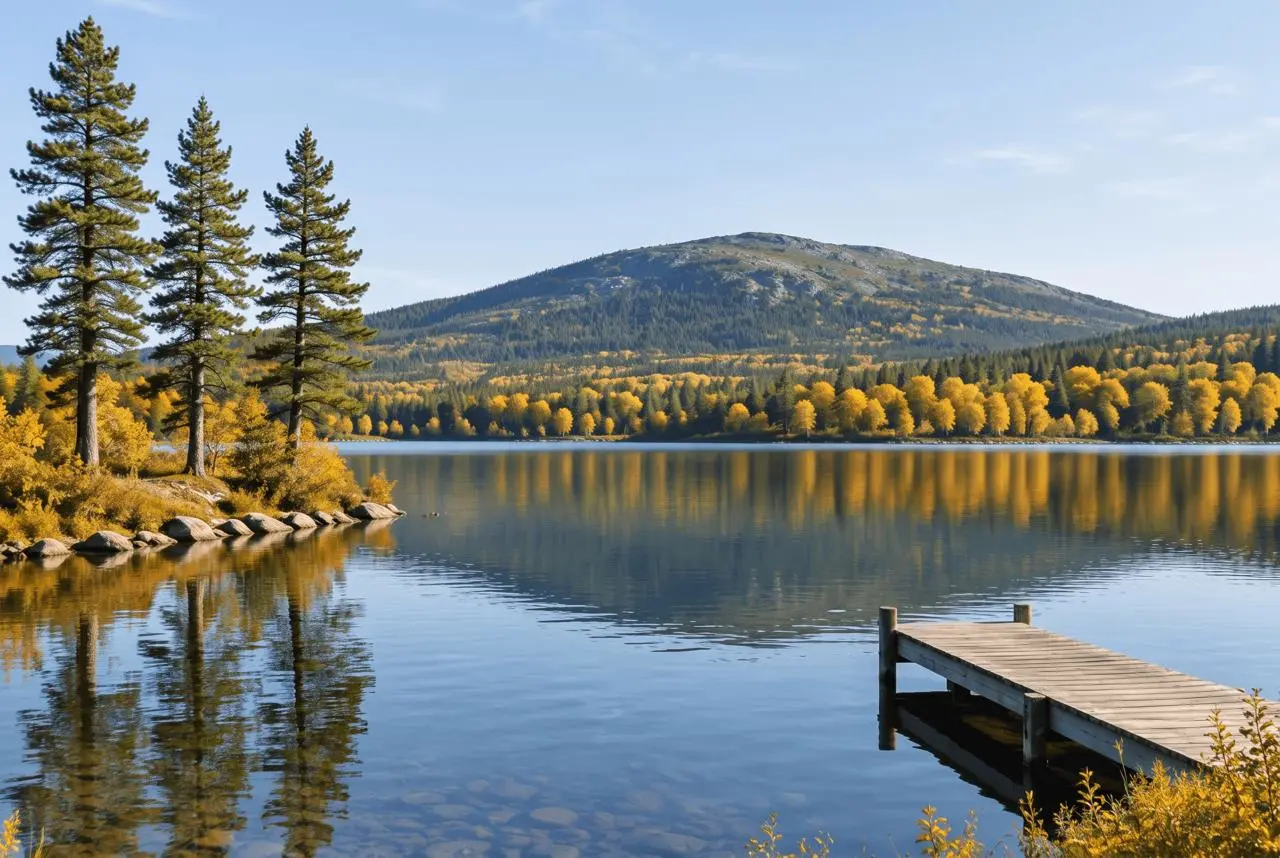
Edit image 1 into an autumn-color version of the same mountain lake. Change only deciduous foliage along the far shore to natural gold, amber and muted russet, leaving the three pine trees green. Keep the ridge silhouette, shore geometry, wooden jetty, tree positions, camera view and crop. Maintain soft daylight and plausible reflections matching the foliage. No new mountains, buildings, boats, people, text or saturated fantasy colors.
Deciduous trees along the far shore gain warmer golden colors while the left pines remain green. The ridge, shoreline and jetty remain recognizable. Leaf clusters and water reflections are regenerated details, not verified records of an actual autumn view.
Returned file: 2528 × 1696 pixels.
Reproduce these two edits in WeShop
- Open Nano Banana 2 on WeShop.
- Attach the original through the reference-image upload control and confirm the thumbnail. A written description without the image would be a different task.
- Choose the tested model and settings below, then copy one prompt. Generate one image and inspect it at full size.
- For the second look, return to the same original and replace the prompt. Do not use the first output as the second input unless you intentionally want cumulative edits.
| Setting | Tested value |
|---|---|
| Model | nano2 |
| Input | One attached reference image |
| Requested aspect ratio | 3:2 |
| Requested image size | 2K |
| Quantity | One result per prompt |
These examples were generated on October 29, 2026. They are two selected results, not a repeat-run reliability study or a comparison against other models. Requested settings and returned image dimensions are reported separately.
Check the details before choosing a result
- Compare ridge silhouette, shoreline and jetty direction.
- Check that pines remain green when only deciduous trees should change.
- Look for mismatched reflections and invented structures in the water.
Weather, foliage and reflected detail are synthesized. A recognizable layout is not proof of exact geographic preservation or real conditions at a destination.
If an important feature changes, return to the original and narrow the request. A more dramatic look is not automatically a better result when the task requires recognizable people, object detail or scene geometry.
Adapt the prompts to your own image
Describe the actual scene rather than retaining a generic mountain-lake prompt. For a documentary use, keep the original and identify the generated weather or seasonal treatment. This workflow does not establish what a real location looks like in a different month or recover scenery outside the frame.
Can I use this to show the real autumn view of a place?
It creates a plausible interpretation, not verified seasonal documentation. Use photographs from the actual place and season when factual accuracy is required.
For a wider range of editing tasks, see Top 10 Prompts for Photo Editing That Actually Work. Start with the loaded example, replace its reference with your own, and compare the requested change and retained details before using the result.