












Create a Three-Character GTA 6 Selection Screen with Comatozze
Create three GTA 6 inspired character states for Comatozze, Rafael and Nina, then animate synchronized character selection with three Kling 4.0 references.
A character-selection screen should change the character, not just move a border between empty slots. This GTA 6 inspired fan concept uses three complete states: Comatozze, Rafael and Nina. Each state has a distinct standing figure, a matching portrait, a selected-slot highlight and a matching name.
The workflow first creates the three images, then supplies all three as image references for a Kling 4.0 video. Comatozze is the supplied real-person reference; Rafael and Nina are original fictional adult characters. This is an unofficial AI-generated interface concept, without game integration or endorsement.
Define three visually different characters
| Character | Identity and outfit | Selected-state cue |
|---|---|---|
| Comatozze | Reference-based face, long wavy light-brown hair, black dress, white sneakers | First portrait and COMATOZZE name |
| Rafael | Fictional adult man, short dark hair, trimmed beard, teal shirt, tan trousers | Second portrait and RAFAEL name |
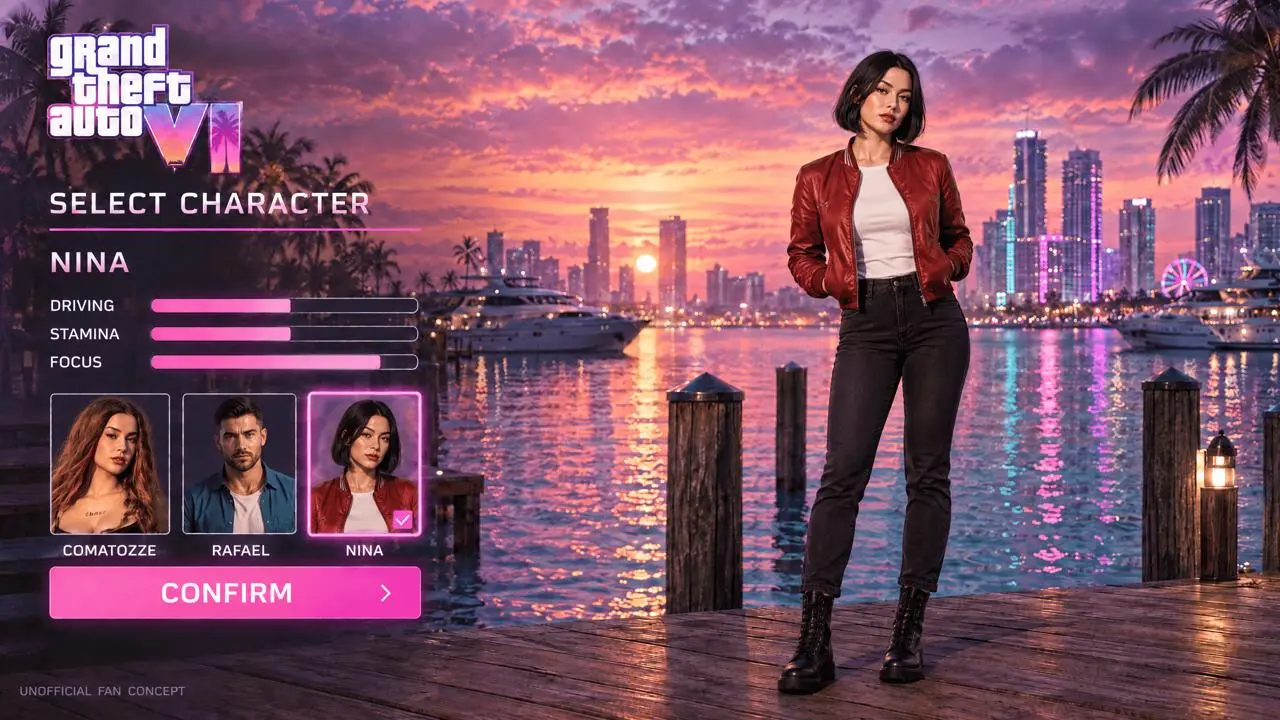
| Nina | Fictional adult woman, short dark bob, red jacket, dark jeans | Third portrait and NINA name |
The different silhouettes and clothing colors make a switch readable even at a small playback size. Keep the background, camera, title, portrait order and confirmation button consistent across all three states. The main figure, name, selected portrait and attribute bars are the parts that change together.
Generate the three selected-state images
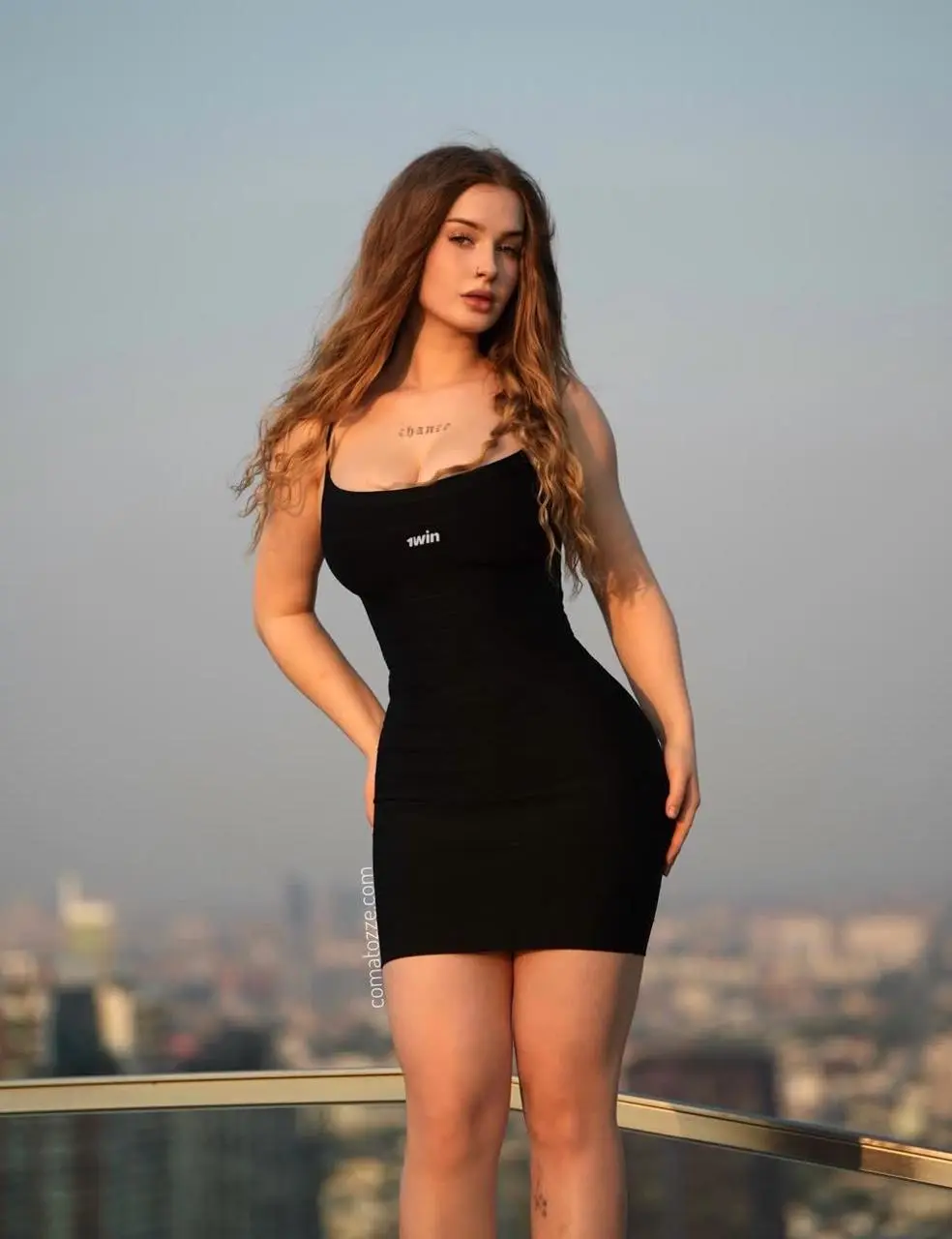
Use GPT Image 2.5 Flare on WeShop with 16:9, 2K, High quality and one image per state. For the first state, attach the existing selection layout as reference 1 and the Comatozze portrait as reference 2. The second and third requests each consume the completed first-state image, preserving its three portrait thumbnails and interface geometry.
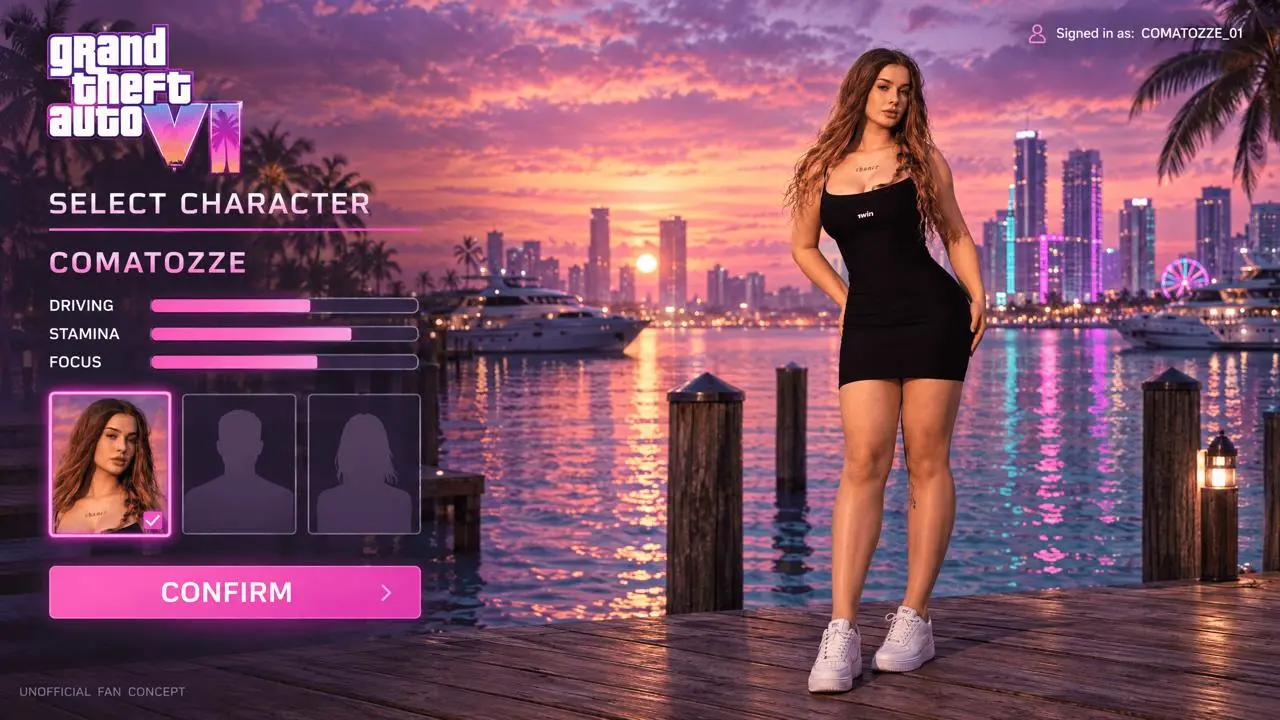
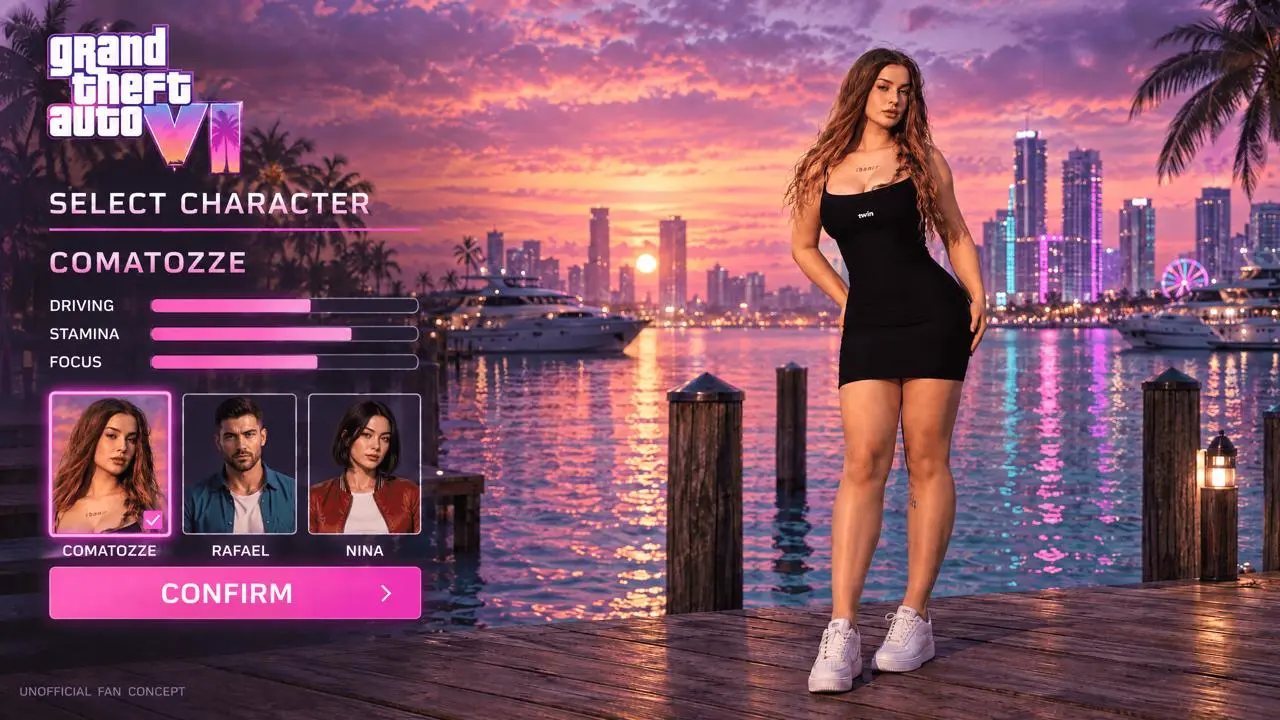
Comatozze selected
Populate all three portrait slots and select the first character.
Edit reference image 1 into a three-character selection screen, keeping its exact 16:9 layout, GTA-inspired white/pink title, sunset marina, panel positions, typography and CONFIRM button. Reference image 2 is Comatozze identity guidance. Preserve her face, long light-brown wavy hair, black sleeveless dress, white sneakers and adult proportions as the active full-body figure on the right. Replace BOTH gray silhouette slots with real colored portrait thumbnails. The three slots from left to right must contain: 1 COMATOZZE, the same woman in black dress; 2 RAFAEL, an original fictional adult man age 31, short dark hair, trimmed beard, teal open-collar short-sleeve shirt over white T-shirt, tan trousers and white shoes; 3 NINA, an original fictional adult woman age 28, straight short black bob, red bomber jacket over a white crew-neck top, dark jeans and black boots. All three portraits show distinct recognizable faces and their described clothes; no silhouettes, no duplicate faces. Add a short legible name below each portrait: COMATOZZE, RAFAEL, NINA. Only slot 1 has the pink selection border and check mark. The main name above the attributes reads COMATOZZE. Keep DRIVING, STAMINA, FOCUS with simple bars. The active Comatozze figure stays on the right; the other two appear only in their portrait slots. Maintain believable 3D game rendering, realistic adult anatomy and the unofficial fan concept caption. No extra panels or words.
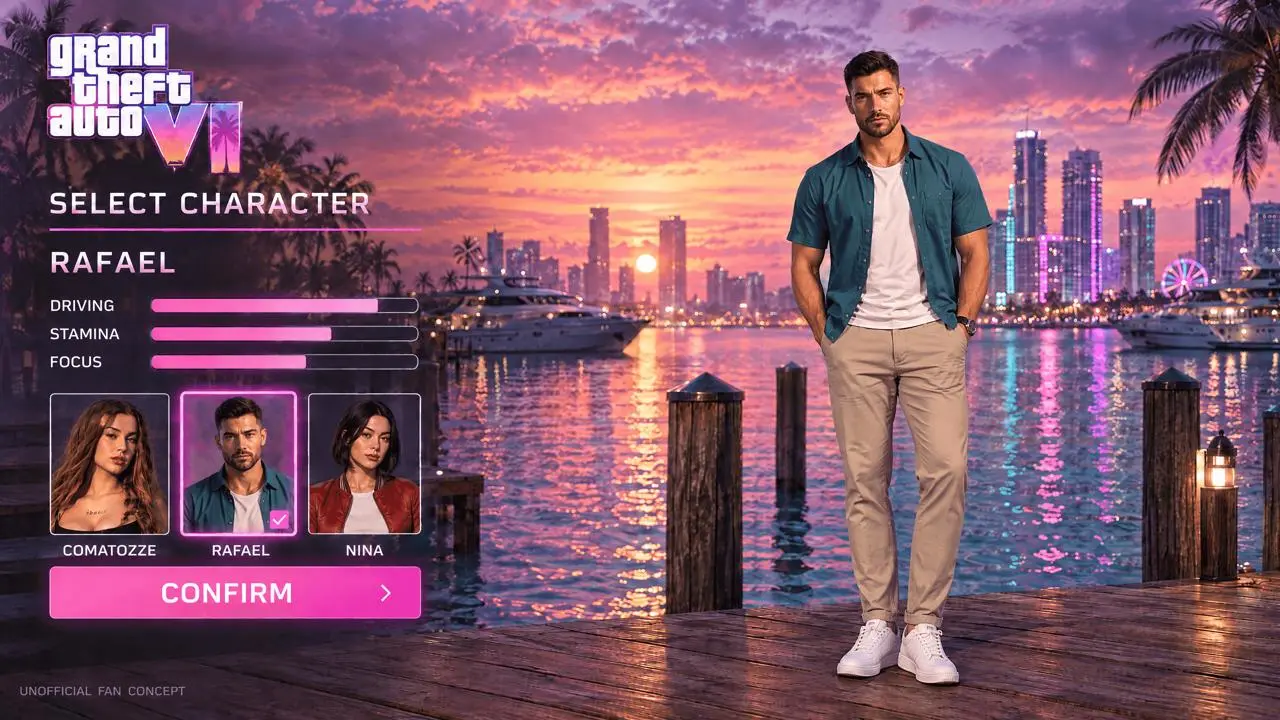
Rafael selected
Start from the completed Comatozze state and change the active figure, name, border and bars to Rafael.
Edit the attached three-character selection screen by switching the active selection from slot 1 COMATOZZE to slot 2 RAFAEL. Keep the entire marina background, camera, game title, menu geometry, three portrait thumbnails, their order and name labels EXACTLY consistent. Change only the active full-body figure on the right to the fictional adult man represented by portrait 2: age 31, short dark hair, trimmed beard, teal open-collar short-sleeve shirt over white T-shirt, tan trousers, white shoes. Match that portrait face and outfit. Move the pink border and check mark from portrait 1 to portrait 2. Main name above the bars becomes RAFAEL; keep DRIVING, STAMINA, FOCUS labels, with driving bar longest, stamina medium, focus medium. Preserve CONFIRM, the original Comatozze portrait and NINA portrait. One active main figure only; no silhouettes, no blend between people, no outfit changes to thumbnail portraits. Same full-body scale and grounded neutral stance. Unofficial fan concept.
Nina selected
Start from the completed Comatozze state and change the active figure, name, border and bars to Nina.
Edit the attached three-character selection screen by switching the active selection from slot 1 COMATOZZE to slot 3 NINA. Keep the entire marina background, camera, game title, menu geometry, three portrait thumbnails, their order and name labels EXACTLY consistent. Change only the active full-body figure on the right to the fictional adult woman represented by portrait 3: age 28, short straight black bob, red bomber jacket over white crew-neck top, dark jeans and black boots. Match that portrait face and outfit. Move the pink border and check mark from portrait 1 to portrait 3. Main name above the bars becomes NINA; keep DRIVING, STAMINA, FOCUS labels, with driving medium, stamina medium, focus longest. Preserve CONFIRM, the original Comatozze portrait and RAFAEL portrait. One active main figure only; no silhouettes, no blending between people. Same full-body scale and grounded neutral stance. Unofficial fan concept.
Animate the three-character switch
- Open Kling on WeShop and select Kling 4.0 Reference.
- Upload the Comatozze, Rafael and Nina selected states as reference images 1, 2 and 3. These are actual image inputs, not names described only in the prompt; Reference mode guides the scene rather than locking exact first or last frames.
- Set 12 seconds, 1080p, 16:9 aspect ratio and one output. This model does not expose the legacy Generate Audio switch used by older Kling options; no separate audio-off setting was supplied in this test.
- Generate with the prompt below. Watch the whole sequence and check that the main figure, selected portrait and main name change together.
Create a 12-second game character-selection interaction using three supplied reference images. Reference image 1 shows COMATOZZE selected, reference image 2 shows RAFAEL selected, and reference image 3 shows NINA selected. Begin with the composition of reference image 1, show the complete reference image 2 state in the middle, and finish in the reference image 3 state. They are THREE DISTINCT ADULT CHARACTERS, not outfits or one person morphing. 0-3 seconds: hold COMATOZZE, with her black dress, long wavy hair and white sneakers; slot 1 is selected. 3-4 seconds: a white pointer clicks portrait slot 2; move the pink border to slot 2 and replace the main standing figure with RAFAEL from the second reference image, using a short clean UI fade, not a body morph. 4-7 seconds: hold RAFAEL, with short dark hair, beard, teal shirt, tan trousers and white shoes; main name and bars match his reference image. 7-8 seconds: pointer clicks portrait slot 3; move the pink border to slot 3 and replace the figure with NINA from the third reference image through a short clean UI fade. 8-12 seconds: hold NINA with short black bob, red jacket, dark jeans and black boots. Her name and attribute bars match the third reference image; pointer settles over CONFIRM and the button gives a small confirmation pulse. Keep all three portrait slots visible throughout, maintain their exact order, background, camera and panel positions. Only the selection, main figure, main name and bars change together. No fourth character, no duplicate people, no silhouette slots, no blended identities, no added UI. Full-screen 16:9 unofficial AI fan-concept interface, no speech or music.
Generated result — a 12-second, three-character selection simulation using the three displayed selected-state image references.
What the selected video actually shows
The selected video begins with Comatozze and the first portrait highlighted. By the 4.5-second sample, Rafael is the main standing figure, RAFAEL is the main name, the second portrait is highlighted and the bars have changed. By the 6.5-second sample, Nina replaces him with the third portrait selected and NINA displayed; she remains the active character through the later samples, and the CONFIRM button brightens near the end. All three populated portrait slots remain visible.
The characters make small stance and head movements within their holds, and thin lettering and panel positions can shift slightly during the generated transitions. The transition to Nina occurs earlier than the requested 7–8-second interval. The displayed timing is approximate; the video does not implement a functioning game selector or guarantee frame-exact menu behavior.
You can try it directly using the tool on the right.
The reusable video generator includes all three selected-state images. Replace all three reference images together when using a different roster; changing only one frame can leave the other two characters in the sequence.
Keep character switching separate from identity blending
Ask for a short interface fade between selected states. A character switch should replace one complete figure with another, rather than continuously transforming a face or mixing two outfits. If portraits and the large figure stop matching, correct the selected-state reference images before attempting another video. Short labels and a fixed panel layout make inconsistencies easier to spot.
Are all three characters Comatozze?
No. Comatozze is the reference-based character. Rafael and Nina are fictional supporting characters designed for this example.
Does this create a playable character menu?
It creates image and video concepts. The pointer, selection borders and confirmation response are generated visual simulations. A functioning selector requires a separate interface implementation.
For another interface task, follow the Comatozze third-person HUD workflow.
Start with three approved selected-state images, then open Kling on WeShop to animate the roster.