












Food Photo Editing Prompts for Natural Light and Dark Styling
Try two food photo editing prompts for soft window light and dark tabletop styling. See tested pasta edits and checks for ingredients, portion, texture, and color.
Food photo editing prompts should change the presentation without quietly changing the recipe. Stronger light can help a dish read clearly, but extra garnish or an enlarged portion can misrepresent it. These two pasta-photo edits separate natural window lighting from a dark tabletop treatment and show the actual results.
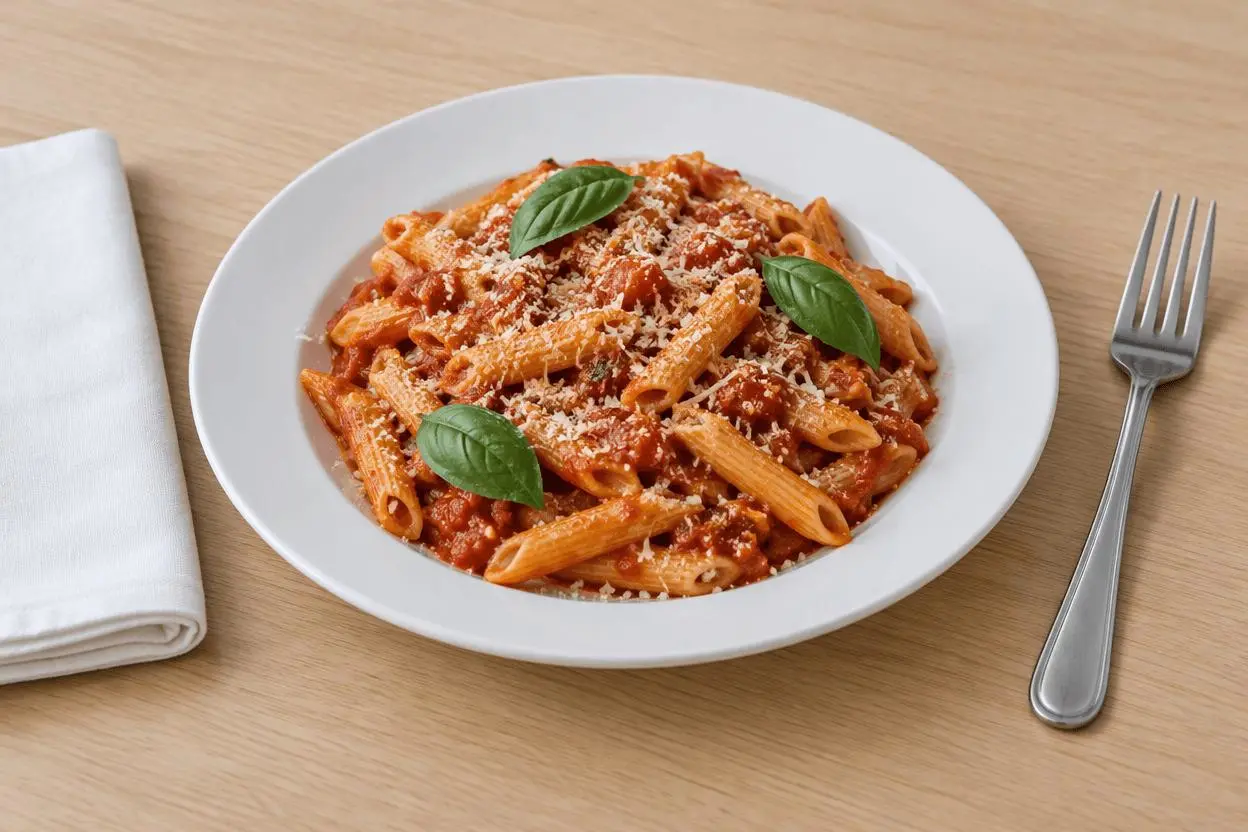
| Original reference | Natural window-light pasta photo |
|---|---|
 |  |
Food lighting and tabletop editing. Each result below was generated independently from the original reference image.
Make the dish and ingredients the non-negotiable reference
The source has a white plate of penne, tomato sauce, three visible basil leaves, parmesan, a fork and a napkin. Those details give us checks beyond whether the picture looks appetizing. Use a sharp source and decide which ingredients and portion cues must remain before requesting a mood or background change.
The original shown here is AI-generated for this demonstration. Both edits actually consumed that source as an attached reference. Use your own photo or another image you are authorized to edit.
Build a focused preservation brief
For the daylight edit, describe a broad light source from one side while keeping the original table. For the dark treatment, change the tabletop material but keep the food bright enough to inspect. Excluding invented steam and garnish helps keep the creative brief separate from changes to the actual dish.
A useful structure is: target change → visible subject or object → details to retain → lighting and perspective → unwanted additions → output format. Adapt the nouns to the image in front of you. A preservation instruction is something to verify afterward, not a guarantee that every source pixel will survive.
Prompt 1: Natural window-light pasta photo
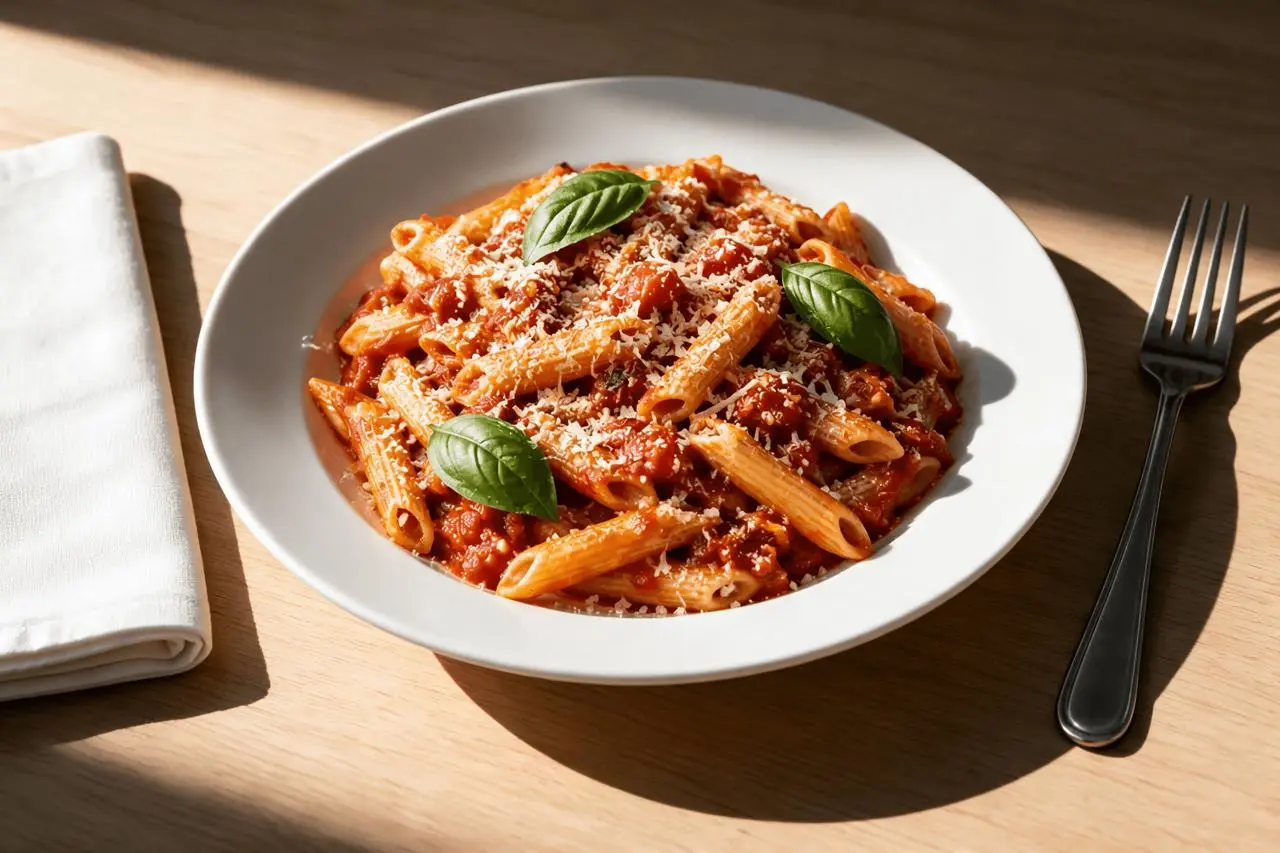
The opening comparison shows this result.
Edit image 1 into a natural window-light food photograph. Keep the same white plate, penne pasta shape, tomato sauce, three basil leaves, parmesan, food portion, fork, napkin, camera angle and framing. Replace flat overhead light with soft side daylight from the left, gentle shadows and appetizing but realistic color. Retain the pale wood tabletop. Do not add ingredients, steam, garnish, extra cutlery, hands, text or logos.
The side lighting becomes markedly stronger, with a bright plate and deeper shadows. Penne, tomato sauce and three prominent basil leaves remain visible. The light is more directional and contrasty than the prompt’s restrained soft-light wording, so this is not a perfect match to that lighting brief.
Returned file: 2496 × 1664 pixels. The selected interactive example includes its original reference and this exact prompt. You can try it directly using the tool on the right.
Prompt 2: Dark tabletop food styling
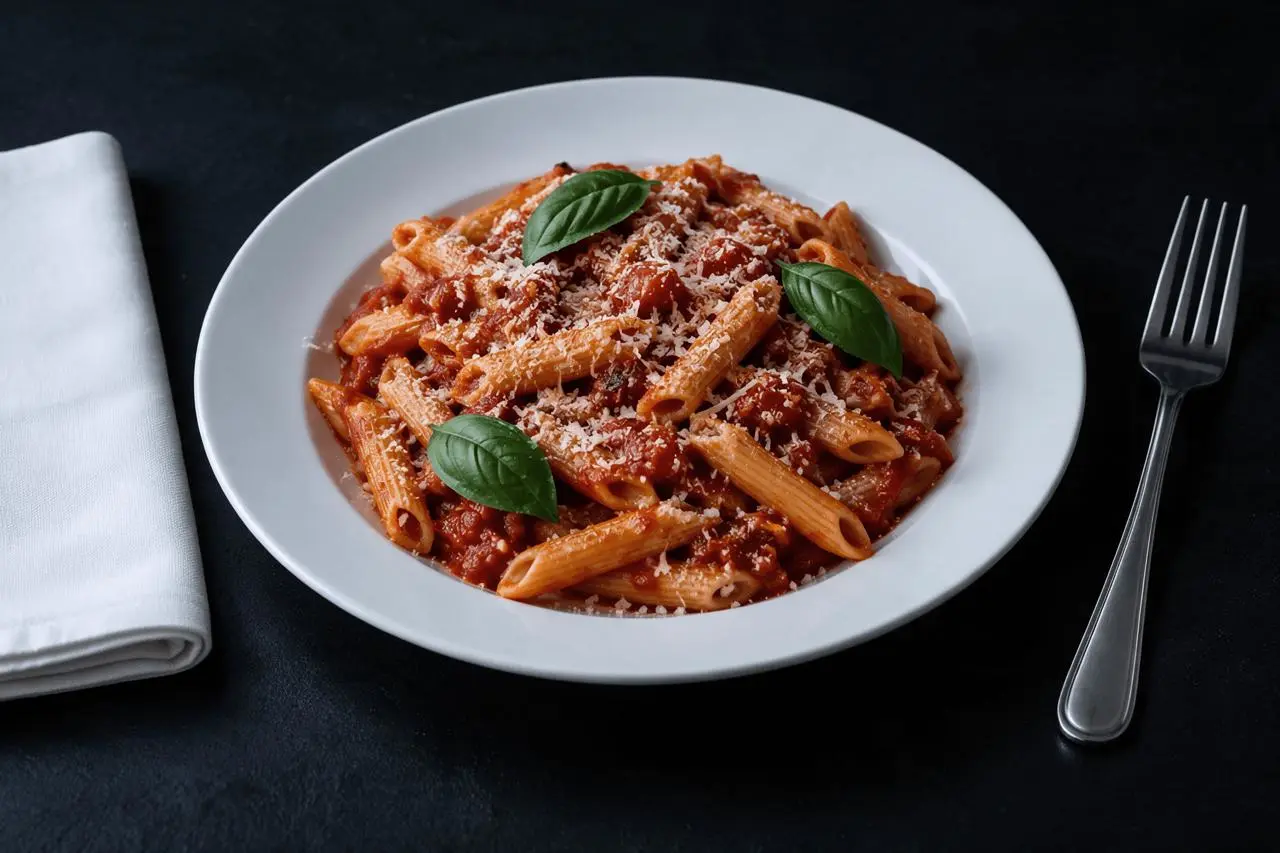
Edit image 1 into a moody food photograph on a dark matte charcoal tabletop. Keep the same white plate, penne pasta, tomato sauce, three basil leaves, parmesan portion, fork, napkin, camera angle and crop. Use a broad soft light from upper left with restrained highlights on sauce and visible pasta texture; keep the food bright enough to inspect. Do not change the recipe, add steam, drinks, hands, extra plates or text.
The pale table becomes charcoal and the food remains legible against it. The white plate, fork and napkin remain recognizable, with three prominent green basil leaves. Sauce highlights, pasta arrangement and grated cheese detail can change.
Returned file: 2496 × 1664 pixels.
Reproduce these two edits in WeShop
- Open Seedream 5.0 Pro on WeShop.
- Attach the original through the reference-image upload control and confirm the thumbnail. A written description without the image would be a different task.
- Choose the tested model and settings below, then copy one prompt. Generate one image and inspect it at full size.
- For the second look, return to the same original and replace the prompt. Do not use the first output as the second input unless you intentionally want cumulative edits.
| Setting | Tested value |
|---|---|
| Model | Seedream_50_Pro |
| Input | One attached reference image |
| Requested aspect ratio | 3:2 |
| Requested image size | 2K |
| Quantity | One result per prompt |
These examples were generated on October 29, 2026. They are two selected results, not a repeat-run reliability study or a comparison against other models. Requested settings and returned image dimensions are reported separately.
Check the details before choosing a result
- Count visible garnish and compare the pasta shape and portion.
- Inspect sauce highlights for a plastic or painted appearance.
- Check contact shadows beneath the plate, fork and napkin.
The lighting request is only partially matched in the first output: the result is brighter and more contrasty than soft-window-light wording suggests. Neither image verifies real ingredients or serving size.
If an important feature changes, return to the original and narrow the request. A more dramatic look is not automatically a better result when the task requires recognizable people, object detail or scene geometry.
Adapt the prompts to your own image
Replace the recipe-specific terms with the food actually in your image. A soup, cake or salad needs a different preserve list. For menus and delivery listings, compare the final image with the real served portion and avoid presenting an invented ingredient or texture as an actual product feature.
Can an AI food edit make a menu photo accurate?
It can produce a creative edit, but accuracy still needs comparison with the real dish. This example does not verify ingredient composition, serving size or a restaurant’s actual plating.
For a wider range of editing tasks, see Top 10 Prompts for Photo Editing That Actually Work. Start with the loaded example, replace its reference with your own, and compare the requested change and retained details before using the result.