












Fitness Photo Editing Prompts Without Changing Body Shape
Use two fitness photo editing prompts for gym light and an outdoor training setting, with actual results and checks that avoid changing physique or proportions.
Fitness photo editing prompts can improve the setting or lighting without requesting a different body. The preservation brief matters because more dramatic light can also encourage exaggerated muscles or a changed silhouette. These two edits keep the same fully clothed adult subject and compare a directional gym look with an outdoor setting.
| Original reference | Directional gym portrait lighting |
|---|---|
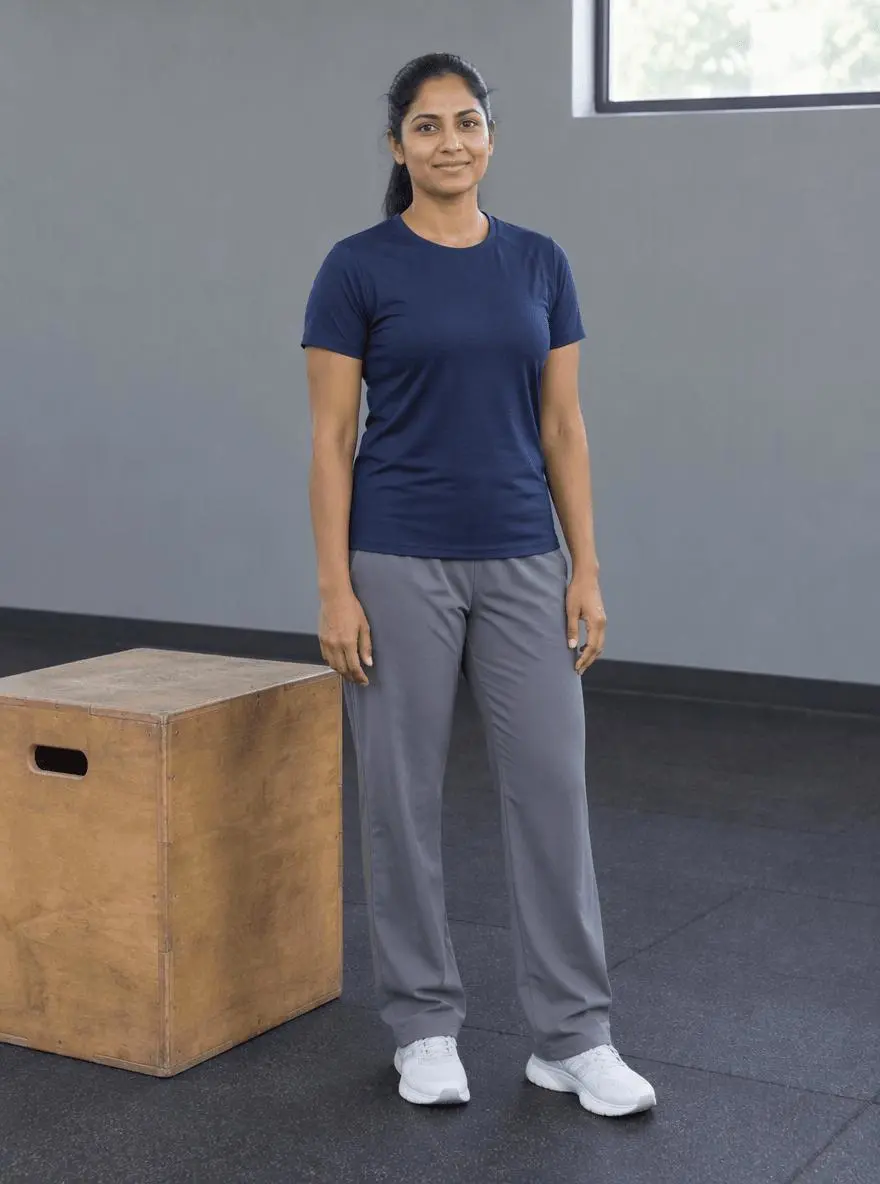 | 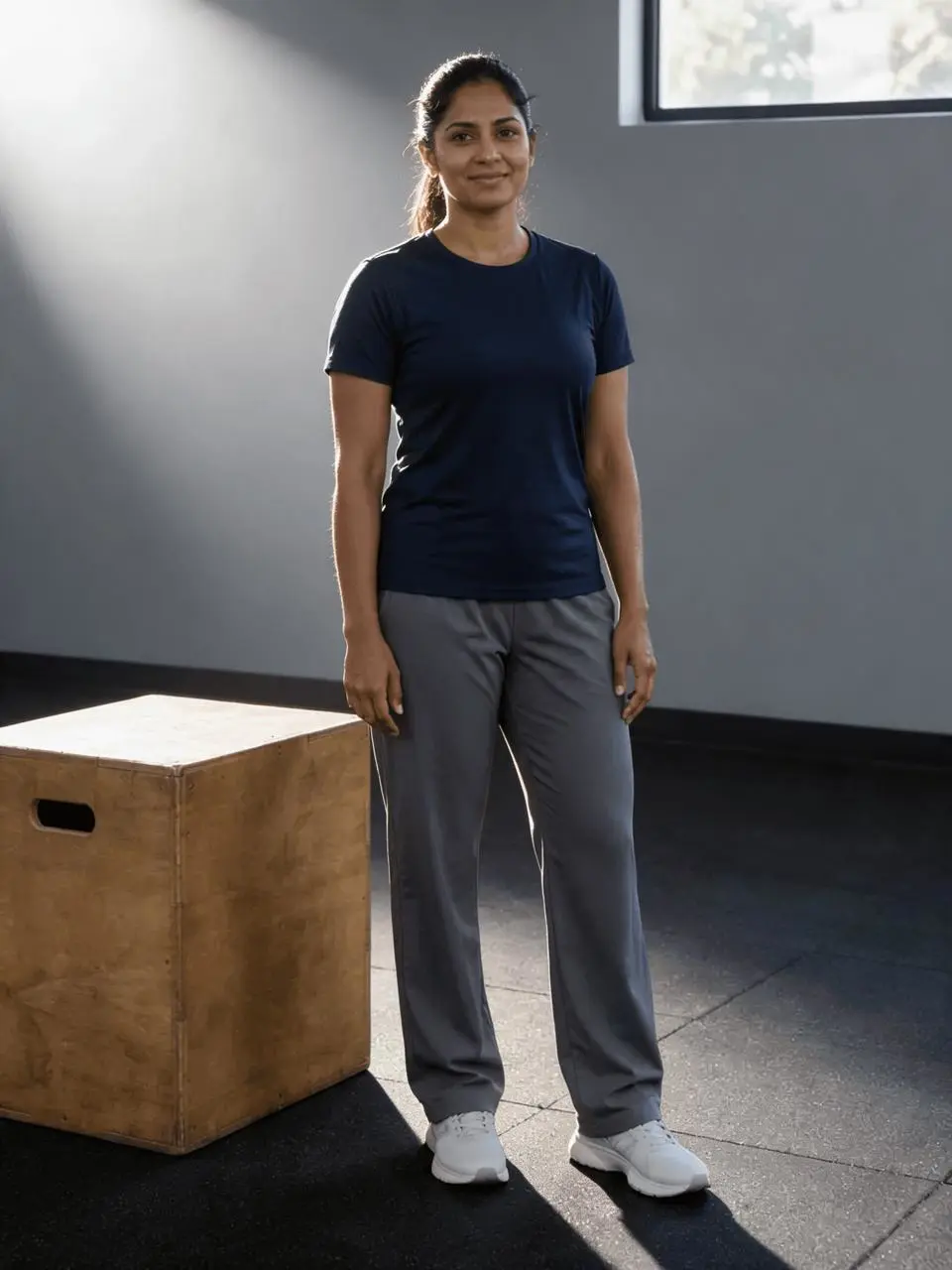 |
Fitness portrait lighting without physique alteration. Each result below was generated independently from the original reference image.
Separate photography changes from physique changes
The reference already has a complete standing pose, visible hands and shoes, a navy T-shirt and loose trousers. The goal is a different photograph treatment, not a body-transformation image or a representation of training progress. Use an original with enough detail to compare the waist, shoulders and limbs afterward.
The original shown here is AI-generated for this demonstration. Both edits actually consumed that source as an attached reference. Use your own photo or another image you are authorized to edit.
Build a focused preservation brief
Protect body size and shape explicitly, then describe light or background as the variable. In the gym prompt, use a broad key light and restrained rim light; in the park prompt, preserve the pose and add coherent foot shadows. Do not combine a new pose, new clothing and a new physique with a lighting test.
A useful structure is: target change → visible subject or object → details to retain → lighting and perspective → unwanted additions → output format. Adapt the nouns to the image in front of you. A preservation instruction is something to verify afterward, not a guarantee that every source pixel will survive.
Prompt 1: Directional gym portrait lighting
The opening comparison shows this result.
Edit image 1 into a directional-light fitness portrait. Keep the same adult woman, face, hairstyle, body shape and size, fully covering navy T-shirt, loose gray trousers, shoes, pose, hands, gym box and camera framing. Use a broad soft key light from upper left with subtle rim light on the shoulders, retain realistic skin texture and natural shadows. Do not enlarge muscles, slim the waist, change body proportions, add sweat, text, logos or people.
The gym image gains strong directional light and a rim on the shoulders, with the gym box and full clothed figure retained. The navy shirt, gray trousers and shoes remain recognizable. The new shadows change perceived contours, so they should not be read as evidence of different physique.
Returned file: 1728 × 2304 pixels. The selected interactive example includes its original reference and this exact prompt. You can try it directly using the tool on the right.
Prompt 2: Outdoor training portrait setting
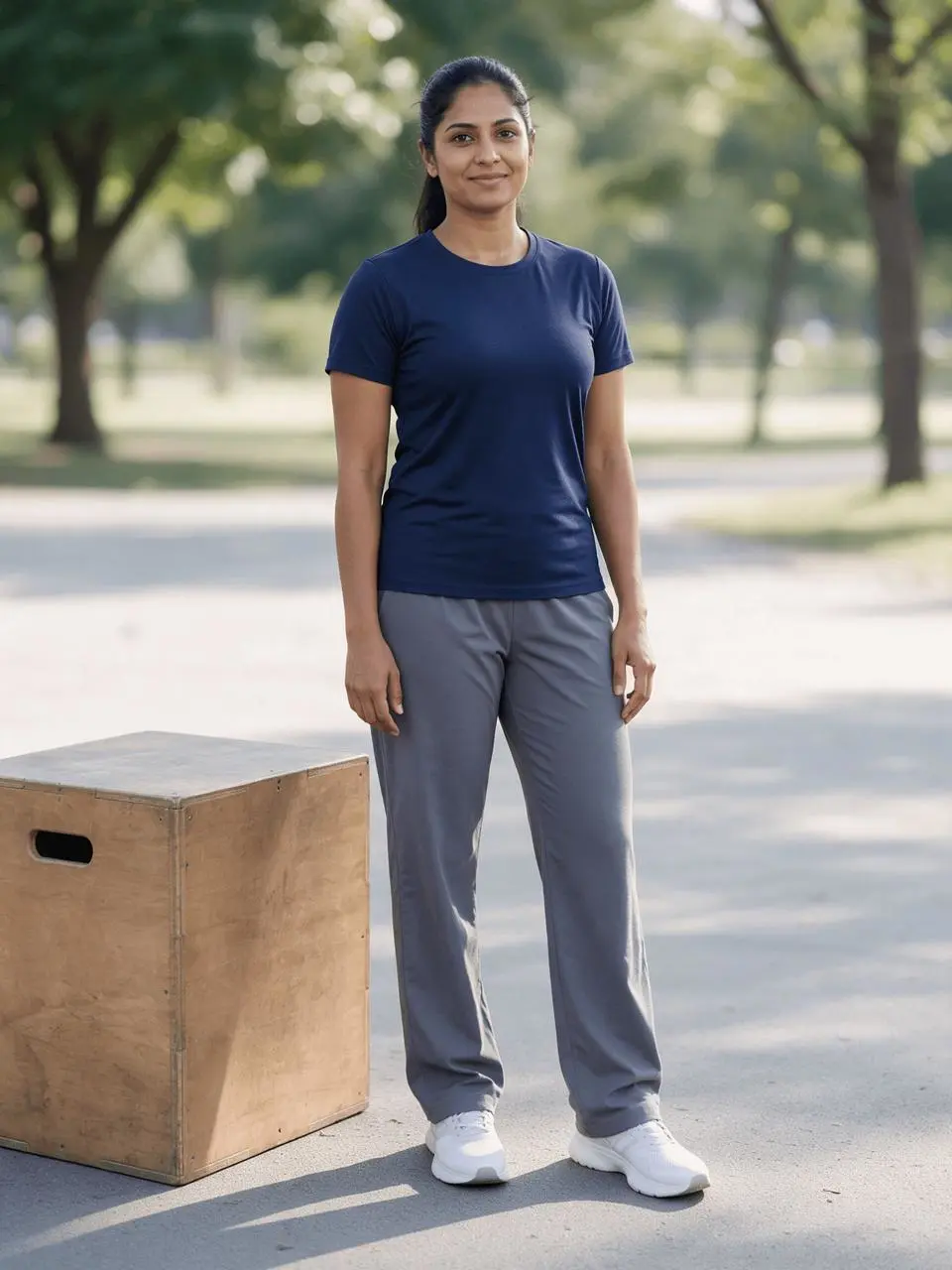
Edit image 1 into a natural outdoor training portrait on a quiet park exercise path. Preserve the same adult woman, face, hair, ordinary athletic physique, navy T-shirt, loose gray trousers, white trainers, pose, hands and full-body crop. Keep a simple wooden exercise box beside her and add softly blurred trees behind. Soft morning light, realistic foot shadows. No new equipment, physique changes, exposed midriff, text, logos or extra people.
The background becomes an outdoor tree-lined training area while the subject, clothes and wooden box remain recognizable. The shoes and ground shadows are visible. Limb placement, clothing folds and proportions should still be compared with the original.
Returned file: 1728 × 2304 pixels.
Reproduce these two edits in WeShop
- Open Seedream 5.0 Pro on WeShop.
- Attach the original through the reference-image upload control and confirm the thumbnail. A written description without the image would be a different task.
- Choose the tested model and settings below, then copy one prompt. Generate one image and inspect it at full size.
- For the second look, return to the same original and replace the prompt. Do not use the first output as the second input unless you intentionally want cumulative edits.
| Setting | Tested value |
|---|---|
| Model | Seedream_50_Pro |
| Input | One attached reference image |
| Requested aspect ratio | 3:4 |
| Requested image size | 2K |
| Quantity | One result per prompt |
These examples were generated on October 29, 2026. They are two selected results, not a repeat-run reliability study or a comparison against other models. Requested settings and returned image dimensions are reported separately.
Check the details before choosing a result
- Compare shoulder width, waist, limb length and the clothing silhouette.
- Inspect hands, shoes and the point of contact with the ground.
- Check that dramatic shadows have not become new anatomical definition.
Generative edits can change small proportions or perceived muscle definition through new shadows. The examples are not fitness progress evidence or a guarantee of unchanged anatomy.
If an important feature changes, return to the original and narrow the request. A more dramatic look is not automatically a better result when the task requires recognizable people, object detail or scene geometry.
Adapt the prompts to your own image
Use the person’s actual clothing and visible proportions in the preserve list. Avoid presenting generated physique changes as fitness results. If a local lighting adjustment is enough, it may give more direct control than a whole-image generation; this tutorial evaluates the displayed reference-guided edits only.
Do stronger shadows prove more muscle definition?
No. The light and any regenerated detail can change how the body appears. The examples are creative photo edits and do not document a physical change.
For a wider range of editing tasks, see Top 10 Prompts for Photo Editing That Actually Work. Start with the loaded example, replace its reference with your own, and compare the requested change and retained details before using the result.