












Car Photo Editing Prompts: Clean Studio and Rainy Street
Copy two car photo editing prompts for a clean studio and rainy city scene. Compare real outputs and inspect body panels, wheels, lights, and reflections.
Car photo editing prompts often describe the location in detail and forget the vehicle. A rainy street is not a successful edit if the headlights, wheels or body panels turn into a different car. These two examples use one unbranded blue coupe as the fixed reference and test a clean studio and a wet street scene.
| Original reference | Clean automotive studio scene |
|---|---|
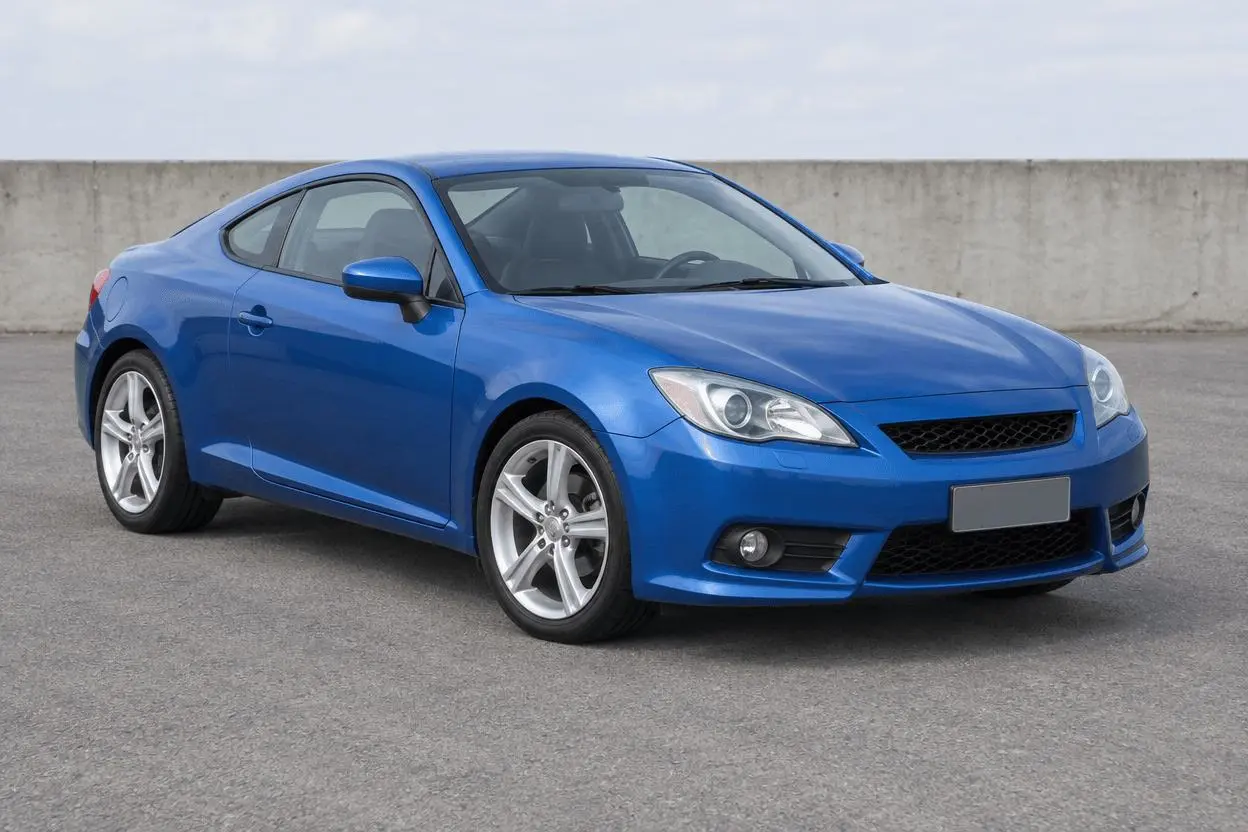 |  |
Car scene replacement with body-detail checks. Each result below was generated independently from the original reference image.
Use a clear three-quarter view with the whole car visible
A three-quarter photo exposes the front shape, wheels, windows and body reflections in one frame. The fictional source is deliberately unbranded and has no readable plate. The results are creative scene edits, not documentation of a particular manufacturer or a vehicle’s condition.
The original shown here is AI-generated for this demonstration. Both edits actually consumed that source as an attached reference. Use your own photo or another image you are authorized to edit.
Build a focused preservation brief
Protect the body silhouette, wheels and light geometry before describing a new environment. Broad studio reflections and wet-road reflections are different lighting problems, so they are separate requests. In the rain prompt, exclude motion blur and extra traffic so changes to the parked car remain easy to see.
A useful structure is: target change → visible subject or object → details to retain → lighting and perspective → unwanted additions → output format. Adapt the nouns to the image in front of you. A preservation instruction is something to verify afterward, not a guarantee that every source pixel will survive.
Prompt 1: Clean automotive studio scene
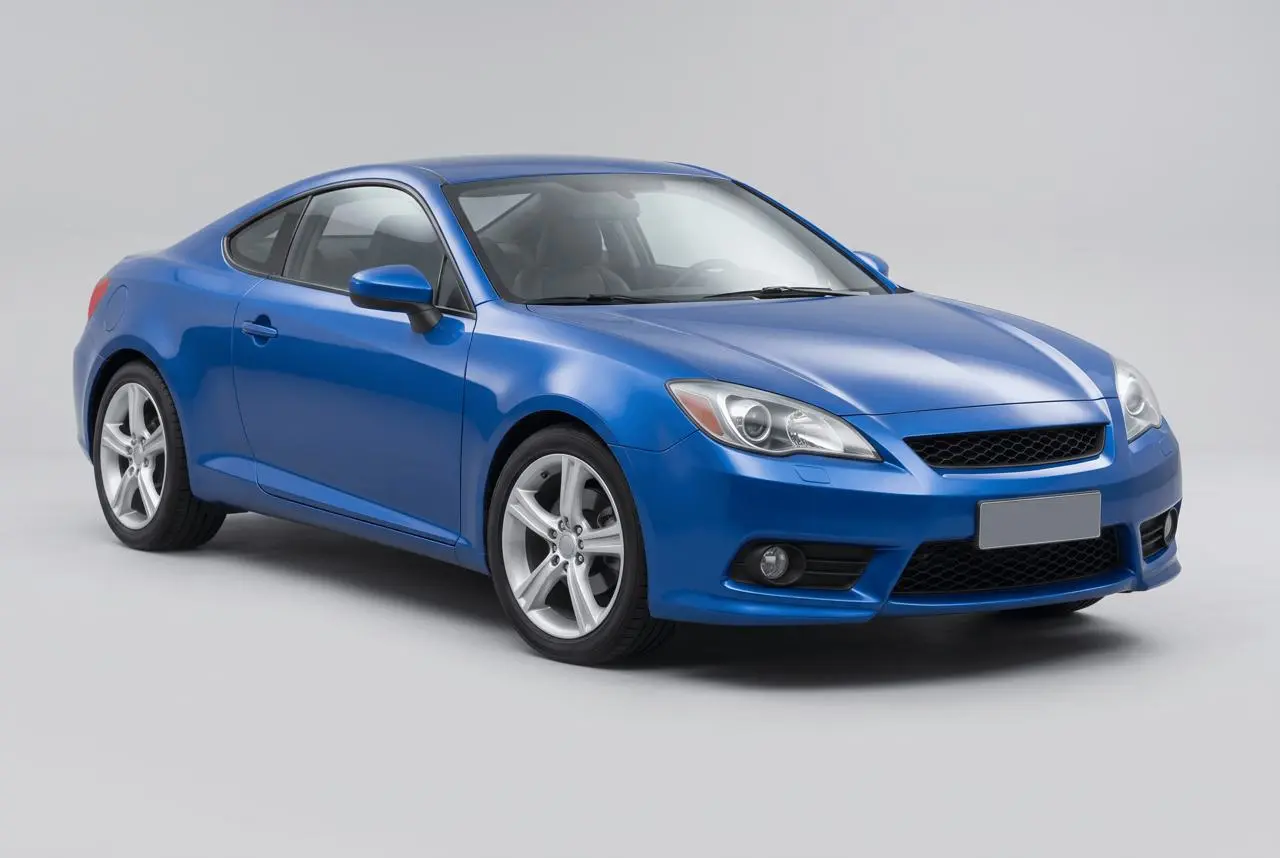
The opening comparison shows this result.
Edit image 1 into a clean automotive studio photograph. Preserve the blue coupe body shape, metallic paint color, headlights, grille, two visible silver wheels, windows, perspective and framing. Replace the asphalt lot and wall with a neutral pale-gray seamless studio floor and background. Add broad softbox-style reflections on the body and natural tire contact shadows. Do not redesign panels, wheels or lights, add badges, readable plates, text, people or a second vehicle.
The car is placed against a pale-gray studio sweep with a grounded tire shadow and broad body reflections. The blue paint, two visible wheels and overall coupe shape remain recognizable. Fine panel and wheel details need a full-size source comparison.
Returned file: 2528 × 1696 pixels. The selected interactive example includes its original reference and this exact prompt. You can try it directly using the tool on the right.
Prompt 2: Rainy city car portrait
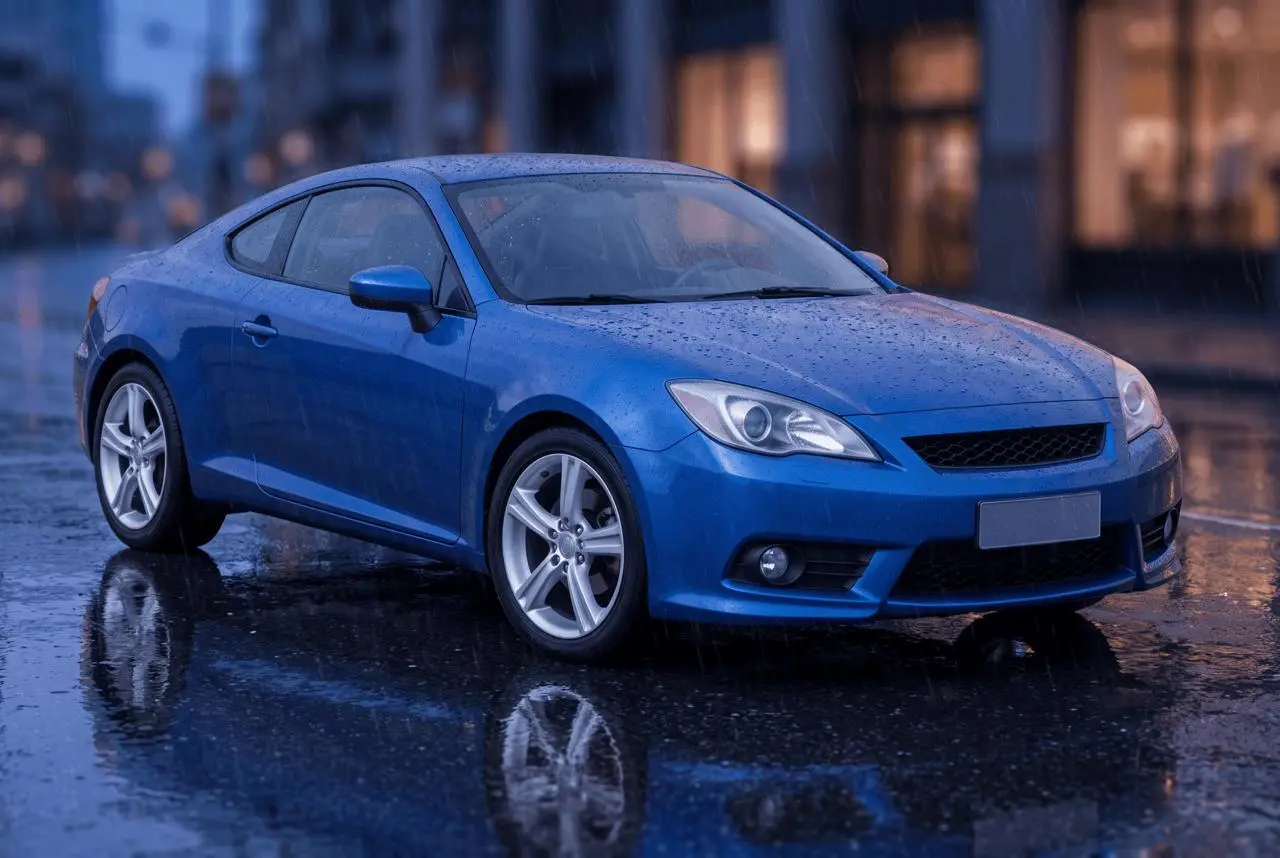
Edit image 1 into a rainy city car photograph at blue hour. Keep the same metallic blue coupe, body shape, headlights, grille, silver wheels, windows, angle and complete vehicle. Place it on wet dark pavement beside a softly blurred city street, restrained warm window reflections in the distance, light rain and realistic tire contact. Preserve paint color and coherent body reflections. No neon writing, readable plates, new badges, people, other cars or dramatic motion blur.
Wet pavement, fine rain and a blurred evening street appear around the same recognizable blue coupe. Reflections and the darker background create a different mood, while body-panel highlights are regenerated rather than copied from the source.
Returned file: 2528 × 1696 pixels.
Reproduce these two edits in WeShop
- Open Nano Banana 2 on WeShop.
- Attach the original through the reference-image upload control and confirm the thumbnail. A written description without the image would be a different task.
- Choose the tested model and settings below, then copy one prompt. Generate one image and inspect it at full size.
- For the second look, return to the same original and replace the prompt. Do not use the first output as the second input unless you intentionally want cumulative edits.
| Setting | Tested value |
|---|---|
| Model | nano2 |
| Input | One attached reference image |
| Requested aspect ratio | 3:2 |
| Requested image size | 2K |
| Quantity | One result per prompt |
These examples were generated on October 29, 2026. They are two selected results, not a repeat-run reliability study or a comparison against other models. Requested settings and returned image dimensions are reported separately.
Check the details before choosing a result
- Compare wheel count, spoke pattern and wheel-to-body alignment.
- Inspect headlights, grille, window outlines and panel seams.
- Check whether reflections agree with the new environment and tire contact.
The outputs are creative reinterpretations of a fictional unbranded car. They do not prove exact fidelity to a real manufacturer, trim, panel detail or vehicle condition.
If an important feature changes, return to the original and narrow the request. A more dramatic look is not automatically a better result when the task requires recognizable people, object detail or scene geometry.
Adapt the prompts to your own image
Describe the real vehicle’s color and visible design instead of copying the blue-coupe details blindly. For sales imagery, preserve actual condition and avoid using generated reflections or scenery to conceal damage. These prompts do not provide a manufacturer-accurate reconstruction or proof of an actual location.
Will the exact car model remain unchanged?
Generative editing can alter distinctive details even when instructed to preserve them. Compare against the source closely; this fictional example is not a test of exact real-model fidelity.
For a wider range of editing tasks, see Top 10 Prompts for Photo Editing That Actually Work. Start with the loaded example, replace its reference with your own, and compare the requested change and retained details before using the result.