












Black-and-White Portrait Editing Prompts: Two Tonal Styles
Use two black-and-white portrait editing prompts for soft midtones and stronger contrast. Compare actual results and inspect identity, skin texture, and shadow detail.
Black-and-white portrait editing prompts need more direction than “remove the color.” Soft midtones and hard contrast can tell different visual stories, but both should keep the person recognizable. These two edits start from the same color portrait and test those tonal intentions separately.
| Original reference | Soft tonal black-and-white portrait |
|---|---|
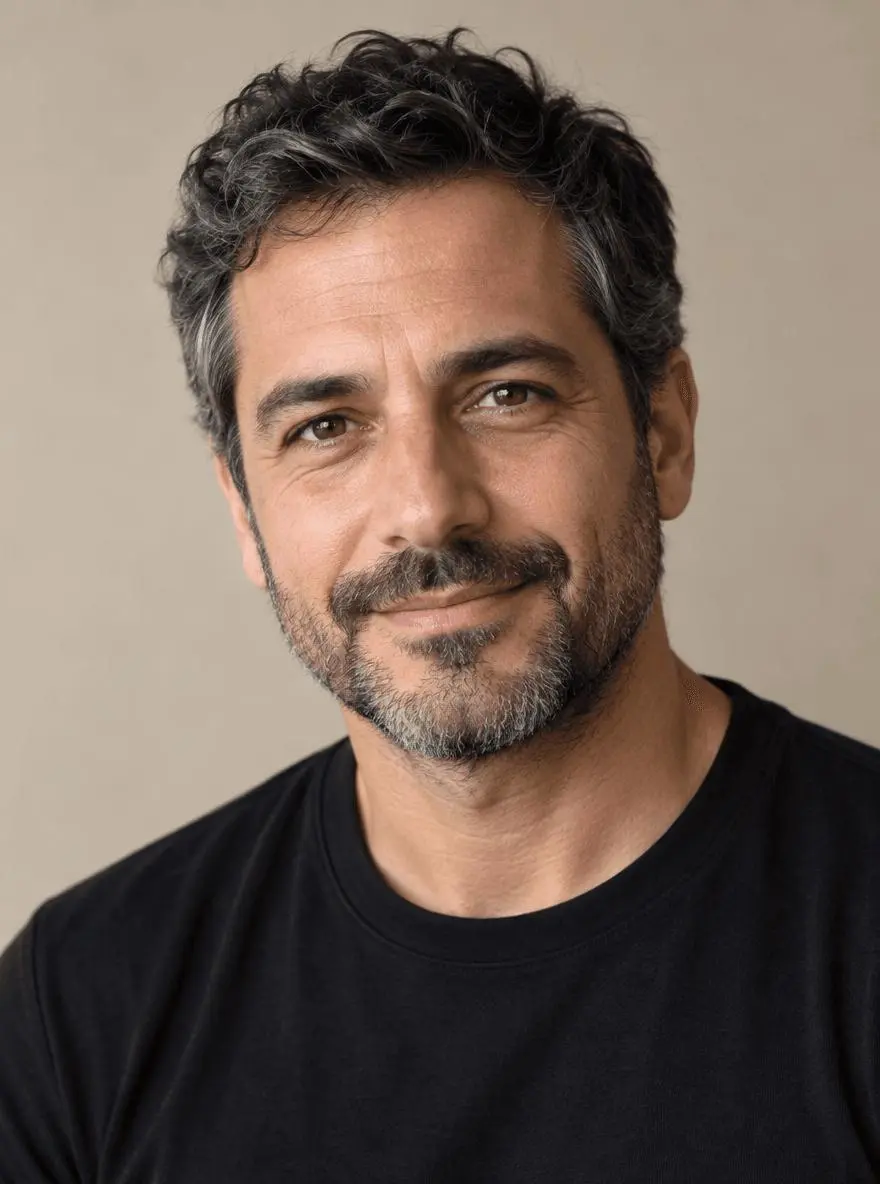 | 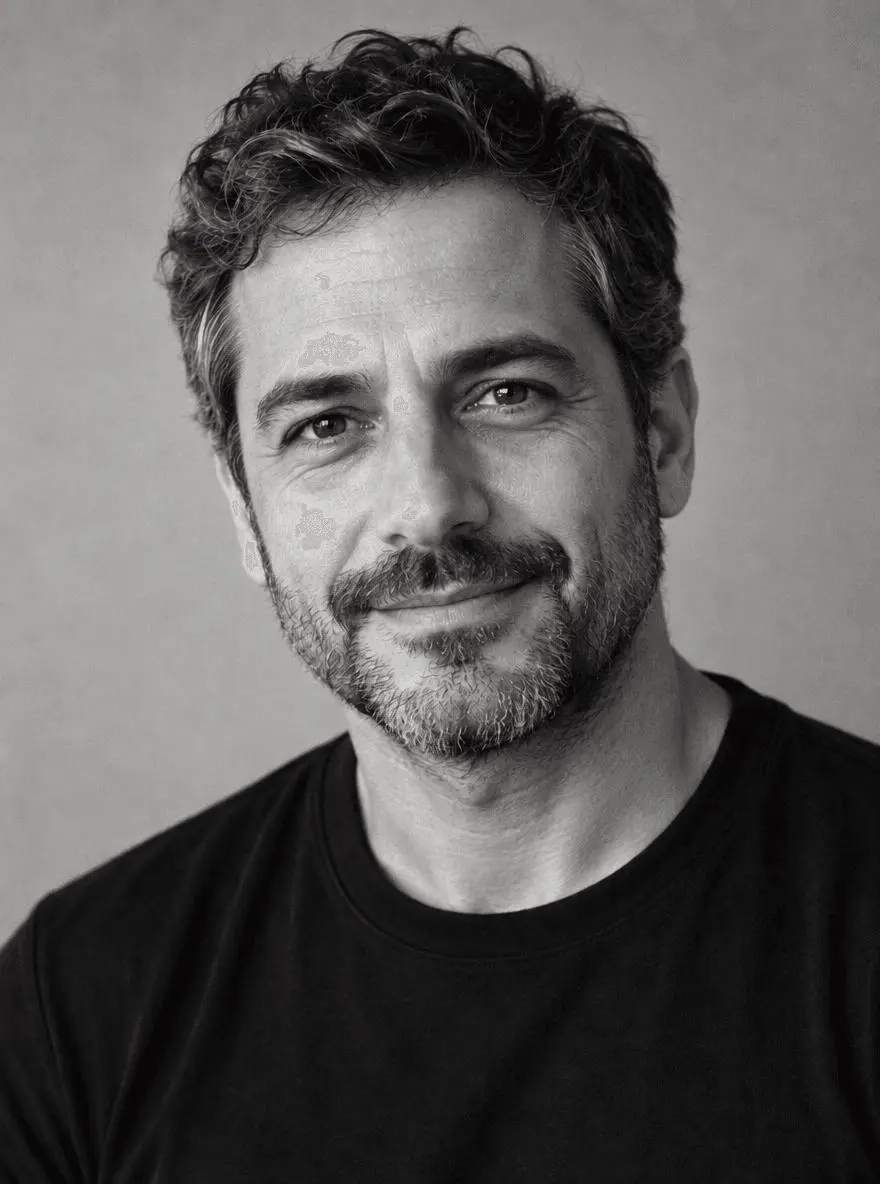 |
Identity-aware monochrome portrait treatment. Each result below was generated independently from the original reference image.
Choose a portrait with readable light and facial detail
The source has left-side window light, a short beard, a black shirt and a plain backdrop. A clear light direction helps judge whether the high-contrast version follows the photograph or invents a different lighting setup. The source is synthetic, and neither output is evidence of a particular camera, film stock or darkroom process.
The original shown here is AI-generated for this demonstration. Both edits actually consumed that source as an attached reference. Use your own photo or another image you are authorized to edit.
Build a focused preservation brief
For the softer treatment, request a range of midtones and gentle highlight roll-off. For stronger contrast, deepen selected shadows but keep the eyes and the separation between beard, hair and shirt. A monochrome request can still redraw the face, so identity checks remain necessary even though the intended edit is tonal.
A useful structure is: target change → visible subject or object → details to retain → lighting and perspective → unwanted additions → output format. Adapt the nouns to the image in front of you. A preservation instruction is something to verify afterward, not a guarantee that every source pixel will survive.
Prompt 1: Soft tonal black-and-white portrait
The opening comparison shows this result.
Edit image 1 into a soft black-and-white portrait. Preserve the same man, recognizable face, age, expression, beard, hair, skin texture, black shirt, background and crop. Use a rich range of gray midtones, gentle highlight roll-off and subtle fine film grain, keeping both eyes and beard detail readable. Remove color completely without sepia or blue tint. No face reshaping, added wrinkles, beauty smoothing, text or logos.
Color is removed and the face, beard, dark shirt and familiar expression remain recognizable across a gray tonal range. Skin and beard texture remain visible, although the face has been re-rendered rather than converted with a simple grayscale filter.
Returned file: 880 × 1184 pixels. The selected interactive example includes its original reference and this exact prompt. You can try it directly using the tool on the right.
Prompt 2: High-contrast monochrome portrait
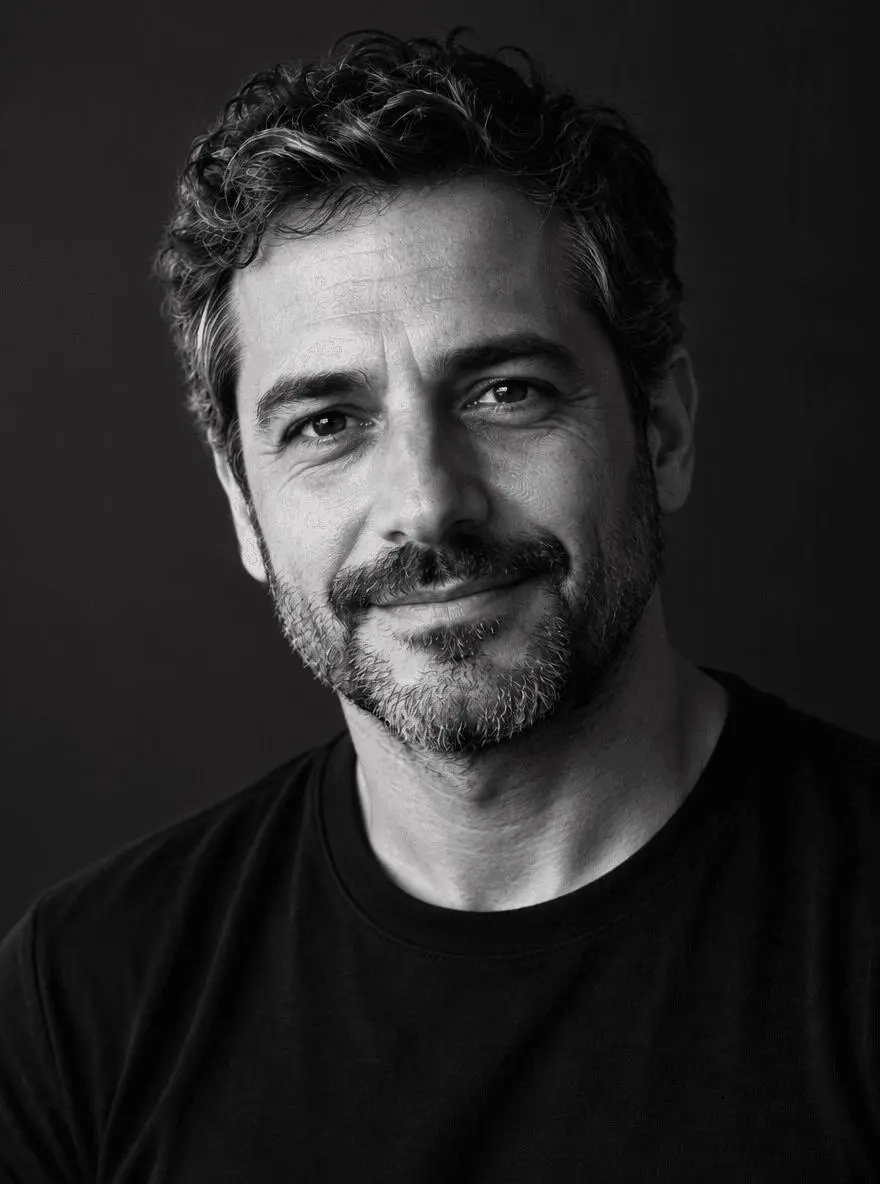
Edit image 1 into a high-contrast black-and-white portrait using the existing left-side light direction. Keep the same identity, age, expression, beard, hair, skin texture, black shirt, pose and crop. Deepen the background and shadow side while retaining visible eye detail and separation between hair, beard and shirt. Preserve highlight texture on the face. No crushed featureless face shadows, sepia tint, face reshaping, extra people, text or logos.
The background and shadow side become darker, creating more separation in the illuminated face. Both eyes and the beard remain readable. Facial texture and contrast change, so the darker result is a tonal interpretation rather than an exact copy of the source.
Returned file: 880 × 1184 pixels.
Reproduce these two edits in WeShop
- Open GPT Image 2.5 Sunburst on WeShop.
- Attach the original through the reference-image upload control and confirm the thumbnail. A written description without the image would be a different task.
- Choose the tested model and settings below, then copy one prompt. Generate one image and inspect it at full size.
- For the second look, return to the same original and replace the prompt. Do not use the first output as the second input unless you intentionally want cumulative edits.
| Setting | Tested value |
|---|---|
| Model | gpt-image-2.5-sunburst |
| Input | One attached reference image |
| Requested aspect ratio | 3:4 |
| Requested image size | 1K |
| Quality | medium |
| Quantity | One result per prompt |
These examples were generated on October 29, 2026. They are two selected results, not a repeat-run reliability study or a comparison against other models. Requested settings and returned image dimensions are reported separately.
Check the details before choosing a result
- Compare the eyes, nose, mouth and age cues with the source.
- Look for featureless black areas in the beard, shirt and shadow side.
- Check that the output has no unexpected sepia or blue tint.
Generative monochrome output can redraw a face. Use conventional tonal adjustments when unchanged source pixels or exact likeness are essential.
If an important feature changes, return to the original and narrow the request. A more dramatic look is not automatically a better result when the task requires recognizable people, object detail or scene geometry.
Adapt the prompts to your own image
Describe the light direction in your original and choose one tonal goal per generation. If you only need a precise color-to-grayscale conversion with unchanged source pixels, use a conventional tonal-adjustment workflow. The generative examples shown here are creative interpretations and may change fine facial texture.
Is a generated monochrome edit the same as a grayscale filter?
No. A filter can transform existing pixel values, while a generative model can redraw content. Compare facial structure and texture rather than assuming that removing color makes the edit identity-neutral.
For a wider range of editing tasks, see Top 10 Prompts for Photo Editing That Actually Work. Start with the loaded example, replace its reference with your own, and compare the requested change and retained details before using the result.