












Birthday Photo Editing Prompts: Balloons and Studio Confetti
Copy two birthday photo editing prompts for pastel balloons and restrained confetti. See tested adult portrait edits with tips for faces, hands, and uncluttered props.
Birthday photo editing prompts can add celebration without covering the face in decorations. The useful distinction is where the props belong and what must remain clear. These two adult-portrait edits use balloons behind one shoulder or sparse background confetti, with each version generated separately from the original.
| Original reference | Pastel balloon birthday portrait |
|---|---|
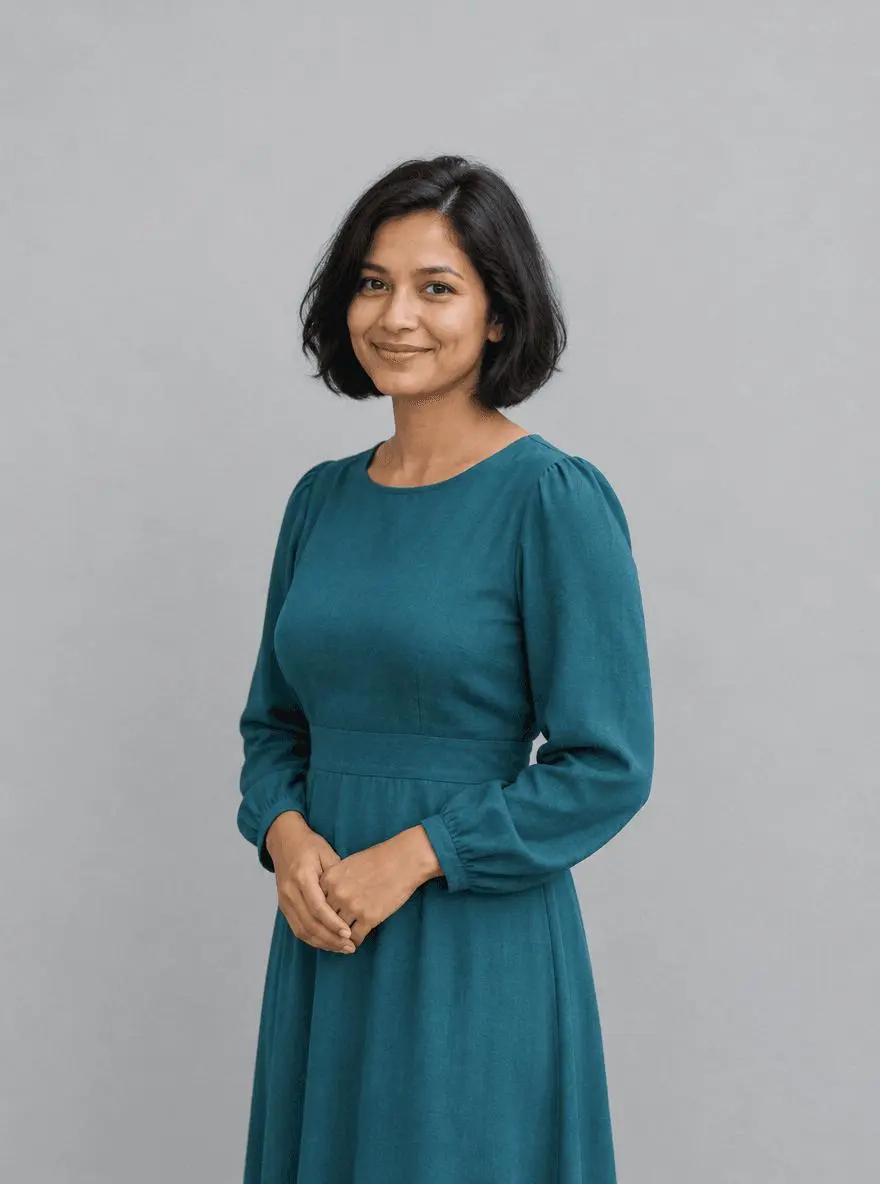 |  |
Adult birthday portrait styling. Each result below was generated independently from the original reference image.
Leave clear space for birthday decorations
Choose a portrait with margin above the head and beside the shoulders. The source has a teal dress, a simple wall and clasped hands, so the decoration should sit around the person rather than replace the pose. The examples contain no age numerals or lettering; text accuracy would be a separate requirement.
The original shown here is AI-generated for this demonstration. Both edits actually consumed that source as an attached reference. Use your own photo or another image you are authorized to edit.
Build a focused preservation brief
Give decorations a location and a limit. Three balloons behind the left shoulder are more testable than “lots of birthday balloons.” Sparse confetti in the background is easier to inspect than a shower across the eyes. Protect the haircut, skin tone, dress and hands while changing the backdrop and celebration props.
A useful structure is: target change → visible subject or object → details to retain → lighting and perspective → unwanted additions → output format. Adapt the nouns to the image in front of you. A preservation instruction is something to verify afterward, not a guarantee that every source pixel will survive.
Prompt 1: Pastel balloon birthday portrait
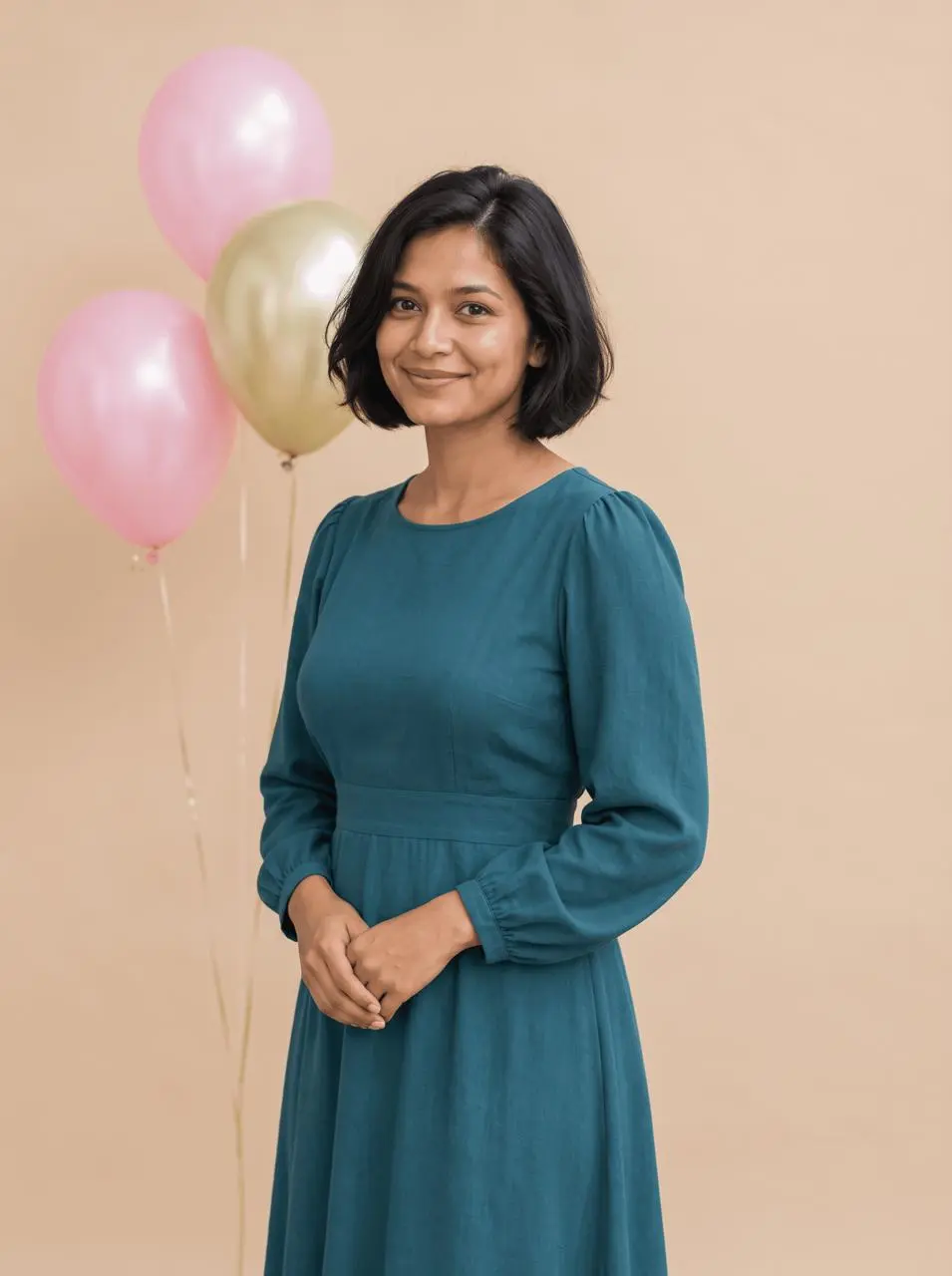
The opening comparison shows this result.
Edit image 1 into a tasteful adult birthday portrait. Keep the same woman, recognizable face, bob haircut, skin tone, teal dress, pose and hands. Add three pastel pink and pale gold helium balloons behind her left shoulder with thin strings kept away from her face and hands. Use a soft warm beige studio background and gentle flattering light with natural skin texture. No age numbers, letter balloons, cake, extra people, text, logos or cropped head.
Three pastel balloons appear behind the shoulder, with the face and hands unobstructed. The backdrop shifts to warm beige while the teal dress and bob hairstyle remain recognizable. The balloon strings and highlights are generated details.
Returned file: 1792 × 2400 pixels. The selected interactive example includes its original reference and this exact prompt. You can try it directly using the tool on the right.
Prompt 2: Restrained confetti birthday portrait
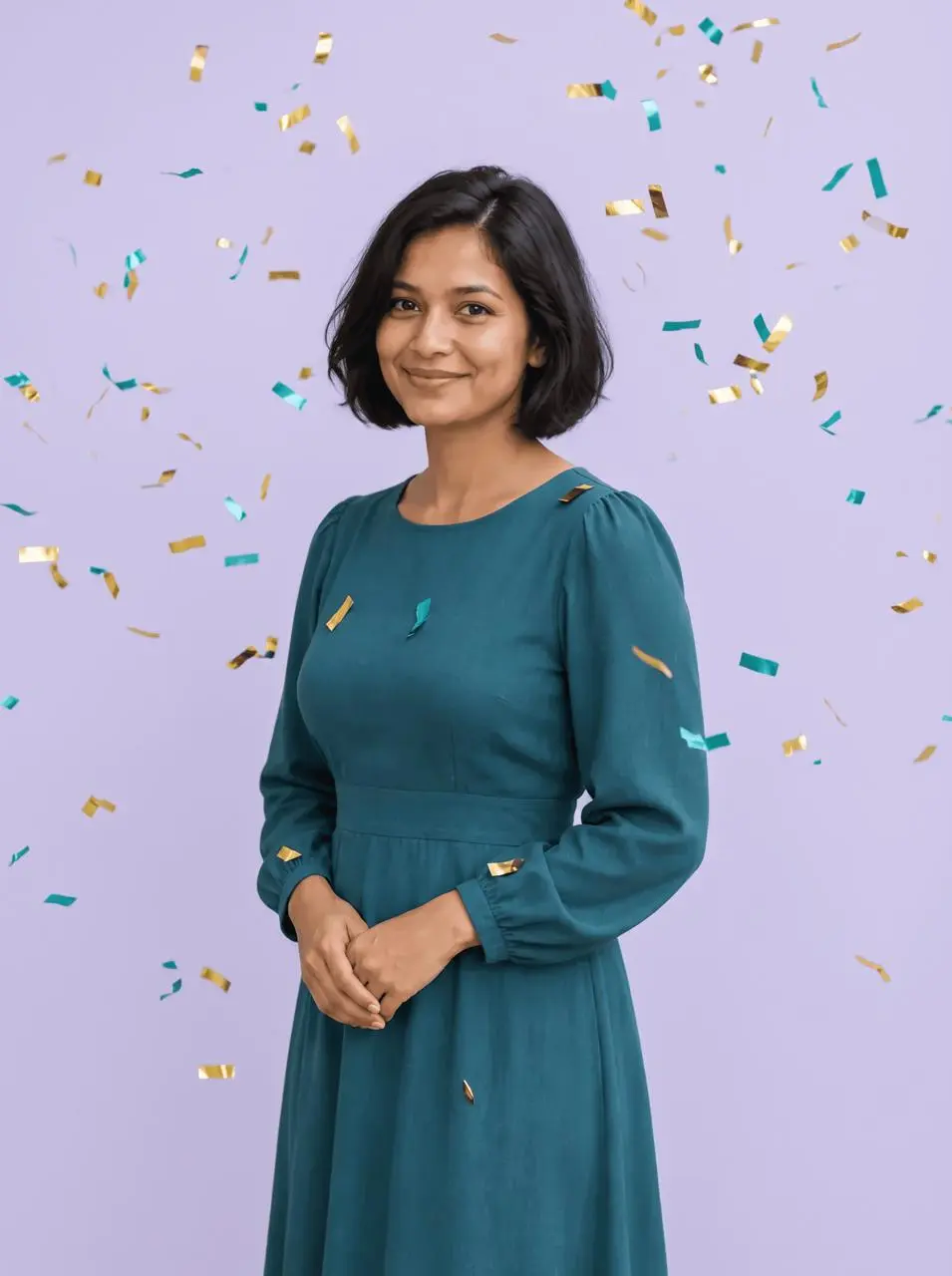
Edit image 1 into a cheerful adult birthday studio portrait with sparse gold and teal paper confetti falling in the background. Keep the same woman, facial expression, hair, skin tone, teal dress, pose and complete hands. Preserve uncluttered space around the face. Use a pale lavender backdrop and soft even lighting. Confetti must not cover eyes or hands. No balloons, age numerals, cake, text, logos, extra people or heavy beauty retouching.
Gold and teal confetti appears against a lavender background. The face and clasped hands stay readable, but some confetti crosses the dress and shoulder; the result is more decorated than the balloon version.
Returned file: 1792 × 2400 pixels.
Reproduce these two edits in WeShop
- Open Nano Banana 2 on WeShop.
- Attach the original through the reference-image upload control and confirm the thumbnail. A written description without the image would be a different task.
- Choose the tested model and settings below, then copy one prompt. Generate one image and inspect it at full size.
- For the second look, return to the same original and replace the prompt. Do not use the first output as the second input unless you intentionally want cumulative edits.
| Setting | Tested value |
|---|---|
| Model | nano2 |
| Input | One attached reference image |
| Requested aspect ratio | 3:4 |
| Requested image size | 2K |
| Quantity | One result per prompt |
These examples were generated on October 29, 2026. They are two selected results, not a repeat-run reliability study or a comparison against other models. Requested settings and returned image dimensions are reported separately.
Check the details before choosing a result
- Check whether strings or confetti cross the eyes and fingers.
- Count the major props when the prompt gives a number.
- Compare the dress color, bob silhouette and facial expression with the source.
Generated strings and confetti may cross clothing or create awkward overlaps. The tests exclude personalized text and age numbers, so they do not establish accurate typography.
If an important feature changes, return to the original and narrow the request. A more dramatic look is not automatically a better result when the task requires recognizable people, object detail or scene geometry.
Adapt the prompts to your own image
Change the palette to suit the portrait, then keep one decoration system per request. If you want a cake, age number or a different outfit, test that addition separately. A generated celebration setup is a creative portrait treatment; it does not establish that the person attended a real birthday event.
Can I add a name or age to the birthday portrait?
That requires a separate text instruction and a spelling check. The two demonstrated prompts deliberately omit text and numbers, so they are not evidence of accurate personalized lettering.
For a wider range of editing tasks, see Top 10 Prompts for Photo Editing That Actually Work. Start with the loaded example, replace its reference with your own, and compare the requested change and retained details before using the result.