モデル画像モデルSeedream 5.0 Pro AI画像生成
SEEDREAM 5.0 PROの画像モデル

Seedream 5.0 Pro AI画像生成

Seedream 5.0 Proは、情報量の多いデザイン、位置を指定する編集、写真やレンダリング表現に向けたByteDanceのマルチモーダル画像制作モデルです。

Seedream_50_Pro
SEEDREAM 5.0 PROの作例

Seedream 5.0 Proの画像作例

Seedream 5.0 Proは「装飾的な室内でのドレスのポートレート」「飲料商品のグラフィックレイアウト」「ネオンの部屋で色付きの枠を使う部分編集」の作例で確認できます。保存された各事例は、実際のプロンプトと利用可能な入力を保持しています。自分の被写体に合わせて指示を変える前に、結果を確認してください。

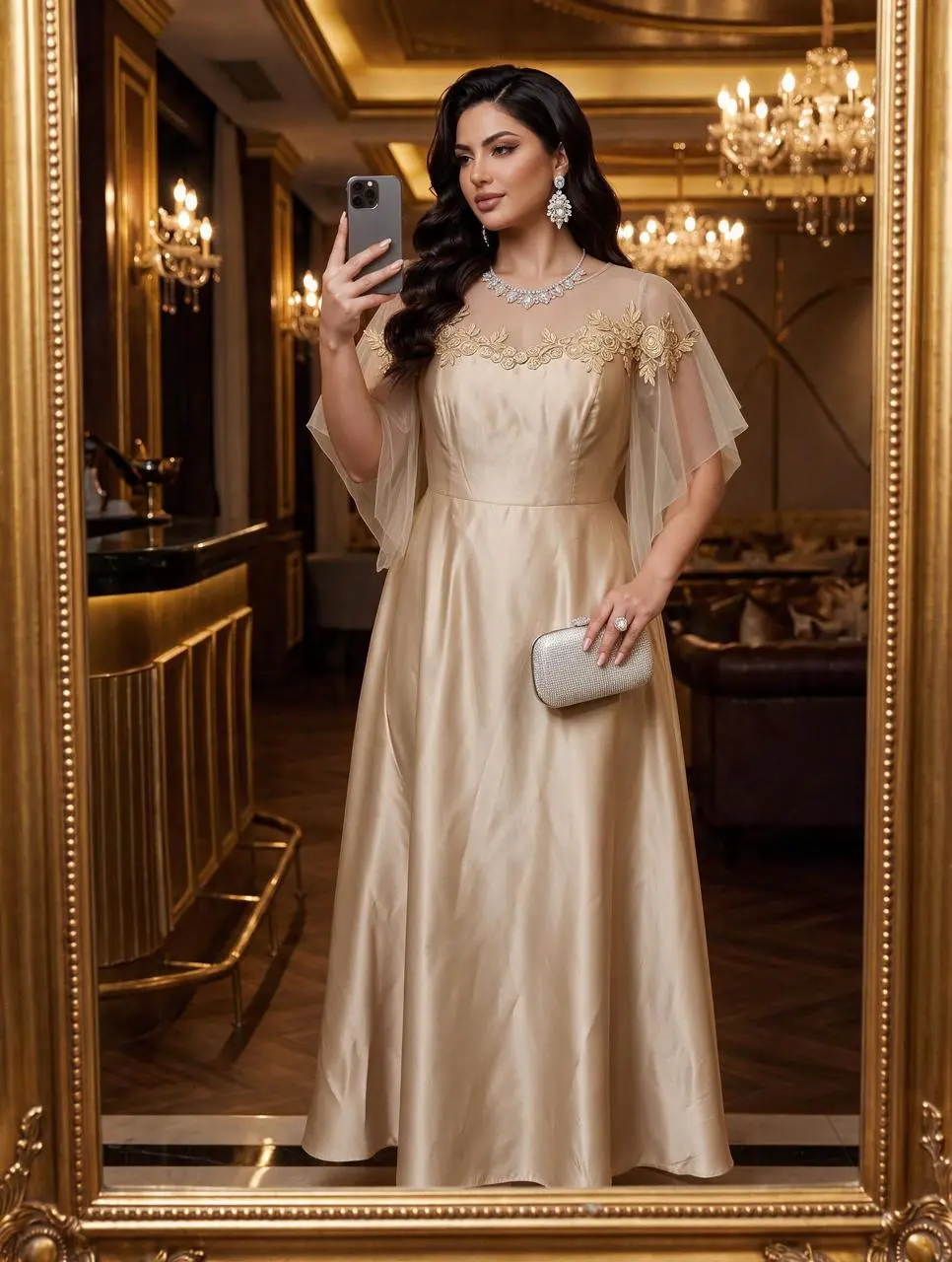
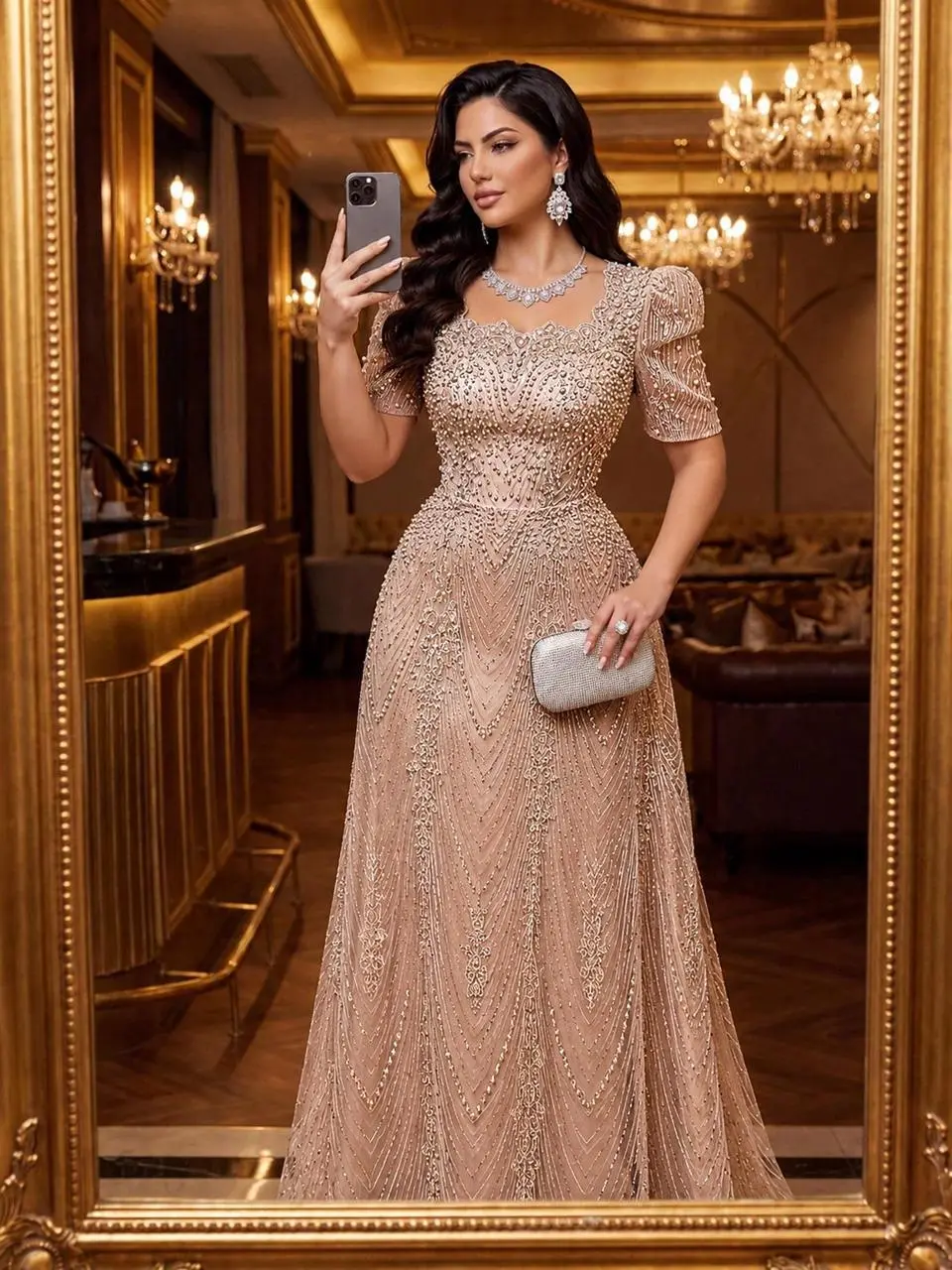
WeShopの生成結果:優雅なドレスを着て鏡越しに撮影する女性…
参照画像 1
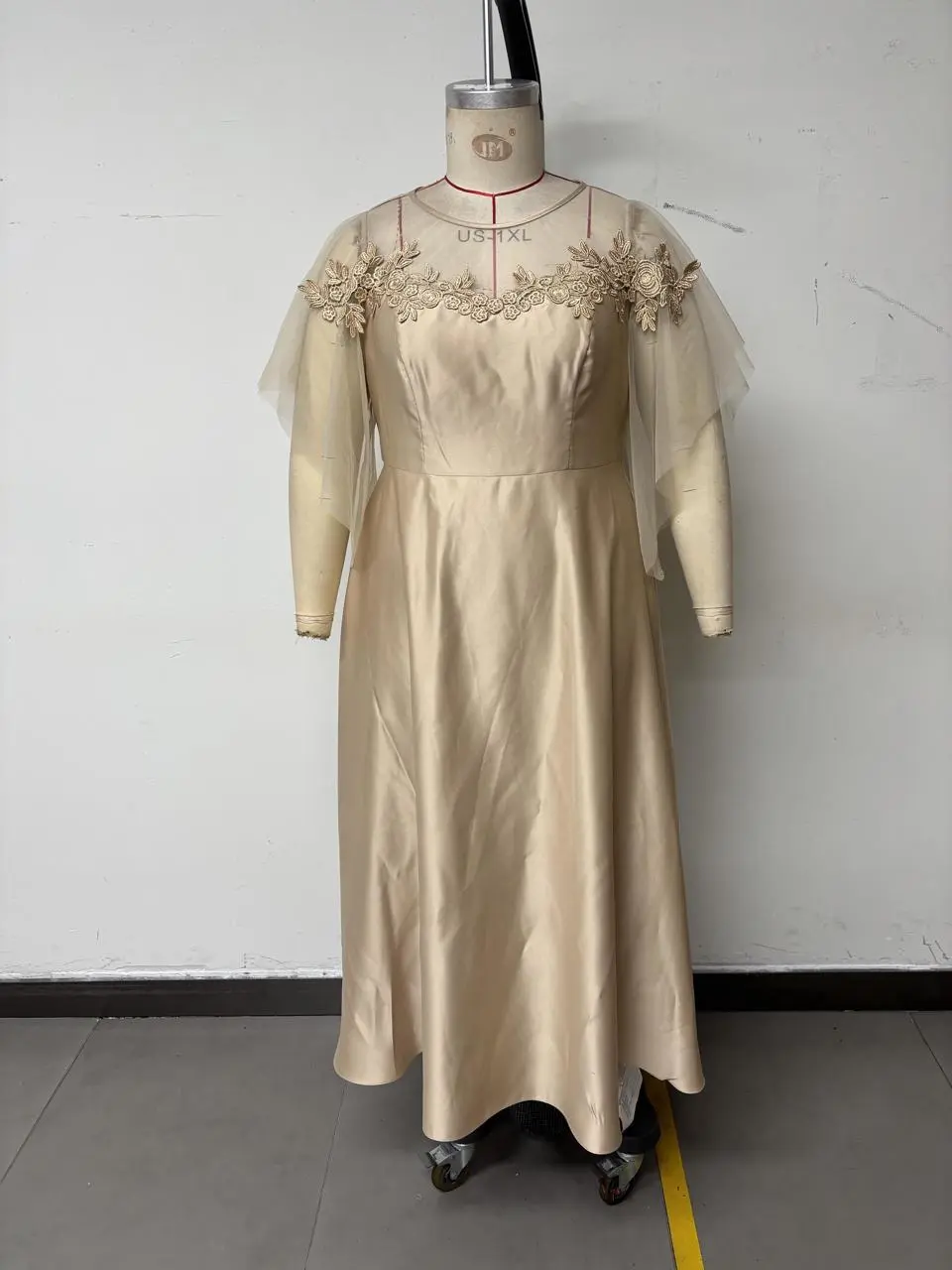
参照画像 2

装飾的な室内でのドレスのポートレート

ドレスと装飾的な室内を中心に、照明や背景も見せ方を支えるファッションポートレートを作ります。

Change the close-up of the clothes in Figure 1 to that of Figure 2. The texture of the embroidery should be better! The texture of the sheer fabric should be better!! For different styles, the clothes are made of satin material! The skirt length should reach the ground but not drag on the ground. Do not change the pose and figure of the model in Figure 1!!!
このプロンプトを使用する
WeShop の結果:場面と構図の研究
参照画像 1
参照画像 2
参照画像 3

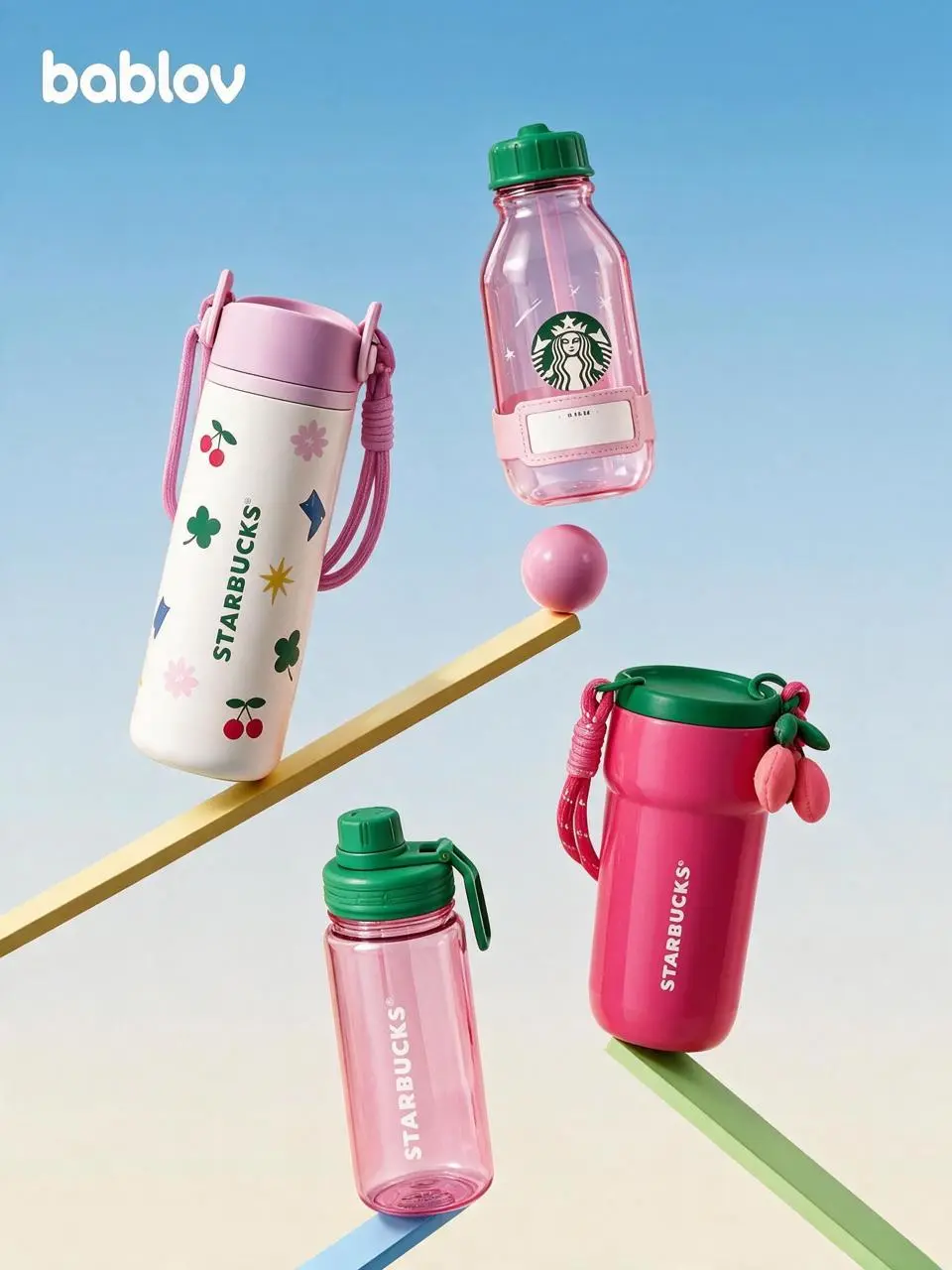
飲料商品のグラフィックレイアウト

飲料商品の形、色、パッケージの文字を組み合わせ、グラフィックな構成に配置します。

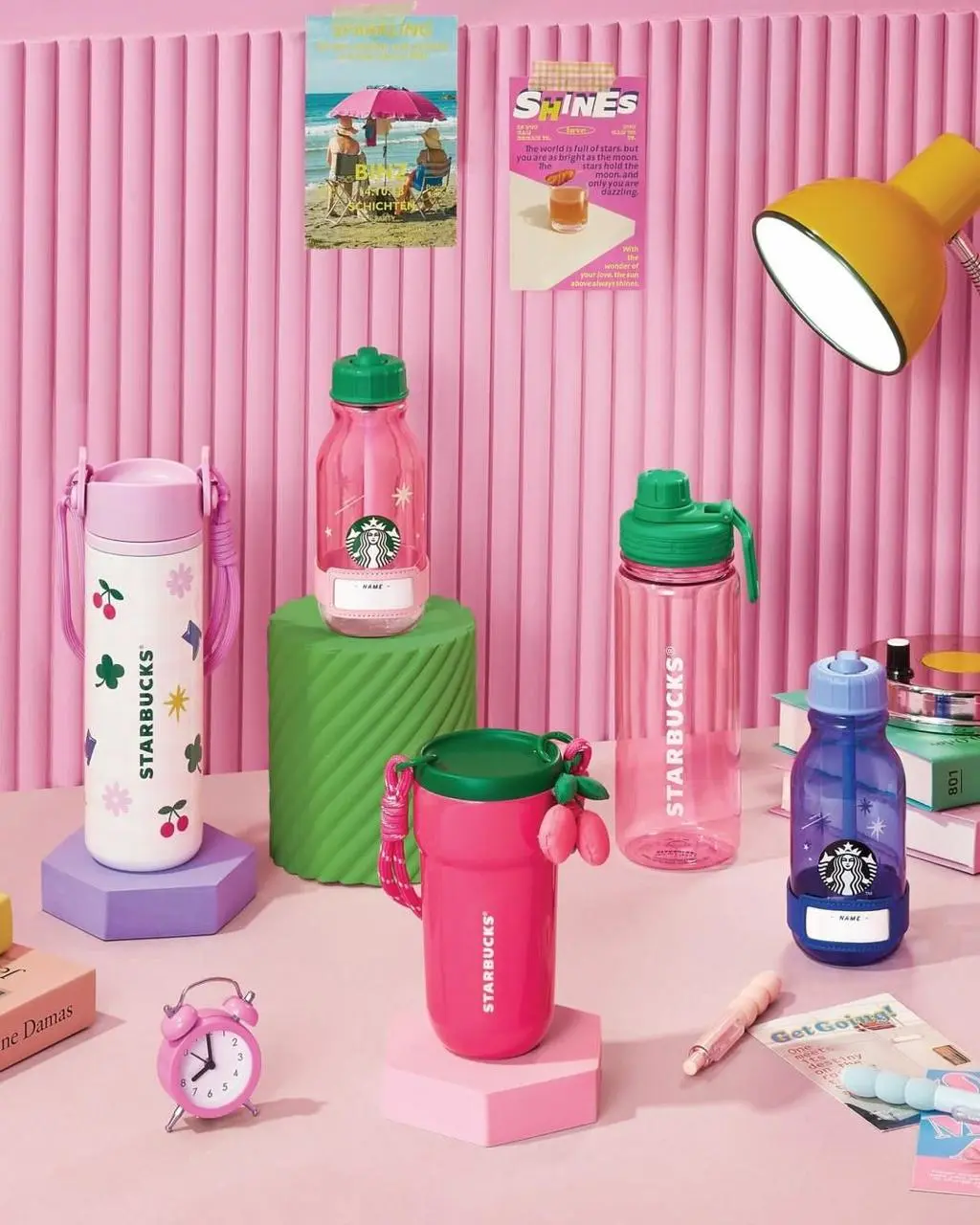
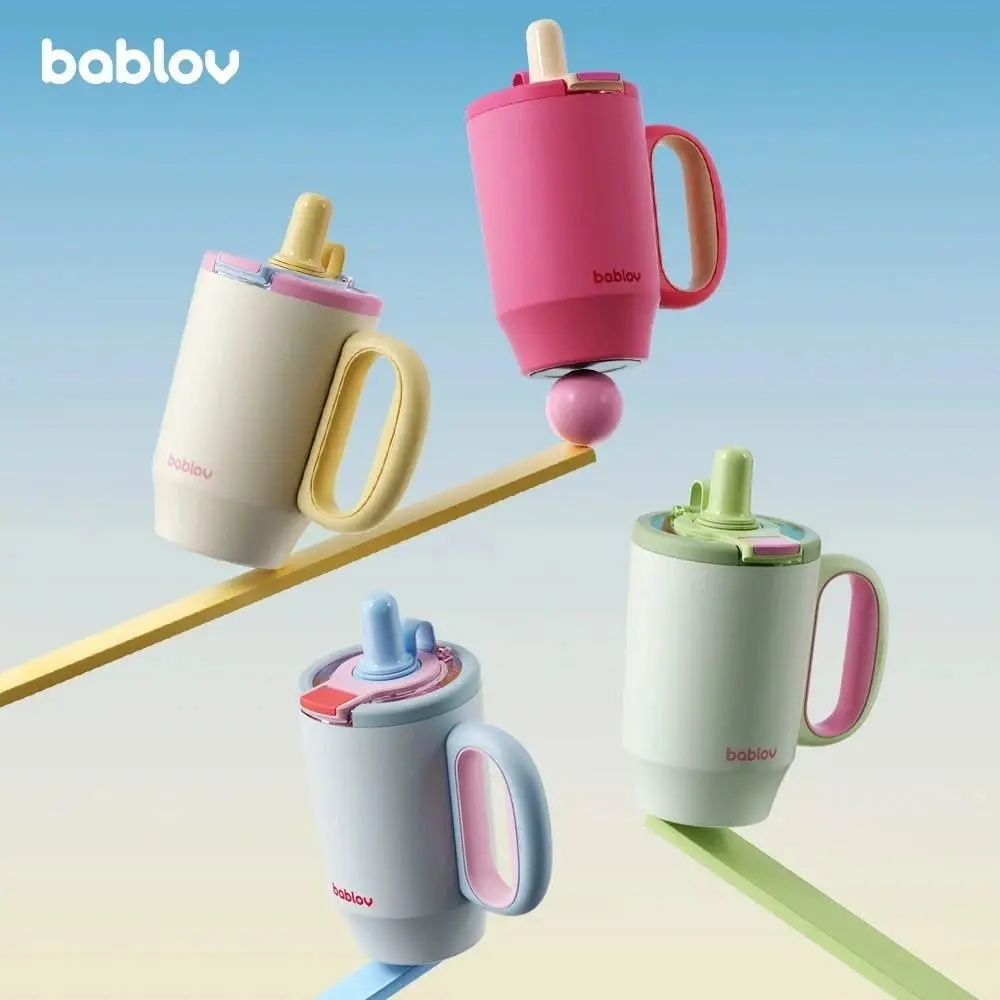
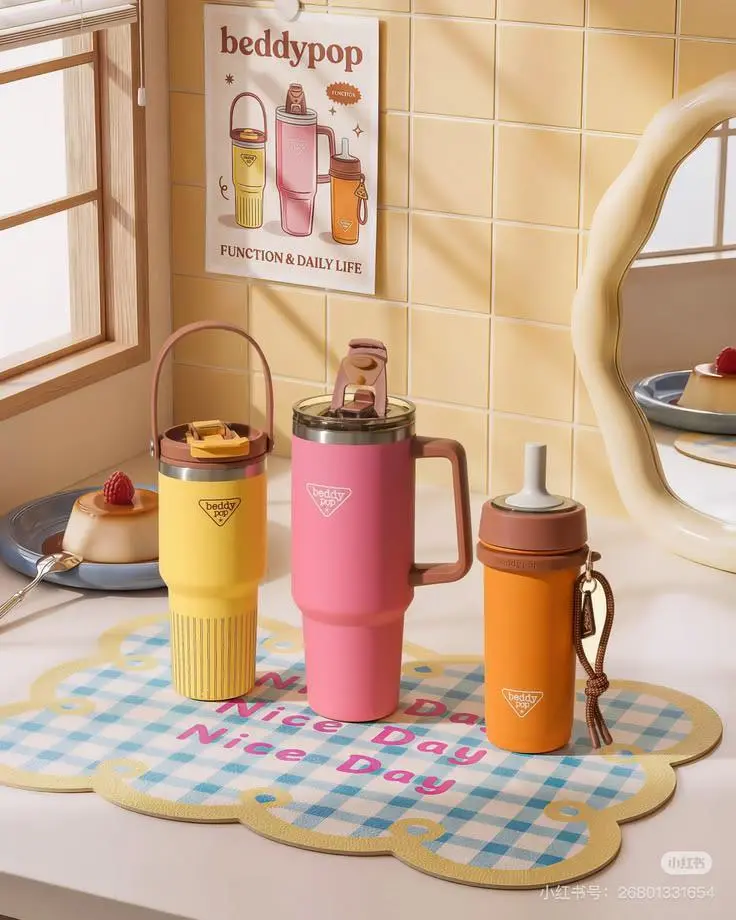
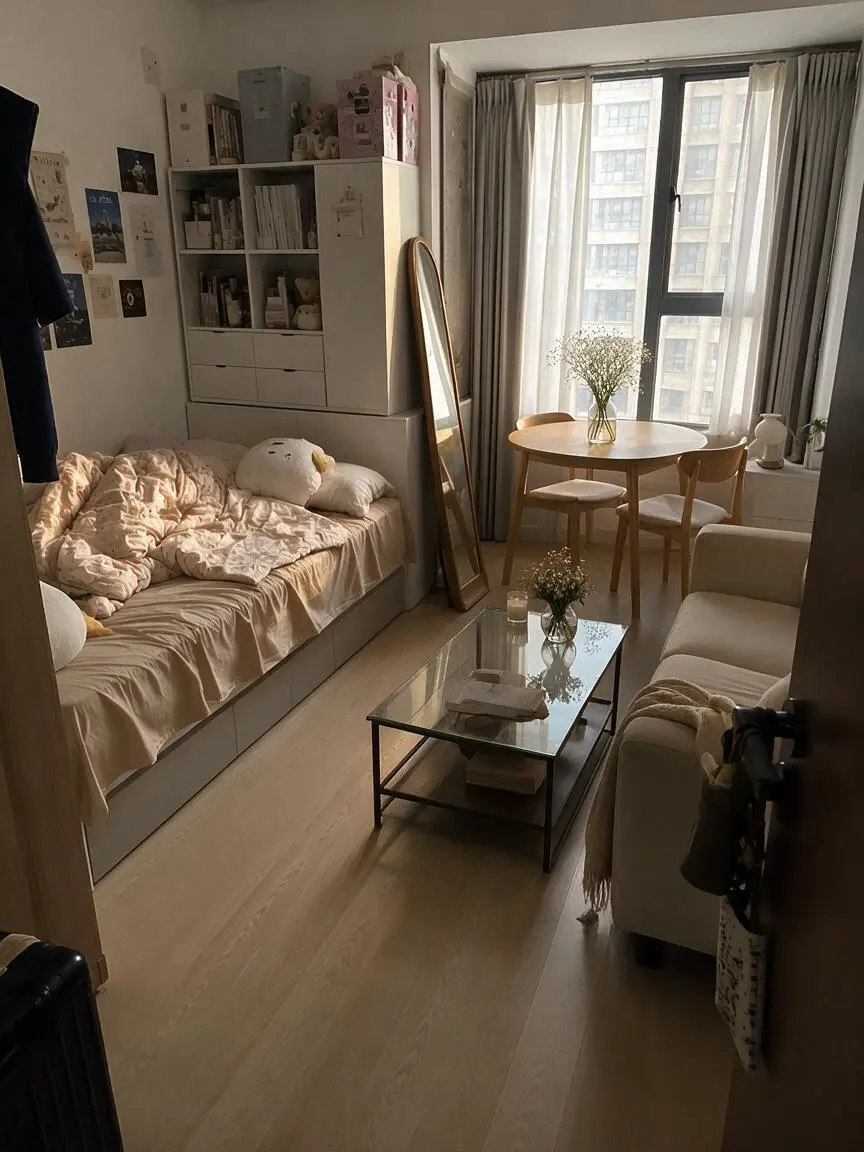
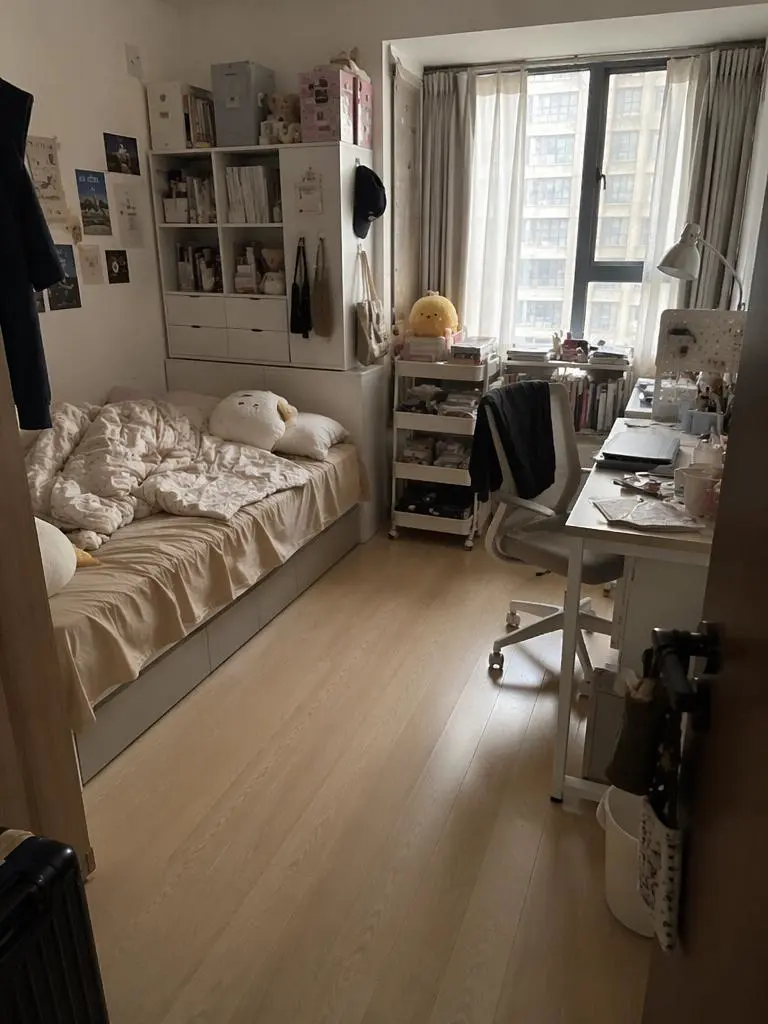
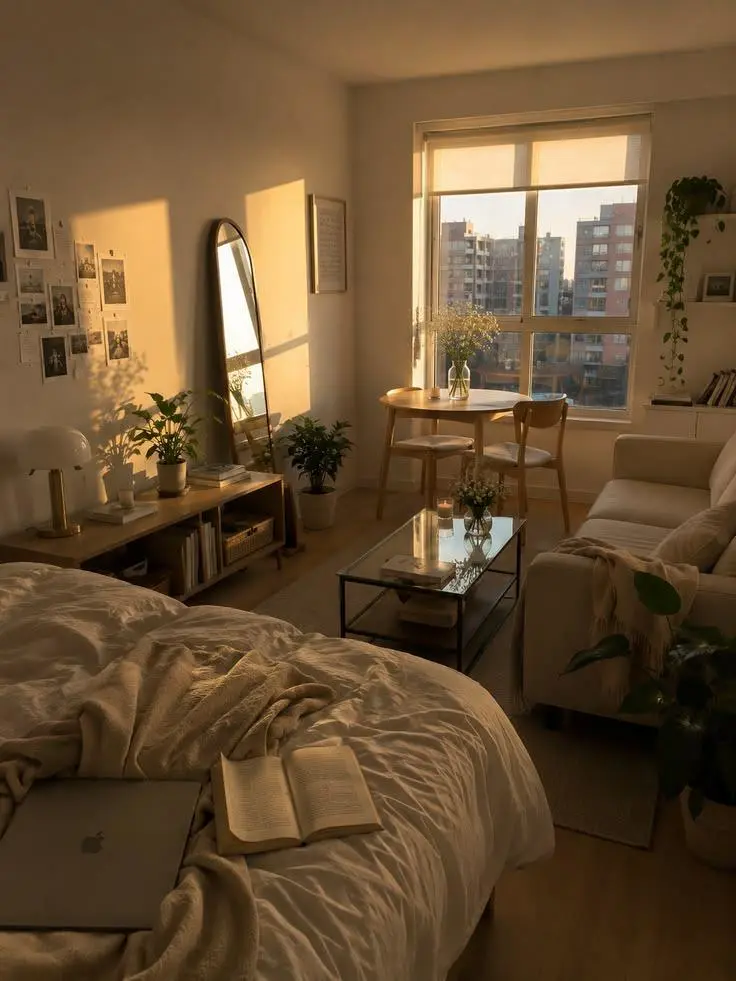
Replace [%#[Image 2 at <point>293 417</point>]#%][%#[Image 2 at <point>560 233</point>]#%][%#[Image 2 at <point>699 666</point>]#%][%#[Image 2 at <point>389 810</point>]#%] in Figure 2 and [%#[Image 3 at <point>361 536</point>]#%] in Figure 3 with [%#[Image 1 at <point>130 736</point>]#%][%#[Image 1 at <point>401 549</point>]#%][%#[Image 1 at <point>569 1049</point>]#%][%#[Image 1 at <point>750 780</point>]#%][%#[Image 1 at <point>940 976</point>]#%] in Figure 1.
このプロンプトを使用する
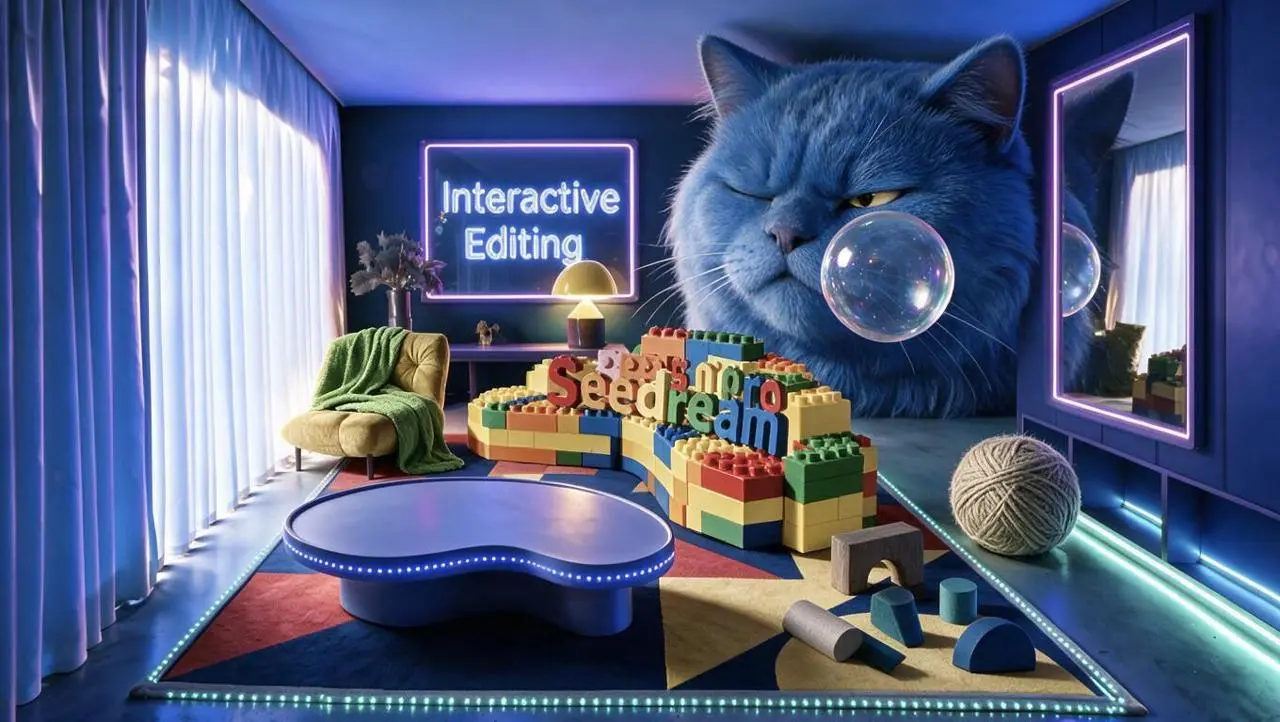
WeShopの生成結果:色とりどりのブロックと遊び心ある装飾の鮮やかな部屋…
参照画像 1

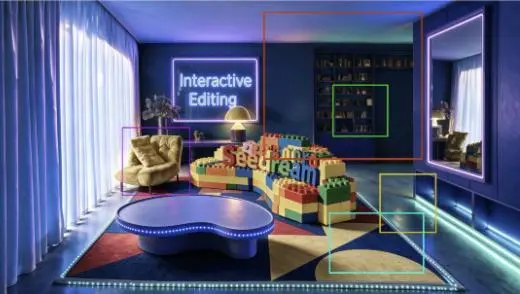
ネオンの部屋で色付きの枠を使う部分編集

実際の指示は、色付きの枠ごとに大きな青い猫、透明な泡、毛糸、抽象的なブロック、緑の毛布を指定し、枠外を変えないよう求めています。各編集領域を参照画像と比較してください。ペットショップの画面デザインの事例ではありません。

Perform localized edits on the areas corresponding to the differently colored boxes shown in the image. Maintain the room's original composition, furniture placement, camera angle, perspective, blue-purple neon lighting, and the areas outside the marked boxes exactly as they are. Red box: Generate the head of a huge blue long-haired cat. The cat appears as if squeezed into the room; its body is outside the frame, showing only its massive head. It wears a slightly displeased expression, with one eye narrowed as it gazes at the transparent bubble in front of it. The fur is thick and soft, reflecting the blue and purple lighting of the room. Green box: Generate a transparent bubble positioned in front of the blue cat's face. The bubble's surface reflects the room's blue, purple, and warm yellow lights, featuring realistic transparency, highlights, and iridescent reflections. Yellow box: Generate a large ball of yarn in a warm gray-beige tone, placed naturally on the floor on the right side of the room. Preserve the clear structure of the wound yarn and the soft texture of the fibers, and add contact shadows consistent with the floor lighting. Cyan box: Generate a set of scattered abstract building blocks, including an arch-shaped block in warm dark gray, a semi-cylinder in warm light gray, a cylinder in lake blue, a sloped block in deep lake blue, and a semi-circular block in cobalt blue. The blocks should be arranged naturally on the carpet, with proportions, perspective, and shadows consistent with the room. Purple box: Add a grass-green blanket to the armchair on the left. The blanket should drape naturally over the backrest, armrests, and seat cushion, displaying realistic fabric texture, soft folds, and a natural hang. All newly added elements must stay within the boundaries of their respective boxes and remain distinct from one another, without incorrectly overlapping other areas. Ensure the perspective, lighting direction, shadow intensity, and blue-purple neon tones of the new objects are consistent, allowing them to blend naturally into the original image. Do not alter areas outside the marked boxes, move existing furniture, change the room structure, modify the image aspect ratio, or generate extraneous animals, objects, text, or watermarks.
このプロンプトを使用する
SEEDREAM 5.0 PROとは

Seedream 5.0 Proとは?どんな用途に使える?

Seedream 5.0 Proは、情報量の多いデザイン、位置を指定する編集、写真やレンダリング表現に向けたByteDanceのマルチモーダル画像制作モデルです。 Proは、密度の高いデザイン指示、画像の部分変更、写実的な表現に使えます。飲料のレイアウトと色付きの枠を使う室内編集はデザイン例で、ポートレートは照明と表面表現を示します。いずれも図中の事実を検証するものではありません。

情報密度の高いレイアウト

見出し、図、視覚的な情報を読みやすく整理します。事実のデータは、生成されたレイアウトとは別に検証してください。

位置を指定する変更

編集の位置と内容を説明します。ByteDanceは局所的な編集を説明していますが、WeShopで使える操作はフォームに表示されたものです。

素材・照明・肌の表現

公式発表は、現実の照明、素材、肌の質感への対応改善を説明しています。対応する結果でこれらを確認してください。

制作モード

開始に使う入力を選ぶ

新しい構成には文章を、編集には元画像を使います。印で位置を示す指示には、対応する元画像の注釈が必要です。フォームで使える入力数や種類は、公式モデルの全機能とは分けて判断します。

参照写真から始める

編集する被写体や場面をアップロードします。入力が複数ある場合は、各参照が提供する内容と希望する変更を説明します。

文章から制作する

新しい被写体、背景、構図、視覚表現を説明します。画像に入れる文字も指定してください。

プロンプトガイド

Seedream 5.0 Proのプロンプトはどう書く?

下に掲載したSeedream 5.0 Proの実際のプロンプトを、結果や使用した参照入力とあわせて確認してください。各説明は確認すべき具体的な指示を示しています。ある効果を指定しても、生成結果のすべての細部が一致する保証はありません。

WeShop の結果:場面と構図の研究
参照画像 1
参照画像 2

編集する領域と置き換える内容を指定する

元のプロンプトは、印で示した位置と用意された画像で変更を指示しています。自分の入力に合わせて印を割り当て直してください。この事例の指示は次のとおりです:“Replace the elements markedImage 2 [%#[Image 2 at <point>435 426</point>]#%][%#[Image 2 at <point>454 575</point>]#%][%#[Image 2 at <point>662 510</point>]#%][%#[Image 2 at <point>232 510</point>]#%]i”

Replace the elements markedImage 2 [%#[Image 2 at <point>435 426</point>]#%][%#[Image 2 at <point>454 575</point>]#%][%#[Image 2 at <point>662 510</point>]#%][%#[Image 2 at <point>232 510</point>]#%]in Figure image 1 [%#[Image 1 at <point>666 468</point>]#%][%#[Image 1 at <point>315 311</point>]#%][%#[Image 1 at <point>451 431</point>]#%]iand arrange the layout appropriately.
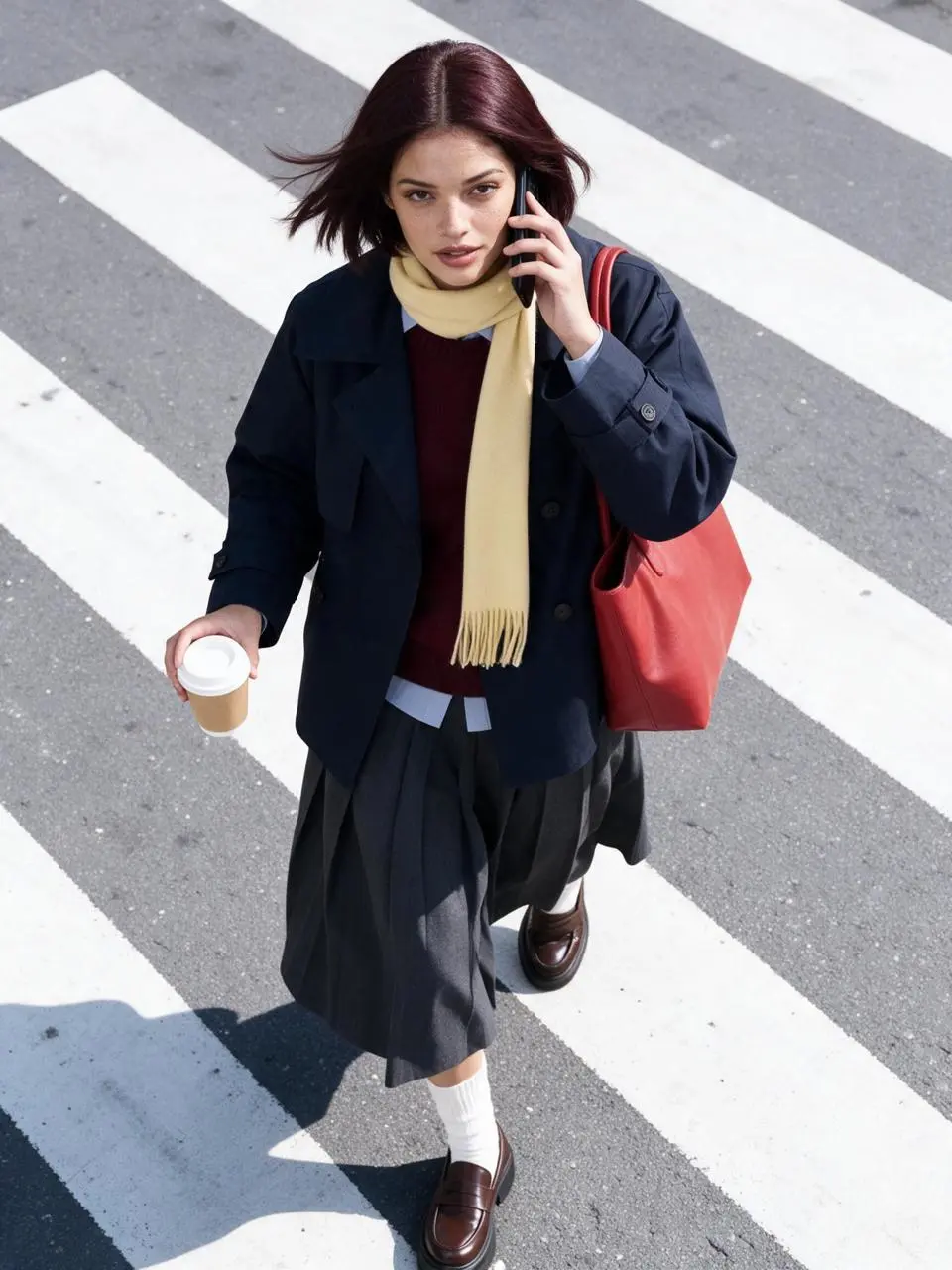
WeShopの生成結果:コーヒーカップを手に横断歩道を渡る女性…
参照画像 1

衣服を保ちながら見せ方を変える

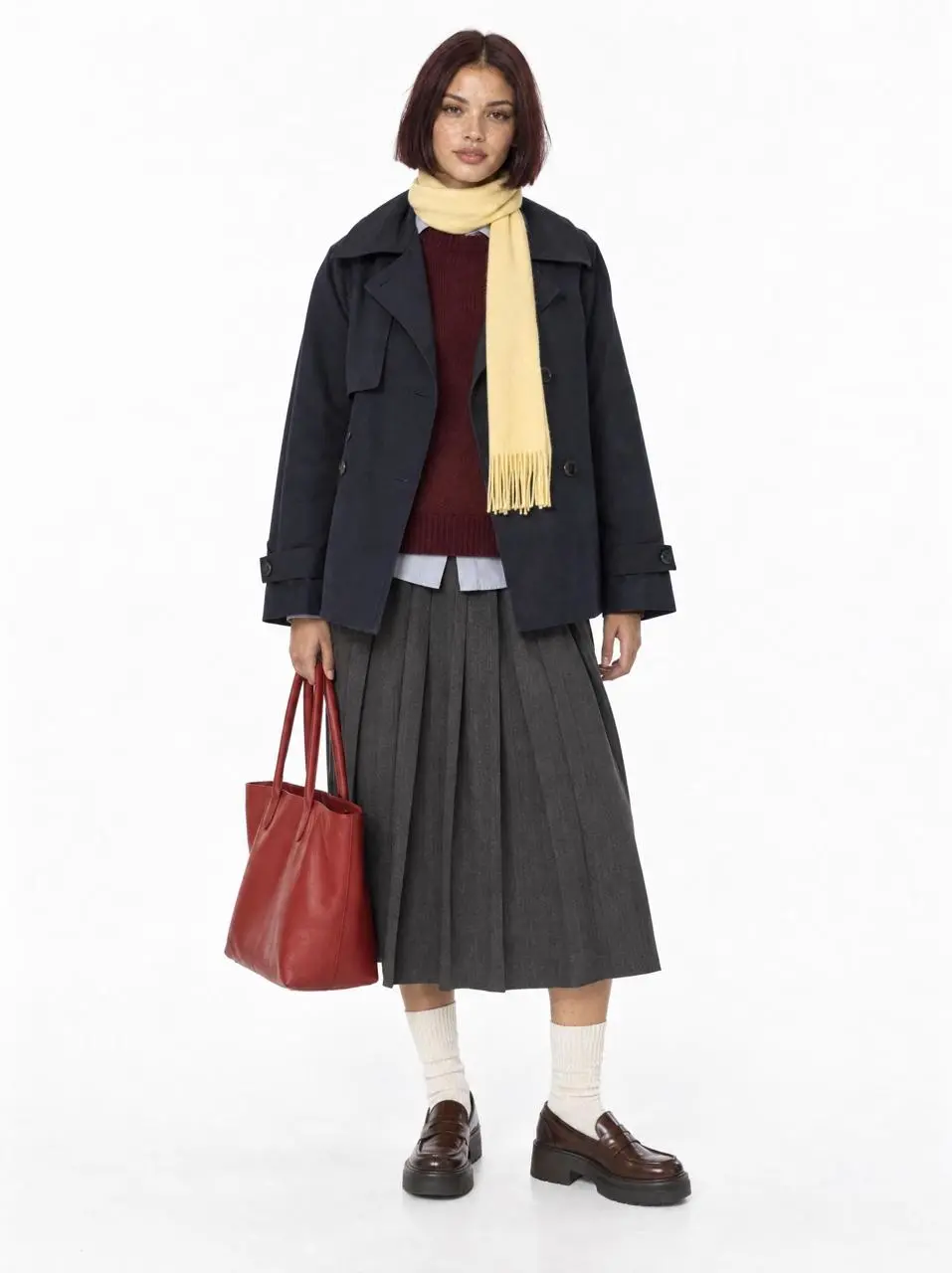
アップロードされたモデルを人物と服装の参照にし、残したい重ね着、靴、スカーフ、赤いトートバッグを列挙しています。新しい見せ方は指示の残りも読んでください。これは被写体を保つ編集であり、部分的な色替えだけではありません。

Use the uploaded white-background model photo as the exact identity and outfit reference. Preserve the same fictional woman and every clothing color, layer, shoe, scarf and tomato-red tote. High-angle overhead fashion street photograph on a diagonal zebra crossing in natural hard daylight. She is mid-step, holding a black phone to one ear and a plain takeaway coffee in the other hand, turning her face up toward the camera as the trench hem and bob move in the breeze. The red tote hangs from her shoulder. Dynamic candid commuter moment, cool gray asphalt, bold white stripes, crisp shadow, subtle grain, commercial editorial realism, sharp focus. No readable branding, no extra person, no text, no duplicated limbs or accessories.
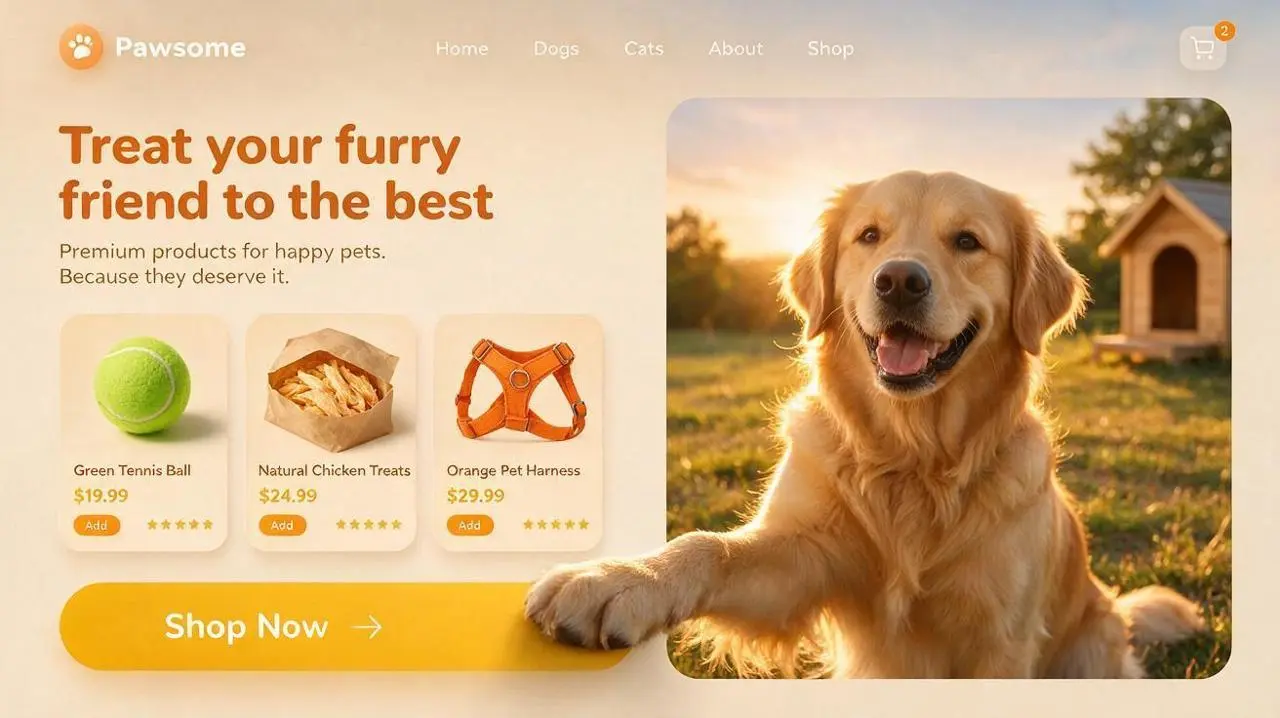
WeShopの生成結果:屋外の犬小屋のそばに座る幸せそうな犬とプレミアムな…

文言と情報の優先順位を決める

掲載する情報とデザイン内の位置を指定し、使用前に生成された文言を確認します。この事例の指示は次のとおりです:“Place a bold, dark orange English headline—"Treat your furry friend to the best"—with a short subheading underneath.”

Generate a 16:9 widescreen UI concept image for a pet e-commerce website, suitable for pet brands and Shopify pet stores. At the top, feature a clean navigation bar: a circular paw-print logo and the brand name "Pawsome" on the left; "Home," "Dogs," "Cats," "About," and "Shop" displayed sequentially in the center; and a shopping cart icon with a quantity indicator on the right. Use a creamy beige background for the left side of the page. Place a bold, dark orange English headline—"Treat your furry friend to the best"—with a short subheading underneath. Below the headline, arrange three floating product cards with rounded corners horizontally, showcasing: 1. A green tennis ball dog toy 2. Natural chicken pet treats 3. An orange pet harness Each card includes a clear product image, a short English product name, price, star rating, and a small "Add" button. The cards should utilize varying shades of orange and golden yellow, featuring soft, layered shadows. At the bottom left, place a large, golden-yellow, capsule-shaped button with rounded corners. The button text reads "Shop Now," accompanied by a simple arrow on the right. On the right side of the page, feature a large, rounded-corner photo of a Golden Retriever. The dog is set in a grassy field at sunset, illuminated by warm golden backlighting, with a friendly, natural expression; the background includes softly blurred trees and a pet house. Incorporate a distinct 3D interactive effect that spans layers: one of the Golden Retriever's front paws extends from the right image frame, crosses the boundary between the image area and the left content area, and rests upon the "Shop Now" button. The dog's paw must be positioned in the foreground—overlapping both the image frame and the button—and convey realistic weight through contact shadows, fur edge details, and a slight pressing effect, clearly indicating that the paw is actively pressing the button. The overall color palette features warm sunset tones, dominated by creamy beige, orange, and golden yellow. The design employs rounded cards, soft layered shadows, clear information hierarchy, and a refined pet e-commerce UI style. Keep the page clean, balanced, and easy to read. Avoid adding superfluous navigation, irrelevant buttons, human figures, watermarks, garbled text, or decorations unrelated to pet e-commerce.
WeShopの生成結果:桃をイメージしたスキンケアとピンクの背景でポーズをとる女性…

見える素材を説明する

表面や素材の具体的な細部で、求める見た目を指定します。この事例の指示は次のとおりです:“The lighting is bright and even, with pastel pink tones, smooth skin texture, and a polished Korean skincare advertisement style.”

A bright commercial skincare image featuring a young female model seated behind a white tabletop with a soft pink background. She has long black wavy hair, clean glowing makeup, and wears a light pink camisole. She smiles gently at the camera while holding a pale pink skincare tube upright beside her face. Several matching skincare tubes are arranged across the table, surrounded by fresh peach props with green leaves, reinforcing a peach-themed beauty concept. The overall mood is fresh, sweet, clean, and youthful. The lighting is bright and even, with pastel pink tones, smooth skin texture, and a polished Korean skincare advertisement style.
使い方

Seedream 5.0 Proで最初の画像を作る

Seedream 5.0 Proの選択と、下記の入力経路から始めます。送信前に、利用可能な設定とポイントを確認してください。

このモデルに必要な入力を用意する

情報の優先順位を説明するか、編集の元画像をアップロードします。対象の領域と置き換え内容を示し、保存事例で必要な参照画像をフォームが受け付けるか確認してください。

利用可能な設定とポイントを確認する

サイズ表記:1K, 2K. アスペクト比:Auto, 1:1, 2:3, 3:2, 4:3, 3:4, 16:9, 9:16, 21:9. これらは選択できる設定であり、固定のピクセル寸法やファイル形式を保証するものではありません。実際の寸法は元の出力で確認してください。送信前に、表示ポイントとプランで使えるモデルを確認してください。

結果を開いて確認する

画面やパッケージの文字を校正し、編集領域を元画像と比較します。肌、素材、形状も確認してください。細かな位置の指示があっても、ピクセル単位の一貫性の証明にはなりません。

モデルの選択

自分のタスクに合うSeedreamは?

記載された情報量の多いデザインや位置指定編集を重視するならPro、指示の理解や視覚的な関係ならLiteを比較します。モデル名を画質順位と捉えず、実際のWeShopの設定と用途を代表する結果で判断してください。公式の位置づけ、記録されたWeShopの構成、現在選択中のフォームは別であり、画質や速度の実測順位を示すものではありません。

比較項目Seedream 5.0 LiteSeedream 5.0 Pro
モデルの役割指示の推論と視覚情報の組み合わせ情報量の多いデザイン・空間を指定する編集・写実表現
ページに記載された入力参照写真から始める; 文章から制作する参照写真から始める; 文章から制作する
現在の WeShop オプション画像サイズ:2K, 3K画像サイズ:1K, 2K
モデルの役割
Seedream 5.0 Lite
指示の推論と視覚情報の組み合わせ
Seedream 5.0 Pro
情報量の多いデザイン・空間を指定する編集・写実表現
ページに記載された入力
Seedream 5.0 Lite
参照写真から始める; 文章から制作する
Seedream 5.0 Pro
参照写真から始める; 文章から制作する
現在の WeShop オプション
Seedream 5.0 Lite
画像サイズ:2K, 3K
Seedream 5.0 Pro
画像サイズ:1K, 2K

Seedream 5.0 Proを検討する場面

目的に合わせてモデルを選ぶ

情報量の多い指示、位置を指定した編集、写実的な表面を重視する場合にProを検討します。指示理解を重視するLiteとも比較してください。

ほかの画像モデル

ほかの画像モデルを見る

関連モデルのページで、能力、作例、現在の生成オプションを確認できます。

よくある質問

Seedream 5.0 Proのよくある質問

このバージョンの概要、入力、始め方についての回答です。

Seedream 5.0 Proとは?

Seedream 5.0 Proは、情報量の多いデザイン、位置を指定する編集、写真やレンダリング表現に向けたByteDanceのマルチモーダル画像制作モデルです。

Seedream 5.0 Proはどんな用途に使える?

Proは、密度の高いデザイン指示、画像の部分変更、写実的な表現に使えます。飲料のレイアウトと色付きの枠を使う室内編集はデザイン例で、ポートレートは照明と表面表現を示します。いずれも図中の事実を検証するものではありません。

Seedream 5.0 Proにはどんな入力が必要?

新しい構成には文章を、編集には元画像を使います。印で位置を示す指示には、対応する元画像の注釈が必要です。フォームで使える入力数や種類は、公式モデルの全機能とは分けて判断します。

利用可能なサイズとアスペクト比の設定は?

サイズ表記:1K, 2K. アスペクト比:Auto, 1:1, 2:3, 3:2, 4:3, 3:4, 16:9, 9:16, 21:9. これらは選択できる設定であり、固定のピクセル寸法やファイル形式を保証するものではありません。実際の寸法は元の出力で確認してください。

Seedream 5.0 Proのプロンプトはどう書けばいい?

元のプロンプトは、印で示した位置と用意された画像で変更を指示しています。自分の入力に合わせて印を割り当て直してください。この事例の指示は次のとおりです:“Replace the elements markedImage 2 [%#[Image 2 at <point>435 426</point>]#%][%#[Image 2 at <point>454 575</point>]#%][%#[Image 2 at <point>662 510</point>]#%][%#[Image 2 at <point>232 510</point>]#%]i”ガイドで対応するプロンプト全文と実際の入力を読み、自分のタスクに合わせて調整します。

Seedream 5.0 Proと関連モデルの違いは?

記載された情報量の多いデザインや位置指定編集を重視するならPro、指示の理解や視覚的な関係ならLiteを比較します。モデル名を画質順位と捉えず、実際のWeShopの設定と用途を代表する結果で判断してください。

Seedream 5.0 Proは無料?料金はどう決まる?

現在の WeShop 料金ページでプランのモデル利用権限と利用枠を確認し、生成画面で選択した設定・数量の見積ポイントを確認してください。本ページはリクエストごとの固定価格を提示せず、他社の契約枠を WeShop に適用しません。

確認すべき制限は?

ByteDanceは、細かい文字とピクセル単位の編集の一貫性に残る制限を挙げています。正確な配置を指示しても、ピクセル単位で一致する結果は保証されません。画面やパッケージの文字を校正し、編集領域を元画像と比較します。肌、素材、形状も確認してください。細かな位置の指示があっても、ピクセル単位の一貫性の証明にはなりません。

このページの作例から何が学べる?

保存されたSeedream 5.0 Proの作例では、「装飾的な室内でのドレスのポートレート」「飲料商品のグラフィックレイアウト」「ネオンの部屋で色付きの枠を使う部分編集」を紹介しています。各結果を実際のプロンプトと利用可能な入力とともに確認してください。1つの事例は1つのリクエストを示すもので、結果の保証や成功率のベンチマークではありません。