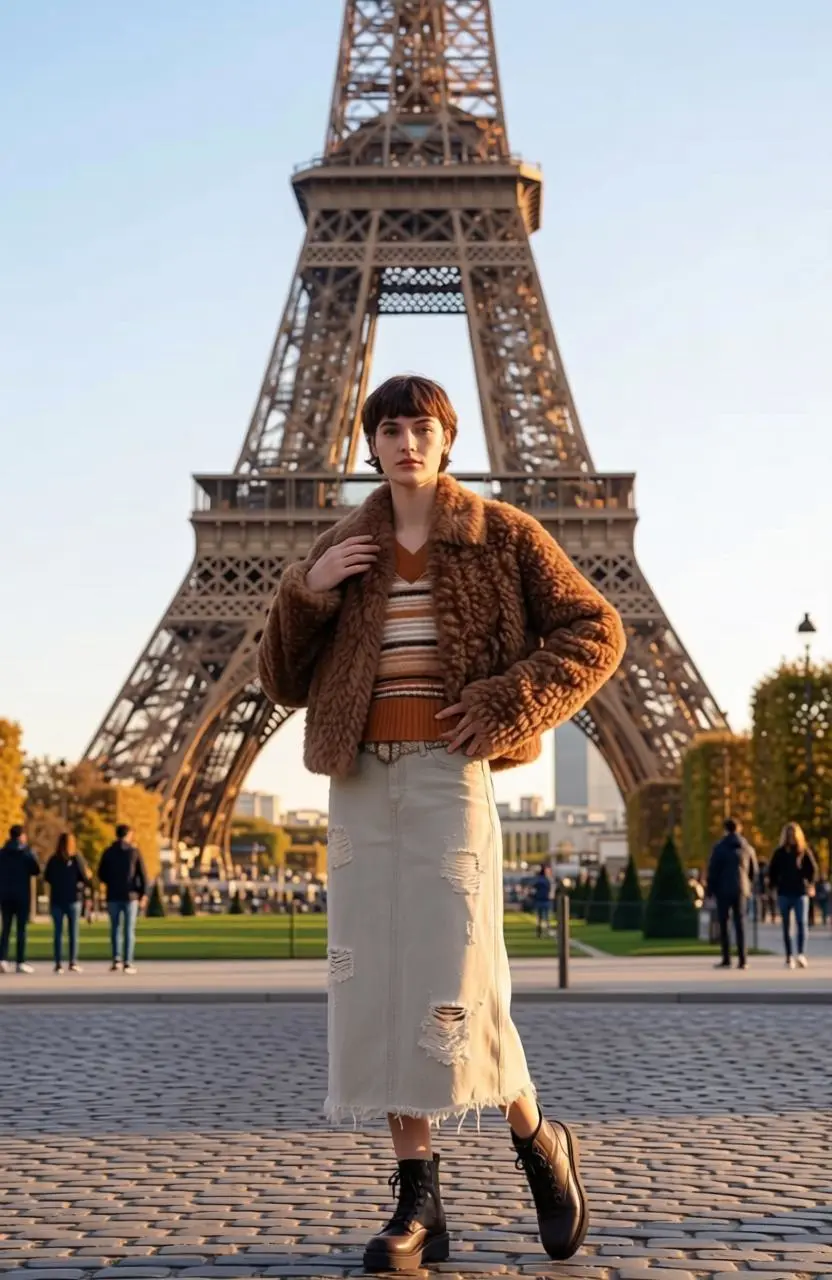
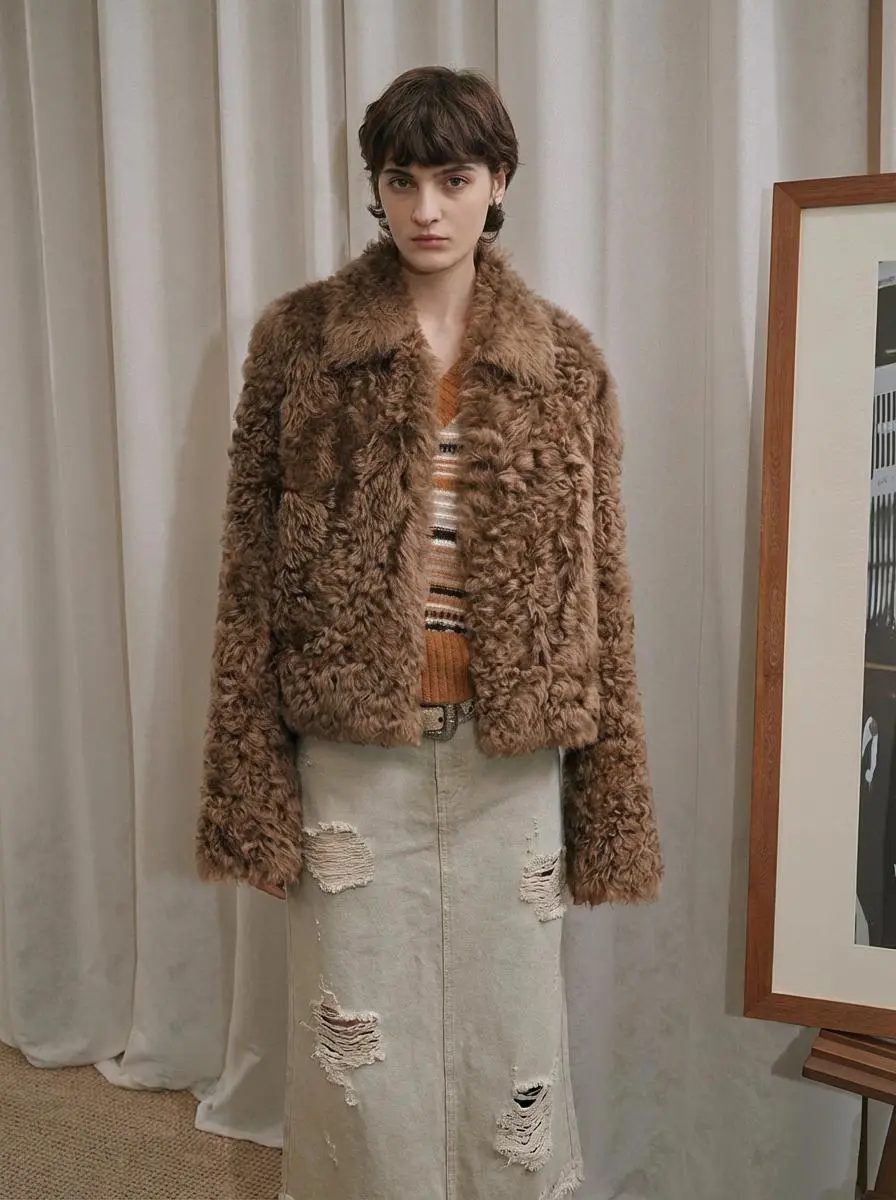
パリの新しい背景に置いたポートレート
参照のポートレートをパリの名所の場面に移し、ポーズを調整して、人物と新しい背景を分けて指定します。
Change the background, stand in front of the Eiffel Tower in Paris, France, and adjust your pose.

パリの新しい背景に置いたポートレート、光を変えた街の場面、ポートレートから作るワークショップのポスターをご覧ください。 各結果に実際の英語プロンプト、保存済み事例、利用可能な参照入力を掲載しています。
参照のポートレートをパリの名所の場面に移し、ポーズを調整して、人物と新しい背景を分けて指定します。
Change the background, stand in front of the Eiffel Tower in Paris, France, and adjust your pose.
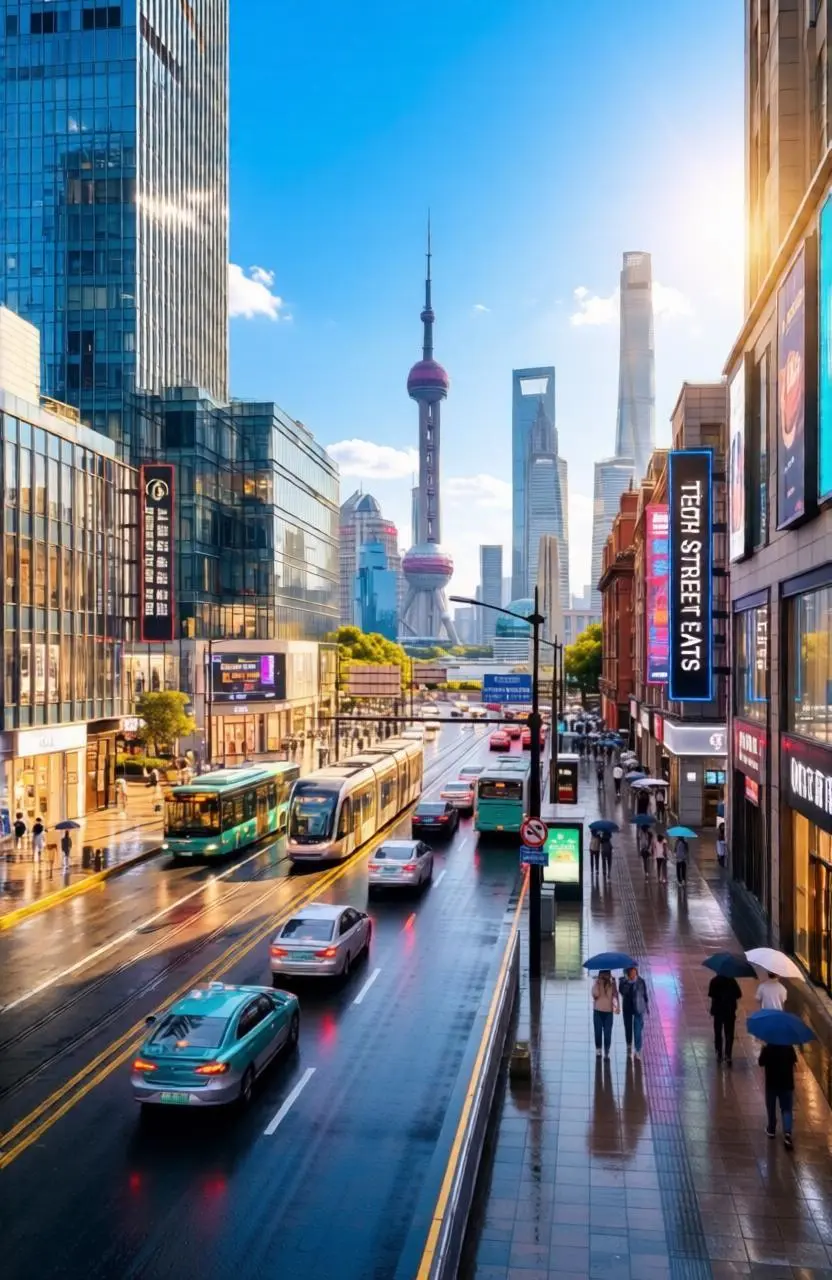
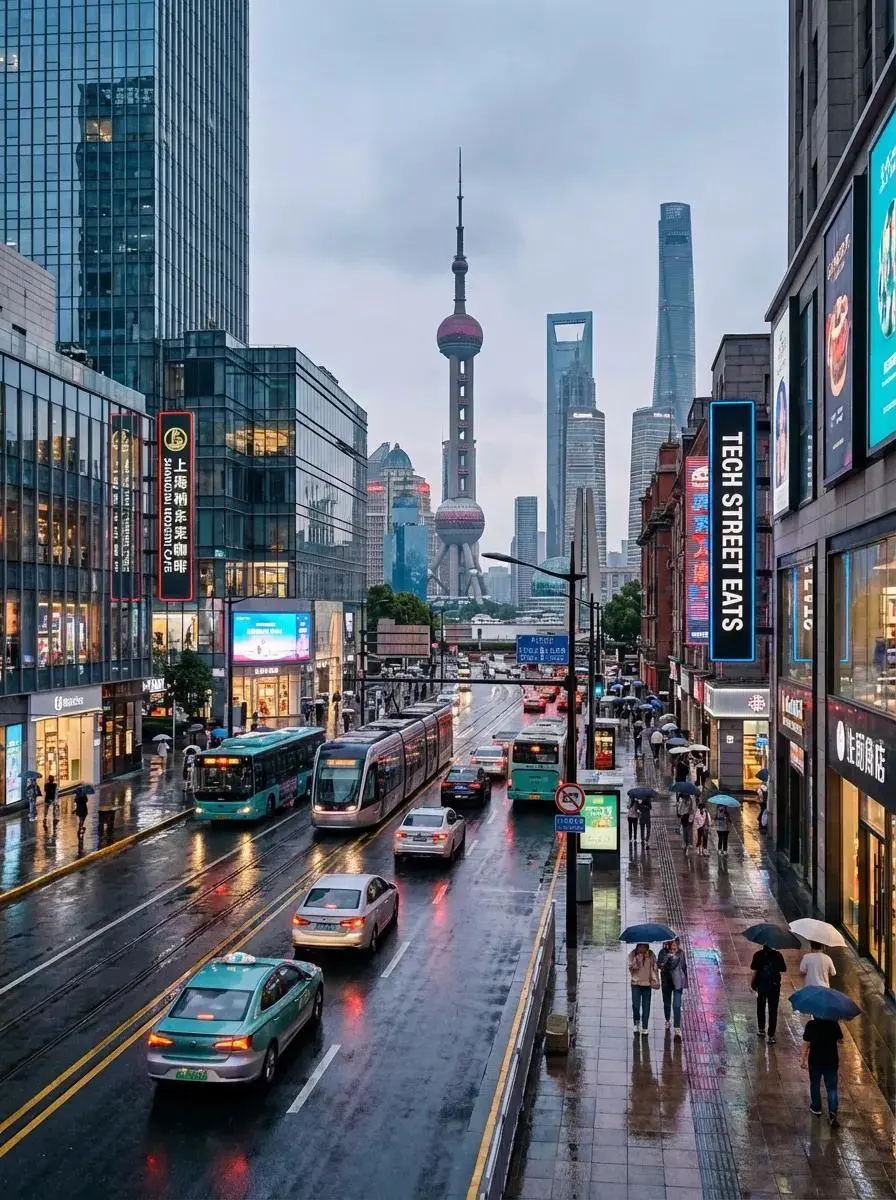
街の見た目が分かる状態を残すよう指定し、都市画像の光と雰囲気を晴れた表現に変えます。
Help me turn the city into a sunny, vibrant place without changing its appearance.
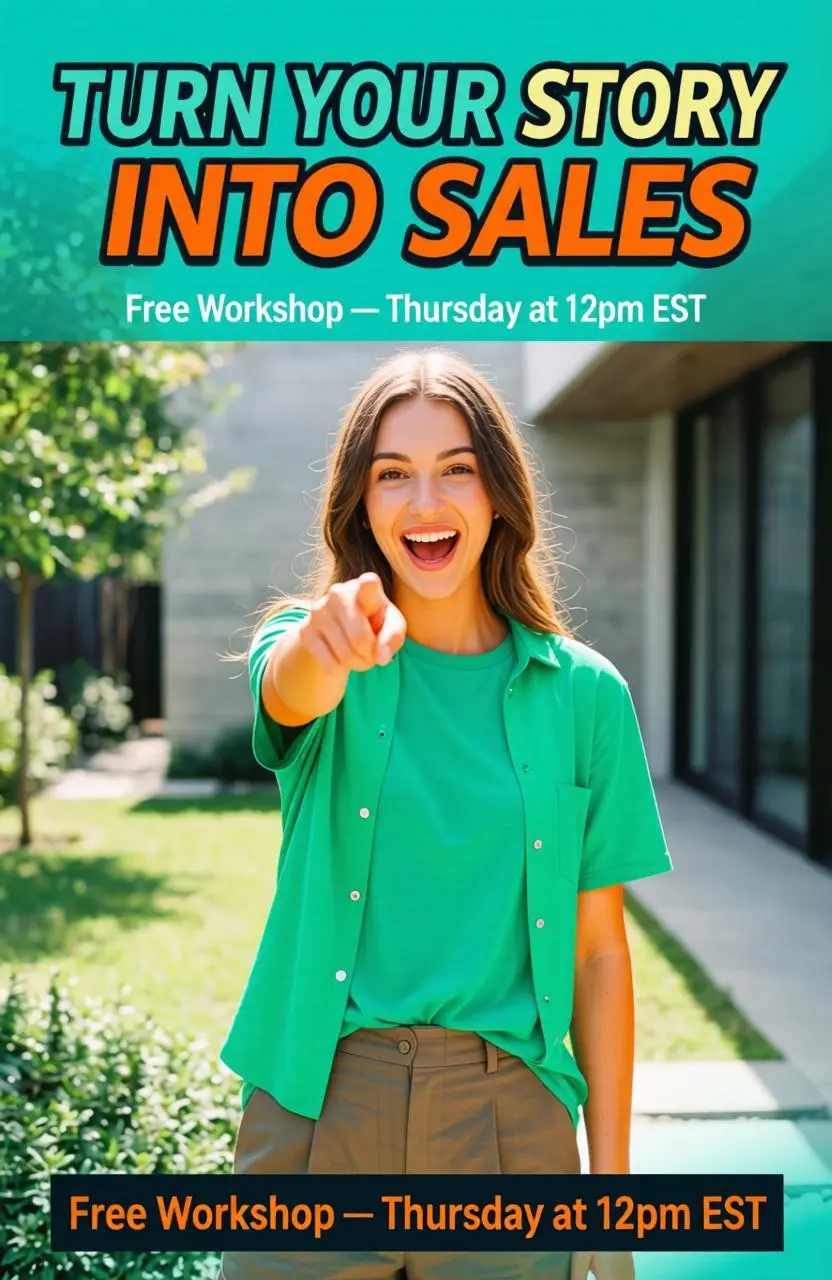
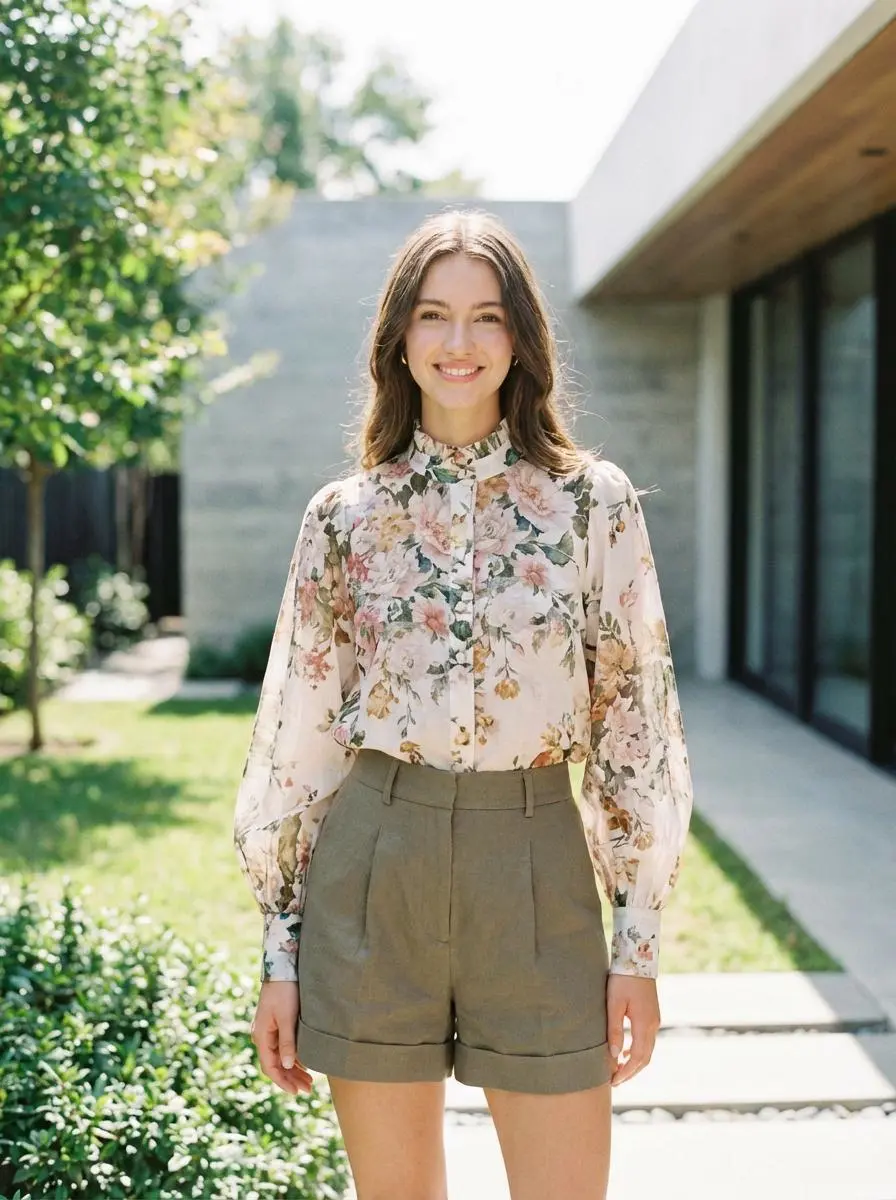
ポートレートを中心に、見出し、行動を促す文言、ポーズ、服装の指示を指定して宣伝ポスターを作ります。
- **Pose**: Pointing to the camera, energetic smile - **Apparel**: T-shirt + button-up - **Text**: - Title: *“Turn Your Story into Sales”* - CTA: *Free Workshop — Thursday at 12pm EST* - **Theme**: Actionable and vibrant - **Colors**: Bright teal, orange - **Vibe**: Friendly and bold
Qwen-Image-Edit は Qwen の指示ベースの画像編集モデルです。初代リリースは見た目の変更、意味の変換、中国語・英語の文字編集を区別しています。 Qwen-Image-Edit は既存画像の見た目、意味、画像内の中国語・英語の文字を変更する用途に使えます。パリのポートレート、照明を変えた街、ポートレート起点のポスターは、元画像と比べて確認できる異なる変更の例です。
残したい周囲の細部を指定しながら、要素を追加・削除・変更します。
元画像を使って意図する被写体の意味を保持しつつ、スタイルや物体の見せ方を変えます。
公式リリースは中国語と英語の文字編集を説明しています。変更する正確な文字とスタイルを指定してください。
新しい画像はテキストで説明します。既存の画像を編集する場合は、元の画像と編集指示を用意します。
作成したい画像の被写体、背景、ビジュアルスタイルを説明します。元の画像をアップロードする必要はありません。
編集したい画像をアップロードし、変更したい内容と残したい細部を説明します。
参照画像を使った4つの編集例と、テキストだけで作成した灯台の風景をご覧ください。実際の入力と結果を比較し、元の英語プロンプト全文を確認できます。
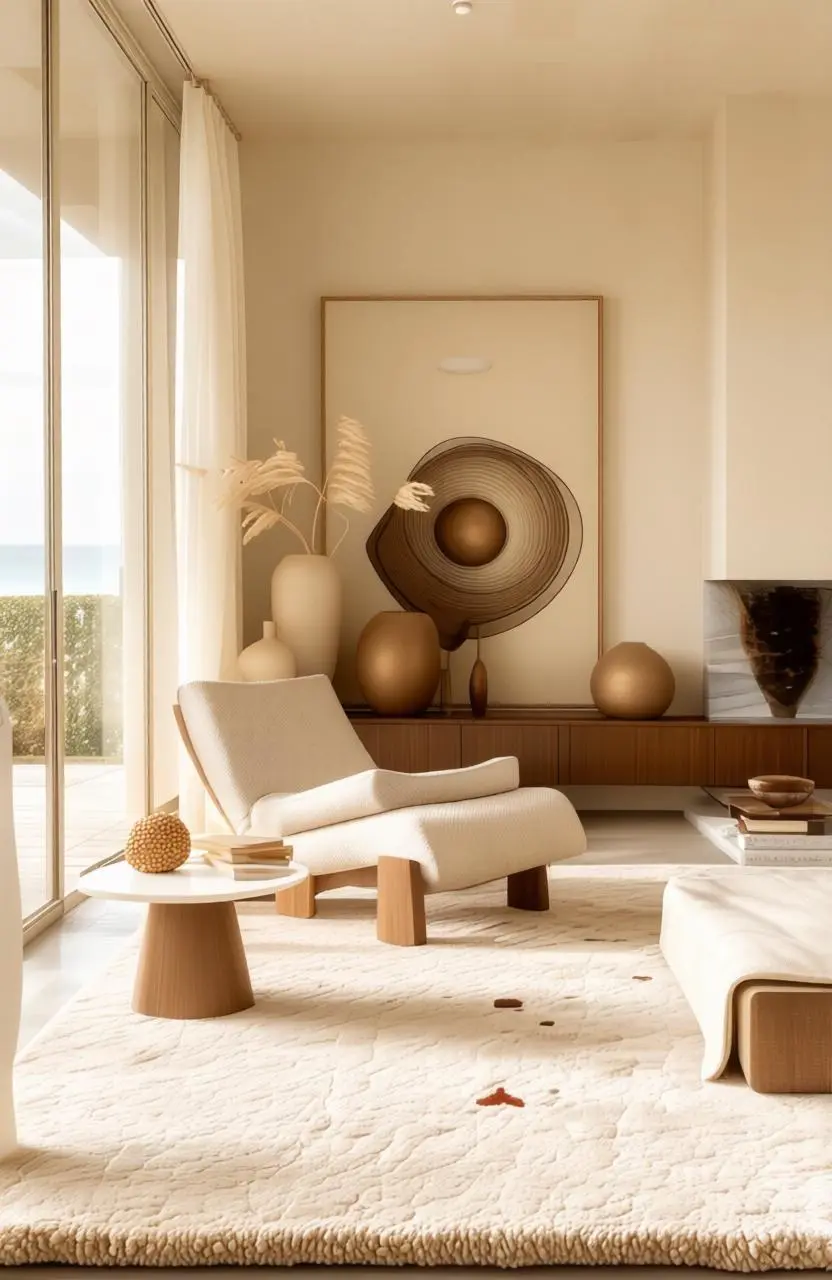
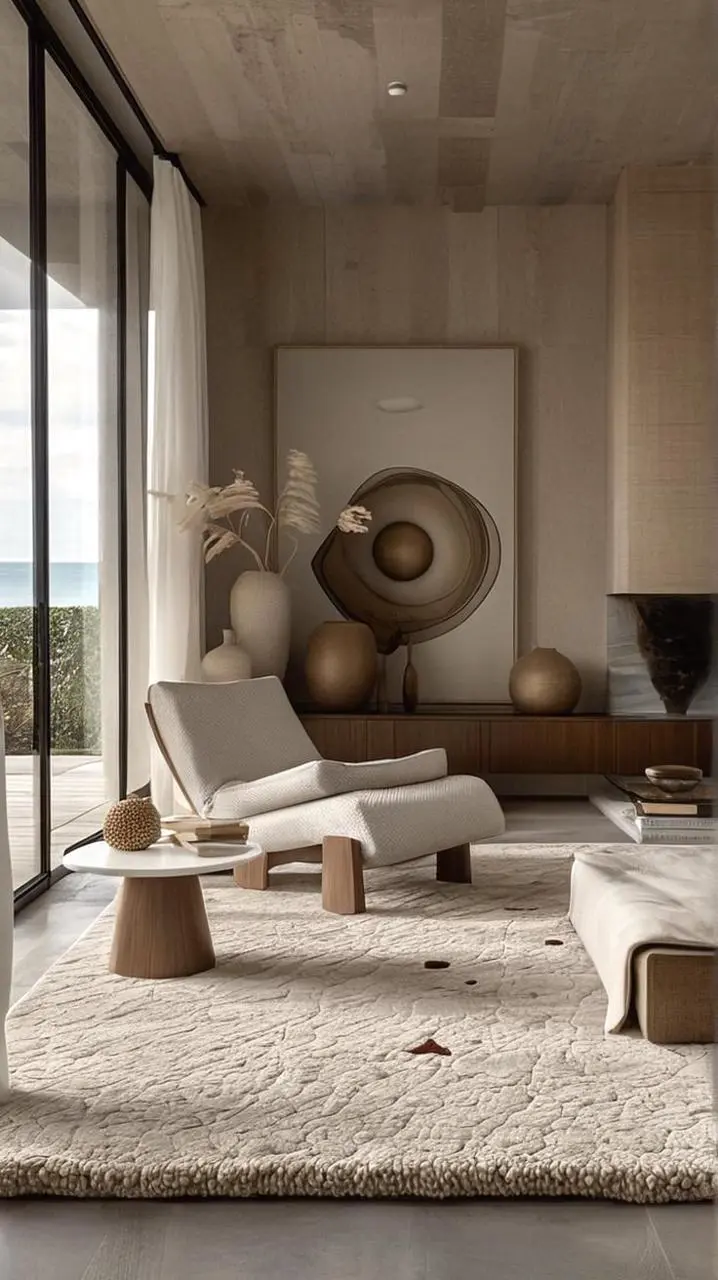
画像が提供する被写体や構図と、求める変換を区別します。この事例では:“Generate a creamy French-style effect from my uploaded image with one click, keeping the objects in the scene unchanged.”
Generate a creamy French-style effect from my uploaded image with one click, keeping the objects in the scene unchanged.
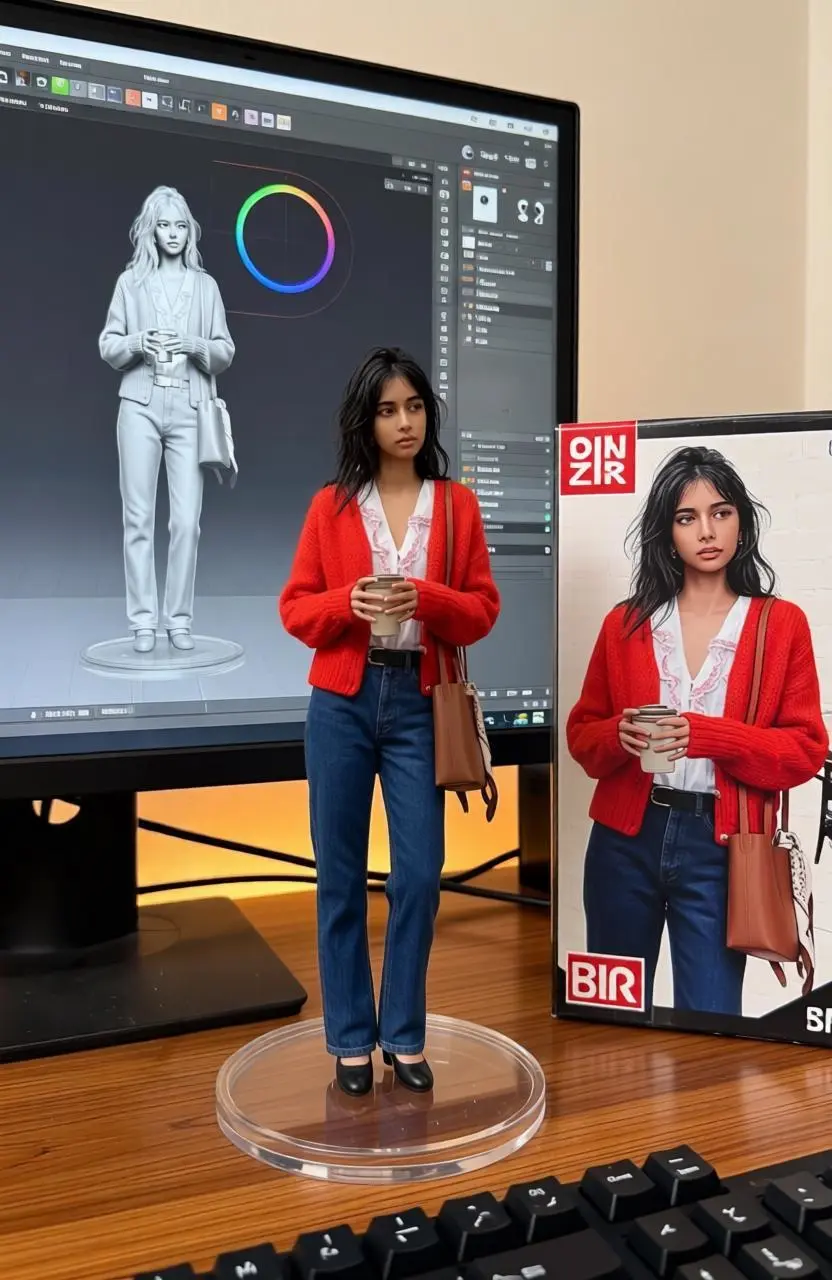
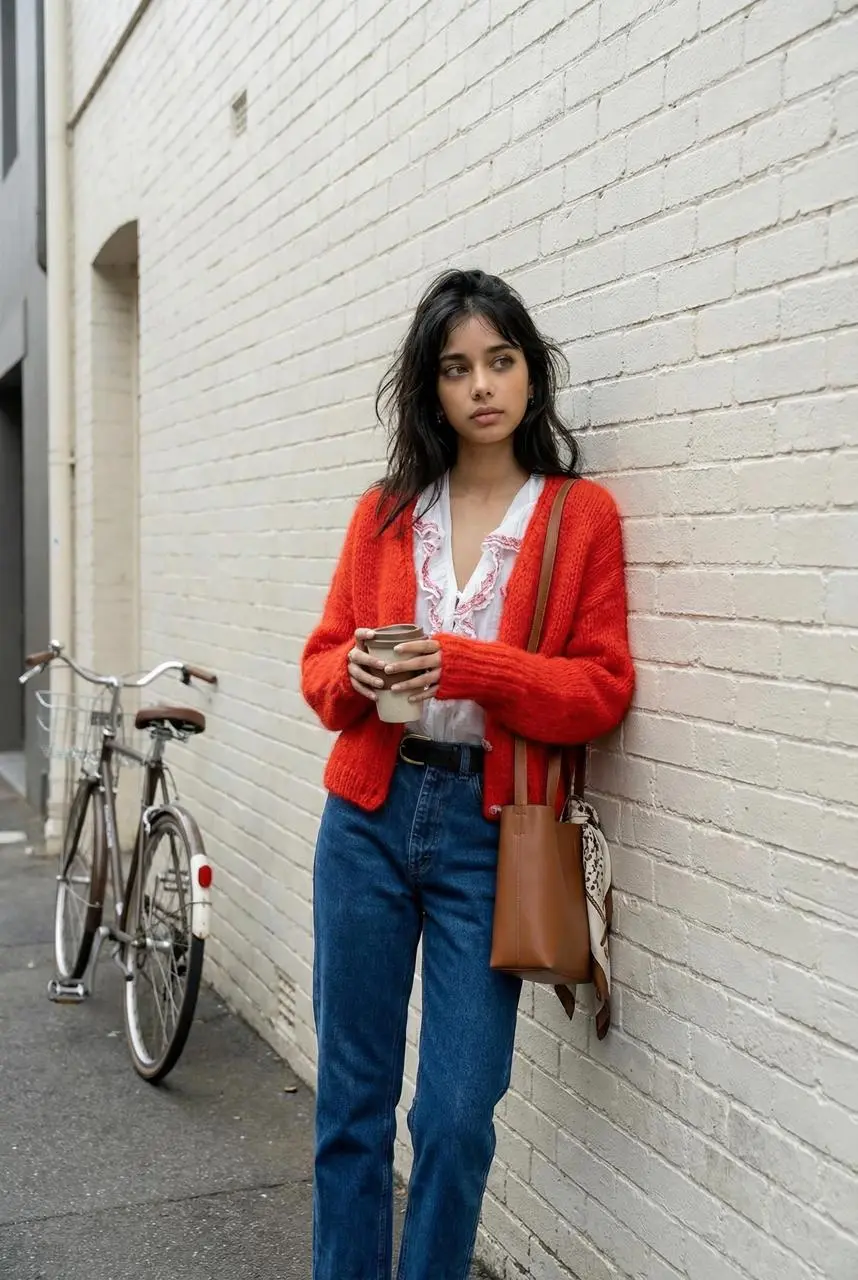
被写体の見える細部と画像内の位置を説明します。この事例では:“A commercially available figure of the character from the illustration is produced in 1/7 scale, featuring a realistic style and environment.”
A commercially available figure of the character from the illustration is produced in 1/7 scale, featuring a realistic style and environment. The figure is positioned on a computer desk with a round, clear acrylic base that has no text. The ZBrush modeling process of the figure is shown on the computer screen. Beside the computer screen, a BANDAI-style toy box printed with the original illustration is placed.
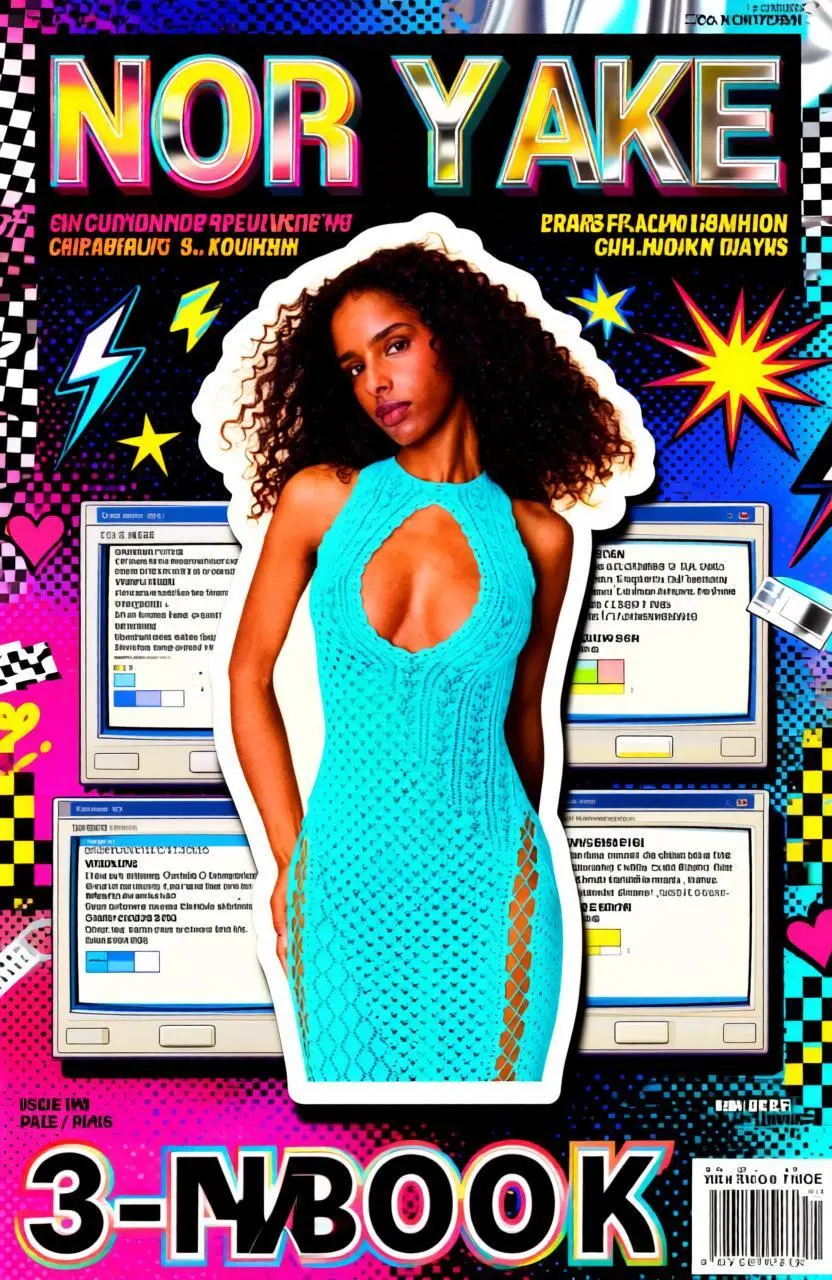
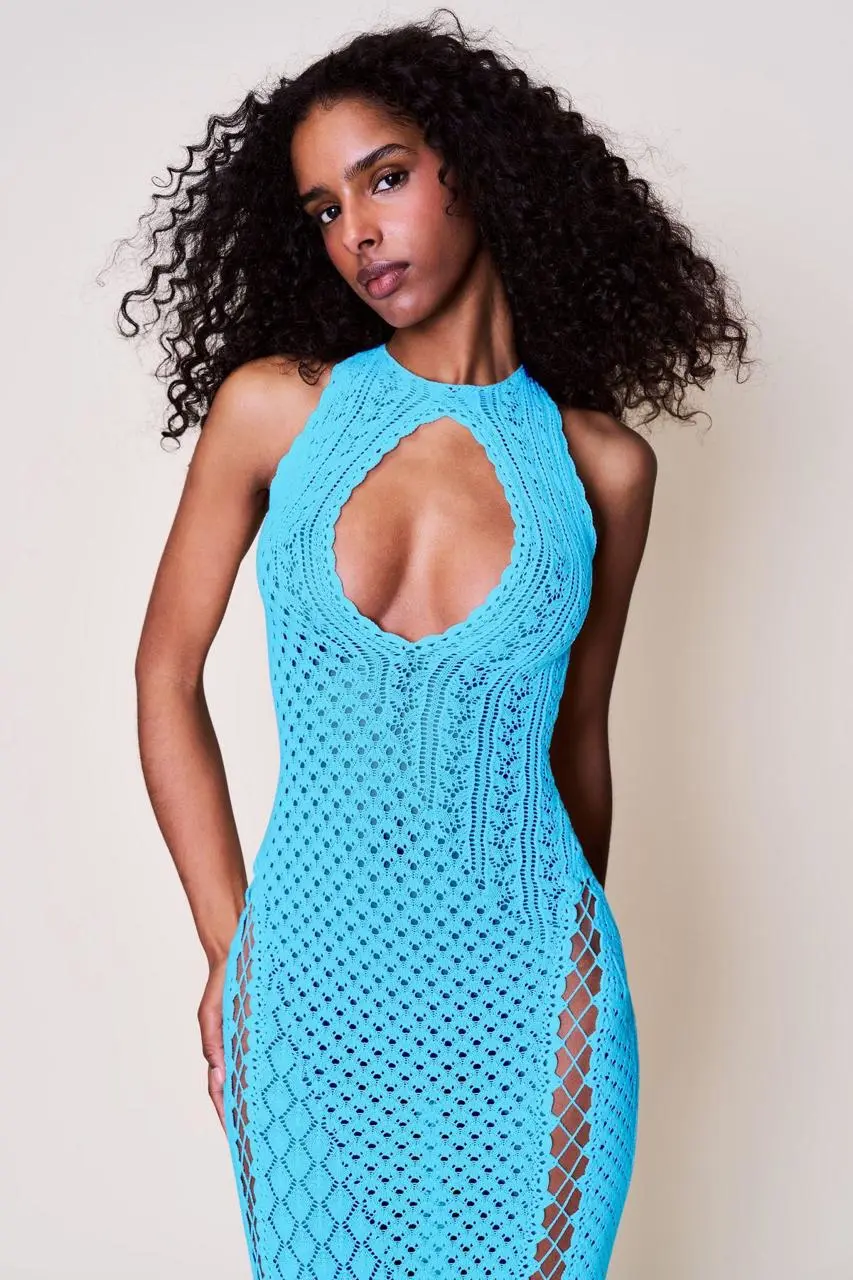
ポートレートを中心の切り抜きとして指定し、周囲にグラフィックのレイヤーを配置します。この指示は白いステッカーの縁、薄い影、ネオンのアクセント、レトロな画面ウィンドウを使い、人物を目立たせます。
Convert the uploaded photos into a Y2K collage-style magazine cover poster. Keep the identity features and expressions of the main subject consistent, with the main subject clearly and prominently displayed, like being cut out and turned into a sticker placed in the center of the picture, with clean white borders and slight shadows, with distinct layers, with the main subject having the highest priority, and not being obscured. Color scheme rules: Extract the color from the main subject's largest proportion in the uploaded photo and enhance it to a higher saturation and brighter Y2K neon version; then automatically pair a set of strong contrasting colors / adjacent colors / complementary colors as embellishments for the title, stickers, and UI windows. Background uses common Y2K elements combinations: neon gradients, dot halftones, pixel textures, shiny plastic / chrome reflective textures; make a collage decoration around the edges but without competing with the main subject: hand-drawn graffiti lines, stars, hearts, lightning, checkered patterns, exploding star rays, tape stickers, arrows, sticker borders, etc., with high information density but in an orderly manner. Generate the publication name at the top (please design appropriate title text based on the nature of the subject, in English, bold, 3D border, candy color or metallic chrome effect). Generate several short subheadings / slogans above and on the sides of the picture (automatically randomly created, in English, please design appropriate subheading text based on the nature of the subject, short and powerful, like magazine cover copy). Generate a large main title at the bottom (please design appropriate text based on the nature of the subject, 3-6 words, in English, all in capital letters). Generate a magazine information module in the corners: issue number / date / price / small labels, and add a clear barcode area. Retro Windows elements: Overlay multiple layers of Windows 98 / Windows XP era-style window collages around the main subject. The text content and prompt information in the windows are randomly generated, but in line with the tone and layout of the system prompts from that era (in English, short sentences, prompts, percentages, paths, dialog box buttons, etc.), overall realistic and credible. Overall texture leans towards the trendy poster printing and scanning style: slight particles, a little misalignment / overlay effect, sharp edges, strong contrast, bright color grading, high-contrast highlights. The overall picture is clear, clean, and has layers, suitable for magazine covers.
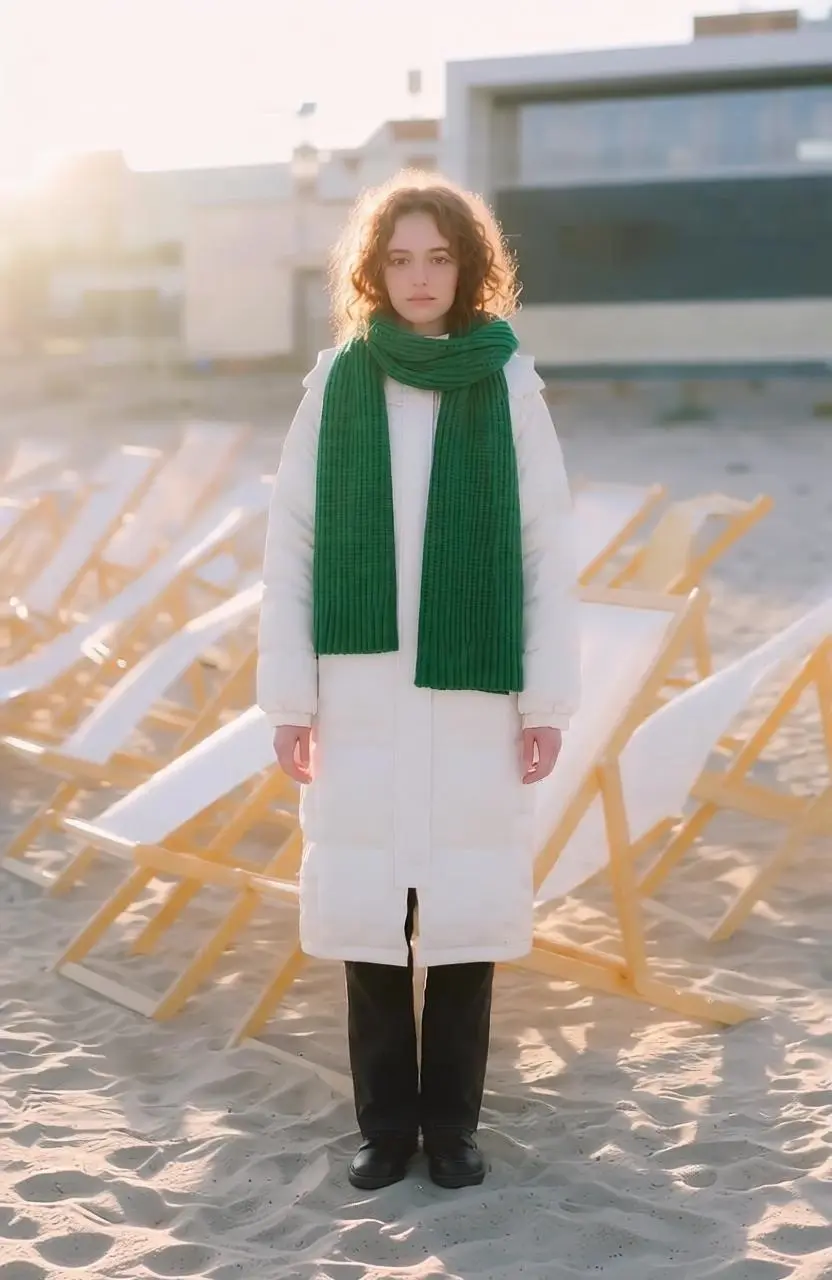
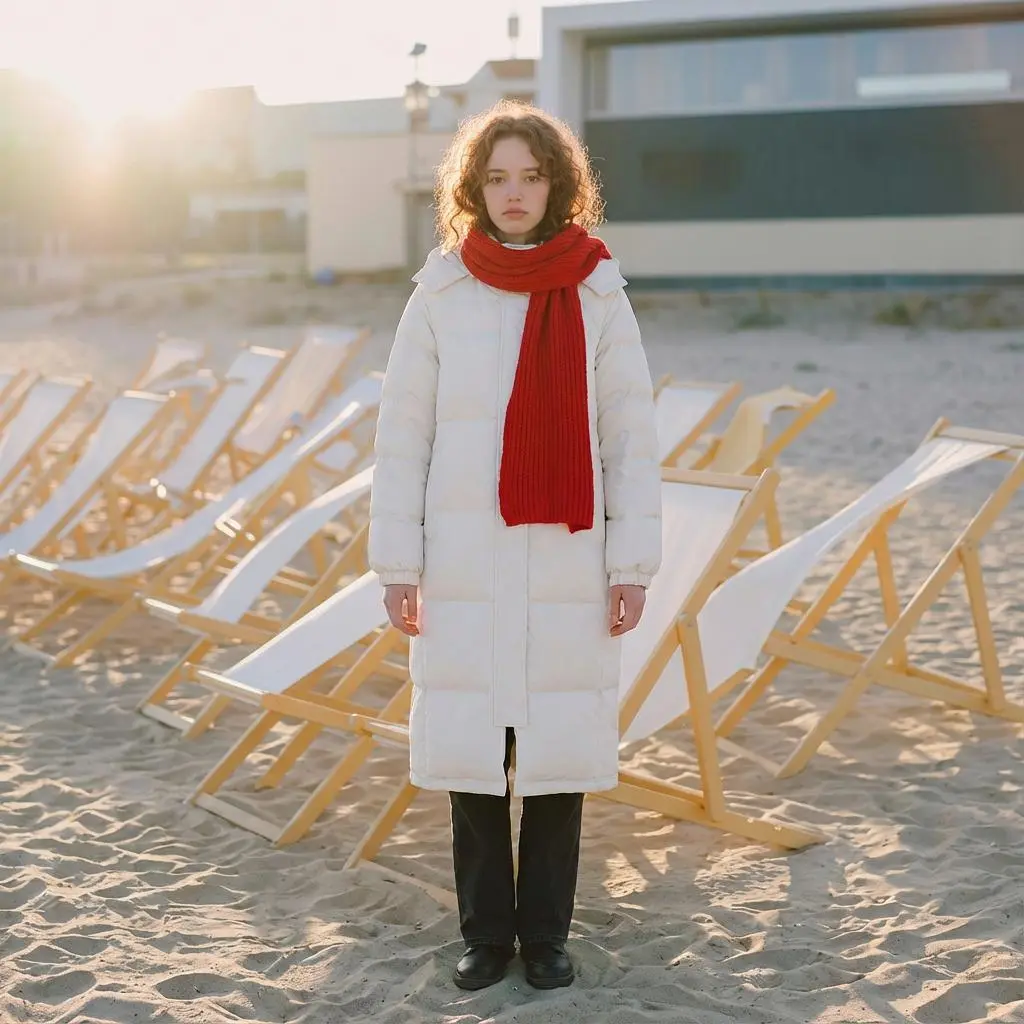
全面的なスタイル変更ではなく、対象物と変更後の色を指定します。この事例では:“Change to a green scarf.”
Change to a green scarf.
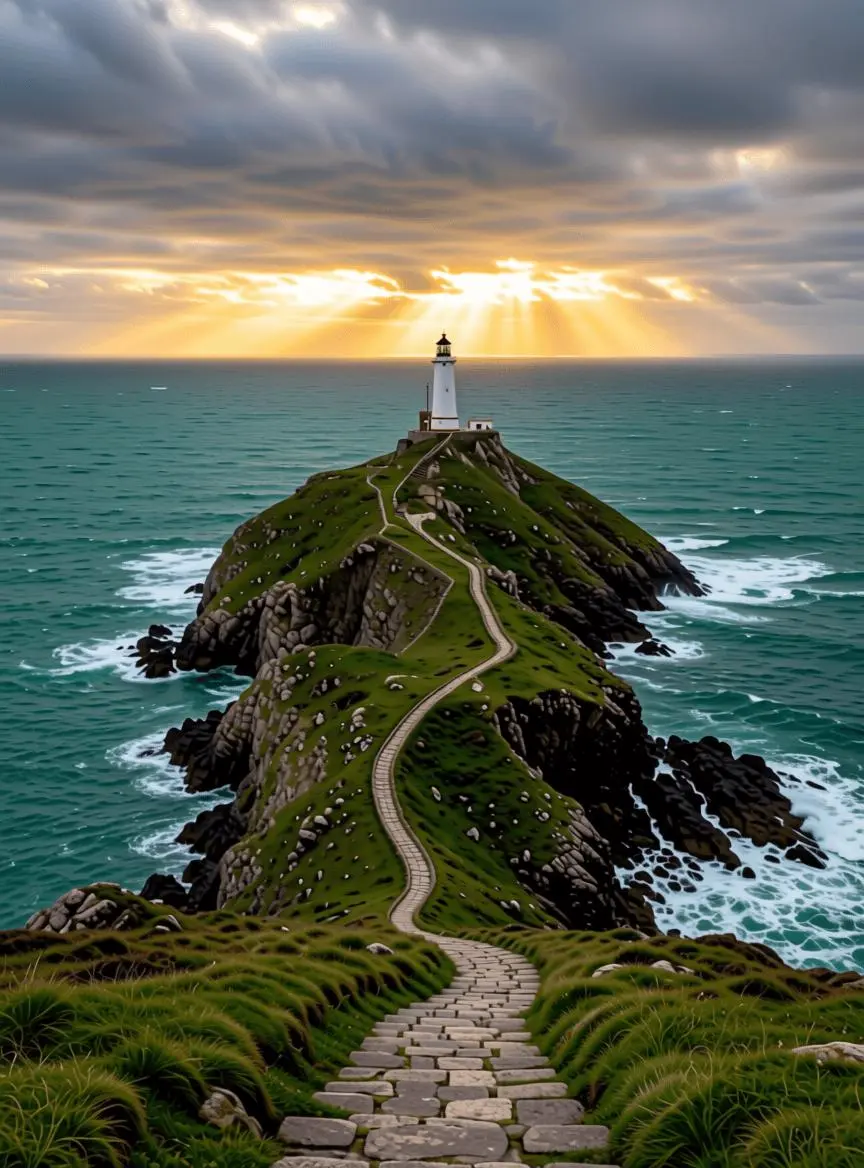
このリクエストでは参照画像をアップロードしていません。プロンプトには、白い灯台、緑の岬、灯台へ続く石畳の道、青緑の海、嵐の雲から差し込む金色の光が記されています。結果に描かれた各要素と、前景から水平線までの奥行きを確認し、プロンプト全文から新しい場面の説明方法を読み取れます。
A solitary white lighthouse on a rugged green headland above a deep teal sea just after a storm. A winding stone path leads from the bottom foreground to the lighthouse in the upper third. Golden sunlight breaks through layered gray clouds, and white waves foam against dark rocks. Photorealistic landscape photography, detailed natural textures, a clear foreground, middle ground and distant horizon. Vertical composition. No people, lettering, logos, border or watermark.
Qwen Image Edit を選択し、以下の入力手順から始めてください。送信前に利用可能な設定とポイントを確認します。
新しい画像ならテキストの説明から始め、編集なら対象の画像をアップロードします。編集では、変更する内容と、人物、物体、レイアウトのどの特徴を認識できる状態で残すかを指定してください。
現在の設定応答では、サイズを個別に選べることは確認できません。ファイル形式や寸法が固定と考えず、利用可能なフォームと元の出力を確認してください。 送信前に表示ポイントとプランのモデル利用権限を確認してください。
変更領域と境界を元画像と比較してください。ポスターや文字編集では、指定文字が正確に再現されたと思い込まず、文言と配置を校正します。
関連モデルのページで、能力、作例、現在の生成オプションを確認できます。
このバージョンの概要、入力、始め方についての回答です。
Qwen-Image-Edit は Qwen の指示ベースの画像編集モデルです。初代リリースは見た目の変更、意味の変換、中国語・英語の文字編集を区別しています。
Qwen-Image-Edit は既存画像の見た目、意味、画像内の中国語・英語の文字を変更する用途に使えます。パリのポートレート、照明を変えた街、ポートレート起点のポスターは、元画像と比べて確認できる異なる変更の例です。
初代 Qwen-Image-Edit は、見た目や意味の変更に加え、中国語と英語の文字編集を説明しています。置換後の正確な文字を指定し、結果を確認してください。
WeShop AIでは、テキストの説明から新しい画像を作成するか、画像をアップロードして希望する編集を記述できます。既存の画像を変更する場合は画像が必要です。テキストのみの作成は画像なしで始められます。
現在の設定応答では、サイズを個別に選べることは確認できません。ファイル形式や寸法が固定と考えず、利用可能なフォームと元の出力を確認してください。
現在の WeShop 料金表には、このモデルの上限付き無料枠があります。アカウントの利用権限と残り枠を確認し、選択したリクエストの見積ポイントを確認してください。本ページは固定の単価を提示せず、他社の契約枠を WeShop に適用しません。
本ページのバージョン表記のない名称は、後発の Qwen-Image-Edit チェックポイントやその全機能が導入済みである証拠ではありません。変更領域と境界を元画像と比較してください。ポスターや文字編集では、指定文字が正確に再現されたと思い込まず、文言と配置を校正します。
保存済みリクエストではパリの新しい背景に置いたポートレート、光を変えた街の場面、ポートレートから作るワークショップのポスターを紹介しています。 実際のプロンプトと参照の役割を結果と併せて確認してください。個々の作例は成功率の測定や完全な保持の保証ではありません。
元画像を使う作業には、この初代編集項目を選択できます。後発の Qwen 編集チェックポイントには別途の特定と製品上の根拠が必要です。バージョン表記のない本ページから、その機能が使えるとは判断できません。
画像が提供する被写体や構図と、求める変換を区別します。この事例では:“Generate a creamy French-style effect from my uploaded image with one click, keeping the objects in the scene unchanged.” ガイドで組み合わされた完全なプロンプトと実際の入力を読み、自分の目的に合わせて調整してください。