モデル画像モデルNano Banana 2 AI画像生成
NANO BANANA 2の画像モデル

Nano Banana 2 AI画像生成

Nano Banana 2はGoogleのGemini 3.1 Flash Imageモデルで、効率的な画像生成と対話による編集に位置づけられています。

nano2
NANO BANANA 2の作例

Nano Banana 2の画像作例

Nano Banana 2は「参照人物の異なる視点と表情」「スクーターを使ったファッションポートレート」「参照画像に基づく香水写真」の作例で確認できます。保存された各事例は、実際のプロンプトと利用可能な入力を保持しています。自分の被写体に合わせて指示を変える前に、結果を確認してください。

WeShopの生成結果:さまざまなポーズと表情で描かれた女性…
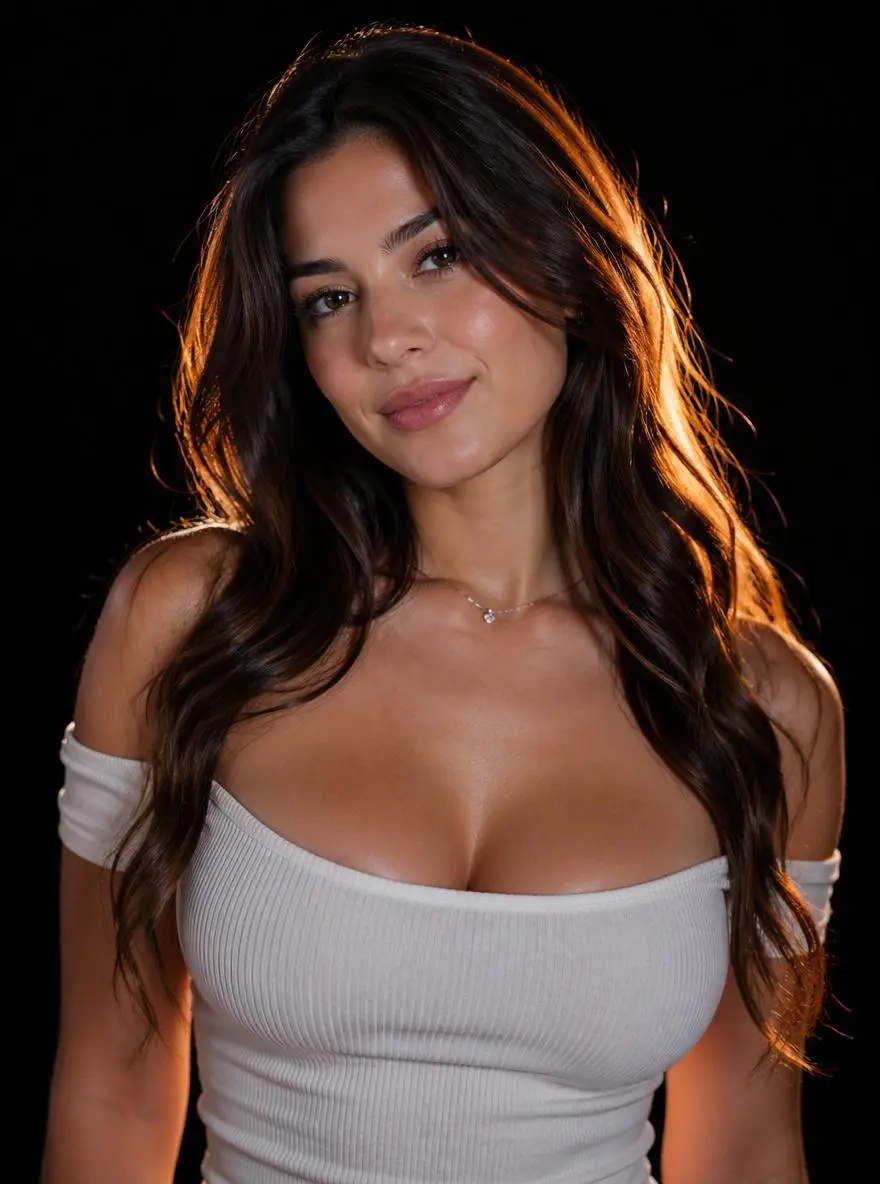
参照画像 1

参照人物の異なる視点と表情

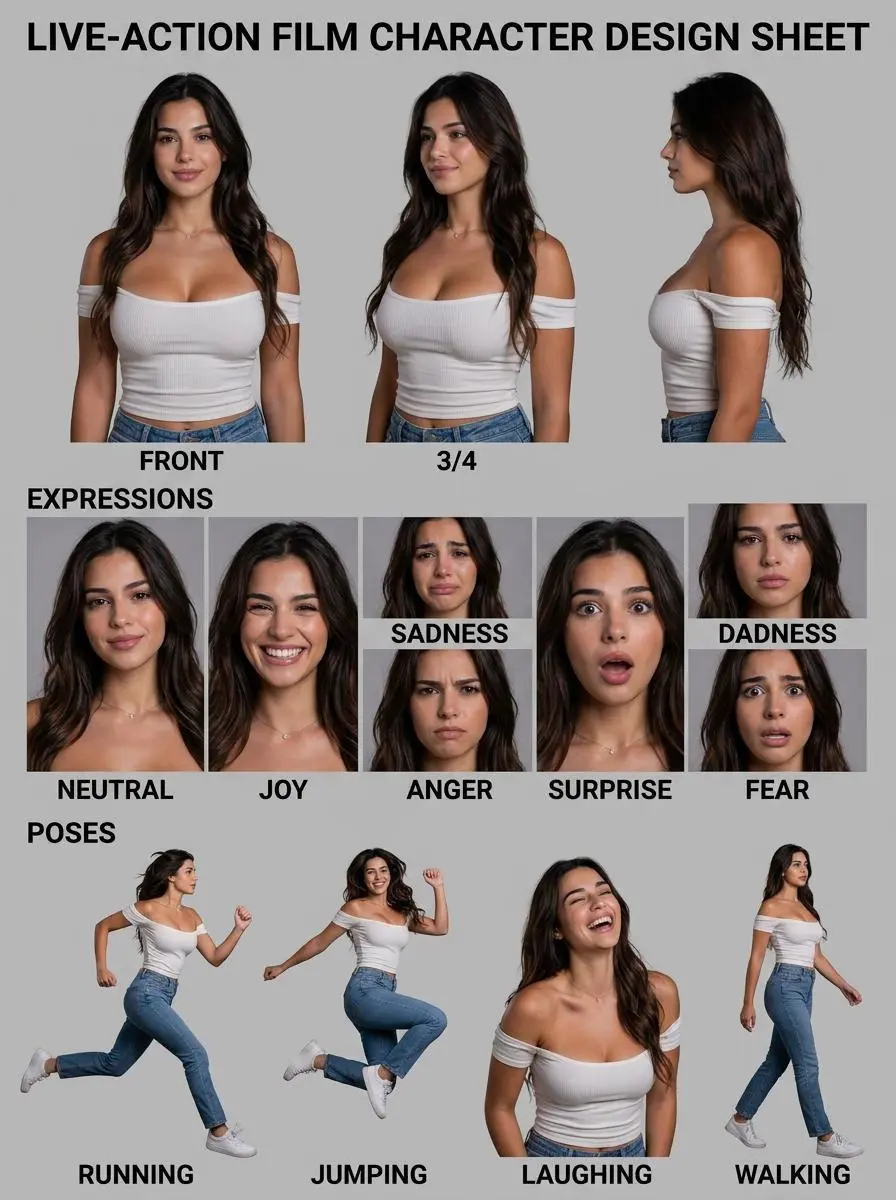
人物の参照画像から、異なるポーズや表情を1枚に並べたキャラクターシートを作ります。

Please create a detailed character design sheet based on the person in this photograph. As this will be used for a live-action film, please ensure it is not produced as stylized artwork. It must include the following three character elements. Please delete the original image of the person upon completion. Character multi-angle (three-view) turnaround sheet Expression sheet showing basic emotional states: joy, sadness, anger, surprise, fear and neutral Pose sheet showing typical actions: e.g., the character running, jumping, laughing and jumping *Note: The word "jumping" appears twice in the original text, which may be a typo. If it is intended to refer to different actions, common alternatives include "walking", "sitting" or "gesturing".
このプロンプトを使用する
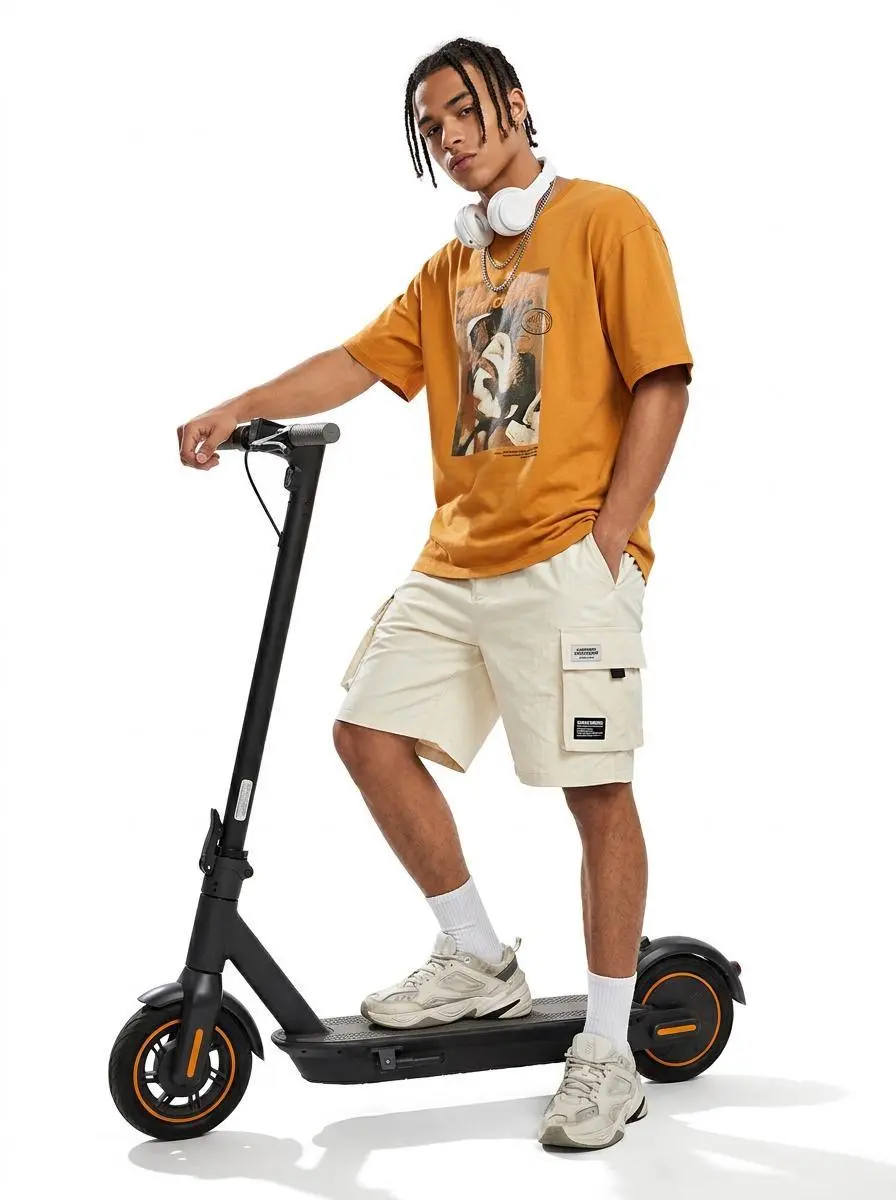
WeShopの生成結果:電動スクーターと自信のある姿勢で立つ男性…

スクーターを使ったファッションポートレート

人物と電動スクーターを中心に、文章で指定したシーンのファッション画像を作ります。

{ "image_settings": { "aspect_ratio": "3:4", "resolution": "768/1024" }, "prompt": { "scene_and_composition": { "visual_hook": "A stylized urban youth leaning casually against a sleek electric scooter, emphasizing a relaxed 'street-style' silhouette against a high-contrast white backdrop.", "camera_angle": "Slight low-angle 'hero shot' to accentuate the scooter and the subject's stance.", "framing_and_depth": "Full-body shot, centered composition, high-key studio lighting with absolute white background, sharp focus throughout.", "medium_physics": "Professional product photography style, high-contrast, sharp digital clarity, clean edge definition, no grain." }, "subject_content": { "identity_features": "Young male, mixed ethnicity, braided dreadlock hair texture, angular facial features, sharp jawline, tan skin tone, athletic build.", "overall_pose": "Standing one-footed on a black electric scooter, one hand on the handlebar, other hand in cargo pocket, slight lean, cool effortless posture.", "limb_articulation": "Right arm extended down gripping the handle, left arm bent at elbow with hand tucked into cargo short pocket, right leg balanced on scooter deck, left leg hovering slightly forward for balance.", "pose_dynamics": "Center of gravity shifted toward the rear of the scooter, casual lean, relaxed muscle tension.", "makeup_look": "Natural skin texture, clean-cut, post-grooming aesthetic, no visible makeup.", "emotional_vibe": "Confident, nonchalant, urban-cool, detached, trend-focused.", "main_object/apparel": "Oversized mustard-orange graphic t-shirt with screen-printed art; baggy, cream-colored technical cargo shorts with visible pocket flaps and branding patches; white ribbed crew socks; chunky 'dad-style' designer sneakers.", "hair_and_styling": "Braided dreadlocks held in place, white over-ear wireless headphones resting around the neck/ears, layered silver chain necklaces.", "interaction_with_environment": "Weight of the subject compressing the deck of the electric scooter, feet firmly planted/posed on the grip tape, shadow cast directly beneath the wheels." }, "environment": { "visual_depth_stack": "Foreground: 1 black electric scooter with orange rim accents; Midground: 1 male subject in orange shirt and cargo shorts, 1 pair of white chunky sneakers, 2 white ribbed socks; Background: 1 pure white infinite studio backdrop.", "lighting_atmosphere": "Key: bright, diffuse studio light from top-front; Ambient: high-key fill, near-zero shadows on background; Interaction: sharp shadow cast on floor from scooter wheels, high specular highlights on the metal and plastic surfaces of the scooter." }, "realism_rules": [ "Catalog-style high-key studio photography", "Perfectly white, seamless background", "Focus on texture of fabric and plastic", "Sharp edge outlines", "Authentic urban streetwear proportions", "No blurred or depth-of-field effects on the subject" ] }, "negative_prompt": [ "3D render", "cartoon", "painting", "blurry background", "vignette", "low-resolution", "grainy", "flat lighting", "distorted anatomy", "floating subject", "amateur composition", "cluttered environment", "text artifacts", "oversaturated colors" ] }
このプロンプトを使用する
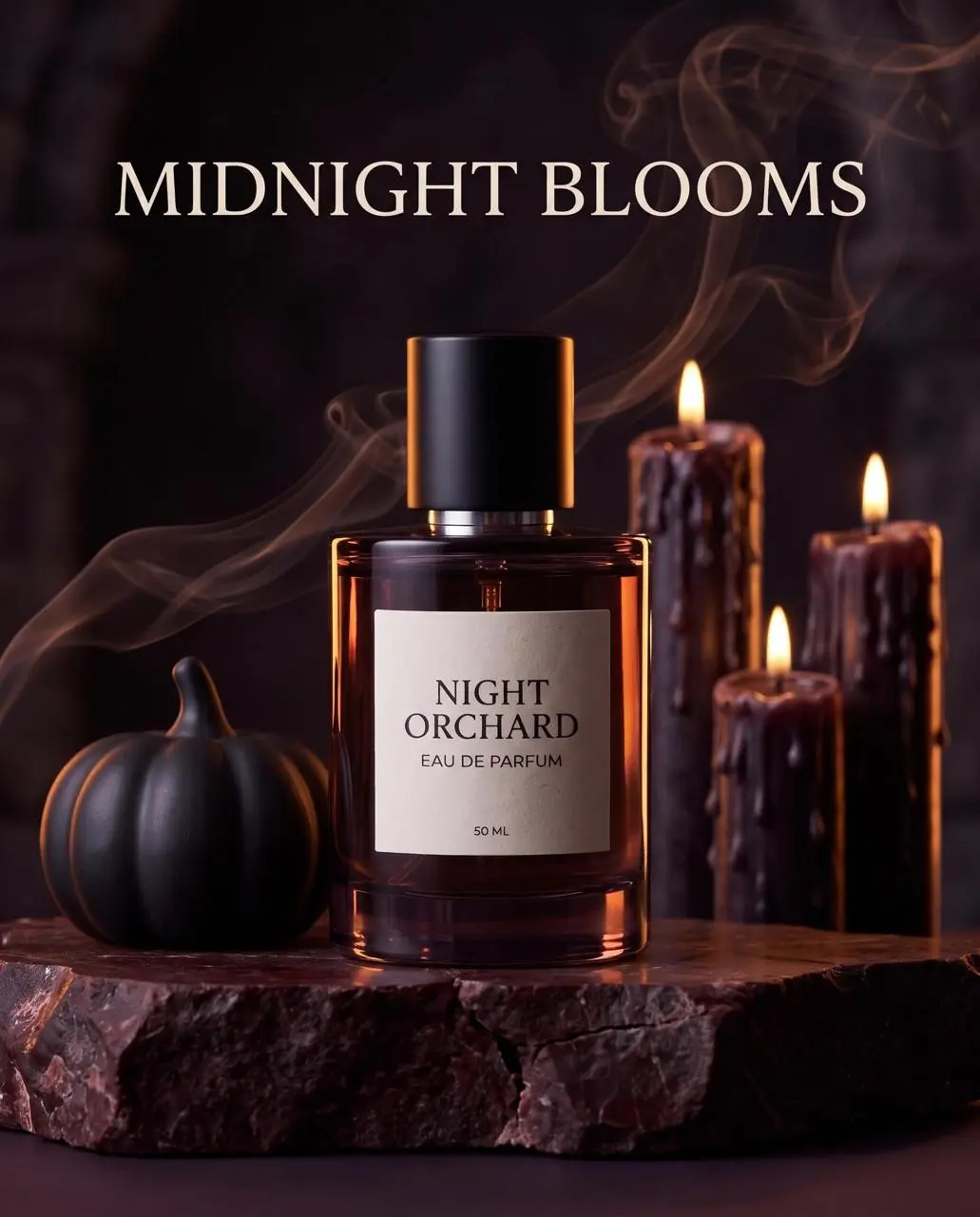
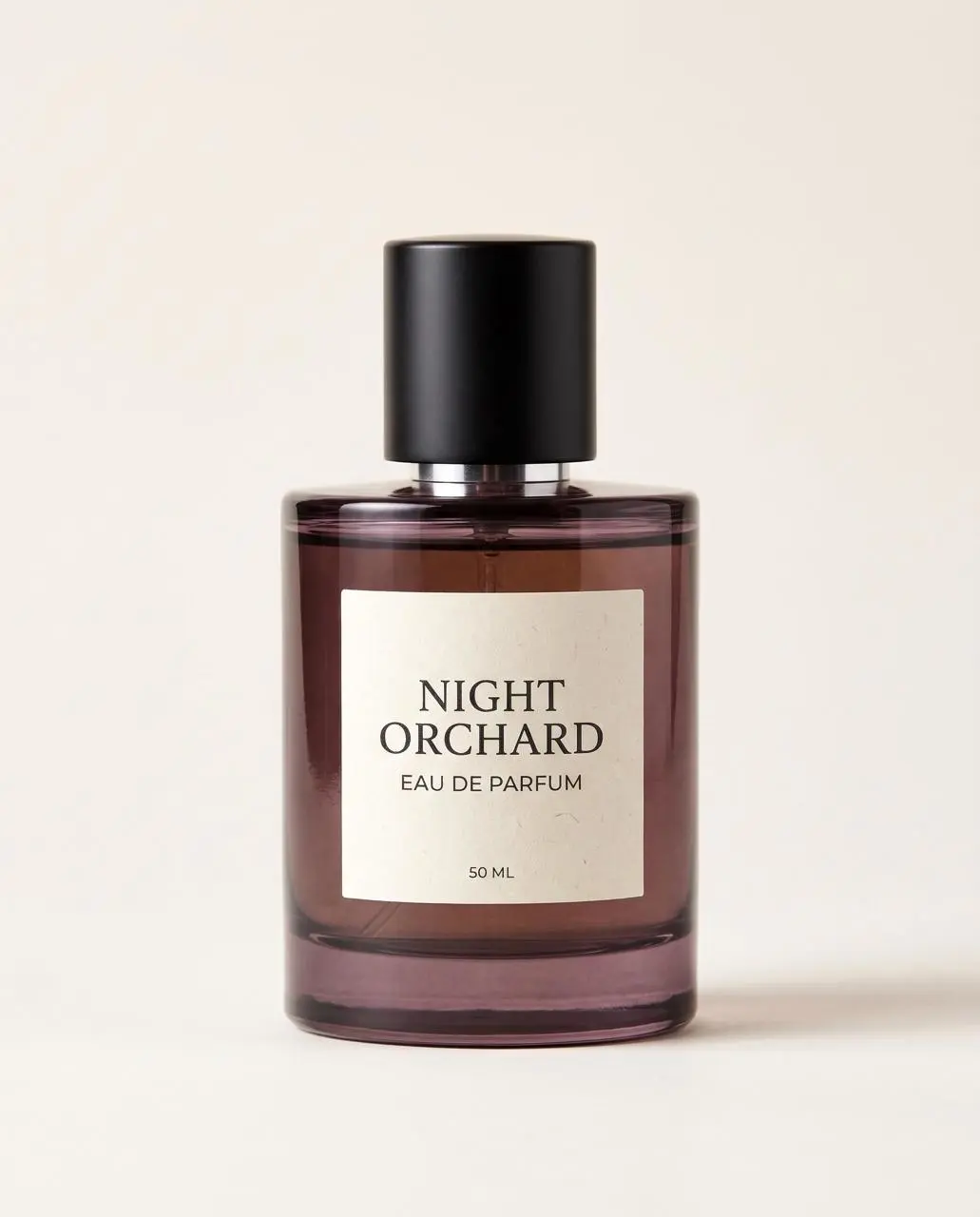
WeShopの生成結果:「Night Orchard」の香水ボトルを置いた…
参照画像 1

参照画像に基づく香水写真

アップロードした香水をもとに、ボトルの細部と新しい見せ方を指定して商品写真を作ります。

Use the uploaded perfume as the exact product reference. Preserve bottle shape, smoked-plum glass, black cap and every label word. Build a premium 4:5 Halloween beauty advertisement: the single bottle stands on a dark oxblood stone pedestal, surrounded by one sculptural black pumpkin, thin curling smoke and a few wax-dripped candles kept behind the product. Warm amber rim light and cool plum shadows, polished commercial realism, label fully readable. Add only one headline in the upper third, spelled exactly: ‘MIDNIGHT BLOOMS’. No extra product, no label redesign, no bats, no clutter, no watermark.
このプロンプトを使用する
NANO BANANA 2とは

Nano Banana 2とは?どんな用途に使える?

Nano Banana 2はGoogleのGemini 3.1 Flash Imageモデルで、効率的な画像生成と対話による編集に位置づけられています。 Nano Banana 2は、繰り返す画像制作、参照画像に基づく変更、レイアウト制作に使えます。キャラクターシートと香水の事例は被写体に基づくタスクを示し、利用可能な縦長・横長の形式は異なる構成に対応します。

生成と対話による編集

指示から新しい画像を作るか、参照画像で編集を導きます。Googleは、このFlashモデルを大量の処理に向けて位置づけています。

文字とデザインのレイアウト

ポスターや情報図では画像と文字を組み合わせます。文言とデザインへの収まりを確認してください。

縦長・横長の形式

Googleは、追加のパノラマや縦長の比率を説明しています。WeShopのフォームで実際に選べる形式を使ってください。

制作モード

開始に使う入力を選ぶ

新しい画像にはテキストを、編集には必要な参照画像を使います。キャラクターシートでは人物の参照を示し、商品シーンでは商品と希望する背景や表現を分けて指定します。

参照写真から始める

編集する被写体や場面をアップロードします。入力が複数ある場合は、各参照が提供する内容と希望する変更を説明します。

文章から制作する

新しい被写体、背景、構図、視覚表現を説明します。画像に入れる文字も指定してください。

プロンプトガイド

Nano Banana 2のプロンプトはどう書く?

下に掲載したNano Banana 2の実際のプロンプトを、結果や使用した参照入力とあわせて確認してください。各説明は確認すべき具体的な指示を示しています。ある効果を指定しても、生成結果のすべての細部が一致する保証はありません。

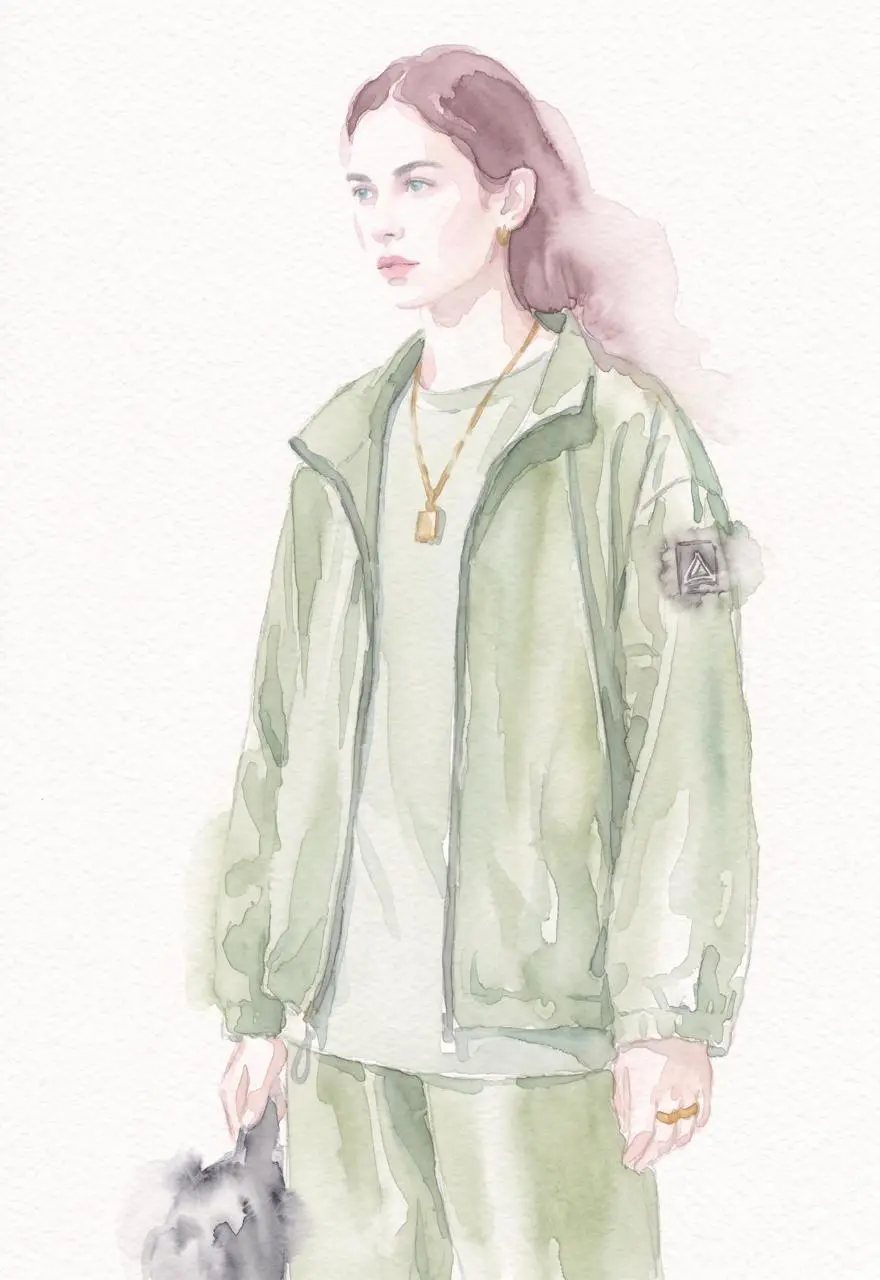
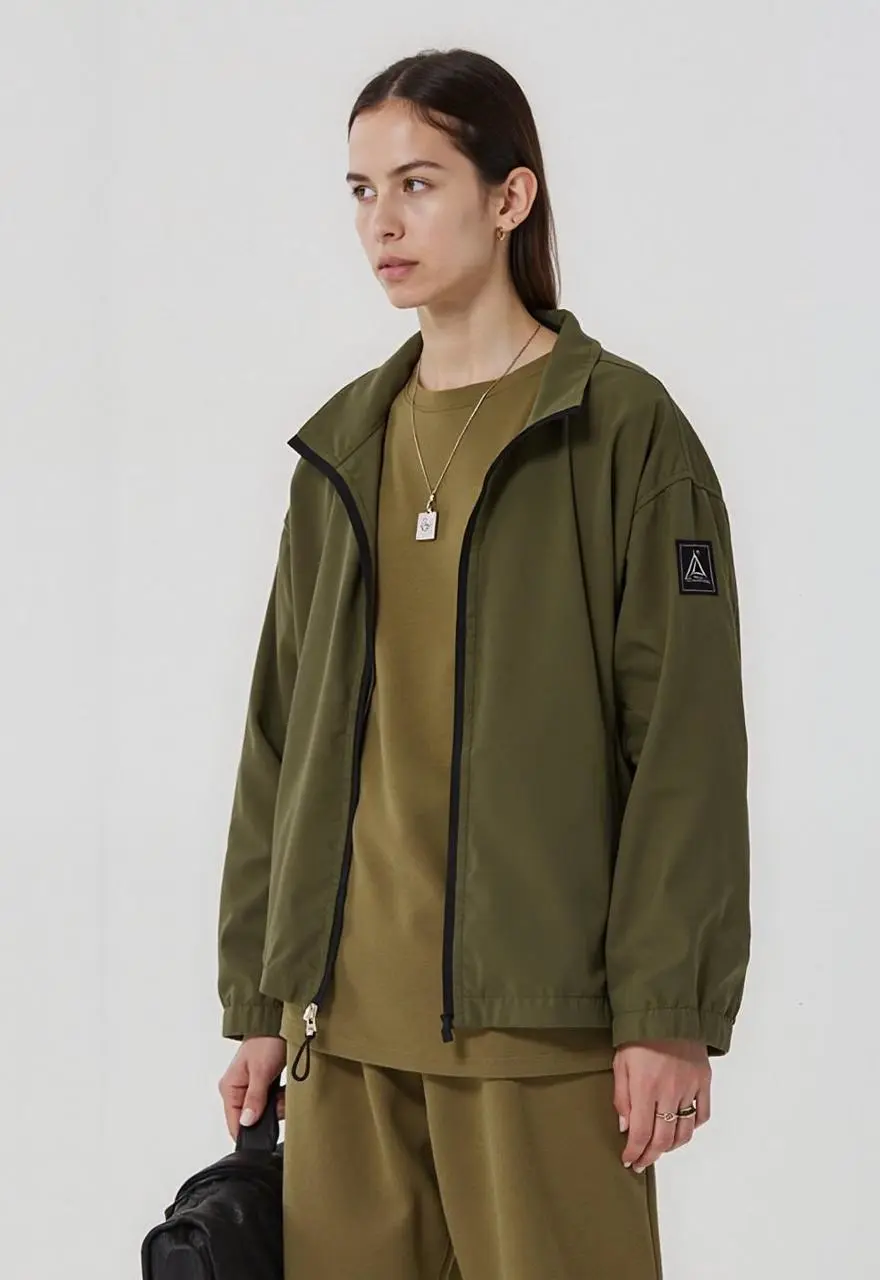
WeShopの生成結果:緑の服を着た女性の水彩画…
参照画像 1

筆致や画材を説明する

雰囲気を表す言葉だけでなく、筆跡や素材など、目に見える表現を指定します。この事例の指示は次のとおりです:“Convert this image into a delicate watercolor painting with soft flowing edges, pastel hues, visible paper texture, and loose artistic brushwork.”

Convert this image into a delicate watercolor painting with soft flowing edges, pastel hues, visible paper texture, and loose artistic brushwork.
WeShopの生成結果:宝石をあしらったリップティント3本を持つ手…

見える素材を説明する

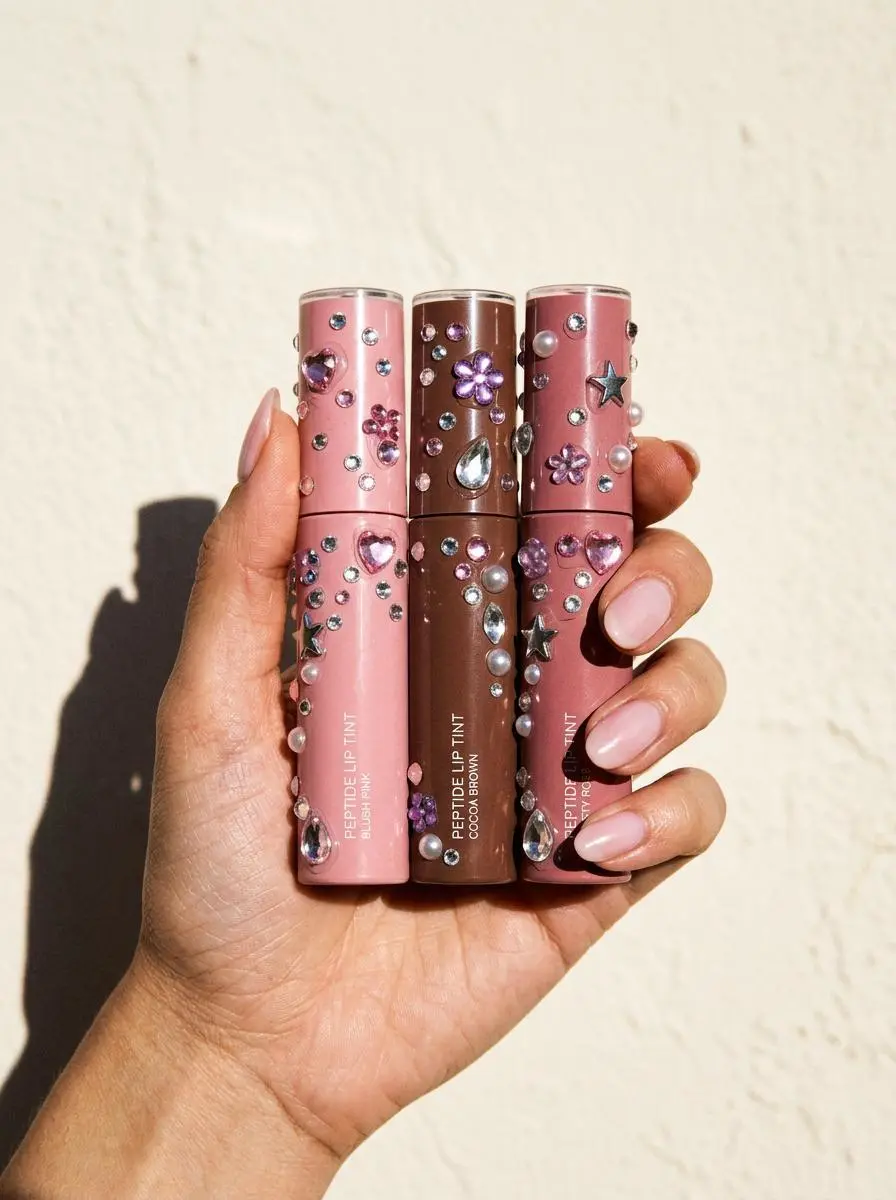
表面や素材の具体的な細部で、求める見た目を指定します。この事例の指示は次のとおりです:“Hard direct flash, sharply defined hand shadow, glossy pale-pink manicure, realistic skin texture, premium social-commerce styling, 3:4 portrait.”

Create a vertical commercial beauty photograph of a hand holding three fictional, unbranded peptide lip-tint tubes in blush pink, cocoa brown and dusty rose against a warm off-white background. Add scattered Y2K acrylic rhinestones to the tube bodies: pink hearts, clear teardrops, purple flowers, silver stars, tiny round crystals and a few pearls. Gems naturally conform to curved surfaces with transparent facets, flash highlights, tiny contact shadows and subtle adhesive traces. Keep caps, tube geometry, color blocks and minimal non-readable label structure crisp. Hard direct flash, sharply defined hand shadow, glossy pale-pink manicure, realistic skin texture, premium social-commerce styling, 3:4 portrait. No real logos, no watermark, no unrelated or legible text.
WeShopの生成結果:オフィスの机に座る男性…

暗い背景に配置する被写体を説明する

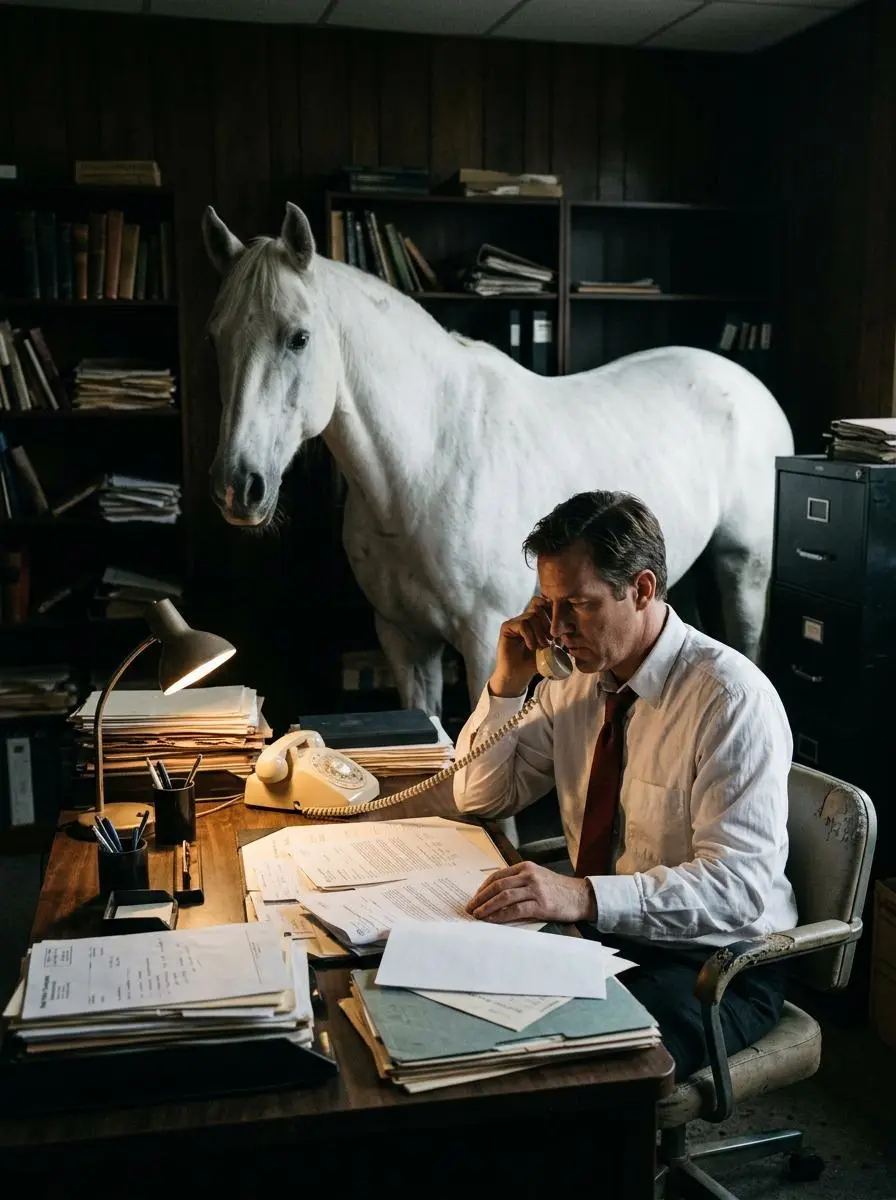
プロンプトは、暗く簡素なオフィスに男性、机、白い馬を配置しています。照明の表現は姿を際立たせ、劇的な雰囲気を与えますが、光源の位置や詳細な色付き照明の設定は指定していません。この結果のコントラストと超現実的な構成を確認してください。

This image shows a man sitting at a desk in a dimly lit office, speaking on a corded telephone. He is wearing a white dress shirt and a dark red tie, and appears serious and focused as he looks down at the papers in front of him. The desk is covered with stacks of documents, folders, and files, suggesting a busy or bureaucratic work environment. Behind the man stands a large white horse, positioned calmly inside the office. The horse’s presence is unexpected and surreal, creating a strong contrast with the formal setting. The background is dark and minimal, which draws attention to the man, the desk, and the horse. The lighting highlights their figures, giving the scene a dramatic and cinematic feel. Overall, the image presents a surreal and symbolic composition, combining ordinary office work with an unusual element. It suggests themes of absurdity, mystery, or quiet tension, as if something extraordinary is hidden within an otherwise serious workplace setting.
使い方

Nano Banana 2で最初の画像を作る

Nano Banana 2の選択と、下記の入力経路から始めます。送信前に、利用可能な設定とポイントを確認してください。

このモデルに必要な入力を用意する

Nano Banana 2を選択したまま、新しい構成を説明するか、人物や商品の画像をアップロードします。このモデルの比率とサイズの選択肢を確認してください。

利用可能な設定とポイントを確認する

サイズ表記:1K, 2K, 4K. アスペクト比:auto, 1:1, 2:3, 3:2, 4:3, 3:4, 4:5, 5:4, 16:9, 9:16, 21:9, 1:4, 4:1, 1:8, 8:1. これらは選択できる設定であり、固定のピクセル寸法やファイル形式を保証するものではありません。実際の寸法は元の出力で確認してください。送信前に、表示ポイントとプランで使えるモデルを確認してください。

結果を開いて確認する

複数の人物像や商品の特徴を元画像と比較します。ラベルと元の出力寸法も確認してください。4K設定と小さなウェブプレビューは別の情報です。

モデルの選択

目的に合う Nano は?

Nano Banana 2はGemini 3.1 Flash Imageで、初代Nano BananaやProとは異なります。Proのプロ向け素材制作の役割や、2.1に記載された後続の更新は分けて比較します。共通の編集・文字機能は、ある版だけの優位点ではありません。公式の位置づけ、記録されたWeShopの構成、現在選択中のフォームは別であり、画質や速度の実測順位を示すものではありません。

比較項目Nano BananaNano Banana ProNano Banana 2Nano Banana 2.1
モデルの役割初代 Gemini 2.5 Flash Image の制作・編集緻密なデザインと制作制御の Gemini 3 Pro Image効率的な制作・編集の Gemini 3.1 Flash Imageレイアウトと視覚的連続性に向けた Nano Banana 2.1 更新
ページに記載された入力参照写真から始める; 文章から制作する新しいデザインを作る;参照の被写体を使う参照写真から始める; 文章から制作する参照写真から始める; 文章から制作する
現在の WeShop オプションアスペクト比: auto, 1:1, 2:3, 3:2, 4:3, 3:4, 4:5, 5:4, 16:9, 9:16, 21:9画像サイズ:1K, 2K, 4K画像サイズ:1K, 2K, 4K画像サイズ:1K, 2K, 4K
モデルの役割
Nano Banana
初代 Gemini 2.5 Flash Image の制作・編集
Nano Banana Pro
緻密なデザインと制作制御の Gemini 3 Pro Image
Nano Banana 2
効率的な制作・編集の Gemini 3.1 Flash Image
Nano Banana 2.1
レイアウトと視覚的連続性に向けた Nano Banana 2.1 更新
ページに記載された入力
Nano Banana
参照写真から始める; 文章から制作する
Nano Banana Pro
新しいデザインを作る;参照の被写体を使う
Nano Banana 2
参照写真から始める; 文章から制作する
Nano Banana 2.1
参照写真から始める; 文章から制作する
現在の WeShop オプション
Nano Banana
アスペクト比: auto, 1:1, 2:3, 3:2, 4:3, 3:4, 4:5, 5:4, 16:9, 9:16, 21:9
Nano Banana Pro
画像サイズ:1K, 2K, 4K
Nano Banana 2
画像サイズ:1K, 2K, 4K
Nano Banana 2.1
画像サイズ:1K, 2K, 4K

Nano Banana 2を検討する場面

目的に合わせてモデルを選ぶ

頻繁な画像生成・編集にNano Banana 2を検討できます。要求の厳しいデザイン制御ではPro、その後のレイアウトや一貫性の更新では2.1と比較してください。

ほかの画像モデル

ほかの画像モデルを見る

関連モデルのページで、能力、作例、現在の生成オプションを確認できます。

よくある質問

Nano Banana 2のよくある質問

このバージョンの概要、入力、始め方についての回答です。

Nano Banana 2とは?

Nano Banana 2はGoogleのGemini 3.1 Flash Imageモデルで、効率的な画像生成と対話による編集に位置づけられています。

Nano Banana 2はどんな用途に使える?

Nano Banana 2は、繰り返す画像制作、参照画像に基づく変更、レイアウト制作に使えます。キャラクターシートと香水の事例は被写体に基づくタスクを示し、利用可能な縦長・横長の形式は異なる構成に対応します。

Nano Banana 2にはどんな入力が必要?

新しい画像にはテキストを、編集には必要な参照画像を使います。キャラクターシートでは人物の参照を示し、商品シーンでは商品と希望する背景や表現を分けて指定します。

利用可能なサイズとアスペクト比の設定は?

サイズ表記:1K, 2K, 4K. アスペクト比:auto, 1:1, 2:3, 3:2, 4:3, 3:4, 4:5, 5:4, 16:9, 9:16, 21:9, 1:4, 4:1, 1:8, 8:1. これらは選択できる設定であり、固定のピクセル寸法やファイル形式を保証するものではありません。実際の寸法は元の出力で確認してください。

Nano Banana 2のプロンプトはどう書けばいい?

雰囲気を表す言葉だけでなく、筆跡や素材など、目に見える表現を指定します。この事例の指示は次のとおりです:“Convert this image into a delicate watercolor painting with soft flowing edges, pastel hues, visible paper texture, and loose artistic brushwork.”ガイドで対応するプロンプト全文と実際の入力を読み、自分のタスクに合わせて調整します。

Nano Banana 2と関連モデルの違いは?

Nano Banana 2はGemini 3.1 Flash Imageで、初代Nano BananaやProとは異なります。Proのプロ向け素材制作の役割や、2.1に記載された後続の更新は分けて比較します。共通の編集・文字機能は、ある版だけの優位点ではありません。

Nano Banana 2は無料?料金はどう決まる?

現在のWeShop料金ページでは、このモデルはFree Trialの対象に記載されていません。有料プランの利用可否と選んだリクエストの見積もりポイントを確認してください。このページでは、共通の固定料金を示したり、他社のサブスクリプション枠をWeShopに当てはめたりしていません。

確認すべき制限は?

開発元APIのGoogle SearchやThinkingの機能が、WeShopのスイッチとして提供されているとは限りません。複数の人物像や商品の特徴を元画像と比較します。ラベルと元の出力寸法も確認してください。4K設定と小さなウェブプレビューは別の情報です。

このページの作例から何が学べる?

保存されたNano Banana 2の作例では、「参照人物の異なる視点と表情」「スクーターを使ったファッションポートレート」「参照画像に基づく香水写真」を紹介しています。各結果を実際のプロンプトと利用可能な入力とともに確認してください。1つの事例は1つのリクエストを示すもので、結果の保証や成功率のベンチマークではありません。