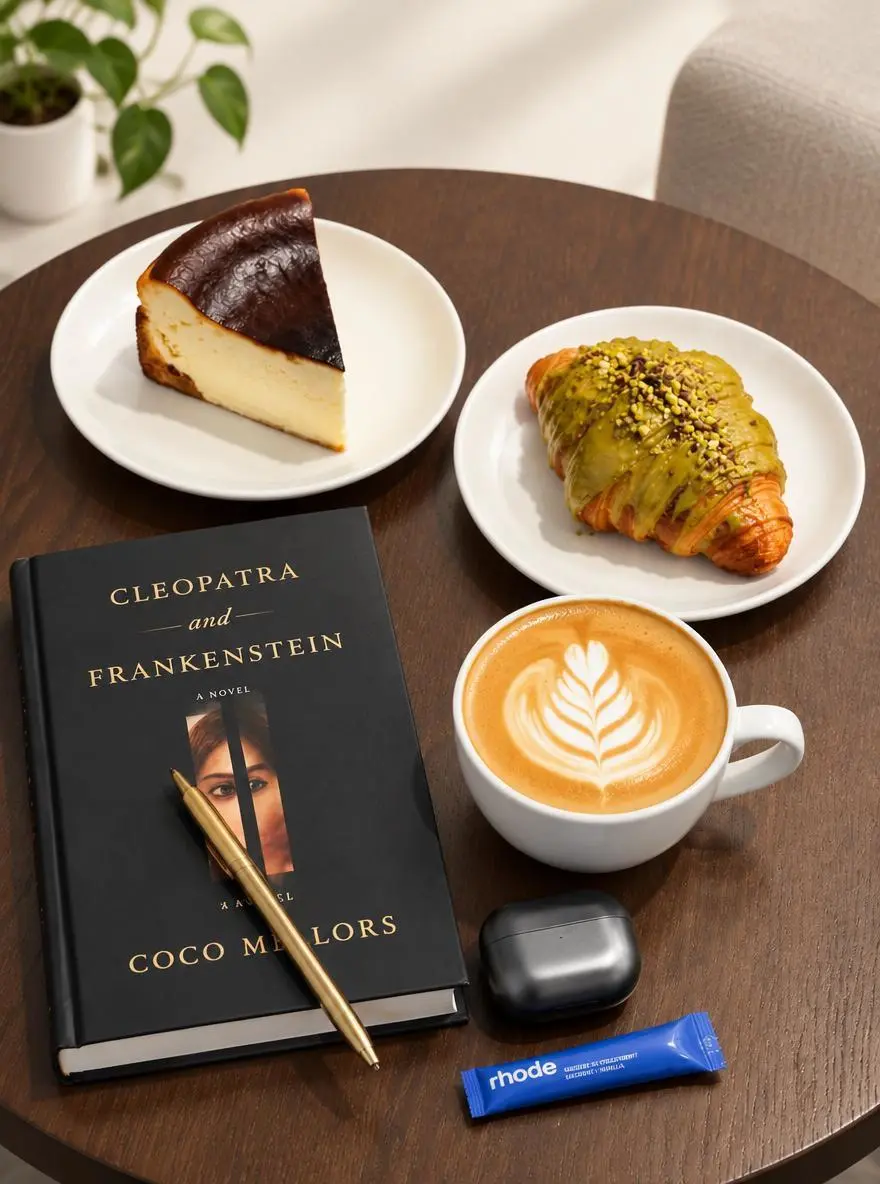
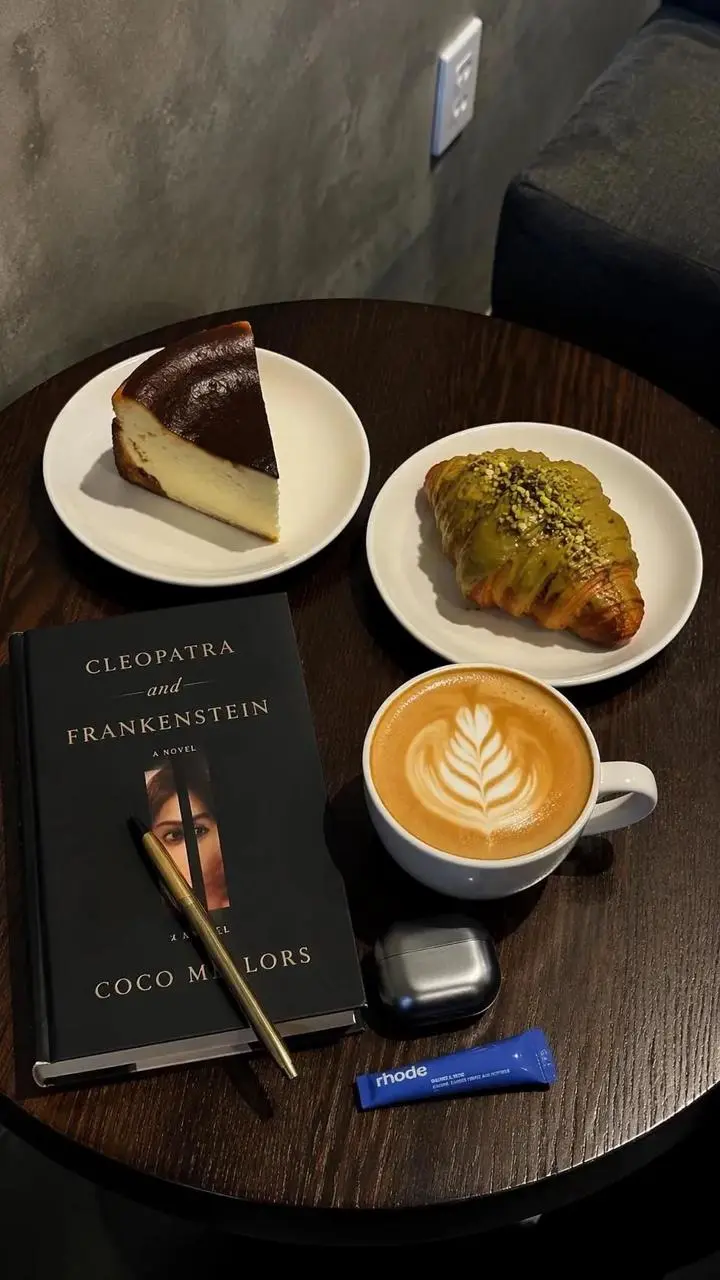
卓上の商品写真のスタイルを変える
既存画像の舞台や照明を変える編集です。卓上の参照画像に、明るい背景と柔らかい影の指定を組み合わせています。
Use the uploaded photo as the reference. Explore a brighter studio background and softer shadows while focusing the composition on the main product.

GPT Image 2.5 Flareは、日常的な速度重視の生成に向けたOpenAIの画像生成・編集モデルです。文章の指示と参照画像を入力できます。
GPT Image 2.5 Flareは「卓上の商品写真のスタイルを変える」「2枚のポートレート間でメイクを移す」「4段階のインフォグラフィックを作る」の作例で確認できます。保存された各事例は、実際のプロンプトと利用可能な入力を保持しています。自分の被写体に合わせて指示を変える前に、結果を確認してください。
既存画像の舞台や照明を変える編集です。卓上の参照画像に、明るい背景と柔らかい影の指定を組み合わせています。
Use the uploaded photo as the reference. Explore a brighter studio background and softer shadows while focusing the composition on the main product.
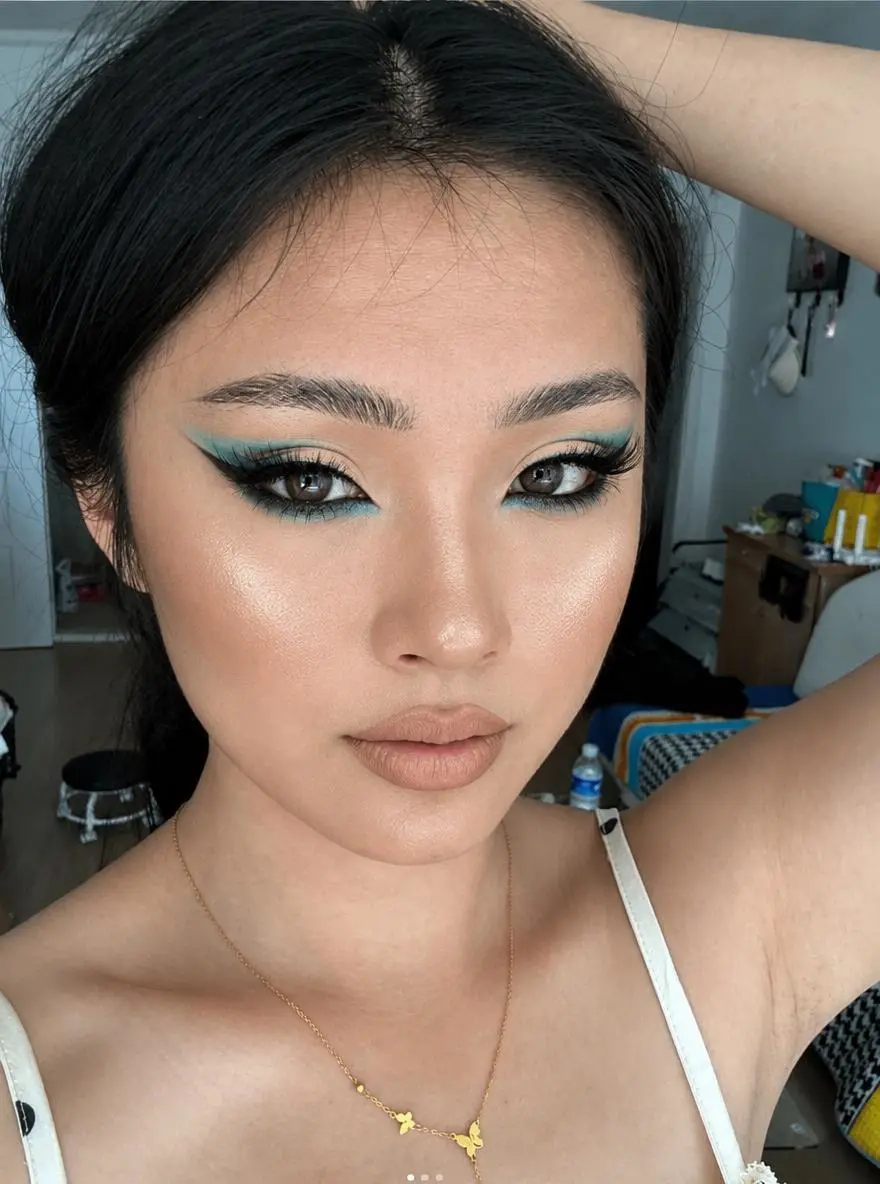
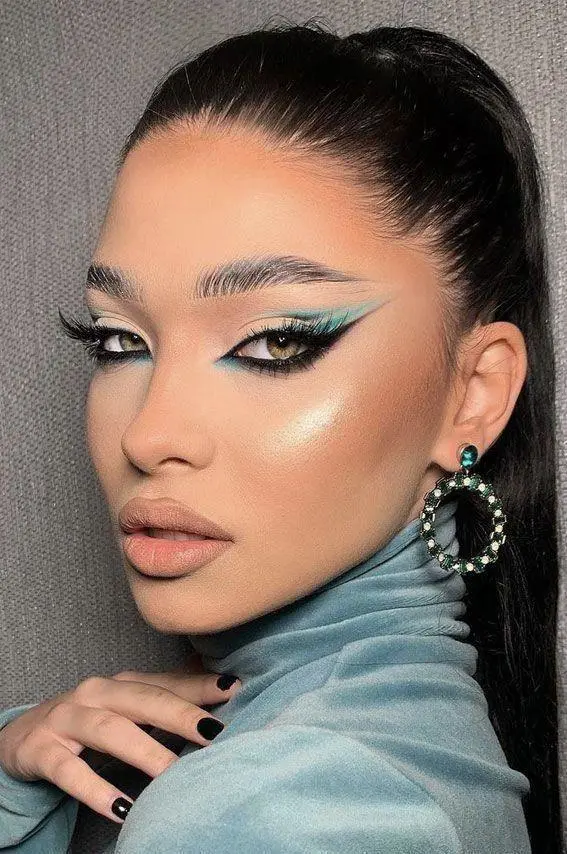
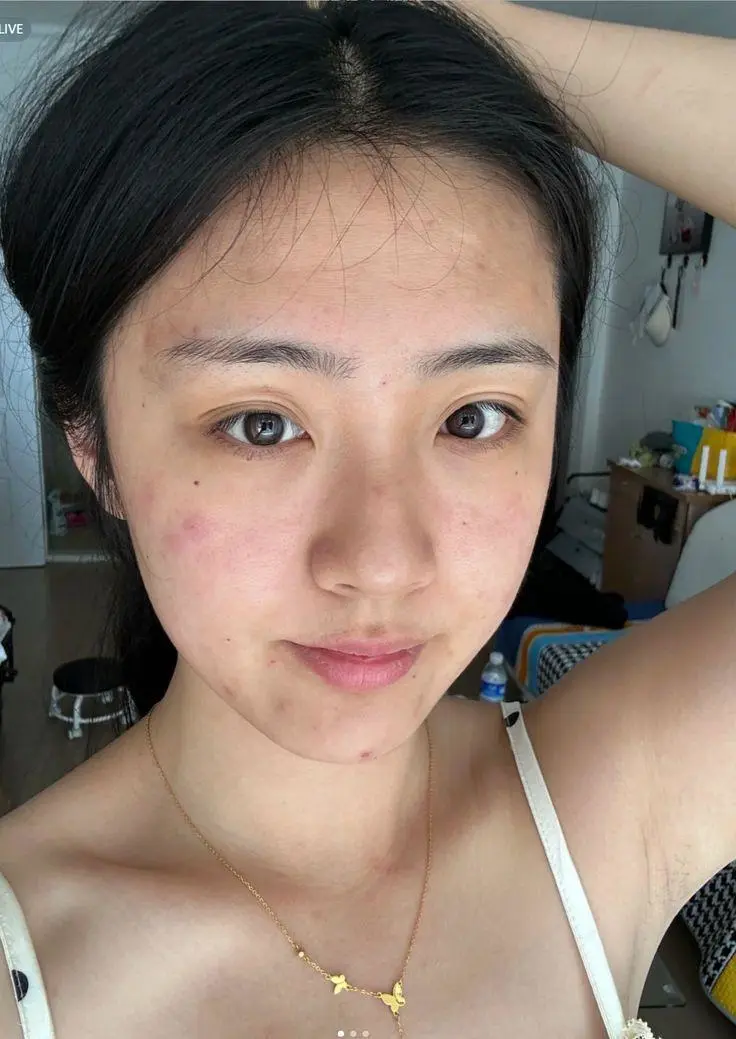
1枚のポートレートはメイク、もう1枚は人物を示します。両方の入力と編集結果を掲載し、参照の役割がどう使われているかを確認できます。
Transfer the makeup style from Image 1 to the person in Image 2. Only change the makeup on the person in Image 2, including eyeshadow, eyeliner, lashes, blush, contour, lip color, and overall makeup finish. Keep the person’s facial features, identity, hairstyle, clothing, pose, lighting, background, and photo style unchanged.
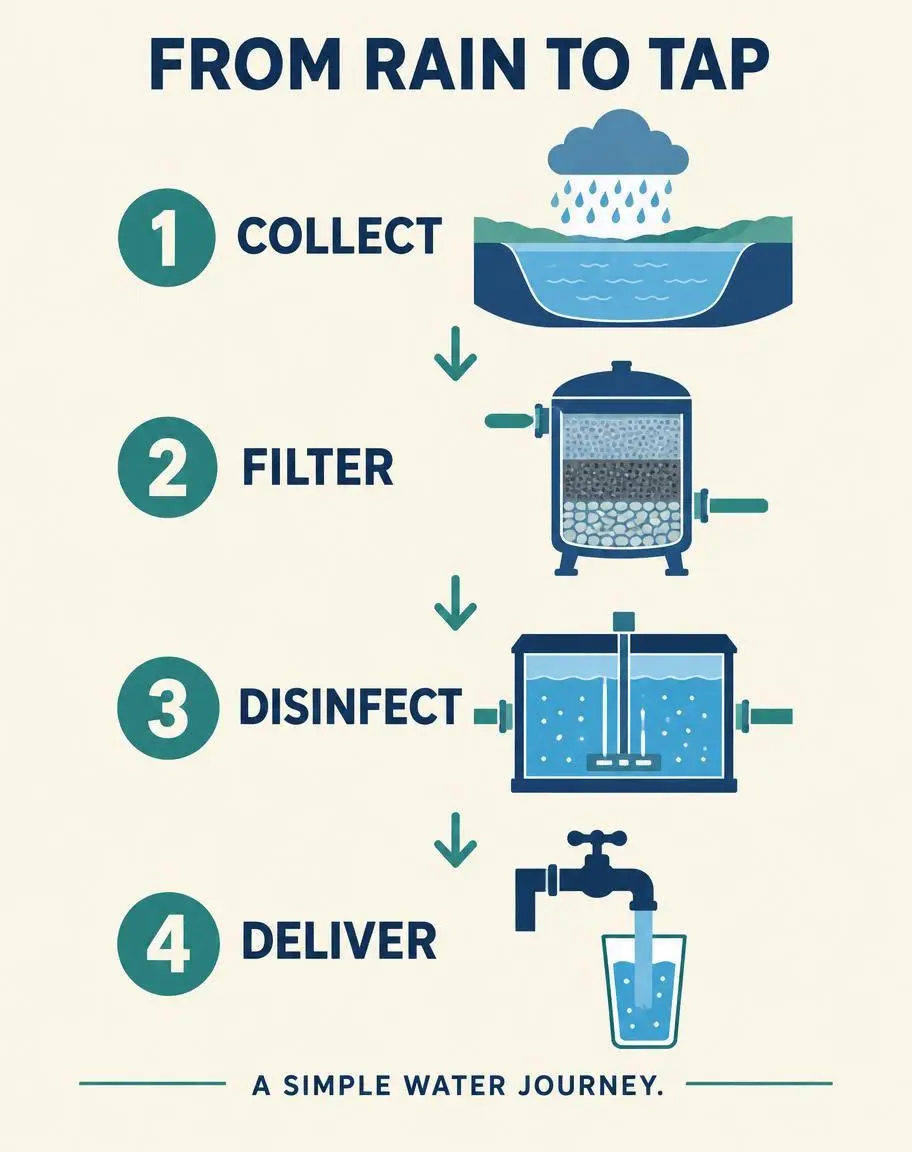
説明文を視覚的な流れに変える作例です。テキストのみの入力で、番号付きの段階、矢印、指定ラベルを使い、雨水の簡単な流れを説明しています。
Create a finished vertical 4:5 editorial infographic titled FROM RAIN TO TAP. Warm ivory background, navy typography, restrained teal accents. Arrange exactly four numbered steps in a clear top-to-bottom sequence connected by arrows. Exact labels: 1 COLLECT; 2 FILTER; 3 DISINFECT; 4 DELIVER. Each step has one simple flat illustration: a reservoir under a rain cloud, a filter tank, a treatment chamber, and a household tap filling a glass. Include exactly this footer: A SIMPLE WATER JOURNEY. Use only the specified text, with exact spelling and no extra words. Large readable lettering, generous margins, consistent icon style, professional educational design. Do not repeat any step or add a fifth step. No logos, watermark, photorealistic background, or decorative illegible writing.
GPT Image 2.5 Flareは、日常的な速度重視の生成に向けたOpenAIの画像生成・編集モデルです。文章の指示と参照画像を入力できます。 Flareは、商品の編集、参照画像の組み合わせ、文字を使う図版など、日常的な生成や試行に適しています。卓上の編集、2枚のポートレート間のメイク転送、4段階の図解は、異なる3つのタスクを示すもので、速度の実測ベンチマークではありません。
OpenAIはFlareを、日常的な高速画像制作に位置づけています。ビジュアルの別案を作る際に使い、一定の生成時間を約束するものとは考えないでください。
ポスター、ラベル付きの画像、レイアウトでは、必要な文言と位置を指定します。出力でつづりや要素の関係を確認してください。
見える細部をすべて文章で書き直す代わりに、参照画像で被写体の見た目や編集の方向を示します。
新しいデザインはテキストのみで、編集は元画像をアップロードして作れます。メイクの移し替えでは、片方をメイク、もう片方を人物の参照とし、同じ役割として扱わないでください。
元画像は不要です。商品のコンセプトやポスターなど、被写体、舞台、スタイル、構図を説明し、デザインに入れたい文言も指定してください。
自分の写真をアップロードして、変えたい内容を説明します。複数の参照画像では、人物、メイク、服装、背景など、各画像が何を示すかを指定してください。
下に掲載したGPT Image 2.5 Flareの実際のプロンプトを、結果や使用した参照入力とあわせて確認してください。各説明は確認すべき具体的な指示を示しています。ある効果を指定しても、生成結果のすべての細部が一致する保証はありません。
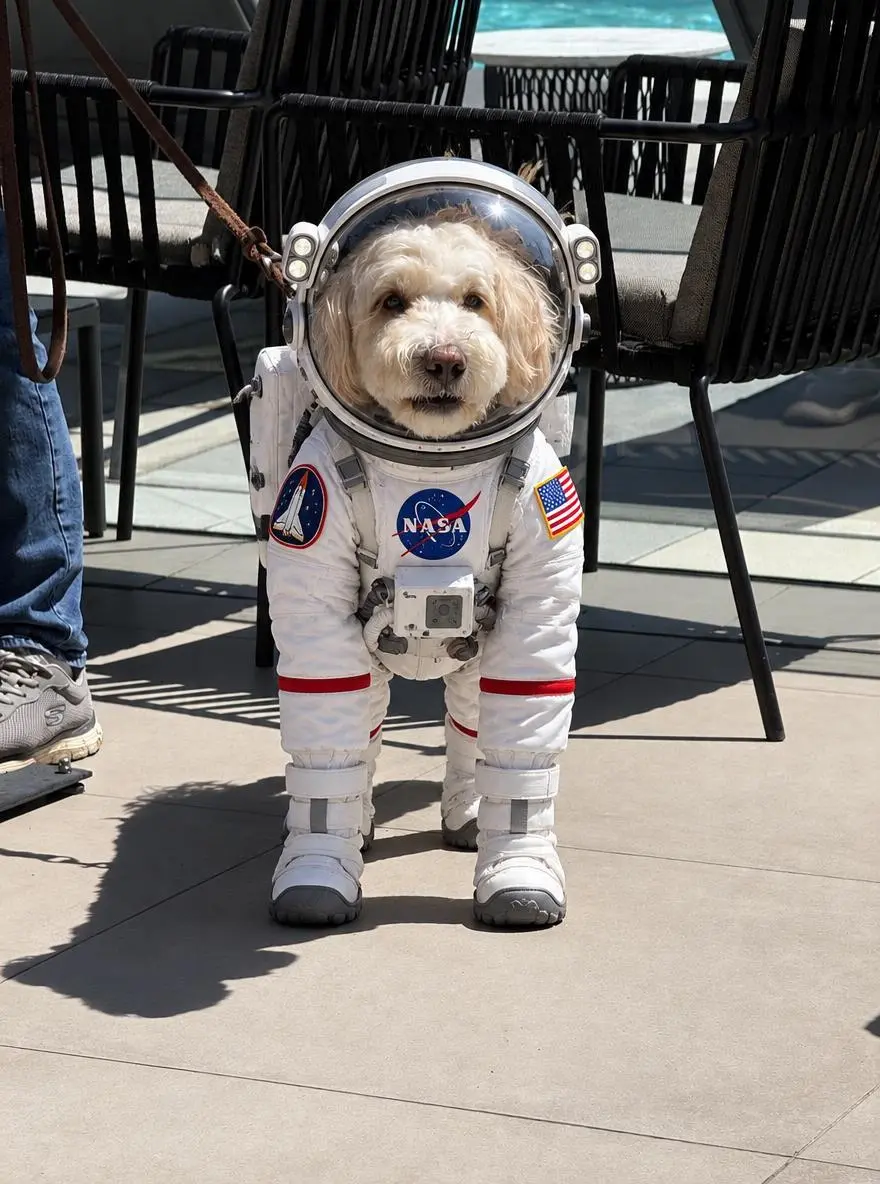
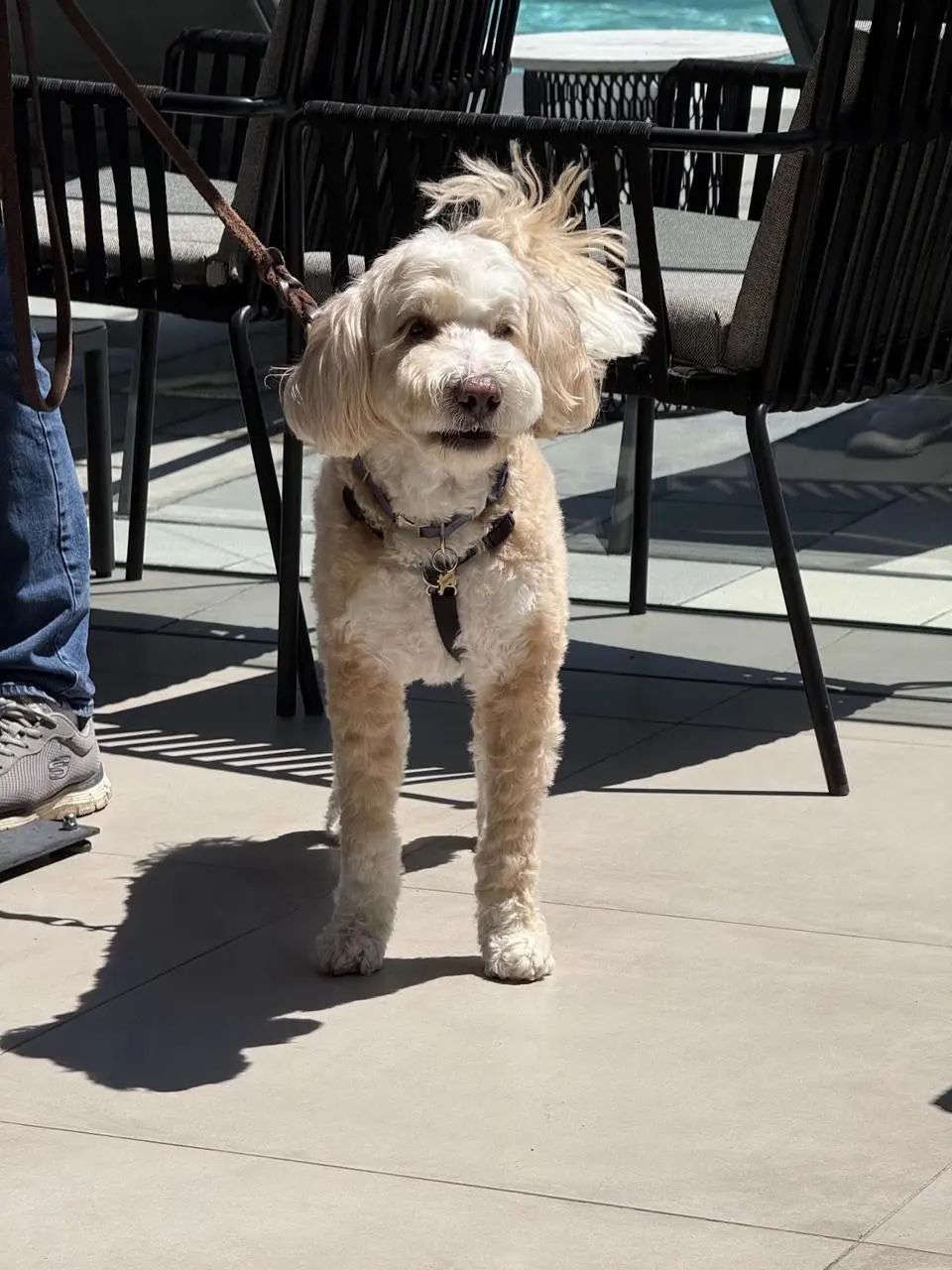
簡単な編集では、変える内容を直接説明します。犬の作例は宇宙服を求めており、元の被写体はアップロード写真で示されています。
Dress the puppy in the picture in an astronaut Space suit
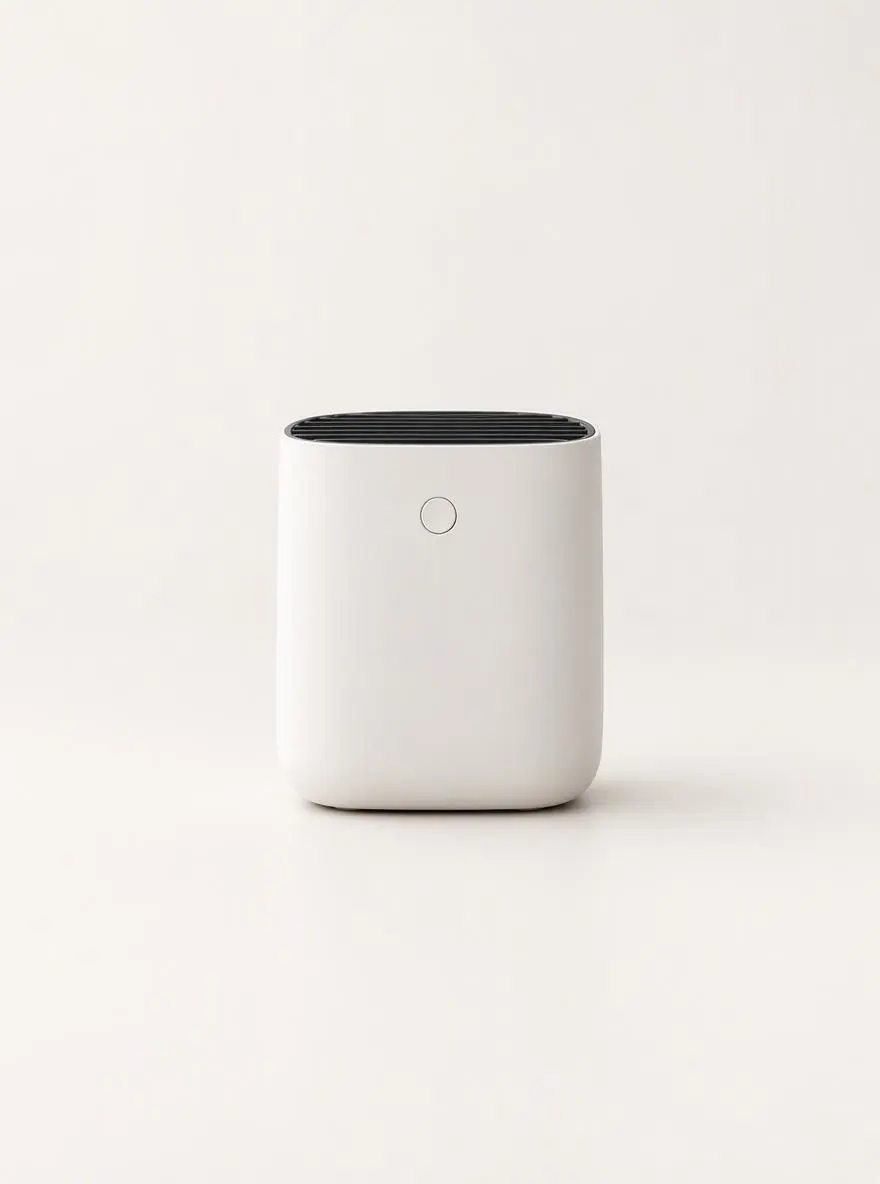
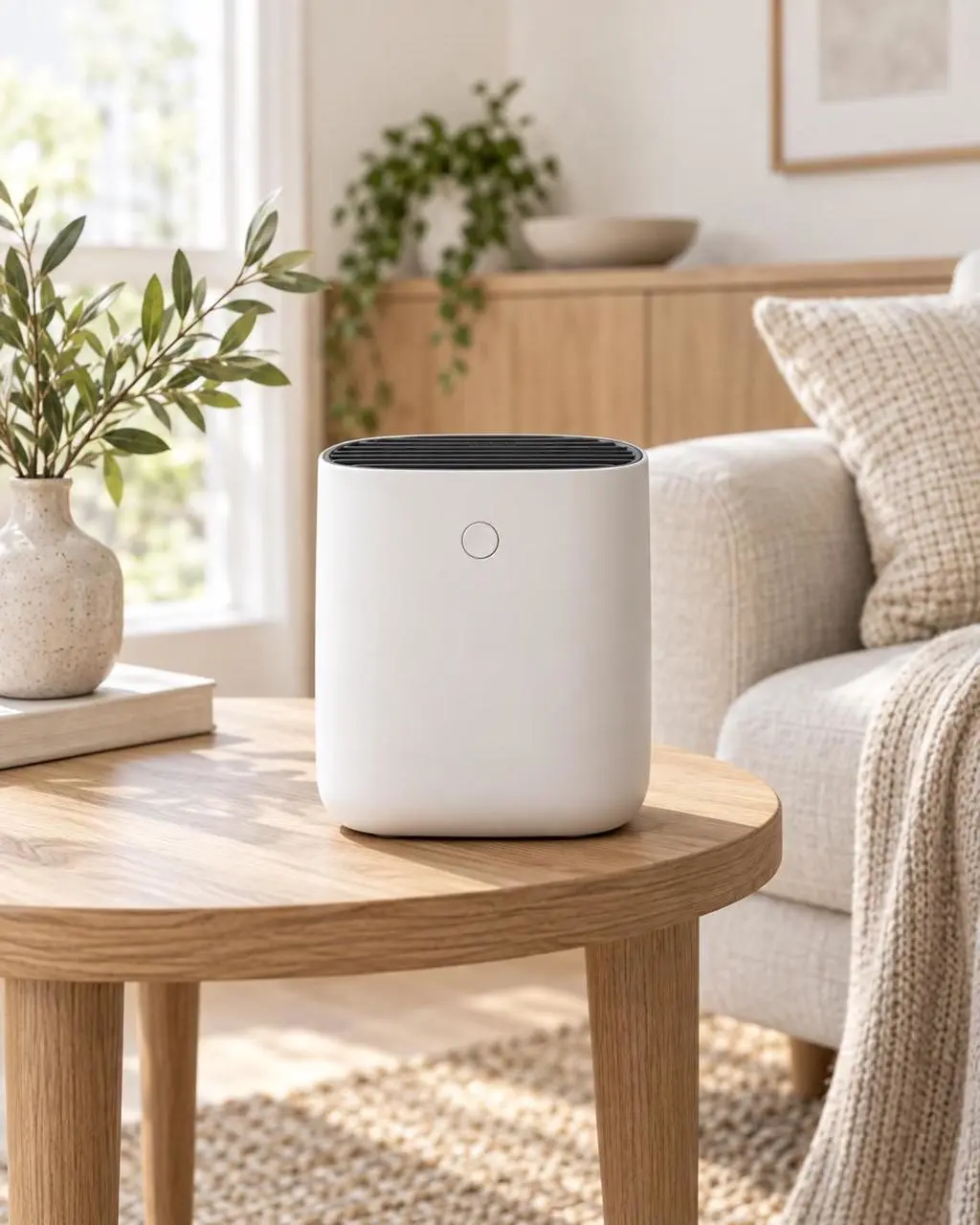
変える内容と残す細部を別々に指定します。商品の作例は背景を変えつつ、形、ラベル、キャップ、位置を残すように指定しています。
Replace the existing background with a clean warm-white photography studio. Keep the product’s shape, color, proportions, label, cap, reflections, and position unchanged. Add a soft natural shadow directly beneath the product so it remains grounded on the surface. Do not alter the product design, camera angle, crop, or packaging text.
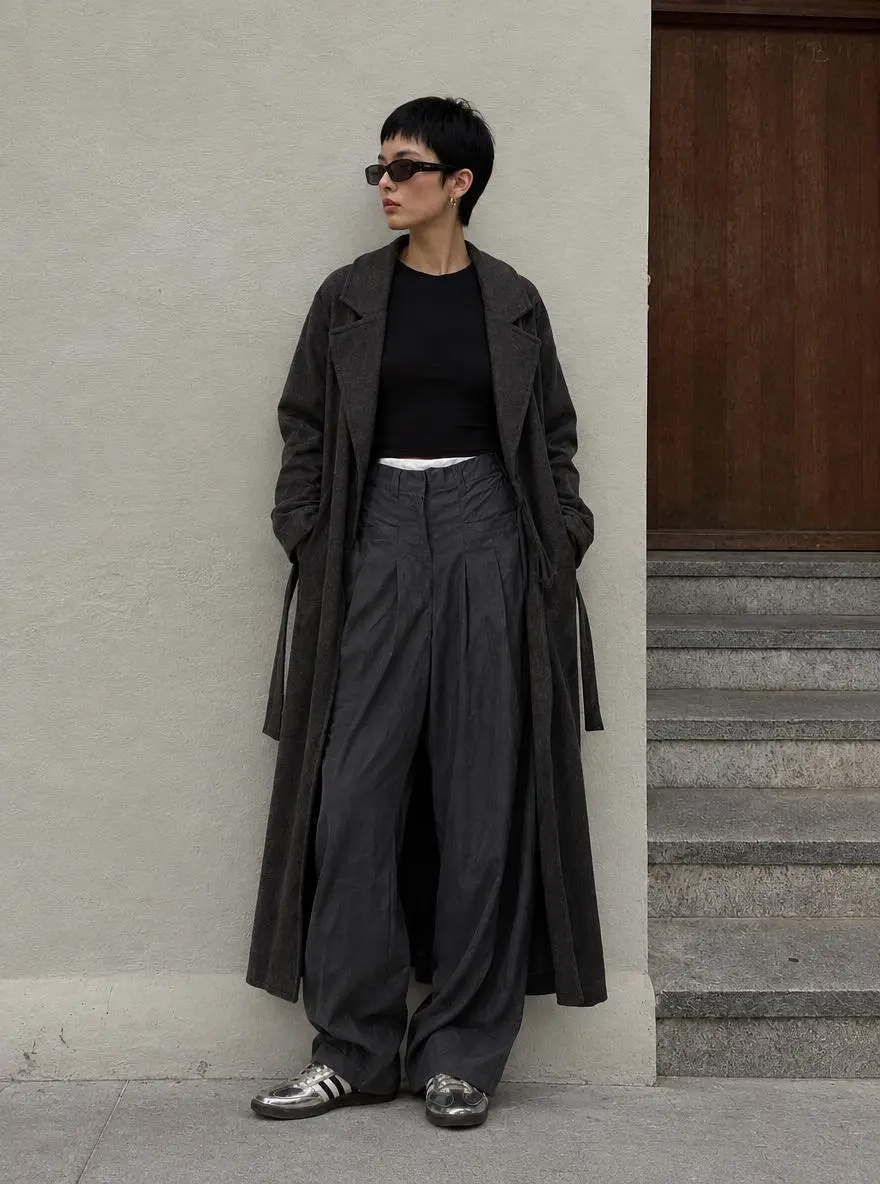
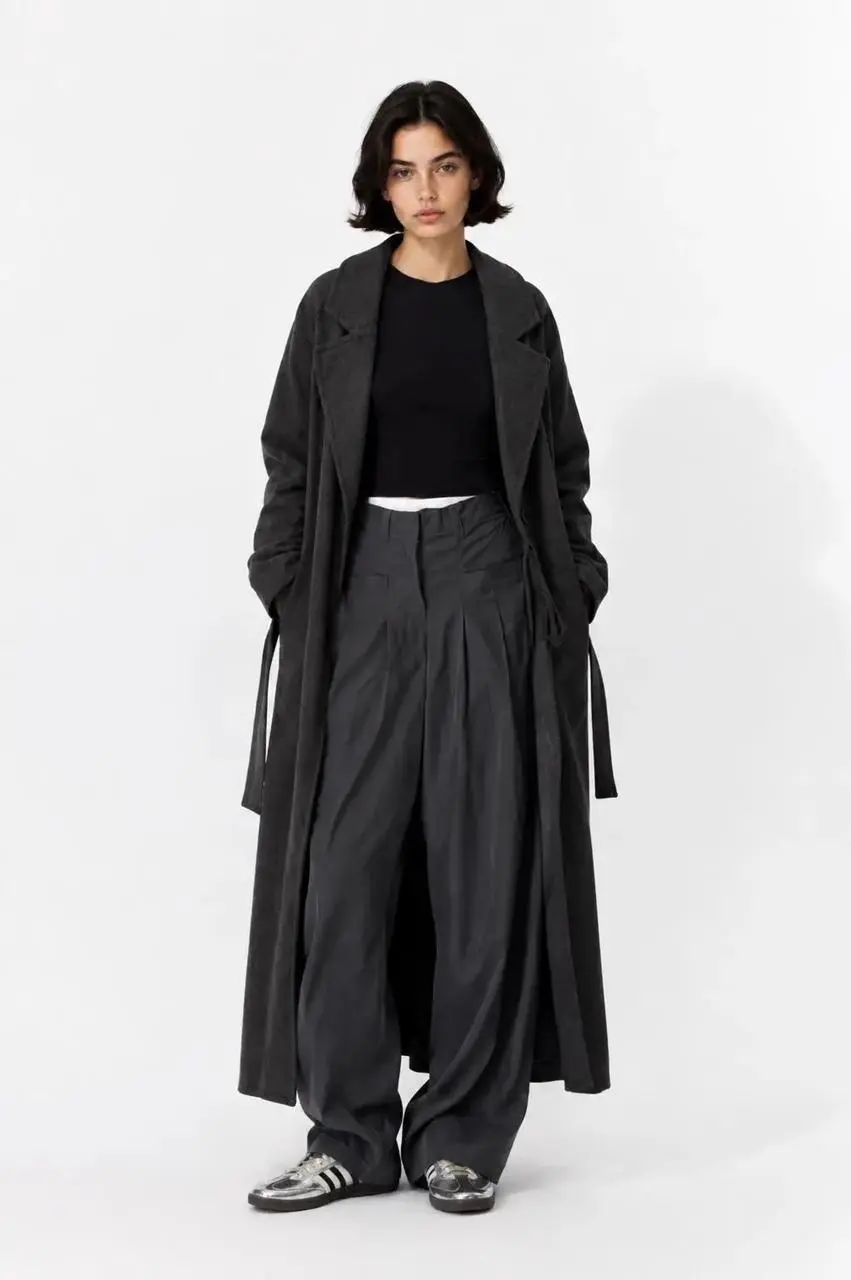
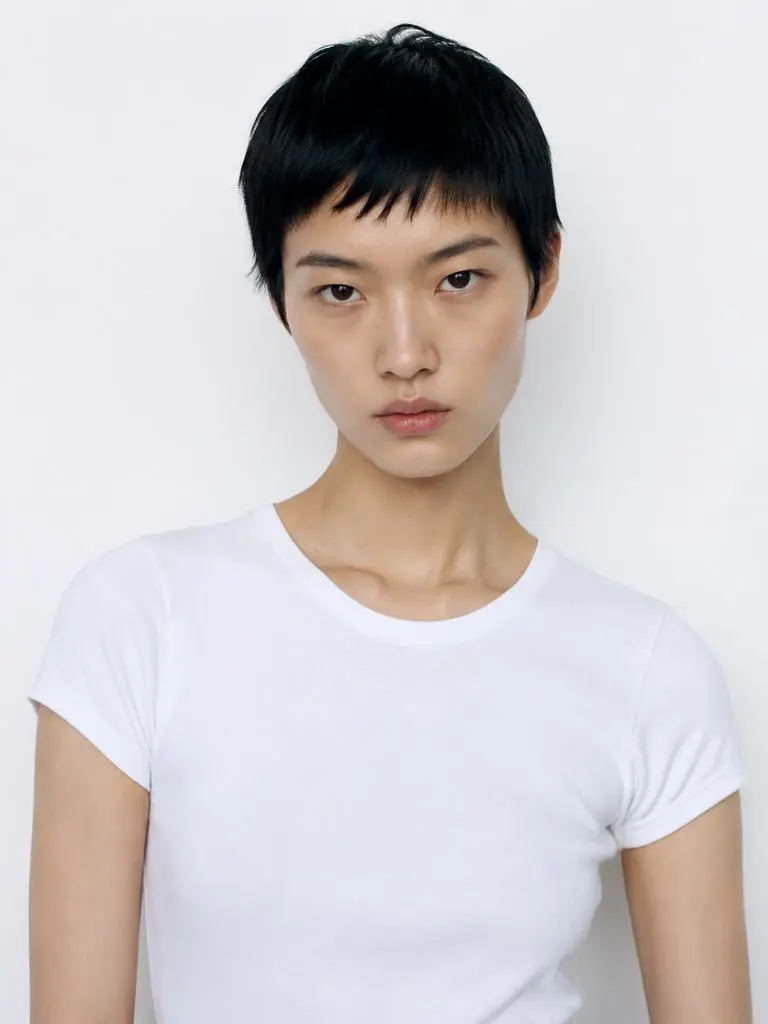
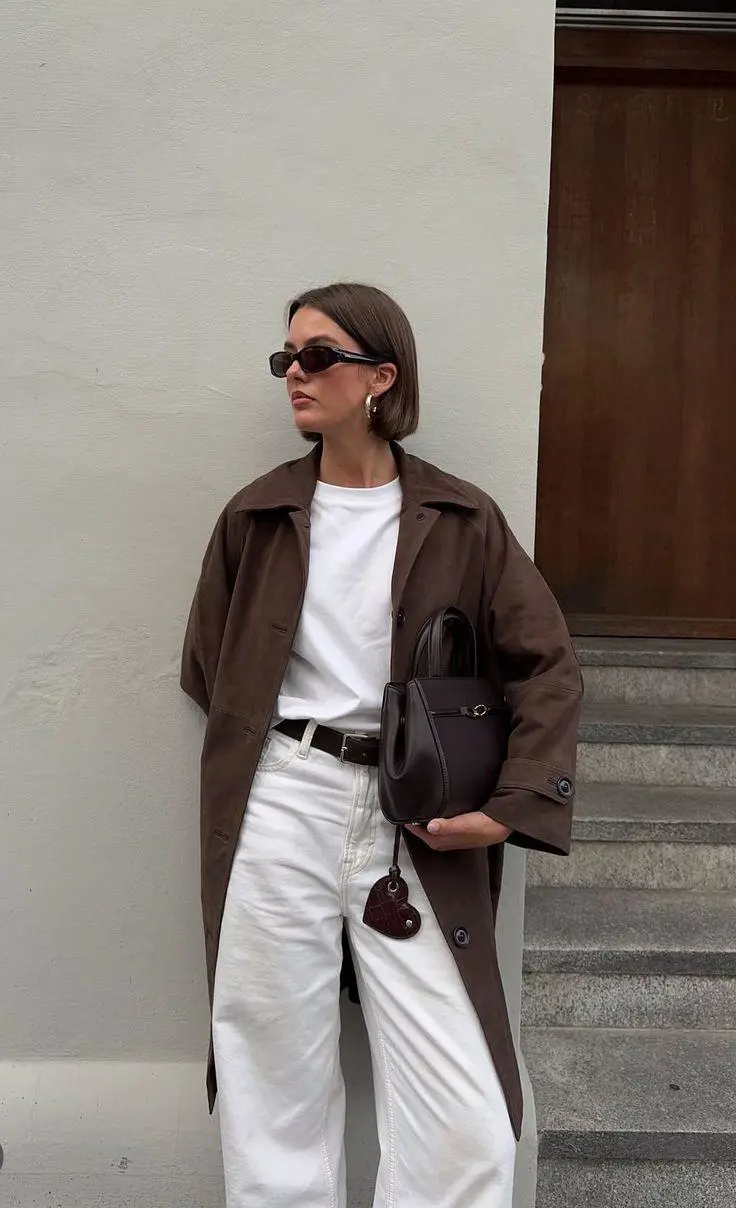
各要素をどの画像から使うかを指定します。このファッションのプロンプトは、人物、服、背景に別々の参照画像を割り当てています。
The model in Figure 2 is wearing the clothes from Figure 1 and standing against the background of Figure 3.
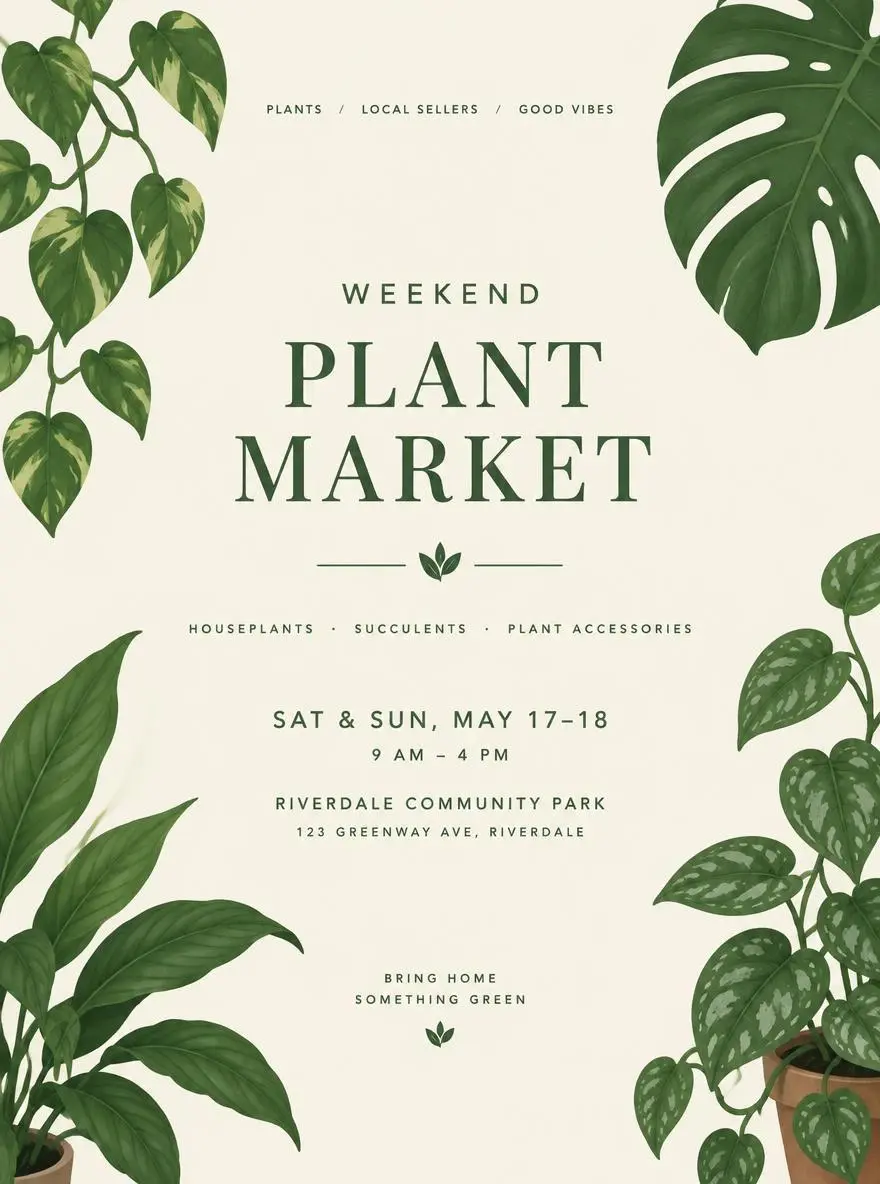
文言のためにどこを空けるかを説明します。植物マーケットの作例は、空いた中央領域の周りに葉のイラストを配置していますが、イベントの正確な文言は指定していません。
A minimal poster concept for a weekend plant market, illustrated green leaves, cream background, a clear central space for the event title and details.
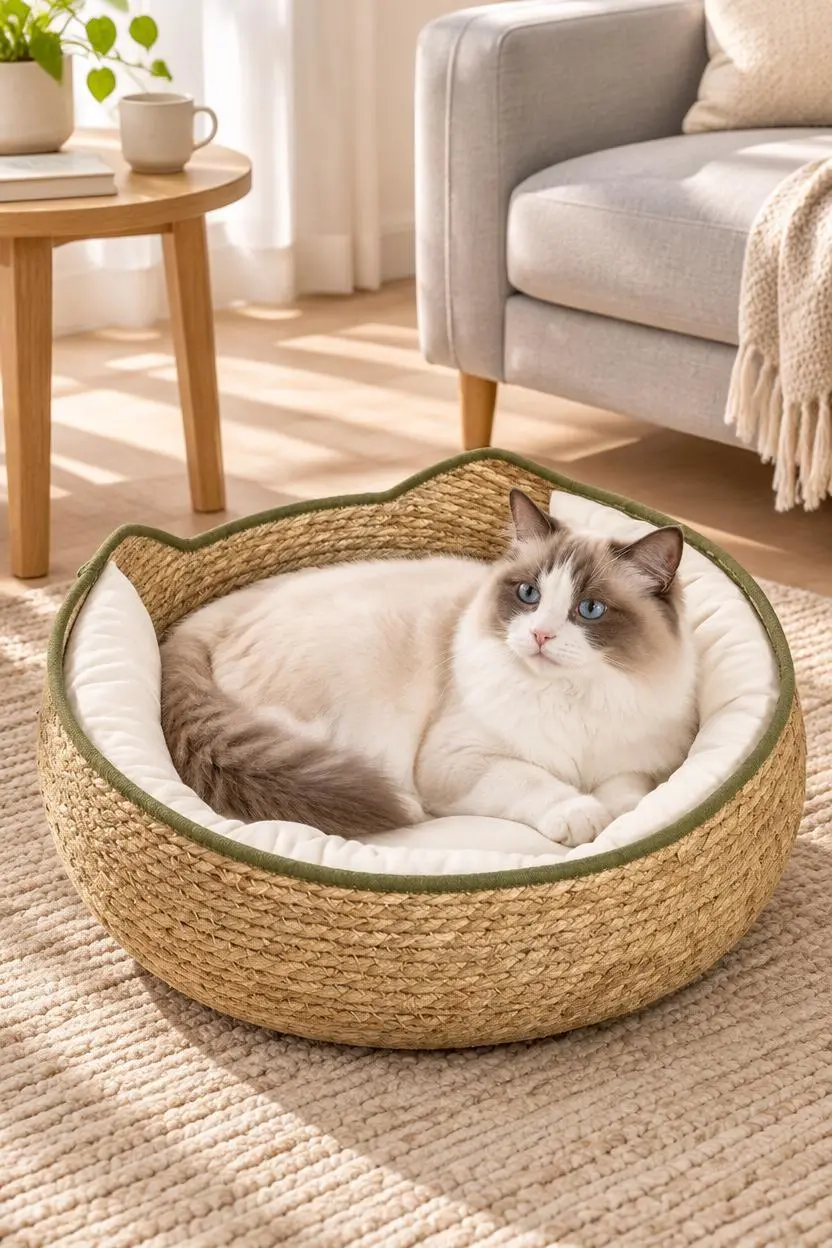
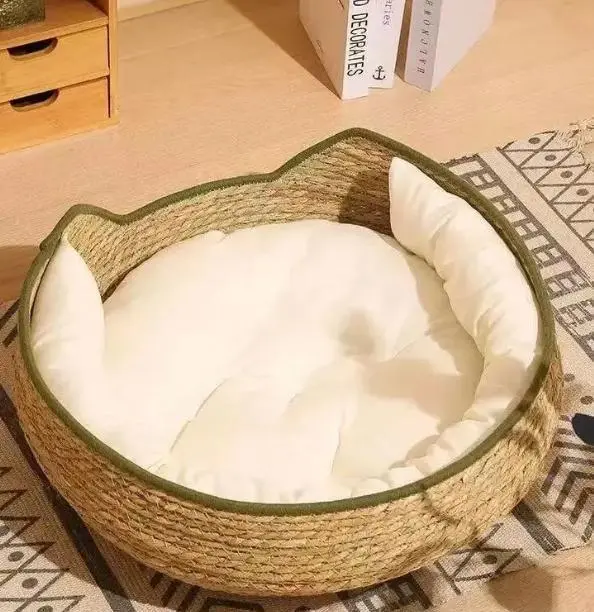
シーンに商品をどう置くかを説明します。ペットベッドの作例は、商品の参照に猫、ラグ、ソファ、柔らかな日光を組み合わせ、家庭の場面を作っています。
Based on the pet product images I uploaded, generate an image depicting a European/American family pet lifestyle. Please strictly preserve the original appearance, color, material, size proportions, and functional details of the product; do not alter the product structure. The scene should depict a clean, natural Ragdoll cat using the product in a light-colored living room, surrounded by a beige rug, light gray sofa, wooden side table, and soft sunlight. The product should be clearly visible, and the pet's expression should be natural, avoiding excessive anthropomorphism, cartoonish elements, fake smiles, or unnecessary limbs. The overall style should be warm, believable, and realistic, like a high-quality advertisement from a European/American pet brand's official website. Do not include Chinese characters, promotional text, watermarks, or incorrect logos.
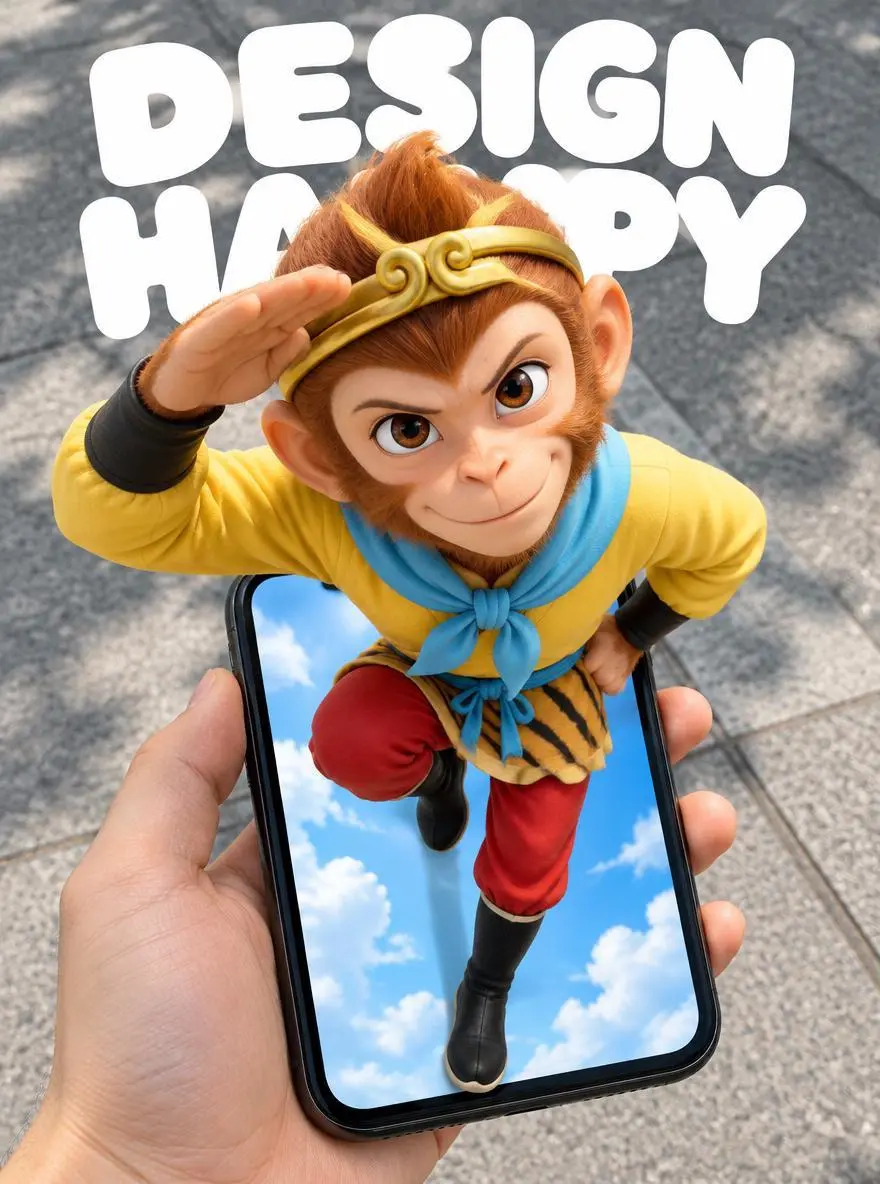
奥行きを作るために、どの物体が重なるかを説明します。スマートフォンのポスターのプロンプトは、手前の手と端末、画面の外へ飛び出すキャラクター、後ろの歩道を分けて指定しています。
Create a 3:4 vertical POV surreal "pop-out" mobile poster. The subject is Sun Wukong, retaining the classic animated look from the reference image: monkey face, golden headband, yellow top, light blue scarf, red trousers, and black boots. Maintain the original pose: one arm raised and bent beside the head, the other hand at the waist, one leg bent and lifted, and the other extending downward toward the bottom of the phone screen. Do not change this to a standard standing pose or a pose involving the swinging of the golden staff. Use a first-person, wide-angle, top-down perspective. A hand holds a black iPhone XR from the bottom-left of the frame; the phone is positioned in the lower half, slightly tilted, with the device fully visible and the hand-to-phone scale realistic. The character's head and shoulders are close to the lens and significantly enlarged, while the lower body diminishes in size with distance, creating a strong forced perspective. The phone screen acts as a spatial portal. Sun Wukong's head, shoulders, chest, and raised arm clearly protrude from the screen, obscuring the top edge and parts of the sides, while the legs extend into the screen's interior. The entire body is continuous and intact, creating a clear 3D pop-out illusion through frame occlusion, contact shadows, and depth within the screen. It is neither a flat image on the screen nor a separate figure floating above the phone. The background outside the phone is a realistic city sidewalk with gray concrete and natural daylight with soft shadows; the interior of the phone screen retains a bright blue sky with clouds, creating a contrast between the virtual world and the real ground. The hand and phone have a realistic photographic texture, while Sun Wukong retains his classic animated silhouette and color scheme, enhanced with three-dimensional shading and a sense of spatial depth. At the top of the image, include large, rounded white text reading "DESIGN" and "HAPPY" on two separate lines. The text is positioned behind the character and naturally partially obscured by the head and shoulders, without blocking the face, hand gestures, or the phone itself. The composition is clean and lively, possessing the strong visual impact of a social media poster. Feature only Sun Wukong, the hand holding the phone, and the phone itself; do not add other characters, interface buttons, or extra text. Avoid duplicated limbs, deformed fingers, body fragmentation, incorrect perspective, and conflicting lighting directions.
GPT Image 2.5 Flareの選択と、下記の入力経路から始めます。送信前に、利用可能な設定とポイントを確認してください。
このページに設定されたFlareを使います。画像全体の説明を入力するか、参照画像をアップロードして、それぞれが示す内容と残す細部を説明してください。
サイズ表記:1K, 2K, 4K。品質:low, medium, high, xhigh, max. アスペクト比:auto, 1:1, 1:2, 2:1, 1:3, 3:1, 2:3, 3:2, 4:3, 3:4, 16:9, 9:16, 21:9, 9:21, 4:5, 5:4. これらは選択できる設定であり、固定のピクセル寸法やファイル形式を保証するものではありません。実際の寸法は元の出力で確認してください。送信前に、表示ポイントとプランで使えるモデルを確認してください。
卓上の編集では照明と残した物体を比較し、メイクの事例ではメイクとは別に人物の特徴を確認します。図解ではラベルを校正し、段階の順序も確認してください。
OpenAIはFlareを日常的な高速画像生成、Sunburstを要求の厳しい生成・編集に位置づけています。どちらもテキストと画像入力に対応し、WeShopの品質選択肢は設定であって、普遍的なモデル順位ではありません。公式の位置づけ、記録されたWeShopの構成、現在選択中のフォームは別であり、画質や速度の実測順位を示すものではありません。
| 比較項目 | GPT Image 2 | GPT Image 2.5 Flare | GPT Image 2.5 Sunburst |
|---|---|---|---|
| 選択の優先事項 | 既存のGPT Image 2の制作手順 | 日常的な高速生成とビジュアルの試行 | 厳しい画質要件や編集の精密さ |
| 開始時の入力 | テキストと参照画像 | テキストと参照画像 | テキストと参照画像 |
| 検討する場面 | 既存のプロンプトで必要な結果が得られている | 速度を優先し、新しい画像や日常的な参照画像の編集を試したい | ほかの選択肢では詳細な指示や精密な編集が要件を満たさない |
| WeShopの画像サイズ | 1K, 2K, 4K | 1K, 2K, 4K | 1K, 2K, 4K |
| WeShopの品質選択肢 | Low, Medium, High | Low, Medium, High, XHigh, Max | Low, Medium, High, XHigh, Max |
OpenAIは日常的な高速生成の出発点としてFlareを勧めています。自分の実際のプロンプトと参照画像で、結果が要件を満たすか判断してください。
画像や編集が要件を満たさない場合は、同じ入力と出力設定でSunburstと比較してください。必要な結果で選びます。品質ラベルだけでは、モデル間で同じ出力画質になるとは判断できません。
関連モデルのページで、能力、作例、現在の生成オプションを確認できます。
始める前の実用的な回答。
GPT Image 2.5 Flareは、日常的な速度重視の生成に向けたOpenAIの画像生成・編集モデルです。文章の指示と参照画像を入力できます。
Flareは、商品の編集、参照画像の組み合わせ、文字を使う図版など、日常的な生成や試行に適しています。卓上の編集、2枚のポートレート間のメイク転送、4段階の図解は、異なる3つのタスクを示すもので、速度の実測ベンチマークではありません。
新しいデザインはテキストのみで、編集は元画像をアップロードして作れます。メイクの移し替えでは、片方をメイク、もう片方を人物の参照とし、同じ役割として扱わないでください。
サイズ表記:1K, 2K, 4K。品質:low, medium, high, xhigh, max. アスペクト比:auto, 1:1, 1:2, 2:1, 1:3, 3:1, 2:3, 3:2, 4:3, 3:4, 16:9, 9:16, 21:9, 9:21, 4:5, 5:4. これらは選択できる設定であり、固定のピクセル寸法やファイル形式を保証するものではありません。実際の寸法は元の出力で確認してください。
簡単な編集では、変える内容を直接説明します。犬の作例は宇宙服を求めており、元の被写体はアップロード写真で示されています。ガイドで対応するプロンプト全文と実際の入力を読み、自分のタスクに合わせて調整します。
OpenAIはFlareを日常的な高速画像生成、Sunburstを要求の厳しい生成・編集に位置づけています。どちらもテキストと画像入力に対応し、WeShopの品質選択肢は設定であって、普遍的なモデル順位ではありません。
現在の WeShop 料金ページでプランのモデル利用権限と利用枠を確認し、生成画面で選択した設定・数量の見積ポイントを確認してください。本ページはリクエストごとの固定価格を提示せず、他社の契約枠を WeShop に適用しません。
画像への指示は結果で確認すべき制約であり、すべての細部や文言が正確に再現される保証ではありません。卓上の編集では照明と残した物体を比較し、メイクの事例ではメイクとは別に人物の特徴を確認します。図解ではラベルを校正し、段階の順序も確認してください。
保存されたGPT Image 2.5 Flareの作例では、「卓上の商品写真のスタイルを変える」「2枚のポートレート間でメイクを移す」「4段階のインフォグラフィックを作る」を紹介しています。各結果を実際のプロンプトと利用可能な入力とともに確認してください。1つの事例は1つのリクエストを示すもので、結果の保証や成功率のベンチマークではありません。