GPT IMAGE 2の画像制作

GPT Image 2 AI画像生成

GPT Image 2はOpenAIの画像生成・編集モデルです。テキストと画像を入力し、新しいビジュアルや参照画像をもとにした変更を作れます。

gpt-image-2
GPT IMAGE 2の作例

GPT Image 2の画像作例

GPT Image 2は「ネオン彫刻へのスタイル変換」「参照画像からエディトリアルボードへ」「文字を主役にしたジャズポスター」の作例で確認できます。保存された各事例は、実際のプロンプトと利用可能な入力を保持しています。自分の被写体に合わせて指示を変える前に、結果を確認してください。

WeShopの生成結果:ネオン彫刻へのスタイル変換
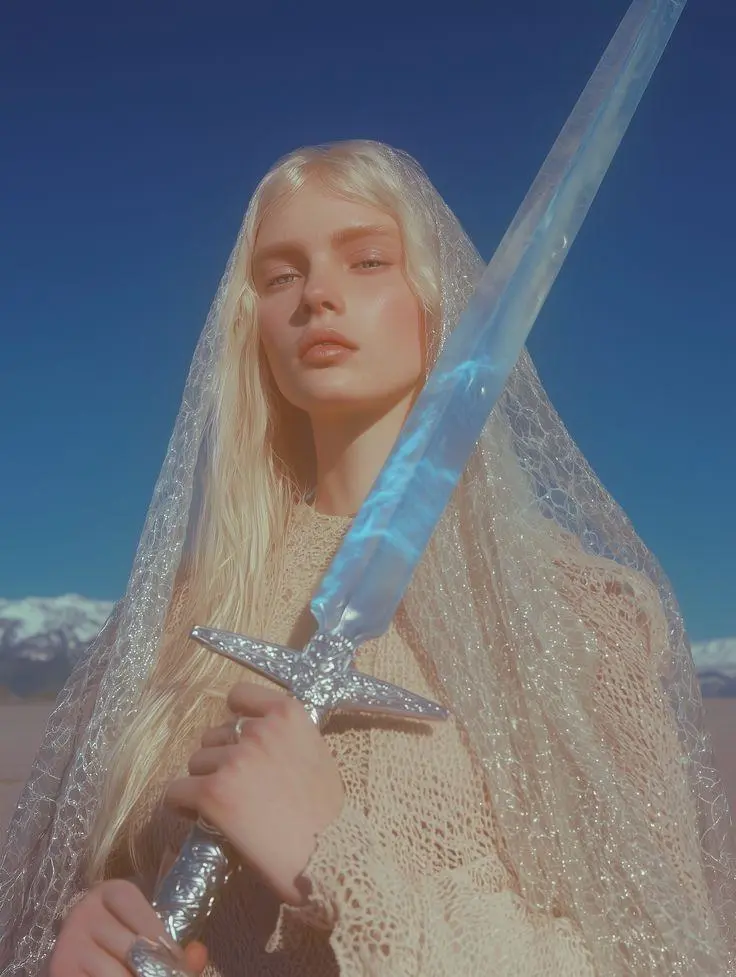
参照画像 1

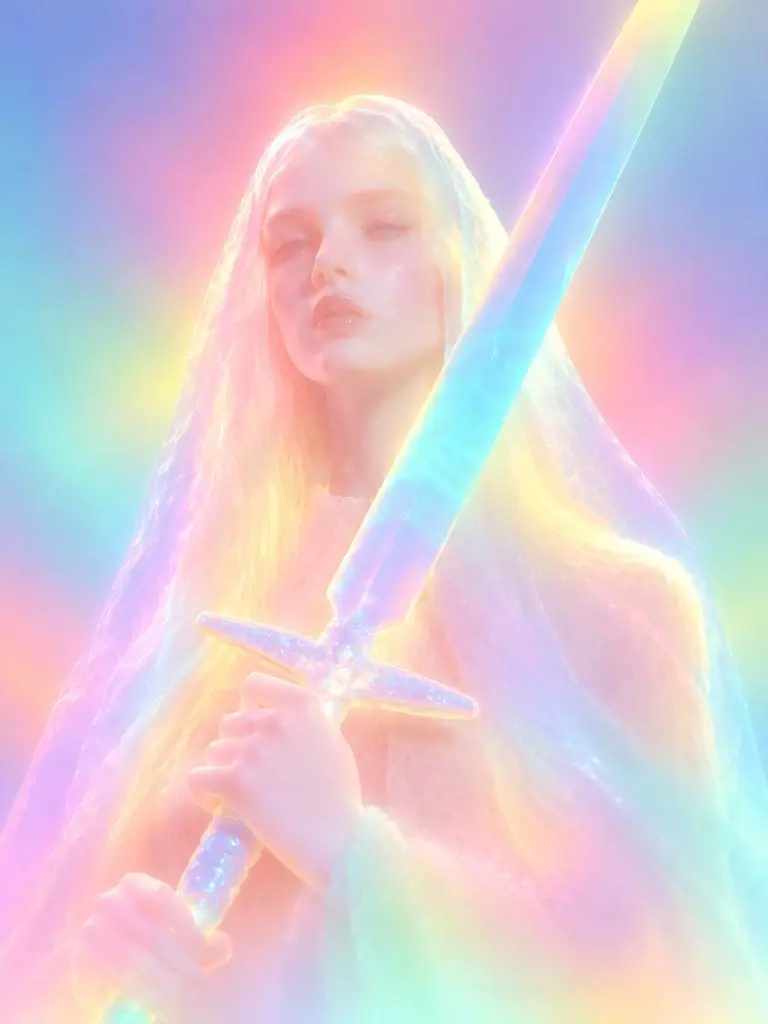
ネオン彫刻へのスタイル変換

参照画像を光る彫刻に変える作例です。拡散したネオン色、柔らかくした顔の細部、丸みのある素材表現で、指定したスタイルの変化を確認できます。

Please transform the input image into a soft focus, neon gradient sculptural style. Do not copy specific specific characters, crowds, compositions, or poses from any reference, but follow this visual language: Style & Texture: Create a soft, dreamy, surreal 3D illustration and digital sculpture. The subject should look like translucent plastic, frosted glass, glowing rubber, or soft ceramic sculpture wrapped in colored mist. Smooth rounded edges, moderately simplified details, with a hazy, low-contrast, non-realistic artistic effect. Color & Light: Use highly saturated but softly diffused neon gradients (fluorescent pink, coral orange, lemon yellow, mint green, cyan, violet, pale grayish-blue). Colors should blend seamlessly like thermal imaging, colored mist, or dream halos. Shadows must be bluish-purple, cyan, or deep magenta—NO pure black hard shadows. Use strong inner glow, backlight, rim light, and ambient color reflections to make the subject glow from within. Include soft focus, slight mist, fine grain, and gradient noise. Subject Treatment: Retain the identity, pose, proportions, and clothing outlines of the input image, but transform them into a minimalist, rounded, dreamy neon sculpture. Soften and weaken facial features to create a quiet, ethereal, detached expression. The face should look like a soft mask covered by a glowing halo. Composition: Clean background (solid color, soft gradient, misty or large color blocks). Quiet, surreal, fairytale-like but slightly alienating atmosphere with a floating feeling. Keywords: soft neon gradient, dreamy 3D illustration, translucent sculpture, frosted glass texture, glowing rubber, pastel fluorescence, diffused light, inner glow, soft focus, blurred facial features, surreal portrait, minimal details, smooth rounded forms, luminous mist, thermal color gradient, ethereal atmosphere, clean composition, high-end digital art.
このプロンプトを使用する
WeShopの生成結果:参照画像からエディトリアルボードへ
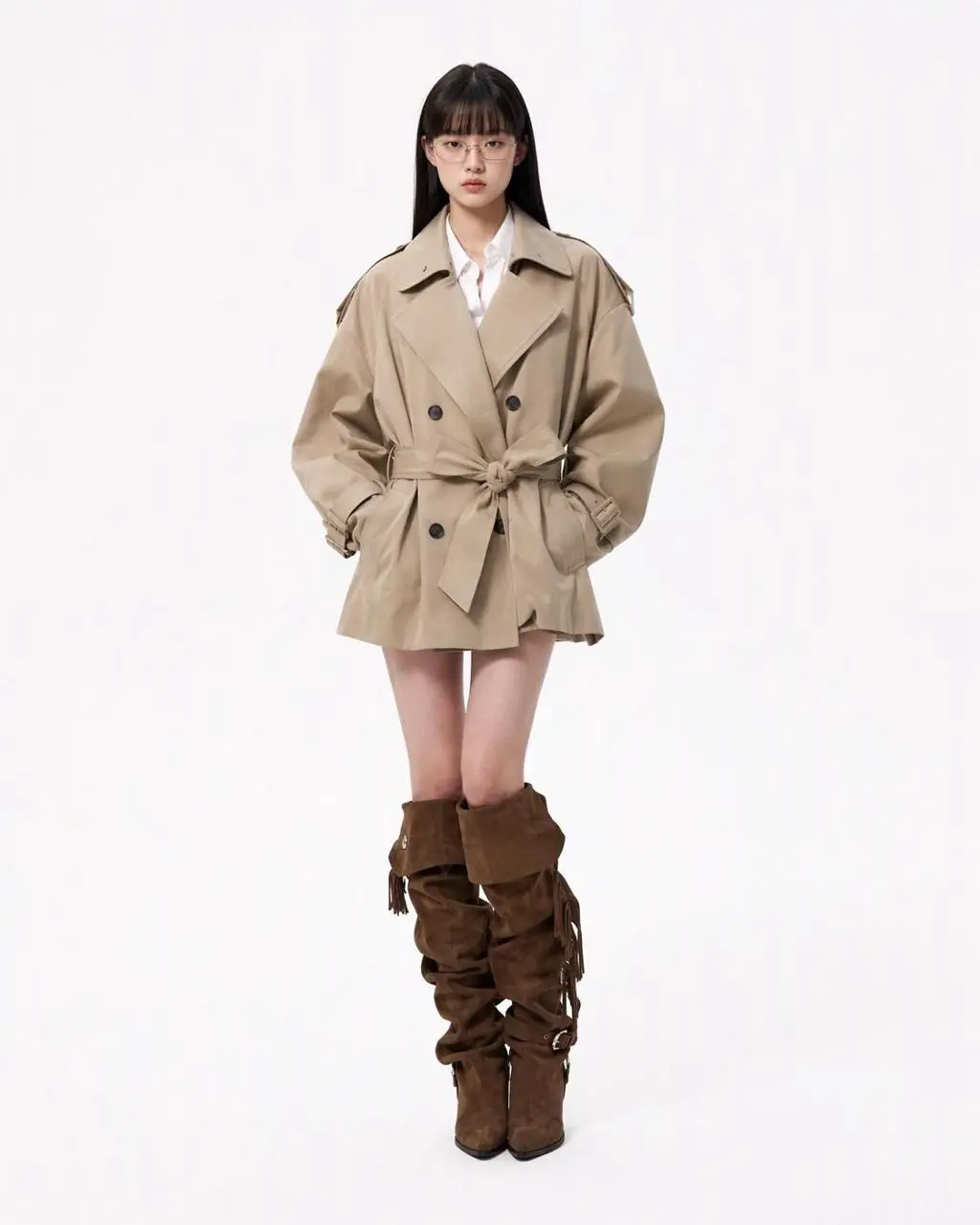
参照画像 1

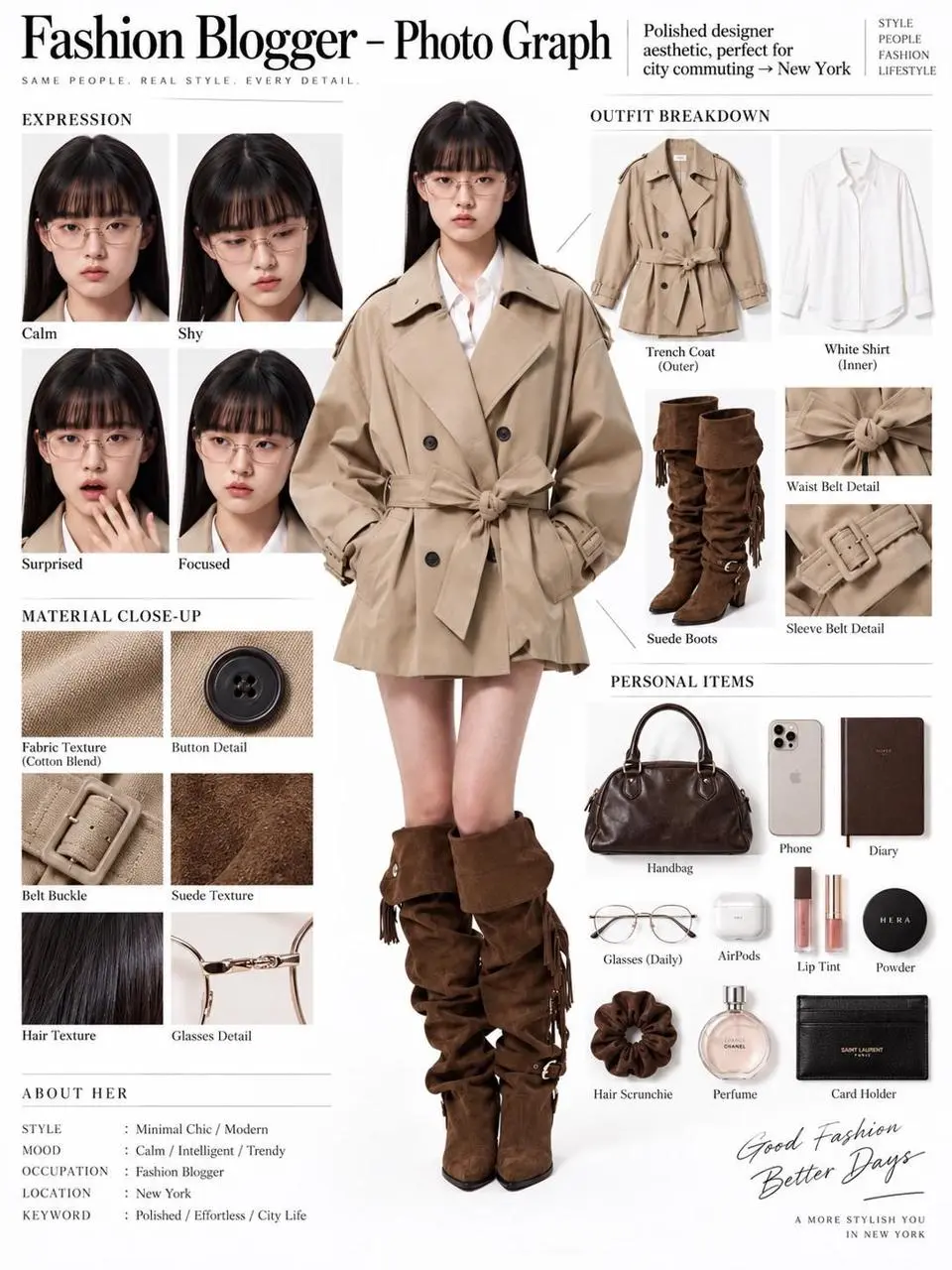
参照画像からエディトリアルボードへ

1枚の人物参照から、全身像、服のパーツ、顔のクローズアップ、素材の細部を含むエディトリアルボードに変える作例です。参照画像の編集と構造化したレイアウトを1つの構図にまとめています。

You are an expert in ultra-detailed, photorealistic character breakdown sheets. Create a highly detailed character reference sheet based on the uploaded person photo. Preserve 100% of the person’s original facial features, identity, hairstyle, clothing, body proportions, and realistic textures. Do not redesign, beautify, or alter the person. TASK: CENTER: Place the full-body photorealistic image of the uploaded person prominently in the center. Keep the person’s original appearance, outfit, proportions, and visual identity exactly consistent with the reference photo. SURROUNDING ELEMENTS: • Outfit Breakdown: Display each clothing item separately, from outer layers to inner layers. Preserve the exact original design, silhouette, colors, materials, patterns, stitching, accessories, and fabric textures. Present each item as realistic product photography. • Expression Variations: Create 3–4 close-up portraits of the same person showing different natural expressions, such as calm, shy, surprised, and focused. The face, hairstyle, skin tone, makeup, and identity must remain fully consistent with the uploaded person. • Material Close-ups: Include realistic macro photography of key details such as fabric texture, stitching, skin texture, hair strands, accessories, buttons, hardware, and other visible materials from the original photo. • Personal Items: Arrange realistic everyday objects that naturally match the person’s fashion style and overall character, such as bag contents, cosmetics, diary, phone, accessories, or other appropriate personal belongings. Present them as premium editorial flat-lay photography. VISUAL GUIDELINES: Layout: Use a clean white background. Position the full-body person as the main visual focus in the center. Arrange all outfit pieces, facial close-ups, material details, and personal items evenly around the central figure. Use thin, refined editorial-style lines to connect relevant details to the person. Style: Hyper-realistic professional photography only. Use natural studio lighting, realistic skin, authentic fabric textures, accurate material reflections, subtle shadows, and premium fashion-editorial photography quality. Overall aesthetic: Clean, sophisticated, modern fashion magazine character analysis board with a New York editorial atmosphere. Maintain a balanced layout, generous white space, and refined visual hierarchy. TEXT: Display the main title: “Fashion Blogger – Photo Graph” Include one short English style/persona judgment: “Polished designer aesthetic, perfect for city commuting → New York” STRICT RULES: The final image MUST look like real photography. NO illustration, anime, cartoon, sketch, painting, CGI, or obvious 3D-rendered appearance. Preserve the uploaded person’s identity, facial structure, facial features, hairstyle, skin tone, clothing, body proportions, and overall appearance as accurately as possible. Do not change, redesign, beautify, replace, or reinterpret the person’s original features. Do not randomly change the clothing design, colors, materials, patterns, or accessories. All facial close-ups must clearly represent the same person. All clothing breakdowns and material close-ups must correspond accurately to the clothing worn by the central person. All surrounding elements must have authentic photographic textures, realistic lighting, and consistent visual quality. Maintain strong visual consistency between the central full-body character and every surrounding detail image.
このプロンプトを使用する
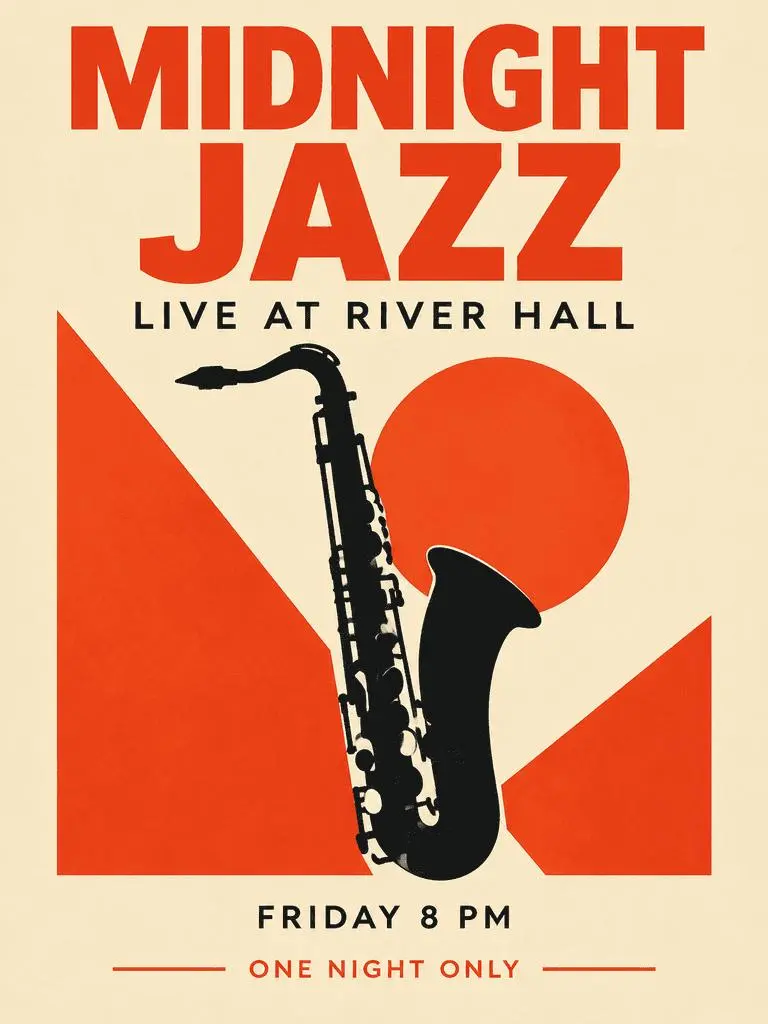
WeShopの生成結果:文字を主役にしたジャズポスター

文字を主役にしたジャズポスター

大きな見出し、補足情報、サクソフォンのイラストを組み合わせた架空のイベントポスターです。指定した4つの文言と情報の優先順位を結果で確認してください。

Create a polished vertical 3:4 poster for a fictional jazz event. Use a warm ivory background, bold vermilion geometric shapes, a single black saxophone silhouette, and a carefully aligned editorial grid. Include exactly these four text lines, with no other words: 'MIDNIGHT JAZZ' as the largest headline, 'LIVE AT RIVER HALL' as the secondary line, 'FRIDAY 8 PM' as the small event detail, and 'ONE NIGHT ONLY' as a small bottom label. Make all four lines legible and spelled exactly. Keep a clear hierarchy between headline, illustration, details, and footer. Flat graphic design, crisp edges, restrained paper texture, no border or watermark.
このプロンプトを使用する
GPT IMAGE 2とは

GPT Image 2とは?どんな用途に使える?

GPT Image 2はOpenAIの画像生成・編集モデルです。テキストと画像を入力し、新しいビジュアルや参照画像をもとにした変更を作れます。 GPT Image 2は、文字を使うデザイン、構造化した構図、参照画像の変換に使えます。ジャズポスターは計画した文字の優先順位を、エディトリアルボードとネオンへの変換は元画像の異なる活用を示しています。

デザインした画像内の文字

文字と視覚要素を含むレイアウトを作り、結果でつづりと配置を確認してください。

画像編集のための参照素材

入力した画像で被写体やシーンを示し、変更したい内容を説明します。

細かなビジュアルの指定

目指す画像の構図、素材、照明を指定します。

制作モード

テキストや画像から始める

新しい構図にはテキストを入力し、参照画像の編集には画像をアップロードします。どの入力が被写体、環境、レイアウトを示すかを説明し、変える部分を指定してください。

テキストから始める

残したい既存画像がなく、新しいシーンやデザインを作る場合は説明文を使います。

参照画像から始める

リクエストで使う画像をアップロードします。複数ある場合は、各参照画像の役割を指定してください。

プロンプトガイド

GPT Image 2のプロンプトはどう書く?

下に掲載したGPT Image 2の実際のプロンプトを、結果や使用した参照入力とあわせて確認してください。各説明は確認すべき具体的な指示を示しています。ある効果を指定しても、生成結果のすべての細部が一致する保証はありません。

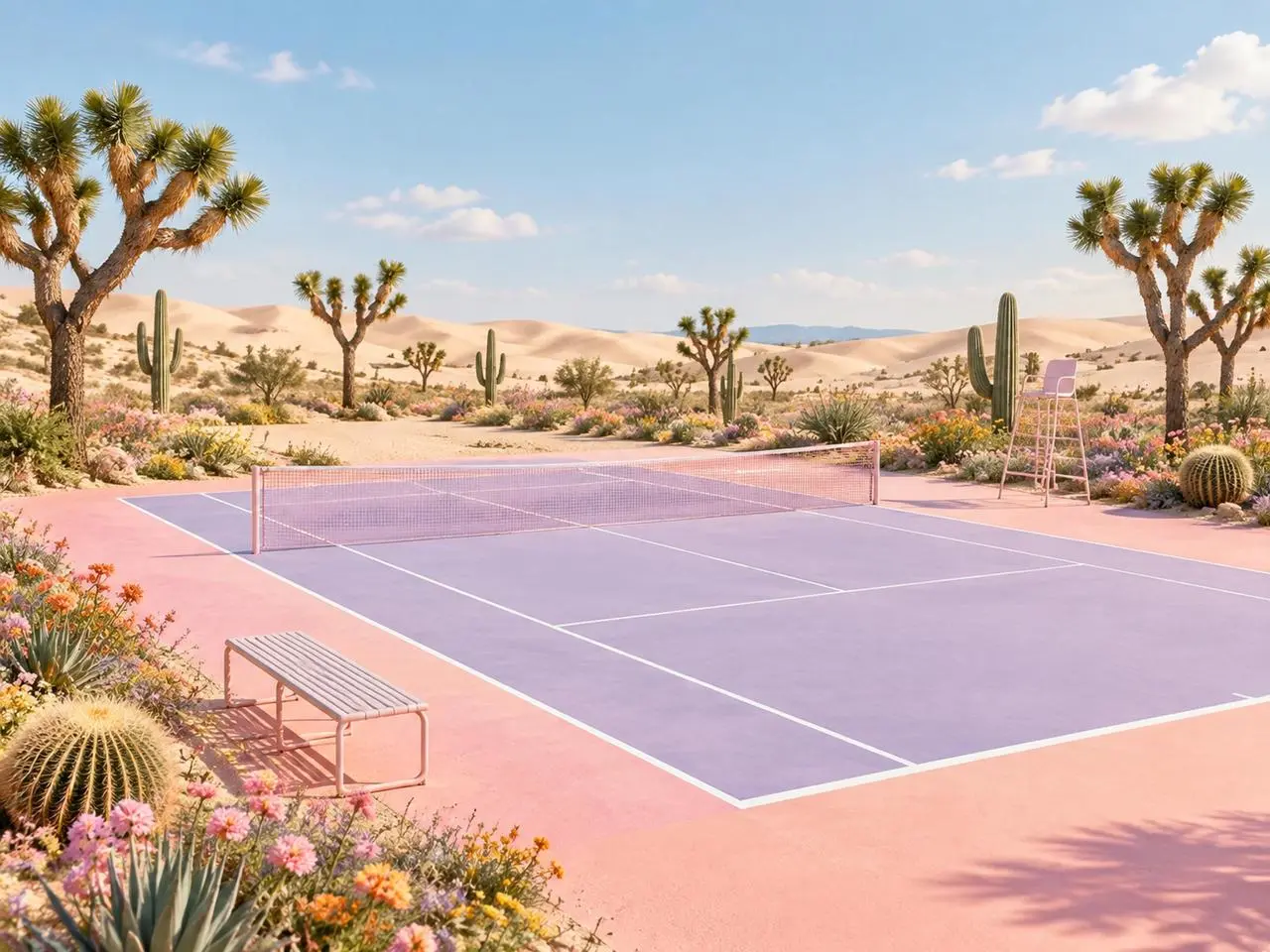
WeShopの生成結果:各参照画像に明確な役割を指定
参照画像 1
参照画像 2

各参照画像の役割を決める

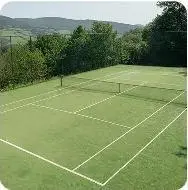
最後のシーンを説明する前に、各画像が何を示すかを指定します。この作例の指定は“Image 1 is the environment and botanical reference.”です。砂漠の植物を1枚目の参照と、コートの形を2枚目と比較してください。

Use the two uploaded images as complementary visual references. REFERENCE ROLES: Image 1 is the environment and botanical reference. Use Image 1 to guide: - the open desert atmosphere - Joshua tree shapes and branching structure - dry natural terrain - scattered desert vegetation - spacious outdoor mood - warm arid landscape identity Image 2 is the composition and tennis-court structure reference. Use Image 2 to guide: - the camera angle - the overall court placement - court proportions - baseline and service-line geometry - the central net position - surrounding open space - the relationship between the court and the landscape Do not copy either image literally. Combine the environmental character of Image 1 with the tennis-court composition of Image 2 to create one coherent new scene. FINAL SCENE: Create a dreamy pastel tennis court located in a surreal desert landscape. The tennis court should use a refined pastel palette with: - soft blush pink outer areas - lavender and pale violet playing surfaces - clean white court lines - a subtle warm peach transition around the edges - a pale pink tennis net with realistic mesh texture Preserve believable tennis-court geometry. Keep the sidelines, baselines, service boxes, center marks, net height and court perspective visually coherent. ENVIRONMENT: Surround the court with rolling cream-colored and pale peach sand dunes. Add several Joshua trees inspired by Image 1, along with tall columnar cacti, round barrel cacti, desert succulents and small flowering plants. Scatter clusters of pink, coral, orange, yellow and lavender desert flowers around the edges of the court. Keep the central playing area clean and unobstructed. Place a simple metal bench near the foreground edge of the court and a minimal referee chair near one side of the net. The furniture should match the scene’s clean editorial styling without blocking the court. LIGHTING AND ATMOSPHERE: Use bright, soft natural daylight under a clear pale-blue sky. Add a few soft white clouds. Use gentle shadows, warm highlights and subtle atmospheric depth across the sand dunes. The mood should feel optimistic, imaginative, premium and calm. STYLE: High-end editorial landscape photography blended with polished surreal advertising art. Pastel color grading, clean commercial composition, realistic materials, precise perspective, crisp court details and refined botanical textures. The result should feel suitable for a sports-fashion campaign, lifestyle brand advertisement, social media post, website hero image or creative editorial. COMPOSITION: Use a wide landscape composition. Keep the tennis court as the central visual focus. Use desert plants and flowers to frame the foreground and side edges. Leave the sky and distant dunes relatively clean to prevent visual clutter. The scene must feel like one naturally designed environment, not a collage of two separate photographs. IMPORTANT: Do not add people or players. Do not add text, logos, signs, watermarks, brand names or promotional badges. Do not create extra tennis nets. Do not distort the court lines or perspective. Do not place cacti, flowers or furniture inside the active playing area. Do not reproduce the exact background from either reference image. Generate a new, coherent pastel desert tennis environment inspired by both references. High-resolution commercial quality, realistic lighting, precise geometry, premium AI-generated campaign visual.
WeShopの生成結果:素材とスタイルの変化を指定
参照画像 1

素材の変化を説明する

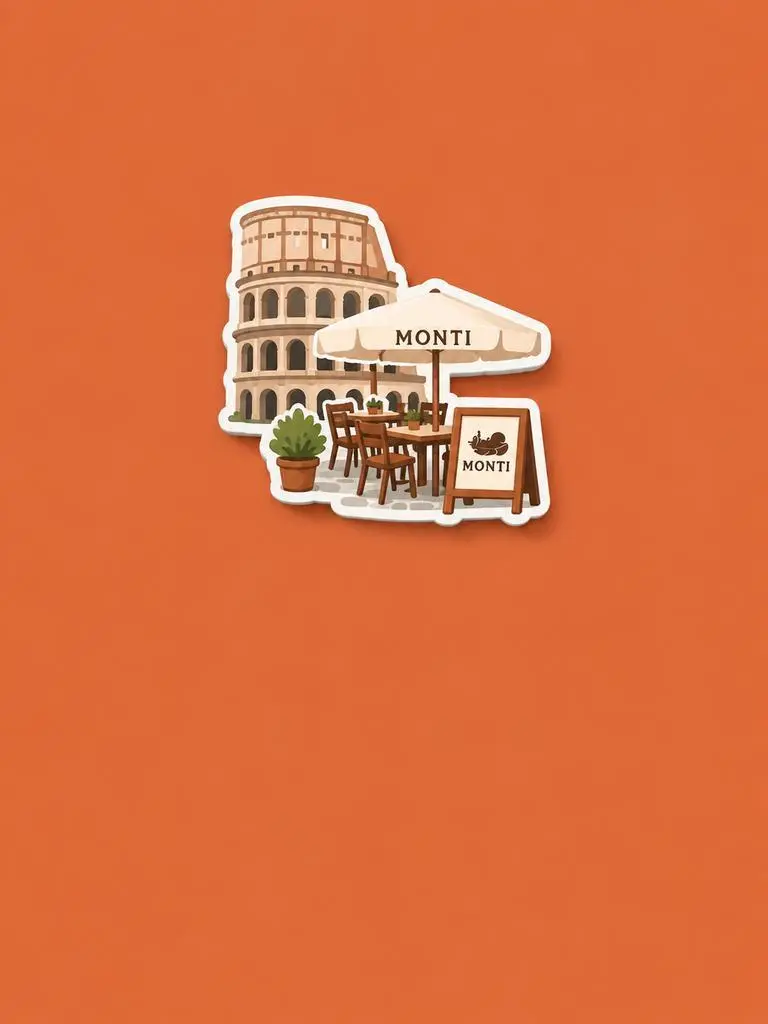
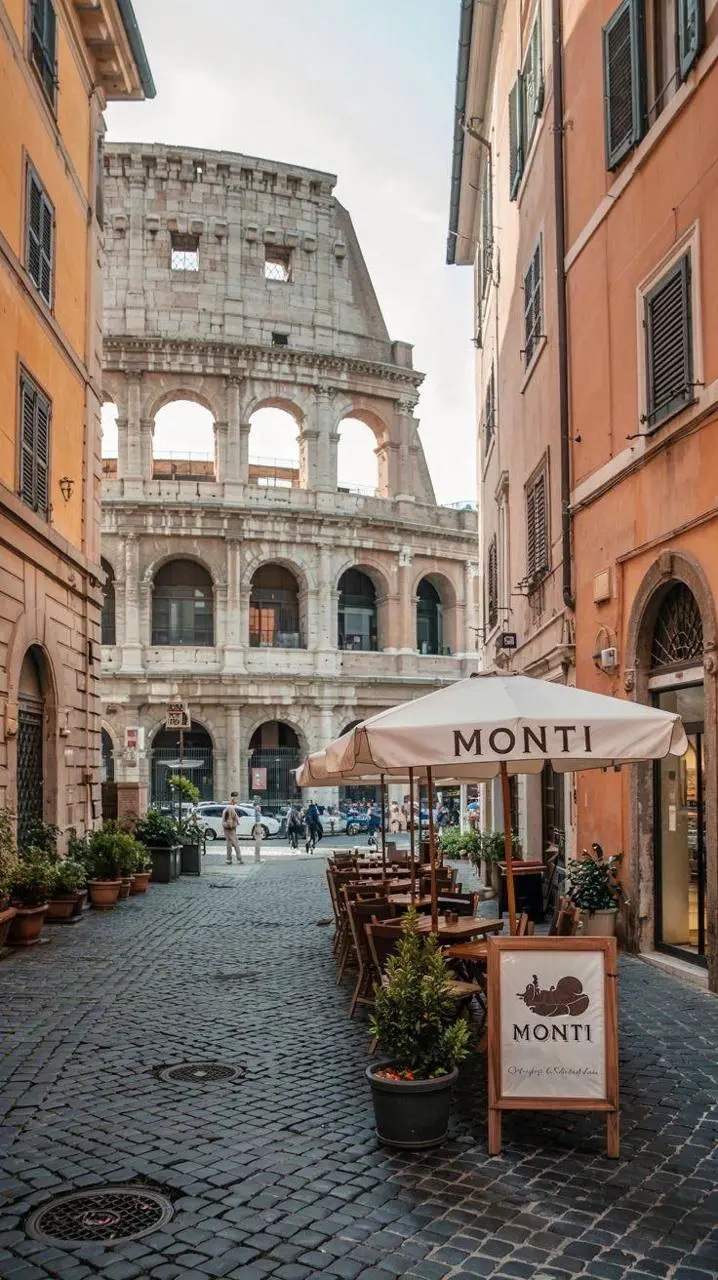
新しい素材や表現を指定し、元画像から残す特徴を示します。この作例の指定は“Retain the core outline and iconic features of the subject.”です。識別できる建物や座席が、立体的な土産物のマグネットとして表現されているかを確認してください。

Please generate a minimalist fridge magnet photography poster based on the real photo I provided. The overall style should reference "architectural fridge magnets" or "minimalist collage". 【Layout Structure】Horizontal composition, 3:2 ratio. Minimalist solid color background. 【Fridge Magnet Icon】Extract the most recognizable main subject from the provided photo (e.g., the dining table and chairs) and convert it into a minimalist "fridge magnet-style icon". Requirements: 1. Retain the core outline and iconic features of the subject. 2. Simple, clean shape, resembling a cute travel souvenir fridge magnet. 3. Add a slight 3D pop-up effect and a subtle drop shadow. 4. The edges must be clear, with a white or light-colored sticker-like border/stroke. 5. Moderately simplify the details; do not make the drawing too complex or hyper-realistic. 6. Place the icon in the upper center part of the image. 7. The icon should be relatively small and delicate, leaving plenty of negative space around it. 【Background Color】Extract the most prominent, memorable, and saturated color from the provided photo for the background. The background must be a solid, flat color—saturated, clean, and giving a travel postcard vibe. Do NOT use gradients, and do NOT add any complex patterns or background clutter.
WeShopの生成結果:被写体とレイアウトを分ける
参照画像 1
参照画像 2
参照画像 3

被写体とレイアウトを分ける

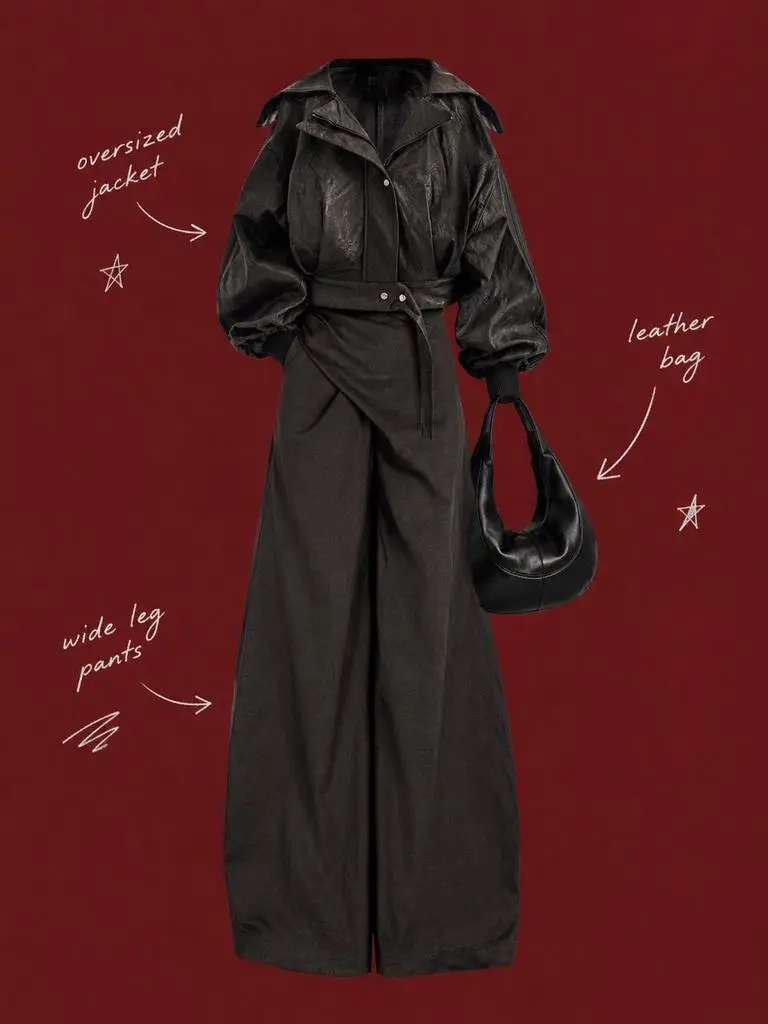
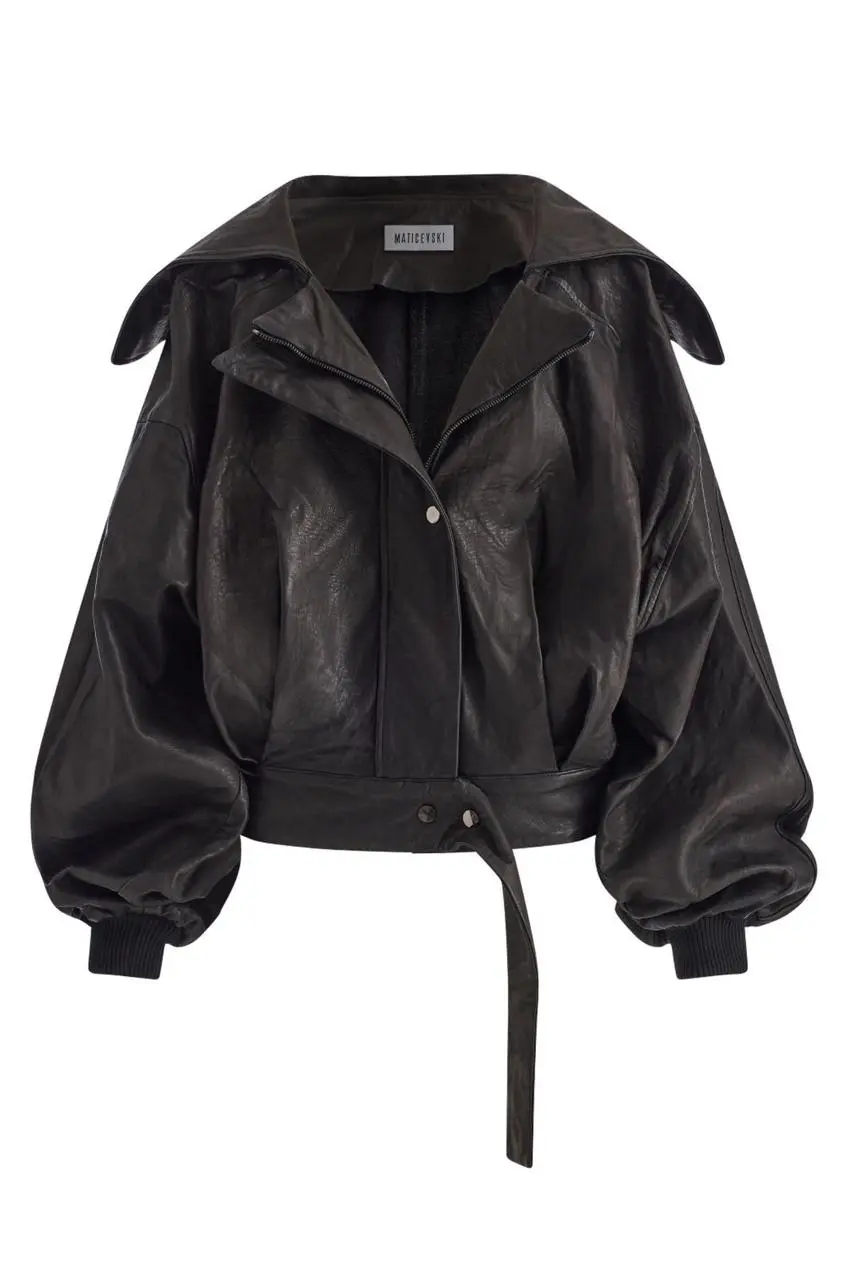
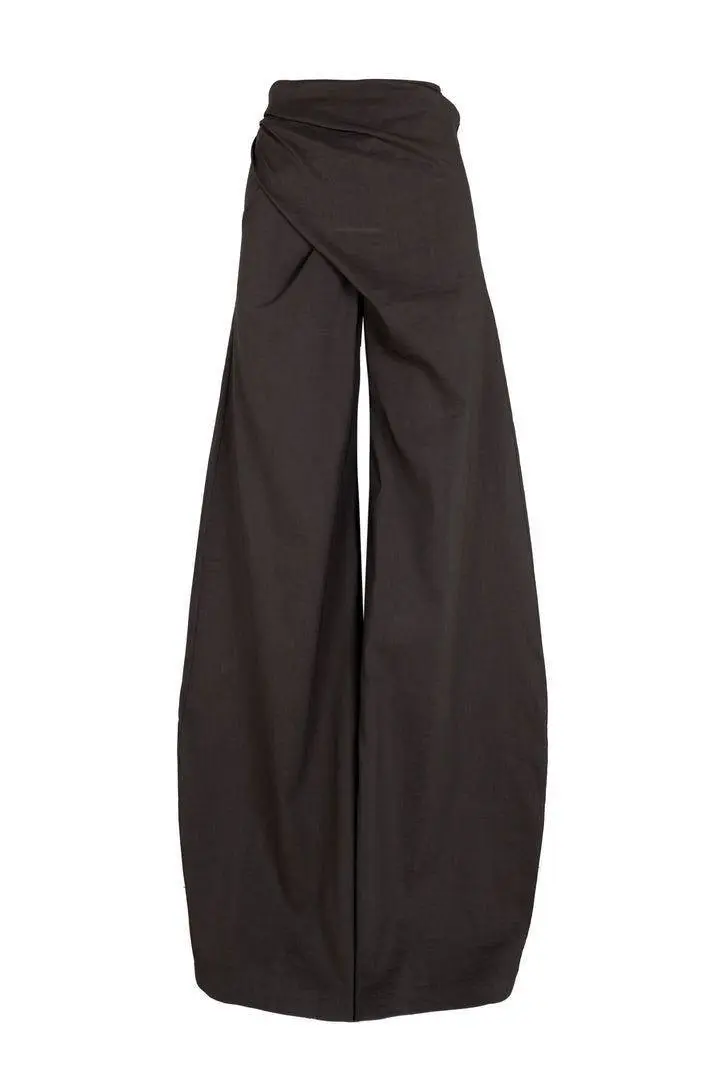
残す被写体と周囲のレイアウトを別々に指示します。この作例の指定は“Use a solid deep burgundy, dark brick-red, or muted oxidized-red background that fills the entire canvas.”です。衣装の参照画像と中央の切り抜き部分を比較し、その周囲の少数のラベルを確認してください。

Use my uploaded image as the main person or product asset to create a vertical, vintage fashion collage poster. Carefully cut out the subject and place it in the center of the composition. Preserve its recognizable clothing, pose, silhouette, proportions, colors, and important details without changing its identity. Present the subject as a clean magazine-style cutout layered directly onto the background. If the uploaded image features a person, the head may be cropped out or extend beyond the top edge so the visual focus remains on the outfit and body shape. If the subject is a product, keep it complete, clear, and easily recognizable. Use a solid deep burgundy, dark brick-red, or muted oxidized-red background that fills the entire canvas. Do not add a white border, white margins, a paper frame, or empty white space around the poster. Add only a few white handwritten English words, curved arrows, and casual fashion-sketch doodles on the left and right sides of the subject. The arrows may point toward clothing pieces, accessories, or other important details. The writing should look naturally hand-drawn, slightly irregular, and loosely arranged, like annotations in a fashion designer’s sketchbook. Keep these elements sparse and make sure they do not cover the subject. The overall visual language should resemble an independent fashion magazine, a clothing-design scrapbook, or an experimental late-20th-century fashion advertisement. Keep the layout minimal and clear, with one central cutout subject against the red background. Use an approximately 2:3 vertical aspect ratio. The subject should occupy around 75%–85% of the poster’s height and be positioned centrally, slightly toward the bottom. Keep the final image sharp and clearly defined. Do not add torn-paper edges, rough cutout edges, glue marks, tape, folds, stains, fading, film grain, scanning noise, blur, distressed textures, decorative badges, realistic scenery, complex props, modern interface elements, neon lighting, 3D rendering, or overly vivid colors.
WeShopの生成結果:照明を通して素材を指定

素材とその照明を指定する

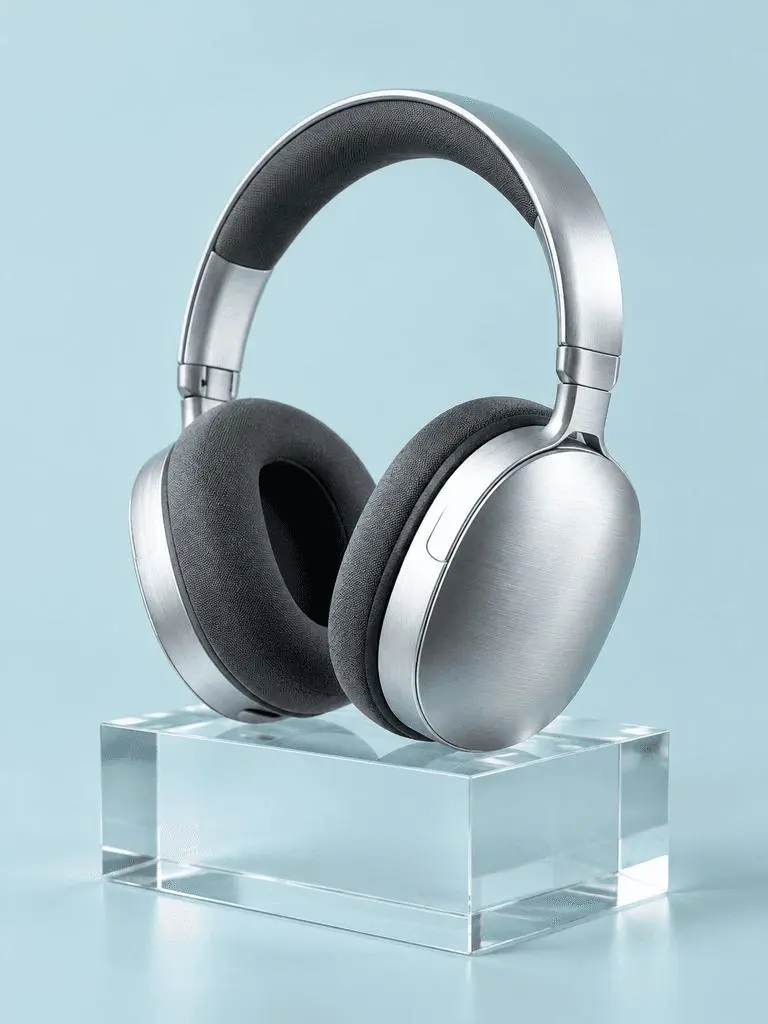
重要な各表面に、見える光の手がかりを組み合わせます。この作例の指定は“a broad softbox reflection across the metal”です。ヘアライン加工のヘッドホン、布のクッション、透明なブロックと、それぞれの光の反応を確認してください。

A photorealistic commercial product photograph of one unbranded pair of brushed-silver wireless over-ear headphones. The headphones rest on a clear rectangular glass block against a seamless pale-cyan background. Show fine metal brushing, soft charcoal fabric ear cushions, a realistic transparent block, a clean contact shadow, and a broad softbox reflection across the metal. Use an eye-level three-quarter camera angle and a restrained monochrome palette. One pair of headphones only, no people, letters, logos, packaging, border, or watermark. Vertical 3:4 composition with the whole product visible.
WeShopの生成結果:前景・背景・光を配置

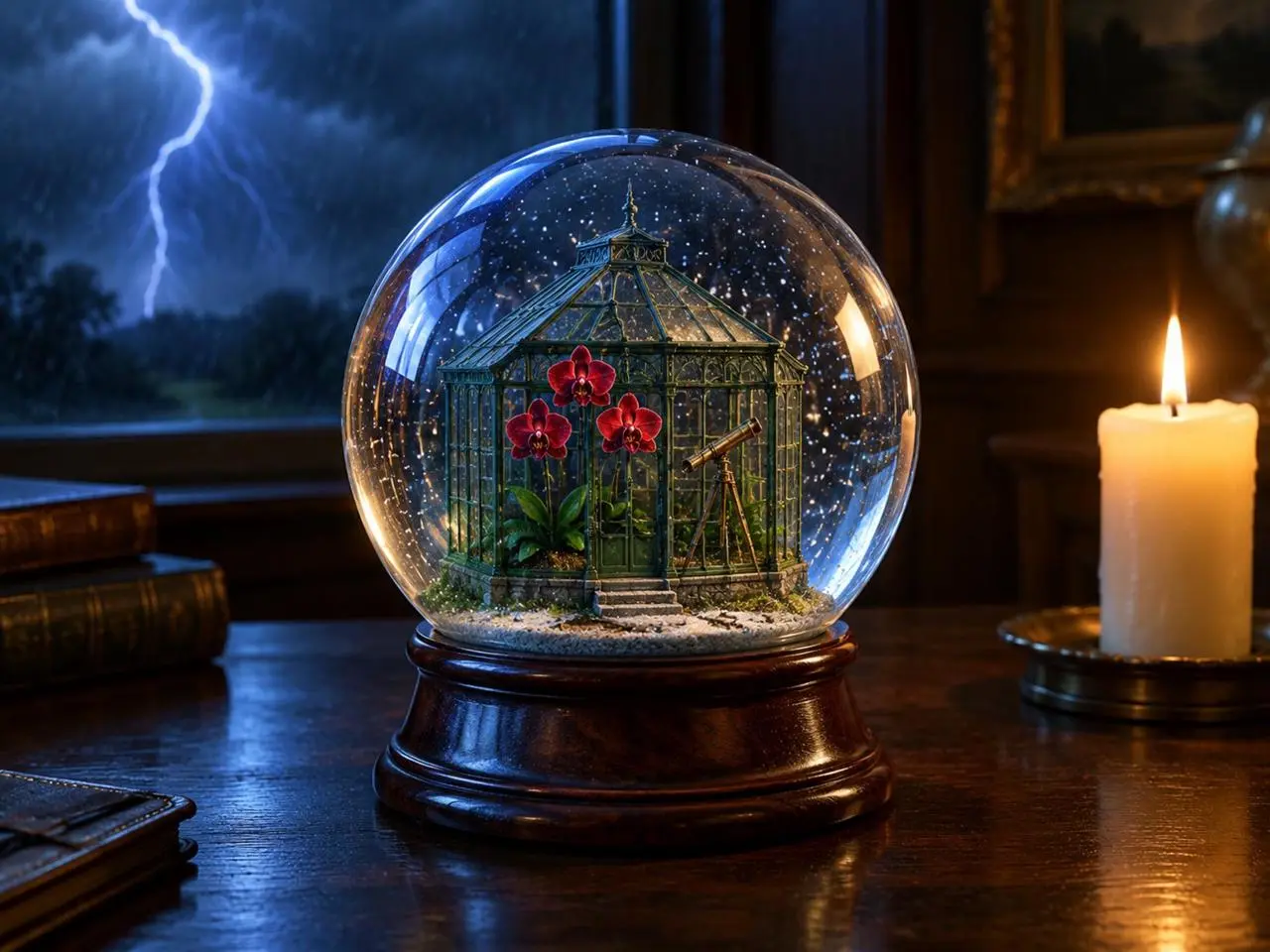
光源の位置を指定する

主な物体、背景の出来事、光源に明確な位置を指定します。この作例の指定は“one lit ivory candle on the desk to the right of the globe”です。手前の地球儀、後方の稲妻、その横の暖かいろうそくを確認してください。

Create a finished 3:4 photorealistic editorial image of exactly one clear glass snow globe resting on a dark walnut desk during a thunderstorm. Inside the globe is one miniature Victorian greenhouse containing exactly three red orchids and one small brass telescope. Place a sharp lightning bolt in the upper-left background and one lit ivory candle on the desk to the right of the globe. Use realistic glass reflections and refractions, cool blue storm light from the left, warm candlelight from the right, shallow depth of field, and detailed natural materials. Keep the entire globe visible. No people, no extra flowers, no extra globes, no text, no logo, no watermark.
WeShopの生成結果:パネル順序と正確なラベルを指定

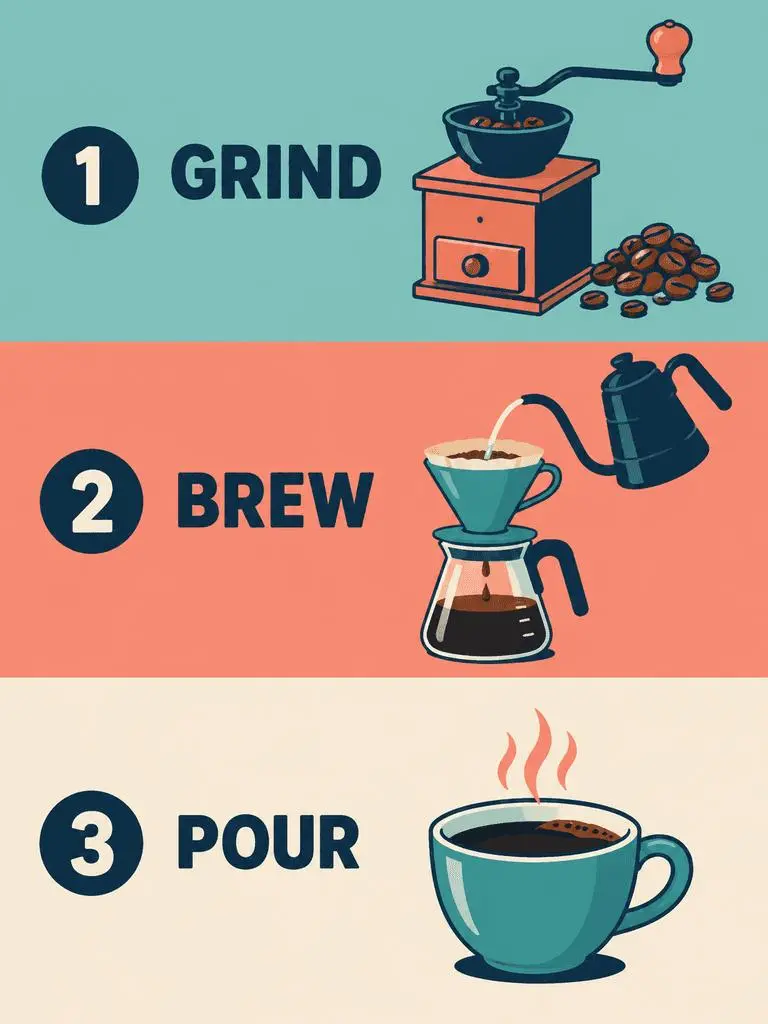
パネルの順序と正確な文言を指定する

複数パネルのデザインでは、順序と各パネルに必要な文言を指定します。この作例の指定は“Panel 1 shows a simple hand grinder and coffee beans, with the exact heading 'GRIND'.”です。GRIND、BREW、POURのラベルをイラストと照らし合わせ、上から下への順序を確認してください。

Create a clean flat-vector educational infographic in a vertical 3:4 layout with exactly three equal horizontal panels stacked from top to bottom. Panel 1 shows a simple hand grinder and coffee beans, with the exact heading 'GRIND'. Panel 2 shows a pour-over cone over a glass server and a kettle pouring water, with the exact heading 'BREW'. Panel 3 shows a single ceramic cup filled with coffee, with the exact heading 'POUR'. Place the number 1, 2, or 3 beside each corresponding heading. Use teal, coral, cream, and dark-navy colors, consistent line weights, generous spacing, and a left-to-right illustration-and-label arrangement within every panel. Keep the three panels distinct and correctly ordered. No extra text, border, photorealistic imagery, or watermark.
使い方

WeShop AIでGPT Image 2を使うには?

GPT Image 2の選択と、下記の入力経路から始めます。送信前に、利用可能な設定とポイントを確認してください。

このモデルに必要な入力を用意する

GPT Image 2の選択を維持します。ポスターでは文言とレイアウトを指定し、編集では素材をアップロードして役割を示してから、完成画像を説明してください。

利用可能な設定とポイントを確認する

サイズ表記:1K, 2K, 4K。品質:low, medium, high. アスペクト比:auto, 1:1, 1:2, 2:1, 1:3, 3:1, 2:3, 3:2, 4:3, 3:4, 16:9, 9:16, 21:9, 9:21. これらは選択できる設定であり、固定のピクセル寸法やファイル形式を保証するものではありません。実際の寸法は元の出力で確認してください。送信前に、表示ポイントとプランで使えるモデルを確認してください。

結果を開いて確認する

ポスターの文言を校正し、パネルの順序を確認します。参照画像の編集では、完全に一致すると考えず、維持した人物の特徴、物体の形、変更領域を元画像と比較してください。

GPT IMAGEモデルを比較

GPT Image 2とGPT Image 2.5の比較

GPT Image 2は2.5 FlareやSunburstとは別です。Flareは日常的な速度重視の生成、Sunburstは要求の厳しい生成・編集を重視します。現在のGPT Image 2フォームはLow・Medium・High、2.5の入口にはXHighとMaxも表示されています。公式の位置づけ、記録されたWeShopの構成、現在選択中のフォームは別であり、画質や速度の実測順位を示すものではありません。

比較項目GPT Image 2GPT Image 2.5
モデルの選択肢GPT Image 2速度重視のFlare、厳しい画質要件に向けたSunburst
生成と編集テキストプロンプトと画像を使った編集テキストプロンプトと画像を使った編集
編集の重点生成・編集のための高忠実度の画像入力OpenAIは両バリアントで精密な編集と被写体保持が改善したと説明
WeShopの品質設定Low, Medium, HighLow, Medium, High, XHigh, Max
WeShopの画像サイズ1K, 2K, 4K1K, 2K, 4K
WeShopの4:5・5:4形式現在のフォームには表示なしFlareとSunburstの両方で利用可能
モデルの選択肢
GPT Image 2
GPT Image 2
GPT Image 2.5
速度重視のFlare、厳しい画質要件に向けたSunburst
生成と編集
GPT Image 2
テキストプロンプトと画像を使った編集
GPT Image 2.5
テキストプロンプトと画像を使った編集
編集の重点
GPT Image 2
生成・編集のための高忠実度の画像入力
GPT Image 2.5
OpenAIは両バリアントで精密な編集と被写体保持が改善したと説明
WeShopの品質設定
GPT Image 2
Low, Medium, High
GPT Image 2.5
Low, Medium, High, XHigh, Max
WeShopの画像サイズ
GPT Image 2
1K, 2K, 4K
GPT Image 2.5
1K, 2K, 4K
WeShopの4:5・5:4形式
GPT Image 2
現在のフォームには表示なし
GPT Image 2.5
FlareとSunburstの両方で利用可能

GPT Image 2を使い続ける場合

結果が指示に合う場合は、文字を使うデザイン、構造化した構図、参照画像の編集にGPT Image 2を使えます。WeShopのフォームにはLow、Medium、Highの品質設定があります。

GPT Image 2.5を試す場合

OpenAIの位置づけに沿い、生成速度を優先する場合はFlare、画質を重視する指示にはSunburstを検討できます。現在のWeShopフォームでは、どちらもXHighとMaxの品質設定を提供しています。既存の制作方法を変える前に、同じ代表的な入力で評価してください。

ほかの画像モデル

ほかの画像モデルを見る

ほかのモデルページで、それぞれの作例と利用できる制作方法を確認できます。

よくある質問

GPT Image 2のよくある質問

GPT Image 2とは?

GPT Image 2はOpenAIの画像生成・編集モデルです。テキストと画像を入力し、新しいビジュアルや参照画像をもとにした変更を作れます。

GPT Image 2はどんな用途に使える?

GPT Image 2は、文字を使うデザイン、構造化した構図、参照画像の変換に使えます。ジャズポスターは計画した文字の優先順位を、エディトリアルボードとネオンへの変換は元画像の異なる活用を示しています。

GPT Image 2にはどんな入力が必要?

新しい構図にはテキストを入力し、参照画像の編集には画像をアップロードします。どの入力が被写体、環境、レイアウトを示すかを説明し、変える部分を指定してください。

利用可能なサイズとアスペクト比の設定は?

サイズ表記:1K, 2K, 4K。品質:low, medium, high. アスペクト比:auto, 1:1, 1:2, 2:1, 1:3, 3:1, 2:3, 3:2, 4:3, 3:4, 16:9, 9:16, 21:9, 9:21. これらは選択できる設定であり、固定のピクセル寸法やファイル形式を保証するものではありません。実際の寸法は元の出力で確認してください。

GPT Image 2のプロンプトはどう書けばいい?

最後のシーンを説明する前に、各画像が何を示すかを指定します。この作例の指定は“Image 1 is the environment and botanical reference.”です。砂漠の植物を1枚目の参照と、コートの形を2枚目と比較してください。ガイドで対応するプロンプト全文と実際の入力を読み、自分のタスクに合わせて調整します。

GPT Image 2と関連モデルの違いは?

GPT Image 2は2.5 FlareやSunburstとは別です。Flareは日常的な速度重視の生成、Sunburstは要求の厳しい生成・編集を重視します。現在のGPT Image 2フォームはLow・Medium・High、2.5の入口にはXHighとMaxも表示されています。

GPT Image 2は無料?料金はどう決まる?

現在のWeShop料金ページでは、このモデルはFree Trialの対象に記載されていません。有料プランの利用可否と選んだリクエストの見積もりポイントを確認してください。このページでは、共通の固定料金を示したり、他社のサブスクリプション枠をWeShopに当てはめたりしていません。

確認すべき制限は?

指定した文言、顔の細部、商品の形状、編集の境界を確認してください。細部を残すよう指示しただけでは、出力で保持された証明にはなりません。ポスターの文言を校正し、パネルの順序を確認します。参照画像の編集では、完全に一致すると考えず、維持した人物の特徴、物体の形、変更領域を元画像と比較してください。

このページの作例から何が学べる?

保存されたGPT Image 2の作例では、「ネオン彫刻へのスタイル変換」「参照画像からエディトリアルボードへ」「文字を主役にしたジャズポスター」を紹介しています。各結果を実際のプロンプトと利用可能な入力とともに確認してください。1つの事例は1つのリクエストを示すもので、結果の保証や成功率のベンチマークではありません。