

If you subscribed to WeShop AI through Shopify and no longer want your plan to renew, you can cancel your subscription in just a few simple steps.
Canceling your subscription will stop the next automatic renewal. Your current plan will remain active until the end of the billing period you have already paid for.
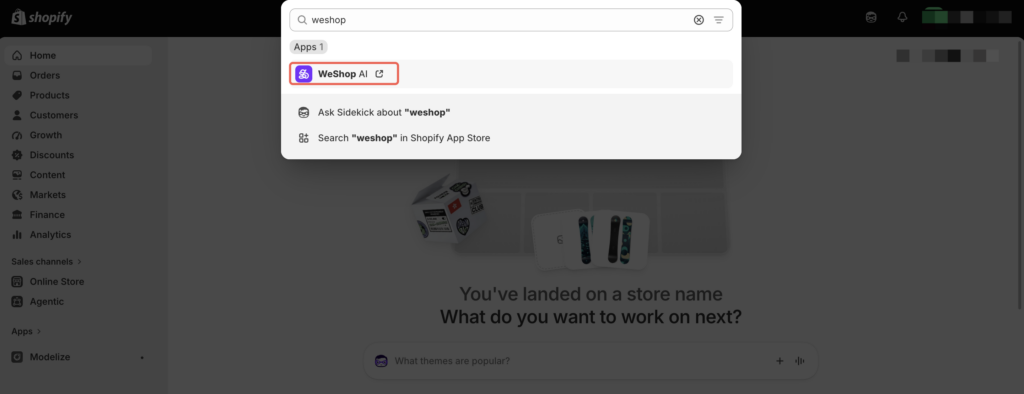
Step 1: Open WeShop AI from Shopify Admin
Log in to your Shopify Admin, then search for WeShop AI from the top search bar or open it from the Apps section.(Shopify Admin → Apps → Search for and open WeShop AI)
In most cases, you do not need to create a separate WeShop AI account because you are accessing the app through your authorized Shopify store.
If your WeShop AI subscription was purchased through Shopify Billing, subscription management and cancellation may be handled through Shopify rather than through the standard WeShop AI website billing page.
Step 2: Open the Subscription Management Page
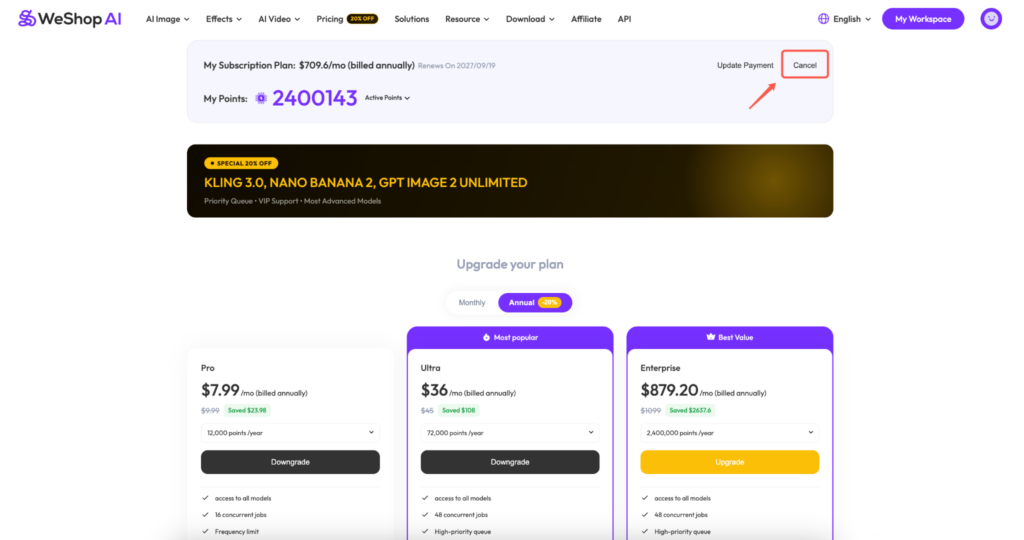
Once you enter WeShop AI, go to the subscription or pricing section.
Here, you can view your current plan information, including your subscription price, billing cycle, renewal date, and available points.

Step 3: Click “Cancel”
Find your current WeShop AI subscription and click Cancel to begin the cancellation process.
Step 4: Review the Cancellation Notice
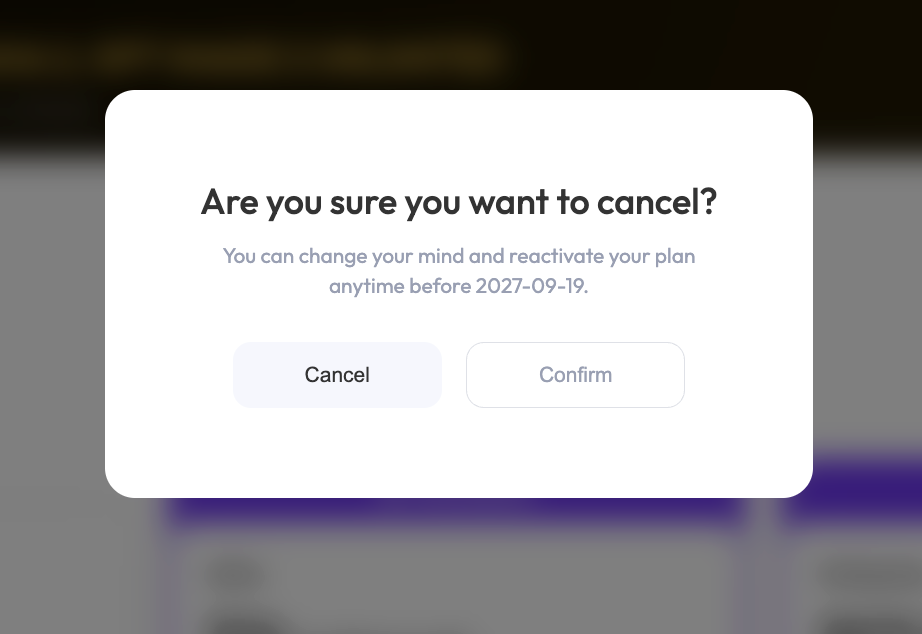
A confirmation window will appear asking whether you are sure you want to cancel your subscription.
The notice may also show the date until which your current subscription will remain active.
If you change your mind, click Cancel to return without making any changes.
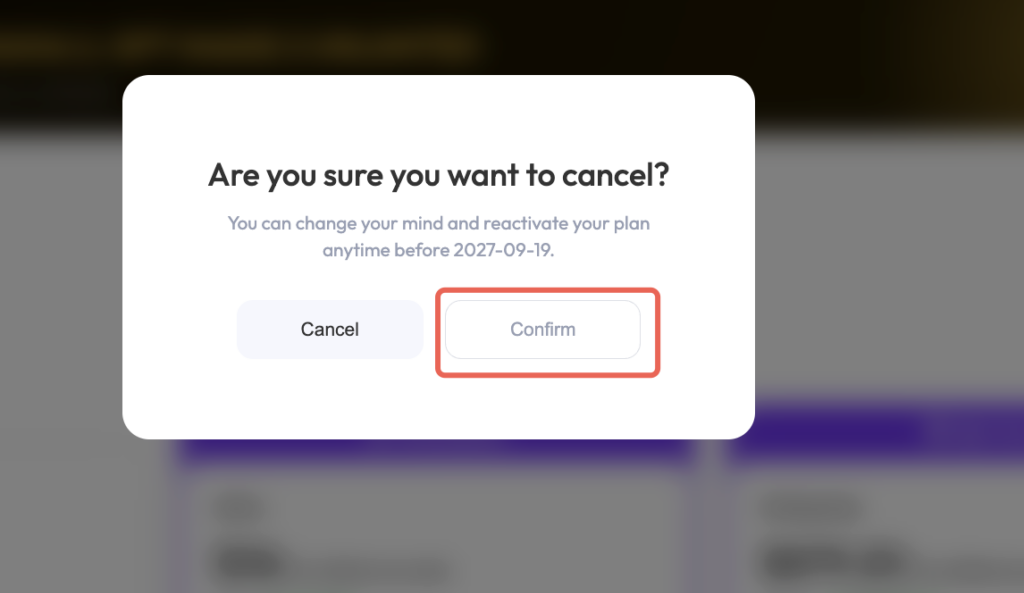
Step 5: Click “Confirm”
To complete the cancellation, click Confirm.
Once confirmed, your WeShop AI subscription will no longer automatically renew.
You can continue using your current plan and its available benefits until the end of the existing billing period.
What Happens After You Cancel?
Canceling your WeShop AI subscription on Shopify does not immediately deactivate your current plan.
After cancellation:
- Automatic renewal will be turned off.
- Your current plan will remain active until the end of the paid billing period.
- You can continue using your available subscription benefits during that period.
- If available, you may reactivate your subscription before it expires.
