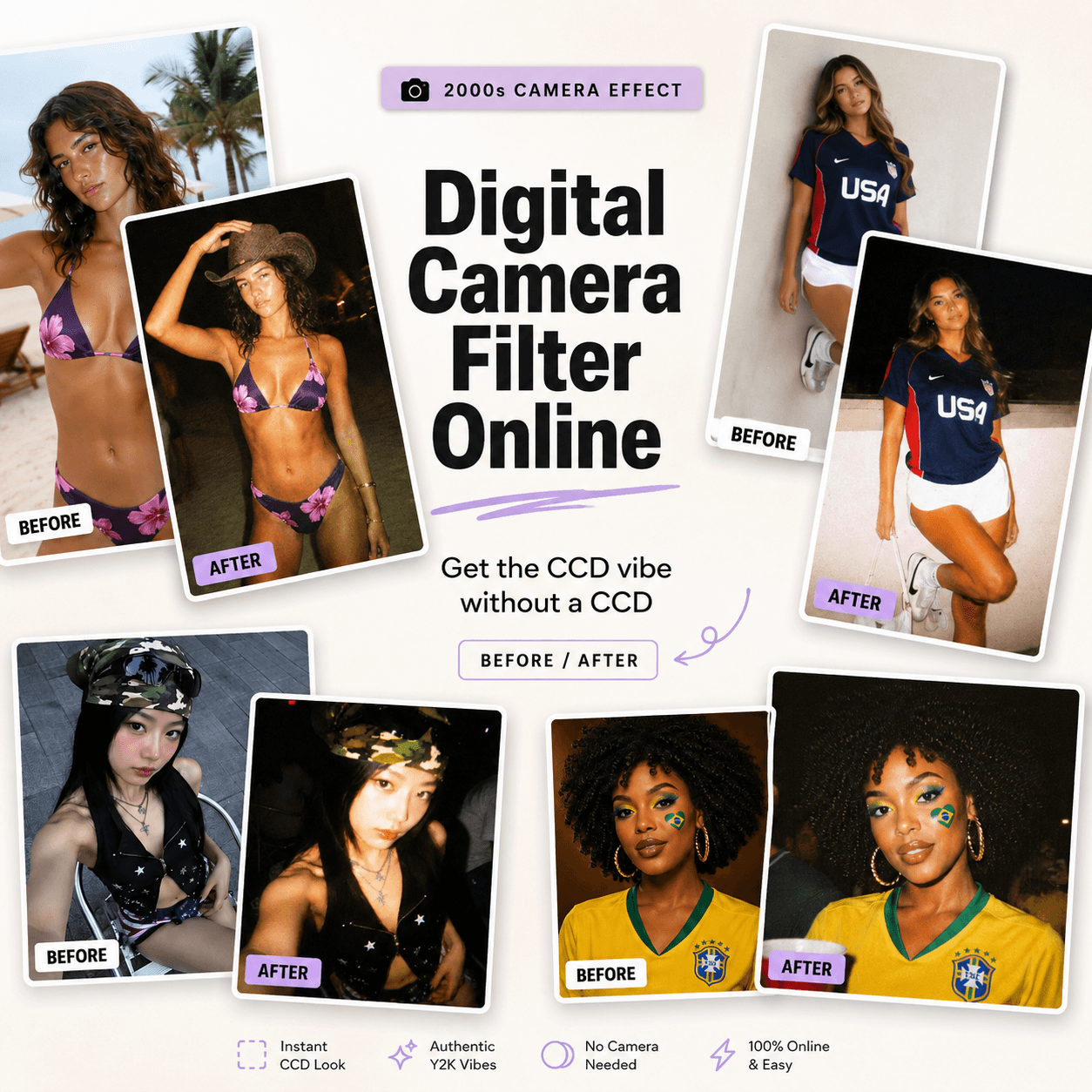
A Digital Camera Filter Online can make a photo look older. However, that is not the most interesting thing it can do. The real appeal is emotional. It can turn a clean, carefully framed image into something that feels discovered rather than designed.
Modern phones capture every eyelash, fabric thread, and reflection. Technically, that is impressive. Still, perfect detail does not always create a memorable image. Sometimes a blown-out face, a strange shadow, or a slightly late shutter tells a better story.
That is why early-2000s digital camera photos feel fresh again. They do not look like finished content. Instead, they look like evidence that something happened.
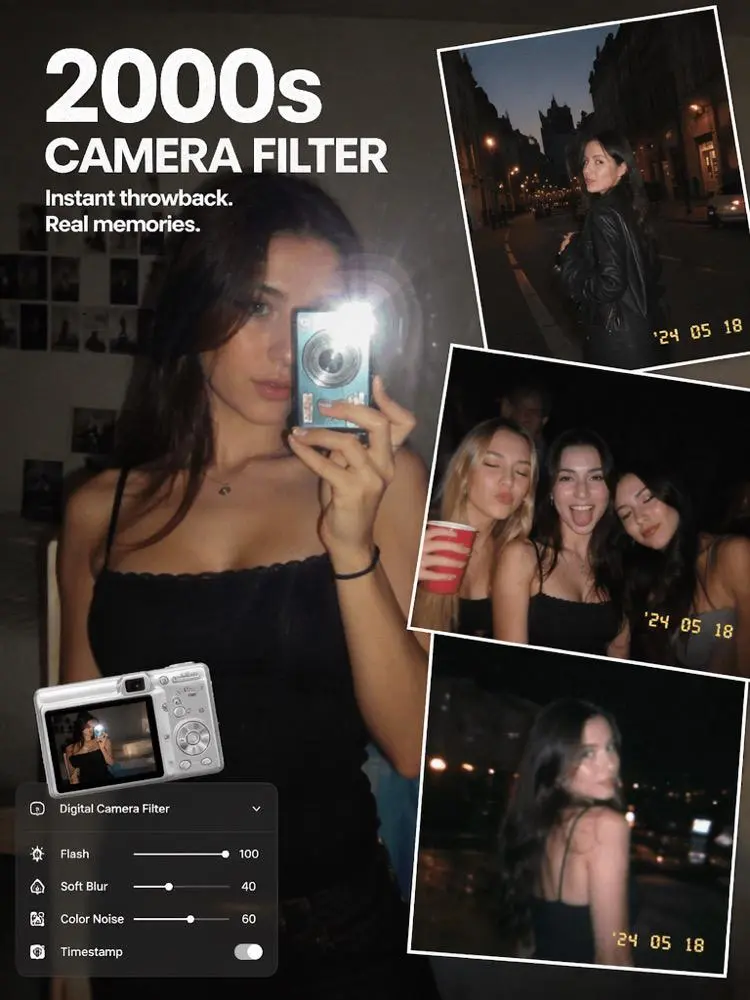
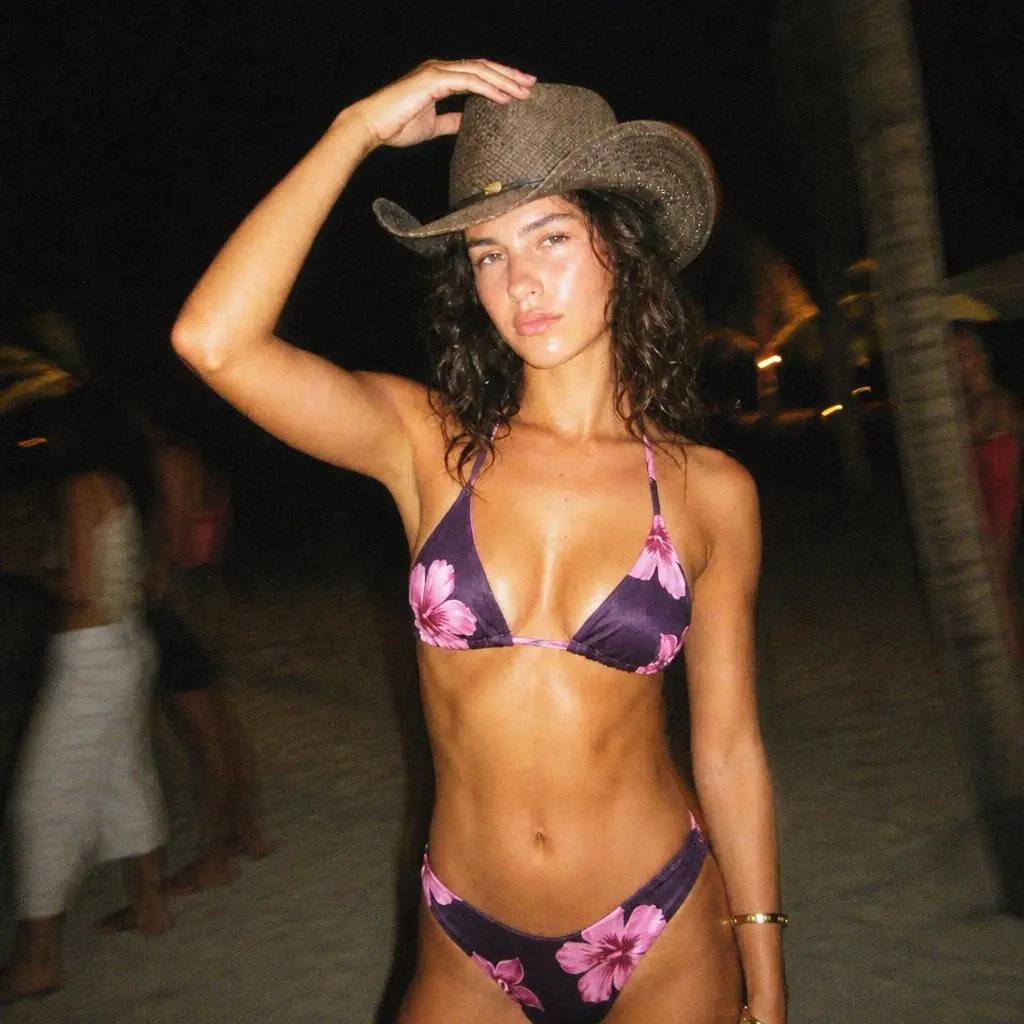
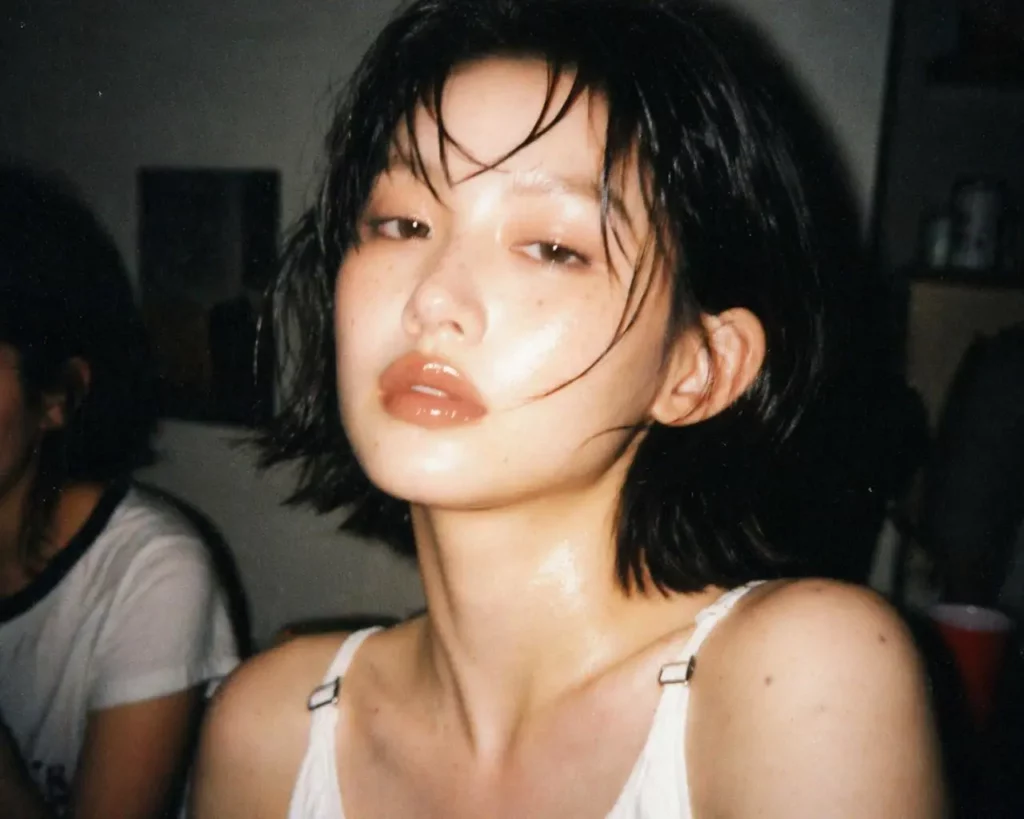
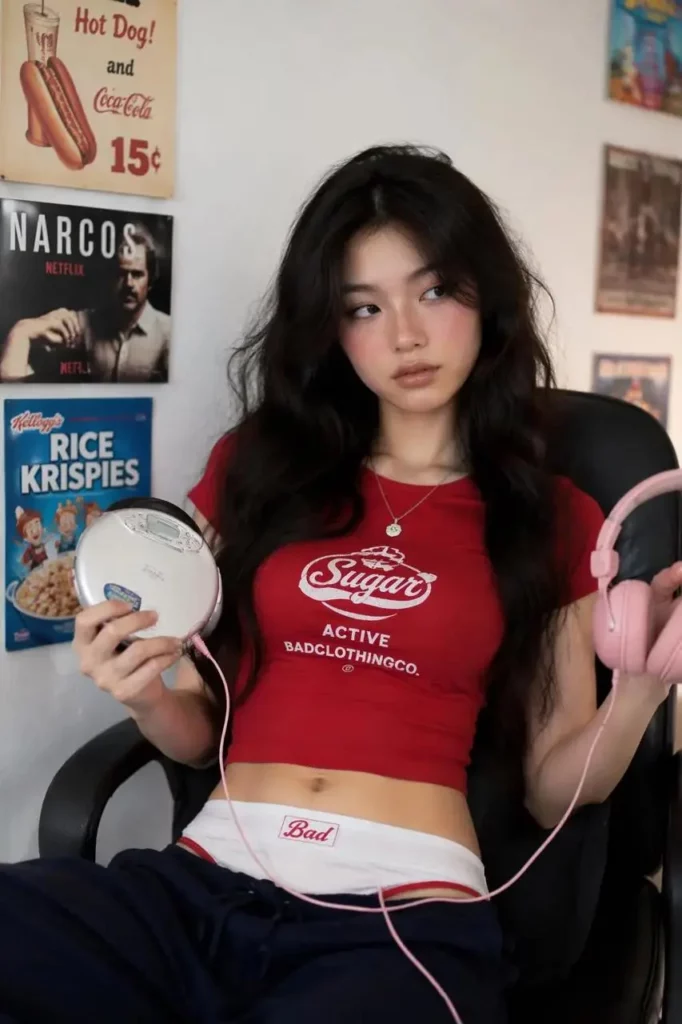
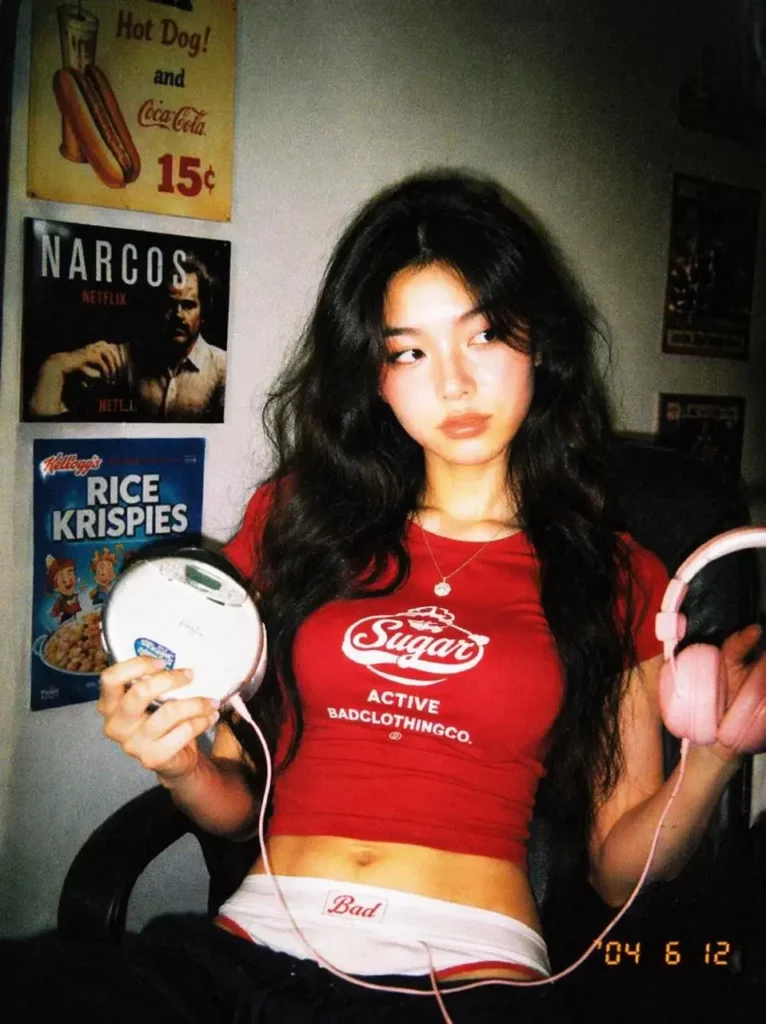
With WeShop AI’s Digital Camera Filter Online, you can add bright flash, CCD-style color noise, soft focus, grain, faded tones, imperfect exposure, and timestamp details without searching for an old compact camera. More importantly, you can use those effects to create a complete visual memory rather than another isolated “retro” selfie.
Why Perfect Photos Are Becoming Easy to Forget
Most social photos now share the same visual language.
The lighting is balanced. The skin is smooth. The background is clean. Meanwhile, every object appears exactly where it should be. Although the result may look attractive, it can also feel strangely anonymous.
A memorable snapshot usually contains friction.
Perhaps someone moved before the shutter closed. Maybe the flash flattened the foreground while the room disappeared into darkness. In other cases, the framing cut off part of a shoulder or caught an unexpected reflection.
These details were once treated as mistakes. Now, they can make an image feel personal.
However, simply adding grain is not enough. A convincing digital camera effect needs a reason to exist. The photo should feel as though it belongs to a specific night, friendship, trip, birthday, fitting room, or unfinished story.
Therefore, the best question is not:
“How can I make this photo look vintage?”
Instead, ask:
“What kind of memory could this photo belong to?”
The Three-Question Memory Test
Before opening the Digital Camera Filter Online, test your source image with three simple questions.
1. Does the Photo Contain a Small Story?
A centered portrait can look beautiful. Nevertheless, a portrait with an unfinished action often feels more alive.
For example, choose an image where:
- Someone is turning toward the camera.
- A hand is reaching for a drink.
- Hair is moving across the face.
- A friend is partly visible at the edge.
- The subject is checking a mirror.
- The outfit looks slightly out of place for the location.
These details give the filter something to support. As a result, the final image feels captured rather than manufactured.
2. Which Imperfection Should Carry the Mood?
Not every retro effect needs to be equally strong.
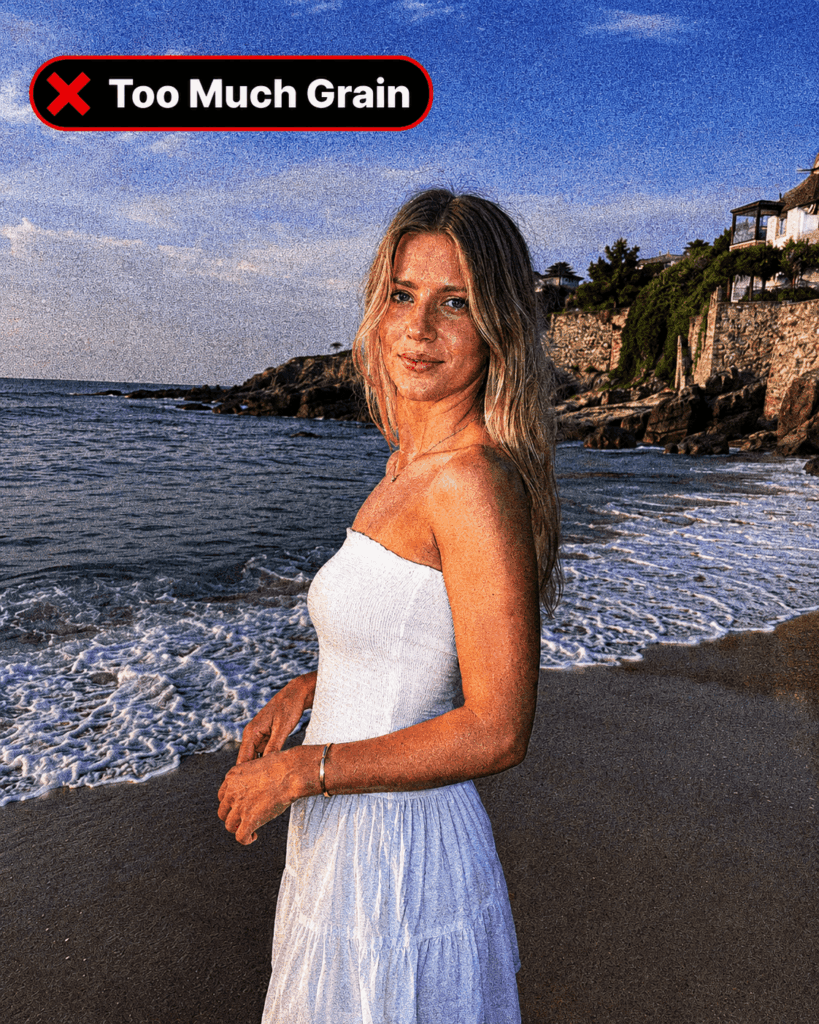
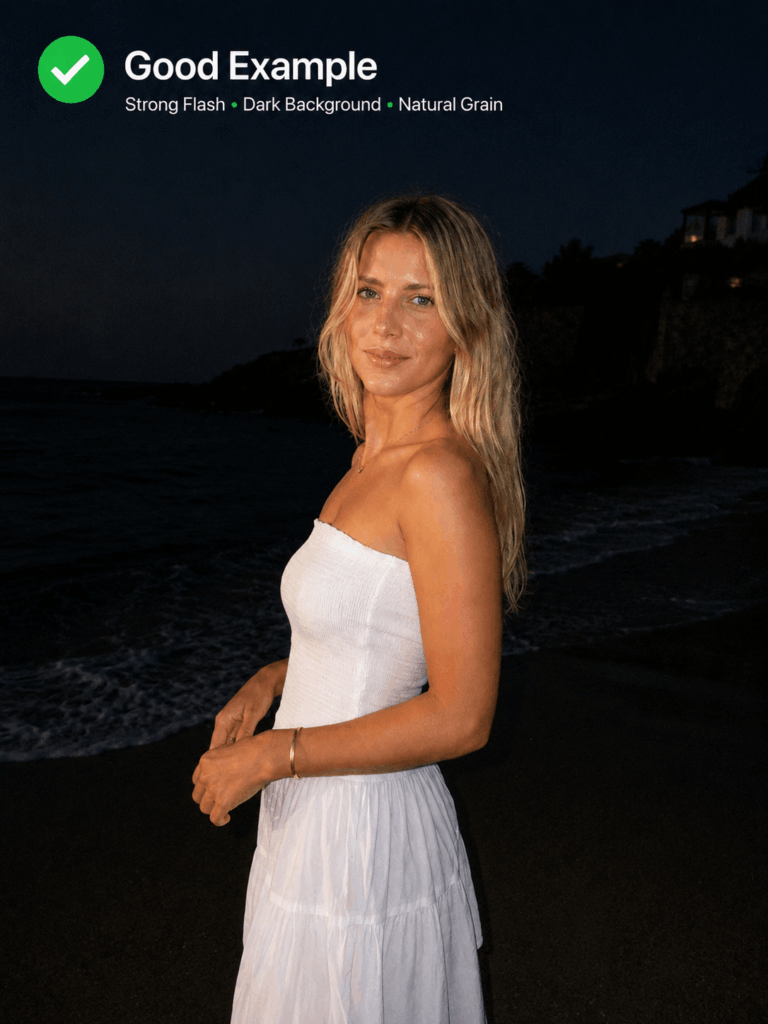
A night-out image may benefit from hard flash and deep shadows. On the other hand, a quiet travel photo may look better with faded colors, low contrast, and subtle CCD noise.
Choose one main imperfection:
- Flash for energy
- Blur for movement
- Grain for intimacy
- Color noise for a true digicam mood
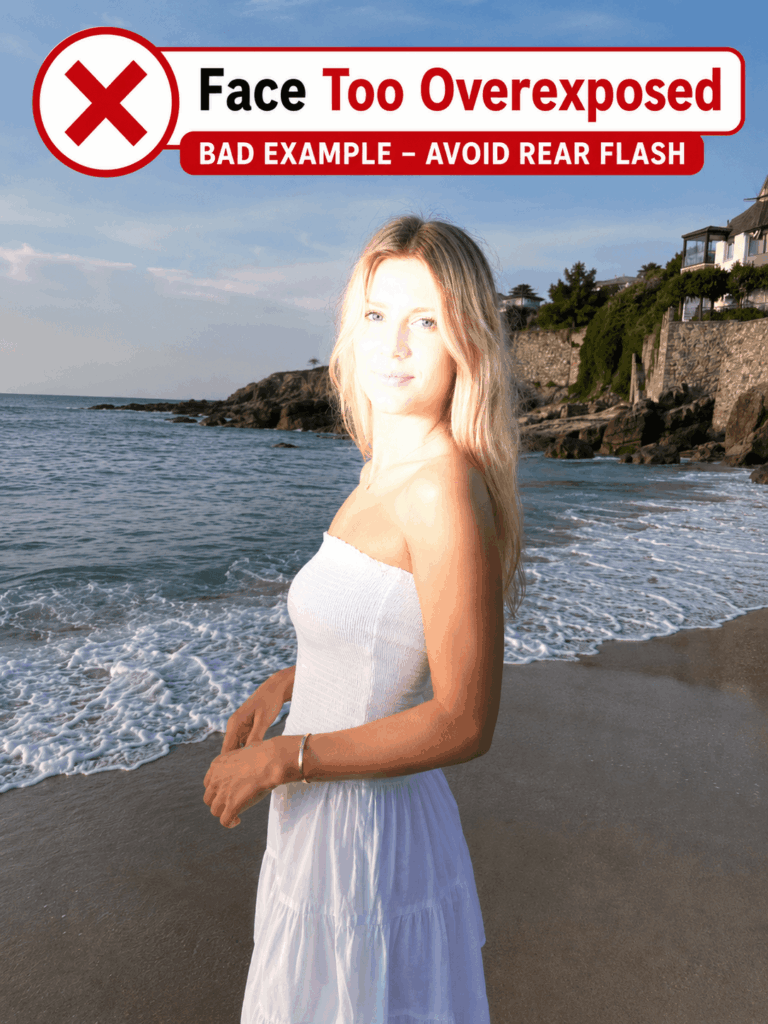
- Overexposure for chaos
- A timestamp for narrative context
Then, let the other effects remain secondary.
3. Can You Still Recognize What Matters?
A good digital camera edit should change the camera language, not erase the subject.
Therefore, check the face, clothing, accessories, product shape, text, and background landmarks after applying the effect. If a fashion item is central to the image, its color and silhouette should remain clear. Likewise, a portrait should still look like the original person.
The goal is believable imperfection, not random damage.
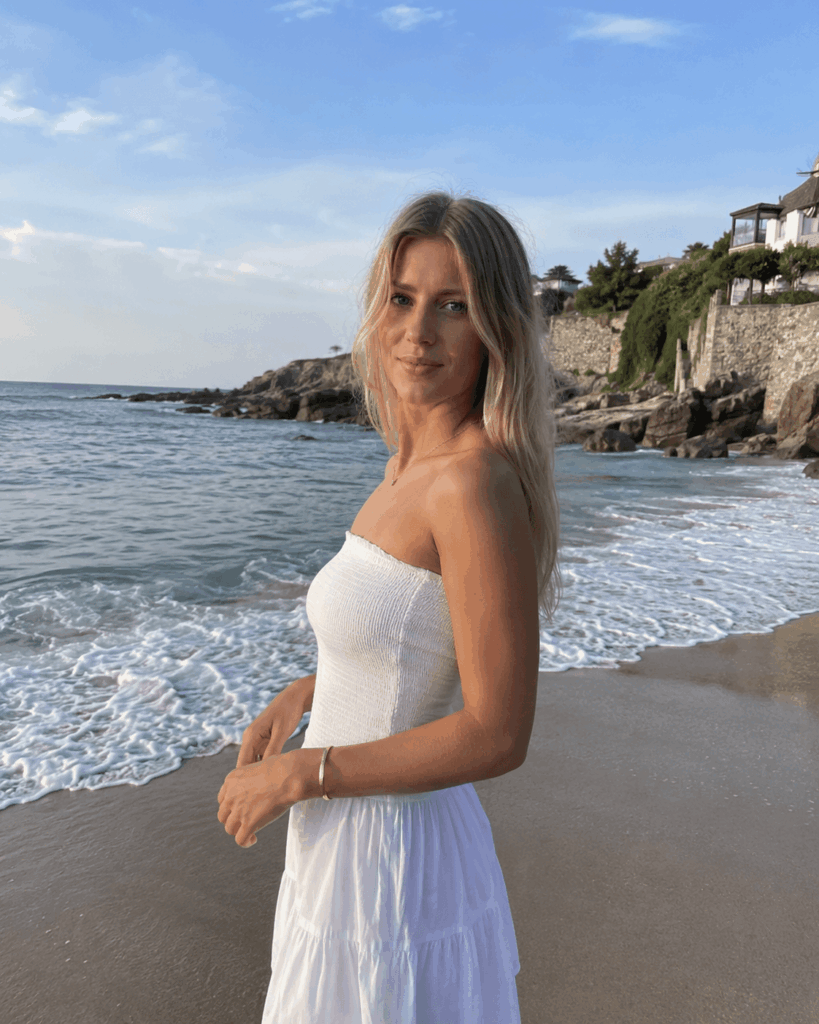
One retro image may earn attention. However, a sequence creates a world.
Instead of applying the same effect to six similar selfies, build a miniature story. This approach works especially well for Instagram carousels, photo dumps, music visuals, fashion posts, and event recaps.
Frame 1: The Evidence
Start with the image that raises a question.
It could be a flash-lit portrait outside a closed shop, a cake with one candle still burning, or a blurry outfit photo taken in an elevator.
The first frame should feel immediate. Therefore, avoid using the most polished image as your opener.
Frame 2: The Location
Next, show where the memory happened.
A street sign, tiled bathroom, car window, convenience store aisle, hotel hallway, or messy bedroom can create context. Meanwhile, the digital camera filter connects that environment to the first image through shared grain and color.
Frame 3: The Human Detail
Now, include a hand, shoe, half-visible smile, drink, bag, or reflection.
Small details create intimacy because they feel less staged. Moreover, they break the repetition of full portraits.
Frame 4: The Motion Error
Use the blurriest useful image here.
Someone may be walking, dancing, laughing, or turning away. Although the picture may not be traditionally “good,” it often becomes the emotional center of the sequence.
Frame 5: The Quiet Aftermath
After the visual noise, slow the story down.
An empty chair, abandoned sunglasses, crumpled receipt, half-eaten dessert, or night view can suggest that time has passed. Consequently, the sequence begins to feel like a memory rather than a collection of poses.
Frame 6: The Unfinished Ending
Finally, choose an image that does not fully explain what happened.
A figure walking away, a dark window, a taxi light, or a timestamp close to midnight can work well. Instead of concluding the story, let the final frame leave a small gap.
That gap is often what makes people swipe back to the beginning.

How to Use Digital Camera Filter Online Without Making It Look Forced
The process is simple. Still, the order matters.
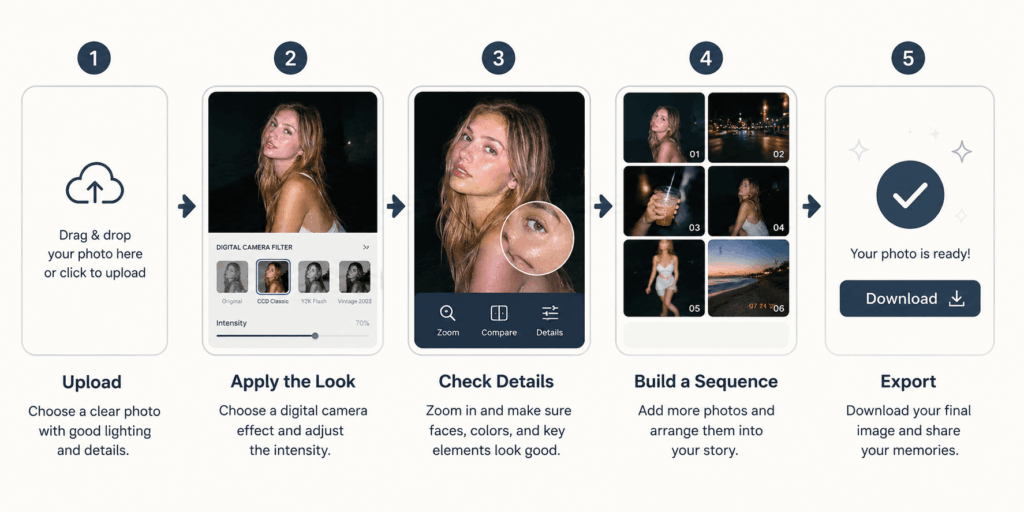
Step 1: Choose a Photo That Is Slightly Too Clean
Begin with a clear source image. It should have enough facial, clothing, or product detail to survive the transformation.
However, do not automatically choose your most professional shot. A casual phone photo with strong composition usually produces a more believable result.
Good starting images include:
- Mirror selfies
- Night portraits
- Fitting-room photos
- Birthday pictures
- Street-style shots
- Travel snapshots
- Concert or party photos
- Lifestyle product images
Step 2: Upload the Image
Open WeShop AI’s Digital Camera Filter Online and upload your selected photo.
Because the tool works in a browser, you can test an image without building a complicated editing workflow. This is especially useful when you want to compare several creative directions before choosing one.
Step 3: Apply the Digital Camera Look
Use the available effect to introduce early-digital-camera characteristics such as direct flash, CCD color noise, soft blur, faded tones, grain, overexposed highlights, or timestamp details.
At this stage, focus on atmosphere first. However, do not judge the result only by how “retro” it looks. Check whether the transformation supports the original moment.
Step 4: Inspect the Important Details
Zoom in and review the subject.
Does the person still look recognizable? Are clothing details intact? Did a product label remain readable? Is the timestamp helping the composition or competing with it?
If the effect overwhelms the image, try another variation or start from a cleaner source.
Step 5: Test the Image Inside a Sequence
Before exporting, place the result beside the other photos you plan to post.
Sometimes an image looks excellent alone but feels repetitive inside a carousel. Conversely, a strange or quiet image may become essential once it connects two stronger frames.
Therefore, judge the story, not only the single edit.
Step 6: Export for Your Final Format
Once the sequence feels balanced, export the finished image and prepare it for your social post, mood board, campaign draft, profile picture, album artwork, or visual diary.
For the strongest result, keep the same general treatment across related images. Still, allow slight differences in brightness and blur. Real compact-camera photos rarely look perfectly consistent.
Four Photo Concepts That Feel More Specific Than “Y2K”
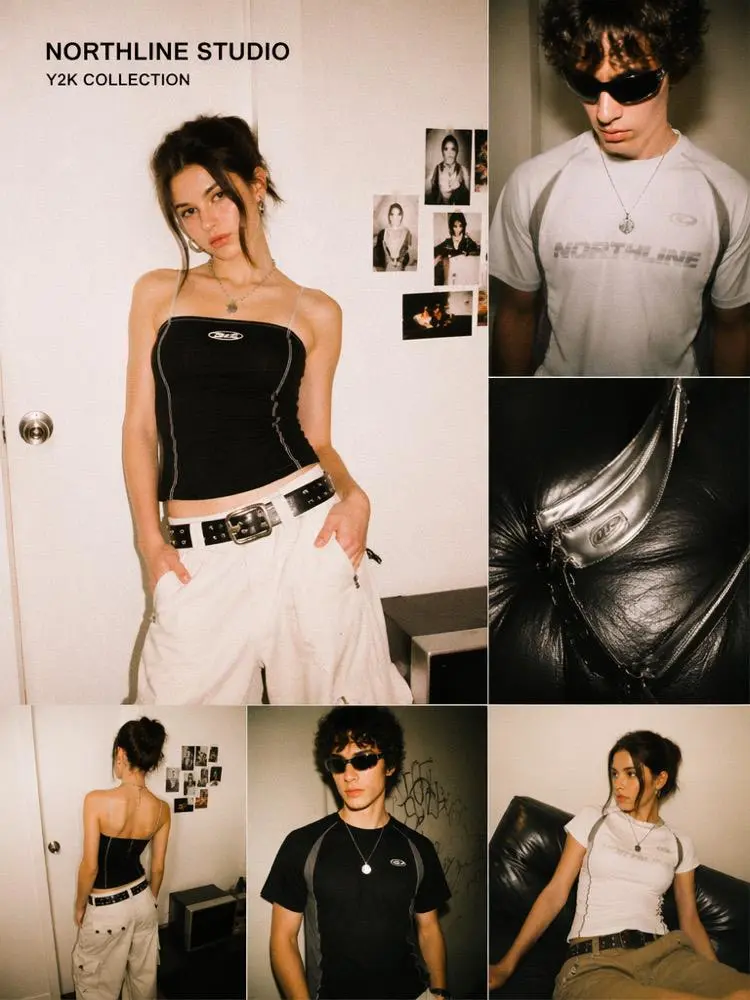
“Y2K aesthetic” can describe almost anything with flash and grain. If you want to test the look before building a full photo concept, a Y2K filter editor can help you preview the flash, grain, color shift, and timestamp style first. Therefore, a more precise concept will make your result easier to direct.
Concept 1: The Last Convenience Store Before Home
Choose a nighttime portrait near a refrigerator, vending machine, or brightly lit shop window.
Keep the background slightly dark. Meanwhile, let the flash make the face, jacket, or shopping bag appear almost too bright. A timestamp between 11:30 p.m. and 2:00 a.m. can strengthen the late-night feeling.
Best supporting frames:
- A drink in one hand
- Reflections on the shop window
- An empty street
- A receipt
- Shoes near the curb
Caption idea:
“Nothing important happened, so I kept every photo.”
Concept 2: A Birthday Nobody Photographed Properly
Start with an imperfect cake photo or an off-center portrait.
Instead of making the room look elegant, keep the clutter. Balloons, paper plates, half-open gifts, and someone entering the frame can make the scene more convincing.
Additionally, use soft blur and uneven flash rather than heavy color grading.
Best supporting frames:
- Melted candle wax
- A friend hiding behind another person
- A blurred group shot
- An empty cake box
- Decorations after the party
Caption idea:
“Proof that we were all there.”
Concept 3: The Outfit Was Better Than the Plan
Use a strong fashion photo in an ordinary location.
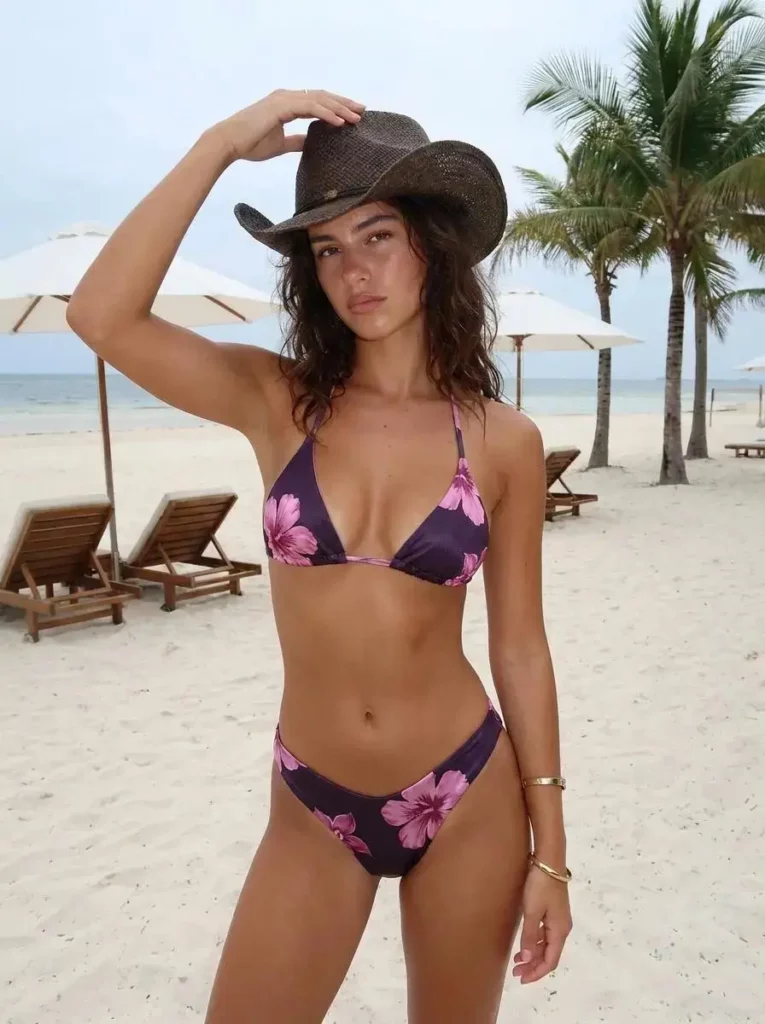
For instance, pair a carefully styled outfit with a laundromat, parking lot, supermarket aisle, narrow elevator, or plain apartment corridor. The contrast makes the image feel less like a campaign and more like a spontaneous fashion moment.
However, preserve the garment shape and color. The filter should add personality without hiding the styling.
Best supporting frames:
- A close-up of the bag or shoes
- A mirror reflection
- A blurry walking shot
- Fluorescent ceiling lights
- The same outfit from behind
Caption idea:
“Dressed for a plan that never happened.”
Concept 4: A Product Campaign Disguised as a Photo Dump
Brands can also use a Digital Camera Filter Online without creating a predictable retro advertisement.
First, photograph the product inside a believable activity. Then, mix clear product frames with human details, environmental shots, and one or two imperfect images.
For example, a beauty brand could show:
- Lip gloss on a restaurant table
- A flash portrait wearing the product
- The tube inside an open bag
- A blurry bathroom mirror shot
- A receipt and used napkin
- The product again at the end
As a result, the product appears throughout a story rather than sitting alone in a promotional layout.
The Anti-Filter Rule
Here is the strange part: the best digital camera filter should not make viewers think about the filter first.
They should notice the expression, timing, outfit, location, or strange little story. Only afterward should the texture become clear.
Therefore, avoid stacking every nostalgic signal into one image. Heavy grain, giant timestamps, extreme blur, dramatic light leaks, and intense color shifts can quickly turn a candid concept into a costume.
Instead, choose restraint.
Use one strong camera characteristic. Keep the subject recognizable. Then, let the composition do the rest.
The aim is not to imitate an old file perfectly. It is to recover the feeling that a photo was taken before everyone had time to perform for it.
When a Digital Camera Filter Works Best
A Digital Camera Filter Online works especially well when your original photo already contains:
- A visible light source
- Strong foreground and background separation
- A clear person or product
- Slight movement
- A casual location
- Reflective surfaces
- Nighttime or indoor lighting
- An unplanned expression
Still, daylight photos can also work. In that case, focus on faded color, light CCD noise, soft contrast, and relaxed framing rather than aggressive flash.
Frequently Asked Questions
What Is a Digital Camera Filter Online?
A Digital Camera Filter Online is a browser-based editing tool that gives modern photos the visual character of older compact digital cameras. Depending on the selected effect, it may add flash lighting, CCD-style noise, grain, faded color, soft focus, imperfect exposure, or timestamp details.
Will the Filter Change My Face?
The main purpose is to change the photographic style while keeping the original person recognizable. However, you should still inspect facial features, hair, clothing, and accessories after generating the result, especially when using a strong effect.
Which Photos Look Best With a Digital Camera Filter?
Night portraits, mirror selfies, parties, birthdays, travel snapshots, street-style images, fitting-room photos, concerts, and casual product pictures often work well. Nevertheless, the strongest source image is usually one that already contains a small action or story.
Is a Digital Camera Filter the Same as a Film Filter?
Not exactly. Film effects often emphasize organic grain, warm tones, light leaks, and analog color. In contrast, early digital-camera effects may include direct flash, CCD color noise, low-resolution texture, cool or uneven color shifts, and blown highlights.
Can I Use the Same Effect on Every Photo in a Carousel?
Yes, but identical treatment can make the sequence feel artificial. Instead, keep the overall mood consistent while allowing slight differences in flash, blur, exposure, and framing.
Can Brands Use Digital Camera Effects for Product Photos?
Yes. Fashion, beauty, music, nightlife, accessories, and lifestyle brands can use this style for social campaigns, lookbooks, event visuals, and creator-style posts. However, important product details should remain visible and accurate.
Final Thought: Make a Memory, Not Just an Effect
A Digital Camera Filter Online can give your photo grain, flash, blur, color noise, and a timestamp within a few steps.
Yet the technical effect is only the beginning.
The strongest images suggest a before and an after. They hint at someone outside the frame. They preserve a movement that happened too quickly. Most importantly, they feel personal enough to be real, even when the edit was carefully planned.
So, do not begin by asking how old you can make the picture look.
Instead, decide what happened five seconds before the shutter clicked.
Then, let the camera effect tell the rest.
Go to WeShop AI For Exploration: