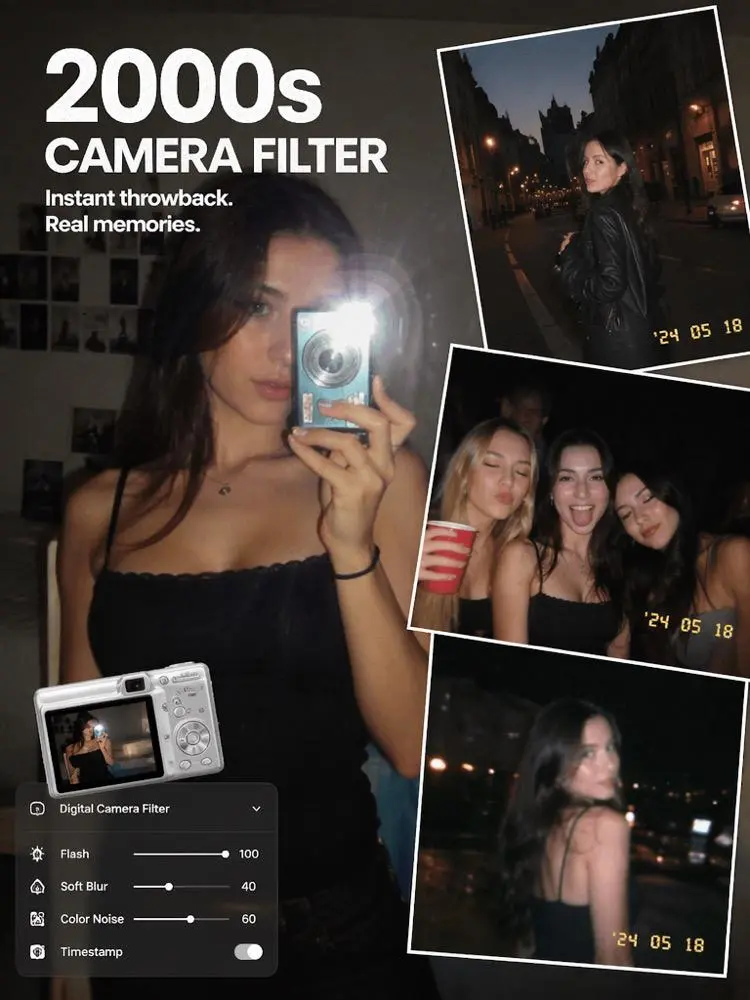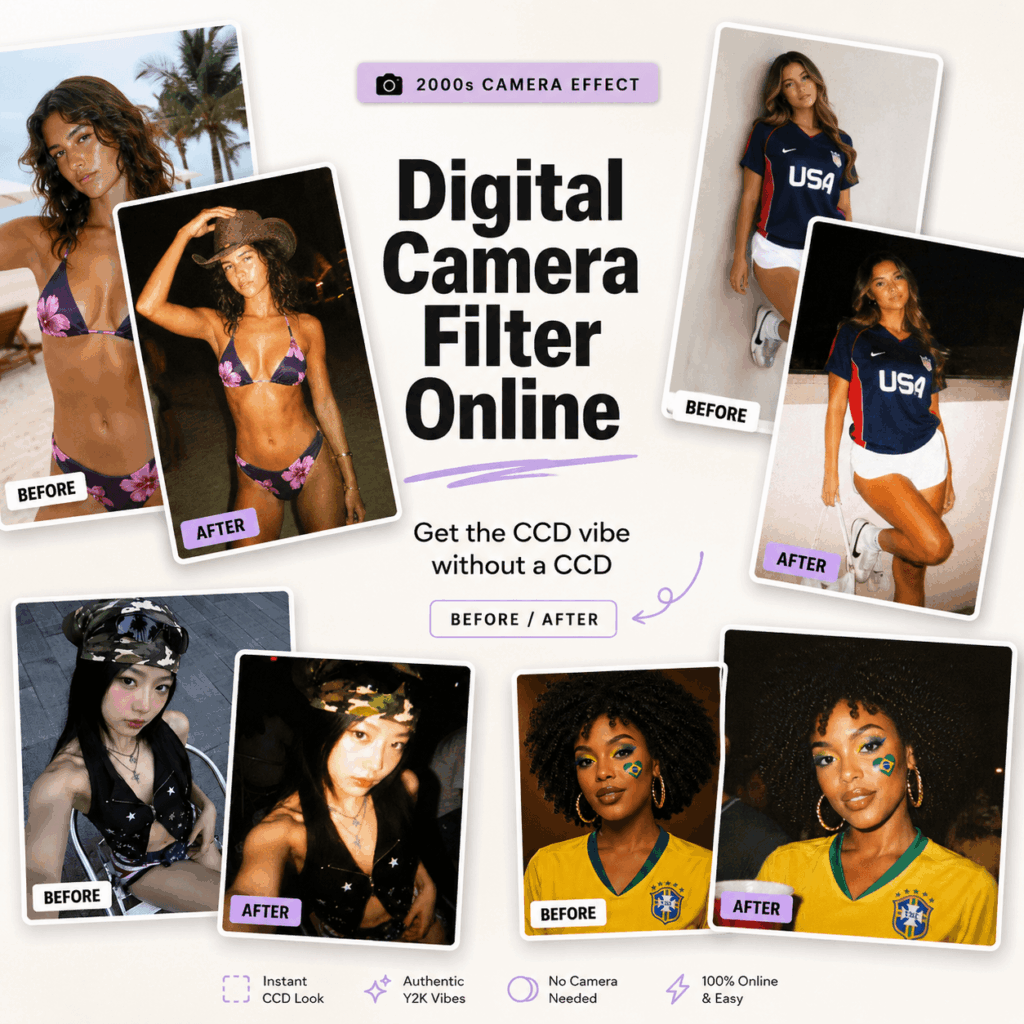
No CCD? Still want that dreamy, grainy, flash-heavy camera vibe? Good news: you do not need to hunt down an old digital camera, buy memory cards, or spend hours editing. With Digital Camera Filter Online, you can turn a clean phone photo into a nostalgic 2000s-style snapshot in seconds.
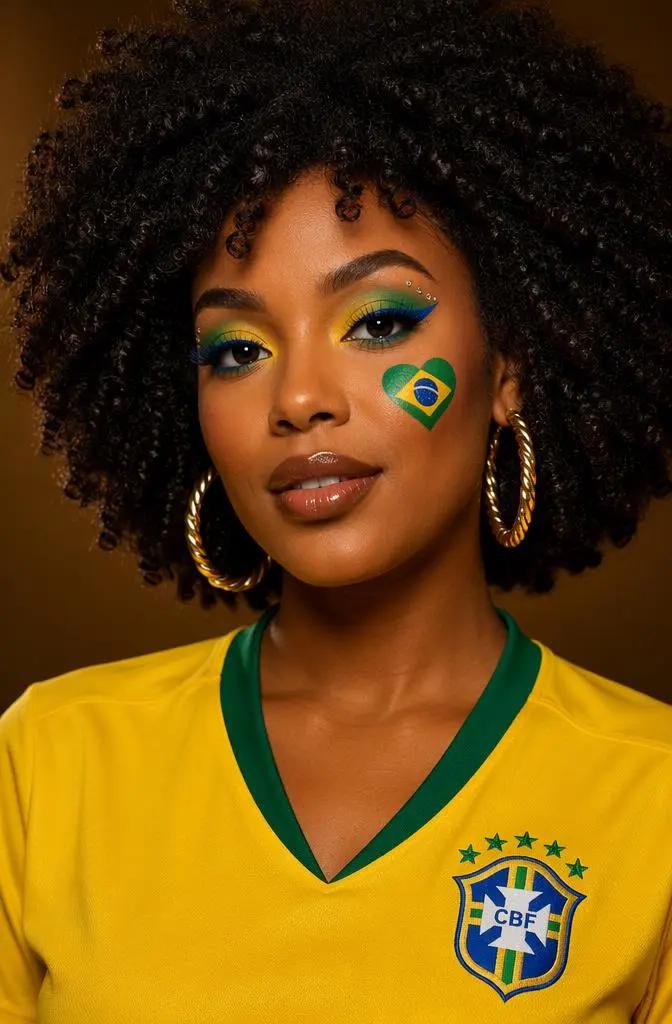
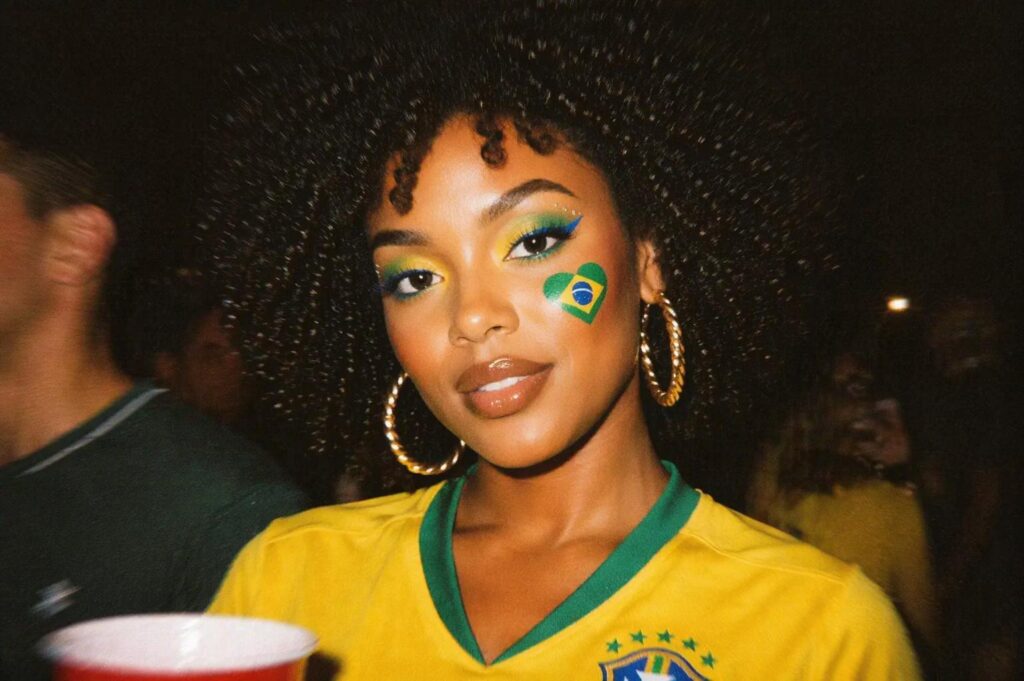
This tool is made for anyone who wants that “found this in my old camera roll” feeling. Think direct flash, soft blur, visible grain, warm skin tones, deep shadows, and a casual Y2K mood. In other words, it gives your photos the atmosphere without the hassle.
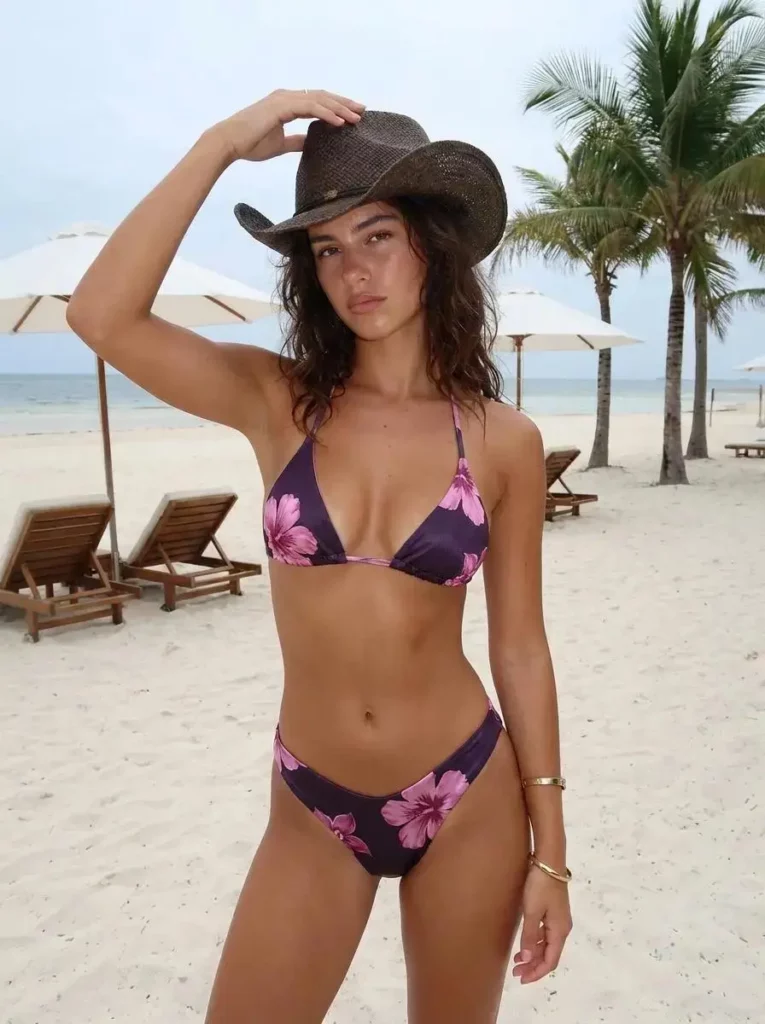
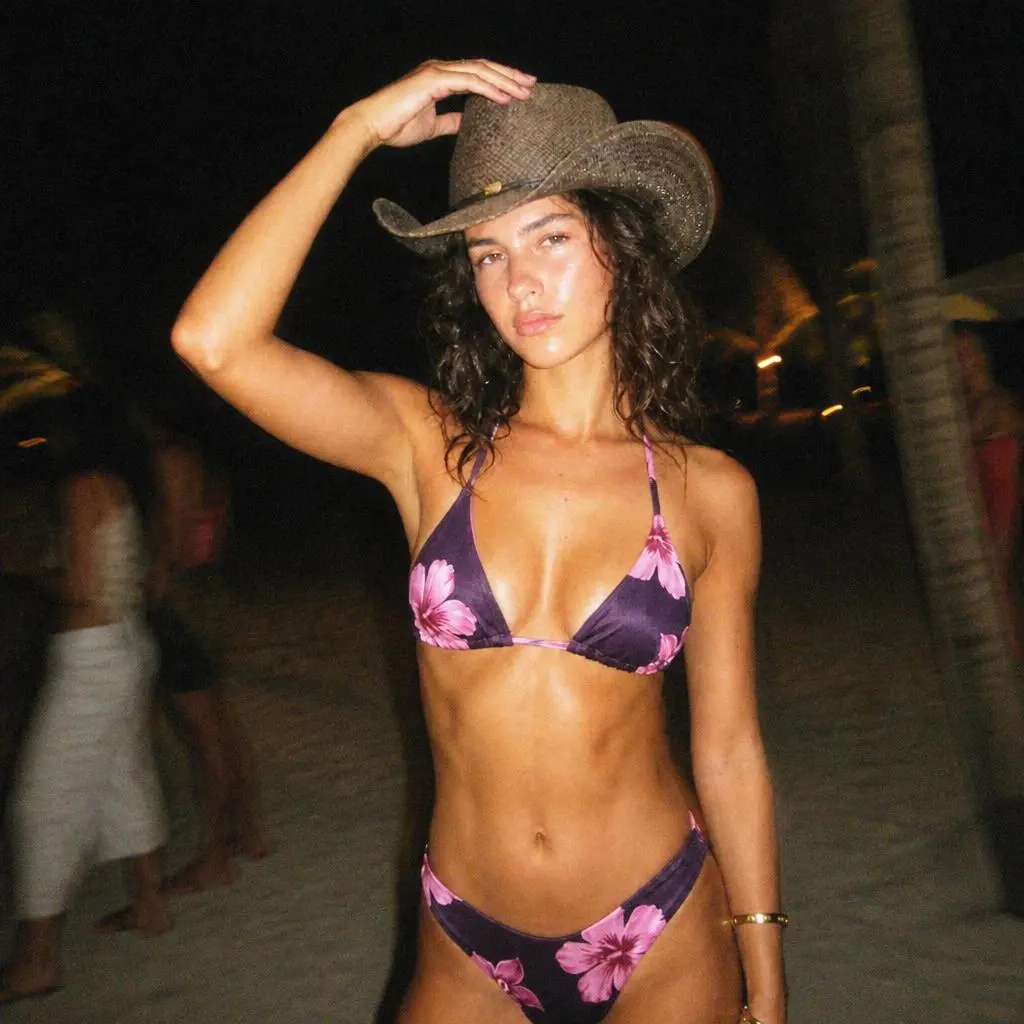
Why Digital Camera Filter Online Feels So On-Trend
Modern phone photos are sharp, clean, and almost too perfect. However, perfect does not always mean memorable.
That is why the old digital camera look is back. People want photos that feel real, casual, and a little imperfect. A bit of flash, a little blur, some grain, and suddenly the image feels like a memory instead of just another upload.
Digital Camera Filter Online taps into this trend by giving regular photos a retro camera look. So instead of posting another clean selfie, you can create something that feels more personal, more nostalgic, and more scroll-stopping.
What Makes This Tool Different?
It Creates a Real 2000s Camera Mood
This is not just a basic vintage filter. Digital Camera Filter Online adds the visual details that make old digital photos feel real.
You can create effects like:
Direct flash
CCD-style noise
Visible grain
Slight motion blur
Warm skin tones
Overexposed highlights
Deep shadow falloff
Muted early-2000s colors
As a result, your photo can look like it came from a night out, a vacation camera roll, or an old friend’s forgotten SD card.
It Uses Text and Image Together
One of the best parts is the Text & Image MIX workflow.
You upload your image, then guide the result with a prompt. For example:
Turn this photo into a 2000s digital camera snapshot with direct flash, visible grain, slight motion blur, warm skin tones, overexposed highlights, dark background shadows, and a casual point-and-shoot feeling.
So, instead of getting a random filter, you can shape the vibe. Want party flash? Add it. Want Y2K campaign energy? Say it. Want a softer CCD selfie? Prompt it.
It Works Online
No app. No Photoshop. No Lightroom. No old camera needed.
Just upload, prompt, generate, and use the result for social posts, profile pictures, mood boards, campaign visuals, or photo dumps.
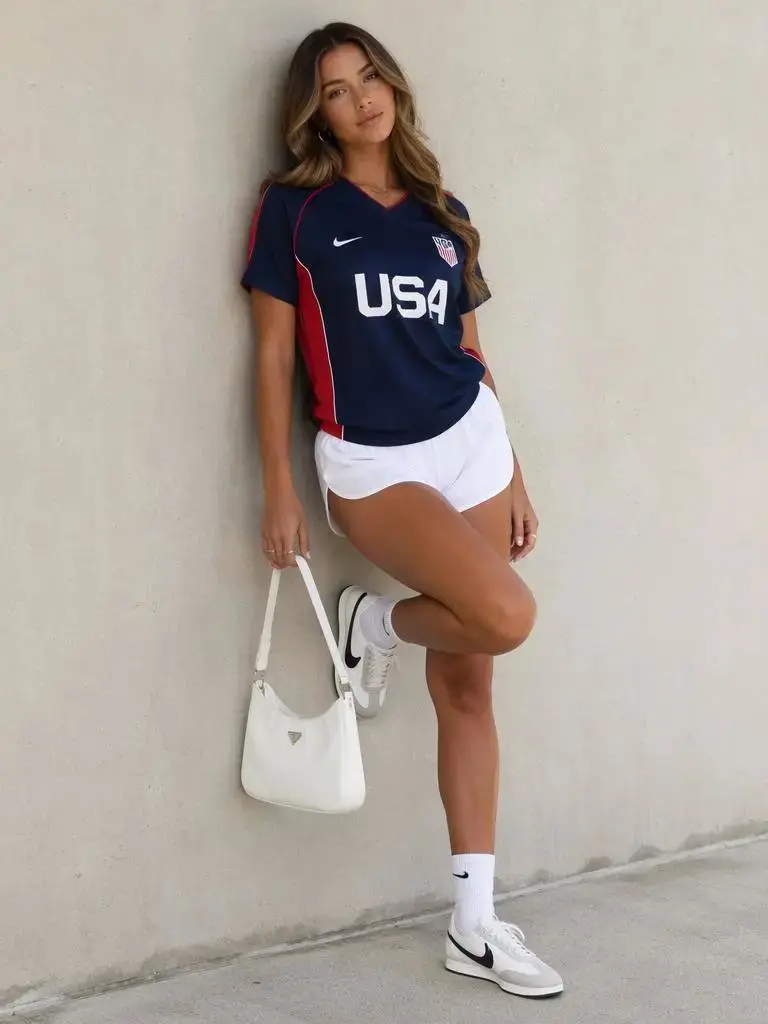
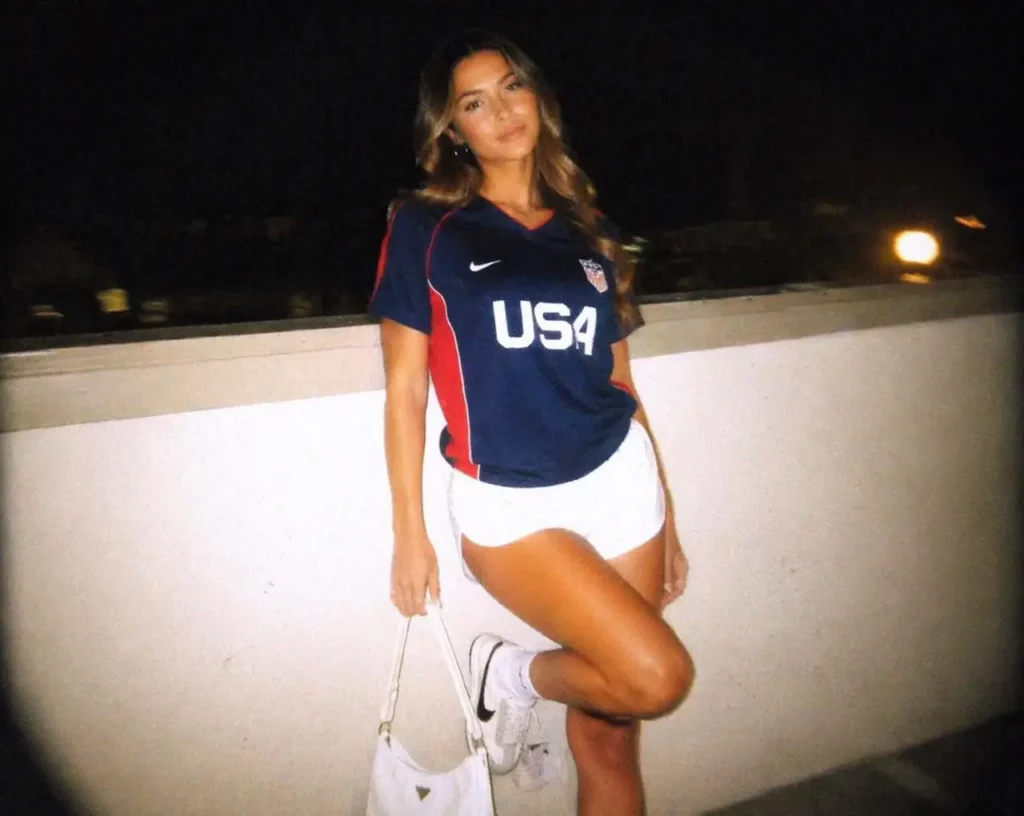
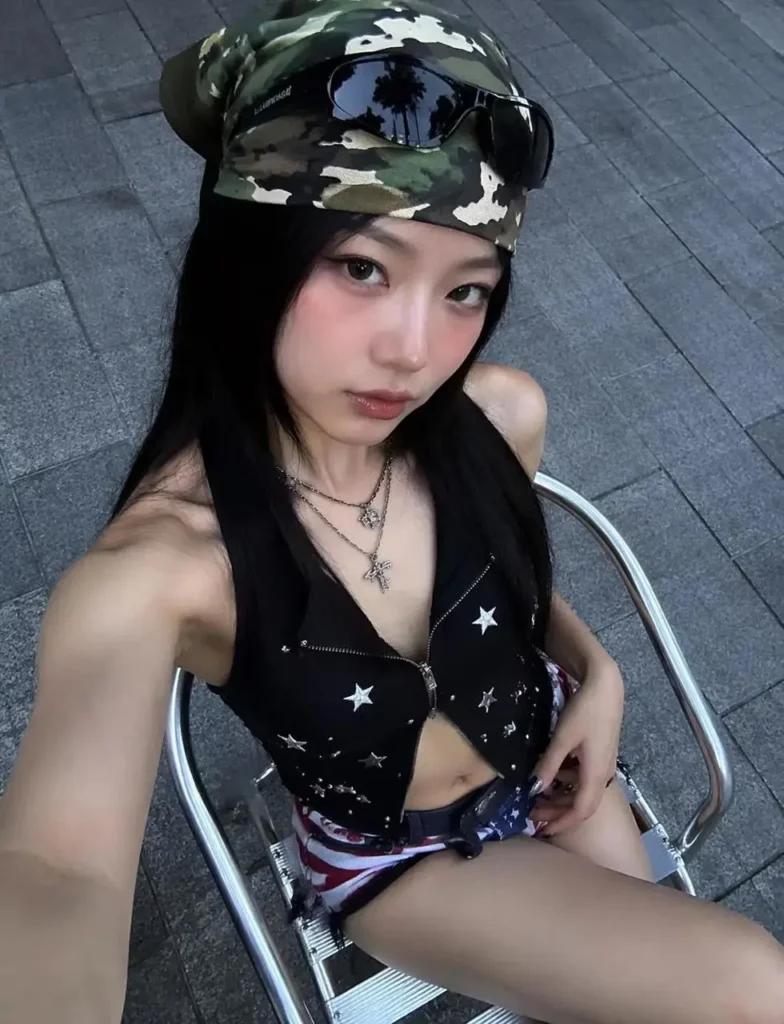
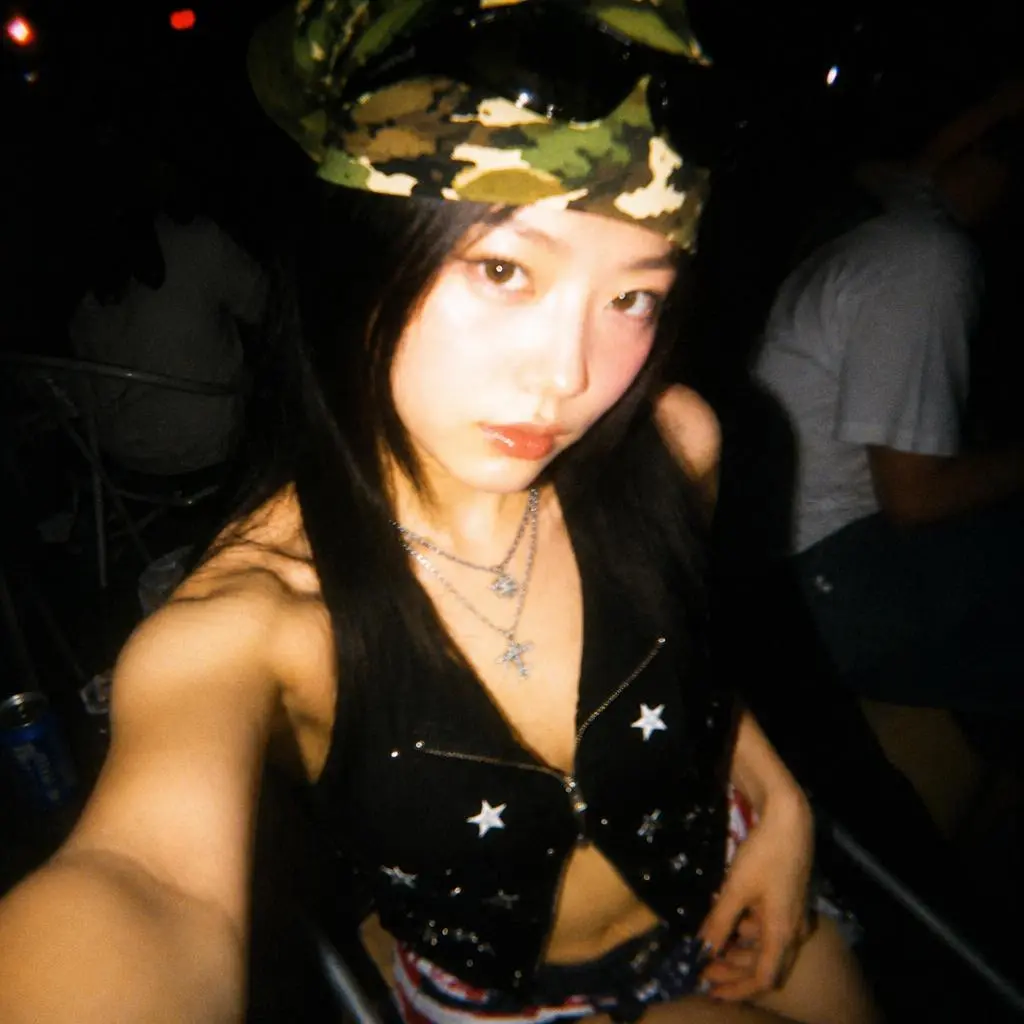
How to Use Digital Camera Filter Online
Step 1: Upload Your Photo
Start with a selfie, portrait, outfit photo, travel shot, party picture, product image, or lifestyle photo.
For better results, choose a photo with a clear subject. Night shots, indoor scenes, street photos, and mirror selfies usually work especially well.
Step 2: Add a Retro Camera Prompt
Next, describe the look you want. Keep it simple, but be specific.
Try this prompt:
Create a nostalgic 2000s digital camera photo with direct flash, visible grain, soft blur, warm skin tones, overexposed highlights, and deep shadows.
For a stronger party look, try:
Make this look like a disposable camera night photo with harsh flash, motion blur, dark background, warm skin, and casual Y2K party framing.
For a product photo, try:
Transform this product image into a retro Y2K campaign visual with compact-camera flash, grainy texture, muted colors, and candid lifestyle mood.
Step 3: Click Generate
Then, click Generate and let the tool create the retro version. You can try several results until you find the one that hits the right mood.
Step 4: Download and Post
Finally, use the image for Instagram, TikTok, Pinterest, profile photos, brand visuals, album covers, posters, or campaign mood boards.
Best Ways to Use Digital Camera Filter Online
Create Y2K Photo Dumps
If your camera roll feels too clean, this is the easiest fix.
Use Digital Camera Filter Online to turn selfies, party pictures, travel shots, and outfit photos into one cohesive Y2K photo dump. Add grain, flash, blur, and timestamp-style nostalgia to make the whole set feel like it came from the same old digital camera.
This works especially well for Instagram carousels, TikTok photo posts, Pinterest boards, and casual lifestyle content.
Make Your Selfies Feel Less Basic
A normal selfie can look nice. However, a flash-heavy 2000s selfie feels more interesting.
Use the tool to create a soft, grainy, slightly overexposed portrait. The result feels less polished, but more alive. That is exactly why this style works so well for profile pictures, creator bios, and social media updates.
Turn Outfit Photos into Retro Street Style
Outfit photos are one of the best use cases.
A clean OOTD can become a Y2K street-style shot with the right flash, blur, and color shift. Therefore, fashion creators and small clothing brands can use this tool to make simple photos look more editorial without a full photoshoot.
Create Retro Brand Campaign Visuals
For brands, Digital Camera Filter Online is more than a fun filter. It can help product photos feel more natural and less like ads.
Fashion, beauty, accessories, music, and lifestyle brands can use it to create campaign visuals, lookbook ideas, social ads, and mood boards. The result feels more candid, which helps the content blend into social feeds.
Design Album Covers and Posters
The old digital camera look also works well for music, nightlife, and event visuals.
Use it for album covers, playlist covers, DJ posters, party flyers, or indie-style promo images. The flash, grain, and dark shadows can give a simple photo more attitude right away.
Who Should Try This Tool?
Social Media Creators
Use it for photo dumps, selfies, travel posts, OOTD images, and story highlights.
Fashion and Lifestyle Brands
Use it to create Y2K-style product visuals, campaign drafts, lookbooks, and social posts.
Designers and Marketers
Use it to build mood boards, test visual directions, or create quick retro concepts.
Musicians and Artists
Use it for album covers, posters, profile visuals, and lo-fi promotional images.
Casual Users
Use it when your photo is cute, but missing the vibe.
Prompt Ideas for Better Results
For Selfies
Create a nostalgic 2000s digital camera selfie with direct flash, visible grain, soft blur, warm skin tones, and a casual night-out feeling.
For Outfit Photos
Turn this outfit photo into a Y2K digital camera snapshot with flash lighting, slight motion blur, muted colors, and candid street-style framing.
For Product Photos
Transform this product image into a retro campaign visual with compact-camera flash, grainy texture, warm color shift, and early-2000s styling.
For Party Photos
Create a disposable camera party snapshot with harsh flash, dark background, motion blur, warm skin tones, and spontaneous 2000s photo dump energy.
For Travel Photos
Make this travel photo look like an old digital camera memory with soft focus, faded colors, visible grain, and nostalgic vacation mood.
Tips for Better Retro Results
Use a Clear Subject
The tool works best when the person, product, or main object is easy to see.
Try Night or Indoor Photos
Flash, shadows, and grain look more natural in night scenes, restaurants, parties, concerts, bedrooms, streets, and indoor spaces.
Add Strong Style Words
Use words like direct flash, CCD noise, visible grain, motion blur, overexposed highlights, deep shadows, timestamp, and early-2000s color.
Generate More Than Once
One version may look good. However, a second or third version may look even more like a real old digital camera shot.
FAQ About Digital Camera Filter Online
What is Digital Camera Filter Online?
Digital Camera Filter Online is an online AI photo tool that turns modern images into retro digital camera-style photos with flash, grain, blur, CCD noise, and 2000s color effects.
Do I need a real CCD camera?
No. You can create a CCD-style look online without owning an old digital camera.
What photos work best?
Selfies, portraits, outfit photos, party pictures, travel images, product shots, mirror selfies, and night scenes usually work very well.
Can I use it for social media?
Yes. It is great for Instagram photo dumps, TikTok posts, Pinterest boards, profile pictures, and story visuals.
Can brands use it?
Yes. Brands can use it for Y2K campaign visuals, product mood boards, fashion posts, lookbooks, and social media ads.
Is it hard to use?
No. Upload a photo, add a prompt, click Generate, and choose your favorite result.
How can I make the result look more realistic?
Use prompt words like direct flash, visible grain, CCD noise, soft blur, deep shadows, overexposed highlights, timestamp, and casual point-and-shoot style.
Final Thoughts
You do not need a CCD to get the CCD vibe.
With Digital Camera Filter Online, a simple photo can become a flash-lit, grainy, nostalgic 2000s camera moment. It is fast, online, easy to use, and flexible enough for selfies, photo dumps, product visuals, campaign ideas, posters, and more.
So, if your photo looks good but still feels too clean, try giving it a little flash, a little grain, and a lot more atmosphere.
Go to WeShop AI For Exploration: