
狗与水花动作
用狗的起始图,请求短片中的跳跃、溅水、抖动及头部动作。
The shiba inu jumps in the puddle splashing water, shakes off water droplets, then tilts head with a happy smile. Anime style animation, kawaii movement.

查看穿雨衣的小狗踩水、舷窗旁宇航员转动和水母在水下舒展的短片。三个案例均使用图生视频方式,提供首帧图片和完整原始提示词。
用狗的起始图,请求短片中的跳跃、溅水、抖动及头部动作。
The shiba inu jumps in the puddle splashing water, shakes off water droplets, then tilts head with a happy smile. Anime style animation, kawaii movement.
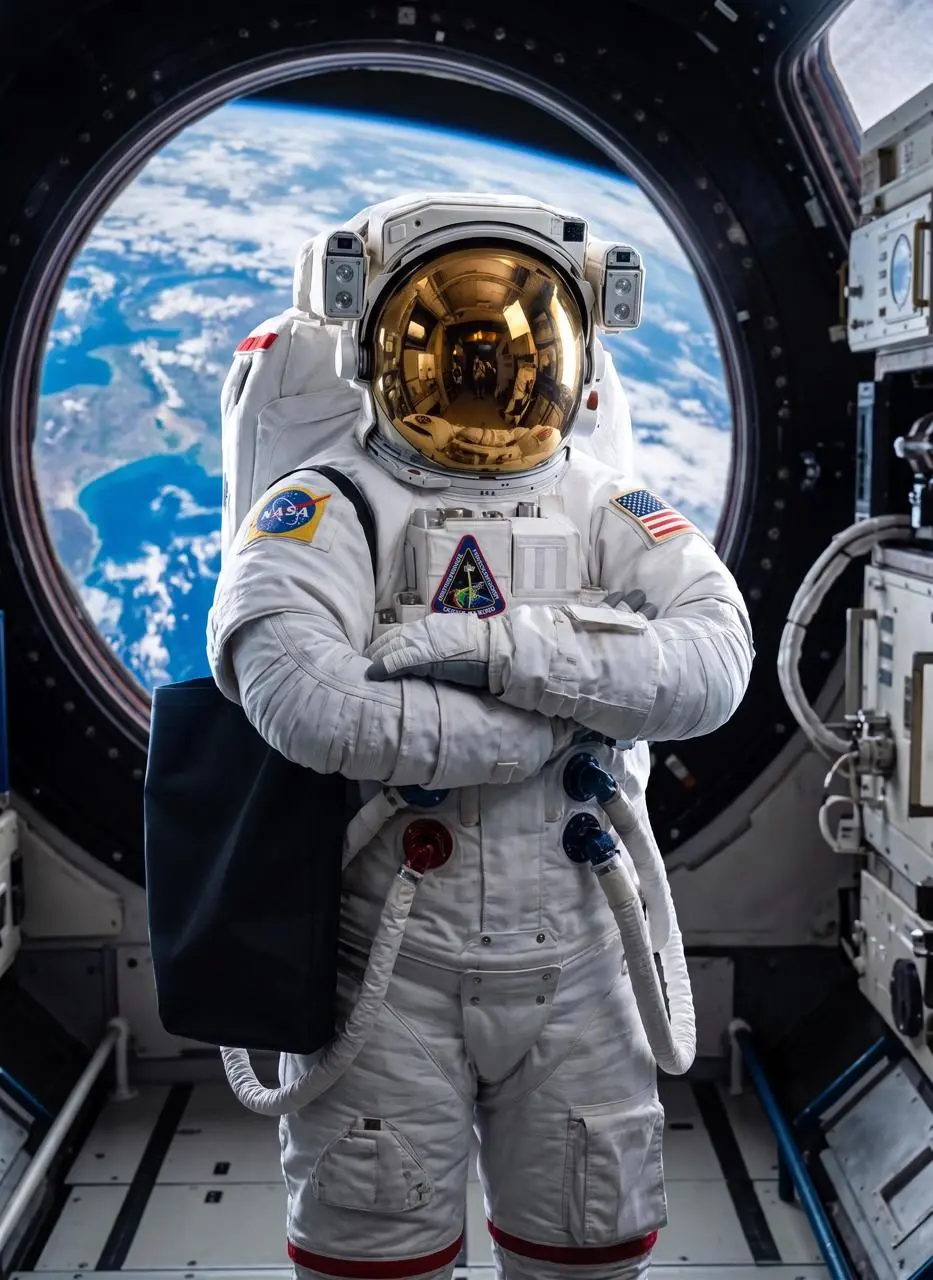
围绕宇航员稍微转向窗户和轻微镜头移动构建短镜头。
Use image 1 as the first frame. The astronaut turns slightly toward the window as the camera makes a gentle sideward move. Keep the face, spacesuit and spacecraft interior consistent. Reflections travel slowly over the visor. One continuous shot, no cuts and no text.
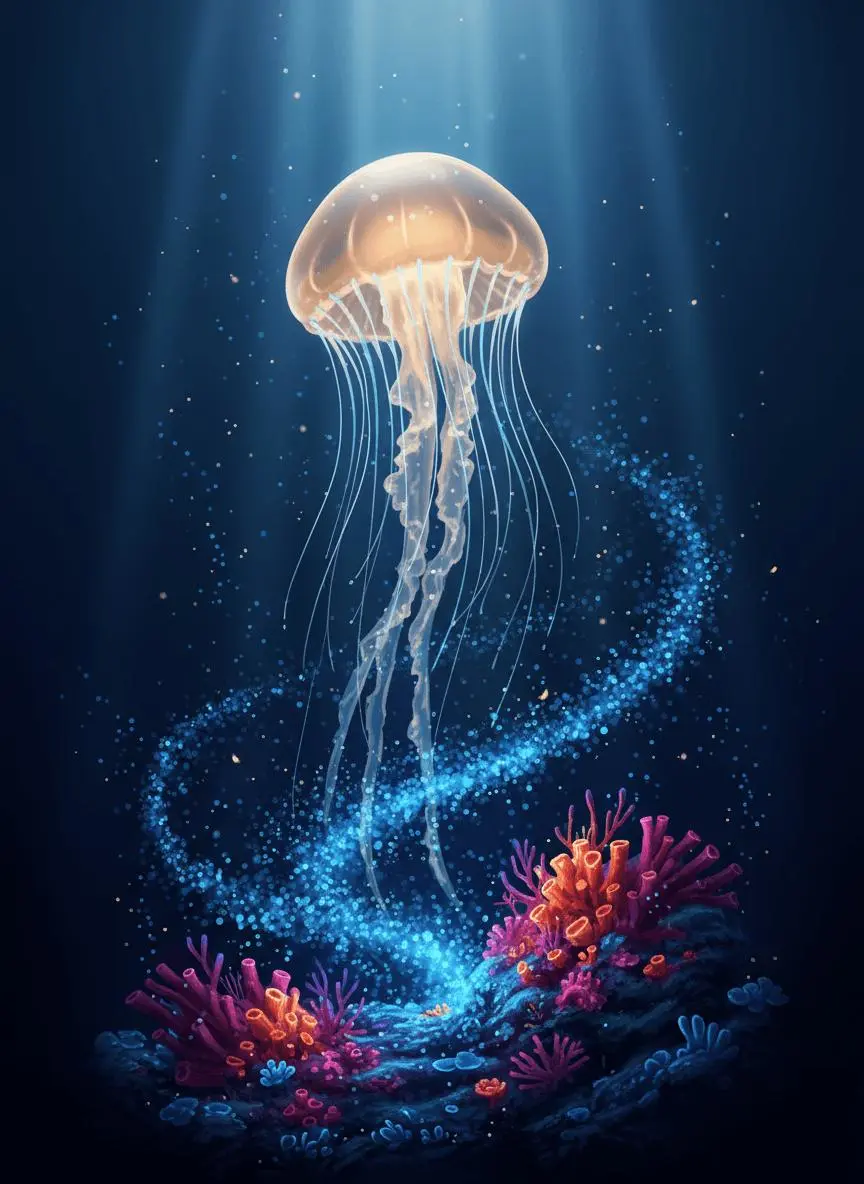
在图像建立的发光水下环境中,让水母场景以轻柔动作变化。
Use image 1 as the first frame. The amber jellyfish pulses gently and rises slowly while its tentacles sway with the water. Tiny blue plankton drift past the reef. Keep the luminous color palette, reef arrangement and jellyfish identity consistent. One continuous underwater shot with a subtle upward camera move, no text and no scene changes.
MiniMax H3 Lite 是 WeShop MiniMax H3 系列中的视频生成选项。五秒片段适合插画动效、角色短动作、商品细节镜头和氛围场景。Image to Video 从一张首帧或首尾帧开始;Reference 模式可使用图片、视频和音频上下文。
以图片中的主体和构图为起点,再指定变化。小狗案例加入水花与表情变化,水母案例加入轻柔舒展与触须摆动。播放完整短片,检查细小特征是否发生变化。
将主体动作、镜头运动和光线变化分别写清。宇航员提示词组合了轻微转身与镜头横移;蓝色茶壶提示词指定窗光移动与缓慢推进。先用聚焦的五秒描述开始。
单张首帧或首尾帧使用 MiniMax H3 Image to Video(Lite);图片、视频或音频参考使用 MiniMax H3 Reference(Lite)。两种 Lite 选项都提供五秒时长,切换时确认型号名称中保留 Lite。
上传建立主体与场景的起始画面,再描述随后发生的动作、环境运动或运镜方向。
选择首尾帧方式,将两张图片分别放入对应位置,再描述从起始构图过渡到结束构图的动作或变化。
在 Model 菜单中选择 MiniMax H3 Reference(Lite),再添加请求所需的参考素材。明确哪个输入提供主体、场景、动作或声音,并遵守表单的上传限制。
写清谁在运动、镜头怎样移动、哪些特征应保持可辨认。以下三个图生视频案例展示不同写法,每例都保留配对输入、结果与完整原始英文提示词。
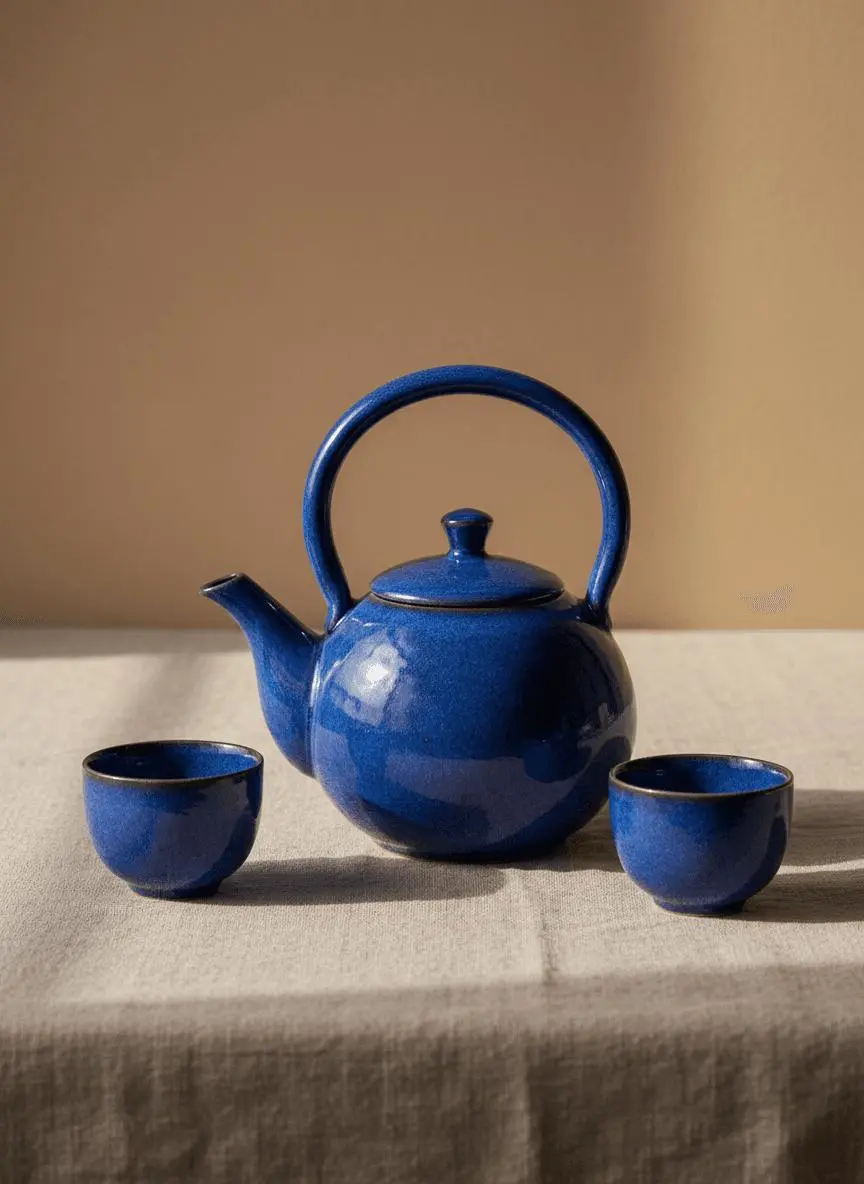
指定窗光移动和镜头缓慢推进,同时要求蓝色茶壶与杯子留在原位。对比片段中的光线和构图变化,再检查商品形状。
Use image 1 as the first frame. Keep the blue teapot and two cups unchanged in shape, color and placement. A soft patch of window light moves slowly across the linen cloth while the camera makes a gentle push-in. One uninterrupted product shot, realistic shadows, no new objects, no cuts and no text.
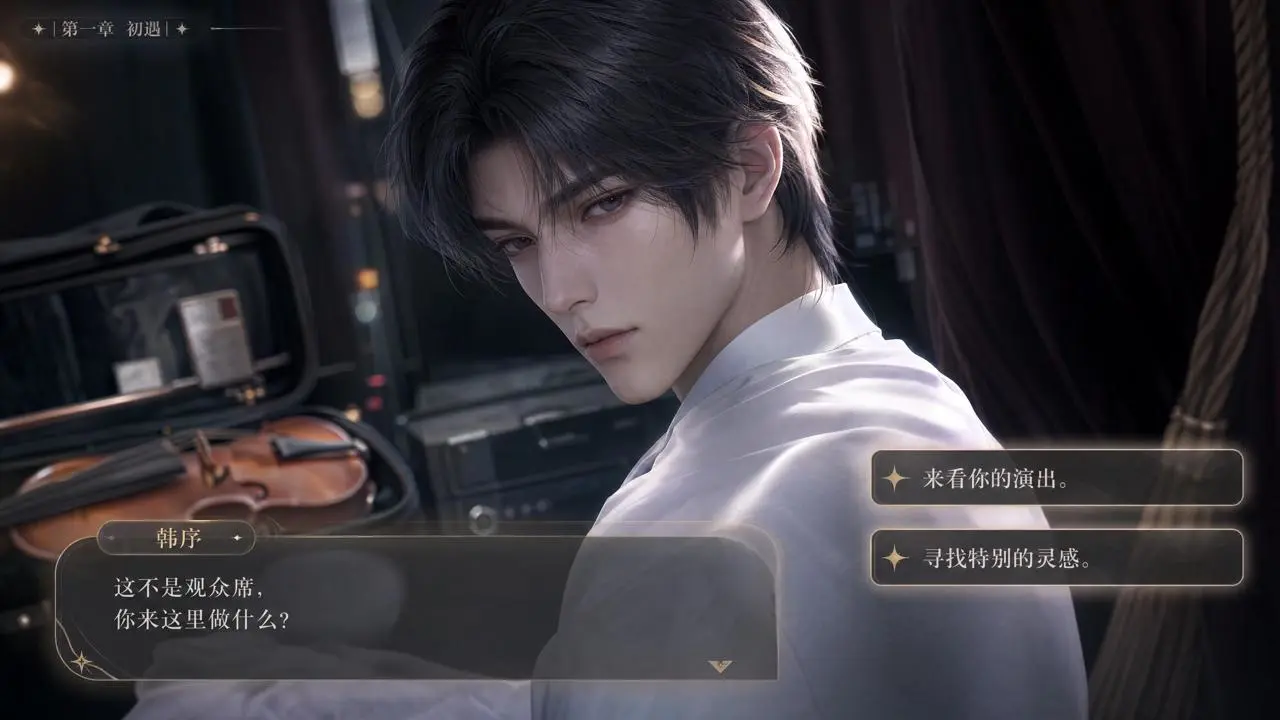
分别指定角色反应、界面选项和对白状态间的过渡。本例在角色特写周围切换可视对白面板。请逐字检查界面文字,同时查看脸部与界面的连续性。
The high-end Chinese otome game features an interactive romance interface, capturing ambiguous moments before and after performances. The transition from "choosing to watch his performance" to "Han Xu being attracted by the female lead's words and showing an interested reaction" is seamless. The UI text, options, and dialogue boxes are all presented in an exquisite otome game style, with smooth transitions and ambiguous yet restrained emotions.
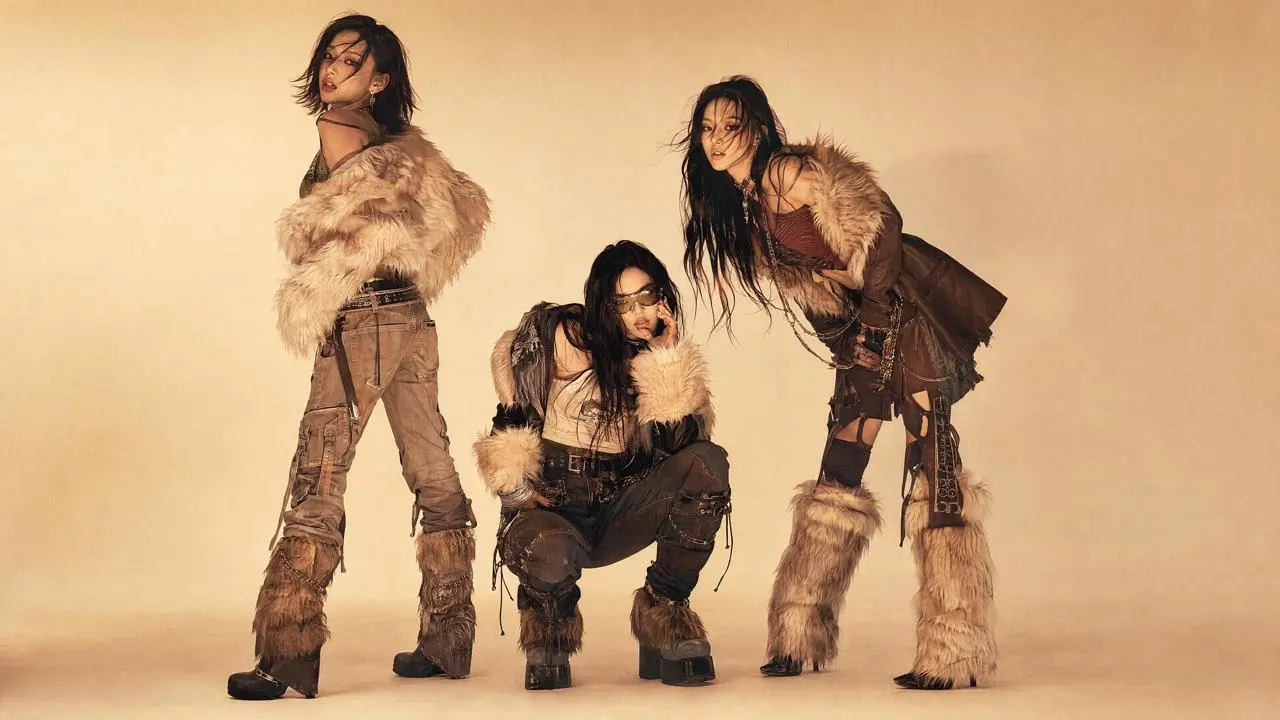
直接描述纹理和剪辑节奏:颗粒、半色调网点、扫描错位和硬切。本例从时尚参考图切换到印刷风格版面与字体画面。用于设计前,请检查生成文字。
Style: Dark-pop / cyber-grunge / rap music video; realistic high-fashion feel, film magazine quality, high contrast but not cheap. Overall reference to late 90s and early 2000s independent magazines, photocopied paper, film scans, underground music posters, and zine collage aesthetics. Visuals feature graininess, slight film jitter, halftone dots, printing fringes, and scanning misalignment. Fast-paced editing uses only hard cuts, avoiding fades or soft transitions. Text packaging style and texture are referenced from the images.
选择 Lite 模式,添加所需输入,再描述一个聚焦的五秒镜头。生成前检查设置和积分预估。
在 Model 菜单中选择 Image to Video 或 Reference。Image to Video 模式下,添加首帧图片,并按需提供尾帧;Reference 模式下,添加其支持的图片、视频或音频并说明各自角色。请保持在 MiniMax H3 Lite 的选项范围内。
两种 Lite 模式均提供 5s。Reference 模式另有 Adaptive、21:9、16:9、4:3、1:1、3:4、9:16 比例选项。提交前核对积分预估与账户权限;下载原始结果,检查实际像素尺寸与播放时长。
播放完整结果并与输入对照,检查主体、动作、运镜、细节与所需声音。如果多个动作挤在短片中难以表达,下次可先简化描述。
五秒镜头可以选择 MiniMax H3 Lite;场景需要在 5–15 秒间选择时长时,可选择标准 MiniMax H3。两者在 WeShop 均有画面引导和 Reference 方式,请按素材选择输入方法。
| 比较维度 | MiniMax H3 | MiniMax H3 Lite |
|---|---|---|
| 型号定位 | 标准 H3:画面或参考引导的视频生成 | H3 Lite:五秒画面或参考引导的视频生成 |
| 输入方式 | I2V:首帧或首尾帧;Reference:图片、视频、音频。 | I2V Lite:首帧或首尾帧;Reference Lite:图片、视频、音频。 |
| 时长与画幅 | 5–15秒;Reference 有 Adaptive 及六种画幅比例。 | 5秒;Reference Lite 有 Adaptive 及六种画幅比例。 |
插画动效、角色小动作或商品光线镜头等单个五秒片段可使用 Lite。按输入选择其 Image to Video 或 Reference 模式。
选择 MiniMax H3 Lite当动作或场景需要超过五秒的空间时,选择标准 H3,并在 5–15 秒间设置片长。它同样提供图生视频与 Reference 方式。
选择 MiniMax H3需要其他使用视觉或音频参考的工作流程时,可查看以下型号的输入方式和控制选项,再按场景选择。
关于此版本、输入要求与开始使用的常见问题。
使用 WeShop 的 MiniMax H3 Lite 制作五秒短视频:让首帧图片动起来、连接首尾画面,或在 Lite Reference 模式中用图片、视频和音频参考指导场景。
可以从插画动效、角色短动作、商品细节镜头和氛围场景开始。本页的小狗、水母、宇航员和茶壶案例展示不同的五秒图生视频写法。
单张首帧或首尾帧使用 MiniMax H3 Image to Video(Lite);图片、视频或音频参考使用 MiniMax H3 Reference(Lite)。两种 Lite 选项都提供五秒时长,切换时确认型号名称中保留 Lite。
选择 MiniMax H3 Reference(Lite),按表单支持的类型添加图片、视频或音频。用提示词说明每份素材提供主体、场景、动作或声音中的哪一部分,并遵守上传提示。
两种 Lite 选项均为 5s。Reference Lite 提供 Adaptive、21:9、16:9、4:3、1:1、3:4、9:16;图生视频从上传画面开始。请求时长与实际文件时长可能略有差异,像素尺寸请查看下载的原始文件。
先写主体和一个主要动作,再写镜头运动、光线及需要保留的特征。用首尾帧时描述两幅构图怎样连接;用多种参考时写清各自用途。可从下方完整英文原始案例提示词开始调整。
五秒镜头可以选择 MiniMax H3 Lite;场景需要在 5–15 秒间选择时长时,可选择标准 MiniMax H3。两者在 WeShop 均有画面引导和 Reference 方式,请按素材选择输入方法。
使用前查看 WeShop 当前套餐中的模型权限与额度,并核对生成器按所选设置显示的积分预估。
检查主体外观、肢体、细小文字、运镜、场景连续性和所需声音。首帧可指导主体与构图,但生成过程中细节仍可能变化。复杂动作可先拆成更简单的五秒镜头。
对照参考图、完整原始提示词和结果学习写法,再替换成自己的素材与动作要求。小狗、水母和宇航员是不同任务;不要把某一例的细节要求直接套到所有主体。