GPT IMAGE 2 图像创作

GPT Image 2 图片生成与编辑

GPT Image 2 是 OpenAI 的图像生成与编辑模型,接受文字和图片,用于新画面及参考引导的改动。

gpt-image-2
GPT IMAGE 2 案例

GPT Image 2 图片案例

通过霓虹雕塑风格转换、参考图生成穿搭拆解板、文字主导的爵士海报三个案例了解 GPT Image 2。各例保留实际提示词与已有输入,借用到自己的主体前请先检查结果。

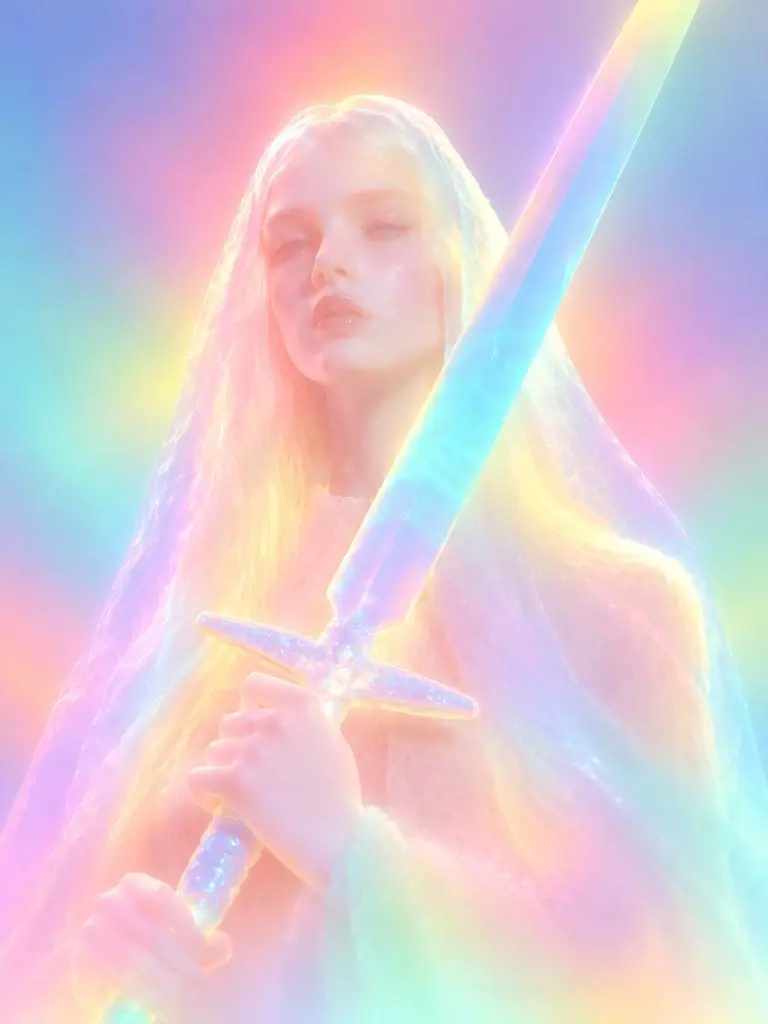
WeShop 结果:霓虹雕塑风格转换
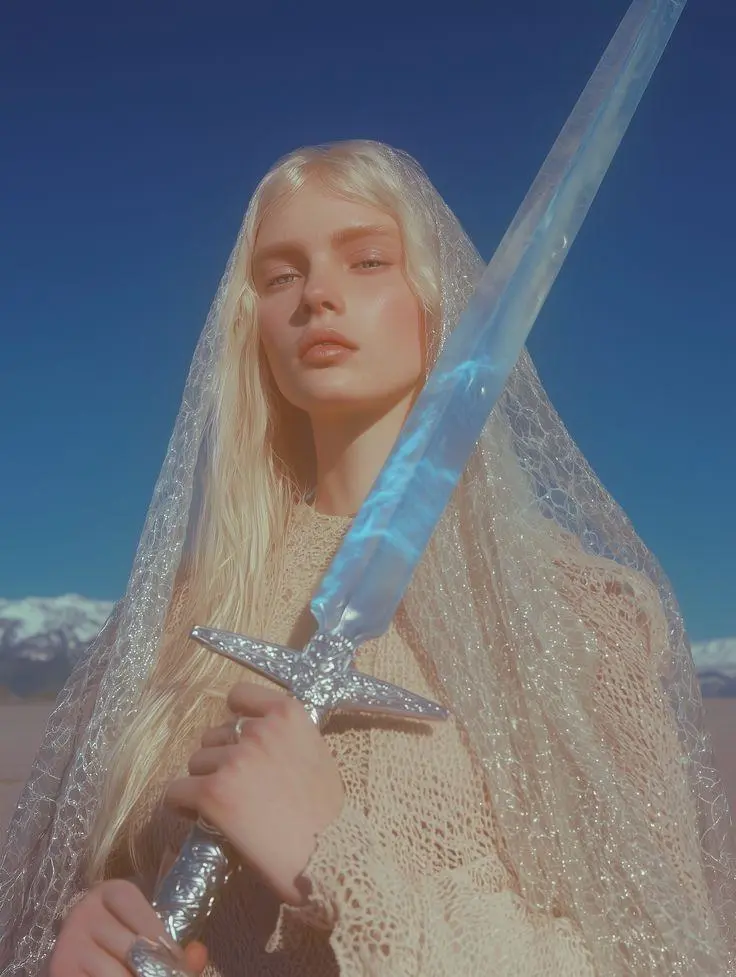
参考素材 1

霓虹雕塑风格转换

以参考图转换成发光雕塑,散射霓虹色、柔化的面部细节与圆润材质表现,让所需风格变化可见。

Please transform the input image into a soft focus, neon gradient sculptural style. Do not copy specific specific characters, crowds, compositions, or poses from any reference, but follow this visual language: Style & Texture: Create a soft, dreamy, surreal 3D illustration and digital sculpture. The subject should look like translucent plastic, frosted glass, glowing rubber, or soft ceramic sculpture wrapped in colored mist. Smooth rounded edges, moderately simplified details, with a hazy, low-contrast, non-realistic artistic effect. Color & Light: Use highly saturated but softly diffused neon gradients (fluorescent pink, coral orange, lemon yellow, mint green, cyan, violet, pale grayish-blue). Colors should blend seamlessly like thermal imaging, colored mist, or dream halos. Shadows must be bluish-purple, cyan, or deep magenta—NO pure black hard shadows. Use strong inner glow, backlight, rim light, and ambient color reflections to make the subject glow from within. Include soft focus, slight mist, fine grain, and gradient noise. Subject Treatment: Retain the identity, pose, proportions, and clothing outlines of the input image, but transform them into a minimalist, rounded, dreamy neon sculpture. Soften and weaken facial features to create a quiet, ethereal, detached expression. The face should look like a soft mask covered by a glowing halo. Composition: Clean background (solid color, soft gradient, misty or large color blocks). Quiet, surreal, fairytale-like but slightly alienating atmosphere with a floating feeling. Keywords: soft neon gradient, dreamy 3D illustration, translucent sculpture, frosted glass texture, glowing rubber, pastel fluorescence, diffused light, inner glow, soft focus, blurred facial features, surreal portrait, minimal details, smooth rounded forms, luminous mist, thermal color gradient, ethereal atmosphere, clean composition, high-end digital art.
使用此提示词
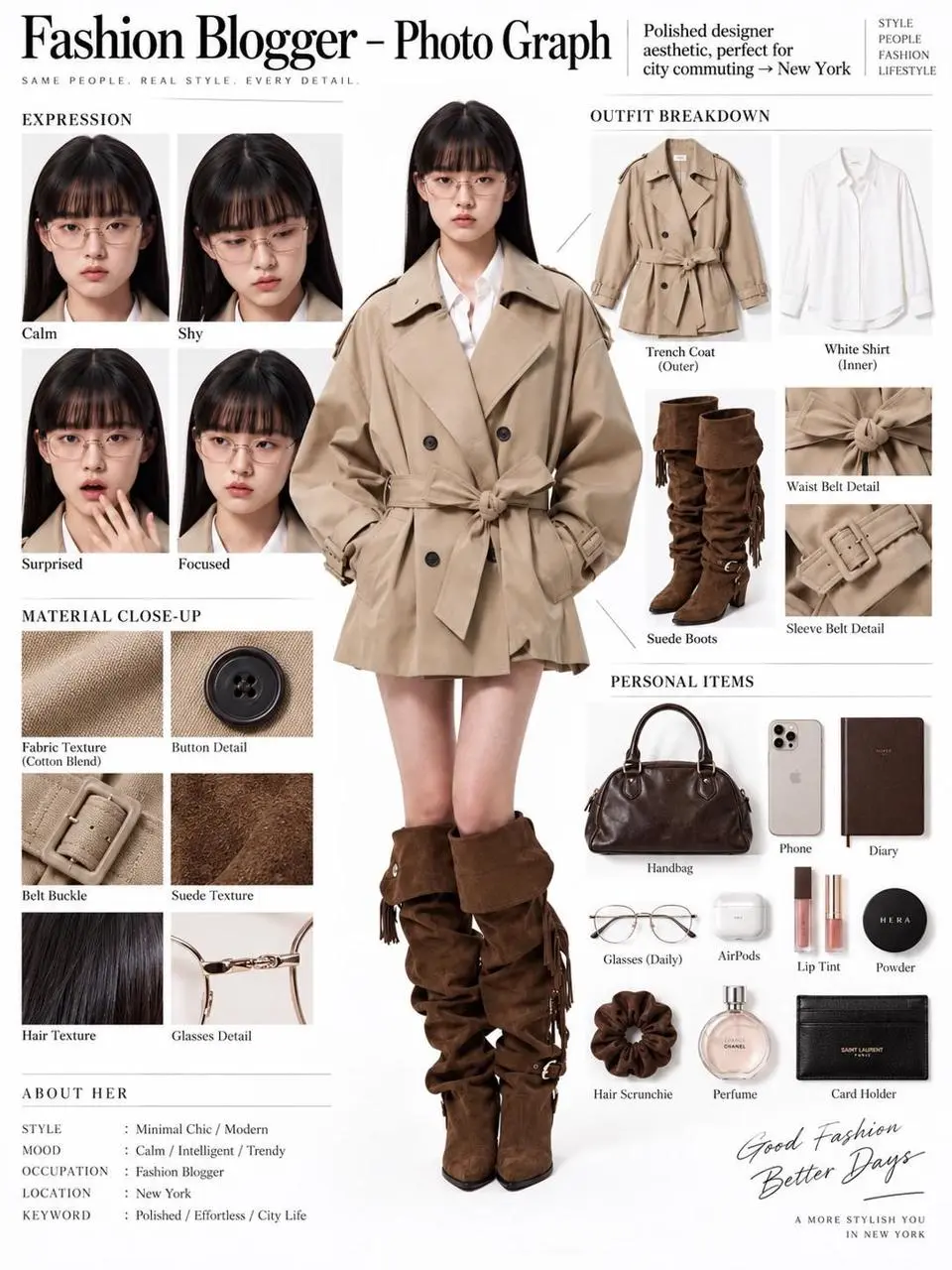
WeShop 结果:参考图生成穿搭拆解板
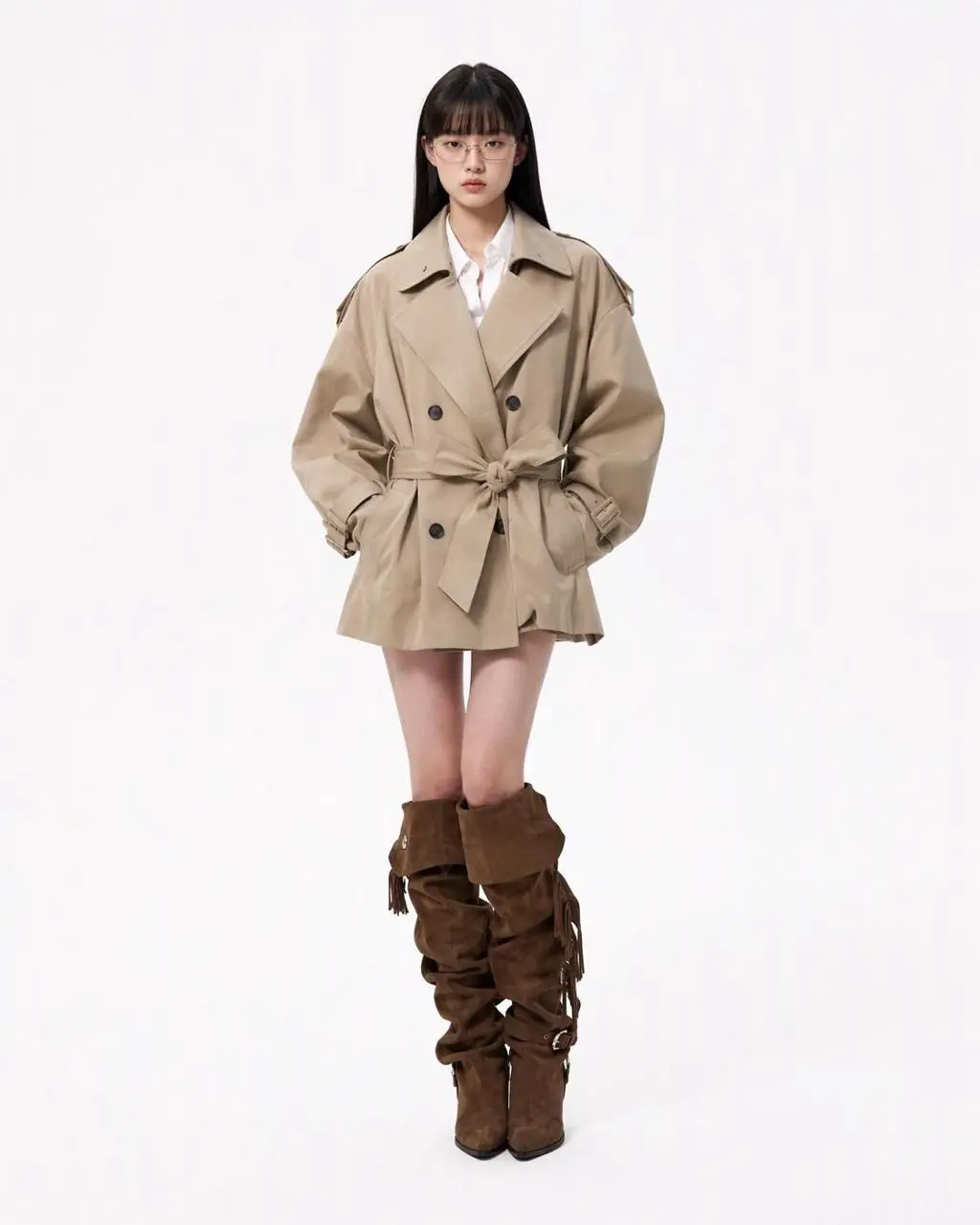
参考素材 1

参考图生成穿搭拆解板

单张人物参考变成编辑式展示板,包含全身人物、服装单品、面部特写和材质细节,在同一构图中结合参考编辑与结构化布局。

You are an expert in ultra-detailed, photorealistic character breakdown sheets. Create a highly detailed character reference sheet based on the uploaded person photo. Preserve 100% of the person’s original facial features, identity, hairstyle, clothing, body proportions, and realistic textures. Do not redesign, beautify, or alter the person. TASK: CENTER: Place the full-body photorealistic image of the uploaded person prominently in the center. Keep the person’s original appearance, outfit, proportions, and visual identity exactly consistent with the reference photo. SURROUNDING ELEMENTS: • Outfit Breakdown: Display each clothing item separately, from outer layers to inner layers. Preserve the exact original design, silhouette, colors, materials, patterns, stitching, accessories, and fabric textures. Present each item as realistic product photography. • Expression Variations: Create 3–4 close-up portraits of the same person showing different natural expressions, such as calm, shy, surprised, and focused. The face, hairstyle, skin tone, makeup, and identity must remain fully consistent with the uploaded person. • Material Close-ups: Include realistic macro photography of key details such as fabric texture, stitching, skin texture, hair strands, accessories, buttons, hardware, and other visible materials from the original photo. • Personal Items: Arrange realistic everyday objects that naturally match the person’s fashion style and overall character, such as bag contents, cosmetics, diary, phone, accessories, or other appropriate personal belongings. Present them as premium editorial flat-lay photography. VISUAL GUIDELINES: Layout: Use a clean white background. Position the full-body person as the main visual focus in the center. Arrange all outfit pieces, facial close-ups, material details, and personal items evenly around the central figure. Use thin, refined editorial-style lines to connect relevant details to the person. Style: Hyper-realistic professional photography only. Use natural studio lighting, realistic skin, authentic fabric textures, accurate material reflections, subtle shadows, and premium fashion-editorial photography quality. Overall aesthetic: Clean, sophisticated, modern fashion magazine character analysis board with a New York editorial atmosphere. Maintain a balanced layout, generous white space, and refined visual hierarchy. TEXT: Display the main title: “Fashion Blogger – Photo Graph” Include one short English style/persona judgment: “Polished designer aesthetic, perfect for city commuting → New York” STRICT RULES: The final image MUST look like real photography. NO illustration, anime, cartoon, sketch, painting, CGI, or obvious 3D-rendered appearance. Preserve the uploaded person’s identity, facial structure, facial features, hairstyle, skin tone, clothing, body proportions, and overall appearance as accurately as possible. Do not change, redesign, beautify, replace, or reinterpret the person’s original features. Do not randomly change the clothing design, colors, materials, patterns, or accessories. All facial close-ups must clearly represent the same person. All clothing breakdowns and material close-ups must correspond accurately to the clothing worn by the central person. All surrounding elements must have authentic photographic textures, realistic lighting, and consistent visual quality. Maintain strong visual consistency between the central full-body character and every surrounding detail image.
使用此提示词
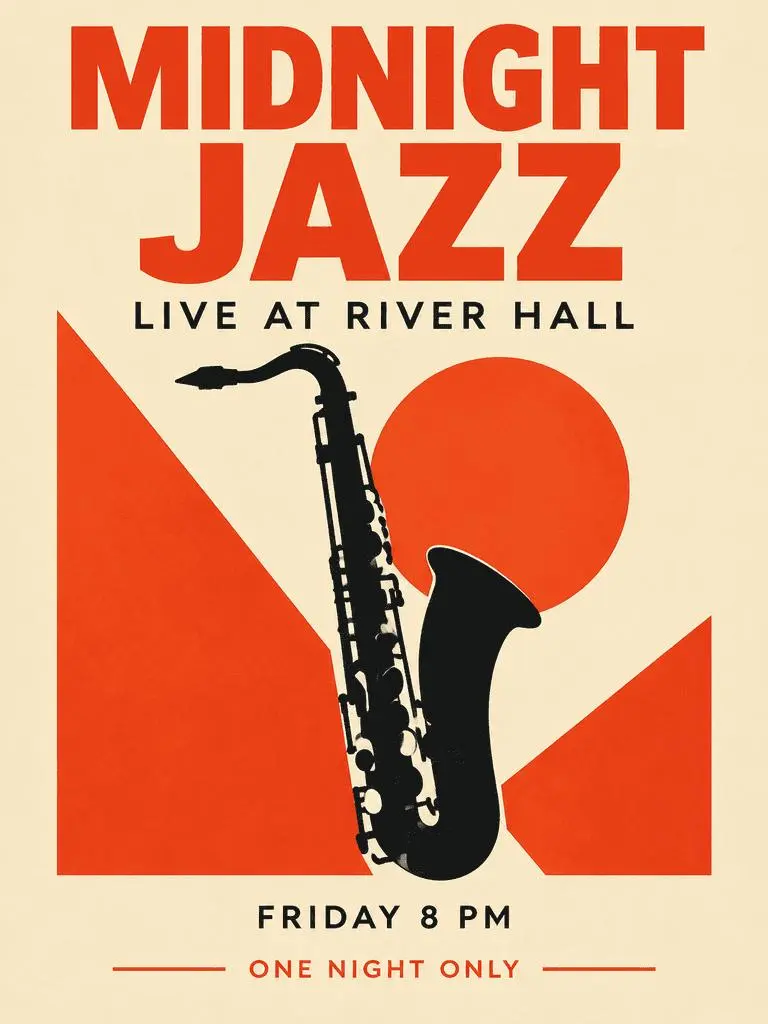
WeShop 结果:文字主导的爵士海报

文字主导的爵士海报

虚构活动海报结合主标题、辅助信息和萨克斯插画;请检查生成结果中四组指定文字及其层级。

Create a polished vertical 3:4 poster for a fictional jazz event. Use a warm ivory background, bold vermilion geometric shapes, a single black saxophone silhouette, and a carefully aligned editorial grid. Include exactly these four text lines, with no other words: 'MIDNIGHT JAZZ' as the largest headline, 'LIVE AT RIVER HALL' as the secondary line, 'FRIDAY 8 PM' as the small event detail, and 'ONE NIGHT ONLY' as a small bottom label. Make all four lines legible and spelled exactly. Keep a clear hierarchy between headline, illustration, details, and footer. Flat graphic design, crisp edges, restrained paper texture, no border or watermark.
使用此提示词
认识 GPT IMAGE 2

GPT Image 2 是什么,适合做什么?

GPT Image 2 是 OpenAI 的图像生成与编辑模型,接受文字和图片,用于新画面及参考引导的改动。 GPT Image 2 可用于文字设计、结构化构图和参考转换。爵士海报展示规划的文字层级,穿搭拆解板和霓虹风格转换则展示源图的不同用法。

设计图片中的文字

创建含文字与视觉元素的布局,并检查结果里的拼写和位置。

用于图片编辑的参考图

用已有图片建立主体或场景,再说明所需改动。

细致的视觉调度

明确预期图片的构图、材质和光线。

创作模式

从文字或图片开始

新构图输入文字,参考编辑则上传图片。说明各输入提供主体、环境或布局中的哪一部分,以及应改变什么。

从文字开始

创建新场景或新设计、没有既有图片需要保留时,使用文字描述。

从参考图开始

上传希望请求使用的图片。多参考时分别说明各图角色。

提示词指南

GPT Image 2 提示词怎么写?

结合实际结果与已有参考输入,阅读下方真实的 GPT Image 2 提示词。每段说明指出一项具体指令供检查;请求某种效果不保证所有生成细节都会符合。

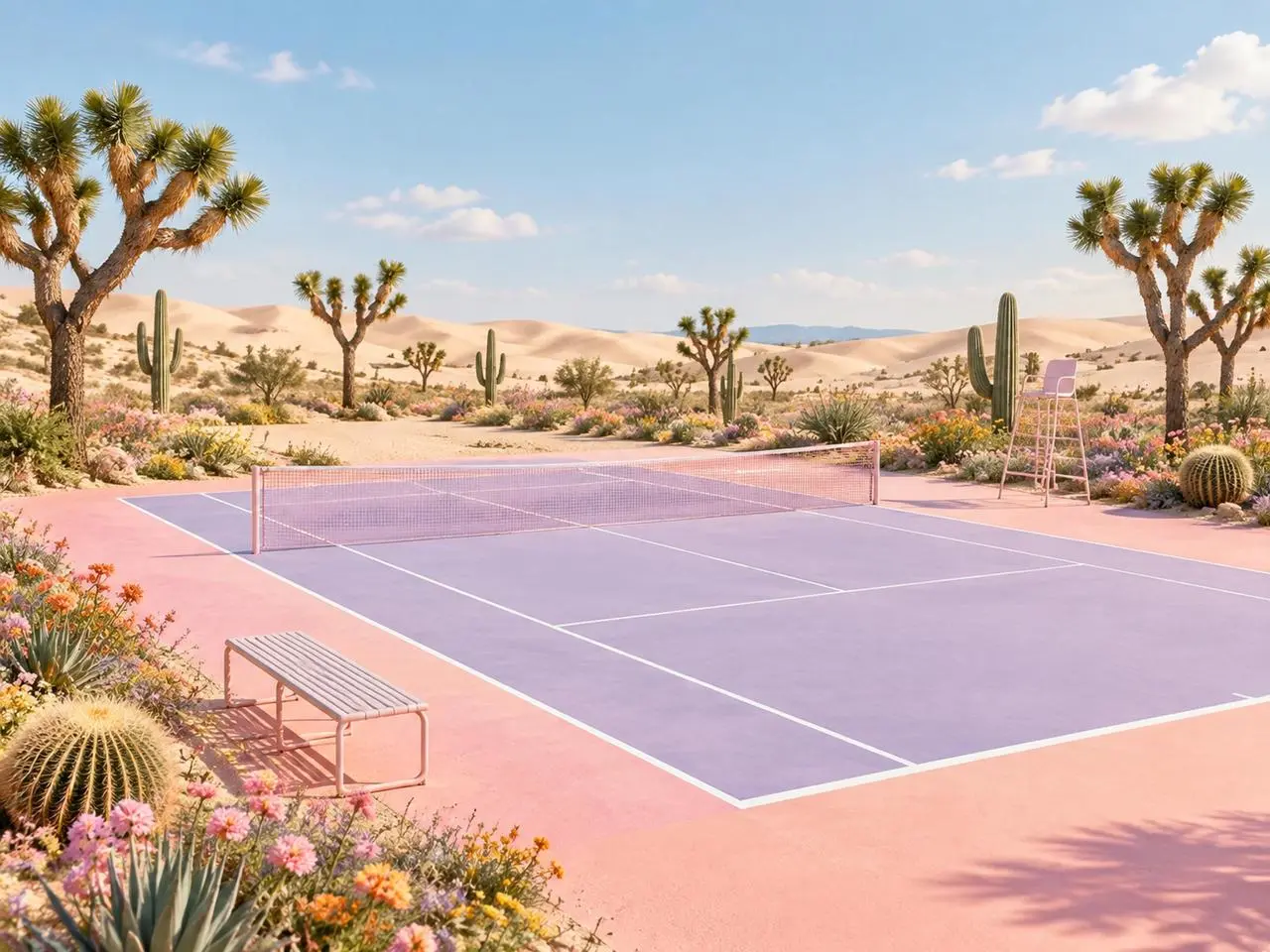
WeShop 结果:为参考图定义明确角色
参考素材 1
参考素材 2

为每张参考图分配角色

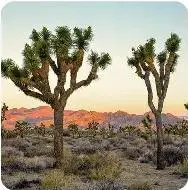
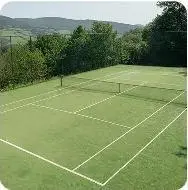
描述最终场景前,先说明各张图片的作用。本例:“Image 1 is the environment and botanical reference.” 将沙漠植物与第一张参考图、球场几何与第二张参考图分别对照。

Use the two uploaded images as complementary visual references. REFERENCE ROLES: Image 1 is the environment and botanical reference. Use Image 1 to guide: - the open desert atmosphere - Joshua tree shapes and branching structure - dry natural terrain - scattered desert vegetation - spacious outdoor mood - warm arid landscape identity Image 2 is the composition and tennis-court structure reference. Use Image 2 to guide: - the camera angle - the overall court placement - court proportions - baseline and service-line geometry - the central net position - surrounding open space - the relationship between the court and the landscape Do not copy either image literally. Combine the environmental character of Image 1 with the tennis-court composition of Image 2 to create one coherent new scene. FINAL SCENE: Create a dreamy pastel tennis court located in a surreal desert landscape. The tennis court should use a refined pastel palette with: - soft blush pink outer areas - lavender and pale violet playing surfaces - clean white court lines - a subtle warm peach transition around the edges - a pale pink tennis net with realistic mesh texture Preserve believable tennis-court geometry. Keep the sidelines, baselines, service boxes, center marks, net height and court perspective visually coherent. ENVIRONMENT: Surround the court with rolling cream-colored and pale peach sand dunes. Add several Joshua trees inspired by Image 1, along with tall columnar cacti, round barrel cacti, desert succulents and small flowering plants. Scatter clusters of pink, coral, orange, yellow and lavender desert flowers around the edges of the court. Keep the central playing area clean and unobstructed. Place a simple metal bench near the foreground edge of the court and a minimal referee chair near one side of the net. The furniture should match the scene’s clean editorial styling without blocking the court. LIGHTING AND ATMOSPHERE: Use bright, soft natural daylight under a clear pale-blue sky. Add a few soft white clouds. Use gentle shadows, warm highlights and subtle atmospheric depth across the sand dunes. The mood should feel optimistic, imaginative, premium and calm. STYLE: High-end editorial landscape photography blended with polished surreal advertising art. Pastel color grading, clean commercial composition, realistic materials, precise perspective, crisp court details and refined botanical textures. The result should feel suitable for a sports-fashion campaign, lifestyle brand advertisement, social media post, website hero image or creative editorial. COMPOSITION: Use a wide landscape composition. Keep the tennis court as the central visual focus. Use desert plants and flowers to frame the foreground and side edges. Leave the sky and distant dunes relatively clean to prevent visual clutter. The scene must feel like one naturally designed environment, not a collage of two separate photographs. IMPORTANT: Do not add people or players. Do not add text, logos, signs, watermarks, brand names or promotional badges. Do not create extra tennis nets. Do not distort the court lines or perspective. Do not place cacti, flowers or furniture inside the active playing area. Do not reproduce the exact background from either reference image. Generate a new, coherent pastel desert tennis environment inspired by both references. High-resolution commercial quality, realistic lighting, precise geometry, premium AI-generated campaign visual.
WeShop 结果:描述材质与风格变化
参考素材 1

描述材质变化

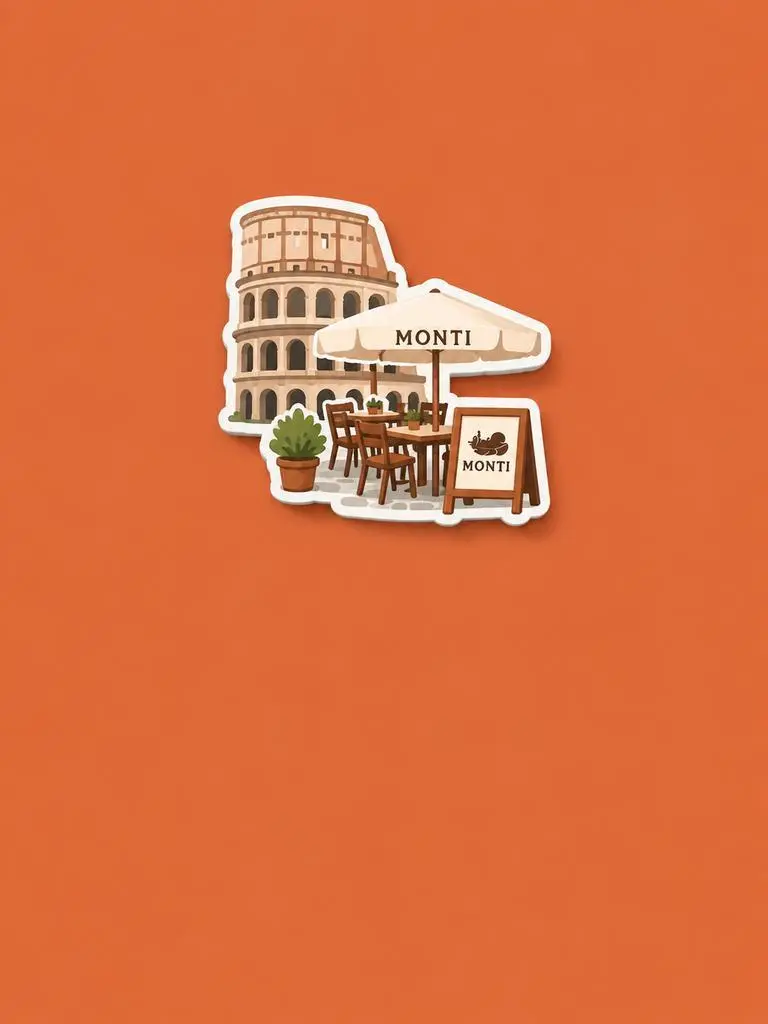
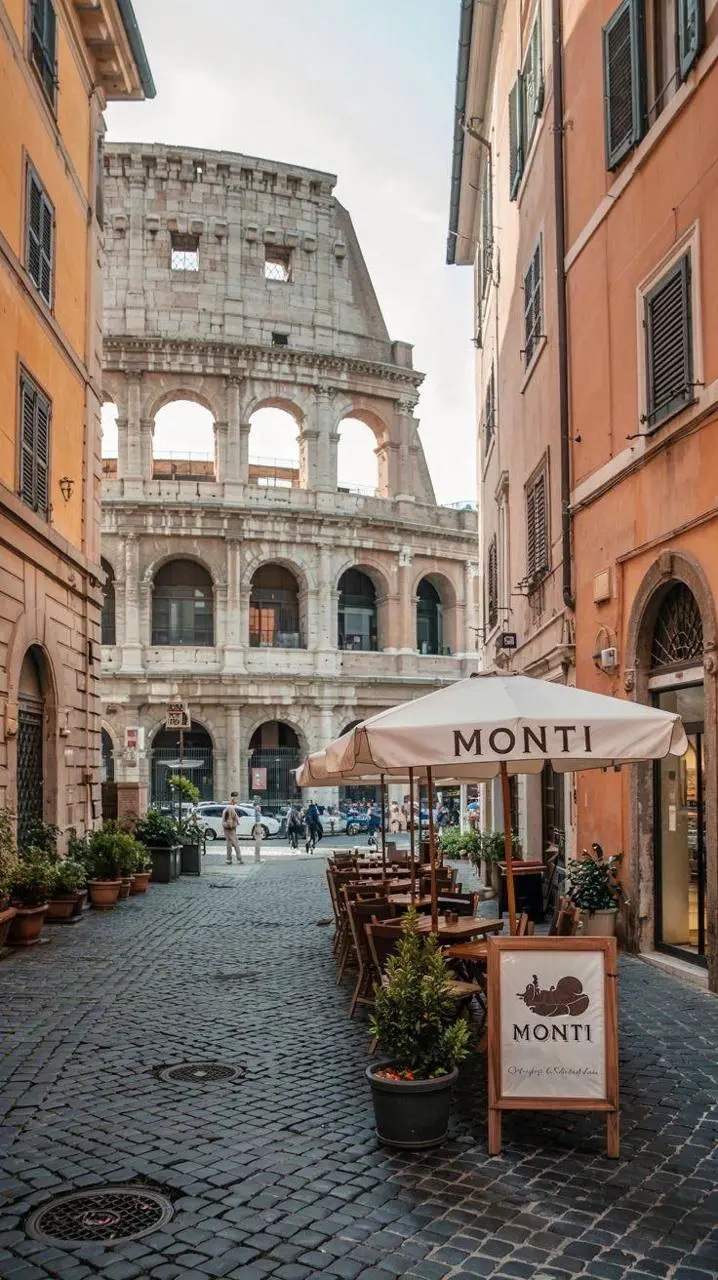
写出新材质或处理方式,再明确源图应保留的特征。本例:“Retain the core outline and iconic features of the subject.” 检查可辨认的建筑和座位如何被重新演绎为浮雕纪念磁贴。

Please generate a minimalist fridge magnet photography poster based on the real photo I provided. The overall style should reference "architectural fridge magnets" or "minimalist collage". 【Layout Structure】Horizontal composition, 3:2 ratio. Minimalist solid color background. 【Fridge Magnet Icon】Extract the most recognizable main subject from the provided photo (e.g., the dining table and chairs) and convert it into a minimalist "fridge magnet-style icon". Requirements: 1. Retain the core outline and iconic features of the subject. 2. Simple, clean shape, resembling a cute travel souvenir fridge magnet. 3. Add a slight 3D pop-up effect and a subtle drop shadow. 4. The edges must be clear, with a white or light-colored sticker-like border/stroke. 5. Moderately simplify the details; do not make the drawing too complex or hyper-realistic. 6. Place the icon in the upper center part of the image. 7. The icon should be relatively small and delicate, leaving plenty of negative space around it. 【Background Color】Extract the most prominent, memorable, and saturated color from the provided photo for the background. The background must be a solid, flat color—saturated, clean, and giving a travel postcard vibe. Do NOT use gradients, and do NOT add any complex patterns or background clutter.
WeShop 结果:将主体与布局分开
参考素材 1
参考素材 2
参考素材 3

将主体与布局分开

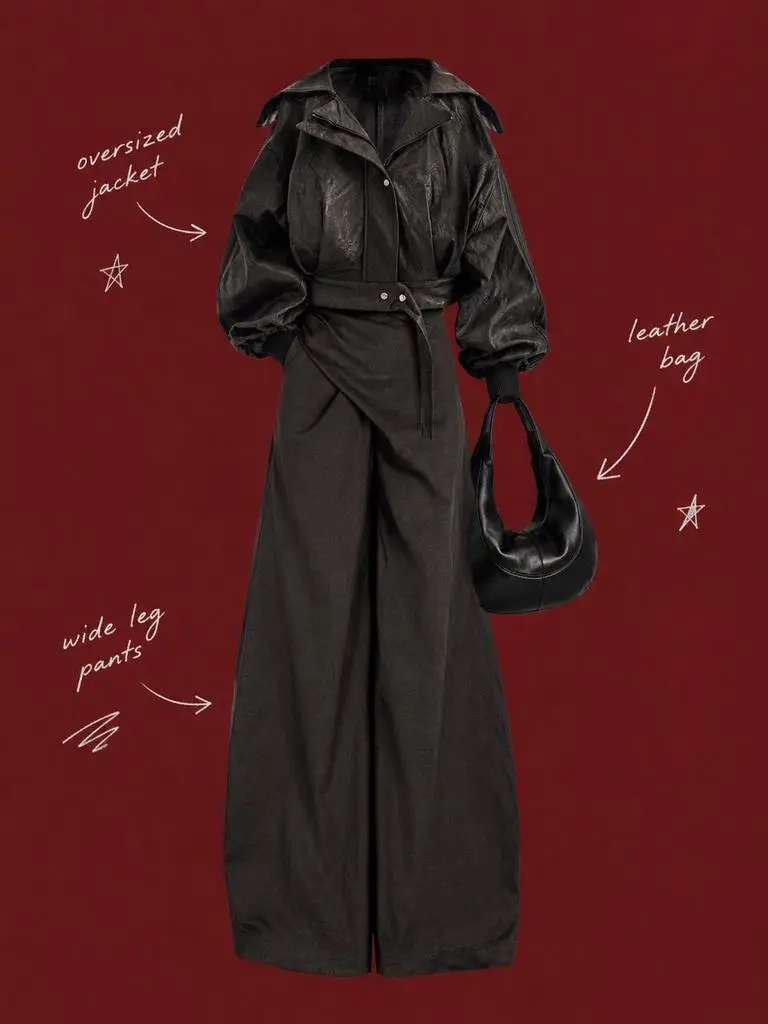
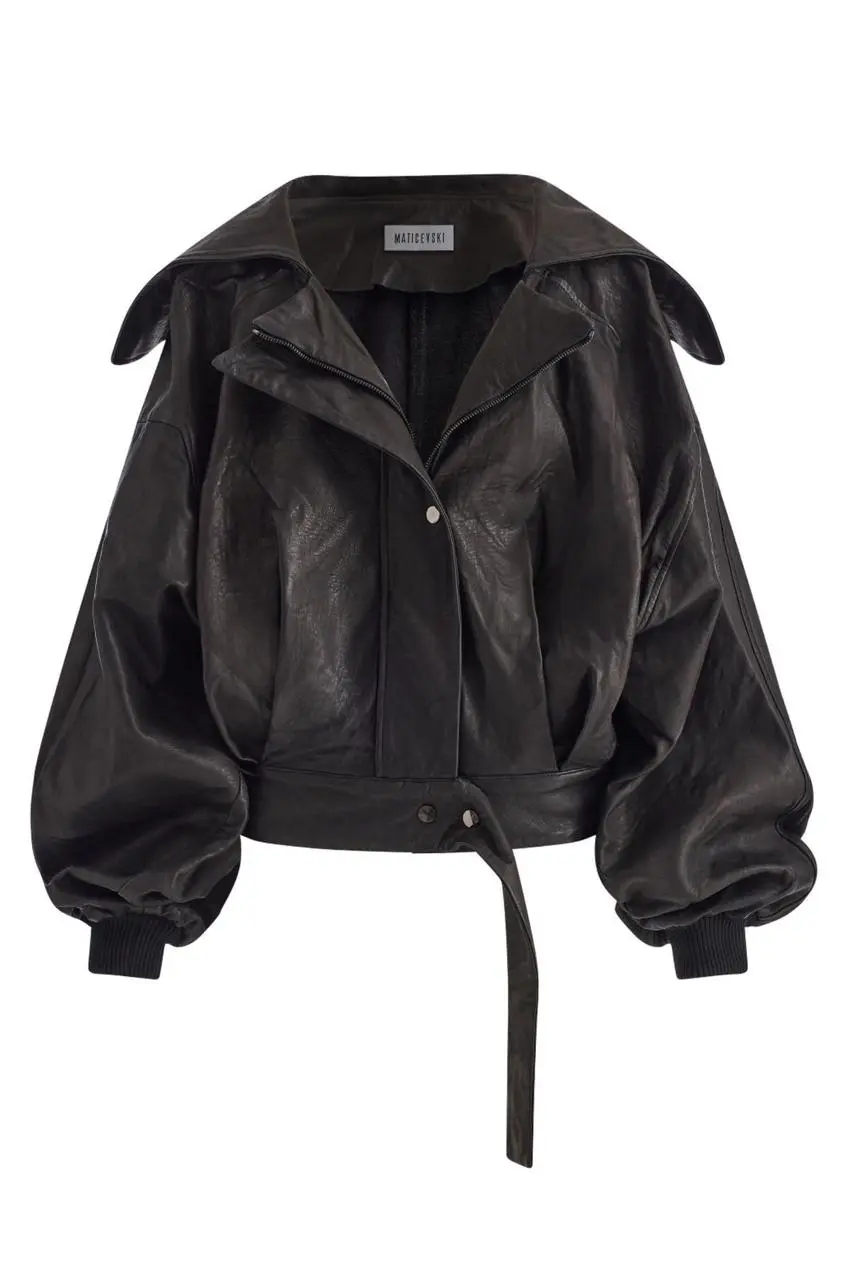
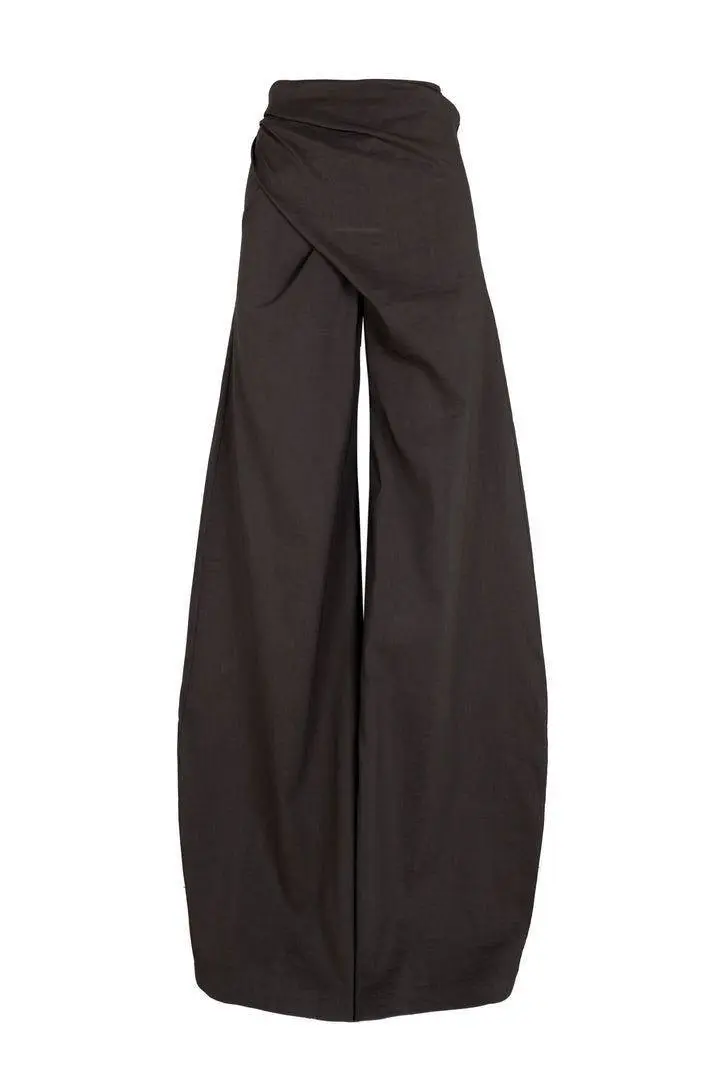
分别说明要保留的主体和周围布局。本例:“Use a solid deep burgundy, dark brick-red, or muted oxidized-red background that fills the entire canvas.” 将服装参考与中央抠图对照,再检查周围稀疏的标签。

Use my uploaded image as the main person or product asset to create a vertical, vintage fashion collage poster. Carefully cut out the subject and place it in the center of the composition. Preserve its recognizable clothing, pose, silhouette, proportions, colors, and important details without changing its identity. Present the subject as a clean magazine-style cutout layered directly onto the background. If the uploaded image features a person, the head may be cropped out or extend beyond the top edge so the visual focus remains on the outfit and body shape. If the subject is a product, keep it complete, clear, and easily recognizable. Use a solid deep burgundy, dark brick-red, or muted oxidized-red background that fills the entire canvas. Do not add a white border, white margins, a paper frame, or empty white space around the poster. Add only a few white handwritten English words, curved arrows, and casual fashion-sketch doodles on the left and right sides of the subject. The arrows may point toward clothing pieces, accessories, or other important details. The writing should look naturally hand-drawn, slightly irregular, and loosely arranged, like annotations in a fashion designer’s sketchbook. Keep these elements sparse and make sure they do not cover the subject. The overall visual language should resemble an independent fashion magazine, a clothing-design scrapbook, or an experimental late-20th-century fashion advertisement. Keep the layout minimal and clear, with one central cutout subject against the red background. Use an approximately 2:3 vertical aspect ratio. The subject should occupy around 75%–85% of the poster’s height and be positioned centrally, slightly toward the bottom. Keep the final image sharp and clearly defined. Do not add torn-paper edges, rough cutout edges, glue marks, tape, folds, stains, fading, film grain, scanning noise, blur, distressed textures, decorative badges, realistic scenery, complex props, modern interface elements, neon lighting, 3D rendering, or overly vivid colors.
WeShop 结果:通过光线描述材质

说明材质及其受光方式

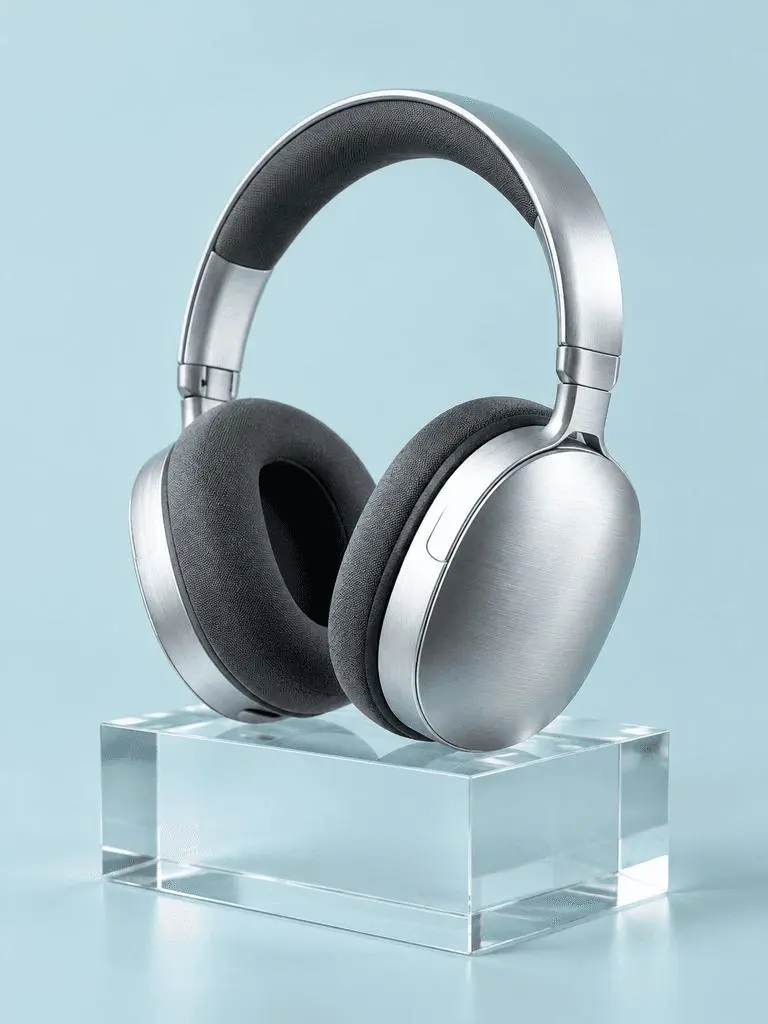
把重要表面与可见光线线索配对。本例:“a broad softbox reflection across the metal”。检查拉丝耳机、织物耳垫、透明块及各自对光线的不同反应。

A photorealistic commercial product photograph of one unbranded pair of brushed-silver wireless over-ear headphones. The headphones rest on a clear rectangular glass block against a seamless pale-cyan background. Show fine metal brushing, soft charcoal fabric ear cushions, a realistic transparent block, a clean contact shadow, and a broad softbox reflection across the metal. Use an eye-level three-quarter camera angle and a restrained monochrome palette. One pair of headphones only, no people, letters, logos, packaging, border, or watermark. Vertical 3:4 composition with the whole product visible.
WeShop 结果:组织前景、背景与光线

安排光源位置

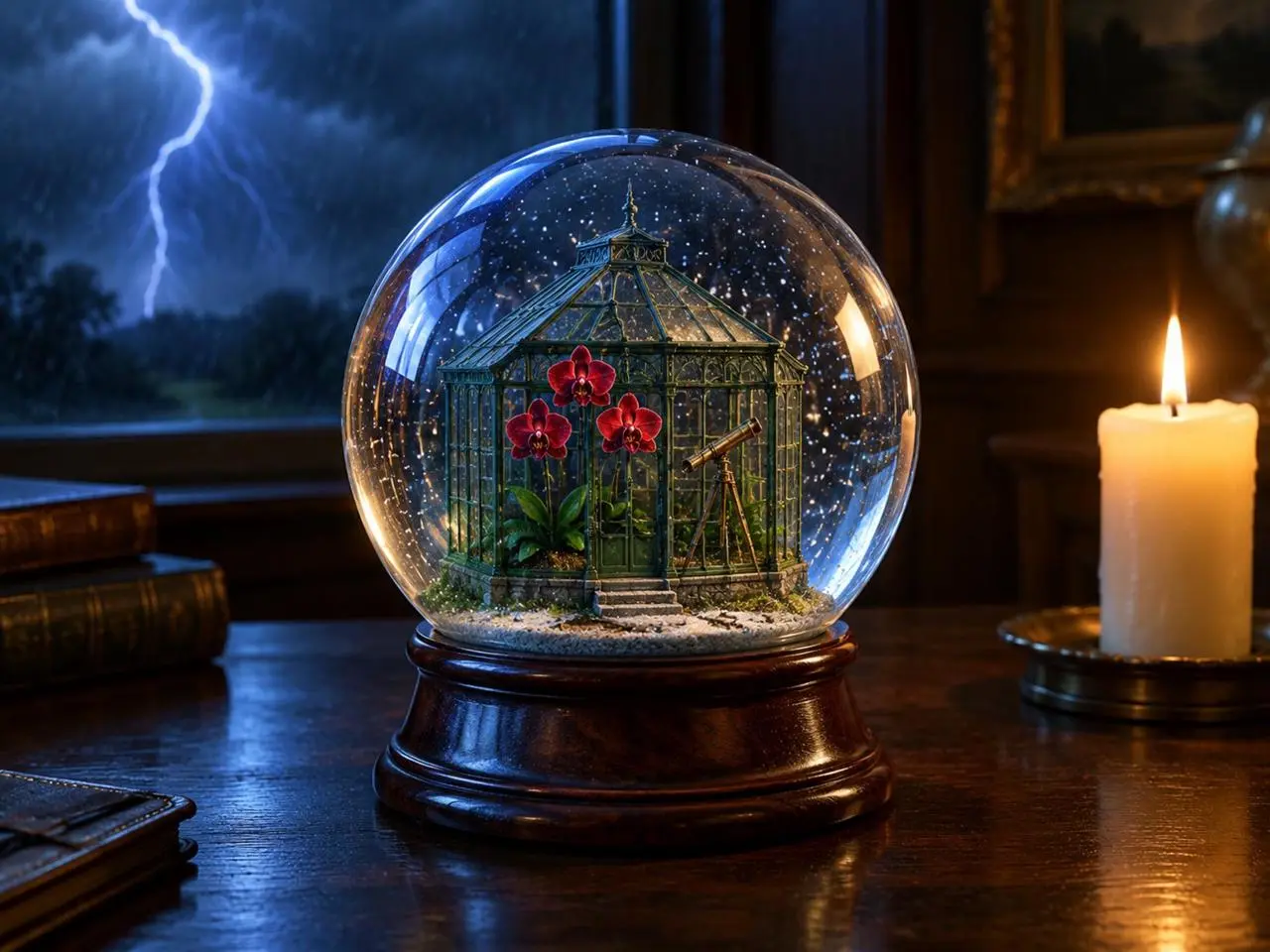
明确主体、背景事件和光源的位置。本例:“one lit ivory candle on the desk to the right of the globe”。检查前方地球仪、后方闪电和旁边暖色蜡烛的关系。

Create a finished 3:4 photorealistic editorial image of exactly one clear glass snow globe resting on a dark walnut desk during a thunderstorm. Inside the globe is one miniature Victorian greenhouse containing exactly three red orchids and one small brass telescope. Place a sharp lightning bolt in the upper-left background and one lit ivory candle on the desk to the right of the globe. Use realistic glass reflections and refractions, cool blue storm light from the left, warm candlelight from the right, shallow depth of field, and detailed natural materials. Keep the entire globe visible. No people, no extra flowers, no extra globes, no text, no logo, no watermark.
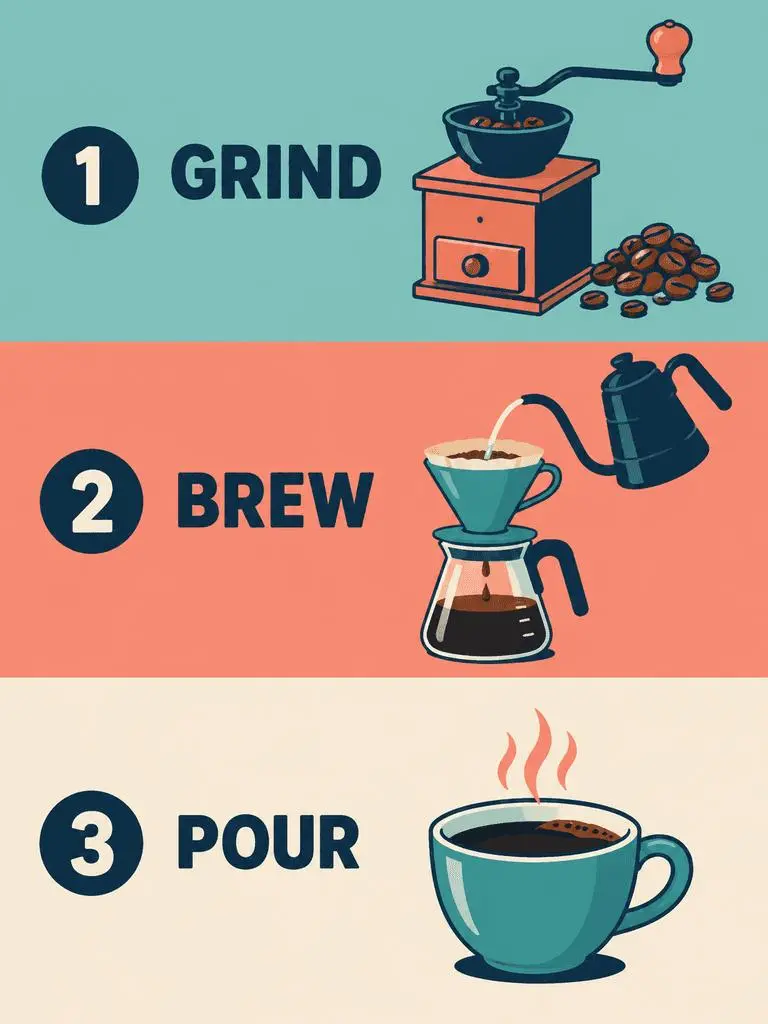
WeShop 结果:指定分格顺序与准确标签

指定分格顺序与准确文字

多格设计需要说明顺序及每格文字。本例:“Panel 1 shows a simple hand grinder and coffee beans, with the exact heading 'GRIND'.” 将 GRIND、BREW、POUR 标签与插画及自上而下顺序对照。

Create a clean flat-vector educational infographic in a vertical 3:4 layout with exactly three equal horizontal panels stacked from top to bottom. Panel 1 shows a simple hand grinder and coffee beans, with the exact heading 'GRIND'. Panel 2 shows a pour-over cone over a glass server and a kettle pouring water, with the exact heading 'BREW'. Panel 3 shows a single ceramic cup filled with coffee, with the exact heading 'POUR'. Place the number 1, 2, or 3 beside each corresponding heading. Use teal, coral, cream, and dark-navy colors, consistent line weights, generous spacing, and a left-to-right illustration-and-label arrangement within every panel. Keep the three panels distinct and correctly ordered. No extra text, border, photorealistic imagery, or watermark.

使用方法

在 WeShop AI 怎样使用 GPT Image 2?

从 GPT Image 2 选项与下方说明的输入路径开始,提交前检查可用设置和积分。

提供此模型所需的输入

保持选择 GPT Image 2。海报要写明文字和布局;编辑先上传源图、说明各图角色,再描述完成画面。

检查可用设置与积分

尺寸标签:1K、2K、4K。质量:low、medium、high。宽高比:auto、1:1、1:2、2:1、1:3、3:1、2:3、3:2、4:3、3:4、16:9、9:16、21:9、9:21。这些是可选设置,不保证固定像素尺寸或文件格式;实际尺寸以原始输出为准。提交前检查显示的积分与套餐模型权限。

打开并检查结果

校对海报文字和分格顺序。参考编辑须将身份、物体几何和改动区域与源图对照,不假定完全一致。

比较 GPT IMAGE 模型

GPT Image 2 与 GPT Image 2.5

GPT Image 2 与2.5 Flare、Sunburst 不同。Flare 面向日常速度,Sunburst 面向要求更高的生成和编辑。当前 GPT Image 2 表单列有 Low、Medium、High,2.5入口还列有 XHigh 与 Max。官方定位、WeShop 目录配置与当前选中表单分开看待;本页不提供实测画质或速度排名。

比较维度GPT Image 2GPT Image 2.5
模型选择GPT Image 2Flare 侧重速度;Sunburst 面向较高质量要求
生成与编辑文字提示与图片引导编辑文字提示与图片引导编辑
编辑侧重点用于生成与编辑的高保真图像输入OpenAI 表示两种版本都改善精确编辑与主体保留
WeShop 质量级别Low, Medium, HighLow, Medium, High, XHigh, Max
WeShop 图片尺寸1K, 2K, 4K1K, 2K, 4K
WeShop 的4:5与5:4格式当前表单未列出Flare 与 Sunburst 均可选
模型选择
GPT Image 2
GPT Image 2
GPT Image 2.5
Flare 侧重速度;Sunburst 面向较高质量要求
生成与编辑
GPT Image 2
文字提示与图片引导编辑
GPT Image 2.5
文字提示与图片引导编辑
编辑侧重点
GPT Image 2
用于生成与编辑的高保真图像输入
GPT Image 2.5
OpenAI 表示两种版本都改善精确编辑与主体保留
WeShop 质量级别
GPT Image 2
Low, Medium, High
GPT Image 2.5
Low, Medium, High, XHigh, Max
WeShop 图片尺寸
GPT Image 2
1K, 2K, 4K
GPT Image 2.5
1K, 2K, 4K
WeShop 的4:5与5:4格式
GPT Image 2
当前表单未列出
GPT Image 2.5
Flare 与 Sunburst 均可选

什么时候继续用 GPT Image 2?

文字设计、结构化构图或参考编辑达到要求时,可继续用 GPT Image 2。WeShop 表单提供 Low、Medium、High 质量选项。

什么时候试用 GPT Image 2.5?

按 OpenAI 定位,速度优先可考虑 Flare,高质量要求可考虑 Sunburst;两者在 WeShop 当前表单还提供 XHigh 和 Max。更换稳定工作流程前,先比较相同的代表性输入。

更多图像模型

探索更多图像模型

查看其他模型页面,了解各自的案例与可用创作方式。

常见问题

GPT Image 2 常见问题

GPT Image 2 是什么?

GPT Image 2 是 OpenAI 的图像生成与编辑模型,接受文字和图片,用于新画面及参考引导的改动。

GPT Image 2 擅长做什么?

GPT Image 2 可用于文字设计、结构化构图和参考转换。爵士海报展示规划的文字层级,穿搭拆解板和霓虹风格转换则展示源图的不同用法。

GPT Image 2 需要上传哪些图片?

新构图输入文字,参考编辑则上传图片。说明各输入提供主体、环境或布局中的哪一部分,以及应改变什么。

有哪些尺寸与宽高比设置?

尺寸标签:1K、2K、4K。质量:low、medium、high。宽高比:auto、1:1、1:2、2:1、1:3、3:1、2:3、3:2、4:3、3:4、16:9、9:16、21:9、9:21。这些是可选设置,不保证固定像素尺寸或文件格式;实际尺寸以原始输出为准。

GPT Image 2 提示词应包含什么?

描述最终场景前,先说明各张图片的作用。本例:“Image 1 is the environment and botanical reference.” 将沙漠植物与第一张参考图、球场几何与第二张参考图分别对照。请结合指南中的完整实际提示词与输入,再改成适合自己任务的请求。

GPT Image 2 与相关模型怎么选?

GPT Image 2 与2.5 Flare、Sunburst 不同。Flare 面向日常速度,Sunburst 面向要求更高的生成和编辑。当前 GPT Image 2 表单列有 Low、Medium、High,2.5入口还列有 XHigh 与 Max。

GPT Image 2 免费吗,怎么计费?

WeShop 当前定价页未将此模型列入 Free Trial。请核对付费套餐权限和所选请求的积分预估;本页不提供固定单次价格,也不把其他厂商订阅额度套入 WeShop。

结果中需要注意哪些限制?

检查指定文字、面部细节、商品几何与编辑边界。写下保留指令本身不证明结果已保留细节。校对海报文字和分格顺序;参考编辑要将身份、几何和改动区域与源图对照,不假定完全一致。

从这些案例可以学到什么?

已保存的 GPT Image 2 案例展示霓虹雕塑风格转换、参考图生成穿搭拆解板、文字主导的爵士海报。请对照实际提示词与已有输入;单个案例不保证效果,也不构成成功率基准。