












How to Create a Nomadic Highland Fashion Editorial Entirely in WeShop AI
Build a consistent nomadic highland fashion campaign with an original Face Forge model, Virtual Try-On, Nano Banana 2.1, and Change Pose in WeShop AI.
Highland pastures, overcast light, and a restrained model performance can make wool, leather, fringe, and oversized silhouettes feel genuinely cinematic. Producing that look on location, however, usually means weather risk, travel, styling logistics, and an expensive crew. For a brand still testing its visual direction, that is a heavy commitment before the concept has even been approved.
This workflow builds the entire campaign inside WeShop AI. Face Forge establishes one reusable original model, Nano Banana 2.1 creates the garment and visual references, Virtual Try-On locks the wardrobe onto the model, and Change Pose expands the approved key visual into a coherent editorial series.
| Generated campaign key visual |
|---|
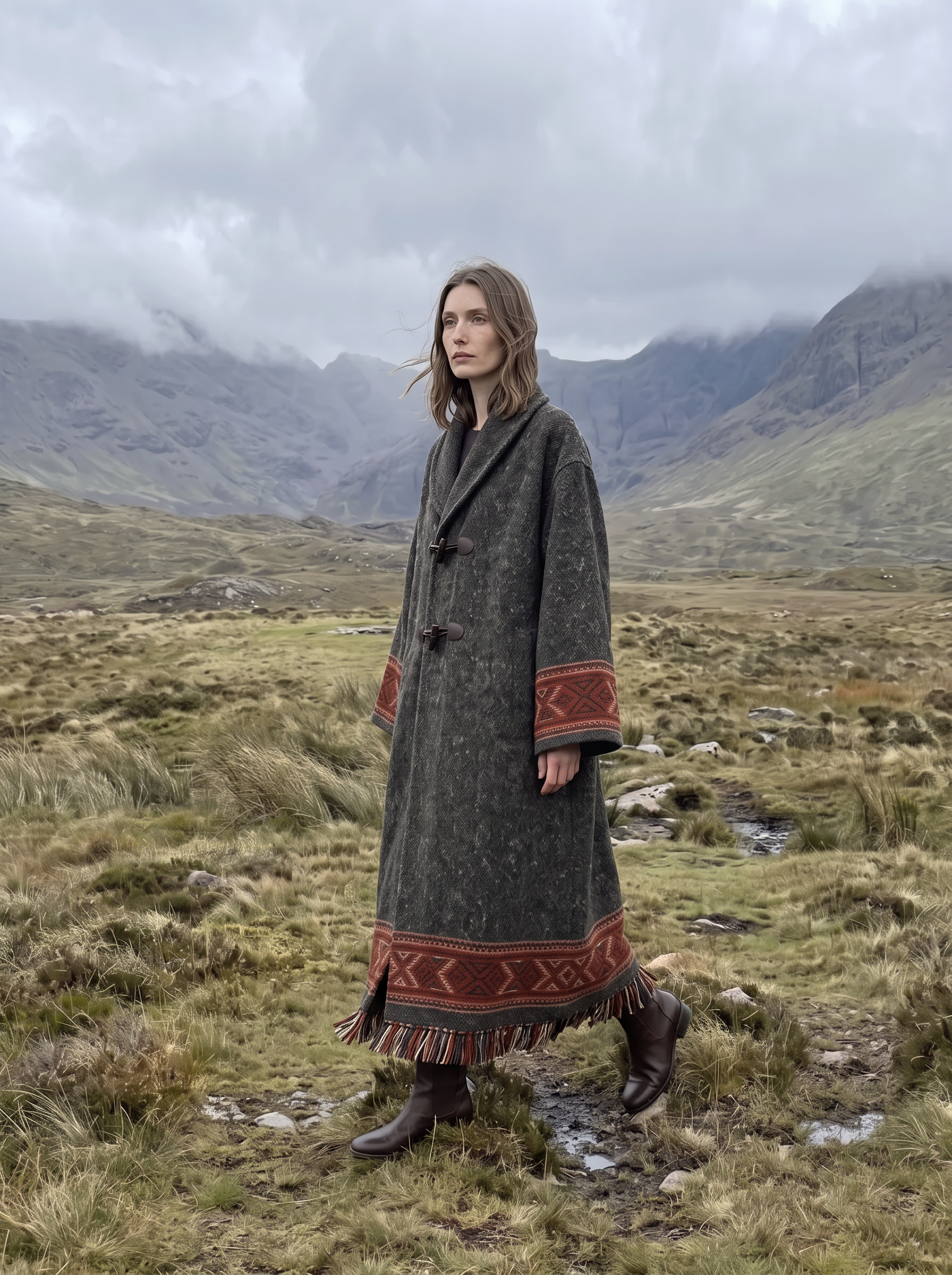 |
What you need before generating
| Asset | Purpose | Best practice |
|---|---|---|
| One to three face references | Establish an original model in Face Forge | Use clear adult portraits with similar lighting and no facial obstruction |
| One garment image | Preserve the design, color, textile, and construction | Use a complete flat lay or clean product image with visible edges |
| Two or three mood references | Define palette, light, wind, and emotional tone | Keep the references visually compatible |
| One location reference | Define pasture, mountain, or wilderness space | Choose an image with a readable horizon and clear depth |
More references are not automatically better. A small group of compatible images gives each input a clear role and reduces conflicting instructions.
Step 1: Reduce the campaign to one visual sentence
Start with a direction that will remain true when the pose or camera distance changes:
An adult Western female model in an overcast highland pasture, wearing layered nomadic clothing, with a restrained and distant mood in low-saturation documentary fashion photography.
Use this sentence as the visual anchor for the series. Keep the model type, location, mood, and color logic stable while changing only one production variable at a time.
| Visual dimension | Direction used in this case |
|---|---|
| Model | Adult Western woman with defined bone structure and natural skin |
| Wardrobe | Coarse wool, leather details, woven trim, fringe, and a relaxed silhouette |
| Location | Open highland pasture, low grass, distant weathered mountains |
| Light | Soft overcast daylight with a subtle crosswind |
| Palette | Gray-green, earth brown, charcoal, and aged ivory |
| Finish | 1990s documentary film, light grain, and minimal retouching |
Step 2: Create an original model with Face Forge
Generating a new “Western woman” independently for every image causes the face, hairline, age, and proportions to drift. Begin with WeShop Face Forge and establish one original adult identity first.
Face Forge prompt
Create an original adult Western female fashion model by blending only the general facial characteristics of the uploaded references. She is around 25–30 years old, with a long oval face, defined cheekbones, a straight natural nose, light gray-green eyes, softly arched brows and natural medium-full lips. Her skin is cool fair with visible pores, faint freckles and slight natural unevenness. Her expression is calm, distant and self-possessed. Centered front-facing beauty portrait, neutral gray background, soft even studio light, realistic photography, no heavy makeup, no jewelry, no celebrity resemblance, no plastic skin, no text or watermark.
| Face Forge identity result |
|---|
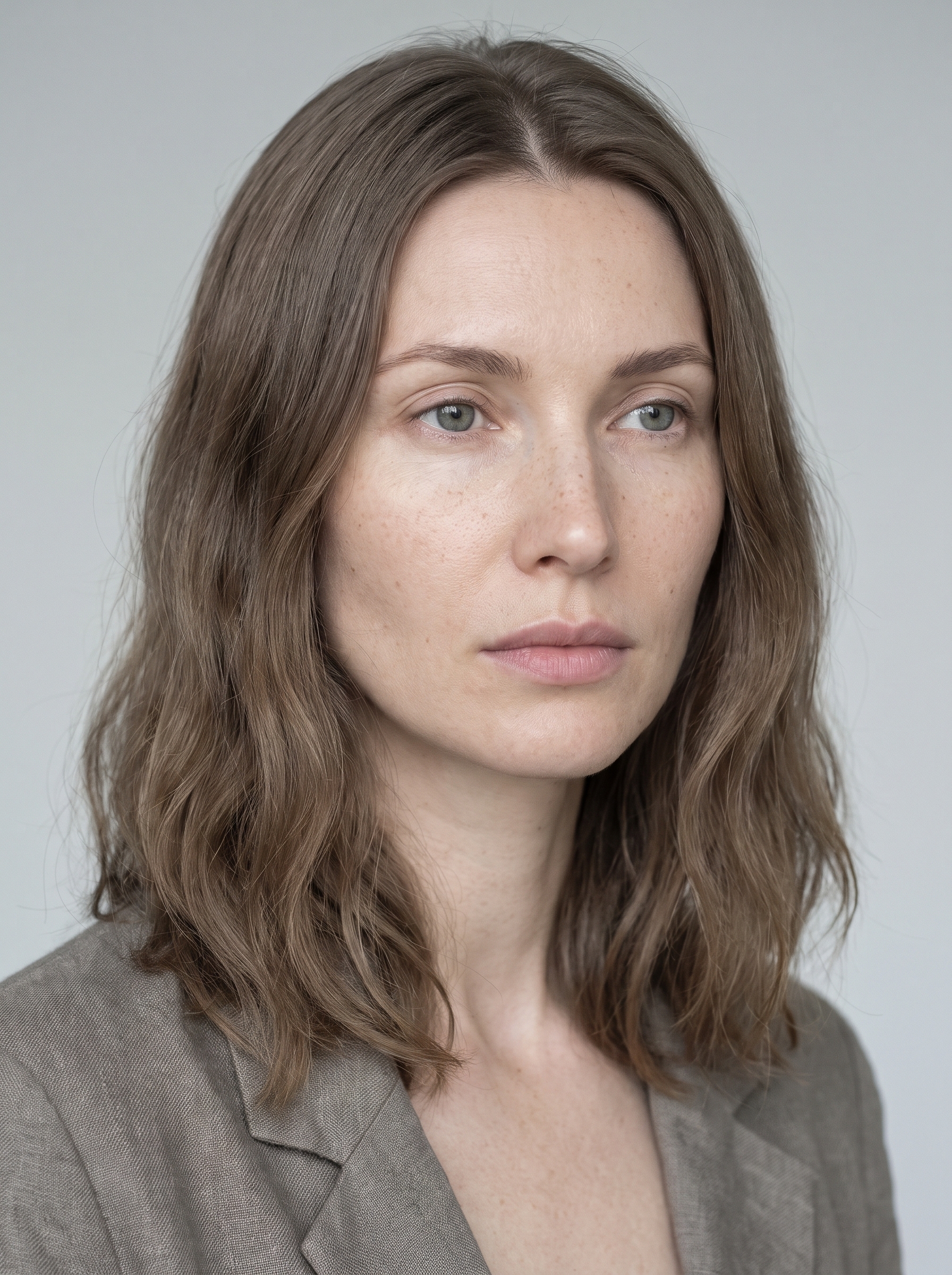 |
Check the facial shape, eye spacing, nose-to-lip relationship, and apparent age before continuing. Once approved, this portrait becomes the identity reference for every later step.
Step 3: Expand the same identity into a full-body casting image
Use the approved Face Forge portrait as the strict reference and create a neutral full-body casting image. This is not the moment for cinematic styling. The goal is to make the face, body proportions, hairstyle, hands, and feet easy to inspect before adding the campaign wardrobe.
Full-body casting prompt
Use the uploaded Face Forge portrait as the strict identity reference. Create a full-body studio casting photo of the exact same adult Western female model. Preserve her long oval face, defined cheekbones, gray-green eyes, straight nose, natural lips, cool fair skin, faint freckles and calm distant expression.

Give her shoulder-length ash-brown hair with a natural center part and slightly windswept texture. She stands facing the camera in a relaxed neutral pose, arms naturally at her sides, wearing a fitted charcoal crew-neck T-shirt and simple black fitted shorts, barefoot. Pure light-gray seamless studio background, soft even commercial lighting, realistic skin and anatomy, head and feet fully visible, 3:4 vertical composition.

Do not change her identity, age, facial proportions or skin texture. No jewelry, no dramatic makeup, no props, no cropped feet, no extra fingers, no text, no watermark.
| Identity reference | Full-body casting image |
|---|---|
| 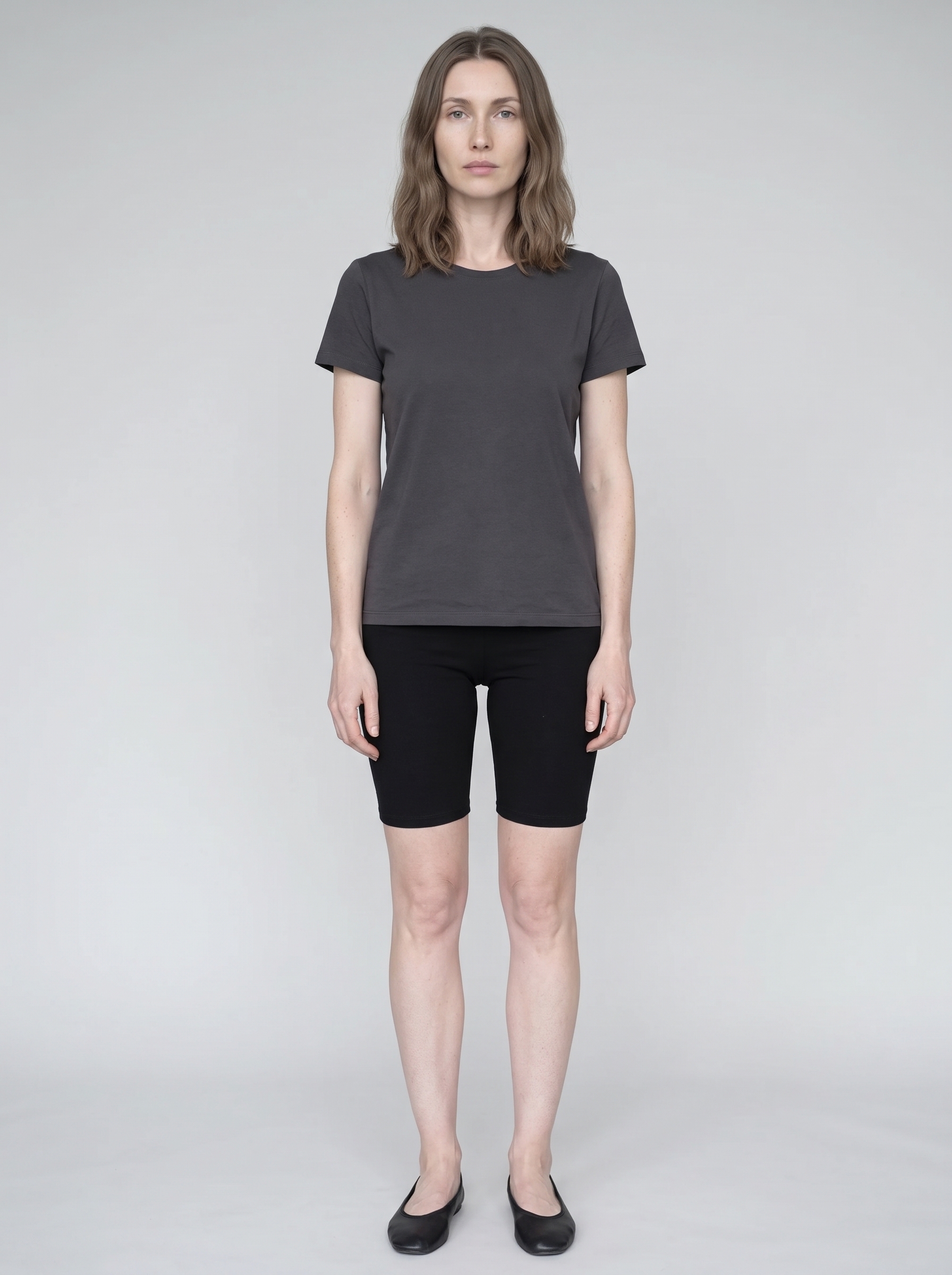 |
Step 4: Lock the garment with Virtual Try-On
When an approved garment image exists, use WeShop Virtual Try-On instead of describing the clothing from memory. In this case, Nano Banana 2.1 first generated a clean flat lay of a charcoal wool coat with a broad shawl collar, two leather toggles, rust-red woven bands, and fringe. Those features became the accuracy anchors for the rest of the series.
Try-on instruction
Dress the model in the uploaded garment while preserving the exact same facial identity, hairstyle, skin tone, body proportions and calm expression. Accurately retain the garment's silhouette, neckline, sleeve volume, hem length, closures, seams, fabric weight, surface texture and original color. Keep a clean full-body casting composition on a light-gray studio background. The garment must fit naturally without redesigning its construction. No extra accessories, no new print, no color shift, no cropped shoes, no text or watermark.
| Garment input | Virtual Try-On result |
|---|---|
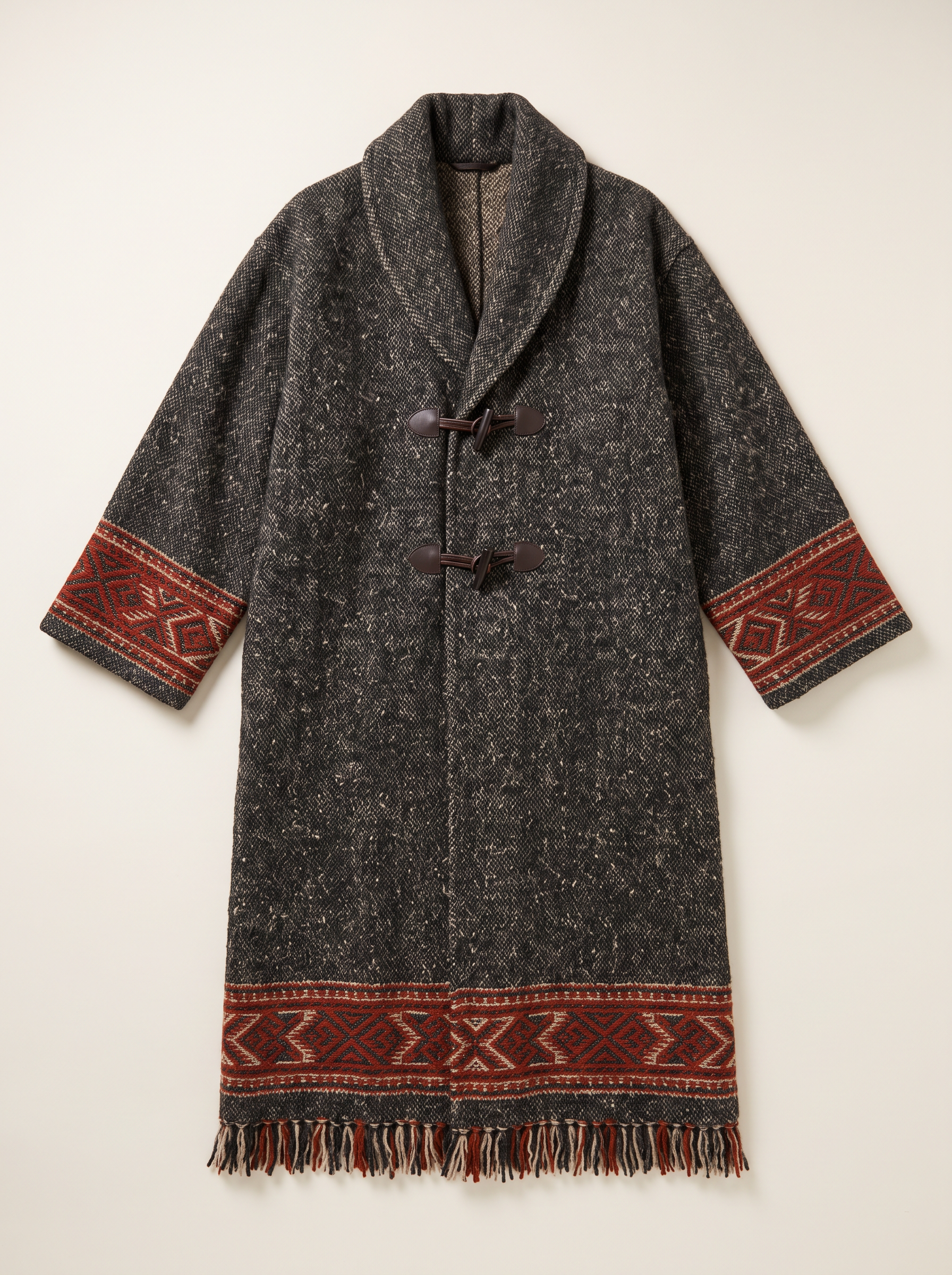 | 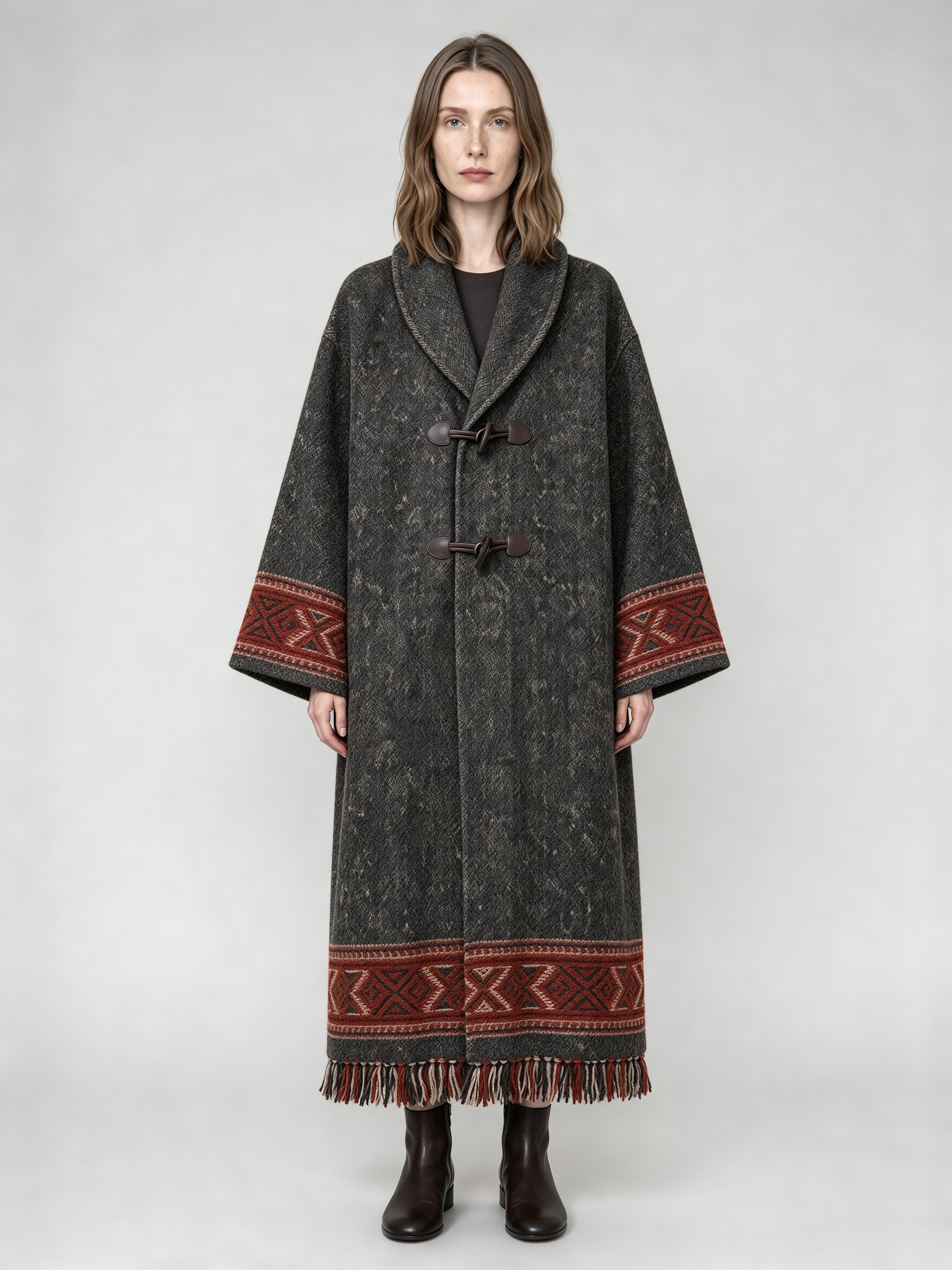 |
Inspect the collar, sleeve volume, number of closures, woven bands, hem length, and fabric weight at full size. Do not move to the campaign scene until the garment is stable.
Step 5: Give each visual reference one job
Do not copy the person or exact composition from a reference. Extract only the visual language required for the new campaign:
- the scene reference defines the highland terrain and horizon;
- the overcast reference defines diffuse light and atmospheric haze;
- the texture reference defines muted color, wool tactility, and film grain;
- the try-on image remains responsible for model identity and garment construction.
| Overcast atmosphere | Film and textile texture | Empty location reference |
|---|---|---|
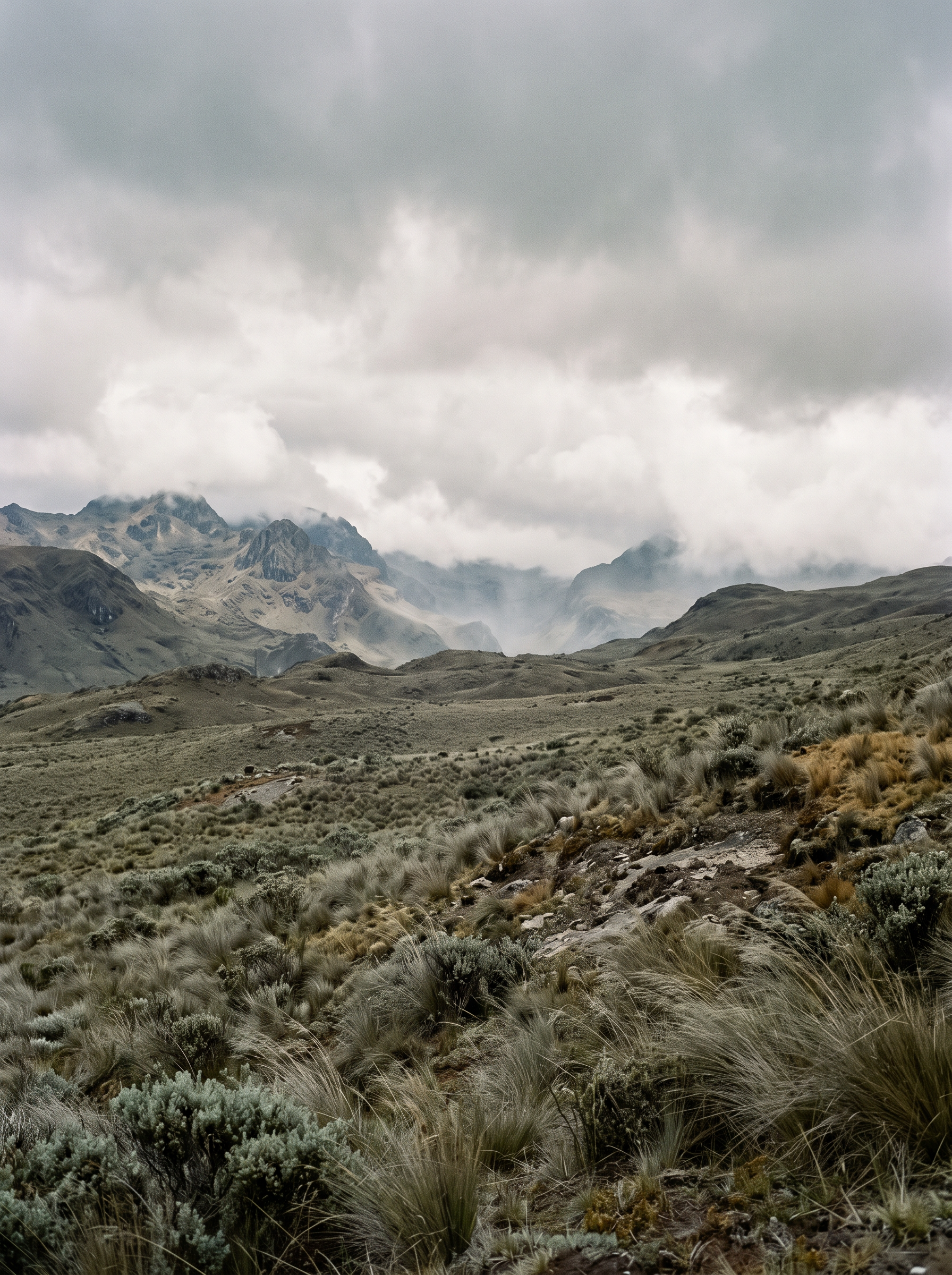 | 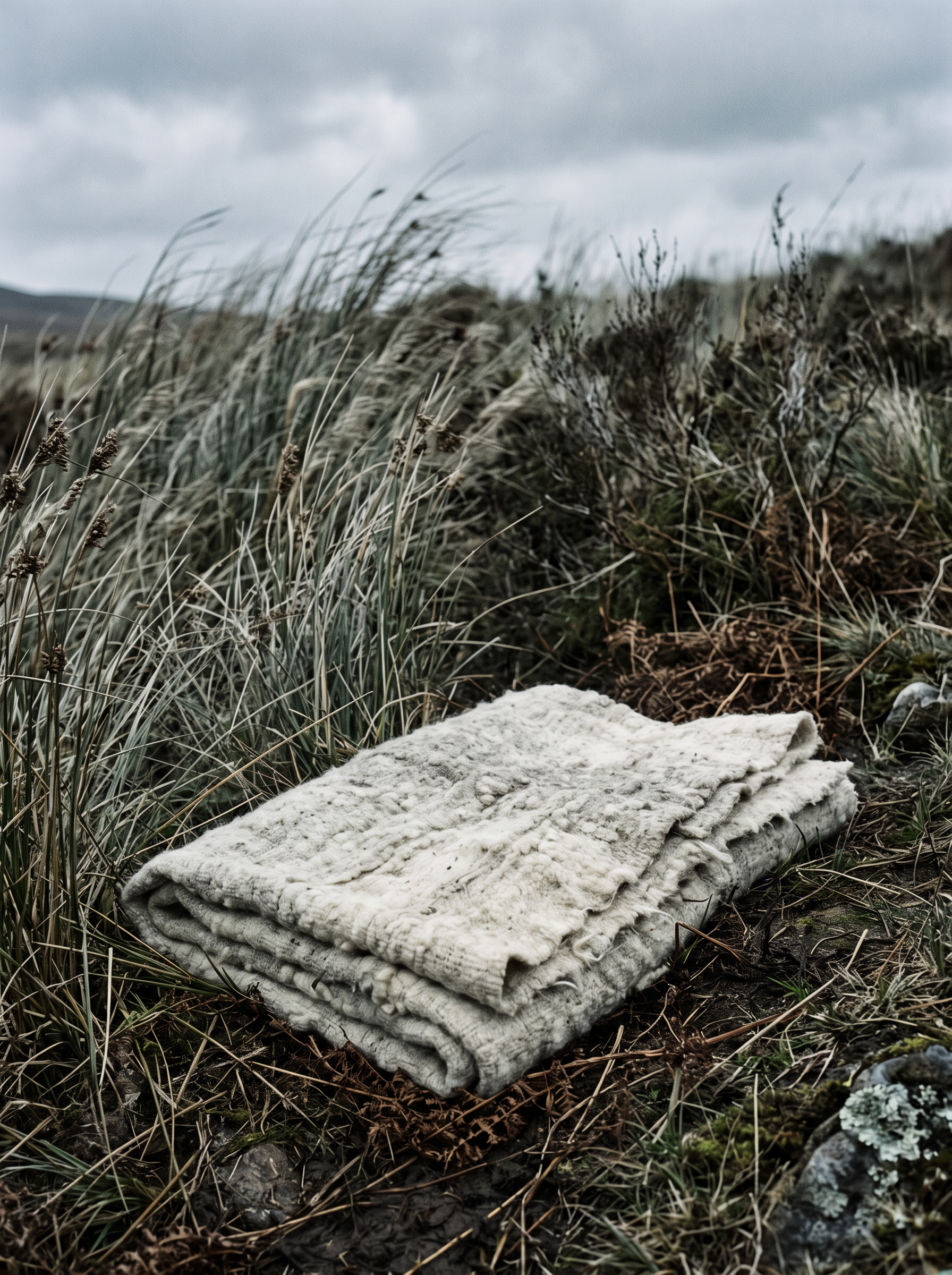 | 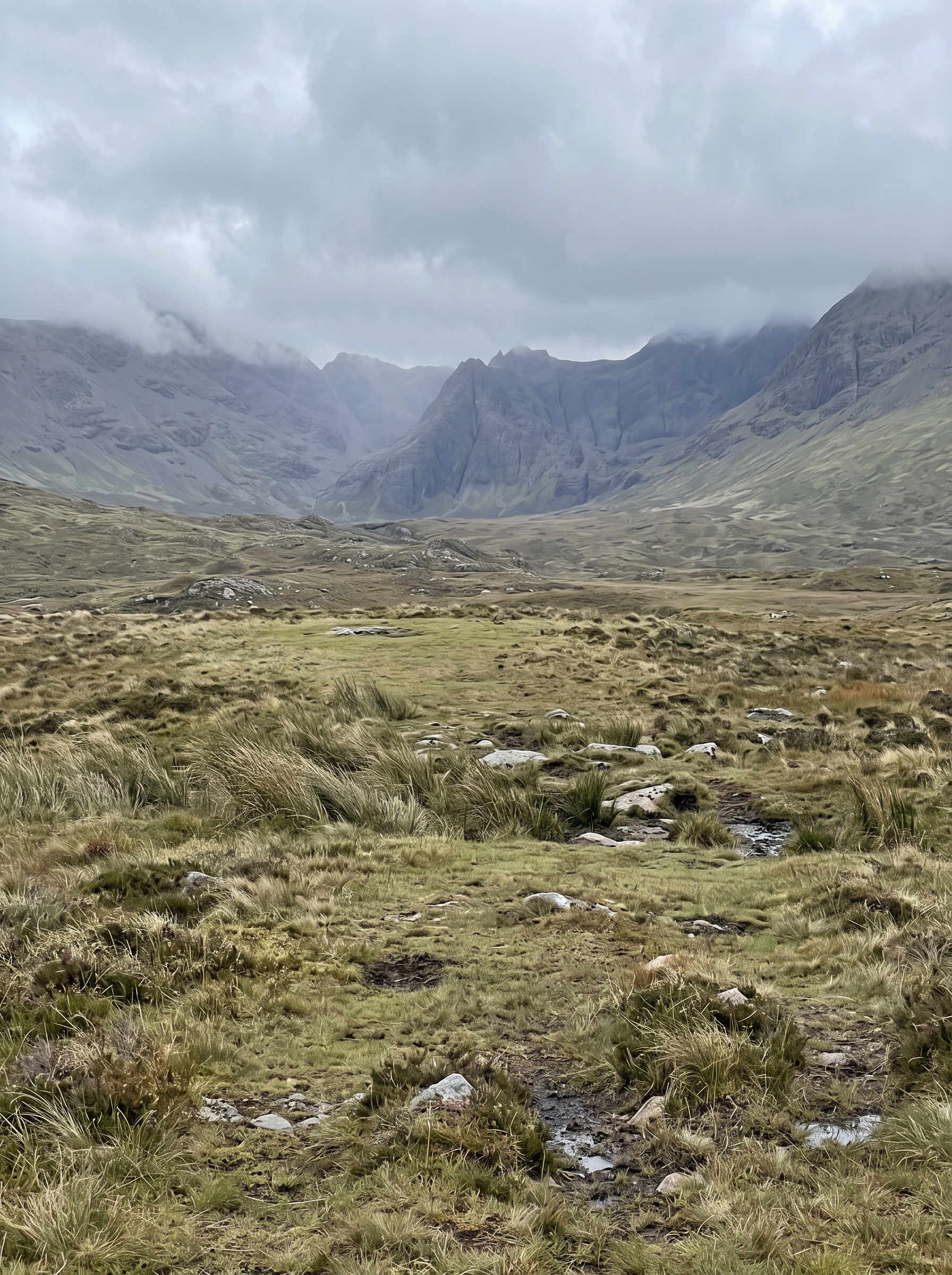 |
Step 6: Generate the campaign key visual with Nano Banana 2.1
Upload the approved try-on image, the compatible mood references, and the location reference to Nano Banana 2.1. Generate one reliable key visual before attempting a full series.
Campaign prompt
Create a premium full-body fashion editorial using the uploaded try-on image as the strict model identity and garment reference. Preserve the exact same adult Western female model, facial identity, ash-brown center-parted shoulder-length hair, cool fair skin, freckles, body proportions and complete outfit. Preserve the garment's exact silhouette, color, material, seams, closures, hem length and accessories.

Place her on an open high-altitude pasture with muted gray-green grass and distant weathered mountains. She walks slowly across the wind with her body turned slightly away from the camera, then looks past the lens rather than directly into it. Medium-long tracking composition, full body visible, clothing moving subtly in the breeze, overcast diffuse daylight, soft atmospheric haze, restrained gray-green, earth-brown, charcoal and aged-ivory palette.

The image should feel like a 1990s documentary fashion editorial: natural skin texture, realistic textile weight, slightly imperfect framing, subtle film grain and a trace of motion blur in the garment edge. Quiet, distant and sophisticated mood.

Do not change the model's face, age, hairstyle, body proportions or garment construction. No extra clothing, no added jewelry, no plastic skin, no fantasy landscape, no dramatic sunset, no extra person, no text, no logo, no watermark.
You can try it directly using the tool on the right.
| Generated result |
|---|
|
Evaluate the result in three separate passes: identity, garment accuracy, and photography. A beautiful landscape does not compensate for a redesigned coat or a different face.
Step 7: Extend the approved frame into a complete editorial
Use the approved key visual as the new reference and change only one major variable per generation.
| Shot | Keep fixed | Change only |
|---|---|---|
| Wide environment | Identity, wardrobe, weather, palette | Move the camera back and reduce the model to about 25% of the frame |
| Portrait close-up | Face, hair, makeup, light | Change the framing to chest-up and allow a few windblown strands |
| Side-profile motion | Identity, wardrobe, location | Use Change Pose to alter body direction and walking rhythm |
| Wide environmental frame | Portrait close-up | Change Pose side profile |
|---|---|---|
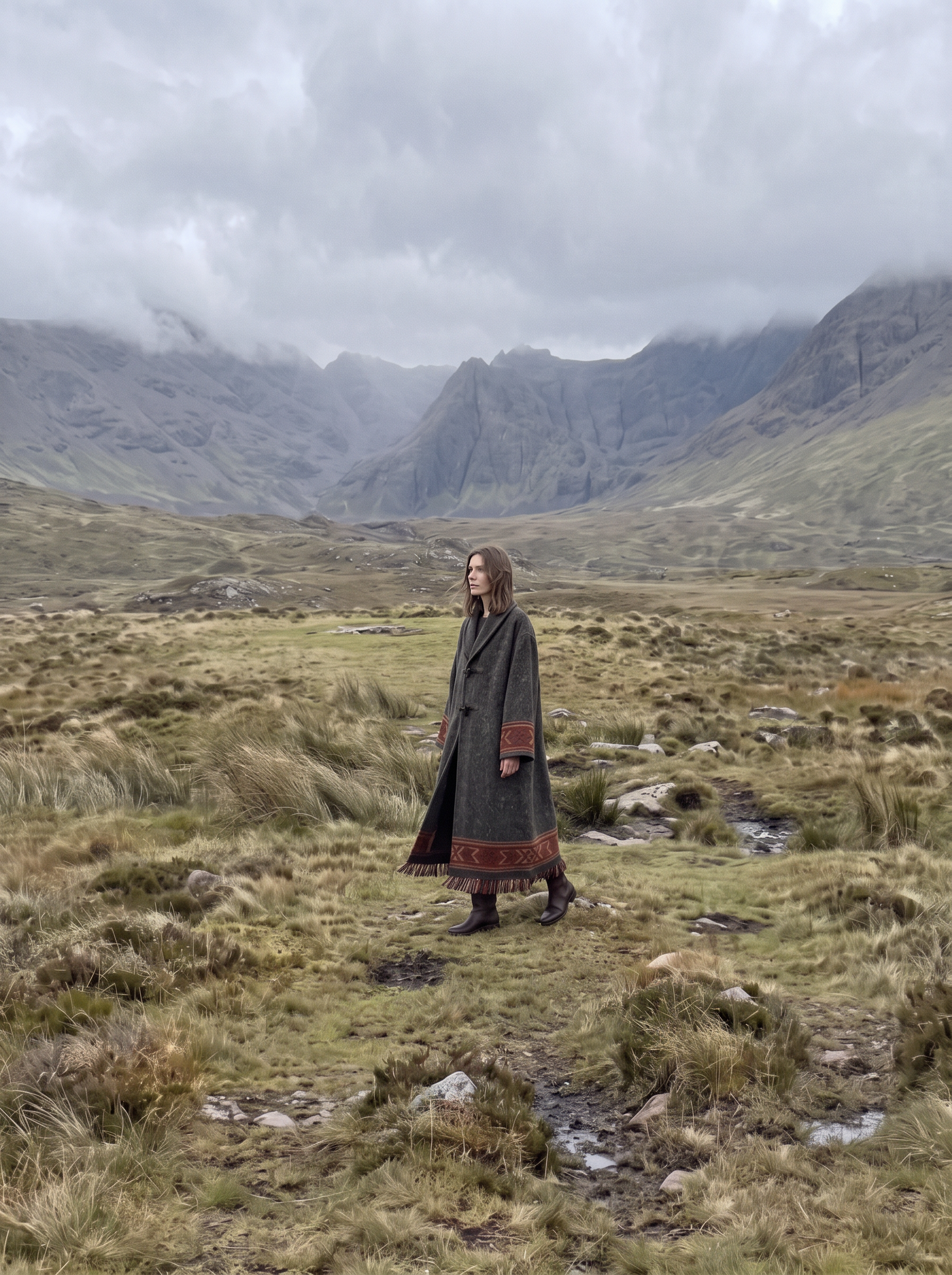 | 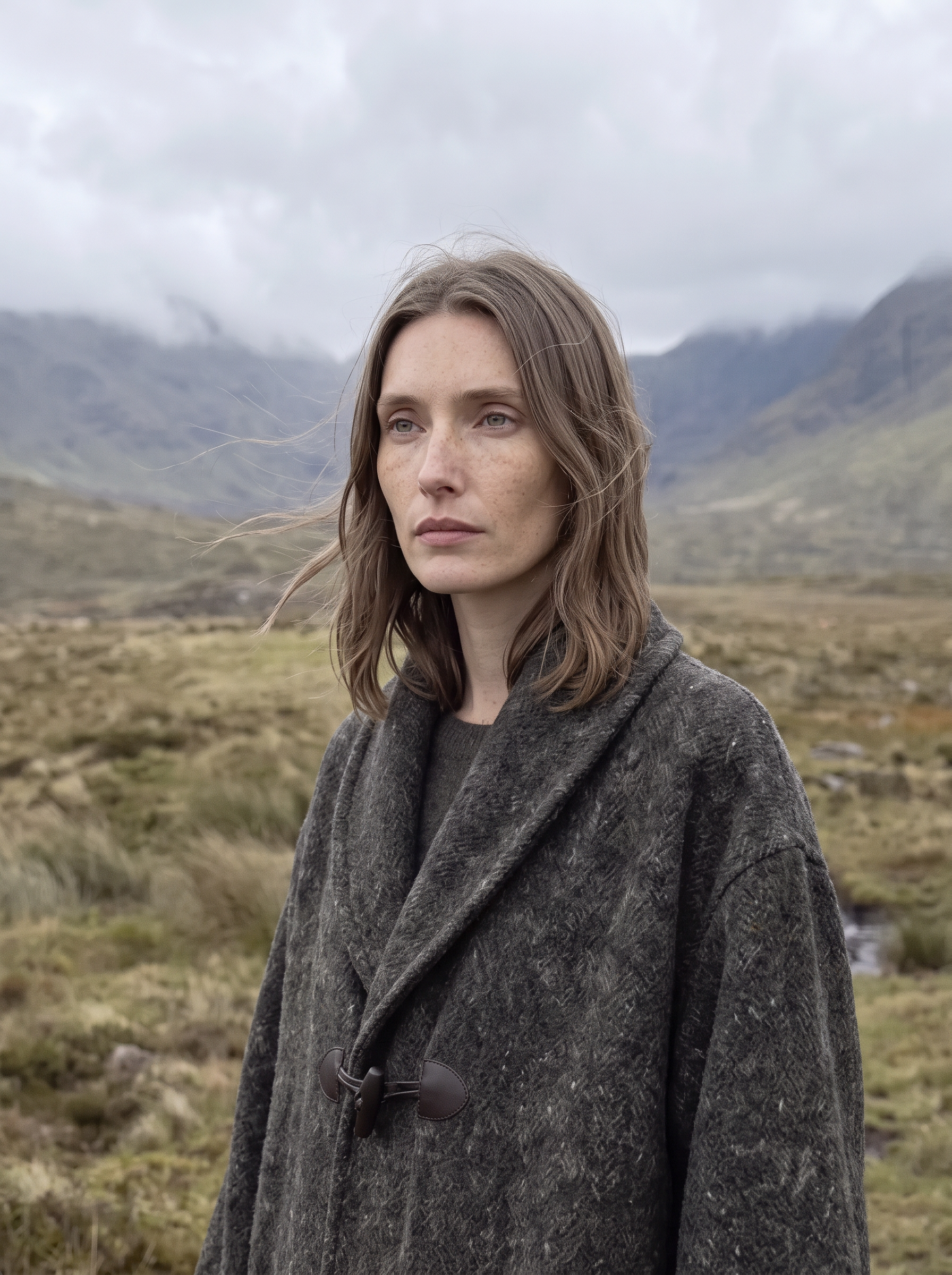 | 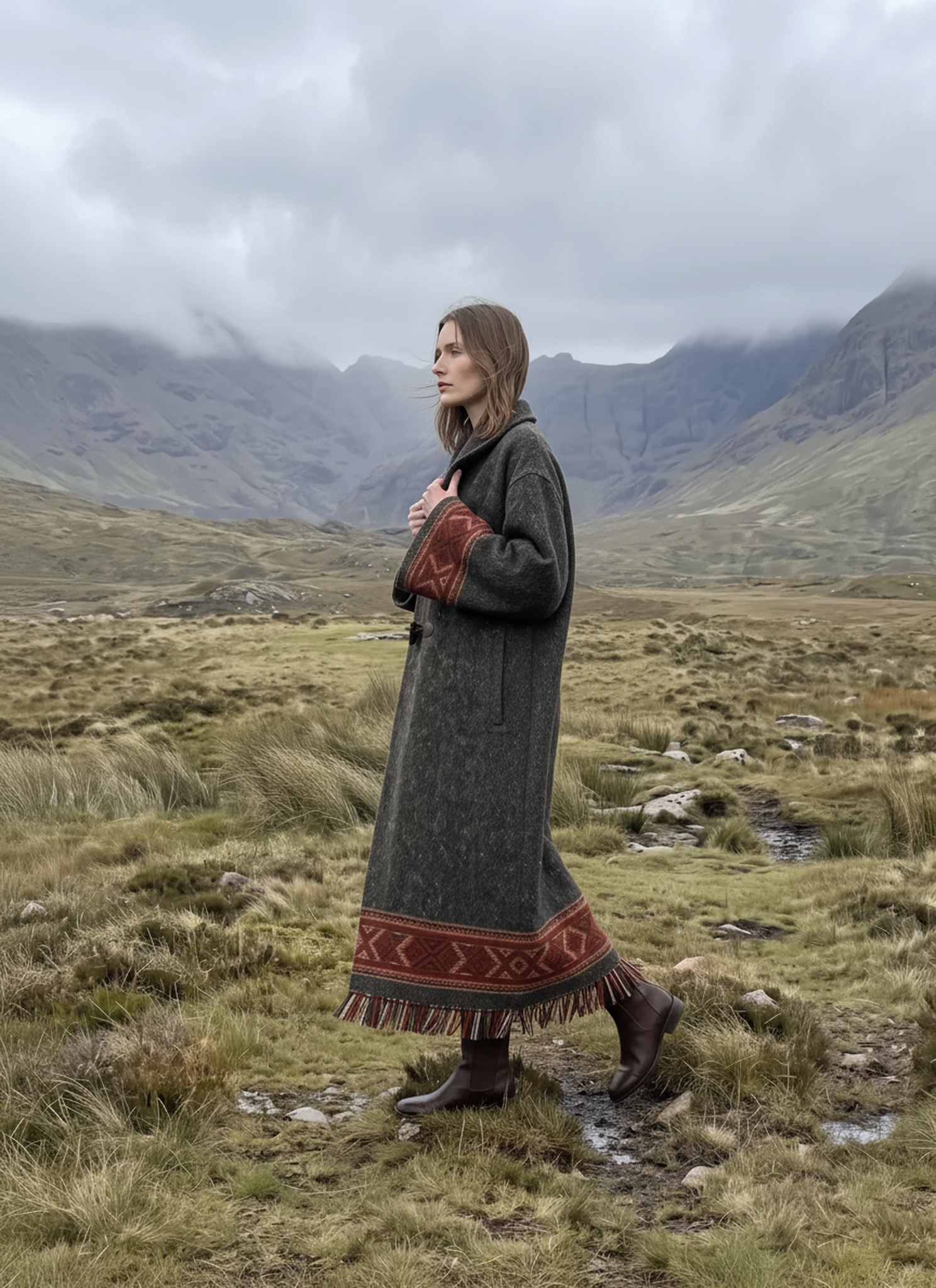 |
Final consistency checklist
Before using the series in a lookbook, social campaign, or creative proposal, confirm that:
- the face still matches the approved Face Forge identity;
- the apparent age, eye spacing, nose, lips, freckles, hair color, and center part remain stable;
- the coat retains its collar, two toggles, woven trim, fringe, color, and fabric weight;
- every image follows the same overcast light and gray-green-brown palette;
- the set includes meaningful changes in distance and pose without redesigning the model or wardrobe;
- no output contains unwanted text, logos, watermarks, extra people, or anatomical errors.
The advantage of this workflow is separation of responsibilities. Face Forge establishes the reusable model, Virtual Try-On secures the garment, Nano Banana 2.1 directs the campaign world, and Change Pose adds controlled shot variation. Instead of asking one oversized prompt to solve every production problem, each WeShop tool handles a clear stage of the fashion pipeline.
Generate your highland fashion story on the right
Start with an original Face Forge model, add the approved garment, and direct a consistent editorial series entirely in WeShop AI.