












Create Clear, Scroll-Stopping Halloween Event Posters With Nano Banana 2
Generate three original Halloween event posters with distinct moods, exact approved English copy, and a clear mobile-first information hierarchy.
An event poster has only a few seconds to communicate what is happening, when it starts, and why someone should care. Halloween design often fails by adding so many bats, cobwebs, textures, and novelty fonts that the date disappears. This workflow is useful for venues, campus groups, retail communities, and social teams that need several poster directions without losing information hierarchy.
Start with the reading order
- Event name
- Date or time
- Activity promise
- Invitation or action line
Everything else is supporting atmosphere.
Poster system 1 — Cinematic moonlit event
| Poster | Copy hierarchy |
|---|---|
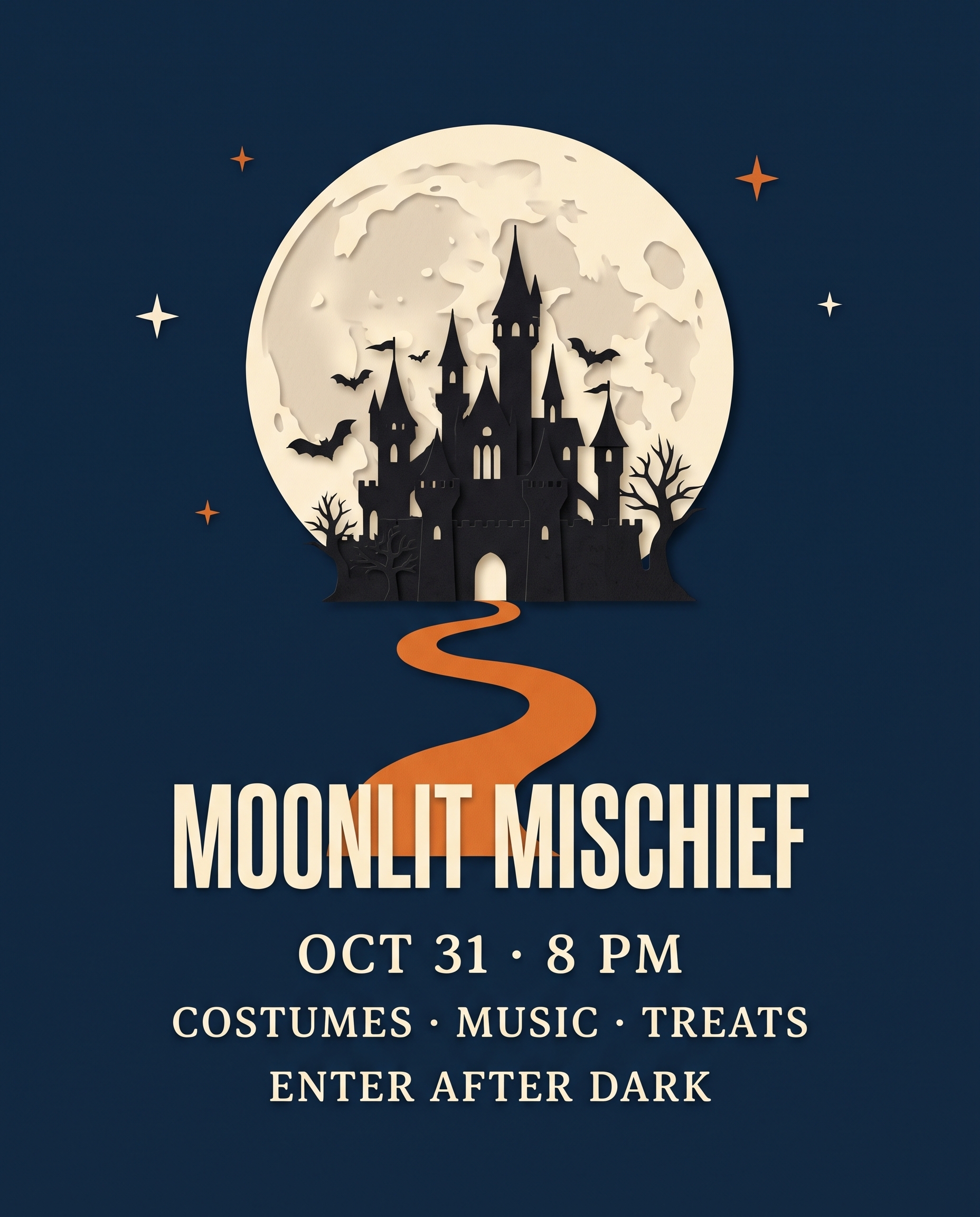 | MOONLIT MISCHIEF → OCT 31 · 8 PM → COSTUMES · MUSIC · TREATS → ENTER AFTER DARK |
The large moon and paper-cut castle give the poster a story, while the orange path guides the eye through the grid.
Poster system 2 — Fashion-forward masquerade
| Poster | Copy hierarchy |
|---|---|
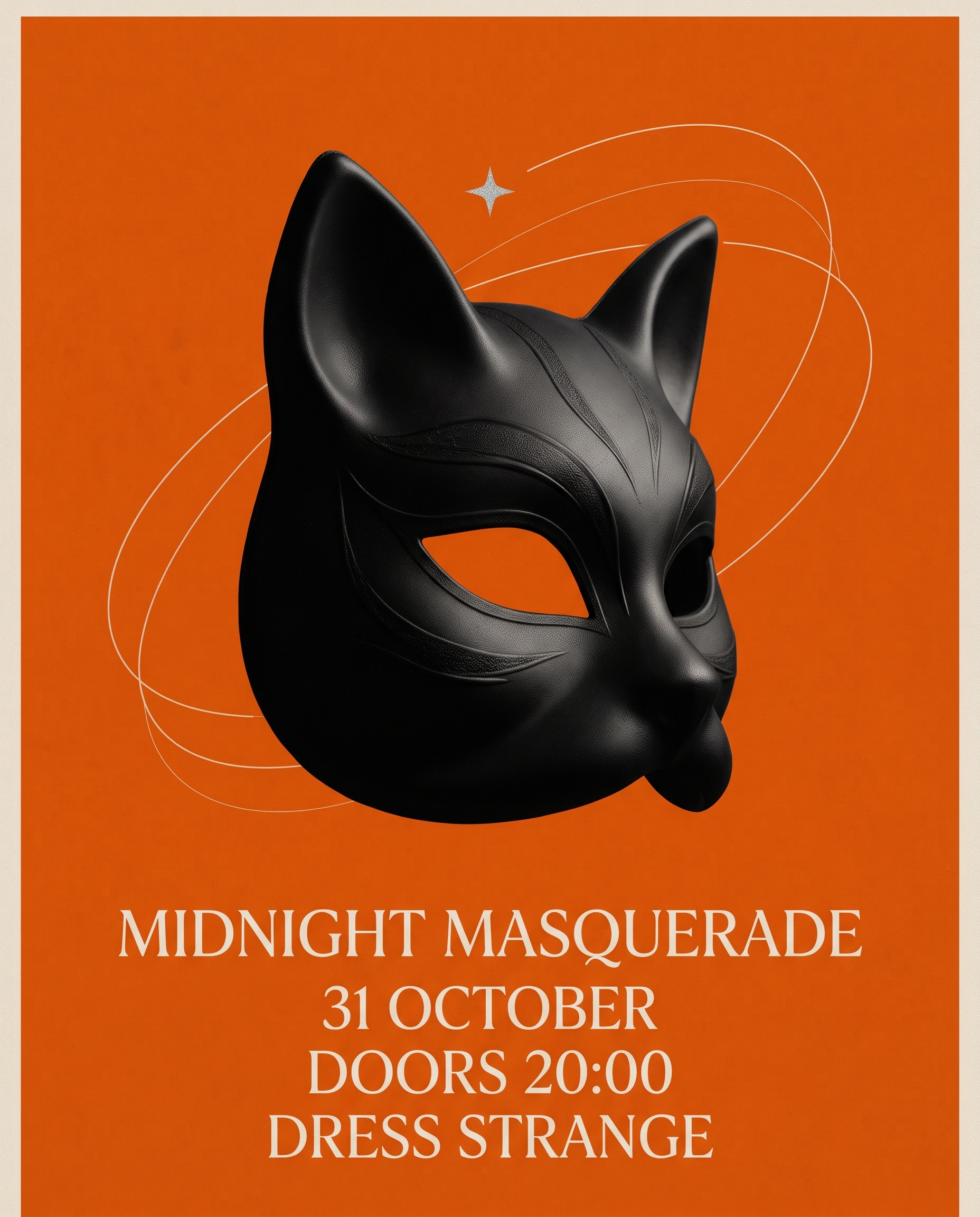 | MIDNIGHT MASQUERADE → 31 OCTOBER → DOORS 20:00 → DRESS STRANGE |
One black cat mask is enough to establish the theme. The clean orange field and compact copy make this route suitable for fashion, nightlife, or gallery audiences.
Poster system 3 — Community trick-or-treat social
| Poster | Copy hierarchy |
|---|---|
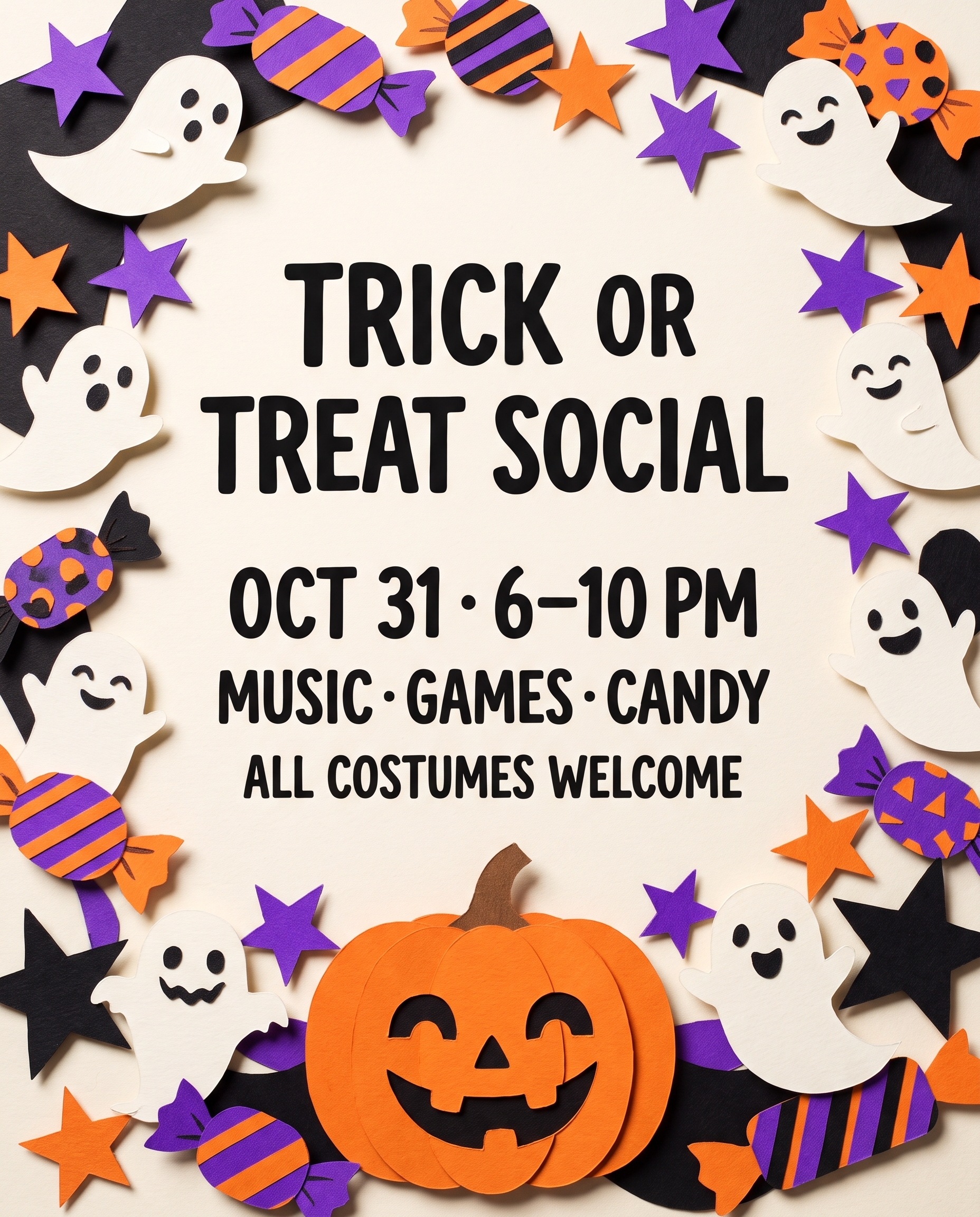 | TRICK OR TREAT SOCIAL → OCT 31 · 6–10 PM → MUSIC · GAMES · CANDY → ALL COSTUMES WELCOME |
Photographed paper cutouts make the design tactile and friendly. The empty center protects readability even when the border is playful.
Step 1 — Freeze the approved copy
Write every required line before describing the visuals. Keep the list short. Tell the model that each line should appear exactly once and prohibit extra fine print, logos, addresses, QR codes, or invented sponsors.
Step 2 — Assign a single visual anchor
Choose one dominant object: a moon, a mask, or a ring of paper cutouts. A strong anchor creates recognition faster than a collection of small Halloween symbols.
Step 3 — Generate with hierarchy built into the prompt
Design an original 4:5 fashion-forward Halloween masquerade event poster. Center one sculptural black cat mask photographed against a vivid pumpkin-orange background, with thin cream orbit lines and a tiny silver star. Dramatic shadow, premium gallery-poster feel, clear hierarchy. Add exactly these four text lines: “MIDNIGHT MASQUERADE”; “31 OCTOBER”; “DOORS 20:00”; “DRESS STRANGE”. Each line appears once, correctly spelled, with no other readable text. No logo, no QR code, no watermark.
Step 4 — Perform a phone-size proof
Shrink the poster until it is roughly the size it will appear in a social feed. The title and date must remain legible. Then inspect punctuation, time formatting, and repeated lines at full resolution. If the model invents text, simplify the art direction instead of adding more instructions around an already crowded layout.
A reusable prompt formula
Create an original [aspect ratio] event poster for [event type]. Use [one dominant visual anchor] against [simple background]. Establish a strong editorial grid with generous spacing. Include only these exact lines, each once: “[TITLE]”; “[DATE/TIME]”; “[ACTIVITY LINE]”; “[CTA]”. Use [title typography direction] and [detail typography direction]. No logo, no QR code, no extra fine print, no watermark.