












Turn a Pet Photo Into a Crochet Doll Carousel With GPT Image 2.5
Transform one pet photo into a coordinated crochet amigurumi carousel while preserving distinctive markings and accessories.
Crochet transformations give pet owners a result that feels personal, tactile, and giftable. The appeal is not simply “make it cute”: the generated doll must preserve the markings, ear shape, eye color, and accessory that make the pet recognizable.
| Reference | Crochet carousel |
|---|---|
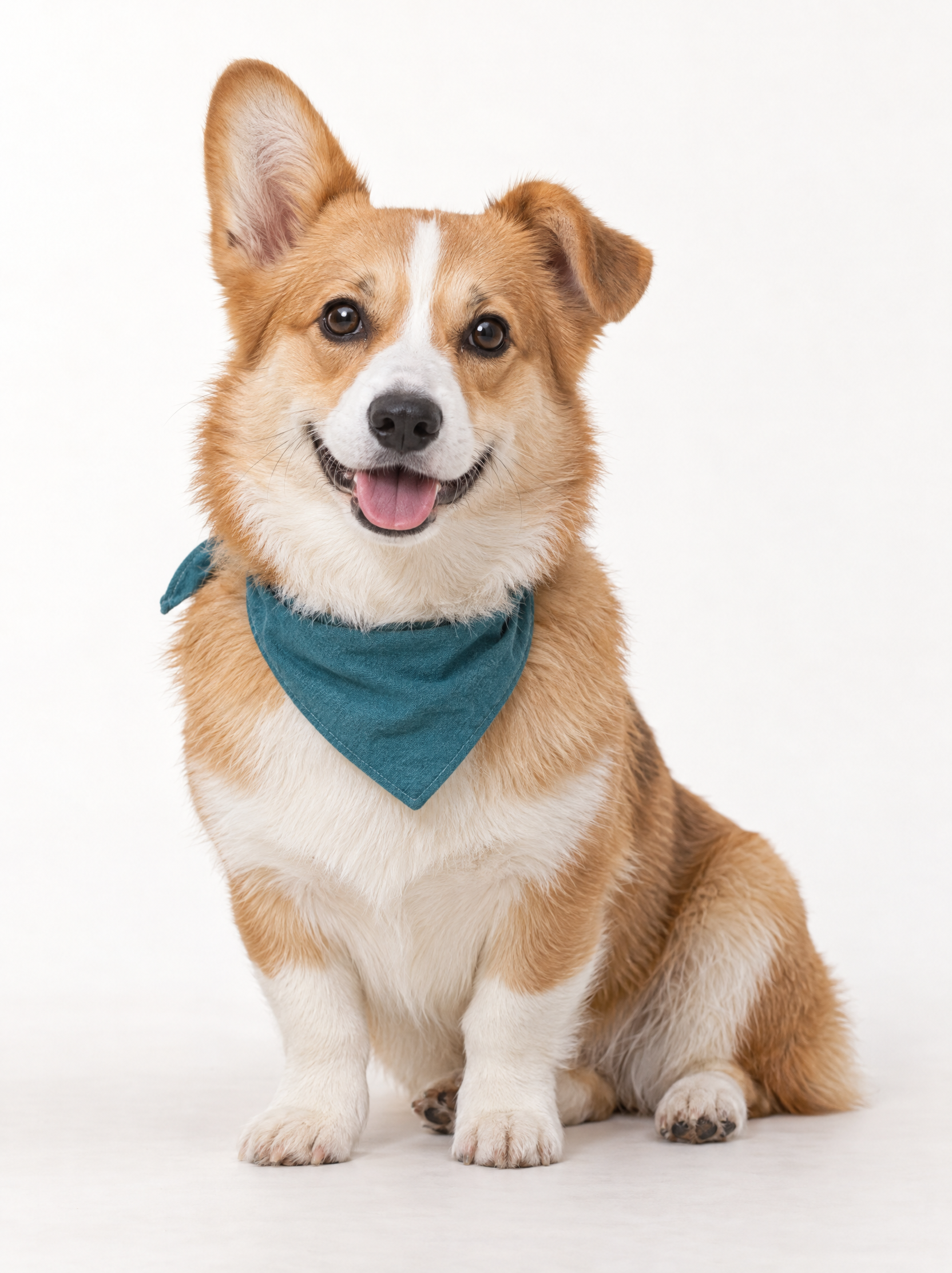 | 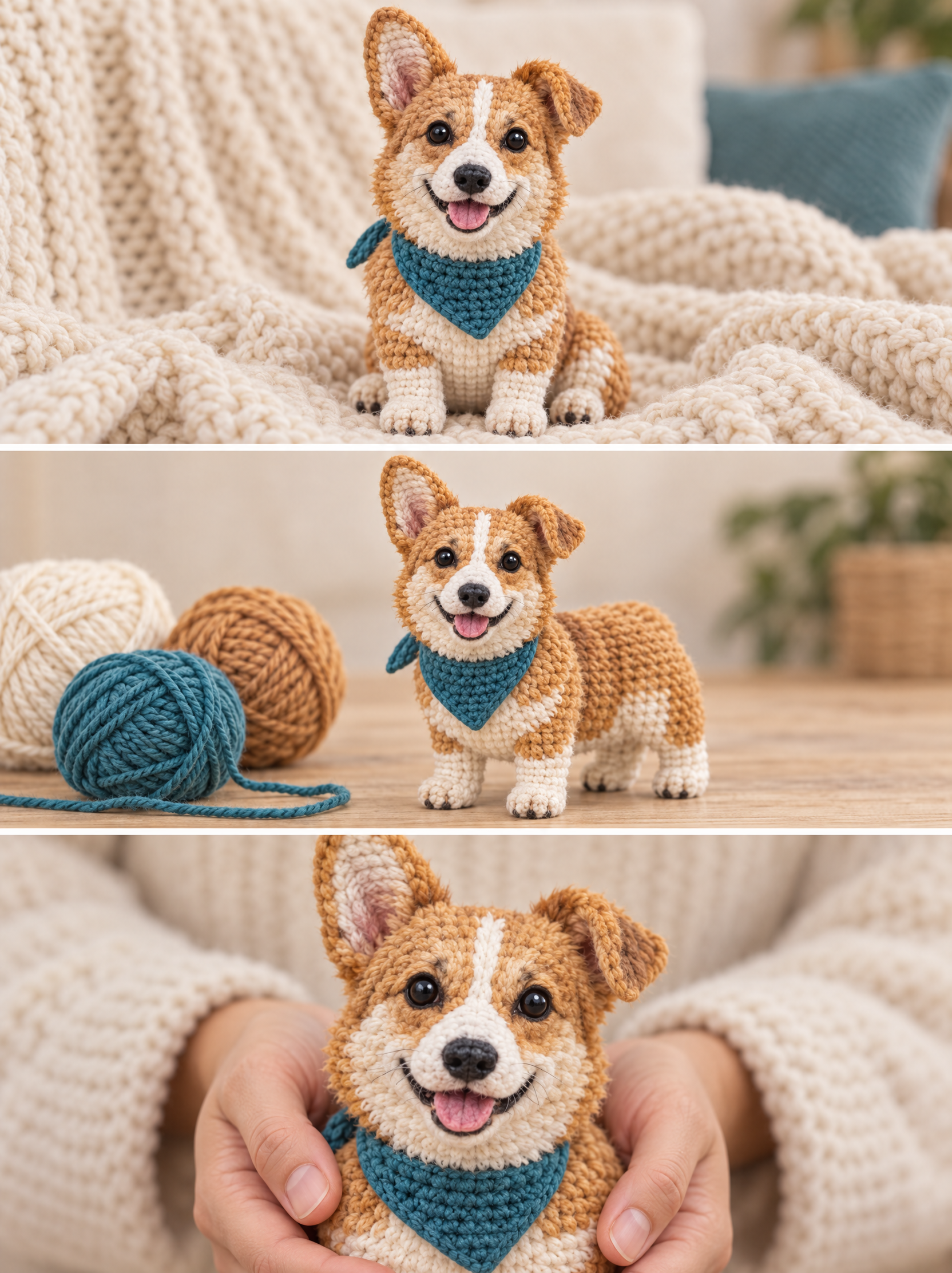 |
What should stay recognizable?
In this test, the white forehead blaze, folded ear, caramel-and-cream coat, dark eyes, and teal bandana act as identity anchors. The yarn material changes; those anchors do not.
Step 1: Choose a full-body pet photo
Avoid cropped ears, hidden paws, heavy filters, or multiple animals.
Step 2: Describe the craft, not only the style
Specify visible yarn loops, stitched features, handmade proportions, and a restrained palette. Then request several scenes that still use the same doll.
Step 3: Build a carousel-ready sequence
The generated strip moves from a wide lifestyle image to a yarn-making scene and then a close handheld portrait. That variation makes the set more useful than three near-identical outputs.
You can try it directly using the tool on the right.
Prompt: Transform the uploaded pet into a handcrafted crochet amigurumi doll. Preserve its exact coat pattern, folded ear, eye color, body proportions, and teal bandana. Create three coordinated scenes: on a knitted blanket, beside yarn balls, and held gently by adult hands. No text, logo, or extra animal.