












10 Best GPT Image 2 Prompts for Shopify Product Images (2026)
Create consistent Shopify catalog photos, hero images, lifestyle scenes, variants, bundles, and campaign ads from one approved product reference.
One clear product reference can become an entire Shopify image set.
The key is to give GPT Image 2 a specific commercial task while stating exactly which product details must remain unchanged. These prompts cover a catalog photo, hero image, lifestyle scene, feature close-up, color variant, collection lineup, seasonal campaign, gift bundle, vertical ad, and square promotional graphic.
Every example uses the fictional LumaSip 24 oz Insulated Travel Bottle and was created with GPT Image 2 in WeShop AI. Replace bracketed fields with verified product details.
What You Can Create
| Prompt | Shopify asset | Recommended format |
|---|---|---|
| 1 | White-background catalog photo | 1:1 |
| 2 | Product-page hero | 4:5 |
| 3 | Lifestyle image | 3:2 |
| 4 | Feature close-up | 1:1 |
| 5 | Color variant | 1:1 |
| 6 | Variant lineup | 3:2 |
| 7 | Seasonal campaign | 3:2 |
| 8 | Gift bundle | 1:1 |
| 9 | Vertical social ad | 9:16 |
| 10 | Square promotional graphic | 1:1 |
White-Background Shopify Product Photo
Use this for a clean catalog image or as the reference for later generations.
Best for: Primary product galleries, catalog references, and the starting point for later edits.
Create a photorealistic studio catalog photograph of one [product].

Product details:
- Shape: [exact shape]
- Color and finish: [color and material finish]
- Important details: [lid, handle, label, stitching, ports, hardware, or other features]

Use a seamless pure-white studio background and a white surface. Center the complete product in a square frame at a straight-on three-quarter angle. Use soft diffused lighting and a subtle realistic contact shadow.

Constraints: exactly one product; keep the full silhouette visible; no person, props, packaging, extra accessories, added logo, text, or watermark.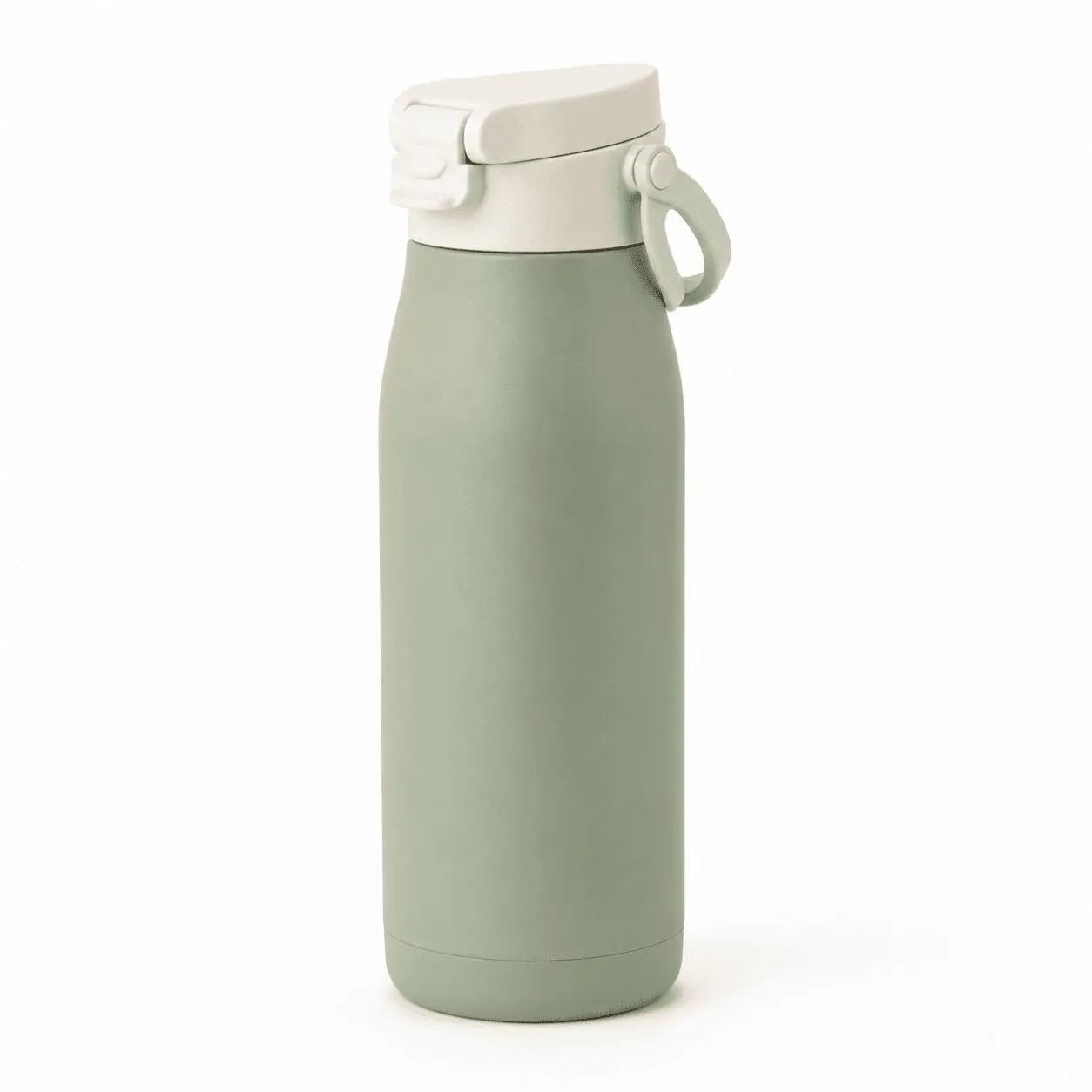
Input reference: A neutral product image with the complete silhouette, lid, loop, color, and surface finish clearly visible.
Shopify Product Page Hero Image
Use this when the product needs a premium first impression and intentional space for page copy.
Best for: Product-page heroes, homepage features, and launch pages.
Use the uploaded product image as the authoritative reference.

Place the exact product on a [surface or pedestal] with a [brand-color] studio backdrop and one restrained natural shadow. Create a 4:5 portrait Shopify hero image. Position the product slightly right of center and leave clean negative space in the upper-left area for product-page copy. Use soft directional studio light and a refined commercial photography style.

Preserve the exact product shape, colors, materials, texture, proportions, seams, labels, and hardware from the reference image.

Constraints: do not add, remove, or redesign any product part; exactly one product; no text, added logo, watermark, or distracting prop.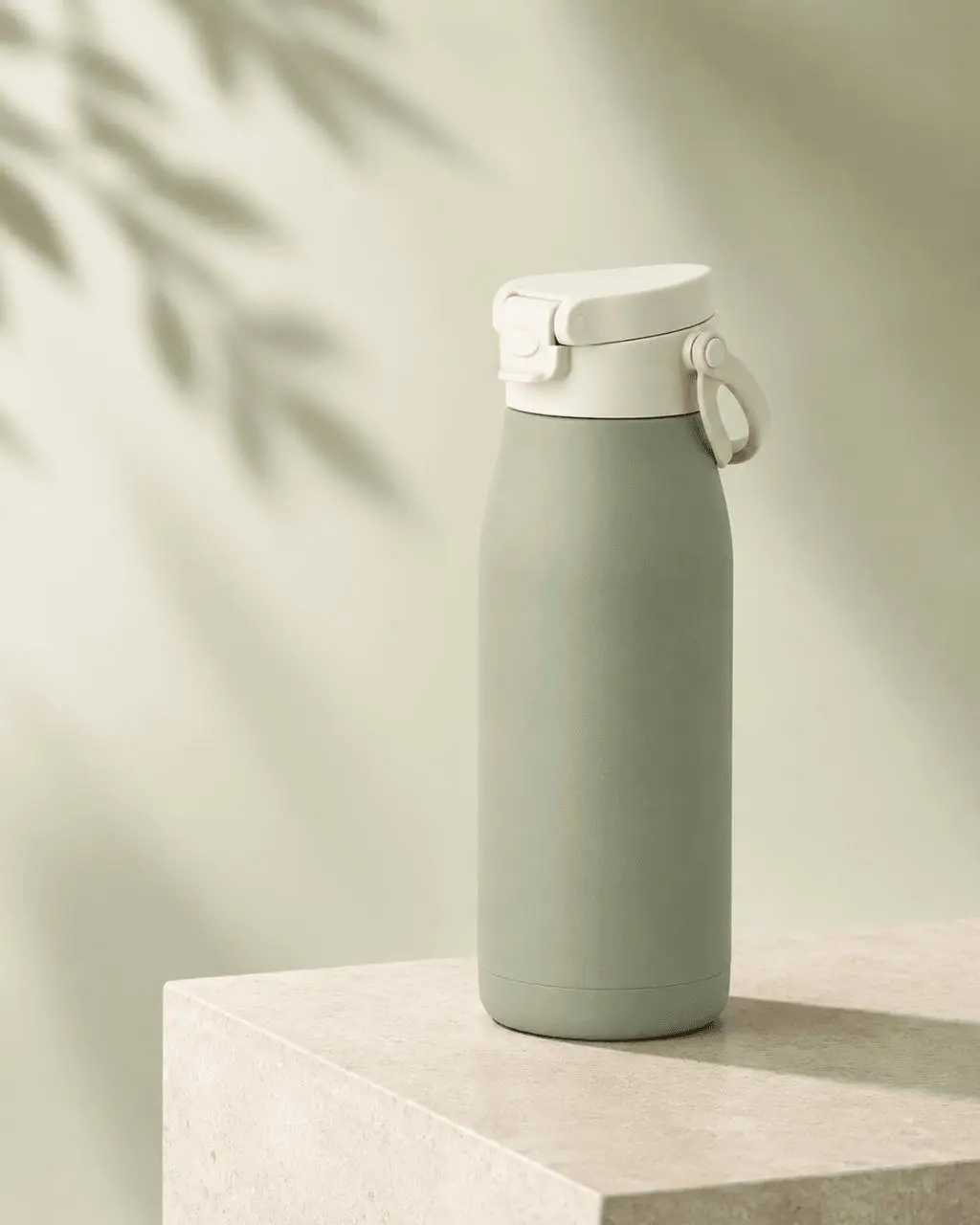
Generated result: The product remains recognizable while the pedestal, lighting, and copy space create a stronger commercial hero.
Shopify Lifestyle Product Image
Use this to show where the product fits into the customer's routine.
Best for: Product storytelling, use-case sections, social posts, and campaign emails.
Use the uploaded product image as the authoritative reference.

Place the exact product in a realistic [customer routine or environment]. Add only [two or three supporting props] that explain the use case. Create a landscape 3:2 composition with the product in the foreground and the environment secondary. Use natural [morning, afternoon, or evening] light and a premium but approachable editorial style.

Preserve the exact product shape, colors, materials, texture, proportions, seams, labels, and hardware.

Constraints: keep the product fully recognizable; no added logo, text, watermark, duplicate product, or distracting person.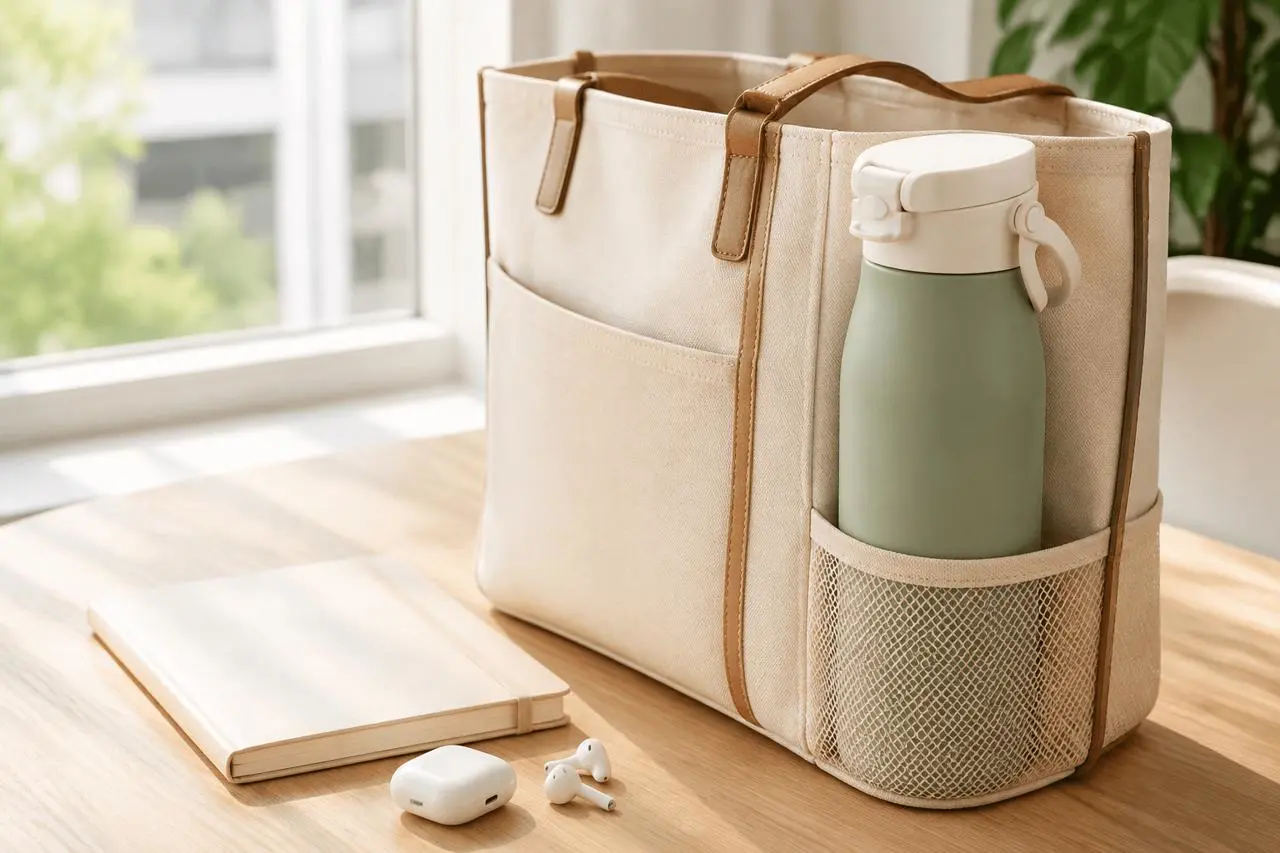
Generated result: The commuter setting explains daily use without letting the surrounding props overpower the product.
Product Feature Close-Up
Use this for a lid, zipper, stitching, clasp, texture, port, control, or any detail customers need to inspect.
Best for: Product gallery detail images and feature explanation sections.
Use the uploaded product image as the authoritative reference.

Create a photorealistic macro product photograph focused on the exact [feature] of the product. Show enough of the surrounding product to keep it recognizable. Use a clean warm-white studio background, soft premium lighting, shallow depth of field, and a square close-up composition. Make the feature sharp and clearly resolved.

Preserve the exact construction, colors, materials, texture, seams, labels, and hardware from the reference.

Constraints: do not redesign, simplify, add, or remove any product part; no hand, text, added logo, watermark, or extra product.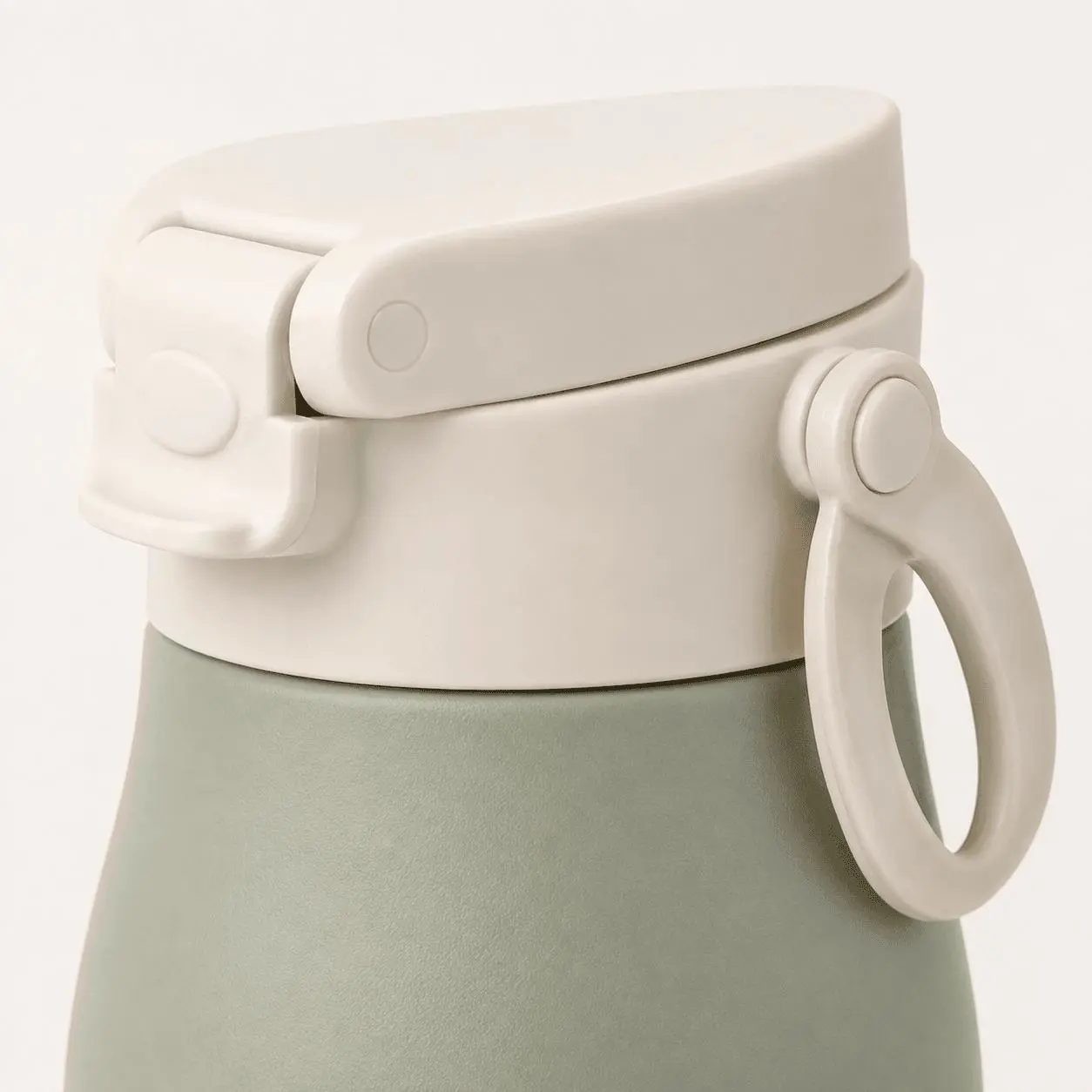
Generated result: A tightly framed view of the flip-top lid, locking tab, hinge, and carry loop.
Shopify Product Color Variant
Use this to visualize a real planned colorway without changing the product construction.
Best for: Color swatches, variant galleries, and pre-production color visualization.
Use the uploaded product image as the authoritative reference.

Change only the [specific product area] from [current color] to [new color]. Keep every other color and component unchanged. Place the edited product on a seamless pale-neutral background. Use a square catalog composition, the same three-quarter camera angle, soft neutral studio light, and a subtle contact shadow.

Preserve the exact shape, proportions, materials, texture, seams, labels, hardware, lid, handle, and product construction.

Constraints: change only the specified color area; exactly one product; no text, props, added logo, watermark, or structural redesign.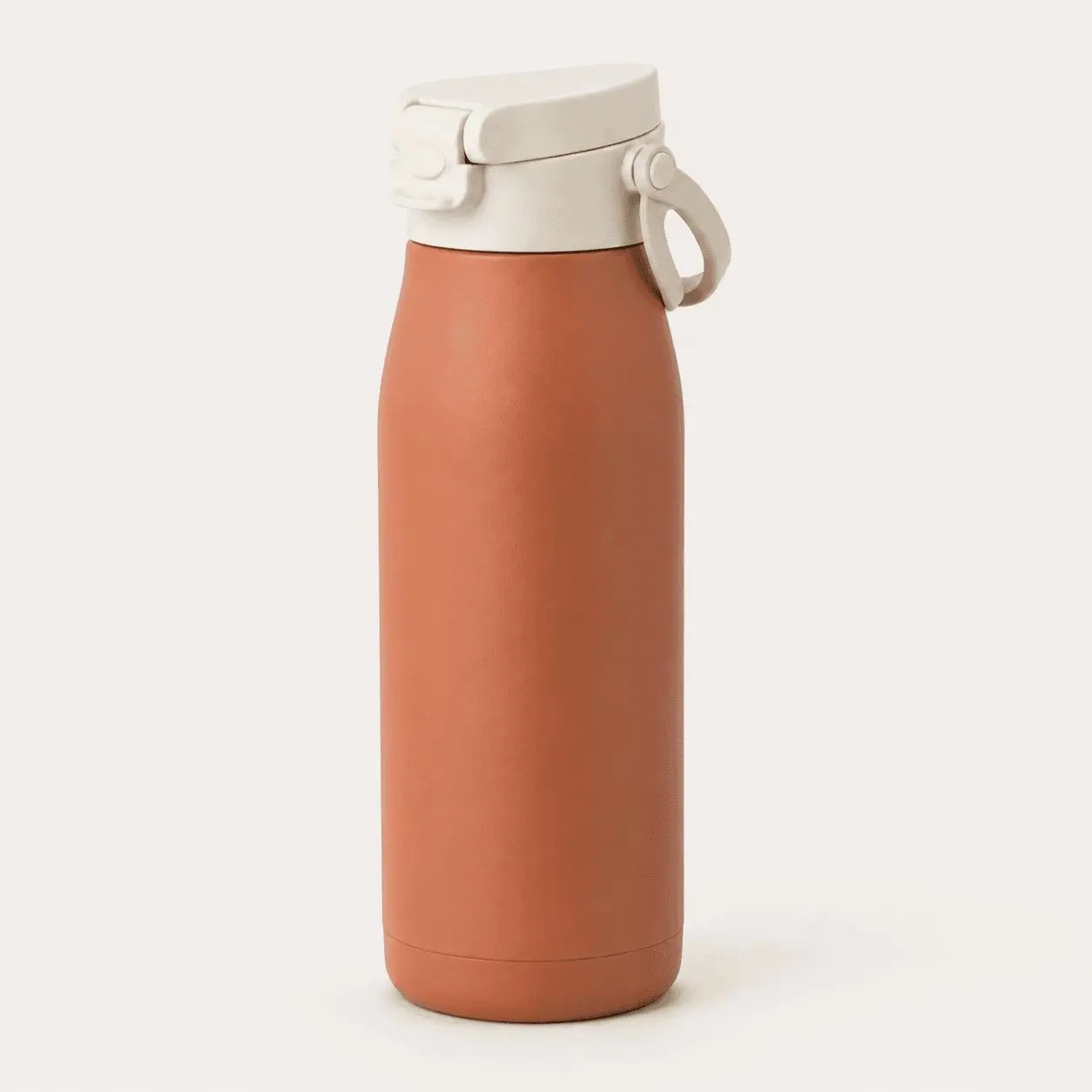
Generated result: Only the bottle body changes from sage green to muted terracotta; the cream lid and hardware remain fixed.
Shopify Product Variant Lineup
Use this to show several real color variants in one consistent collection image.
Best for: Collection headers, variant summaries, launch graphics, and color-range announcements.
Use the uploaded product image as the authoritative reference.

Create a clean lineup of [number] identical products arranged at slightly staggered depths. Use these planned product colors: [color 1], [color 2], and [color 3]. All products must have identical shape, proportions, materials, texture, seams, labels, and hardware. Only the specified color area may change.

Use a landscape 3:2 ecommerce catalog composition with every product fully visible against a pale warm-neutral studio background. Use bright diffused lighting and consistent shadows.

Constraints: exactly [number] products; no text, props, people, added logo, watermark, or structural differences between variants.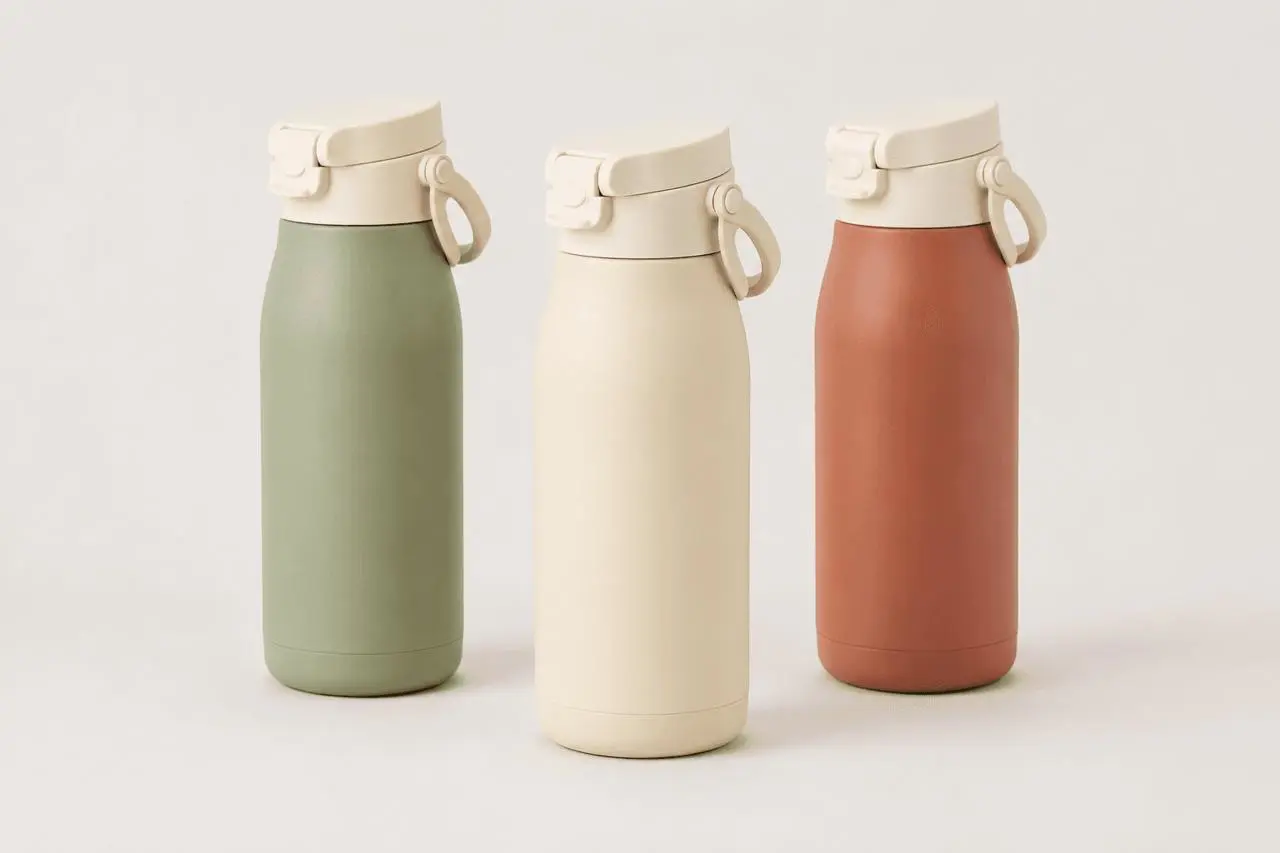
Generated result: Three coordinated colorways share the same silhouette, lid construction, proportions, and studio treatment.
Seasonal Shopify Campaign Image
Use this to refresh product visuals for summer, holidays, back-to-school, or another real campaign moment.
Best for: Seasonal collections, homepage banners, campaign emails, and social content.
Use the uploaded product image as the authoritative reference.

Place the exact product in a [season or campaign] scene using [surface], [two relevant props], and [background cue]. Keep the product upright, fully visible, and visually dominant. Create a landscape 3:2 composition with airy negative space. Use [lighting description] and a polished seasonal ecommerce photography style.

Preserve the exact product shape, colors, materials, texture, proportions, seams, labels, and hardware.

Constraints: no person, text, added logo, watermark, duplicate product, unrelated prop, or change to the product design.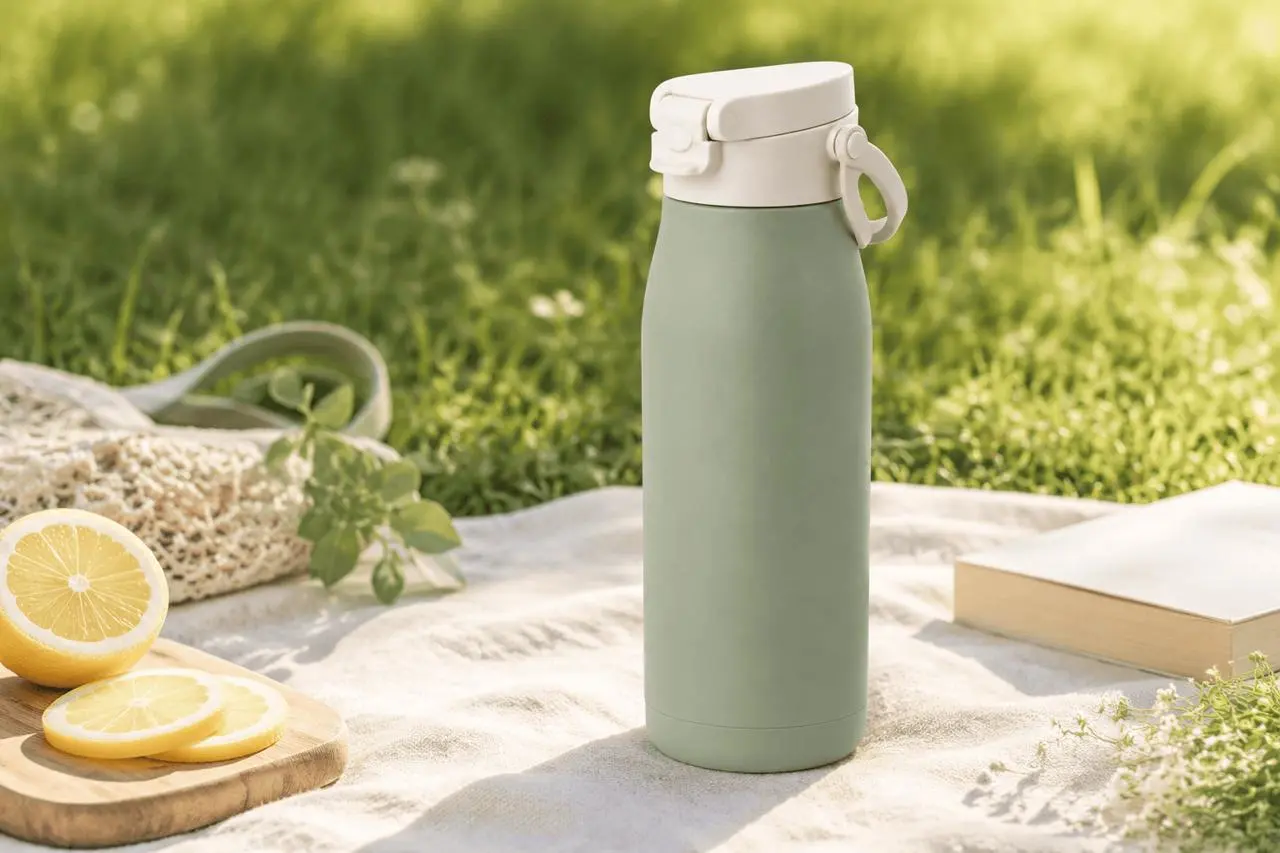
Generated result: A summer picnic scene adds seasonal relevance while keeping the bottle upright, complete, and visually dominant.
Shopify Gift Bundle Image
Use this only when every shown item is included in a real or planned bundle.
Best for: Gift sets, holiday bundles, upsells, and promotional product cards.
Use the uploaded product image as the authoritative reference.

Create a premium gift-set presentation containing the exact main product plus [accessory 1] and [accessory 2] inside [packaging description]. Make the main product the visual hero and keep all included items clearly separated. Use a square top-front three-quarter composition with soft studio lighting and a warm gifting mood.

Preserve the main product's exact shape, colors, materials, texture, proportions, seams, labels, and hardware.

Constraints: show only the listed bundle items; exactly one main product; no printed claims, added logo, hands, watermark, or unlisted accessory.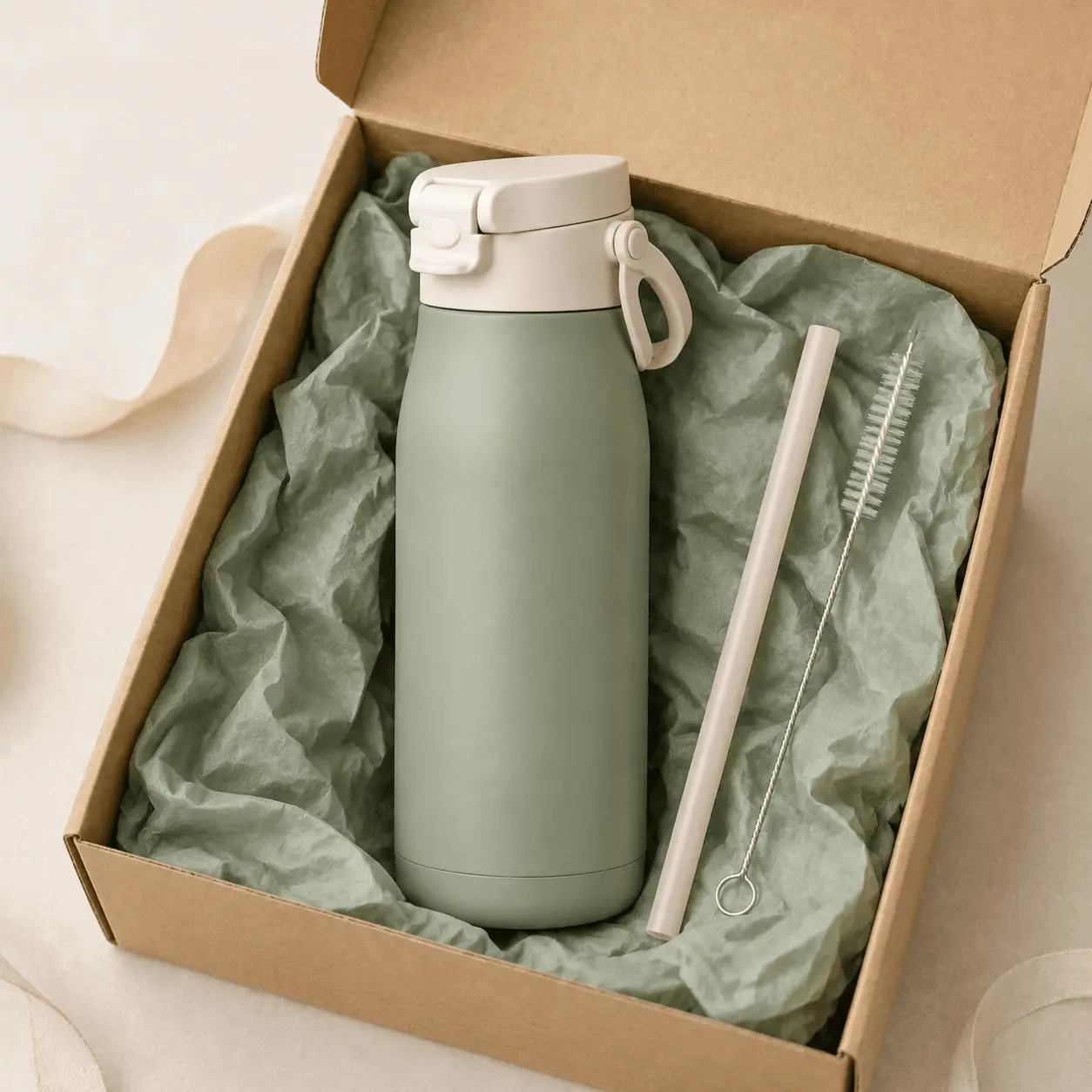
Generated result: The bottle, reusable straw, and cleaning brush are separated clearly inside one cohesive gift presentation.
Vertical Shopify Social Ad
Use this for Instagram Stories, Reels covers, TikTok placements, or another vertical mobile surface.
Best for: Stories, vertical ads, Reels covers, and mobile campaign placements.
Use the uploaded product image as the authoritative reference.

Create a polished 9:16 vertical ecommerce ad with the exact product standing on a clean [brand-color] pedestal against a [background description]. Add the exact headline "[HEADLINE]" near the top and the exact CTA "[CTA]" near the bottom. Keep the full product centered with mobile-safe margins. Use crisp bright studio lighting and high-contrast typography.

Preserve the exact product shape, colors, materials, texture, proportions, seams, labels, and hardware.

Text must be spelled exactly. Do not add extra words.

Constraints: no added logo, watermark, second product, product redesign, or text overlapping the product.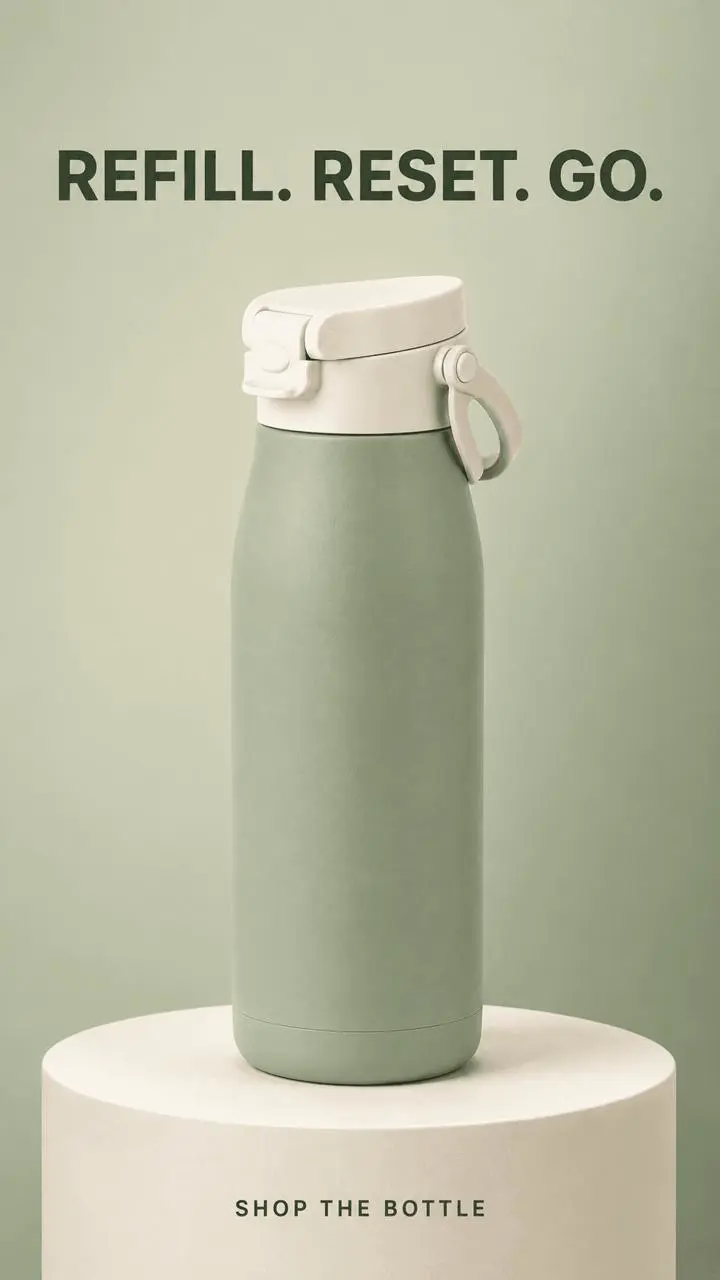
Generated result: A mobile-first composition with readable headline and CTA text inside safe margins.
Square Shopify Promotional Graphic
Use this for a product-page feature block, homepage campaign tile, or square social ad.
Best for: Shopify feature blocks, homepage tiles, paid social, and campaign graphics.
Use the uploaded product image as the authoritative reference.

Create a premium square ecommerce graphic featuring the exact product on a clean [color 1] and [color 2] geometric set. Place the product on the right. Add the exact headline "[HEADLINE]" in the upper-left area and the exact subline "[SUBLINE]" below it. Use readable high-contrast typography and bright soft studio light.

Preserve the exact product shape, colors, materials, texture, proportions, seams, labels, and hardware.

Text must be spelled exactly. Do not add extra words.

Constraints: exactly one product; no added logo, watermark, duplicate product, product redesign, or low-contrast text.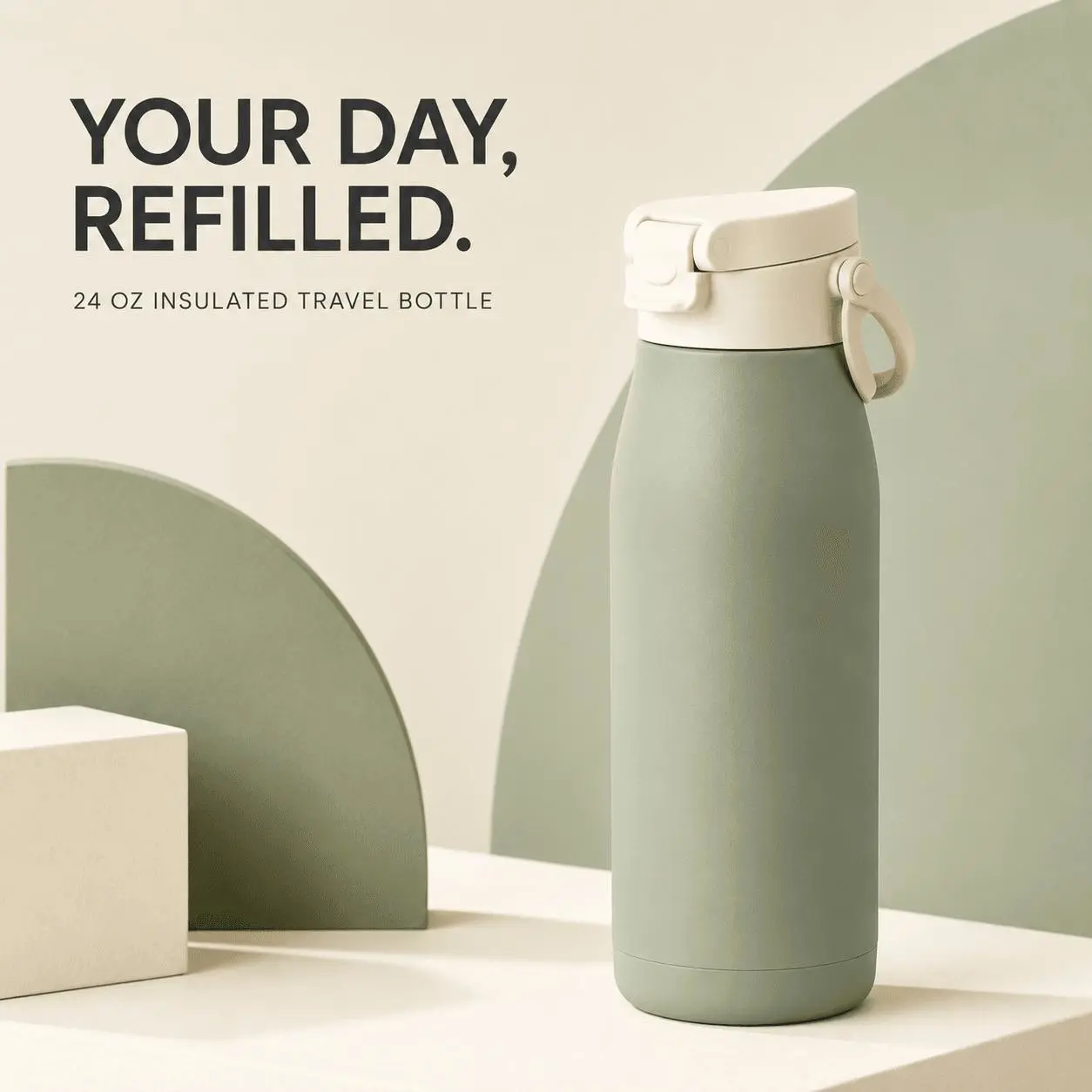
Generated result: A square campaign asset with the product on the right and clear text hierarchy on the left.
A Reusable GPT Image 2 Prompt Formula for Shopify
For a new Shopify image, build the prompt in this order:
1. Asset role: where the image will be used.
2. Reference image: which upload defines the product.
3. Requested change: scene, crop, color, layout, or campaign purpose.
4. Composition: aspect ratio, camera angle, product placement, and negative space.
5. Lighting and mood: concrete visual direction.
6. Preserve: shape, colors, materials, labels, hardware, proportions, and seams.
7. Avoid: extra products, invented text, added logos, watermarks, distortion, or unsupported claims.Check Every AI Product Image Before Publishing
- Compare the result with the source product at full resolution.
- Inspect closures, handles, straps, ports, seams, labels, and small accessories.
- Confirm that every displayed color variant and bundle actually exists.
- Read all generated text and correct any spelling error.
- Do not add claims such as “leakproof,” “BPA-free,” or fixed performance times without verification.
- Export the correct aspect ratio for its Shopify section or campaign channel.
- Add descriptive alt text based on the final image.
- Disclose AI-generated or AI-edited imagery when required by your policy or marketplace.
Turn One Product Reference into a Complete Shopify Image Set
The goal is not to generate 10 unrelated pictures. It is to build a coordinated visual system from one approved product reference:
- Generate or upload the clean white-background source.
- Approve the product shape, materials, color, labels, and hardware.
- Reuse that reference for the exact Shopify asset you need next.
Upload the cleanest product image you have, choose one prompt above, and replace the bracketed fields with your real campaign details.
Create with GPT Image 2 in WeShop AI →